
The recommendation
Choose the physical routine that fits your room and bag: a handle, kickstand, swivel stand, or folding body. Read the complete-kit and source qualifications beside each choice.
The shortlist, at a glance
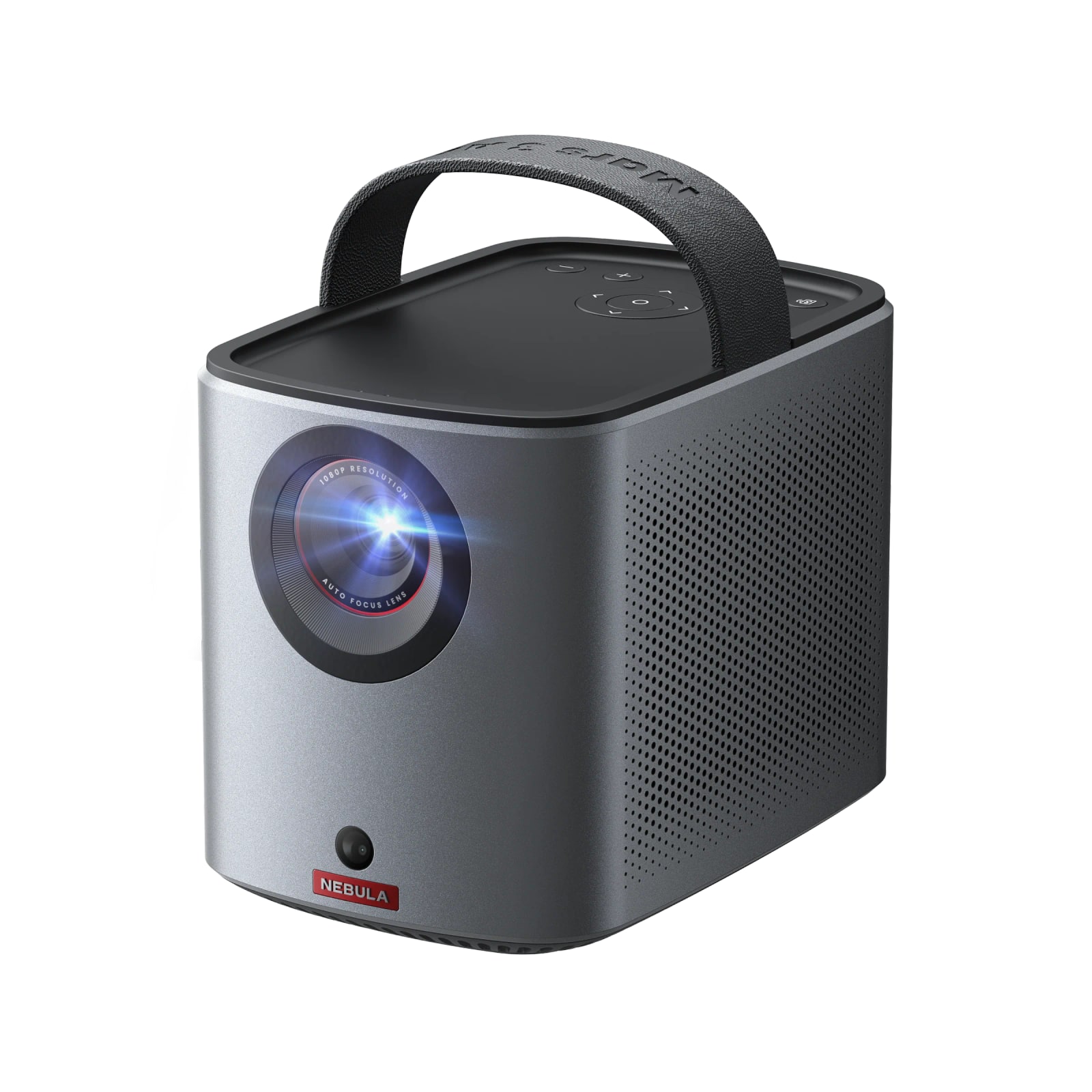
Short moves between familiar rooms, with a dedicated place for the charger and remote.
Anker Nebula Mars 3 Air →
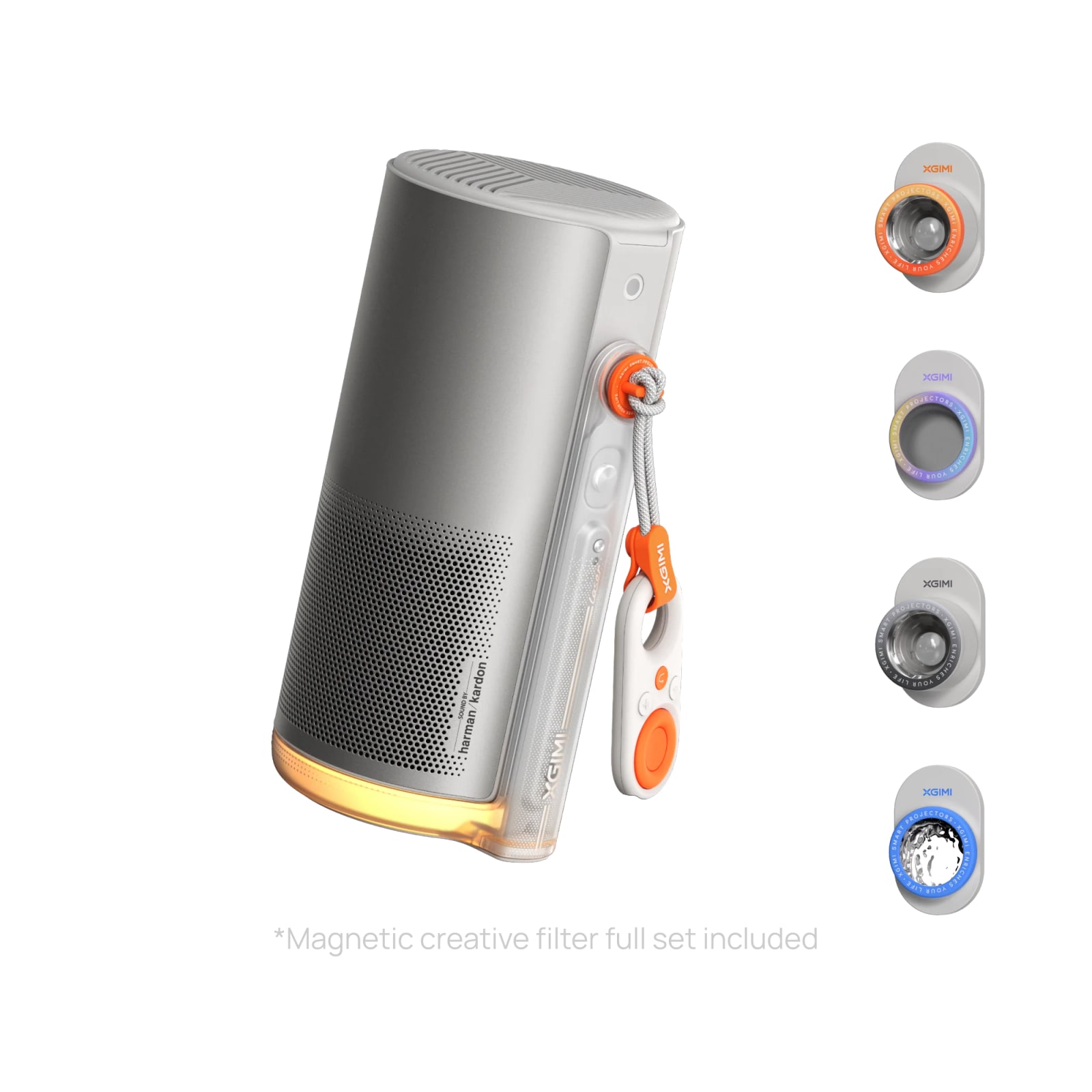
Buyers who want an attached aiming mechanism and will keep the full remote with it.
XGIMI MoGo 4 Laser →
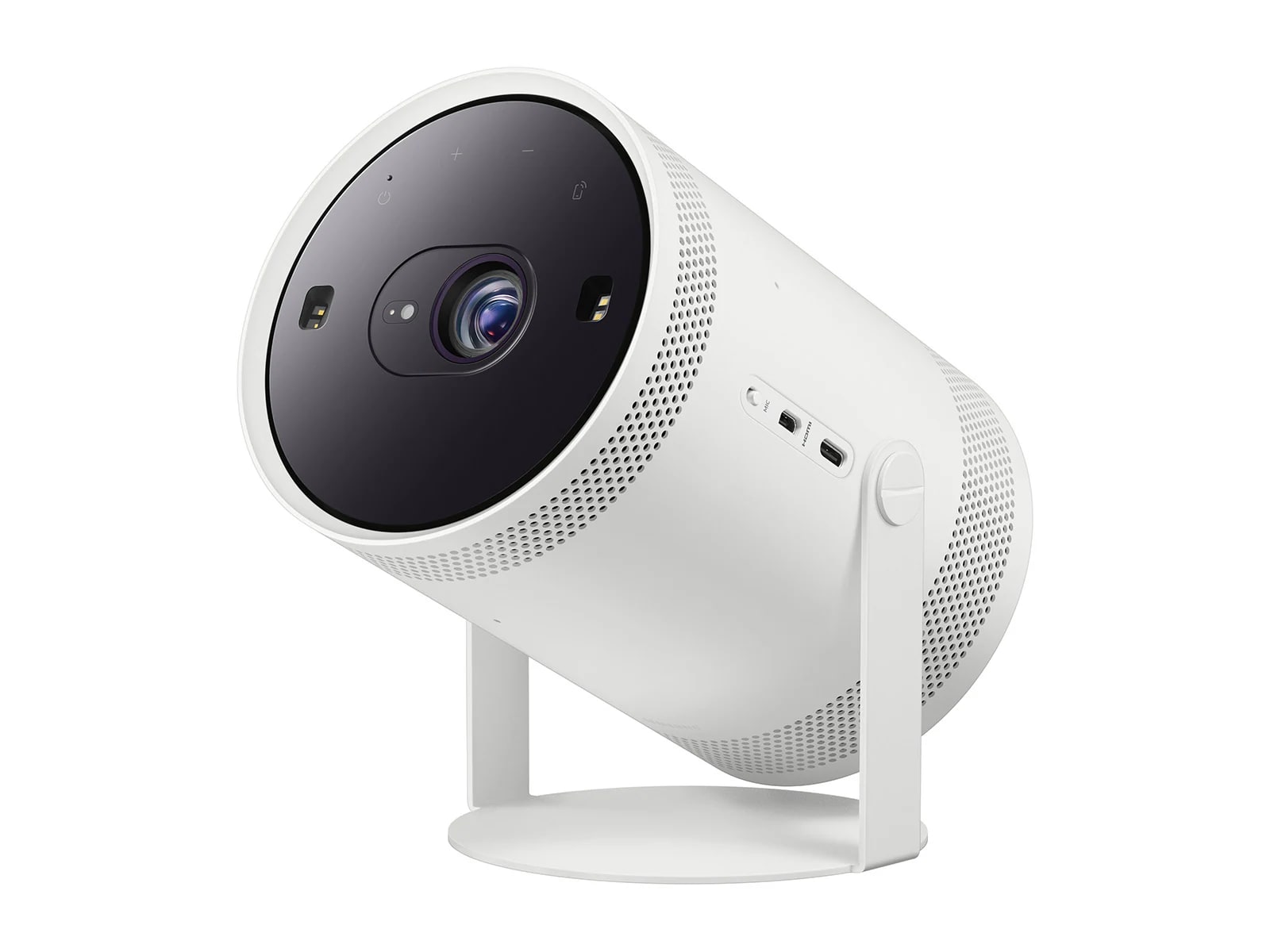
Buyers interested in an attached tilt cradle who will check the exact current product.
Samsung The Freestyle 2nd Gen →
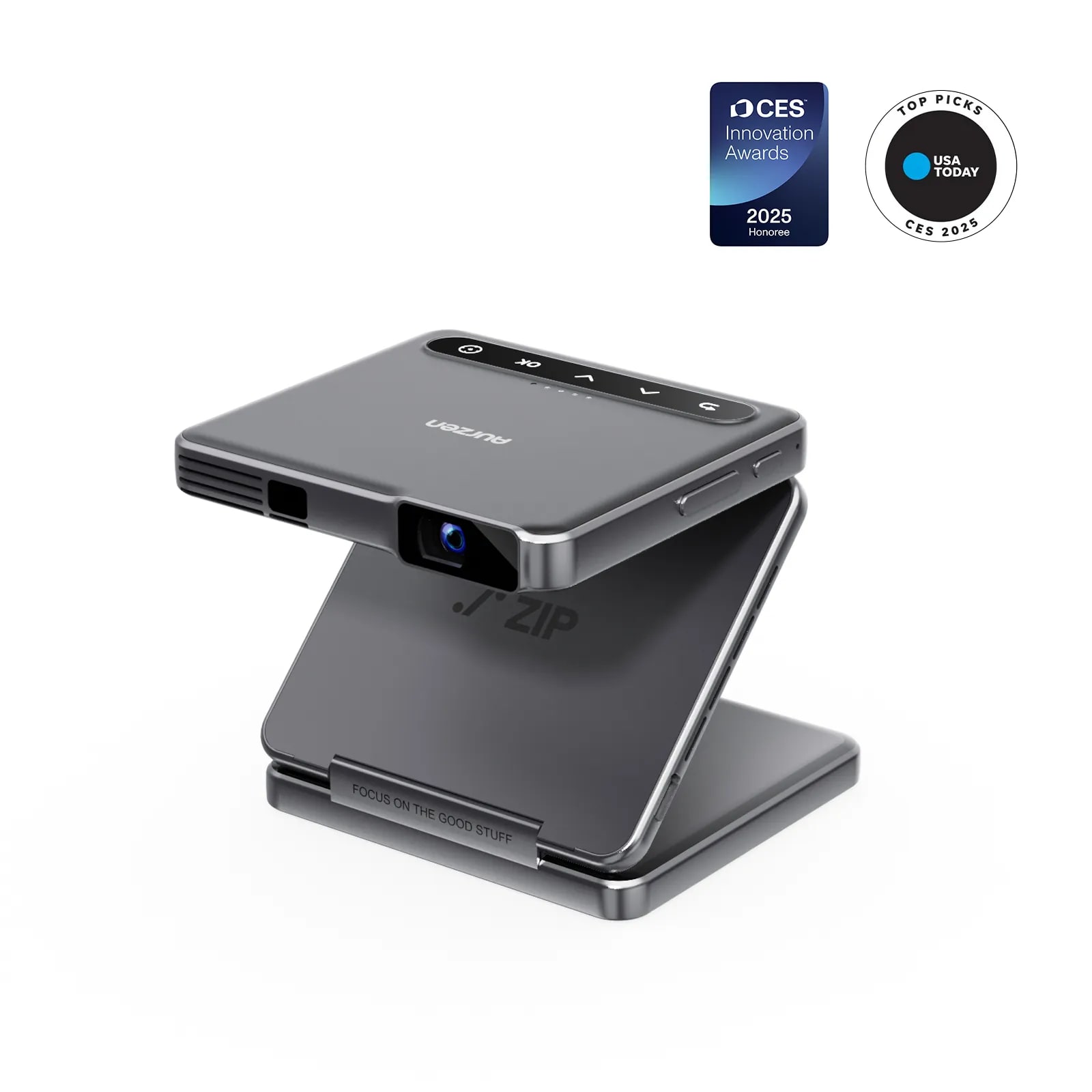
Buyers who value folded size and an attached aiming mechanism.
Aurzen ZIP Tri-Fold Portable Pocket Projector →
Grades at a glance
| Product | Overall | Positioning, aiming and handling | Input, menu and control selection | Everyday power, cables and packing |
|---|---|---|---|---|
| Anker Nebula Mars 3 Air | 7.7 | 9.0 | 7.0 | 7.0 |
| XGIMI Halo+ | 7.7 | 7.0 | 9.0 | 7.0 |
| XGIMI MoGo 4 Laser | 7.7 | 9.0 | 7.0 | 7.0 |
| Anker Nebula X1 | 6.8 | 7.0 | 9.0 | 4.0 |
| LG CineBeam Q | 6.1 | 7.0 | 7.0 | 4.0 |
| Anker Nebula Capsule 3 | 7.7 | 7.0 | 9.0 | 7.0 |
| Samsung The Freestyle 2nd Gen | 7.7 | 9.0 | 7.0 | 7.0 |
| Aurzen ZIP Tri-Fold Portable Pocket Projector | 7.7 | 9.0 | 7.0 | 7.0 |
Compare your shortlist
Does it fit your life?
Start with the chore you want to reduce
The best starting point in this group is the projector whose physical routine fits your ordinary places. Choose the Mars 3 Air if an obvious carry handle and accessible body buttons appeal. Consider the Halo+ GTV edition if you prefer a desk kickstand and a conventional remote with useful direct actions. Look at the MoGo 4 Laser if an opening swivel stand solves your placement problem, or the Aurzen ZIP if compact folding and several aiming pivots are the attraction. These models reach similar everyday-use totals through different combinations of conveniences.
The Capsule 3 is another small-body option, with a LED-model account that emphasizes a separate tripod, physical repositioning, and top controls. The X1's supplied-package reports describe a backlit remote and a large adapter to pack. Historical LG CineBeam Q accounts, including a pre-launch report, describe a handle used for carrying and propping, with a socket in the placement plan. Samsung's Freestyle 2nd Gen offers an interesting tilt cradle, though the retained evidence is a sponsored pre-production demonstration and supports only narrow physical observations.
This guide was updated on October 16, 2026 using cached reviewer material checked on that date. It is not a new live product survey or our own hands-on test. The comparison concerns positioning and carrying, selecting controls, and power and packing chores. It does not rank picture quality, sound, brightness, runtime, reliability, or current streaming services. Use it to find a physical routine that suits you, then investigate the viewing requirements that matter to your purchase.
Compare the everyday routines
| Projector | Position and carry | Controls | Power and packing | Everyday score |
|---|---|---|---|---|
| Mars 3 Air | Handle and tripod option | Body buttons and remote | Separate charger | 7.7/10 |
| Halo+ | Kickstand and tripod option | GTV remote shortcuts | Adapter still travels | 7.7/10 |
| MoGo 4 Laser | Opening swivel stand | Full remote preferred | Charging and accessory plan | 7.7/10 |
| Nebula X1 | Retractable handle | Backlit remote and top controls | Large adapter and case choices | 6.8/10 |
| CineBeam Q | Rotating handle prop | Workable remote | Plug and cable reach matter | 6.1/10 |
| Capsule 3 LED | Small body; plan a support | Top controls and remote | Case and supply checks | 7.7/10 |
| Freestyle 2nd Gen | Broad cradle tilt shown | Physical remote rockers shown | Cable handling shown | 7.7/10 |
| Aurzen ZIP | Folding body and pivots | Source-menu choices | Cable and optional transmitter | 7.7/10 |
The totals are summaries of ordinary chores, so a tie does not mean the products are interchangeable. The Freestyle row is restricted to its sponsored pre-production physical demonstration. The Halo control account concerns the GTV edition. The Capsule is the selected LED model, and the MoGo comparison uses mixed-model material only for explicitly shared physical actions. Follow the linked reviews for these qualifications before relying on a particular observation.
The table is most useful when you choose a column first. If you rarely change rooms but frequently operate controls from a seat, the remote may matter more than the grip. If you move the projector every session, the support and carrying routine deserve closer attention. If you travel, add the whole accessory collection to the comparison. A short list built around the chore you repeat is more informative than choosing the largest overall number without reading its explanation.
Mars 3 Air: start here for an obvious carrying routine
The Mars accounts describe a handle, an underside tripod attachment, top navigation buttons, and a separate laptop-style charger. This is a straightforward proposition for someone moving between familiar rooms: the body has a grip, and there are controls nearby while you place it. The historical reports also describe unplugged relocation. We use that to explain moving convenience, without promising the length of a viewing session.
Its reservation is the rest of the kit. The charger remains a separate item, and a tripod is another thing to carry if your destination needs one. One account describes a clunky first sign-in, which is a reason to allow familiarization time rather than a prediction of current software. Read the Mars 3 Air review if you want a handle-led routine and are happy to keep an adapter and remote organized around it.
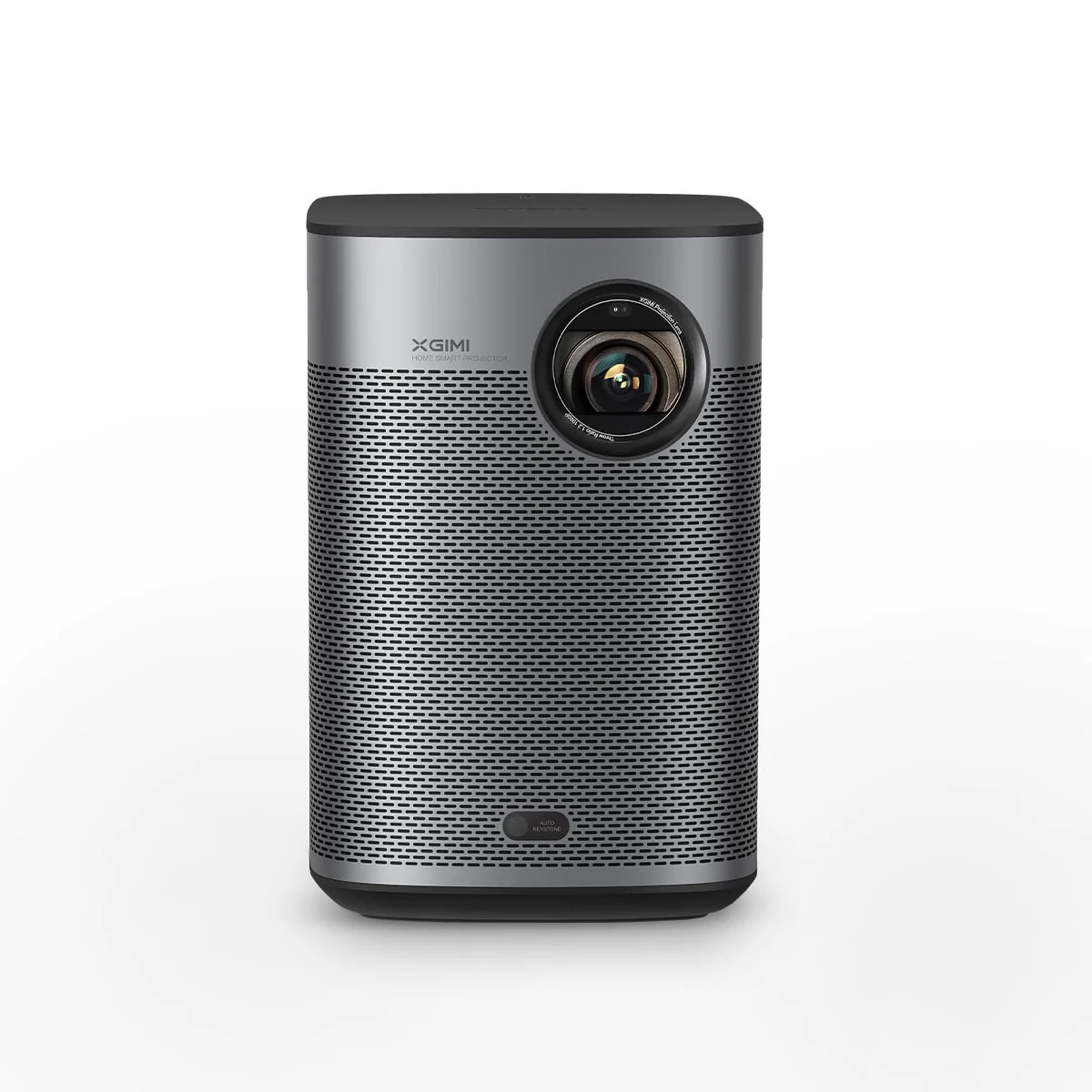
Halo+: consider it for the desk and remote
The historical Halo+ GTV account describes a desktop kickstand, a tripod mount, and a remote with distinct short- and long-press focus actions. Those actions are useful control access, not a statement about focus accuracy. The reviewer also notes that the remote is not backlit. If you like conventional handheld operation, the direct controls may appeal; if you dislike finding buttons in dim surroundings, that caveat deserves weight.
The edition check comes first. This historical GTV report does not establish an older Android model's software or a current app lineup. The charging account also keeps the mains adapter in the travel plan, without proving a universal rule about external batteries. The Halo+ review is the next stop if you expect a clear desk or table and want to compare remote convenience against the support and charger you would pack.
MoGo 4 Laser: the opening stand is the hook
The Laser-specific reviewer describes pulling open and swiveling the built-in stand to reveal the lens. A separate dual regular-and-Laser demonstration supplies shared physical observations about the lanyard, remotes, and ports. We transfer only those explicitly shared actions. The Laser review used a brand-supplied sample, with the reviewer stating that the company had no input. Its detailed menu account is historical, not a current instruction guide.
The same reviewer preferred the full remote and had to find a second settings path. That keeps the recommendation practical: enjoy the attached stand, but learn the few controls you need and pack the fuller controller. Additional power arrangements or accessories can still enlarge the kit. Read the MoGo 4 Laser review if aiming with an integrated mechanism is more attractive than carrying a separate support.
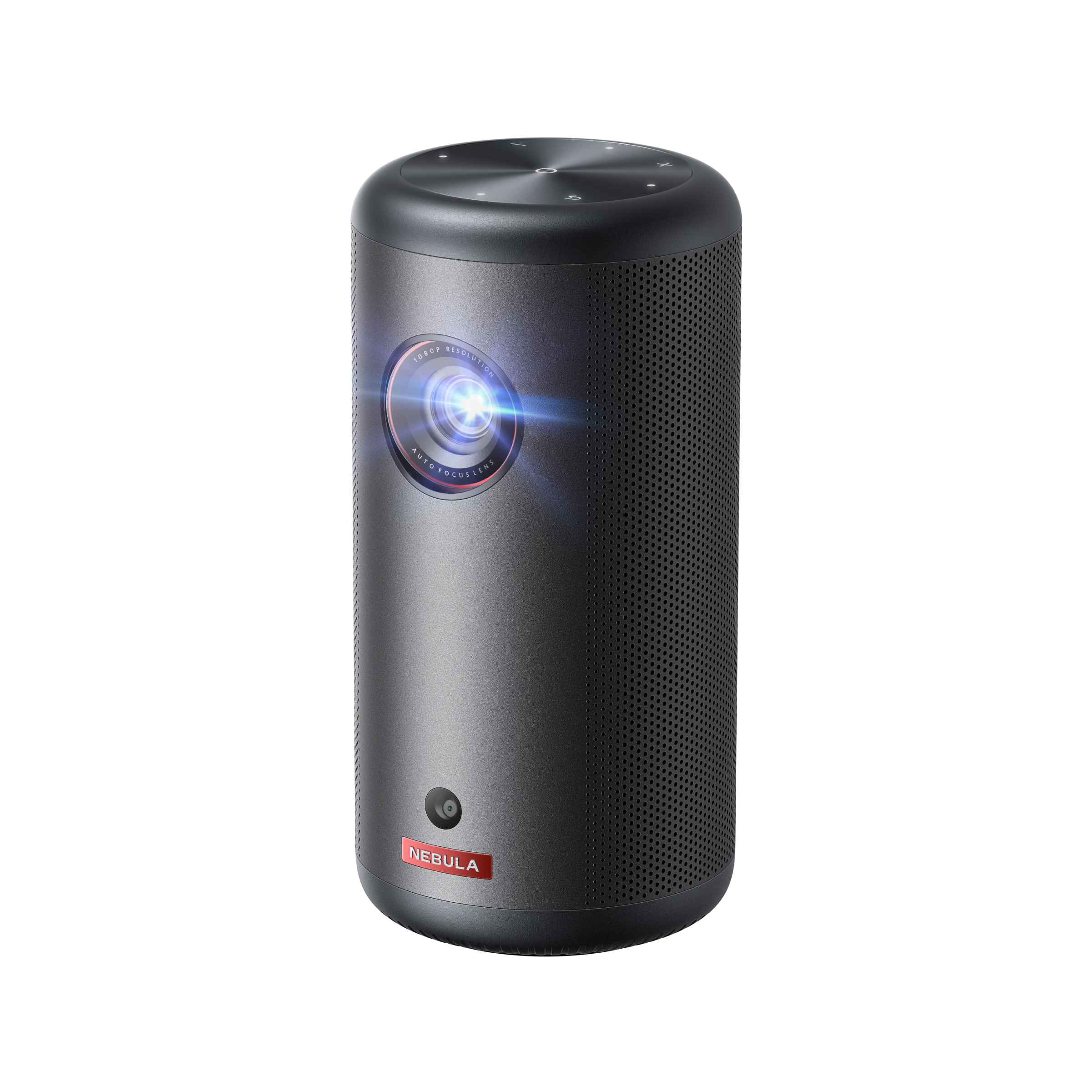
Capsule 3: small body, deliberate support
The selected Capsule 3 here is the LED model. Its self-purchased setup account discloses affiliate links and describes moving the projector physically to change image size, attaching a tripod, and using top controls or a remote. The report's mistaken Laser comparison and protected-content connection advice are excluded. The useful picture is of a small body with accessible control choices and some manual placement still required.
The reported adapter-holder annoyance belongs to the reviewer's third-party case. It is a prompt to check your chosen case layout, not evidence of a defect in the stock projector kit. The account also describes unsuccessful use with friends' power banks, without establishing a universal compatibility threshold. Read the Capsule 3 review if packed-body size matters and you are prepared to choose a support and an exact power plan.
Aurzen ZIP: folding helps, accessories still need a home
The ZIP's recorded demonstrations describe pocket carrying, a metal base, and several pivots. Commercial contexts include brand outreach and a partnership; an additional sponsored prototype contributes historical mechanical context only. The appeal is the transformation from a compact folded body to an adjustable one. The source-selection and accessory routine deserves separate thought, particularly if your intended setup includes a transmitter.
The partnership reviewer corrects an early case-slot guess: the case holds the projector and USB-C cable, not specifically the dongle. Follow that correction when imagining the kit. The accounts do not establish every mirroring path or present retail bundle. The Aurzen ZIP review is useful if you want folding convenience and are willing to settle the exact source connection and storage arrangement before buying accessories.
X1 and CineBeam Q: carryable setups with visible power chores
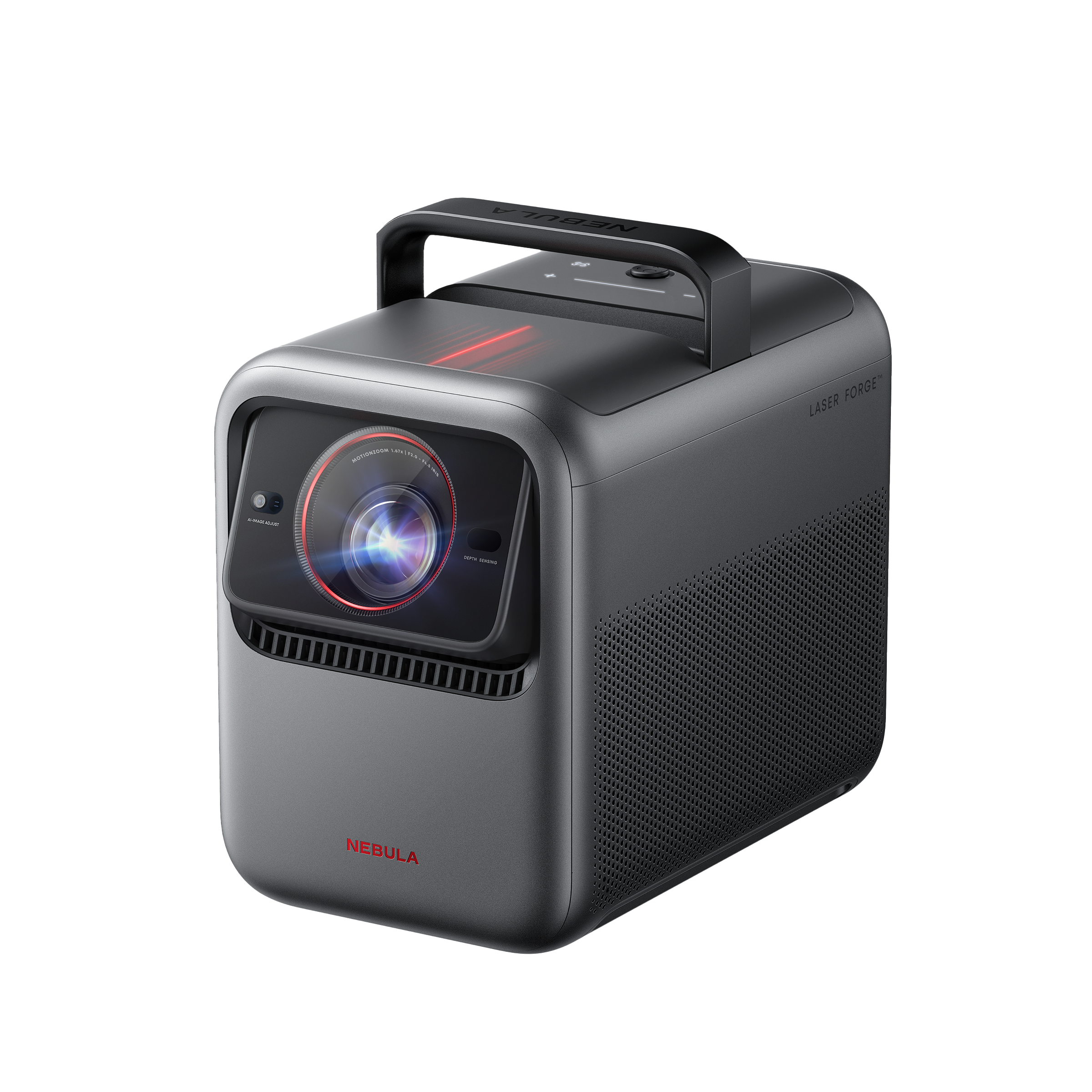
The X1 reports, both involving supplied review packages, describe a retractable handle, a mounting attachment, a backlit remote, and top controls. They also describe a large, heavy adapter and rear cable handling. An optional compartmented case appears in a reviewed bundle; reviewer-only presentation packaging is explicitly separate from retail contents. The X1 review suits someone willing to organize a substantial movable setup rather than minimize every item.
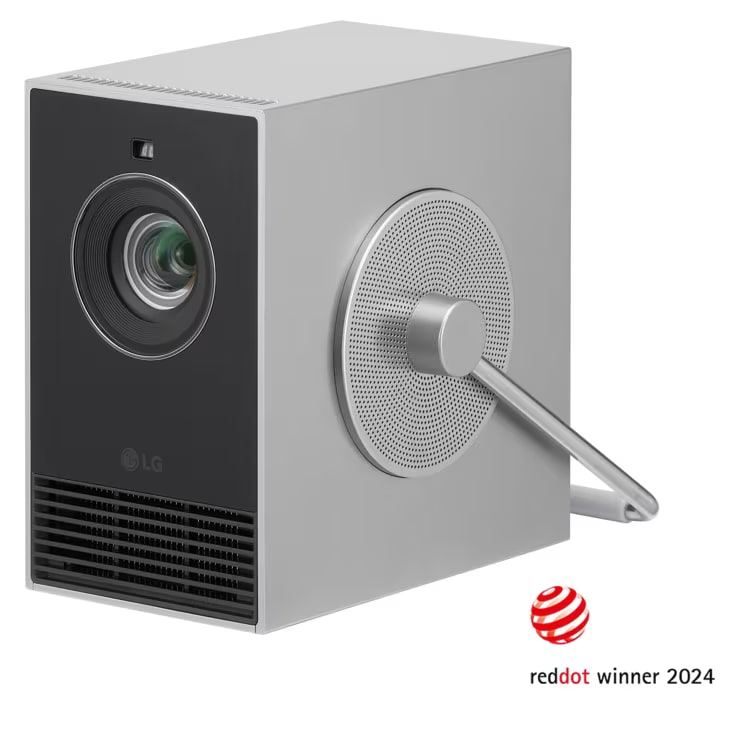
The LG accounts describe a rotating handle used as a prop, a workable remote, and dependence on a plug. One historical pre-launch account calls the power cord short; a later report describes no tripod mount and limits when the body is tilted steeply. We do not transfer the pre-launch autofocus issue as current behavior. Read the CineBeam Q review if you like the handle and already have suitable powered surfaces in mind.
Freestyle 2nd Gen: inspect the tilt, verify the rest separately
The Freestyle's historical source is explicitly sponsored by Samsung and uses a supplied pre-production second-generation unit. Its broad physical cradle tilt, remote volume and channel rockers, and cable handling are the observations used here. We do not borrow its current-service claims, automatic-correction claims, or external-power suggestions. The interesting physical design is a reason to inspect the exact current product, not a substitute for doing so.
Its 7.7/10 everyday score is correspondingly narrow. It describes the convenience of those physical interactions, without establishing current shipping contents or the rest of the software experience. The Freestyle 2nd Gen review sets out those limits beside the relevant observations. Keep it on a shortlist if the cradle solves a recurring aiming chore, then verify your specific current requirements before deciding to buy.
Plan one complete setup before comparing sizes
Choose a real destination and work backward. Identify the surface, where the viewer sits, where the source device goes, and where the power arrangement would live. Then list the body, remote, support, adapter, and necessary leads. This turns the broad word portable into several concrete questions. A handle answers one of them, a hinge answers another, and neither automatically answers the source or power question.
For travel, compare those complete collections. A small projector with a separate tripod may occupy more of your bag than expected; a larger body with a convenient handle may be easier for short moves around home. Neither result is paradoxical once the actual journey is named. Decide whether you are optimizing a short carry, a compact packed shape, fewer loose accessories, or an easier setup on unfamiliar furniture.
Match the shortlist to one real journey
For moving between familiar rooms, begin with what is already waiting at each end. A clear table makes a desktop kickstand more relevant; an awkward angle makes an attached aiming mechanism more interesting. The Mars handle, Halo+ GTV kickstand, MoGo opening stand, and ZIP hinges answer different parts of that move. Write down the support beside each model rather than treating it as an accessory to choose later. Include the remote and charging pieces that must follow the body from room to room.
For a visit, the destination becomes less predictable. Ask about a surface and power location, then compare complete kits for that same visit. The Capsule report's separate tripod and third-party case, the X1 reports' substantial adapter, and the LG accounts' need to carry the plug illustrate why body size cannot make this decision alone. These are historical handling observations with their own context, not a promise that one model will work in an unfamiliar room. The useful result is a list of pieces and a placement plan you can explain before leaving.
For a shared household, separate the person doing the setup from the person using the controls. The X1 reports involve supplied review packages and describe a backlit remote; the Halo GTV account describes direct press actions without a backlight. Those differences may matter to the seated user even if someone else carries and connects everything. The Capsule's self-purchased LED account, with affiliate links disclosed, adds top controls as another option. Decide which actions everyone actually needs, then check them on the exact unit rather than expecting an old interface demonstration to serve as current instructions.
For the smallest bag, compare the stored collection with the unpacked arrangement. The ZIP's brand-related demonstrations make folding attractive, but the corrected case description leaves an optional transmitter to organize separately. The MoGo's supplied-sample Laser review favors the full remote even though a shared-model demonstration shows a smaller backup. Those details can change which pieces you keep close. Settle the source and power requirements before choosing a case, and let a genuine need for a stand or controller influence the shortlist as much as the bare body's shape.
Use the scores for the tasks they describe
The three categories cover positioning, aiming, and handling; input, menu, and control selection; and everyday power, cables, and packing. The Mars, MoGo, Freestyle, and ZIP show their strongest scores in physical placement. The Halo, X1, and Capsule have stronger control-selection scores. The X1 and LG receive lower packing scores because their described power arrangements add substantial chores. Those distinctions explain more than the overall totals alone.
These scores are contextual editorial judgments from reported interactions. They are not measurements of picture quality or promises about durability, safety, current firmware, runtime, or successful outcomes. A model with an appealing physical routine may still fail another requirement that matters more to you. Use this guide to narrow the handling choices, then make the remaining buying checks around the exact model and activity you intend.
If you have no clear preference yet, begin with the Mars handle, Halo desk-and-remote routine, MoGo opening stand, and ZIP folding mechanism. Compare those four physical ideas against your actual room and bag. Add the Capsule, X1, LG, or Freestyle when their particular shape or control arrangement answers a specific need. The most useful purchase is the one whose complete ordinary routine you can picture repeating comfortably, with every necessary piece accounted for.
Anker Nebula Mars 3 Air
Anker Nebula
Short moves between familiar rooms, with a dedicated place for the charger and remote.
A carrying handle, tripod option, body buttons, and a separate charger define the everyday routine.
The takeaway
A useful starting point for handle-led carrying if the support and charger fit your routine.
Reasons to choose it
- Handle described in both retained accounts
- Tripod attachment offers a second placement route
- Top navigation and volume controls
Tradeoffs to know
- Separate laptop-style charger to pack
- A suitable surface or support is still needed
- Historical first sign-in friction in one account
Think twice if: You want a pocket body or expect the handle to replace a stand and accessory bag.
Published specifications
- Carrying arrangement
- Top handle in historical demonstrations
- Control access
- Top buttons and remote
- Support option
- Tripod attachment described
Further reading
Ratings
Editorial score 7.7
Positioning, aiming and handling9
A handle and described tripod attachment simplify carrying and placement, while a support surface remains necessary.
Input, menu and control selection7
Body buttons and a remote give useful alternatives; one historical reviewer found the initial sign-in clunky.
Everyday power, cables and packing7
Unplugged relocation is convenient, while a separate laptop-style charger adds packing.
XGIMI Halo+
XGIMI
Buyers who like a conventional remote and have a suitable desk or table.
A desktop kickstand and useful remote actions suit a familiar table-based setup.
The takeaway
Worth considering for the desk and remote routine after checking the exact edition.
Reasons to choose it
- Desktop kickstand described
- Tripod attachment provides another support route
- Direct remote actions in the GTV report
Tradeoffs to know
- Remote is reported as unlit
- Adapter remains part of travel packing
- Historical controls apply to the GTV edition
Think twice if: You need a backlit remote or have not confirmed the GTV edition.
Published specifications
- Remote caveat
- No backlight in the retained account
- Reviewed edition
- GTV
- Support options
- Desktop kickstand and tripod attachment described
Further reading
Ratings
Editorial score 7.7
Positioning, aiming and handling7
Kickstand and tripod options make placement workable, with furniture or a separate support still required.
Input, menu and control selection9
The GTV report describes useful shortcuts and distinct press actions, though the remote is not backlit.
Everyday power, cables and packing7
The described battery helps relocation; mains charging keeps an adapter in the kit.
XGIMI MoGo 4 Laser
XGIMI
Buyers who want an attached aiming mechanism and will keep the full remote with it.
An opening swivel stand reduces physical setup, while the full remote and accessory plan still matter.
The takeaway
An appealing physical setup when the opening stand solves a recurring placement chore.
Reasons to choose it
- Pull-open swivel stand described
- Carry lanyard in shared physical demonstration
- Small backup remote described
Tradeoffs to know
- Laser reviewer preferred the full remote
- Historical second settings path needed discovery
- Extra power or stand accessories enlarge the kit
Think twice if: You expect every adjustment to be obvious without learning the controls.
Published specifications
- Aiming mechanism
- Pull-open swivel stand
- Control choice
- Full remote preferred in Laser-specific report
- Mixed-model evidence
- Shared physical actions only
Further reading
Ratings
Editorial score 7.7
Positioning, aiming and handling9
The opening swivel stand and described lanyard reduce ordinary aiming and carrying chores.
Input, menu and control selection7
Full and smaller controllers offer choices, but the Laser reviewer preferred the full remote and found a second settings route.
Everyday power, cables and packing7
Physical charging and wired connections are described; separate power and optional accessories still need planning.
Anker Nebula X1
Anker Nebula
Buyers prepared to organize a deliberate movable setup.
A retractable handle and accessible controls help a substantial kit that includes a large external adapter.
The takeaway
Choose around the complete kit, with the backlit remote as a useful control advantage.
Reasons to choose it
- Retractable carrying handle
- Backlit remote described
- Top navigation controls and mounting attachment
Tradeoffs to know
- Large heavy adapter in the reports
- Rear cable layout adds handling
- Optional case and bundles need separate checking
Think twice if: A small bag and minimal loose pieces are the main requirements.
Published specifications
- Carrying arrangement
- Retractable handle described
- Control access
- Backlit remote and top controls
- Packing caveat
- Large external adapter
Further reading
Ratings
Editorial score 6.8
Positioning, aiming and handling7
A retractable handle and mounting attachment help move and support a substantial body.
Input, menu and control selection9
The described backlit remote and top navigation controls give convenient access to ordinary actions.
Everyday power, cables and packing4
A large adapter and rear cable handling add substantial packing; the reviewed carrying case is optional.
LG CineBeam Q
LG
Buyers with suitable powered surfaces who like a handle with a second job.
A rotating carrying handle also props the body, while plug location and cord reach shape placement.
The takeaway
An interesting handle-based arrangement when the powered location is already planned.
Reasons to choose it
- Handle serves carrying and propping roles
- Ordinary remote and dashboard routes described
- Compact handling in both historical accounts
Tradeoffs to know
- Reported placement limits and no tripod mount
- Plug and adapter travel with the body
- Short cord noted in pre-launch account
Think twice if: You expect an established tripod route or want to stop planning around sockets.
Published specifications
- Mount caveat
- No tripod mount reported
- Power routine
- Plug-dependent in retained reports
- Support arrangement
- Rotating handle used as a prop
Further reading
Ratings
Editorial score 6.1
Positioning, aiming and handling7
The rotating handle helps carrying and propping, with reported mounting and steep-angle limits.
Input, menu and control selection7
The remote and dashboard provide workable selection, while both reports criticize the remote and differ in interface preference.
Everyday power, cables and packing4
The plug requirement and historical short-cord observation make outlet location and packing substantial chores.
Anker Nebula Capsule 3
Anker Nebula
Buyers prioritizing a small body who will choose a suitable support.
A small LED-model body with top controls and a remote, plus a deliberate support and packing plan.
The takeaway
Useful small-body convenience when the support, case and exact power plan are settled.
Reasons to choose it
- Compact body in the retained setup
- Top controls and remote options
- Tripod attachment described
Tradeoffs to know
- Physical repositioning remains part of setup
- Separate support can enlarge the kit
- Third-party case adapter fit needed attention
Think twice if: You expect size alone to remove placement, case and power questions.
Published specifications
- Case context
- Third-party case used in the report
- Control access
- Top touchpad and remote described
- Selected variant
- LED Capsule 3
Further reading
Ratings
Editorial score 7.7
Positioning, aiming and handling7
Compact carrying helps, while the account recommends a tripod and physically changing position.
Input, menu and control selection9
The described top controls and remote options reduce ordinary selection effort.
Everyday power, cables and packing7
Packing remains manageable, with a third-party case fit issue and failed bank experiences that require exact planning.
Samsung The Freestyle 2nd Gen
Samsung
Buyers interested in an attached tilt cradle who will check the exact current product.
A sponsored pre-production demonstration shows broad cradle tilt, remote rockers and cable handling.
The takeaway
A reason to inspect the physical tilt design, with current requirements checked separately.
Reasons to choose it
- Broad physical tilt demonstrated
- Familiar remote rocker actions described
- Attached cradle provides the aiming mechanism
Tradeoffs to know
- Retained account is sponsored pre-production
- Current contents need separate checking
- Exact power plan is not established by a connector
Think twice if: Your decision depends on current apps, shipped accessories or a particular portable supply.
Published specifications
- Admitted actions
- Tilt, remote rockers and cable handling
- Current bundle
- Not established by retained source
- Evidence context
- Sponsored pre-production second-generation demonstration
Further reading
Ratings
Editorial score 7.7
Positioning, aiming and handling9
The sponsored pre-production report describes convenient broad cradle tilt; current correction outcomes are outside this score.
Input, menu and control selection7
The physical volume and channel rockers support ordinary selection, without establishing current app or interface behavior.
Everyday power, cables and packing7
The pre-production cable and remote handling are workable, while exact present contents and supply arrangements need separate checks.
Aurzen ZIP Tri-Fold Portable Pocket Projector
Aurzen
Buyers who value folded size and an attached aiming mechanism.
A compact folding body and multiple pivots, with source and accessory choices to plan.
The takeaway
Strong physical convenience if the source path and complete accessory kit are planned.
Reasons to choose it
- Compact folded body described
- Multiple pivots provide aiming choices
- Defined metal base in a retained demonstration
Tradeoffs to know
- Source-device choices still add steps
- Optional transmitter needs its own storage
- Current case and bundle contents require checking
Think twice if: You expect the projector case to organize every optional transmitter piece.
Published specifications
- Charging connection
- USB-C described
- Physical arrangement
- Folding body with multiple pivots
- Reviewed case correction
- Projector and cable, not specifically dongle
Further reading
Ratings
Editorial score 7.7
Positioning, aiming and handling9
Pocket carrying, a defined base and multiple pivots make physical positioning convenient.
Input, menu and control selection7
The described side control and local selection screens are workable, with source-path decisions still required.
Everyday power, cables and packing7
Charging is straightforward to plan, while optional accessories and the corrected case layout add packing decisions.
Sources & further reading
youtube.com review
youtube.com review
youtube.com review
youtube.com review
youtube.com review
youtube.com review
youtube.com review
youtube.com review
youtube.com review
youtube.com review
youtube.com review
youtube.com review
youtube.com review
youtube.com review
Keep reading
Something changed? Help us keep this useful.
Send a correction →