
The recommendation
Worth considering for the desk and remote routine after checking the exact edition.
Grades at a glance
| Product | Overall | Positioning, aiming and handling | Input, menu and control selection | Everyday power, cables and packing |
|---|---|---|---|---|
| XGIMI Halo+ | 7.7 | 7.0 | 9.0 | 7.0 |
Does it fit your life?
Who should consider the Halo+
The Halo+ is worth considering if you expect to put a projector on a desk, adjust its angle, and operate it from a seat with a conventional remote. Its strongest everyday feature in the historical GTV-edition account is the division of control: a small kickstand for physical placement, a tripod attachment for another support option, and a remote with shortcuts and distinct short- and long-press focus actions. That is an appealing arrangement for a buyer who likes tangible controls and a repeatable setup.
The qualification comes before any comparison: the account used here explicitly concerns the Halo+ GTV edition. A familiar product name is not enough to establish that an older Android edition has the same interface or shortcuts. Check the exact edition you are considering. This review uses the historical GTV demonstration to explain its reported physical routine; it does not promise the menus, app availability, or behavior of a currently shipped unit.
The review was substantively updated on October 16, 2026 using a locally retained report. This was a check of cached material, not a new live acquisition or our own test. The recommendation is about positioning, control selection, and packing. If your deciding questions concern picture quality, a particular streaming service, or how long the projector will run, investigate those separately. Here, the question is whether the small chores around using it suit your habits.
Start with the desktop kickstand
The reviewer describes a little kickstand under the Halo+ that provides angle adjustment on a desktop. That is the first feature to assess if you usually have a table available. It gives the body an adjustment of its own instead of making an improvised prop the starting point. For a regular desk or bedside location, having that motion in the projector can make the setup easier to repeat: put it in place, adjust the stand, and then turn to the controls.
A kickstand still needs a support surface. It does not create room on an already crowded table or solve every placement height. Before buying, picture the desk with your ordinary possessions on it. Is there a place for the body and room to reach it? Will the intended source cable or power lead need space behind it? Treat the stand as a useful part of the arrangement, while allowing for the rest of the arrangement yourself.
This approach is different from the pull-open swivel stand described for the MoGo 4 Laser. The Halo account suggests a relatively familiar desktop adjustment; the MoGo puts a broader opening and swiveling motion at the center of its physical setup. Neither description tells you what will fit your room automatically. If you rarely need to change the angle dramatically, the Halo's simpler routine may be attractive. If aiming is the recurring frustration, compare the mechanisms with your likely support locations in mind.
A tripod gives another option
The same GTV account describes a mount on the underside for a tripod. That is useful when you want to free a table or choose a different placement height. It also creates another decision before leaving home. A tripod occupies bag space and asks for room when opened. Decide whether you are choosing it for a particular destination or merely carrying it because it might be useful. A support that never leaves the bag is still part of your packing burden.
For a home with one good table, the kickstand may be enough for most occasions. For visits to several different places, a tripod may be the more predictable part of the kit. Work out which pattern describes you. Portability is easier to judge when you name the surface at the destination. Without that, it is tempting to compare projector bodies while leaving the support question until arrival, where it can become the most awkward part of the evening.
Do not read the tripod observation as confirmation that every support is appropriate. The historical account establishes the presence of a tripod attachment, not a recommendation for an arbitrary stand. Consult the exact product and support requirements when choosing hardware. The ordinary buying advantage is that you have another placement route to consider, rather than being restricted to the nearest piece of furniture.
The remote does useful work
The GTV reviewer describes a remote with shortcut buttons and a focus button whose action changes with the length of the press. A quick press invokes automatic focus; a long press opens manual focus in the demonstrated setup. We count that as a control-selection benefit. The action is close at hand rather than buried behind a chain of menus, and the two choices have a memorable physical distinction. We are not grading how accurately either focus mode performs.
For an occasional user, this is also something worth practicing once. A button with two actions is convenient after the distinction is familiar, but it can be puzzling if you only remember that there is a focus button somewhere. During a first setup, learn the common actions you actually expect to use and leave the rest for later. The point is to reduce uncertainty during ordinary operation, not to memorize the remote before watching anything.
This remote-led arrangement will appeal most if you habitually keep a remote near your seat. If you often hand devices to other people, explain the short-press and long-press distinction as part of the handover. A small piece of practical knowledge can be more useful than a long list of features. Because the report is historical, confirm the controls on the exact edition in front of you rather than assuming that an online demonstration is a current instruction manual.
The missing backlight is a real caveat
The reviewer also points out that the remote is not backlit. That does not cancel the useful button layout, but it changes how those buttons feel in a darkened space. A shortcut helps only when you can locate it. If you dislike feeling around for buttons, this is a material reservation. Look at the control layout and think about how often you operate it without nearby light, rather than treating the number of shortcuts as the entire control story.
One sensible approach is to keep the remote in a consistent orientation and location. Another is to learn the few buttons used every session. These are habits you can choose, not built-in remedies. If you find either habit annoying, give that preference weight in the purchase. The X1's historical account describes a backlit remote, but its heavier adapter and larger packing routine create a very different tradeoff. Solving one small irritation by buying a more cumbersome kit may not suit you.
The Halo's controls therefore deserve a fairly specific recommendation: they are attractive for a person comfortable with a conventional remote and willing to learn its layout. They are less persuasive if your ideal device needs to be immediately understandable to someone new in a dim room. A product can have direct shortcuts and still require a little familiarization. That is a more useful way to read the report than calling the whole experience either effortless or difficult.
Battery convenience and charging are different jobs
The historical report describes an internal battery and using the Halo+ without a cable connected to the back. For this review, that supports the convenience of relocating the body and choosing a nearby position without making a mains lead part of every short move. It does not establish a duration you can rely on. We do not turn the reviewer's playback measurements into a promise for a different unit, operating mode, or session.
Charging is still a separate chore. The reviewer describes plugging into mains power to charge, so the adapter belongs in your travel plan. Keep the observation at that practical level. The same source makes a broad claim about external battery packs that this review does not adopt. A single demonstration does not settle every possible external supply. If a portable power arrangement is essential to you, confirm it against exact current requirements before making the purchase depend on it.
At home, decide where the charger will live between uses. A projector that is carried between rooms can otherwise leave its adapter stranded at whichever socket was last convenient. For travel, decide whether the charger goes in the same compartment as the body or in a separate accessory pouch. The specific arrangement is personal; the important buying question is whether you are willing to carry the whole required kit rather than only the compact projector shown in a photograph.
Build the kit around the support you will use
Start the packing decision with the Halo's proposed location. For a clear desk, the GTV account's kickstand is the relevant convenience: your support is already furniture at the destination. For a room where that desk is needed for something else, the described tripod attachment becomes more relevant. A tripod changes both the bag and the space you need on arrival. Choose between those arrangements before buying a case; otherwise you may organize the projector neatly and leave the largest extra piece unaccounted for.
Next consider where the remote should be when the body comes out. The direct press actions are part of the Halo's appeal, so a case arrangement that buries the remote beneath the support would work against your reason for choosing it. Decide whether the remote belongs beside the projector or in an easily reached accessory pocket. This is a choice about your packing order. The historical report does not establish the dimensions or layout of a current carrying case, and there is no single case recommendation implicit in this review.
The adapter raises a separate question: will it stay packed between trips or serve as the charger at your usual socket? Either arrangement can work as a habit, but they create different checks before leaving. With a dedicated travel place, you can see whether it is present; with a home charging place, you need to collect it. Include the mains lead and your intended source lead in that decision. A bare-body comparison with another projector will miss these pieces even though they are what you handle at both ends of a trip.
Finally, compare exact listings rather than similar-looking unboxings. Confirm GTV identity before relying on the remote account, and compare the named contents with the arrangement you have planned. A package with a support you will never use may be less useful than it first appears. A smaller package may require you to organize additional pieces separately. The aim is to know what you will carry and where it will go, while keeping current source and power compatibility as checks for the exact equipment.
How the scores reflect those tradeoffs
Positioning, aiming, and handling earns 7/10. The kickstand and described tripod attachment make the job workable, while a support surface or separate stand remains part of the setup. Input, menu, and control selection earns 9/10 for the demonstrated direct remote actions and shortcuts, tempered by the absent backlight. These are scores for the physical and selection chores described in the GTV account, without claiming that an automatic adjustment delivers a particular optical result.
Power, cables, and packing earns 7/10. The battery helps with relocation, but the adapter must still be brought and charging planned. The overall everyday-use score is 7.7/10. This ties several other models in the guide, which is a reason to read the category explanations rather than imagine all tied models suit the same person. The Halo's appeal centers on a familiar desktop arrangement and a useful remote; another tied projector may mainly appeal through its carrying or folding mechanism.
Nearby choices and the final fit
The Mars 3 Air is the nearest comparison if easy hand carrying matters more than the Halo's desktop kickstand and remote actions. Historical Mars accounts emphasize its handle, body controls, and separate charger. The MoGo 4 Laser is worth considering if you like the idea of opening and swiveling an integrated stand and keeping a small backup remote attached. Its Laser-specific account also describes having to find a second settings route, so more control options do not automatically mean fewer decisions.
The Capsule 3 is another compact alternative, though its LED-model account emphasizes physically moving the projector and adding a tripod. If you compare it with the Halo, include that support in the packing exercise. For a household where a desk is normally free and the remote stays in one place, the Halo arrangement may feel easier to repeat. For a buyer who primarily wants the smallest body to stow, the shape and support choices deserve a closer look.
Keep the Halo+ on your shortlist if you can name its usual support surface, accept carrying its charger, and like the demonstrated remote layout. Confirm the GTV edition before relying on that control account. Then make the first setup a quiet occasion to learn the buttons and establish your intended source. The Halo's everyday appeal is a collection of practical, familiar actions; it is strongest when those are the actions you want to repeat.
XGIMI Halo+
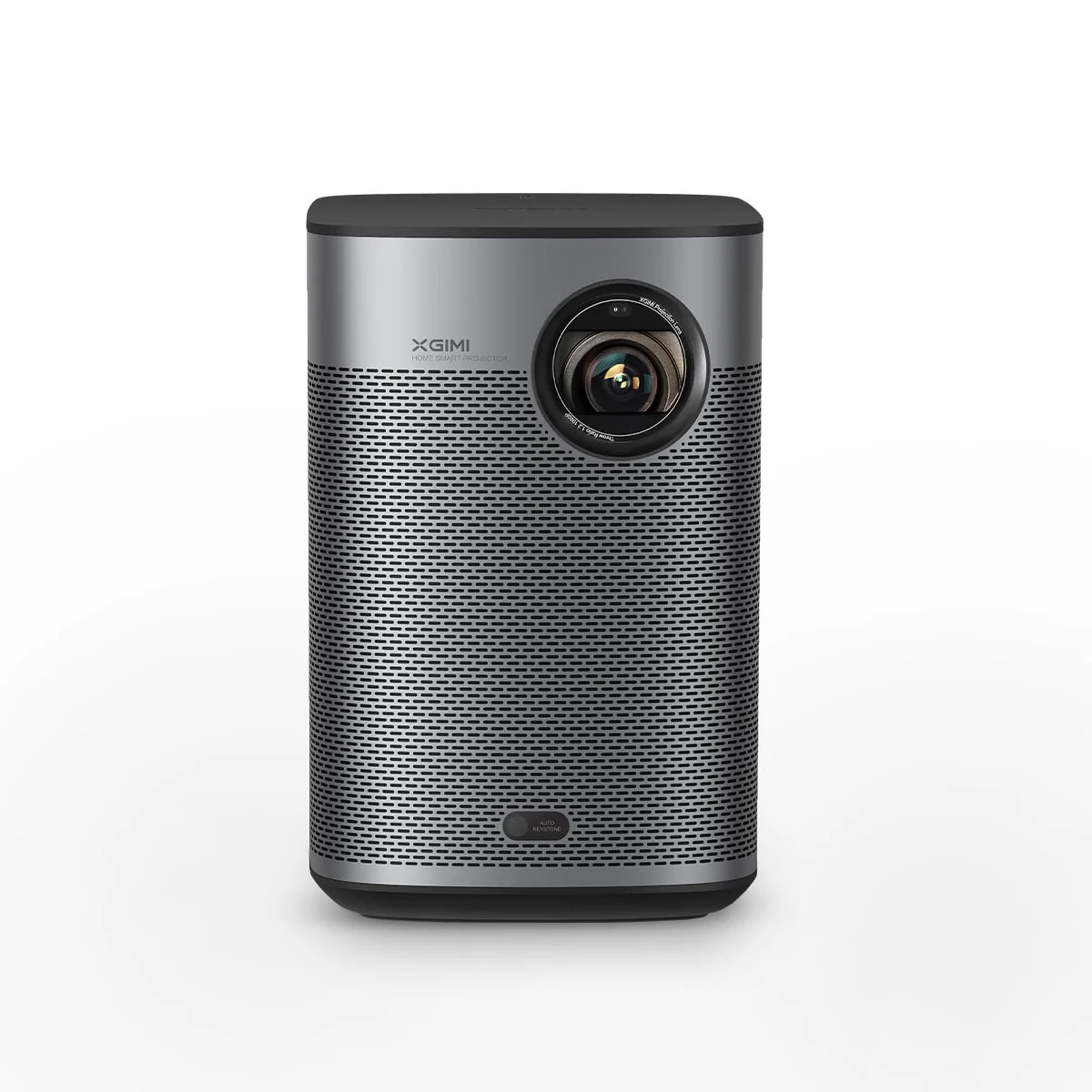
XGIMI
Buyers who like a conventional remote and have a suitable desk or table.
A desktop kickstand and useful remote actions suit a familiar table-based setup.
Reasons to choose it
- Desktop kickstand described
- Tripod attachment provides another support route
- Direct remote actions in the GTV report
Tradeoffs to know
- Remote is reported as unlit
- Adapter remains part of travel packing
- Historical controls apply to the GTV edition
Think twice if: You need a backlit remote or have not confirmed the GTV edition.
Published specifications
- Remote caveat
- No backlight in the retained account
- Reviewed edition
- GTV
- Support options
- Desktop kickstand and tripod attachment described
Further reading
Ratings
Editorial score 7.7
Positioning, aiming and handling7
Kickstand and tripod options make placement workable, with furniture or a separate support still required.
Input, menu and control selection9
The GTV report describes useful shortcuts and distinct press actions, though the remote is not backlit.
Everyday power, cables and packing7
The described battery helps relocation; mains charging keeps an adapter in the kit.
Sources & further reading
youtube.com review
youtube.com review
youtube.com review
youtube.com review
youtube.com review
youtube.com review
youtube.com review
youtube.com review
youtube.com review
youtube.com review
youtube.com review
youtube.com review
youtube.com review
youtube.com review
Keep reading
Something changed? Help us keep this useful.
Send a correction →