
The recommendation
The Razer Viper V3 Pro is our first choice for a simple gaming layout. Choose the DeathAdder for a contour you have checked, the Basilisk for wired wheel flexibility, the G305 for AA simplicity, or a specialist layout when its extra commands match your needs.
The shortlist, at a glance
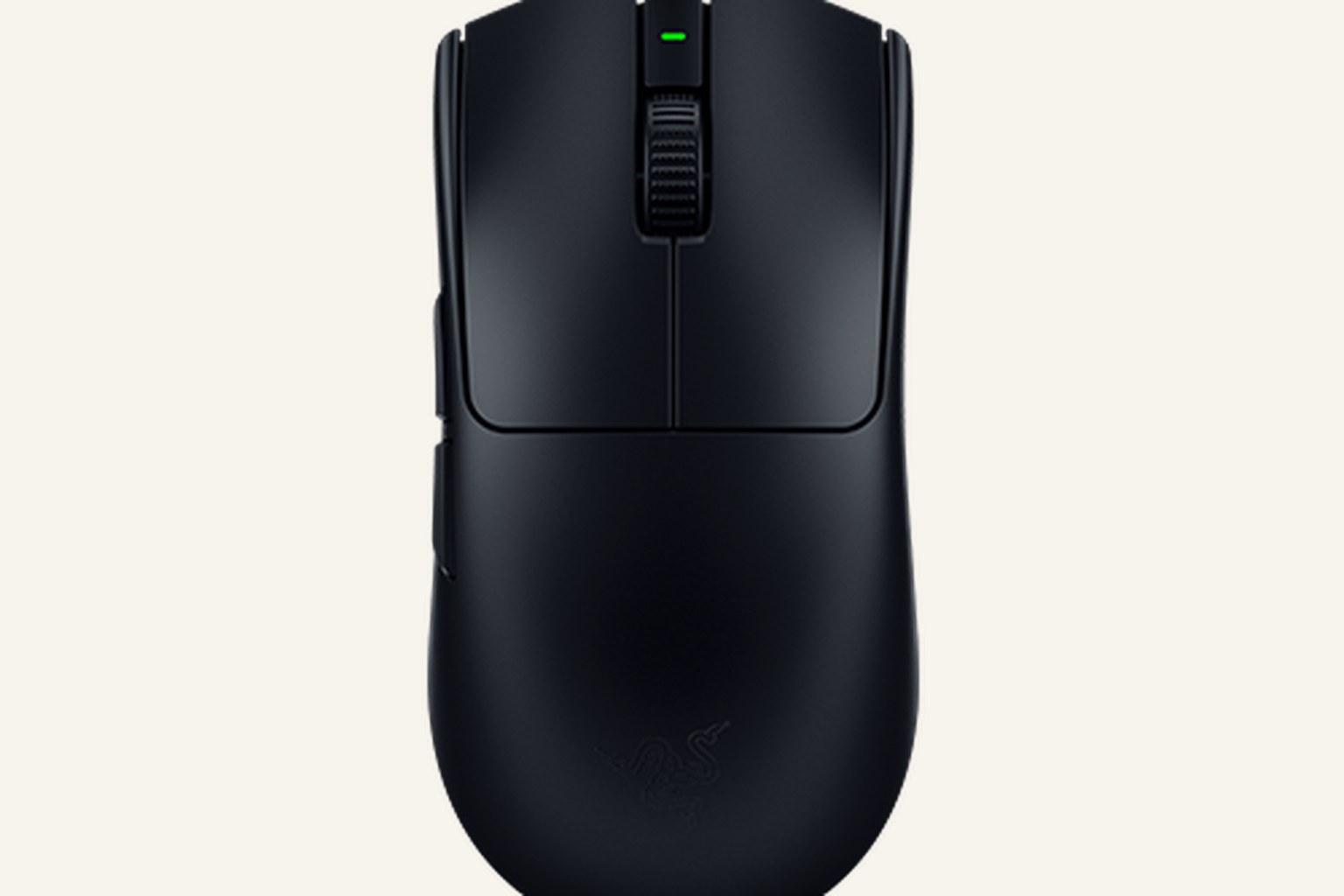
Players who want a straightforward wireless mouse with well-liked main clicks and accessible side buttons.
Razer Viper V3 Pro →
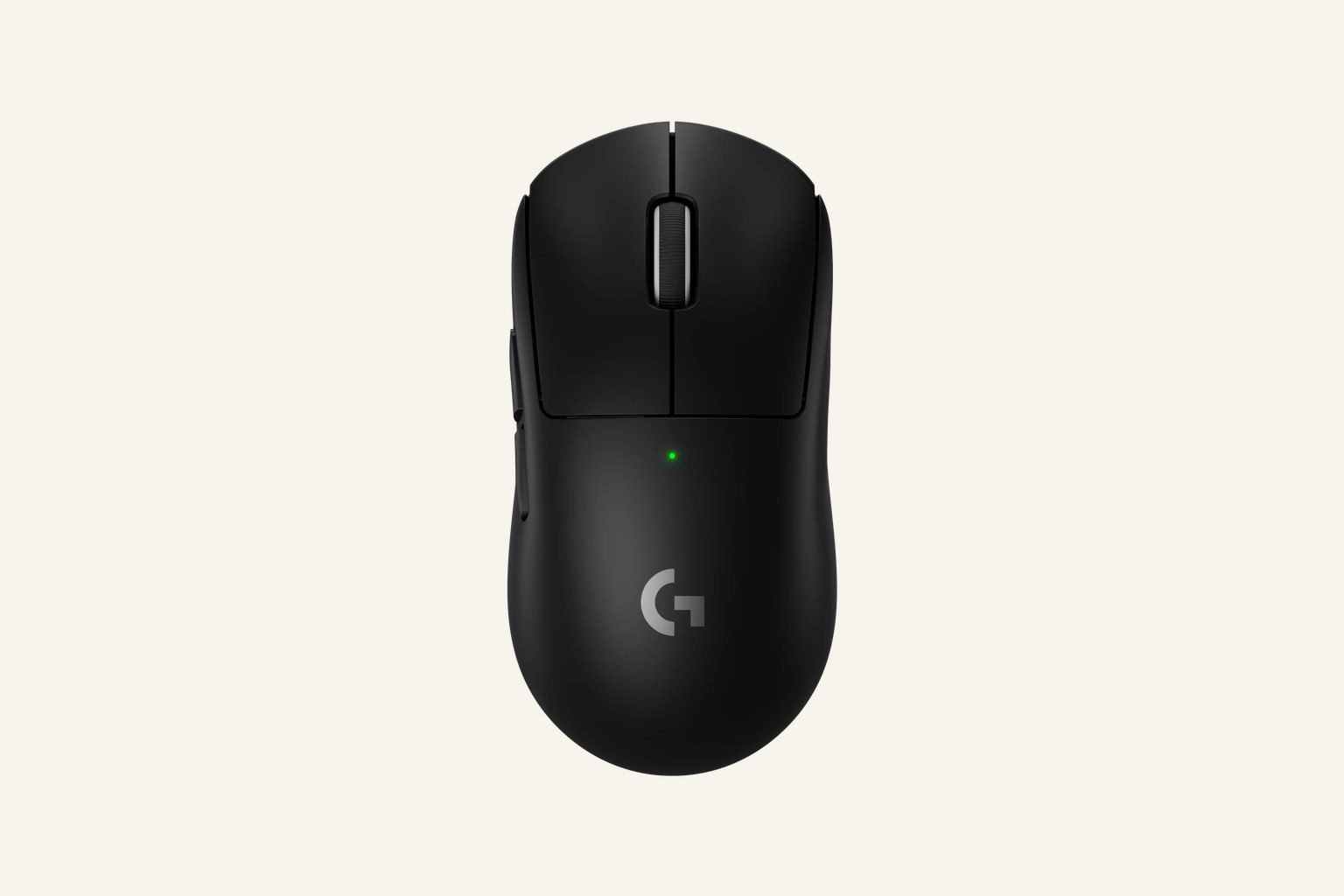
Players who like a rounded symmetrical shell and want a simple wireless layout with USB-C charging.
Logitech G PRO X SUPERLIGHT 2 LIGHTSPEED →
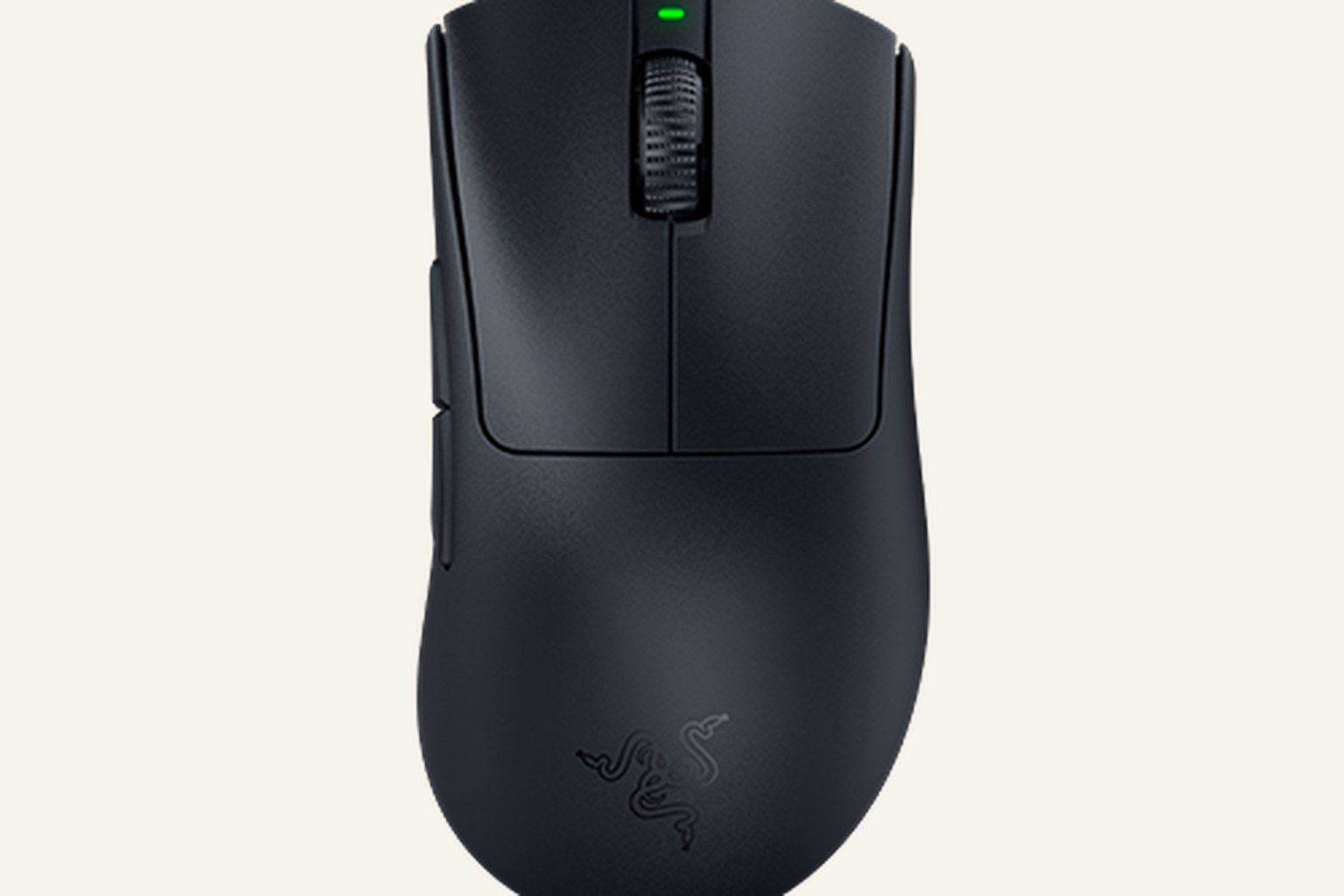
Right-handed players who want a contoured wireless mouse with accessible side buttons and a straightforward control layout.
Razer DeathAdder V3 Pro →
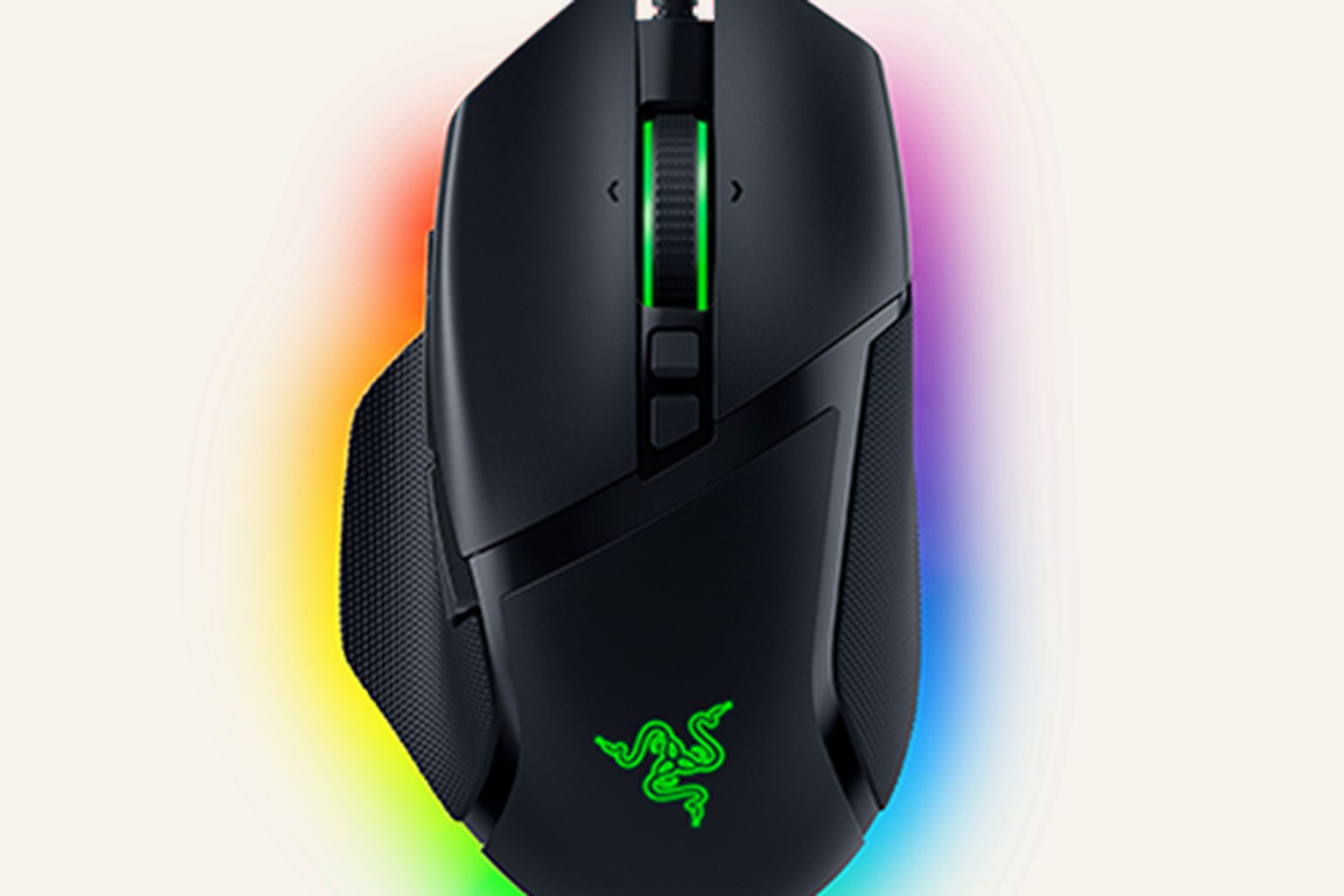
Right-handed players who want a thumb rest, flexible wheel behavior and extra controls without a charging routine.
Razer Basilisk V3 →
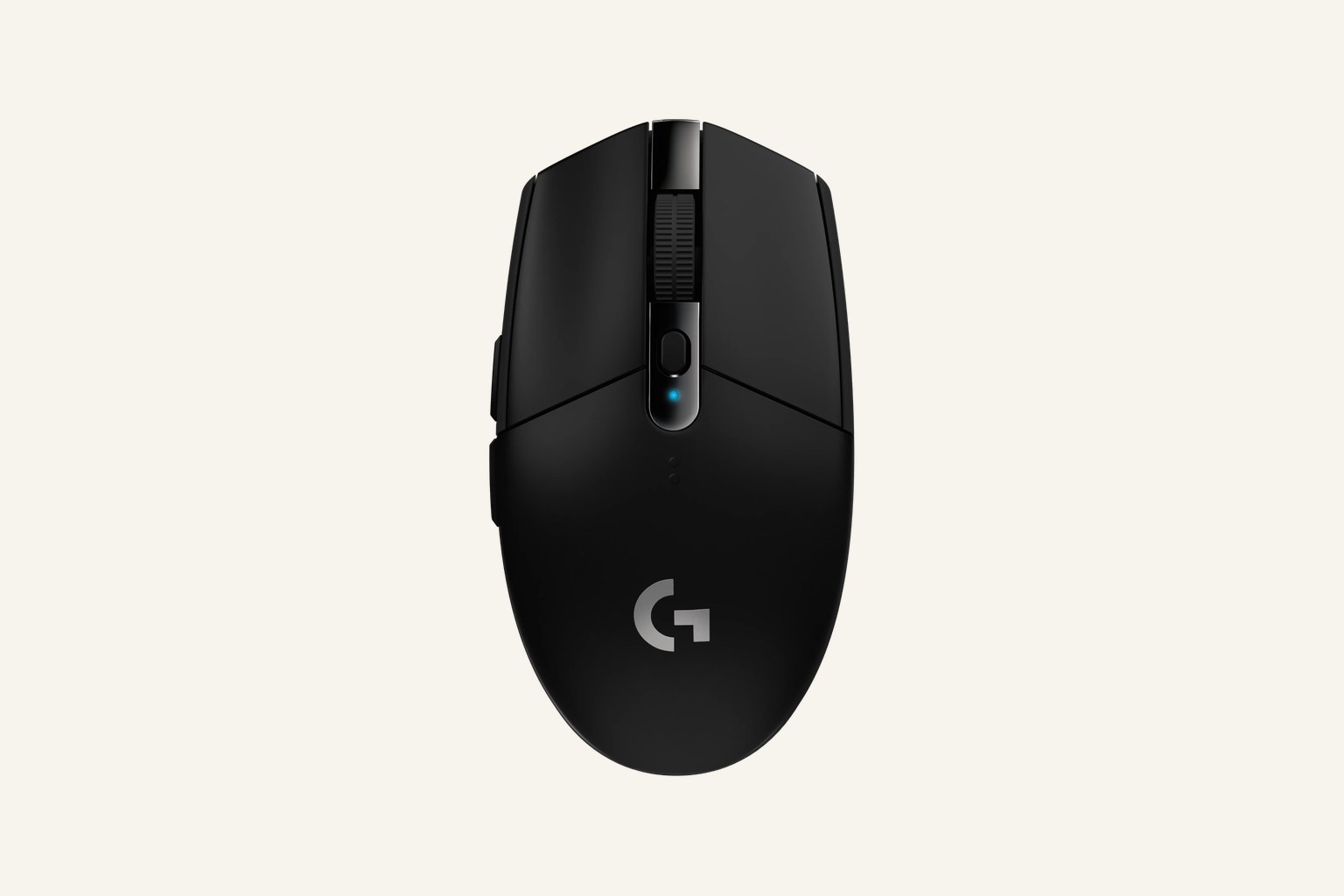
Players who want a small rounded mouse, basic controls and replaceable AA power.
Logitech G305 LIGHTSPEED →
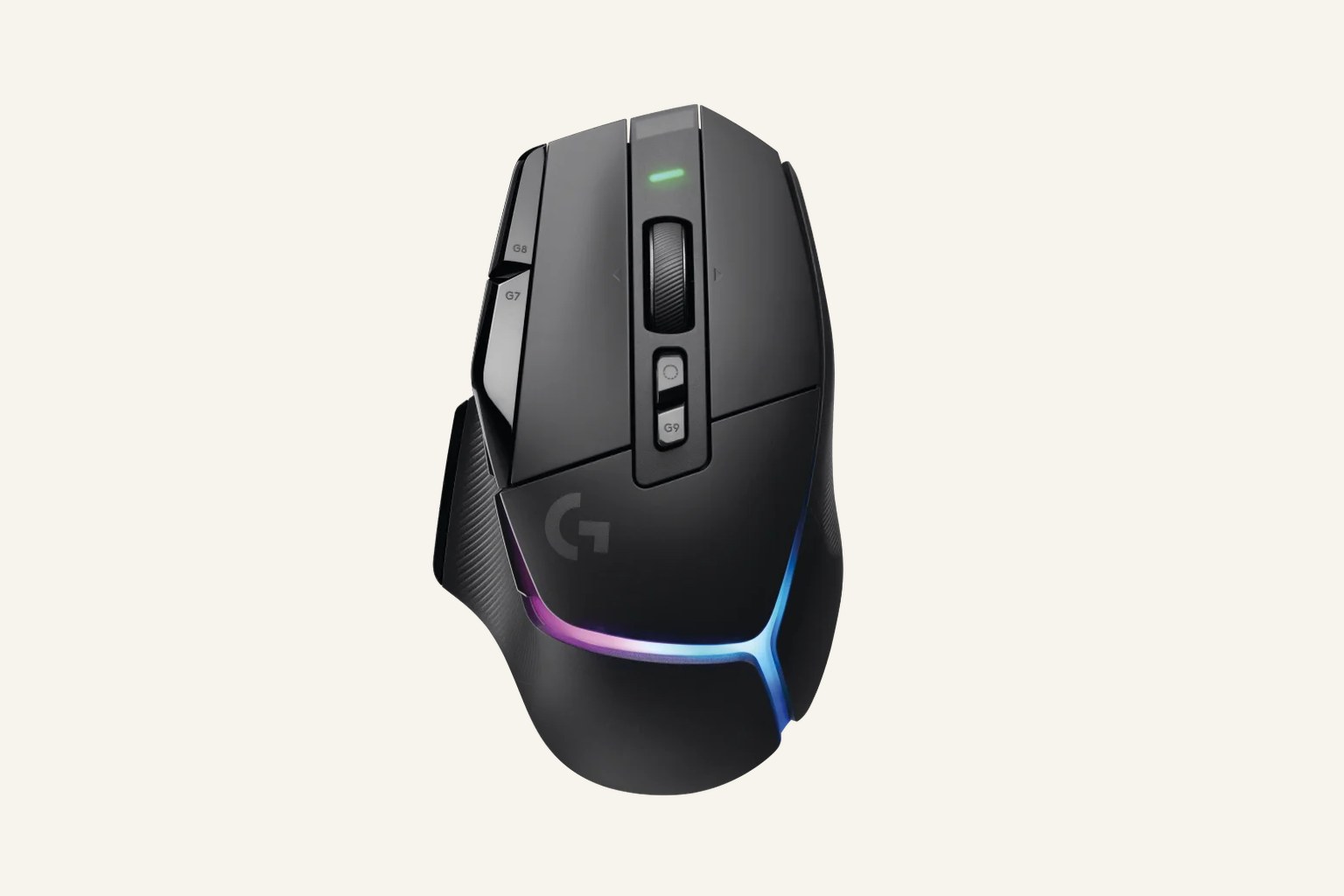
Right-handed players who want a substantial wireless shell, a thumb rest and more control options.
Logitech G502 X Plus LIGHTSPEED →
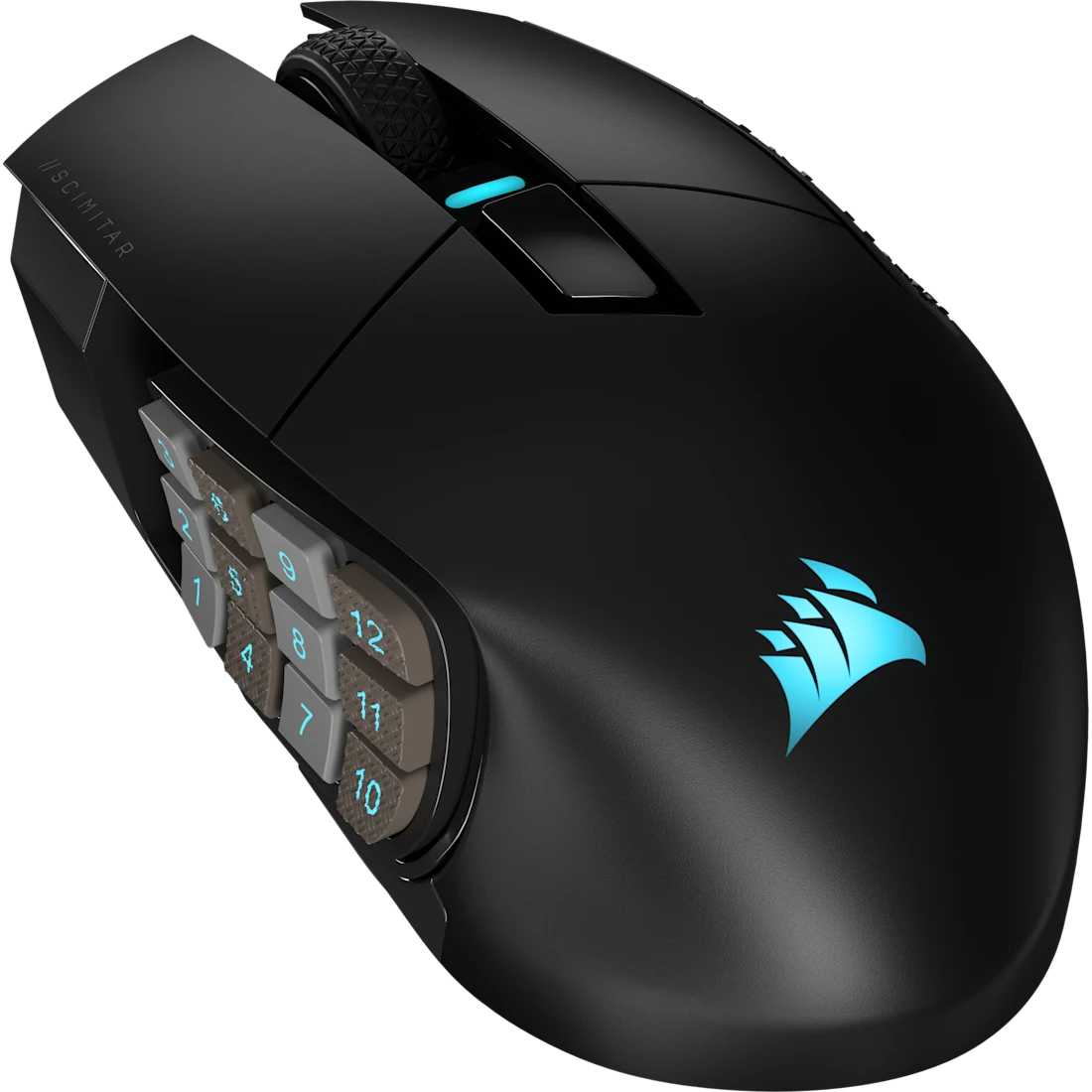
Right-handed players who want an adjustable twelve-key thumb bank for binding-heavy games.
Corsair Scimitar Elite Wireless MMO →
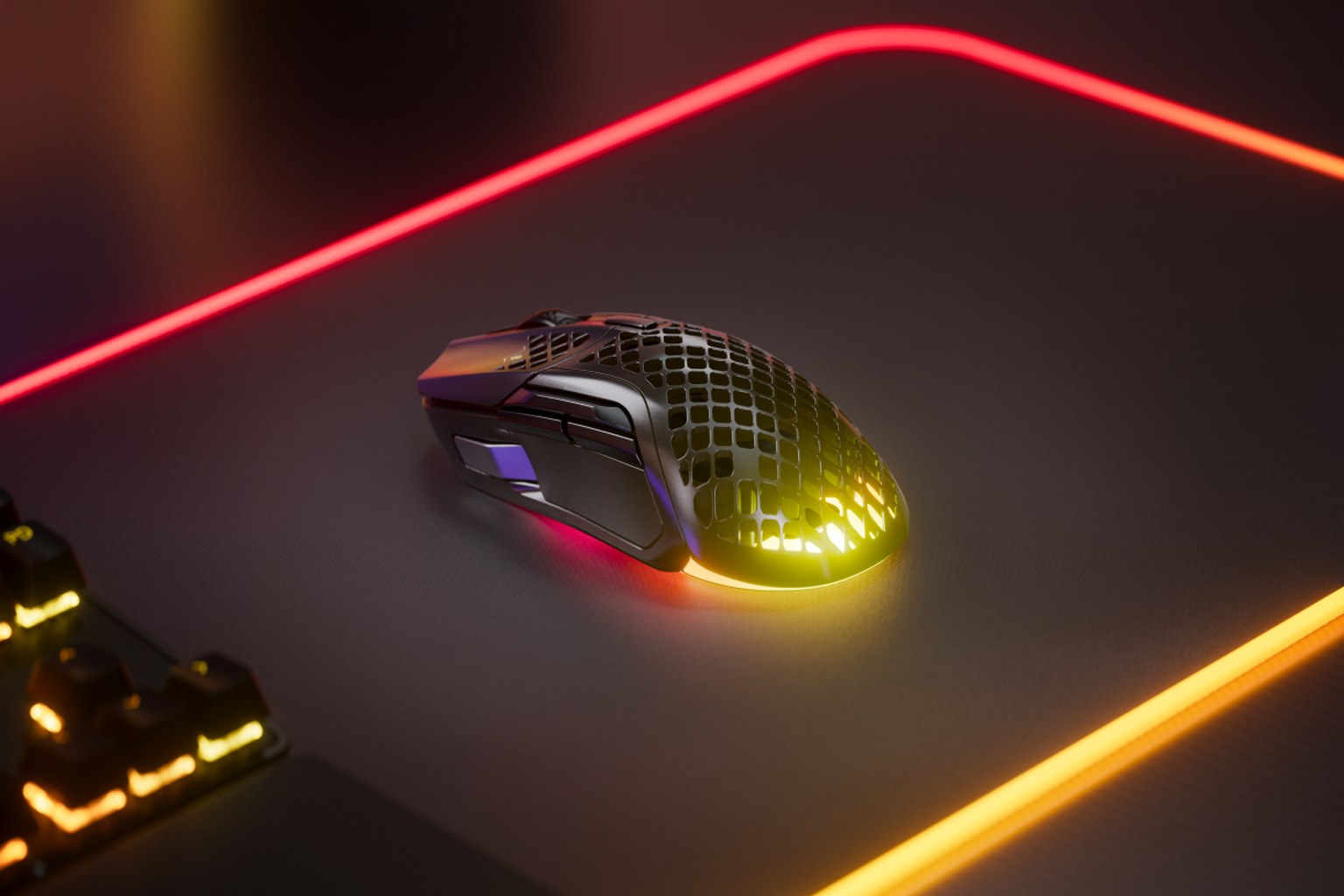
Players who like a long high-arch shell and want extra thumb controls without a full MMO grid.
SteelSeries Aerox 5 Wireless →
Grades at a glance
| Product | Overall | Shape and grip fit | Buttons and control layout | Power and setup convenience |
|---|---|---|---|---|
| Razer Viper V3 Pro | 8.8 | 9.0 | 9.0 | 8.0 |
| Logitech G PRO X SUPERLIGHT 2 LIGHTSPEED | 7.7 | 8.0 | 7.0 | 8.0 |
| Razer DeathAdder V3 Pro | 8.4 | 8.0 | 9.0 | 8.0 |
| Razer Basilisk V3 | 8.4 | 8.0 | 9.0 | 8.0 |
| Logitech G305 LIGHTSPEED | 7.5 | 7.0 | 7.0 | 9.0 |
| Logitech G502 X Plus LIGHTSPEED | 8.0 | 8.0 | 8.0 | 8.0 |
| Corsair Scimitar Elite Wireless MMO | 7.7 | 8.0 | 9.0 | 5.5 |
| SteelSeries Aerox 5 Wireless | 7.4 | 8.0 | 7.0 | 7.0 |
Compare your shortlist
Does it fit your life?
Choose the layout you will actually use
The best gaming mouse is the one whose shape, controls and power routine fit the way you play. Our first choice in this group is the Razer Viper V3 Pro for its favorable click feel and accessible basic layout. It is not a universal answer: the fuller shape can be too large, and other mice offer a thumb rest, a more flexible wheel or many more command positions.
Start by deciding what your current mouse gets wrong. If the problem is reach, a new sensor name will not move a button closer. If it is remembering to charge, a wired or replaceable-battery routine may be the useful change. If you need more game actions beneath the thumb, decide how many before choosing between a few extra controls and an entire grid.
The grades below concern everyday shape and grip, controls, and power/setup convenience. They are contextual editorial judgements rather than predictions of gaming results. A specialist can be the better purchase for your needs even if another mouse earns a higher overall grade. Use the recommendation and caveat together instead of treating the order as a substitute for a fit decision.
Compare the everyday tradeoffs
| Mouse | Shape and grip | Controls | Power and setup | Overall | Main decision |
|---|---|---|---|---|---|
| Razer Viper V3 Pro | 9 | 9 | 8 | 8.8 | Simple layout and crisp clicks |
| Logitech G PRO X SUPERLIGHT 2 LIGHTSPEED | 8 | 7 | 8 | 7.7 | Familiar rounded shell |
| Razer DeathAdder V3 Pro | 8 | 9 | 8 | 8.4 | Contoured right-hand fit |
| Razer Basilisk V3 | 8 | 9 | 8 | 8.4 | Thumb rest and versatile wheel |
| Logitech G305 LIGHTSPEED | 7 | 7 | 9 | 7.5 | Replaceable AA simplicity |
| Logitech G502 X Plus LIGHTSPEED | 8 | 8 | 8 | 8 | Extra controls and thumb support |
| Corsair Scimitar Elite Wireless MMO | 8 | 9 | 5.5 | 7.7 | Adjustable MMO thumb bank |
| SteelSeries Aerox 5 Wireless | 8 | 7 | 7 | 7.4 | Extra controls without a grid |
Razer Viper V3 Pro
The Viper V3 Pro is our leading choice for a simple gaming layout. Its revised shape and coating receive favorable descriptions, and reviewers like the main clicks and side-button access. The reservation is fit: the fuller body can still be too large for some hands. Choose it because that body and those controls suit you, rather than expecting a specification to compensate for an awkward hold.
Its charging routine is worth checking as carefully as its wireless feel. One reviewer found the supplied cable heavy enough to disturb the balance while connected, while the software offers useful settings for desktop and game behavior. If you can charge between sessions, that caveat may be minor. If you often play while plugged in, cable placement becomes a more important part of the decision. It is the most persuasive all-round recommendation here for a buyer who wants a straightforward layout, but it does not replace a thumb rest, a scrolling-focused wheel or a large bank of bindings.
Logitech G PRO X SUPERLIGHT 2 LIGHTSPEED
The Superlight 2 is a reasonable alternative when you positively like a rounded symmetrical shell. That shape is familiar to the reviewers, but one disliked its roundness for a hybrid fingertip and claw hold. Familiar does not mean universal. Choose it for a shape preference you recognize, especially if an uncluttered body is more useful to you than a thumb rest or a collection of extra controls.
The larger reservation is click feel. Reviewers described firm main presses that eased with use, alongside less definite side-button travel. Those differences can matter even when the shell feels comfortable. USB-C and G Hub make the reviewed setup understandable, but charging convenience does not remove those physical tradeoffs. It belongs on a shortlist for its shape and routine rather than as the automatic alternative for every player who does not choose the Viper. If click force or side-button feedback is one of your current frustrations, check those details before deciding that the familiar outline is enough.
Razer DeathAdder V3 Pro
The DeathAdder V3 Pro is the contoured right-hand alternative for someone who wants simple controls with more guidance from the shell. Large side buttons and accessible core controls are strengths in the reviews. The shape response is less uniform: one reviewer settled in immediately, while another adjusted the grip over several days and still preferred a different mouse. That is why we recommend a deliberate fit check rather than a promise of instant comfort.
USB-C and wireless use are straightforward in the reviewed setups, and optional higher polling introduces a power tradeoff without being a requirement for enjoying the mouse. Previous DeathAdder familiarity can help you decide what to look for, but it should not replace checking the V3 Pro’s own contour. Choose it when the angle supports your natural hold. If the body asks you to rotate your hand into a position you dislike, a less sculpted alternative may make more sense even though the DeathAdder’s buttons are appealing.
Razer Basilisk V3
The wired Basilisk V3 is the choice here for a thumb rest and flexible wheel behavior without battery charging. Tilt, tactile scrolling and free-spin modes give it a useful role across games and ordinary desktop work. Its right-hand grip is deliberately planted, which suits a buyer who wants clear support more than one who wants the body to stay out of the way.
Two caveats deserve attention. A reviewer found cable stiffness noticeable near the mouse and reported rightward shell drag under a firm hold. Another part of the decision is configuration: smart-reel behavior was less direct to set up in one review. Those details do not erase the wheel’s value, but they make it important to check how the whole arrangement fits your desk. Choose it if wheel options and wired simplicity are benefits you will use. If removing the cable is your main goal, a richer wired layout will not solve that problem.
Logitech G305 LIGHTSPEED
The G305 is a practical alternative for someone who wants a compact rounded shell and replaceable AA power. Receiver use and battery changes are simple in the reviews. That routine is a positive reason to choose it if you prefer keeping a spare battery available to remembering a charging cable. It is a poor match if you expect cable charging from a wireless mouse.
Its compact body, rearward battery feel and skate friction are the main physical caveats. Click reactions also differ: one reviewer liked the light feel, while another found the sound loud and distracting. The ordinary wheel and two side buttons cover a basic layout without asking the thumb to learn a large grid. Choose it for enough controls and an uncomplicated power routine, not because it must be a bargain at every price. Buyers who need generous palm support or many separate bindings have a clearer reason to look elsewhere in this group.
Logitech G502 X Plus LIGHTSPEED
The G502 X Plus LIGHTSPEED is the substantial wireless option for someone who wants a thumb rest, wheel modes and additional controls. A reversible or removable shift button gives a useful way to adjust one part of the reach. It is a good reason to consider the mouse if a fixed thumb target has been awkward on another design, but it does not make the entire shell or every control adjustable.
A reviewer repeatedly pressed G9 unintentionally while gripping the mouse. That is why the control layout needs a moving, natural-grip check rather than only a stationary inspection. USB-C, a receiver and G Hub cover the reviewed setup, with lighting choices adding a power consideration. Choose the Plus because the whole arrangement works for your hand and commands. If you keep catching an unwanted control, fewer buttons may be the better practical answer, even if this mouse offers more options on paper.
Corsair Scimitar Elite Wireless MMO
The non-SE Scimitar Elite Wireless is the specialist for a right-handed player with many bindings to move onto the mouse. Its adjustable twelve-key bank can be positioned relative to the thumb, making the physical layout more adaptable than a fixed grid. Check the corner keys as well as the middle ones; a bank is only as useful as the commands you can reach comfortably.
Expect a learning period. One reviewer was still looking down for the correct key after a week or two, and another part of the commitment is configuring iCUE. The software offers useful functions, but one review reports crashes and slower behavior, particularly on Mac. The connection options do not remove that configuration work. Choose it when the bank solves a real command problem and you are willing to learn the positions. If you only need two or three shortcuts, a simpler mouse may be the more satisfying purchase despite offering far fewer keys.
SteelSeries Aerox 5 Wireless
The Aerox 5 Wireless is a conditional middle option for a buyer who wants more controls without a full MMO bank. Its long high-arch shape was comfortable for the supplied-unit reviewer with a rearward hand position. The difficulty is that the forward thumb key required a different reach, while the vertical switch felt rigid. The shape you like and the controls you need must work from the same hold.
The wireless review demonstrates receiver and USB-C use, but GG attracted criticism for its interface and uncertainty about the battery indication. The reviewer had not lost power during a game; the concern was about reading the battery state, rather than a demonstrated interruption. Choose the Aerox when the arch suits your hand and the extra controls have sensible assignments within reach. If its distinctive keys are uncomfortable, a simpler mouse or a different additional-control layout is easier to justify.
How to choose and settle in
Start with a relaxed hold, not a grip label. Rest your hand as you normally would and note where the thumb and fingers fall. Then check the controls from that position. A mouse can feel comfortable while resting and become awkward when a frequently used button forces you to reach. Try the actions you perform most often before deciding that an appealing shell is enough.
Separate click force, click sound and button location. You may like one and dislike another on the same mouse. Press the main buttons repeatedly, try the wheel and reach each side control while moving the mouse. There is no need to assign every button immediately. A small number of commands you can use deliberately is more helpful than a larger layout whose positions you keep confusing.
Choose a power routine you will actually follow. Wired use means planning a cable path across the desk. Rechargeable wireless use means choosing where and when to charge. Replaceable batteries mean keeping a suitable replacement available. None of those routines is automatically best for everyone. Match the inconvenience you are willing to accept to the feature you value, and include plugged-in use in your trial if that will be part of everyday life.
Razer Viper V3 Pro
Razer
Players who want a straightforward wireless mouse with well-liked main clicks and accessible side buttons.
The Viper V3 Pro makes its strongest case through the parts of a mouse you touch constantly: the shell, the main buttons and the two side controls. Reviews describe a revised body with flatter sides and a fuller hump, alongside a coating that feels grippy to the reviewers. Those changes matter because buying another Viper does not necessarily mean getting the same hand position as an earlier one. Treat the shape as a new fit decision rather than an automatic replacement for whatever Viper you already own.
The takeaway
The Viper V3 Pro is our first choice here for a simple gaming layout. Its revised shape and favorable click feel give it a clear case, but the fuller body and intrusive charging cable deserve attention before you commit.
Reasons to choose it
- Reviewers liked the revised coating and the feel of the main clicks.
- Separated side buttons were easy to reach in one reviewer’s gaming use.
- Synapse offers settings for the way the mouse behaves in and out of games.
Tradeoffs to know
- The larger shape can still feel too big for some hands.
- One reviewer found the supplied charging cable heavy enough to disturb balance.
- The simple layout offers less room for bindings than a specialist mouse.
Think twice if: You want a small shell, a thumb rest, or a large collection of game bindings.
Further reading
Ratings
Editorial score 8.8
Shape and grip fit9
Revised shape and grippy coating receive favorable reports, with a meaningful size caveat.
Buttons and control layout9
Main clicks and accessible side buttons are well liked within a simple layout.
Power and setup convenience8
Configurable software is useful; the heavy charging cable can disturb balance while connected.
Logitech G PRO X SUPERLIGHT 2 LIGHTSPEED
Logitech
Players who like a rounded symmetrical shell and want a simple wireless layout with USB-C charging.
The Superlight 2 is easiest to recommend to someone who already knows they like a rounded, medium-to-large mouse. That shape can feel familiar without offering a particularly sculpted resting place for the hand. Familiarity is useful when you want a simple starting point, but the reviews do not justify calling it a universally safe fit. One reviewer specifically disliked the roundness for a hybrid fingertip and claw hold.
The takeaway
The Superlight 2 is worth considering for its familiar rounded shape and straightforward charging routine. Its heavier main clicks and less definite side-button travel keep it from being our default recommendation for everyone.
Reasons to choose it
- Rounded shell offers a familiar starting point for buyers who already like this shape.
- USB-C charging simplifies the routine described in the reviews.
- G Hub provides settings and button configuration.
Tradeoffs to know
- Reviewers found the main clicks firm initially, though they eased with use.
- Side buttons attracted criticism for soft or mushy travel.
- One reviewer disliked the rounded body for a hybrid fingertip and claw grip.
Think twice if: You dislike stiff main clicks, want firmer side-button feedback, or need many thumb controls.
Further reading
Ratings
Editorial score 7.7
Shape and grip fit8
Rounded shell suits a known preference, but one hybrid-grip reviewer disliked its roundness.
Buttons and control layout7
Initially firm main clicks and soft side-button travel moderate a functional basic layout.
Power and setup convenience8
USB-C and configuration are useful conveniences without a guaranteed charging interval.
Razer DeathAdder V3 Pro
Razer
Right-handed players who want a contoured wireless mouse with accessible side buttons and a straightforward control layout.
The DeathAdder V3 Pro’s contour is both the reason to shortlist it and the reason to avoid an automatic purchase. In the reviewed experiences, one person found the shape immediately comfortable for a hybrid grip. Another needed several days and used software to compensate for the angle at which he naturally held it, yet ultimately preferred another shape. Neither reaction cancels the other. Together, they show that a contoured right-hand shell is a personal fit decision even when its controls are well received.
The takeaway
The DeathAdder V3 Pro combines well-liked controls with a right-hand contour that deserves a deliberate fit check. One reviewer settled in immediately; another needed several days and still preferred a different shape.
Reasons to choose it
- Reviewers demonstrate large side buttons and accessible core controls.
- One reviewer found the contour immediately comfortable for a hybrid grip.
- USB-C and receiver use are straightforward in the reviewed setups.
Tradeoffs to know
- Fit reactions differ, including a reviewer who never preferred the shape.
- One reviewer needed software compensation for his natural grip angle.
- The reduced top-button layout can matter to users of earlier versions.
Think twice if: You expect every DeathAdder shape to feel identical, want a symmetrical shell, or depend on extra top buttons.
Further reading
Ratings
Editorial score 8.4
Shape and grip fit8
Comfort reactions differ: immediate fit for one reviewer, adaptation and a different preference for another.
Buttons and control layout9
Large side buttons and accessible core controls are strengths; fewer top controls may affect returning users.
Power and setup convenience8
Reviewed USB-C and wireless use are straightforward; optional settings involve a power tradeoff.
Razer Basilisk V3
Razer
Right-handed players who want a thumb rest, flexible wheel behavior and extra controls without a charging routine.
The Basilisk V3 is for a buyer who wants the mouse to provide a clear place for the hand to settle. Its thumb rest and rubber grip encourage a planted right-hand hold, rather than an unobtrusive body you barely touch. That can be appealing when you use the same mouse for games and ordinary desktop work. The important question is whether those contact points help your hand rest naturally or encourage you to press more firmly than you intend.
The takeaway
The wired Basilisk V3 is a strong choice when wheel flexibility and a supported right-hand hold matter more than wireless freedom. Cable stiffness and a reviewer’s report of rightward shell drag keep its fit and setup tradeoffs visible.
Reasons to choose it
- Thumb rest and rubber grip support a planted right-hand hold.
- Tilting wheel and tactile or free-spin modes provide useful options.
- Wired power removes battery charging from the routine.
Tradeoffs to know
- One reviewer found the shell dragged during rightward movement with a firm grip.
- Cable stiffness near the mouse can be noticeable.
- Smart-reel configuration was less direct in one reviewer’s software experience.
Think twice if: You want the cable off the desk, dislike a planted shell, or expect every wheel mode to configure itself.
Further reading
Ratings
Editorial score 8.4
Shape and grip fit8
Thumb support is useful, with a reviewer-specific report of rightward shell drag under firm grip.
Buttons and control layout9
Wheel tilt, scroll modes and programmable controls offer flexibility, with some configuration friction.
Power and setup convenience8
Wired power removes charging, while cable stiffness and configuration remain practical costs.
Logitech G305 LIGHTSPEED
Logitech
Players who want a small rounded mouse, basic controls and replaceable AA power.
The G305’s small rounded shell is its defining fit characteristic. It can suit someone who likes to control the mouse with a claw or fingertip hold, but that does not make it a safe choice for every hand. A buyer seeking substantial palm support should be cautious. The useful question is how much of the shell you want touching your hand and whether a compact body leaves enough room for your fingers to rest naturally.
The takeaway
The G305 is a practical choice for its uncomplicated receiver and AA routine. The compact shell, rearward battery feel and mixed click reactions matter more to the decision than any promise of a universal budget bargain.
Reasons to choose it
- Replaceable AA power makes battery changes straightforward.
- Receiver setup is simple in the reviewed experiences.
- Basic wheel and side-button layout avoids a long learning process.
Tradeoffs to know
- The small rounded shell will not provide the same support for every hand.
- Reviewers noticed skate friction and battery-related weight distribution.
- One reviewer found the main clicks loud and distracting.
Think twice if: You need cable charging, many bindings, quiet clicks or generous palm support.
Further reading
Ratings
Editorial score 7.5
Shape and grip fit7
Compact shape and rearward battery feel are preference-dependent; skate friction was noticeable.
Buttons and control layout7
Basic controls are usable, but click sound reactions differ and bindings are limited.
Power and setup convenience9
Replaceable AA and receiver use are straightforward; cable charging is absent.
Logitech G502 X Plus LIGHTSPEED
Logitech
Right-handed players who want a substantial wireless shell, a thumb rest and more control options.
The G502 X Plus is a substantial mouse with a shaped right-hand body and a thumb rest. That is a deliberate alternative to a simple rounded shell. Its grip surfaces and revised thumb area give the hand places to settle, which can be useful if you like a planted hold. If you prefer to move your fingers around a largely unobtrusive body, the same structure may feel like more mouse than you need.
The takeaway
The G502 X Plus offers useful wheel modes and an adjustable shift-button arrangement in a substantial wireless mouse. Check the whole layout carefully: one reviewer repeatedly pressed G9 accidentally while gripping it.
Reasons to choose it
- Reversible or removable shift button provides a way to adjust thumb reach.
- Wheel modes and extra programmable controls add flexibility.
- USB-C and G Hub support the reviewed setup routine.
Tradeoffs to know
- A reviewer repeatedly triggered G9 unintentionally.
- The fuller shell is a substantial presence under the hand.
- RGB choices add a power consideration to the charging routine.
Think twice if: You dislike a fuller body or tend to catch neighboring controls when gripping tightly.
Further reading
Ratings
Editorial score 8
Shape and grip fit8
Thumb support and adjustable shift-button reach help, while the substantial shell remains a fit choice.
Buttons and control layout8
Useful wheel and additional controls are moderated by a report of repeated accidental G9 activation.
Power and setup convenience8
USB-C, receiver and configuration are practical; lighting choices bring a power tradeoff.
Corsair Scimitar Elite Wireless MMO
Corsair
Right-handed players who want an adjustable twelve-key thumb bank for binding-heavy games.
The Scimitar Elite Wireless is built around a particular need: many commands beneath the right thumb. Its shell and adjustable side panel should be evaluated together. The sliding panel can help bring the key bank into a more useful position without asking the whole hand to move. A reviewer found that helpful for a palm hold, but it is not a guarantee that every hand can reach every key comfortably.
The takeaway
The non-SE Scimitar Elite Wireless is a specialist choice for players who will use its adjustable thumb bank. The physical flexibility is useful, but learning the keys and configuring iCUE are real parts of the purchase.
Reasons to choose it
- Twelve-key bank provides many command positions beneath the thumb.
- Sliding panel helps align the bank with a comfortable hand position.
- Reviews show USB-C, receiver and Bluetooth connection options.
Tradeoffs to know
- Learning the bank takes time, even after the panel is positioned.
- One reviewer reported iCUE crashes and slow behavior, especially on Mac.
- Right-hand layout and key reach will not suit every hand.
Think twice if: You need only a few shortcuts, want minimal configuration, or expect every key to be instantly familiar.
Further reading
Ratings
Editorial score 7.7
Shape and grip fit8
Adjustable panel can align the thumb bank, but the right-hand shape and outer keys need a reach check.
Buttons and control layout9
Twelve-key bank is useful for extensive bindings and requires learning the positions.
Power and setup convenience5.5
Connection options are useful, but one reviewer reported software crashes and slow behavior, especially on Mac.
SteelSeries Aerox 5 Wireless
SteelSeries
Players who like a long high-arch shell and want extra thumb controls without a full MMO grid.
The Aerox 5 Wireless has a long body and a high arch, and its reviewed comfort is tied to a hand position farther back on the shell. That is a useful, specific description. It helps a buyer ask whether the body supports the place their palm naturally rests, rather than simply accepting a general comfort claim. It does not establish that the same shape will suit every palm or claw hold.
The takeaway
The Aerox 5 Wireless is a conditional choice for its long shell and extra controls. The reviewed comfort is encouraging, but a rigid vertical control, a difficult forward key and software reservations make a careful reach check essential.
Reasons to choose it
- A supplied-unit reviewer found the long high-arch body comfortable with the hand farther back.
- Ordinary controls were described as tactile.
- Receiver and USB-C use are shown in the review.
Tradeoffs to know
- The vertical thumb control felt rigid during quick interactions.
- The forward key required a different reach from the relaxed position.
- The reviewer found GG less friendly and was uncertain about its battery indication.
Think twice if: You want every side control reachable from a relaxed rearward hold or dislike configuration friction.
Further reading
Ratings
Editorial score 7.4
Shape and grip fit8
A supplied-unit reviewer liked the long high-arch shell from a rearward hand position.
Buttons and control layout7
Tactile ordinary controls coexist with a rigid vertical switch and a harder-to-reach forward key.
Power and setup convenience7
Receiver and USB-C use are workable, with software and battery-indication reservations; no observed outage.
Sources & further reading
youtube.com review
youtube.com review
youtube.com review
youtube.com review
youtube.com review
youtube.com review
youtube.com review
youtube.com review
youtube.com review
youtube.com review
youtube.com review
youtube.com review
youtube.com review
youtube.com review
youtube.com review
youtube.com review
Keep reading
Something changed? Help us keep this useful.
Send a correction →