Logitech G305 LIGHTSPEED Review (2026): Cheap Wireless, AA-Battery Catch
A closer look at Logitech’s long-running AA-powered wireless mouse: the simple setup, small-shell fit, battery convenience, weight, and why it still makes sense beside newer FPS mice.
The Logitech G305 LIGHTSPEED is the budget wireless pick from our gaming-mouse ranking because it stays refreshingly practical: a HERO 12K sensor, 2.4GHz wireless, six programmable buttons, onboard memory, and a long AA-battery claim. It is not a hidden flagship, but it is still easy to recommend when low price, travel, and low-upkeep wireless matter more than ultralight feel.
MSRP
—
Amazon
$59.99
at writing · 2026-05-15
Buyer fit
The G305 is still the budget wireless pick because it is honest: it saves money, lasts a long time on a battery, and makes clear what you give up.
MSRP
—
Amazon
$59.99
at writing · 2026-05-15
Score breakdown
How this product scored
Same rubric, but focused on one product so the reasons behind the score stay readable.
Shape and grip comfort
Logitech G305 LIGHTSPEED scores 7.4/10 for shape and grip comfort. Score reflects shell shape, hand-fit warnings, grip comfort, and long-session caveats from owner/reviewer evidence.
Tracking and control
Logitech G305 LIGHTSPEED scores 7.7/10 for tracking and control. Score reflects sensor confidence, control feel, polling practicality, glide, and whether the performance benefits are likely to matter in real games.
Buttons, clicks, and wheel
Logitech G305 LIGHTSPEED scores 7.3/10 for buttons, clicks, and wheel. Score reflects button layout, click feel, wheel behavior, side-button reach, and repeated control complaints.
Battery and connection
Logitech G305 LIGHTSPEED scores 8.9/10 for battery and connection. Score reflects connection reliability, battery expectations, charging, sleep/wake behavior, and dongle or cable caveats.
Software/firmware friction
Logitech G305 LIGHTSPEED scores 7.6/10 for software/firmware friction. Score reflects setup workload, app and firmware annoyances, onboard memory behavior, account requirements, and how much software gets in the buyer’s way.
Use-case fit
Logitech G305 LIGHTSPEED scores 8.2/10 for use-case fit. Score reflects how clearly the mouse fits its intended lane versus buyers who would be happier with a different shape, weight, or button layout.
Durability confidence
Logitech G305 LIGHTSPEED scores 8/10 for durability confidence. Score reflects warranty/support context, owner complaints, build confidence, and whether known issues look rare or worth planning around.
Before You Buy
The G305 looks like the easy cheap-wireless answer: Logitech name, real 2.4GHz dongle, long battery life, and a price that often sits far below flagship FPS mice. The catch is what shows up after a few nights. The AA cell changes the weight, the small egg-like shell will not fit every hand, and the lowest-price listing can sit beside renewed or color-variant rows that look similar at a glance.
Use this as the deeper ownership check before checkout. For the full category map, see our best gaming mice ranking; this page explains why the G305 finished #5 as the best budget wireless pick. If it still sounds right, use the product links to recheck current price, seller, color, condition, and availability, which also helps support KB4UB.
Quick Verdict
The Logitech G305 LIGHTSPEED is not trying to beat the Razer Viper V3 Pro or Logitech Superlight 2 at their own modern-ultralight game. Its job is more ordinary, and that is why people still buy it: give budget buyers a wireless gaming mouse that feels legitimate instead of disposable. In the parent ranking it landed fifth with a 7.8/10 overall score, behind the premium FPS and control picks but ahead of more specialized mice whose extra features only help narrower buyers.
The case for it is still the simple hardware story. Logitech lists the G305 with a HERO sensor, 200-to-12,000 DPI range, 1,000Hz polling, six programmable buttons, onboard memory, and an “impressive 250-hour battery life.” A hands-on YouTube reviewer put the day-to-day appeal more plainly: the mouse has a “set it and forget it aspect” because it sleeps after inactivity and wakes without an obvious delay.
That convenience is why the G305 survives in 2026. You put the receiver in a USB-A port, pop in the AA, set your DPI/buttons if you care, and mostly stop thinking about charging. Just do not buy it expecting the feel of a 50-gram esports mouse or the hand support of a DeathAdder-style ergonomic shell.
Score Breakdown
- Shape and grip comfort: 7.4/10. The small-to-medium, low egg shape is comfortable for many fingertip and claw users, and one transcript noted that “Everything feels very very tight.” Larger hands and palm grippers should be more cautious; another reviewer with larger-hand context described moving to fingertip for casual use and claw for FPS.
- Tracking and control: 7.7/10. The HERO 12K sensor, 1,000Hz dongle connection, and 12,000 DPI ceiling are enough for mainstream play. The score stays below the top FPS mice because shape, weight, and feet matter more here than the sensor spec alone.
- Buttons, clicks, and wheel: 7.3/10. Six programmable buttons and onboard memory are useful at this price, especially the two left-side thumb buttons. The wheel and clicks are more basic; TechGearLab listed “clicks are a bit loud,” and this is not a multi-button control mouse like the Basilisk or G502 X Plus.
- Battery and connection: 8.9/10. This is the G305’s best score. The AA battery means no USB-C charging, but it also means long stretches without cable anxiety, a physical on/off switch, and a tiny receiver that can store inside the mouse.
- Software and setup: 7.6/10. Logitech G HUB is there for remaps and DPI settings, while onboard memory keeps the mouse from feeling software-dependent once configured. Buyers who hate any companion app can still use it in a basic way.
- Use-case fit: 8.2/10. It makes the most sense for budget wireless, student desks, travel kits, casual shooters, and mainstream gaming. It makes less sense for serious low-weight FPS, MMO hotbars, or one-mouse productivity control.
- Durability confidence: 8/10. The long-running product history, mainstream Logitech support, and broad evidence set help. The caution is not a known single failure mode from this packet; it is expectation management around age, basic materials, feet, and AA-battery design.
What Feels Great After Setup
The first nice thing about the G305 is how little ceremony it asks from you. The top/back shell opens, the AA battery sits inside, the USB receiver has a storage spot, and the bottom switch turns it on. One setup transcript walks through that ordinary routine — “plug it in to a your PC laptop whatever you plan to use it” — and that plainness is part of the value. There is no charging dock to place, no cable to remember, and no Bluetooth gaming compromise to avoid.
The second nice thing is that it does not feel like a no-name budget gamble. PCMag’s older review captured the appeal well: “The appeal of the Logitech G305 Lightspeed emerges from touching it, not looking at it.” That is still the right lens. The G305 is visually simple, but the shell fit, familiar Logitech click language, and predictable wireless behavior make it feel more serious than many cheap mice.
Battery life is the real daily-use delight. A reviewer worried the battery might drain if the switch was left on, then found the mouse sleeps after about five minutes and said they “didn’t notice any delays” when picking it back up. That is exactly the kind of hidden convenience that matters in a dorm, laptop bag, or shared desk: it just wakes up and works.
The G305 also has a stronger context trail than many cheap wireless mice. Logitech’s official page, Amazon listing material, Tom’s Guide, TechGearLab, RTINGS, Tom’s Hardware, PCMag, and multiple YouTube reviews all point to the same broad identity: affordable 2.4GHz wireless, known sensor, long AA runtime, and enough programmable control for normal gaming. That source density does not make it perfect, but it makes the recommendation easier to calibrate.
What Gets Annoying
The tradeoffs are easy to forgive until they match the wrong buyer. The AA battery is the biggest one. Logitech’s claimed 250-hour battery life is genuinely useful, but the cell adds weight and there is no rechargeable USB-C path. If you are coming from a Viper V3 Pro, Superlight 2, or another modern ultralight, the G305 will feel old-school immediately.
Shape is the next risk. A YouTube reviewer called it best for average, medium, or small hands and warned that larger-hand buyers may need claw grip or a larger mouse. Tom’s Hardware made a similar fit point, noting the shorter height may stand out to people with larger hands or those who like “big humps for palm grips.” That does not make the shell bad. It means hand fit matters more than the discount.
The surface and glide story is budget-grade, too. One transcript liked the comfort for smaller hands but said the mouse “does produce more friction” and that the skates “just don’t feel as smooth.” Tom’s Guide took the opposite angle on the feet, praising PTFE glide, but still called the mouse restrictive because it requires an AA battery and only supports wireless through a 2.4GHz dongle. That split is useful: the basics can feel good, but the design is still limited.
Finally, check the listing carefully. The packet’s Amazon evidence found black, blue, and white rows plus renewed rows nearby. For a cheap mouse, it is especially easy to chase the lowest price and end up on a color, condition, seller, or bundle you did not mean to buy.
How It Compares
Compared with the Razer Viper V3 Pro, the G305 is cheaper and lower-maintenance, but it is not close as a pure competitive FPS tool. The Viper is lighter, newer, and more performance-focused; the G305 wins only if budget and AA convenience matter more than elite aim feel.
Compared with the Logitech G PRO X SUPERLIGHT 2, the G305 is the inexpensive Logitech wireless alternative, not the safer pro-style FPS shape. If you already know you want an ultralight symmetrical mouse, the Superlight 2 is the cleaner buy. If you just want a reliable wireless mouse for normal gaming without flagship pricing, the G305 is easier to justify.
Compared with the Razer DeathAdder V3 Pro, the issue is hand support. DeathAdder is the better direction for right-handed players who want an ergonomic shell. The G305 is smaller, simpler, cheaper, and more travel-friendly.
Compared with the Basilisk V3 and G502 X Plus, the G305 gives up the control-mouse personality: free-spin-style utility, many extra buttons, and a palm-filling right-handed body. That is good if you want a simple wireless mouse. It is bad if your mouse doubles as a shortcut-heavy work tool. Compared with the Scimitar and Aerox 5, it is less specialized and easier to recommend to casual buyers who do not already know they need extra side controls.
Who Should Buy It
Buy the Logitech G305 LIGHTSPEED if you want a budget wireless gaming mouse from a known brand, you are fine with a replaceable AA battery, and your hand is small-to-medium or comfortable with fingertip/claw grip. It is a particularly good fit for students, travel/laptop setups, backup desks, casual shooters, and anyone who wants dependable 2.4GHz wireless without paying flagship money.
Skip it if you want a rechargeable USB-C mouse, very low weight, premium coating, the safest palm-grip shape, extra controls for MMO or productivity shortcuts, or the best competitive FPS feel in the category. Also skip it if you know a basic scroll wheel, louder clicks, or AA weight will bother you every day.
Bottom line: the G305 is still useful because it is honest. It saves money, lasts a long time on an AA battery, and keeps setup simple. The right buyer will forgive the dated design because it removes charging hassle and avoids cheap-wireless weirdness. The wrong buyer will feel the weight, the small shell, and the missing premium touches within a week. If you are still undecided, compare it against the full gaming mouse ranking before buying.
Images and Asset Notes
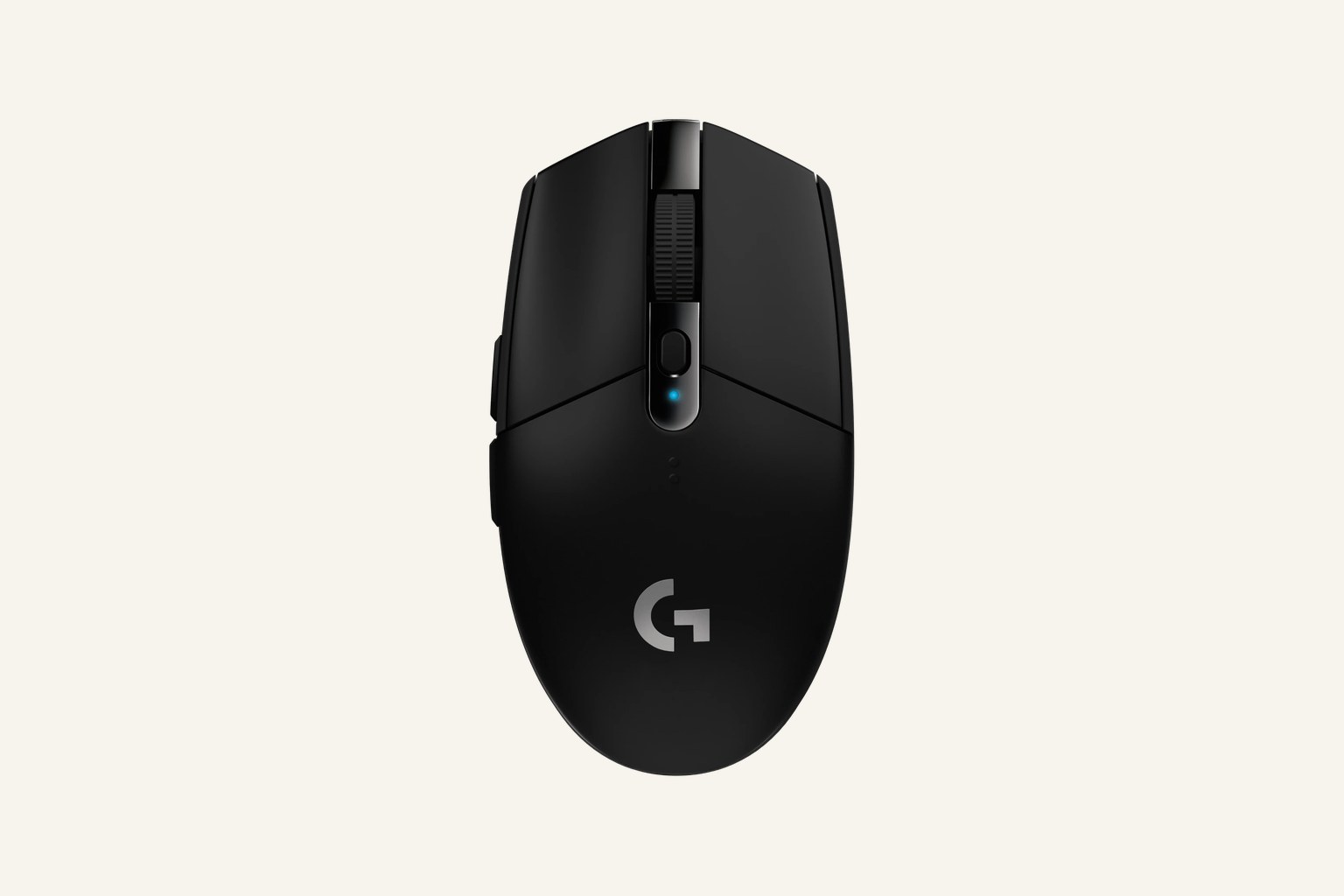
Hero image: product-images/gaming-mice/logitech-g305-lightspeed/hero.jpg (official Logitech G black G305 top-angle product render).
Gallery image: product-images/gaming-mice/logitech-g305-lightspeed/gallery.jpg (official Logitech G side/profile product render).
Thumbnail image: product-images/gaming-mice/logitech-g305-lightspeed/thumb.jpg (derived thumbnail from the verified official hero source).
Feature breakdown
Full feature list
Grouped feature details are expandable so buyers can go deep when they want, without turning the whole review into a spec landfill.
Full feature list
8 features
+
Full feature list
8 features
Sensor
HERO 12K sensor
Weight
99 g
Battery
replaceable AA battery; up to 250 hours claimed
Buttons
6 programmable buttons
Software
Logitech G HUB / onboard memory
Warranty
2 years
Connection
2.4GHz LIGHTSPEED USB receiver
Polling Rate
1000 Hz
Tell us what this page missed
These pages get better when real buyer complaints make it back into the scoring model. If something important is underweighted, say it.
Rate this review
Give it a score from 1-10 and tell us what to improve.
0/4000 characters