
The recommendation
The DeathAdder V3 Pro combines well-liked controls with a right-hand contour that deserves a deliberate fit check. One reviewer settled in immediately; another needed several days and still preferred a different shape.
Grades at a glance
| Product | Overall | Shape and grip fit | Buttons and control layout | Power and setup convenience |
|---|---|---|---|---|
| Razer DeathAdder V3 Pro | 8.4 | 8.0 | 9.0 | 8.0 |
Does it fit your life?
Who should buy it
The DeathAdder V3 Pro is a strong option when you want a right-hand contour and straightforward, accessible controls. Its case is strongest for a buyer who can try the shape and identify why it feels better than a rounded symmetrical alternative. It is weaker for someone hoping that an ergonomic label will solve an unspecified comfort problem.
Allow yourself to distinguish adjustment from a bad match. Learning where the buttons sit is different from continually fighting the angle of the shell. The reviews show that adaptation did not turn every initial reservation into a preference. If the contour remains awkward, choose a different shape instead of treating your grip as something that must conform to the mouse.
Shape and grip: where your hand settles
The DeathAdder V3 Pro’s contour is both the reason to shortlist it and the reason to avoid an automatic purchase. In the reviewed experiences, one person found the shape immediately comfortable for a hybrid grip. Another needed several days and used software to compensate for the angle at which he naturally held it, yet ultimately preferred another shape. Neither reaction cancels the other. Together, they show that a contoured right-hand shell is a personal fit decision even when its controls are well received.
That is more useful than a blanket claim that an ergonomic shape is comfortable. A contour guides where your hand rests. If that guidance matches the way you naturally hold a mouse, it can feel reassuring. If it asks you to rotate or move your hand into a position you do not like, the same contour can feel restrictive. The relevant question is whether the shell supports your existing comfortable posture or demands a new one.
Previous DeathAdder experience is helpful but should not be treated as a guarantee. The reviewed V3 Pro shape has its own feel, and familiarity with an earlier model does not tell you exactly how this one will meet your palm and fingers. Before buying, identify the part of your old mouse you like: the slope, the palm contact, the thumb position or the way you lift it. Then check that feature rather than relying on the family name.
We give fit a good rather than unqualified grade because the disagreement is substantial. The favorable account makes it a credible option for the right hand; the less favorable account makes it inappropriate to describe as an easy transition for everyone. A short period of adjustment can be reasonable, but persistent awkwardness should not be dismissed merely because another reviewer found immediate comfort.
Power and setup: the routine to expect
The DeathAdder V3 Pro’s reviewed setup uses wireless operation and USB-C charging. Those are practical conveniences when you want the cable out of the way for play and a clear charging connection afterward. The basic workflow is easier to understand than a long list of performance settings: establish a connection, choose a useful sensitivity and make sure the controls do the jobs you expect.
Optional higher polling settings introduce a power tradeoff in the reviewed discussion. That does not mean you need to use them, and it does not establish a measured advantage for your own games. Treat them as an option to evaluate after the ordinary setup is comfortable. Buying the mouse because the contour works is a firmer decision than buying it on the assumption that the highest available setting must be essential.
Check the accessories in the specific listing you intend to purchase. A review showing a receiver or discussing an optional arrangement is not a guarantee that every present-day offer contains the same package. This matters especially when a feature depends on a particular receiver. Match the exact mouse and accessories to what you plan to use rather than treating a model-family description as a complete shopping list.
We do not base the recommendation on a fixed number of battery hours. A charging habit you can repeat matters more than stretching the interval at all costs. If you can connect the mouse between sessions without inconvenience, the routine may be easy to live with. If you regularly forget and need to play while plugged in, include cable placement in your fit check instead of evaluating only the wireless experience.
Also consider: Razer Viper V3 Pro
Read our Razer Viper V3 Pro review if its different layout sounds closer to what you need.
The Viper V3 Pro is our leading choice for a simple gaming layout. Its revised shape and coating receive favorable descriptions, and reviewers like the main clicks and side-button access. The reservation is fit: the fuller body can still be too large for some hands. Choose it because that body and those controls suit you, rather than expecting a specification to compensate for an awkward hold.
Its charging routine is worth checking as carefully as its wireless feel. One reviewer found the supplied cable heavy enough to disturb the balance while connected, while the software offers useful settings for desktop and game behavior. If you can charge between sessions, that caveat may be minor. If you often play while plugged in, cable placement becomes a more important part of the decision. It is the most persuasive all-round recommendation here for a buyer who wants a straightforward layout, but it does not replace a thumb rest, a scrolling-focused wheel or a large bank of bindings.
Also consider: Razer Basilisk V3
Read our Razer Basilisk V3 review if its different layout sounds closer to what you need.
The wired Basilisk V3 is the choice here for a thumb rest and flexible wheel behavior without battery charging. Tilt, tactile scrolling and free-spin modes give it a useful role across games and ordinary desktop work. Its right-hand grip is deliberately planted, which suits a buyer who wants clear support more than one who wants the body to stay out of the way.
Two caveats deserve attention. A reviewer found cable stiffness noticeable near the mouse and reported rightward shell drag under a firm hold. Another part of the decision is configuration: smart-reel behavior was less direct to set up in one review. Those details do not erase the wheel’s value, but they make it important to check how the whole arrangement fits your desk. Choose it if wheel options and wired simplicity are benefits you will use. If removing the cable is your main goal, a richer wired layout will not solve that problem.
Make the first few sessions useful
Start with a relaxed hold, not a grip label. Rest your hand as you normally would and note where the thumb and fingers fall. Then check the controls from that position. A mouse can feel comfortable while resting and become awkward when a frequently used button forces you to reach. Try the actions you perform most often before deciding that an appealing shell is enough.
Separate click force, click sound and button location. You may like one and dislike another on the same mouse. Press the main buttons repeatedly, try the wheel and reach each side control while moving the mouse. There is no need to assign every button immediately. A small number of commands you can use deliberately is more helpful than a larger layout whose positions you keep confusing.
Choose a power routine you will actually follow. Wired use means planning a cable path across the desk. Rechargeable wireless use means choosing where and when to charge. Replaceable batteries mean keeping a suitable replacement available. None of those routines is automatically best for everyone. Match the inconvenience you are willing to accept to the feature you value, and include plugged-in use in your trial if that will be part of everyday life.
Change one setting at a time when you first configure the mouse. Establish a comfortable sensitivity, confirm the button assignments and only then explore optional behavior. If several changes happen together, it becomes harder to tell which one helped or which one made the mouse feel strange. Your goal is a setup you can understand and repeat, not the largest possible collection of enabled options.
Use your normal tasks to decide whether the mouse fits. Include the game you play most, a quieter desktop task and any scrolling-heavy work the same mouse will handle. Different activities expose different annoyances. A reach that seems acceptable once may be less appealing when repeated, while a wheel mode that looked secondary may become one of the features you use every day.
Finally, match the exact model in the listing to the review you are using. Similar family names can hide a wired version, another generation or additional version lettering. Check the package contents and current price before committing. A useful return window can be more valuable than another round of specification comparisons when the remaining uncertainty is how the shell meets your own hand.
Questions before you decide
A higher overall grade does not mean the mouse is best for every game or hand. These grades summarize shape and grip, controls, and power/setup convenience. A lower-scoring specialist can be the better purchase when its defining feature solves your particular problem. Read the reason for the recommendation before using the number to break a tie.
Should you change your grip to fit a new mouse? A small adjustment can be reasonable while learning unfamiliar controls, but there is a difference between unfamiliarity and a position you continually find awkward. Give yourself time to identify the issue, then decide whether the mouse improves the way you use your hand. You do not need to keep a poor fit because another player liked it.
Will more buttons make a mouse easier to use? Only if the commands are useful and the positions are reachable. Make a short list of what you would assign before buying a complex layout. If the list is short, a basic mouse may be enough. If it is long, consider not only capacity but the time required to learn the positions and configure the software.
Should a new mouse replace one that already feels comfortable? Start with the problem you want to solve. A different charging routine, clearer side buttons or a more useful wheel can be concrete improvements. A new model name by itself is less helpful. Keep a working fit as your reference and ask what the replacement changes in a task you actually perform.
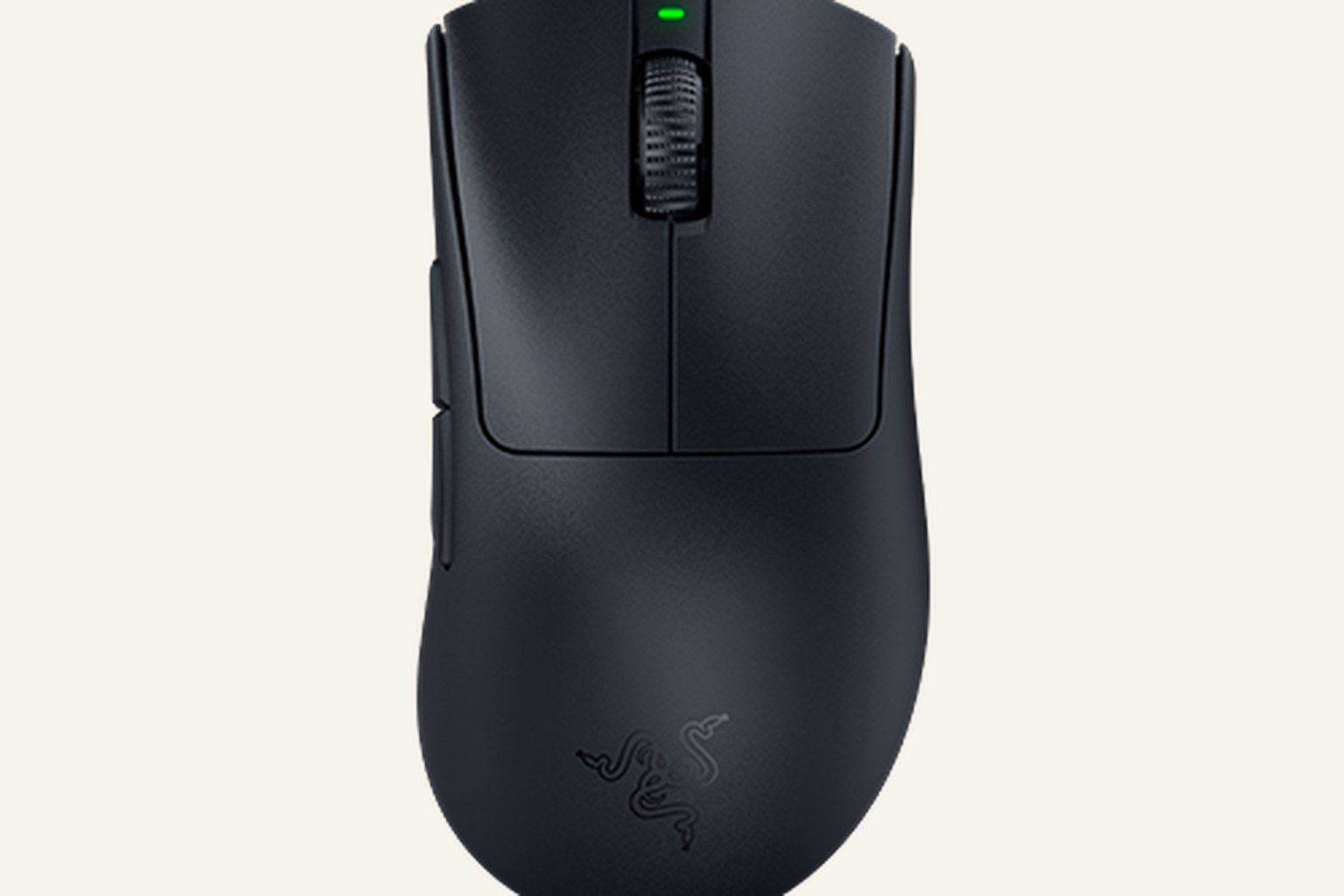
Razer DeathAdder V3 Pro
Razer
Right-handed players who want a contoured wireless mouse with accessible side buttons and a straightforward control layout.
The DeathAdder V3 Pro’s contour is both the reason to shortlist it and the reason to avoid an automatic purchase. In the reviewed experiences, one person found the shape immediately comfortable for a hybrid grip. Another needed several days and used software to compensate for the angle at which he naturally held it, yet ultimately preferred another shape. Neither reaction cancels the other. Together, they show that a contoured right-hand shell is a personal fit decision even when its controls are well received.
Reasons to choose it
- Reviewers demonstrate large side buttons and accessible core controls.
- One reviewer found the contour immediately comfortable for a hybrid grip.
- USB-C and receiver use are straightforward in the reviewed setups.
Tradeoffs to know
- Fit reactions differ, including a reviewer who never preferred the shape.
- One reviewer needed software compensation for his natural grip angle.
- The reduced top-button layout can matter to users of earlier versions.
Think twice if: You expect every DeathAdder shape to feel identical, want a symmetrical shell, or depend on extra top buttons.
Further reading
Ratings
Editorial score 8.4
Shape and grip fit8
Comfort reactions differ: immediate fit for one reviewer, adaptation and a different preference for another.
Buttons and control layout9
Large side buttons and accessible core controls are strengths; fewer top controls may affect returning users.
Power and setup convenience8
Reviewed USB-C and wireless use are straightforward; optional settings involve a power tradeoff.
Sources & further reading
youtube.com review
youtube.com review
youtube.com review
youtube.com review
youtube.com review
youtube.com review
youtube.com review
Keep reading
Something changed? Help us keep this useful.
Send a correction →