Logitech G PRO X SUPERLIGHT 2 Review (2026): Safe FPS Shape, Real Caveats
A closer look at the Superlight 2 shape, USB-C upgrade, five-button limits, G HUB setup, listing confusion, and how it compares with the Viper V3 Pro and DeathAdder V3 Pro.
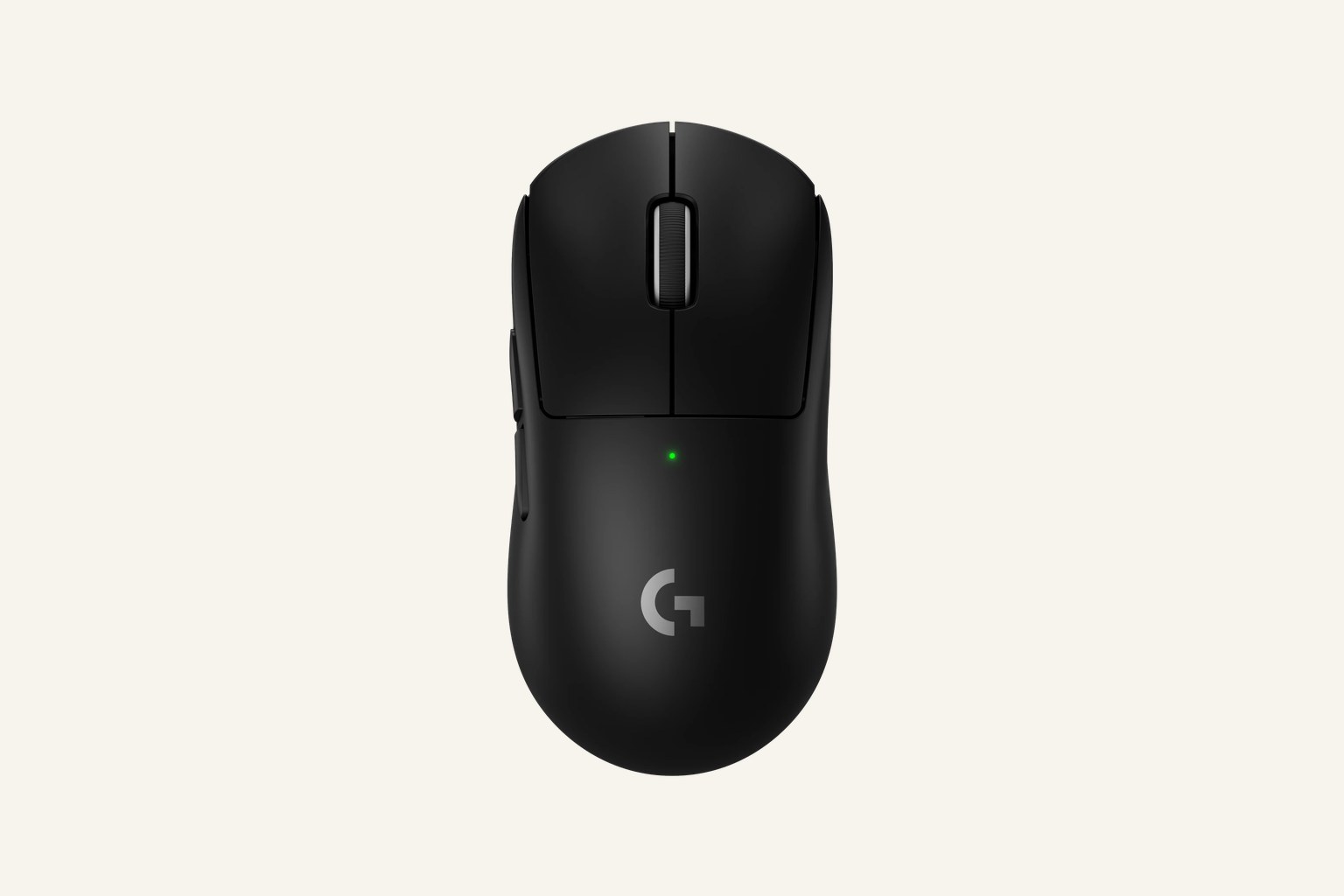
The Logitech G PRO X SUPERLIGHT 2 is the safer premium FPS pick in this set: light, familiar, fast, and simple in the ways many shooter players want. It is a strong buy if the Superlight shape already makes sense to you, but its five-button layout, neutral shell, G HUB setup, and generation/listing confusion deserve a check before you pay flagship money.
MSRP
—
Amazon
$159.99
at writing · 2026-05-15
Buyer fit
The Superlight 2 is the pick for people who want fewer surprises. It gives up some of the Viper’s sharp-edged esports story, but it also feels like the premium mouse many players can settle into fastest.
MSRP
—
Amazon
$159.99
at writing · 2026-05-15
Score breakdown
How this product scored
Same rubric, but focused on one product so the reasons behind the score stay readable.
Shape and grip comfort
Logitech G PRO X SUPERLIGHT 2 LIGHTSPEED scores 8.9/10 for shape and grip comfort. Score reflects shell shape, hand-fit warnings, grip comfort, and long-session caveats from owner/reviewer evidence.
Tracking and control
Logitech G PRO X SUPERLIGHT 2 LIGHTSPEED scores 9.3/10 for tracking and control. Score reflects sensor confidence, control feel, polling practicality, glide, and whether the performance benefits are likely to matter in real games.
Buttons, clicks, and wheel
Logitech G PRO X SUPERLIGHT 2 LIGHTSPEED scores 8.1/10 for buttons, clicks, and wheel. Score reflects button layout, click feel, wheel behavior, side-button reach, and repeated control complaints.
Battery and connection
Logitech G PRO X SUPERLIGHT 2 LIGHTSPEED scores 8.7/10 for battery and connection. Score reflects connection reliability, battery expectations, charging, sleep/wake behavior, and dongle or cable caveats.
Software/firmware friction
Logitech G PRO X SUPERLIGHT 2 LIGHTSPEED scores 7.9/10 for software/firmware friction. Score reflects setup workload, app and firmware annoyances, onboard memory behavior, account requirements, and how much software gets in the buyer’s way.
Use-case fit
Logitech G PRO X SUPERLIGHT 2 LIGHTSPEED scores 8.8/10 for use-case fit. Score reflects how clearly the mouse fits its intended lane versus buyers who would be happier with a different shape, weight, or button layout.
Durability confidence
Logitech G PRO X SUPERLIGHT 2 LIGHTSPEED scores 8.5/10 for durability confidence. Score reflects warranty/support context, owner complaints, build confidence, and whether known issues look rare or worth planning around.
Before You Buy
The Logitech G PRO X SUPERLIGHT 2 is easy to want because it looks like the safe answer. It is light, familiar, common around competitive FPS setups, and finally moves the Superlight line to USB-C. The reason to pause before checkout is not that it is risky; it is that its best quality is also its main trap. This is a simple five-button, neutral-shape FPS mouse, not a comfort mouse for every hand or a shortcut-heavy desk mouse.
Use this review as a regret check before you buy. If you want the full category map, start with our best gaming mice ranking; this page is the deeper Superlight 2 read. Product links can help you recheck the exact new listing, ASIN B0CJ4TPLRM, current price, seller, color, condition, and bundle contents, and they also help support KB4UB.
Quick Verdict
The Superlight 2 is the runner-up in our gaming mouse ranking because it is the premium FPS pick for people who want fewer surprises. It does not beat the Razer Viper V3 Pro on the sharpest esports-hardware case, but it is easier to recommend to players who already trust the Superlight shape or want a calmer, more familiar pro-style shell.
The important specs line up with that role: about 60 g, LIGHTSPEED wireless, HERO 2 sensor, LIGHTFORCE hybrid switches, USB-C charging, a claimed 95-hour battery ceiling, and up to 8 kHz polling support. The five-button layout keeps the mouse uncluttered for shooters, but it also makes the limits obvious. If you play mostly FPS and want a light symmetrical mouse that will not ask you to learn a weird shell, it belongs near the top of the list. If you want thumb rests, a free-spin wheel, a real MMO grid, or a budget buy, this is the wrong kind of premium.
Score Breakdown
- Shape and grip comfort: 8.9/10. The neutral Superlight shape is the whole pitch. It is safe, proven, and easy for many claw/fingertip or relaxed-grip FPS players to settle into, but it is not a sculpted palm-support mouse.
- Tracking and control: 9.3/10. HERO 2, LIGHTSPEED, low weight, PTFE feet, and high-polling support make the control case strong. Most buyers should care more about shape and glide than chasing the highest polling number.
- Buttons, clicks, and wheel: 8.1/10. LIGHTFORCE hybrid switches and a clean layout suit FPS well. The score is lower because five buttons leave little room for MMO, MOBA, editing, or desktop shortcuts.
- Battery and connection: 8.7/10. USB-C fixes an older Superlight annoyance, and the claimed battery life is generous. Higher polling and accessory/bundle differences still need a listing check.
- Software setup: 7.9/10. G HUB and onboard profiles are familiar for Logitech users, but G HUB remains the setup step most likely to annoy people who want the mouse to disappear after configuration.
- Use-case fit: 8.8/10. Excellent for minimalist FPS buyers; much less convincing for feature-heavy gaming or productivity crossover.
- Durability confidence: 8.5/10. The product family has a strong track record, but some supporting material covers older Superlight models, so generation caveats stay in the final judgment.
What Feels Great After Setup
The immediate win is how little the Superlight 2 asks you to think about the mouse once your sensitivity and buttons are set. The shell is plain, the weight is low without a cutout body, and the button count stays out of the way. For FPS players who dislike experimenting with shapes, that can feel reassuring instead of boring.
One hands-on transcript captured the loyalty around the design by saying Superlight users are “notoriously dedicated and committed to Logitech in this shape.” That matters because the Superlight 2 is not trying to reinvent the grip. Another reviewer described the shape as “a great safe option,” while also saying shape and feet matter more than a tiny weight difference. That is exactly the ownership story here: if the shell works for you, the rest of the mouse mostly gets out of the way.
The USB-C change is the most obvious daily-life improvement. A reviewer called it “a quality of life Improvement” because the same cable could charge the rest of the desk. That kind of convenience is small until you live with an older micro-USB mouse, then it becomes one of the easiest upgrades to appreciate. The claimed 95-hour battery ceiling also means most owners will charge occasionally, not constantly, as long as they do not run every setting at maximum just because the spec sheet allows it.
What Gets Annoying
The first annoyance is that the Superlight 2 can feel almost too safe. It is a neutral symmetrical shape, not a right-handed ergonomic shell like the DeathAdder V3 Pro and not a control-heavy shape like the Basilisk or G502 line. If your hand wants a thumb rest, a taller palm fill, or more side support, the Superlight 2 will not magically become that after a week.
The second annoyance is button count. Five programmable buttons are clean for shooters, but thin for MMO hotbars, productivity shortcuts, and mixed-genre players who actually use extra controls. The Superlight 2 is premium-priced, yet intentionally simple; that is a design choice, not a missing checkbox.
The third annoyance is generation and listing confusion. Some comparison material covers older Superlight-family products, and one Superlight 2 review noted that side by side “you wouldn't know which Mouse is the new one” because the outer shell looks so similar. Before buying, check that the listing is the PRO X SUPERLIGHT 2, not the older Superlight, a compact 2c variant, a renewed row, or a bundle whose included receiver/accessories differ from what you expected.
Finally, G HUB is still part of the deal. Logitech users may already be comfortable with it, but buyers who want every setting handled in hardware should confirm onboard-memory behavior for their DPI, polling, and button setup before they uninstall anything.
How It Compares
The closest fight is the Razer Viper V3 Pro. The Viper is our overall winner because it has the sharper esports-performance case and a slightly higher score, but it is also the more aggressive recommendation. Pick the Viper if you want the highest-confidence premium FPS pick here and already like that style of light symmetrical shell. Pick the Superlight 2 if the safer Logitech shape and simpler familiar feel matter more.
The Razer DeathAdder V3 Pro is the better detour if the Superlight feels too low or too neutral. It keeps the premium lightweight FPS idea but moves into a right-handed ergonomic body. The Basilisk V3 and Logitech G502 X Plus are different tools entirely: heavier, more button-rich, and better for people who split time between games and desktop shortcuts. The Logitech G305 is the budget wireless alternative, with less polish and more weight but a much friendlier price. The Corsair Scimitar Elite Wireless and SteelSeries Aerox 5 Wireless only make more sense if your games genuinely reward extra side controls.
That leaves the Superlight 2 in a clean lane: buy it for a familiar minimalist FPS mouse, not because it is the most versatile mouse in the category.
Who Should Buy It
Buy the Logitech G PRO X SUPERLIGHT 2 if you mostly play FPS, want a safe neutral symmetrical shape, prefer a very light wireless mouse without holes, and do not need more than a standard five-button layout. It is especially easy to recommend if you already liked the original Superlight but wanted USB-C, newer internals, and longer claimed battery life.
Skip it if you want a palm-filling ergonomic shape, lots of side buttons, a tilt/free-spin productivity wheel, the cheapest good wireless mouse, or a mouse that feels meaningfully different from the earlier Superlight formula. Also skip or slow down if the listing is renewed, an older generation, a compact 2c variant, or unclear about the exact new product row.
Bottom line: the Superlight 2 is one of the safest premium FPS buys here, but only if “safe” means your kind of shape. Recheck the current listing and then compare it against the full gaming mouse ranking if any of the shape, button, or software caveats sound like they might bother you.
Tell us what this page missed
These pages get better when real buyer complaints make it back into the scoring model. If something important is underweighted, say it.
Rate this review
Give it a score from 1-10 and tell us what to improve.
0/4000 characters