
The recommendation
Consider Tkenpro if a held-control gesture is what you want and you have thought through its suction-cup placement and power cable. The named gifted demonstration makes those actions clear enough to decide whether that routine appeals to you.
Grades at a glance
| Product | Overall | Placement and physical handling | Ordinary app and button selection | Power, access and routine care chores |
|---|---|---|---|---|
| Tkenpro 2K Pet Camera Treat Dispenser | 8.0 | 8.0 | 8.0 | 8.0 |
Does it fit your life?
Choose it for a control style you want to repeat
The practical reason to consider Tkenpro is its press-and-hold interaction. In the demonstration titled for TKENPRO, the presenter holds controls for the camera and for the treat action. The same demonstration shows a compact body, suction cups underneath and a cable with a wall power brick. Those details let you compare a specific routine before becoming distracted by the product name.
The presenter says the device was sent to them. We keep that gifted context attached to the account. If you like a held gesture and have a surface in mind, this is a useful model to compare. If holding a control feels like a chore, that preference is enough reason to look at the Furbo alternatives.
Compare the practical choices
| Camera | Start here for | Placement | Controls | Access chores | Overall |
|---|---|---|---|---|---|
| Tkenpro 2K Pet Camera Treat Dispenser | Press-and-hold treat selection | 8.0 | 8.0 | 8.0 | 8.0/10 |
| Furbo Mini 360 | Compact treat-camera handling | 9.0 | 9.0 | 7.0 | 8.4/10 |
| Furbo 360 Dog Camera | Separate turning and treat controls | 8.0 | 9.0 | 8.0 | 8.4/10 |
All scores are out of 10 and concern everyday placement, manual selection and access chores. Use the fit and tradeoffs to choose between models.
Start with the surface, then the body
The demonstration calls out suction cups beneath the compact body. That makes the contact surface part of choosing a location. Think about the place where you would put the camera and whether you expect to lift and relocate it often.
The cups are a physical feature to consider, rather than a reason to stop thinking about placement. Decide whether that approach suits the surface and routine you have in mind, using the instructions for the unit you receive. A buyer who plans to move the camera frequently may value a different handling routine from someone choosing a permanent spot.
A held action is a preference, not a small technical detail
The presenter describes pressing and holding to maneuver the camera and pressing and holding the treat button. This means keeping your finger on the control is part of selecting the action. It is worth deciding whether you like that interaction before choosing the camera.
Compare the gesture directly with Mini 360’s upward swipe or Furbo 360’s separate treat button. None of those preferences requires a complicated feature comparison: picture which action you would rather repeat. If maintaining a press bothers you, choose a different layout instead of hoping the preference will stop mattering.
Gifted TKENPRO demonstration; Mini 360 demonstration; Furbo 360 household demonstration
A compact body still needs a route to the outlet
The gifted demonstration shows a cable and a small power brick that plugs into the wall. Include that connection in the location decision. A surface can look suitable for the body and its cups while still leaving an awkward path to power.
Before ordering, identify the outlet and the route from it to the chosen spot. Confirm the contents of the package you intend to buy. The earlier received device is useful for understanding the demonstrated wall-power arrangement, without assuming every current package will contain exactly the same items.
Compare three different treat-camera routines
Furbo Mini 360 is the first alternative if you prefer an upward swipe. Its compact body and magnetic lid are appealing, with more frequent refills reported in a Furbo-sponsored comparison. That gives you a clear exchange to consider: your preferred gesture alongside another access routine.
Furbo 360 separates turning arrows from its treat button and has a top the reviewer removes for refills. Bites 2 Lite adds physical insert choices and close, mid and long selections, while retaining a reviewer’s concern about its tall body tipping. Compare the handling work as well as the on-screen choice before deciding which one belongs in your home.
Mini 360 demonstration; Sponsored Mini 360 comparison; Furbo 360 household demonstration; Bites 2 Lite unboxing and controls; Bites 2 Lite insert demonstration; Bites 2 Lite handling review
Questions that make this a concrete purchase decision
Do you like holding a control? Tkenpro’s named demonstration uses that action for selecting treats. Compare a swipe or separate button if you prefer to release a gesture immediately.
Where will the suction cups meet the surface? Think about the intended location and how often you plan to move the body.
Where is the outlet? Include the demonstrated cable and wall connection in the placement plan.
Which model should you look for? Keep the full Tkenpro model name in view when comparing listings, and check the received unit’s instructions. The account discussed here is the gifted demonstration titled for TKENPRO.
Gifted TKENPRO demonstration; Mini 360 demonstration; Furbo 360 household demonstration
About this review
We compared published demonstrations of placement, manual controls and access chores. We have not performed our own bench tests. The scores describe those everyday tasks; app observations refer to the versions shown in the reviews. Before ordering, check the exact model, current listing, package contents and instructions.
Tkenpro 2K Pet Camera Treat Dispenser
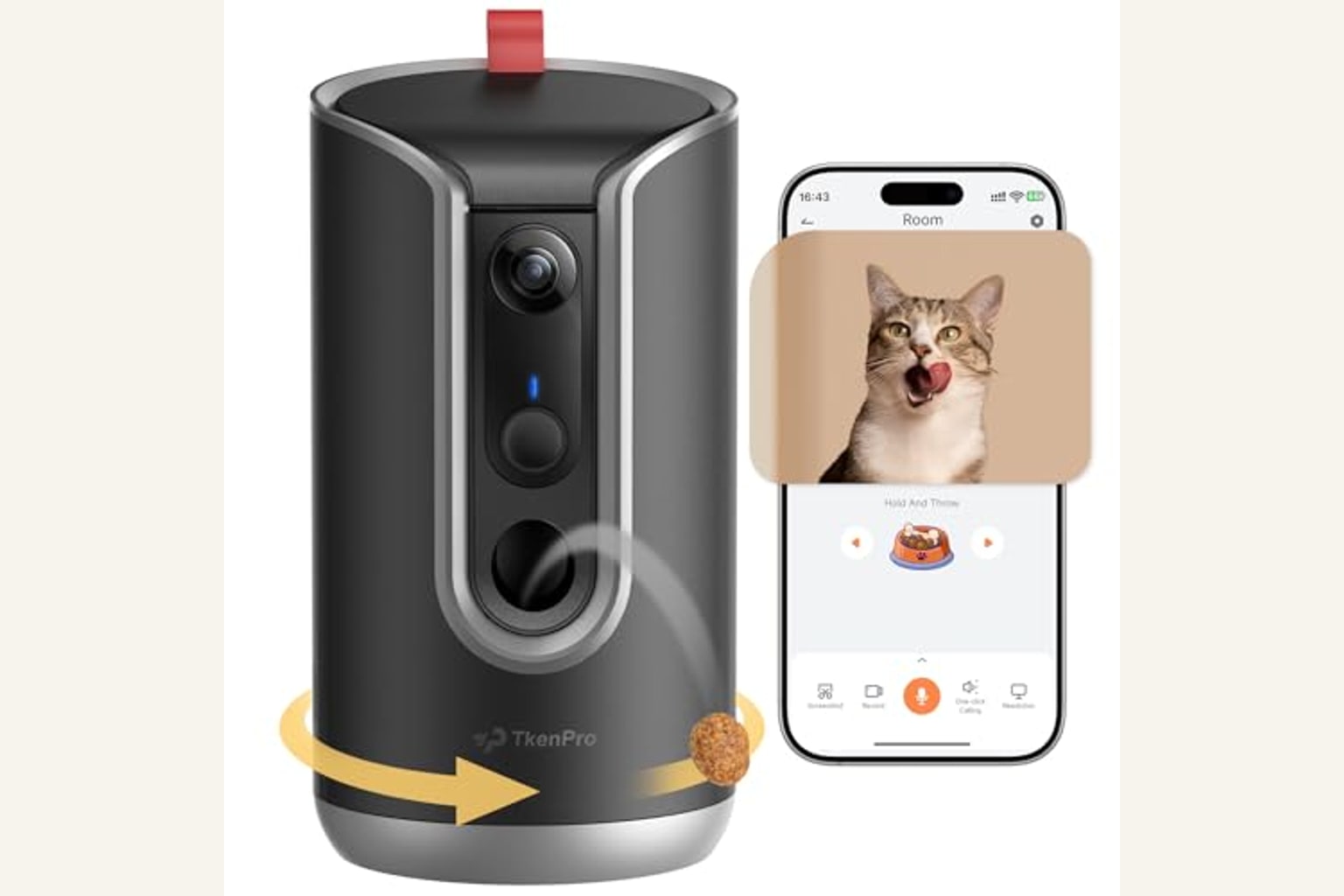
Tkenpro
Buyers who prefer maintaining a press and want to consider a suction-cup body for their chosen surface.
Press-and-hold selection is the distinguishing interaction in the named gifted demonstration, alongside a compact body with suction cups and wall power.
Reasons to choose it
- Compact body and suction cups shown in the named demonstration
- Held controls provide a distinct interaction to compare
- Cable and wall power brick shown with the received device
Tradeoffs to know
- Treat selection requires holding the control
- Suction cups make the contact surface part of the placement decision
Think twice if: You prefer a swipe or separate button selection to holding a control.
Further reading
Ratings
Editorial score 8
Placement and physical handling8
The gifted demonstration describes a compact body with suction cups underneath, making the chosen contact surface worth considering.
Ordinary app and button selection8
The reviewer selects the treat action by pressing and holding, so maintaining the gesture is part of the interaction.
Power, access and routine care chores8
The received device is shown with a cable and wall power brick, adding a power-route decision to placement.
Sources & further reading
youtube.com review
youtube.com review
youtube.com review
youtube.com review
youtube.com review
youtube.com review
youtube.com review
Keep reading
Something changed? Help us keep this useful.
Send a correction →