
The recommendation
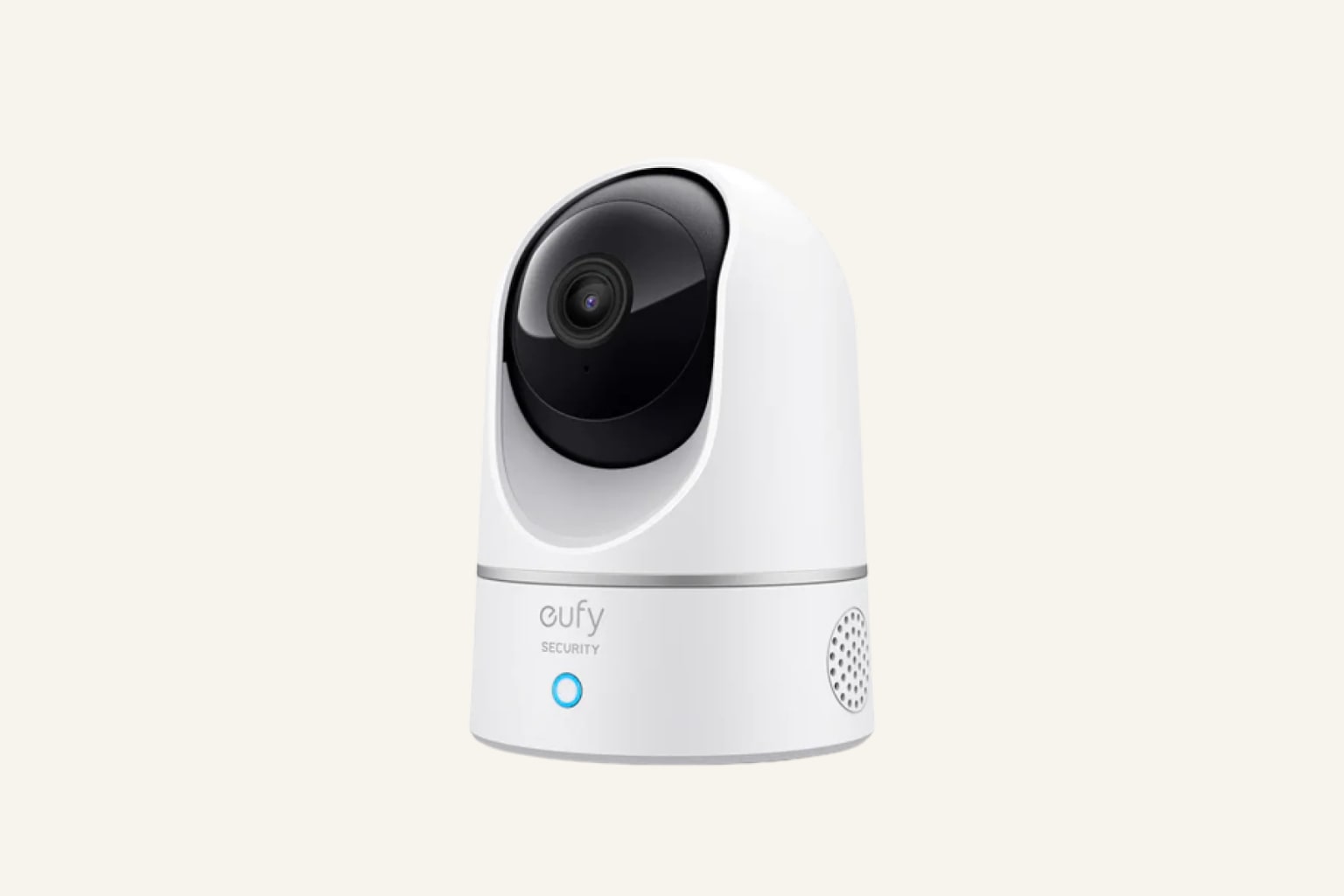
Eufy E220 is our starting point for shoppers focused on placement and manual direction. Choose it for the compact body, placement options and directional arrows, with enough room behind it for the micro-USB cable.
Grades at a glance
| Product | Overall | Placement and physical handling | Ordinary app and button selection | Power, access and routine care chores |
|---|---|---|---|---|
| Eufy E220 Indoor Cam | 8.7 | 9.0 | 9.0 | 8.0 |
Does it fit your life?
A sensible first comparison for a camera location
Eufy E220 is the model we would start with when the purchase begins with a place in mind: a table, a shelf or a possible mounting location. Its own demonstration describes those options and shows directional arrows in the app. That makes it a useful baseline for comparing the physical arrangement and the manual interaction you want.
The detail most likely to change that plan is at the back. E220 uses a rear micro-USB connection, and a model-specific comparison calls out the extra room needed for the cable. Choose the complete arrangement—body and cable—before deciding that a narrow space is ideal.
Compare the practical choices
| Camera | Start here for | Placement | Controls | Access chores | Overall |
|---|---|---|---|---|---|
| Eufy E220 Indoor Cam | Placement and directional controls | 9.0 | 9.0 | 8.0 | 8.7/10 |
| Petcube Cam 360 | Small body and wall-plate option | 9.0 | 8.0 | 9.0 | 8.7/10 |
| Imilab C30 Dual Security Camera | Choosing between lens views | 8.0 | 8.0 | 8.0 | 8.0/10 |
All scores are out of 10 and concern everyday placement, manual selection and access chores. Use the fit and tradeoffs to choose between models.
Allow for the cable before settling on a shelf
The E220 reviewer describes a compact body and explicitly discusses table, shelf, wall and ceiling placement. These are useful options to compare while you work out where you want the camera. For a freestanding location, start with the surface you can reach; for mounting, consult the instructions for the exact unit and location.
A compact body can be misleading if you consider only the space directly underneath it. The E220/E30 comparison explains that the E220 cable enters at the rear and needs room there. If the back of your chosen shelf is crowded, this is a reason to reconsider the location before buying, rather than discovering the conflict when you connect it.
Directional arrows keep the manual choice explicit
The demonstrated E220 app presents directional arrows for manual movement. If you prefer controls that show the direction you are choosing, that layout is a practical attraction. You can compare it with the directional controls shown for Cam 360 without needing to make your decision around a long list of app features.
This review uses the screens in those published demonstrations to explain the interaction. Before ordering, confirm the current instructions for the named E220, particularly if you are relying on a particular screen layout.
Keep the E220 connection distinct from the E30
The E220 unboxing describes a micro-USB cable and wall adapter. The comparison with E30 makes the rear route especially clear: E220 needs room behind the body for the cable. The other camera in that comparison has a different arrangement, so choose accessories and a location around the E220 connection itself.
The buying task is simple: identify the outlet, trace the route to the camera, and leave access to the rear. A shelf that accommodates the body but leaves the connector awkward to reach is not as convenient as it first appears. Check what is included in the package you order before making the final arrangement.
Cam 360 for a small body; C30 Dual for view choices
Petcube Cam 360 is the closest comparison when you like a small camera and directional arrows. Its unboxing describes a palm-sized body, wall plate, Type-C cord and wall charger; that reviewer also encountered an interruption near the end of setup. Compare the physical arrangements, then leave time for the first connection.
Imilab C30 Dual is a different decision. Its fixed lower lens and moving upper assembly bring a choice between dual, fixed and moving-lens views. It is worth the extra consideration when you want those choices. If the purchase is mainly about where to put a camera and how to select direction, E220 remains the clearer starting point.
Cam 360 unboxing; Cam 360 controls demonstration; C30 Dual walkthrough
Questions before you choose the position
Can it go directly against the back of a shelf? Plan for the rear cable. The E220 comparison explicitly calls out that extra space.
Which connector belongs to this model? The E220 sources describe micro-USB. Do not choose it on the basis of the E30’s different connection.
What would justify C30 Dual instead? A specific desire to choose between two lens views. If that extra mode choice is not useful to you, compare E220 and Cam 360 on placement and directional controls first.
E220 first impressions; E220 and E30 comparison; C30 Dual walkthrough; Cam 360 unboxing; Cam 360 controls demonstration
About this review
We compared published demonstrations of placement, manual controls and access chores. We have not performed our own bench tests. The scores describe those everyday tasks; app observations refer to the versions shown in the reviews. Before ordering, check the exact model, current listing, package contents and instructions.
Eufy E220 Indoor Cam
Eufy
Buyers who want to choose a practical camera position and use direct directional controls.
A compact camera with directional arrows and several placement options in the E220 demonstration; allow room for its rear micro-USB cable.
Reasons to choose it
- Table, shelf, wall and ceiling options described in the E220 review
- Direct directional arrows in the demonstrated app
- Compact body leaves placement worth exploring
Tradeoffs to know
- Rear cable requires clearance behind the body
- Micro-USB connector needs to be considered when arranging power
Think twice if: The intended spot has no space behind the body for its power connection.
Further reading
Ratings
Editorial score 8.7
Placement and physical handling9
The E220 review describes a compact body and table, shelf, wall and ceiling placement options.
Ordinary app and button selection9
Directional arrows in the E220 demonstration make manual direction a visible, direct choice.
Power, access and routine care chores8
The reviewed E220 uses micro-USB power; the E220/E30 comparison specifically notes the room needed behind the E220 for its cable.
Sources & further reading
youtube.com review
youtube.com review
youtube.com review
youtube.com review
youtube.com review
youtube.com review
Keep reading
Something changed? Help us keep this useful.
Send a correction →