
The recommendation
Choose Cam 360 for its small body, wall-plate option and directional arrows after tracing the power cable to your chosen spot. Allow time for the initial connection: the unboxing reviewer encountered an interruption before completing setup.
Grades at a glance
| Product | Overall | Placement and physical handling | Ordinary app and button selection | Power, access and routine care chores |
|---|---|---|---|---|
| Petcube Cam 360 | 8.7 | 9.0 | 8.0 | 9.0 |
Does it fit your life?
Start with where a small camera would help
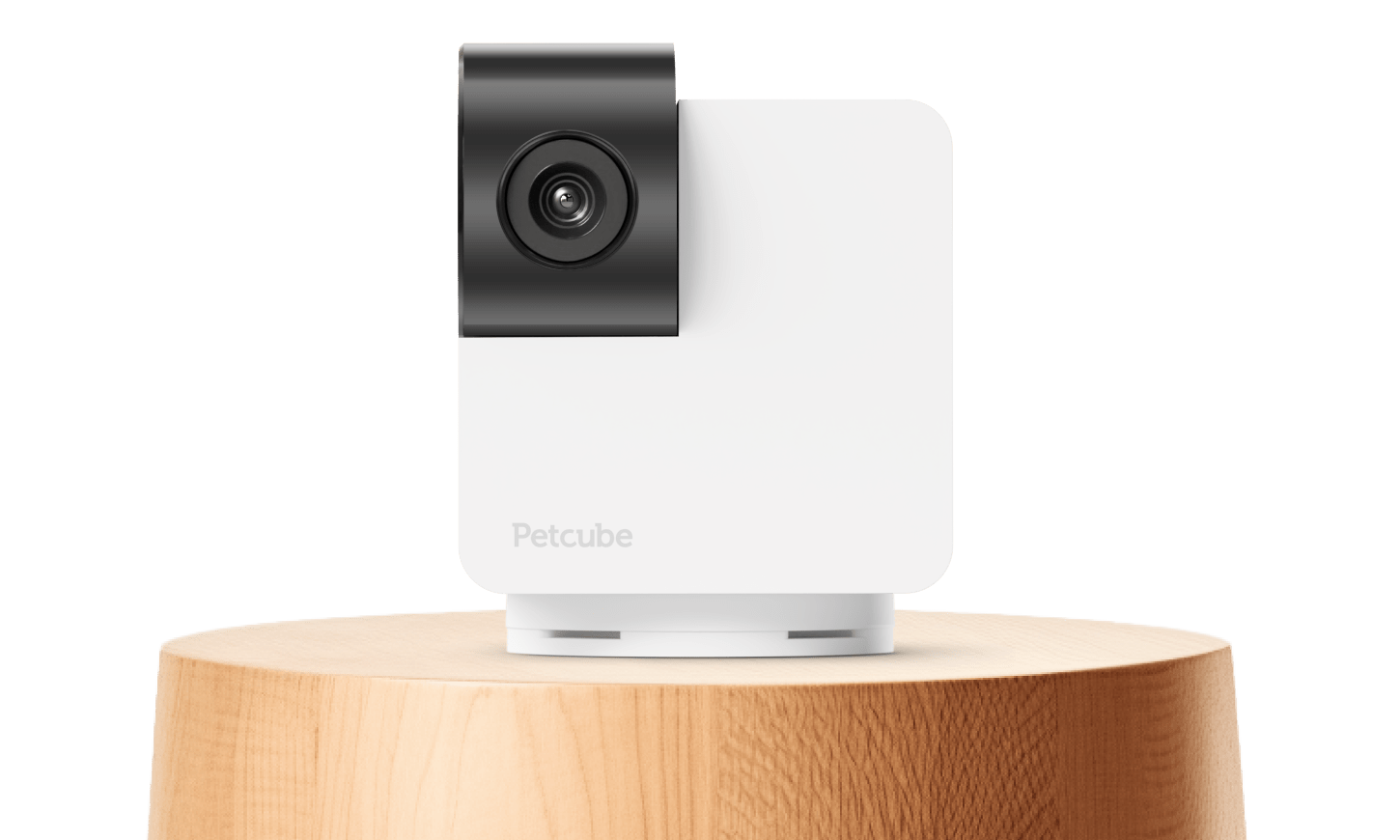
Petcube. Manufacturer-supplied product image.
Cam 360 is worth considering if you want a small camera body and are deciding between an accessible surface and a wall position. The named Cam 360 unboxing describes a body that fits in a hand and shows a wall plate. A separate controls demonstration shows left, right, up and down arrows. Those are useful details for a shopper who wants to picture the arrangement before buying.
The size of the body is only part of that arrangement. The reviewed setup uses a cable and wall charger, so choose the power route alongside the location. If the body fits but the cable has nowhere convenient to go, the placement problem is still unfinished.
Compare the practical choices
| Camera | Start here for | Placement | Controls | Access chores | Overall |
|---|---|---|---|---|---|
| Petcube Cam 360 | Small body and wall-plate option | 9.0 | 8.0 | 9.0 | 8.7/10 |
| Eufy E220 Indoor Cam | Placement and directional controls | 9.0 | 9.0 | 8.0 | 8.7/10 |
| Imilab C30 Dual Security Camera | Choosing between lens views | 8.0 | 8.0 | 8.0 | 8.0/10 |
All scores are out of 10 and concern everyday placement, manual selection and access chores. Use the fit and tradeoffs to choose between models.
A wall plate changes the arrangement you need to plan
The unboxing shows the wall plate and describes the camera as palm-sized. That gives you two things to consider: whether you prefer to keep the body on a surface, and whether a wall arrangement would suit the space better. The answer can be about access as much as appearance.
A surface position is easy to think through when you expect to reach the body regularly. A wall position deserves a plan for both physical access and power. Consult the instructions for the unit and location before choosing mounting hardware or a position; the unboxing is a useful view of the supplied arrangement in that received package.
Direct arrows, with setup time kept in the plan
The controls demonstration shows arrows for left, right, up and down. That explicit layout is a reason to compare Cam 360 if you prefer choosing a direction directly. Eufy E220 offers a useful comparison because its own demonstration also shows directional arrows.
Keep initial setup separate from that appealing layout. The Cam 360 unboxing reviewer reports a hiccup near the end before completing setup. Leave time for the first connection rather than fitting it into a moment when you must rush. This is one reported setup experience, and we do not treat it as a prediction of a recurring problem.
Cam 360 unboxing; Cam 360 controls demonstration; E220 first impressions
Trace the cable before choosing the final spot
The unboxing identifies a Type-C cord and wall charger and shows connecting the camera. For buying purposes, that means the outlet is part of the placement decision. Consider the path between it and the body, including whether the camera will be on a surface or in the wall arrangement.
This is an easy detail to miss when a camera looks small enough to fit almost anywhere. Do the location and power planning together. Confirm the contents of the exact package you intend to order rather than assuming they will match the earlier unboxing.
E220 is the close comparison; C30 Dual changes the question
Compare Eufy E220 first for compact handling and directional arrows. Its sources describe several placement options, with a rear micro-USB cable that needs clearance. That makes the comparison practical: which body and connection arrangement better fits the location you are considering?
Imilab C30 Dual adds a different decision through its fixed lower lens, moving upper assembly and selectable lens views. It is worth choosing that extra complexity only if the view choices themselves appeal to you. If you decide that treat handling is central to the purchase, Furbo 360 is the more relevant comparison, with its removable top and separate treat button.
E220 first impressions; E220 and E30 comparison; C30 Dual walkthrough; Furbo 360 household demonstration
Questions before settling on Cam 360
Is the small body the whole placement story? Include the cable and wall charger from the reviewed setup in your planning.
What does the wall plate change? It adds an arrangement to consider, along with a need to plan access and consult the installation instructions for your location.
How much time should you leave for setup? Allow an unrushed first connection. One reviewer encountered an interruption before finishing, even though the directional controls are straightforward to recognize in the separate demonstration.
About this review
We compared published demonstrations of placement, manual controls and access chores. We have not performed our own bench tests. The scores describe those everyday tasks; app observations refer to the versions shown in the reviews. Before ordering, check the exact model, current listing, package contents and instructions.
Petcube Cam 360
Petcube
Buyers choosing between a surface position and a wall arrangement for a small camera.
A palm-sized body and wall plate make Cam 360 worth comparing for placement; directional arrows and a reported setup interruption round out the routine.
Reasons to choose it
- Palm-sized body described in the Cam 360 unboxing
- Wall plate gives another arrangement to consider
- Left, right, up and down arrows shown in the controls demonstration
Tradeoffs to know
- The reviewed setup uses a cable and wall charger
- One reviewer encountered an interruption before finishing setup
Think twice if: You need a placement plan that avoids a wall-power cable.
Further reading
Ratings
Editorial score 8.7
Placement and physical handling9
The Cam 360 unboxing describes a palm-sized body and shows a wall plate, giving two practical placement considerations.
Ordinary app and button selection8
One demonstration shows directional arrows; the separate unboxing reports an interruption near the end of setup.
Power, access and routine care chores9
The unboxing includes a Type-C cord and wall charger and shows connecting the camera for setup.
Sources & further reading
youtube.com review
youtube.com review
youtube.com review
youtube.com review
youtube.com review
youtube.com review
youtube.com review
Keep reading
Something changed? Help us keep this useful.
Send a correction →