
The recommendation
Start with Eufy E220 for placement and directional controls, or compare Cam 360 for its small body and wall plate. For treats, choose Furbo 360 for separate controls or Mini 360 for compactness with refill visits in mind. Bites 2 Lite’s insert choices need a careful placement decision.
The shortlist, at a glance

Buyers who want distinct turning and treat controls and a top they can remove for refills.
Furbo 360 Dog Camera →
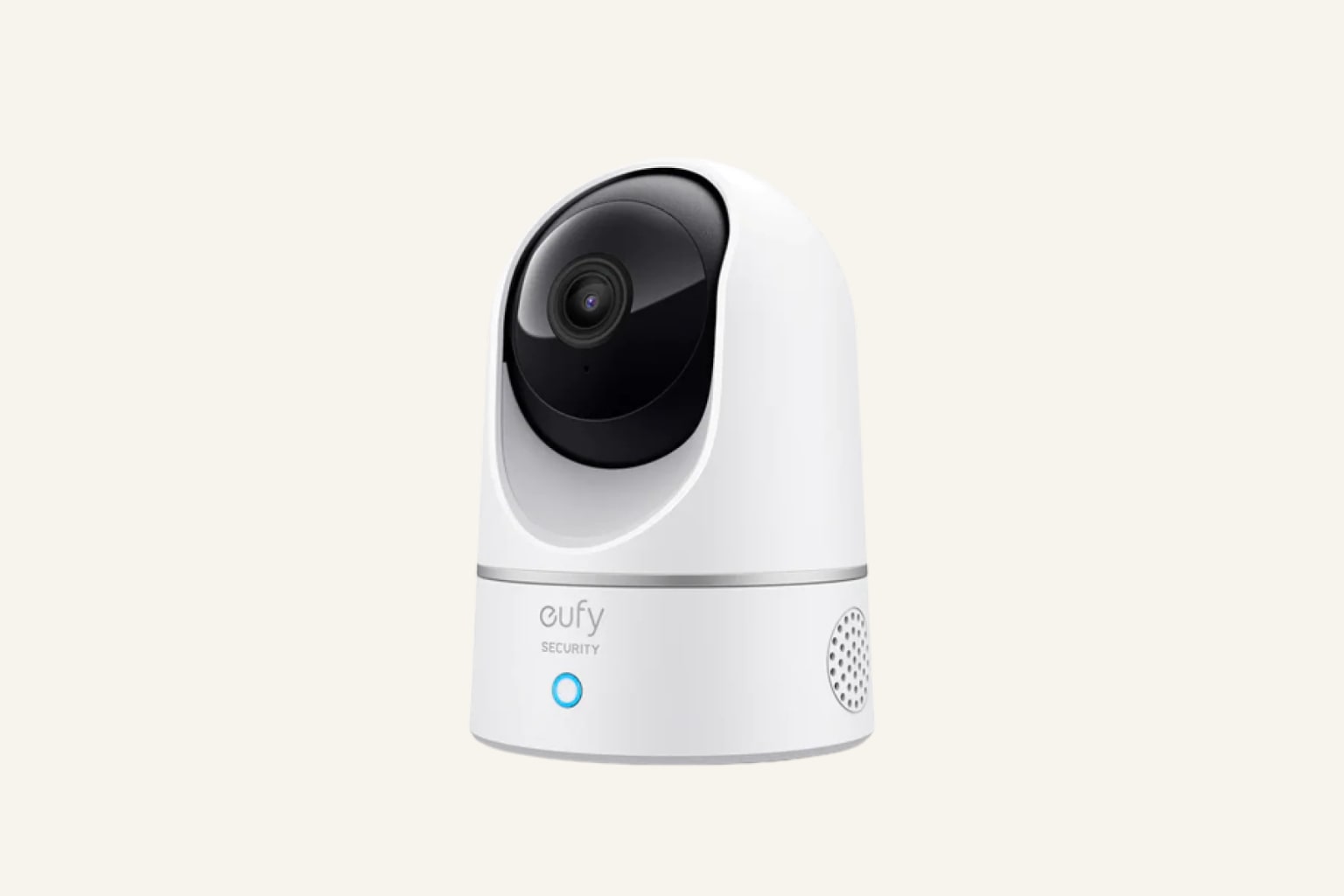
Buyers who want to choose a practical camera position and use direct directional controls.
Eufy E220 Indoor Cam →
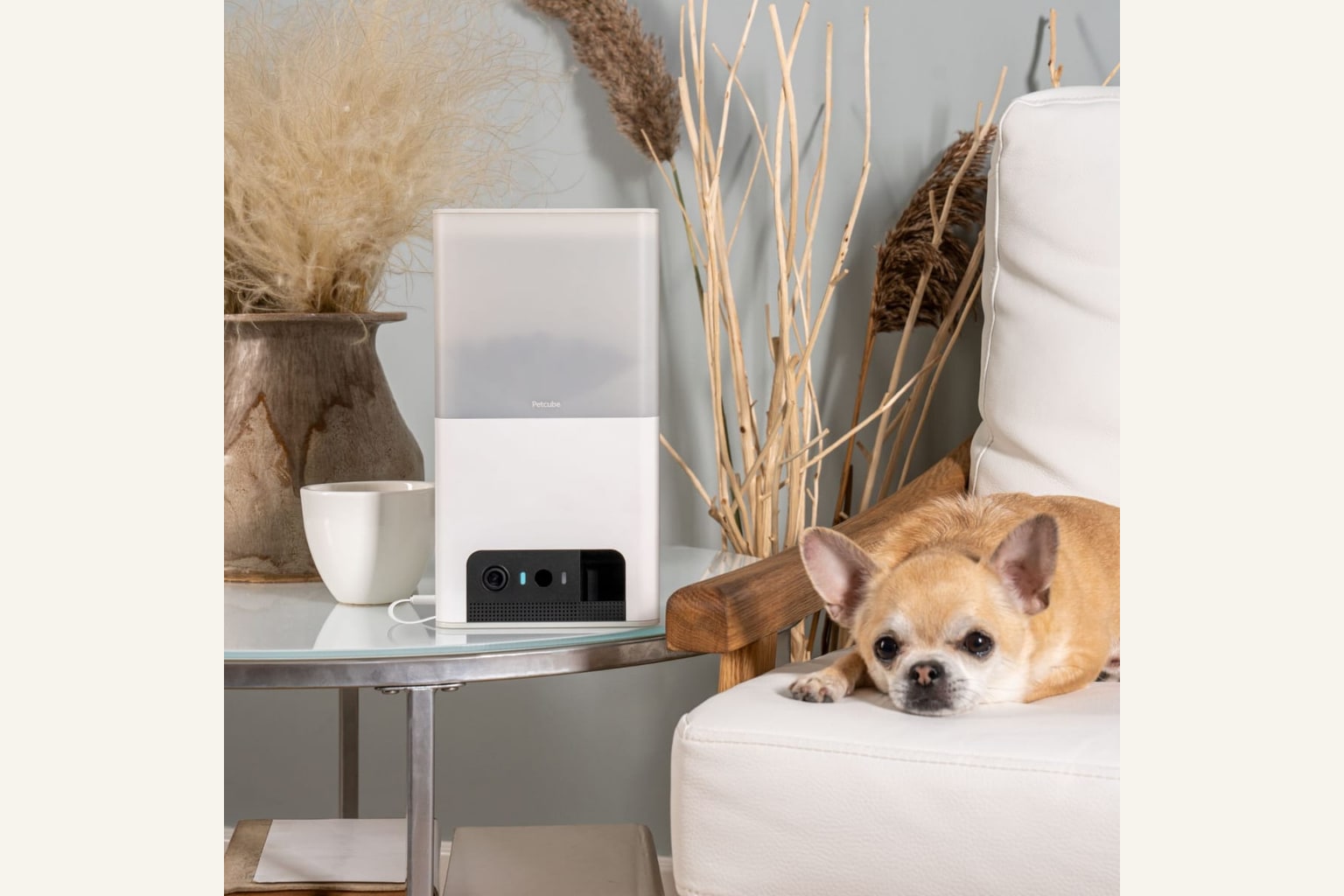
Buyers who want physical insert choices and will plan a location for the tall body.
Petcube Bites 2 Lite →
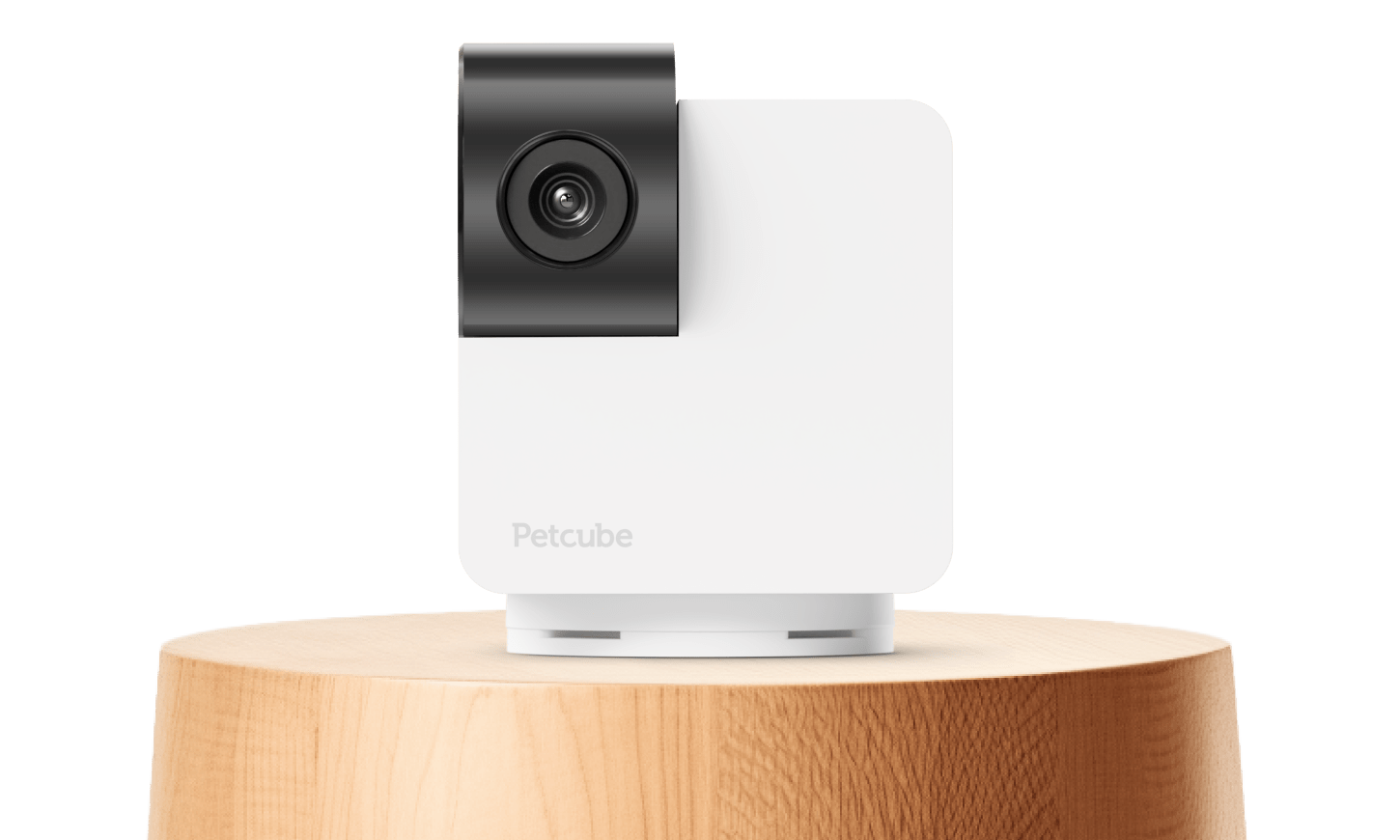
Buyers choosing between a surface position and a wall arrangement for a small camera.
Petcube Cam 360 →
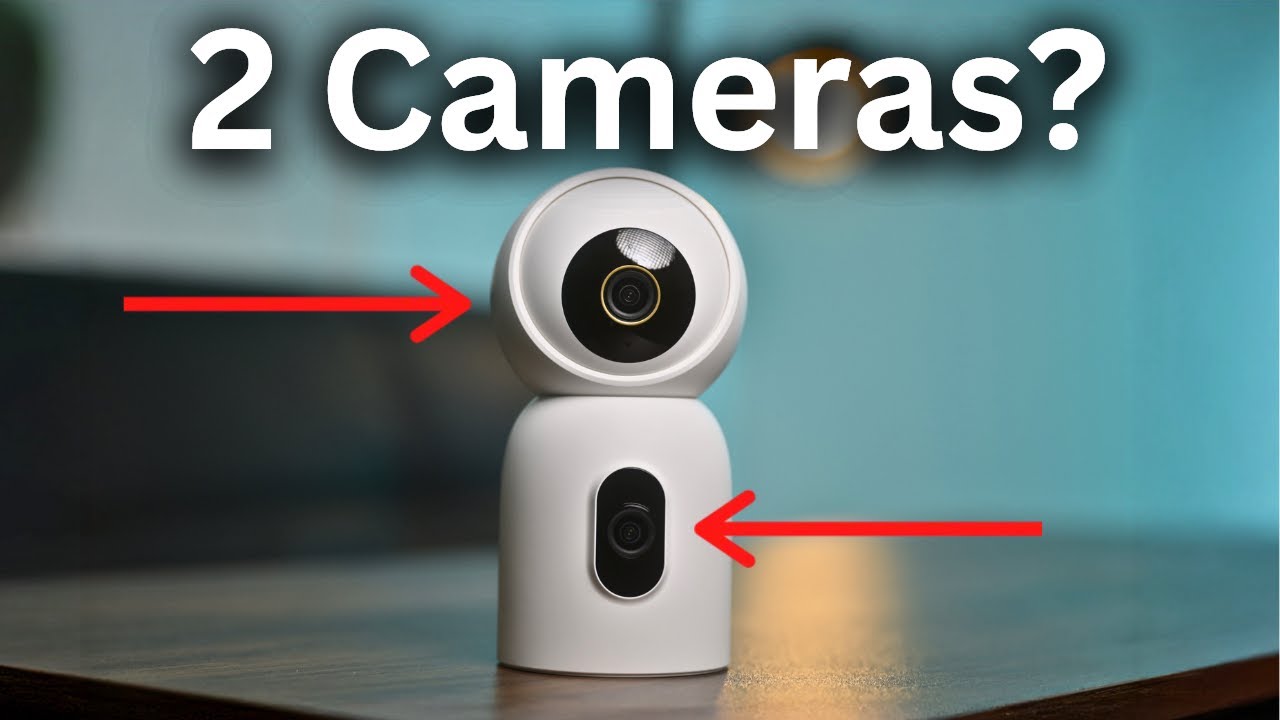
Buyers who specifically want to choose a dual view or an individual fixed or moving-lens view.
Imilab C30 Dual Security Camera →
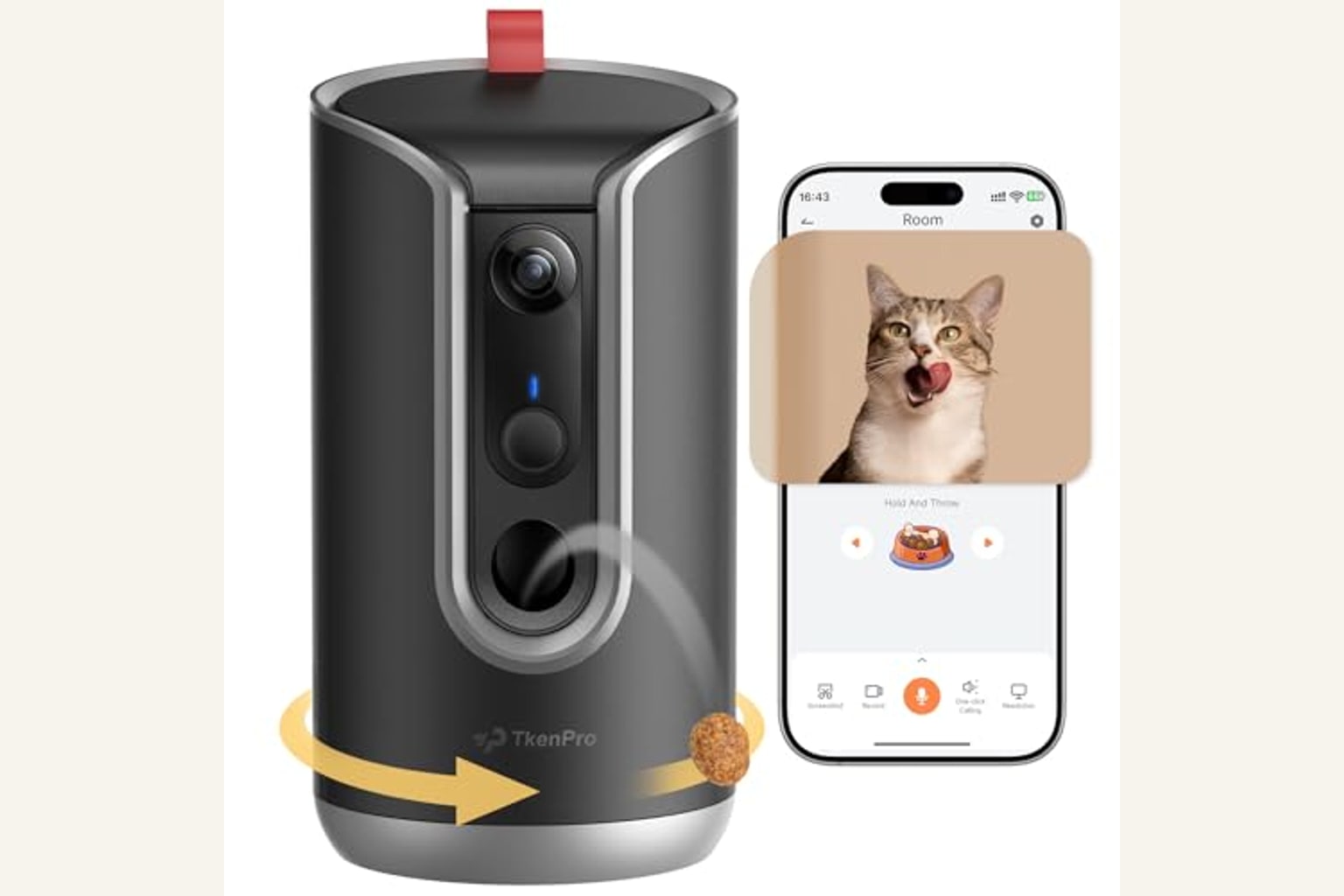
Buyers who prefer maintaining a press and want to consider a suction-cup body for their chosen surface.
Tkenpro 2K Pet Camera Treat Dispenser →
Grades at a glance
| Product | Overall | Placement and physical handling | Ordinary app and button selection | Power, access and routine care chores |
|---|---|---|---|---|
| Furbo 360 Dog Camera | 8.4 | 8.0 | 9.0 | 8.0 |
| Furbo Mini 360 | 8.4 | 9.0 | 9.0 | 7.0 |
| Eufy E220 Indoor Cam | 8.7 | 9.0 | 9.0 | 8.0 |
| Petcube Bites 2 Lite | 8.0 | 7.0 | 9.0 | 8.0 |
| Petcube Cam 360 | 8.7 | 9.0 | 8.0 | 9.0 |
| Imilab C30 Dual Security Camera | 8.0 | 8.0 | 8.0 | 8.0 |
| Tkenpro 2K Pet Camera Treat Dispenser | 8.0 | 8.0 | 8.0 | 8.0 |
Compare your shortlist
Does it fit your life?
Start with the job you want to do
Start with Eufy E220 if you want a compact camera, a practical placement choice and directional arrows. Its rear cable needs room, so look at the location and outlet together. Petcube Cam 360 is the close comparison for a palm-sized body and wall-plate option.
For a treat camera, start with Furbo 360 if you prefer separate turning arrows and a treat button. Choose Mini 360 for its compact body only if the reported extra refill visits suit you. Bites 2 Lite is worth considering for interchangeable inserts, with its tall-body tipping concern kept in the decision. Tkenpro offers a held-control alternative, while C30 Dual is the specialist choice for selecting between lens views.
The right starting question is what you want to handle and select each day. A place for the camera, a route for its cable, a lid you can reach and a gesture you like are more useful decisions than choosing by the longest feature list.
E220 first impressions; E220 and E30 comparison; Cam 360 unboxing; Furbo 360 household demonstration; Mini 360 demonstration; Sponsored Mini 360 comparison; Bites 2 Lite unboxing and controls; Bites 2 Lite insert demonstration; Bites 2 Lite handling review; Gifted TKENPRO demonstration; C30 Dual walkthrough
Compare all seven cameras
| Camera | Start here for | Placement | Controls | Access chores | Overall |
|---|---|---|---|---|---|
| Furbo 360 Dog Camera | Separate turning and treat controls | 8.0 | 9.0 | 8.0 | 8.4/10 |
| Furbo Mini 360 | Compact treat-camera handling | 9.0 | 9.0 | 7.0 | 8.4/10 |
| Eufy E220 Indoor Cam | Placement and directional controls | 9.0 | 9.0 | 8.0 | 8.7/10 |
| Petcube Bites 2 Lite | Interchangeable treat inserts | 7.0 | 9.0 | 8.0 | 8.0/10 |
| Petcube Cam 360 | Small body and wall-plate option | 9.0 | 8.0 | 9.0 | 8.7/10 |
| Imilab C30 Dual Security Camera | Choosing between lens views | 8.0 | 8.0 | 8.0 | 8.0/10 |
| Tkenpro 2K Pet Camera Treat Dispenser | Press-and-hold treat selection | 8.0 | 8.0 | 8.0 | 8.0/10 |
All scores are out of 10 and concern everyday placement, manual selection and access chores. Use the fit and tradeoffs to choose between models.
Furbo 360: start here for separate treat controls
Furbo. Manufacturer-supplied product image.
The Furbo 360’s practical appeal is its distinct control layout. The household demonstration uses left and right arrows for turning and a separate treat button. The reviewer also describes moving the body between front and back areas of the house, making occasional relocation part of the example.
Choose it if that layout appeals and you are happy to remove the top for refills. The small opening needs attention when choosing what to load. Mini 360 is the comparison if compactness matters more; Bites 2 Lite is the comparison if you want inserts to choose and swap.
Read the Furbo 360 Dog Camera review or view the Amazon listing.
Furbo 360 household demonstration; Mini 360 demonstration; Sponsored Mini 360 comparison; Bites 2 Lite unboxing and controls; Bites 2 Lite insert demonstration
Furbo Mini 360: choose compactness with refills in mind
Furbo. Manufacturer-supplied product image.
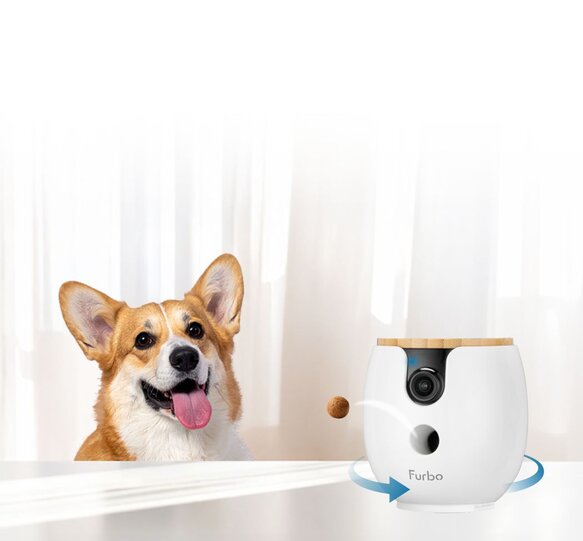
Mini 360 puts a compact body, magnetic lid and upward-swipe treat selection together. It is an appealing combination if the space occupied by a treat camera is your main hesitation. Make sure the smaller location still lets you reach the top comfortably.
The recurring tradeoff comes from a Furbo-sponsored comparison: that reviewer reports refilling Mini 360 more often. Easy lid access and fewer refill visits are different benefits. Choose the Mini when you value its compact body enough to accept the latter chore; compare Furbo 360 when its separate button-and-arrow layout matters more.
Read the Furbo Mini 360 review or view the Amazon listing.
Mini 360 demonstration; Sponsored Mini 360 comparison; Furbo 360 household demonstration
Eufy E220: our starting point for placement and direction
E220 is a useful baseline for deciding where a camera will go. Its own demonstration describes a compact body with table, shelf, wall and ceiling options, and it shows directional arrows in the app. Those are practical reasons to start here when camera placement and manual direction are your priorities.
Plan for the back of the body as well as the footprint. E220 uses micro-USB power, and its comparison with E30 specifically calls out rear-cable clearance. If that arrangement suits the space, E220 is a straightforward starting comparison. Cam 360 is worth putting beside it for the small body and wall-plate choice.
Read the Eufy E220 Indoor Cam review or view the Amazon listing.
E220 first impressions; E220 and E30 comparison; Cam 360 unboxing
Bites 2 Lite: choose inserts after considering placement
Bites 2 Lite offers physical insert choices and distinct close, mid and long selections in a historical app walkthrough. The inserts are a useful attraction if you want to choose and change a part as well as select an action on the phone. They also give you something to keep track of and swap.
Placement comes first. One unboxing praises the rubber base and shows wall-mount holes, but another reviewer raises a concern about the tall body tipping despite that base. Keep both accounts in view. The app unboxing initially uses mints and the reviewer says they do not have pets, so read it as a controls and handling demonstration.
Read the Petcube Bites 2 Lite review or view the Amazon listing.
Bites 2 Lite unboxing and controls; Bites 2 Lite handling review; Bites 2 Lite insert demonstration
Petcube Cam 360: a small body with a wall-power plan
Petcube. Manufacturer-supplied product image.
The Cam 360 unboxing describes a palm-sized body and shows a wall plate. A separate demonstration shows directional arrows, making this a close comparison for buyers considering E220. Start by deciding whether you want an accessible surface position or a wall arrangement.
The reviewed package includes a Type-C cord and wall charger, so trace that power route before settling on the spot. The unboxing reviewer reports an interruption near the end of setup before completing it. Leave time for that first connection; the report does not need to become a prediction about ongoing use.
Read the Petcube Cam 360 review or view the Amazon listing.
Cam 360 unboxing; Cam 360 controls demonstration; E220 first impressions
Imilab C30 Dual: buy it for the lens-view choices
Reviewer photo: IMILAB C30 review.
C30 Dual makes sense when you specifically want a fixed lower lens, a moving upper assembly and a choice of views. The historical walkthrough offers dual, fixed-lens and moving-lens views. Decide where you would point the lower lens and which view you would select before treating two lenses as an automatic reason to buy.
There are access decisions too: Type-C and reset access sit at the rear, while raising the upper head exposes the card slot. The walkthrough describes a pre-release Xiaomi Home context, so confirm current instructions for the exact unit. If the extra view choices add little to your routine, start with E220 or Cam 360.
Read the Imilab C30 Dual Security Camera review or view the Amazon listing.
C30 Dual walkthrough; C30 Dual access demonstration; E220 first impressions; Cam 360 unboxing
Tkenpro: consider it if you like a held control
The demonstration titled for TKENPRO shows press-and-hold camera and treat controls. The presenter says the device was sent to them, and describes a compact body with suction cups underneath, plus a cable and wall power brick. That is a specific interaction and placement approach to compare.
Choose it when maintaining a press is comfortable for you and you have thought through the contact surface and cable route. Compare Mini 360 if you prefer a swipe, or Furbo 360 if its separate arrows and treat button appeal more. Keep the full model name in view when checking the listing and received instructions.
Read the Tkenpro 2K Pet Camera Treat Dispenser review or view the Amazon listing.
Gifted TKENPRO demonstration; Mini 360 demonstration; Furbo 360 household demonstration
Three decisions that narrow the shortlist
First, plan the location and access together. E220’s rear cable needs clearance. Cam 360 offers a small body and wall plate, with a cord route to plan. C30 Dual adds a fixed-lens orientation decision and separate rear/head access. For Bites 2 Lite, give the tall-body tipping concern its own consideration before choosing the camera for its inserts.
Next, choose the gesture you want to repeat. Furbo 360 separates turning arrows from a treat button. Mini 360 uses an upward swipe in its demonstration. Tkenpro uses a held control. C30 Dual adds lens-view selection. A strong preference between those interactions can narrow the shortlist without deciding that every additional choice is useful.
Finally, be honest about the chores. A removable top, magnetic lid and interchangeable insert each create a different handling routine. Mini 360’s sponsored refill report is a reminder that easy access does not necessarily mean fewer visits. Bites 2 Lite’s insert choice is useful only if you want to keep and change the parts. The right routine is the one you are willing to repeat.
E220 and E30 comparison; Cam 360 unboxing; C30 Dual walkthrough; C30 Dual access demonstration; Bites 2 Lite handling review; Furbo 360 household demonstration; Mini 360 demonstration; Sponsored Mini 360 comparison; Gifted TKENPRO demonstration; Bites 2 Lite unboxing and controls; Bites 2 Lite insert demonstration
Questions before ordering
Which two should I compare first for placement and arrows? Start with E220 and Cam 360. E220 needs rear-cable clearance; Cam 360’s unboxing shows a palm-sized body and wall plate. Decide on the location and power route for each.
Which treat camera suits a preference for separate buttons? Furbo 360’s demonstration uses a separate treat button and turning arrows. Compare Mini 360 for an upward swipe or Tkenpro for a held control if either gesture sounds more natural.
Does a magnetic lid settle the refill question? No. Mini 360’s magnetic lid provides access, while a sponsored reviewer still reports more frequent refills. Consider both the action and how willing you are to return to it.
Can I dismiss Bites 2 Lite’s tipping concern because of its rubber base? Keep the positive base impression and the explicit tipping concern together. Placement deserves a decision before the insert options become the deciding feature.
When would C30 Dual be the better fit? When you specifically want to choose between dual, fixed and moving-lens views and are prepared to orient the fixed lens deliberately. Confirm current instructions, since the app walkthrough describes a pre-release context.
E220 first impressions; E220 and E30 comparison; Cam 360 unboxing; Cam 360 controls demonstration; Furbo 360 household demonstration; Mini 360 demonstration; Sponsored Mini 360 comparison; Gifted TKENPRO demonstration; Bites 2 Lite unboxing and controls; Bites 2 Lite handling review; C30 Dual walkthrough
About these recommendations
We compared published demonstrations of placement, manual controls and access chores. We have not performed our own bench tests. The scores describe those everyday tasks; app observations refer to the versions shown in the reviews. Before ordering, check the exact model, current listing, package contents and instructions. Product images illustrate the camera; the linked credits identify manufacturer-supplied images and the C30 reviewer photo.
Furbo 360 Dog Camera
Furbo
Buyers who want distinct turning and treat controls and a top they can remove for refills.
Separate turning arrows and a treat button are the draw; lifting the top and choosing treats for the small opening are the chores.
The takeaway
Choose Furbo 360 when separate turning arrows and a treat button suit you. Its removable top makes the refill action clear; plan a convenient spot for reaching it and give the small treat opening attention when choosing what to load.
Reasons to choose it
- Distinct turning arrows and treat button in the reviewed app
- A reviewer moved it between front and back areas of the house
- Removable top gives access for refills
Tradeoffs to know
- Small treat opening calls for care when choosing what to load
- Top access needs to remain convenient in the chosen spot
Think twice if: Refilling a treat camera and returning to its top would become unwanted chores.
Further reading
Ratings
Editorial score 8.4
Placement and physical handling8
A reviewer used the body in both the front and back of the house, making it a practical option to consider for occasional relocation.
Ordinary app and button selection9
The reviewed app puts left and right turning arrows alongside a separate treat button, so the actions are distinct.
Power, access and routine care chores8
Refilling involves taking off and replacing the top; the reviewer also calls attention to the small treat opening.
Furbo Mini 360
Furbo
Shoppers who value a compact treat camera enough to accept recurring refill visits.
The compact body, magnetic lid and upward-swipe treat control are appealing together; a sponsored reviewer reports more frequent refills.
The takeaway
Choose Mini 360 when a compact treat-camera body is the deciding benefit. Its upward swipe and magnetic lid make the interaction easy to picture, but the extra refill visits reported in a sponsored review deserve equal attention.
Reasons to choose it
- Compact body in the Mini-specific demonstration
- Upward swipe selects the treat action
- Magnetic lid provides top access
Tradeoffs to know
- A Furbo-sponsored reviewer reports more frequent refilling
- Refilling still requires convenient access to the top
Think twice if: You would rather make fewer visits to the container than prioritize a smaller body.
Further reading
Ratings
Editorial score 8.4
Placement and physical handling9
The Mini-specific review describes a small, discreet body, making compact handling its strongest physical attraction.
Ordinary app and button selection9
The demonstrated treat selection is an upward swipe, giving buyers a clear gesture to compare with a button or held press.
Power, access and routine care chores7
The magnetic top provides access; a separate Furbo-sponsored reviewer reports needing to refill the Mini 360 more often.
Eufy E220 Indoor Cam
Eufy
Buyers who want to choose a practical camera position and use direct directional controls.
A compact camera with directional arrows and several placement options in the E220 demonstration; allow room for its rear micro-USB cable.
The takeaway
Eufy E220 is our starting point for shoppers focused on placement and manual direction. Choose it for the compact body, placement options and directional arrows, with enough room behind it for the micro-USB cable.
Reasons to choose it
- Table, shelf, wall and ceiling options described in the E220 review
- Direct directional arrows in the demonstrated app
- Compact body leaves placement worth exploring
Tradeoffs to know
- Rear cable requires clearance behind the body
- Micro-USB connector needs to be considered when arranging power
Think twice if: The intended spot has no space behind the body for its power connection.
Further reading
Ratings
Editorial score 8.7
Placement and physical handling9
The E220 review describes a compact body and table, shelf, wall and ceiling placement options.
Ordinary app and button selection9
Directional arrows in the E220 demonstration make manual direction a visible, direct choice.
Power, access and routine care chores8
The reviewed E220 uses micro-USB power; the E220/E30 comparison specifically notes the room needed behind the E220 for its cable.
Petcube Bites 2 Lite
Petcube
Buyers who want physical insert choices and will plan a location for the tall body.
Interchangeable inserts and close, mid and long app selections give you choices; a reviewer’s tall-body tipping concern makes placement the first decision.
The takeaway
Bites 2 Lite is worth choosing for its insert options only after you have thought through placement. The clear app selections are appealing, but they do not cancel the tall-body tipping concern. Choose it when you want the insert-handling routine and have considered where the body will go.
Reasons to choose it
- Interchangeable treat inserts are shown in two demonstrations
- Close, mid and long selections appear in the reviewed app
- Rear wall-mount holes provide an alternative arrangement to consider
Tradeoffs to know
- A reviewer raises a tipping concern about the tall body despite its rubber base
- Keeping and swapping inserts adds a physical chore
Think twice if: You want to choose a casual tabletop spot without weighing the reported tipping concern.
Further reading
Ratings
Editorial score 8
Placement and physical handling7
The unboxing shows wall-mount holes and praises the rubber base, while a separate review raises a tall-body tipping concern.
Ordinary app and button selection9
Close, mid and long are explicit treat-selection labels in the demonstrated app.
Power, access and routine care chores8
The hopper and interchangeable doors provide access, but selecting and swapping an insert remains an extra handling step.
Petcube Cam 360
Petcube
Buyers choosing between a surface position and a wall arrangement for a small camera.
A palm-sized body and wall plate make Cam 360 worth comparing for placement; directional arrows and a reported setup interruption round out the routine.
The takeaway
Choose Cam 360 for its small body, wall-plate option and directional arrows after tracing the power cable to your chosen spot. Allow time for the initial connection: the unboxing reviewer encountered an interruption before completing setup.
Reasons to choose it
- Palm-sized body described in the Cam 360 unboxing
- Wall plate gives another arrangement to consider
- Left, right, up and down arrows shown in the controls demonstration
Tradeoffs to know
- The reviewed setup uses a cable and wall charger
- One reviewer encountered an interruption before finishing setup
Think twice if: You need a placement plan that avoids a wall-power cable.
Further reading
Ratings
Editorial score 8.7
Placement and physical handling9
The Cam 360 unboxing describes a palm-sized body and shows a wall plate, giving two practical placement considerations.
Ordinary app and button selection8
One demonstration shows directional arrows; the separate unboxing reports an interruption near the end of setup.
Power, access and routine care chores9
The unboxing includes a Type-C cord and wall charger and shows connecting the camera for setup.
Imilab C30 Dual Security Camera
Imilab
Buyers who specifically want to choose a dual view or an individual fixed or moving-lens view.
A fixed lower lens and moving upper assembly bring extra view choices, with orientation and separate access points to plan around.
The takeaway
Choose C30 Dual because you want its lens-view choices. Give the fixed lower lens a deliberate orientation and leave access to the rear and upper head. The arrangement is most appealing when choosing between the views is something you want to do.
Reasons to choose it
- Dual, fixed and moving-lens views offered in the historical walkthrough
- Insert-and-twist mounting action shown
- Rear Type-C connector and reset button visible in the demonstration
Tradeoffs to know
- Fixed lower lens needs deliberate orientation when placing the body
- Reaching the card slot involves raising the upper head
Think twice if: You prefer to choose a camera direction without also choosing between lens views.
Further reading
Ratings
Editorial score 8
Placement and physical handling8
The walkthrough shows an insert-and-twist mounting action, while the fixed lower lens makes the body’s orientation a separate decision.
Ordinary app and button selection8
The historical screen offers dual, fixed-lens and moving-lens views, so selecting a view is part of the interaction.
Power, access and routine care chores8
The walkthrough places Type-C and reset access at the rear; the access demonstration exposes the card slot by raising the upper head.
Tkenpro 2K Pet Camera Treat Dispenser
Tkenpro
Buyers who prefer maintaining a press and want to consider a suction-cup body for their chosen surface.
Press-and-hold selection is the distinguishing interaction in the named gifted demonstration, alongside a compact body with suction cups and wall power.
The takeaway
Consider Tkenpro if a held-control gesture is what you want and you have thought through its suction-cup placement and power cable. The named gifted demonstration makes those actions clear enough to decide whether that routine appeals to you.
Reasons to choose it
- Compact body and suction cups shown in the named demonstration
- Held controls provide a distinct interaction to compare
- Cable and wall power brick shown with the received device
Tradeoffs to know
- Treat selection requires holding the control
- Suction cups make the contact surface part of the placement decision
Think twice if: You prefer a swipe or separate button selection to holding a control.
Further reading
Ratings
Editorial score 8
Placement and physical handling8
The gifted demonstration describes a compact body with suction cups underneath, making the chosen contact surface worth considering.
Ordinary app and button selection8
The reviewer selects the treat action by pressing and holding, so maintaining the gesture is part of the interaction.
Power, access and routine care chores8
The received device is shown with a cable and wall power brick, adding a power-route decision to placement.
Sources & further reading
youtube.com review
youtube.com review
youtube.com review
youtube.com review
youtube.com review
youtube.com review
youtube.com review
youtube.com review
youtube.com review
youtube.com review
youtube.com review
youtube.com review
youtube.com review
Keep reading
Something changed? Help us keep this useful.
Send a correction →