
The recommendation
Choose Furbo 360 when separate turning arrows and a treat button suit you. Its removable top makes the refill action clear; plan a convenient spot for reaching it and give the small treat opening attention when choosing what to load.
Grades at a glance
| Product | Overall | Placement and physical handling | Ordinary app and button selection | Power, access and routine care chores |
|---|---|---|---|---|
| Furbo 360 Dog Camera | 8.4 | 8.0 | 9.0 | 8.0 |
Does it fit your life?
A good choice when separate controls matter
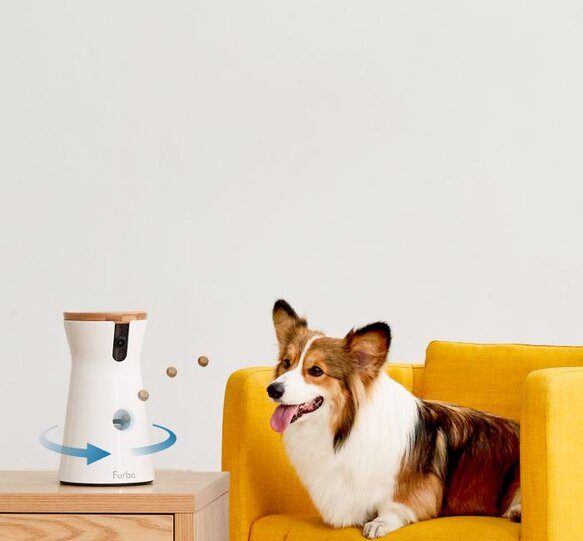
Furbo. Manufacturer-supplied product image.
The Furbo 360 makes the most sense when you want to choose the camera direction and the treat action separately. In the household demonstration, left and right arrows handle the turning choice, while a different button selects the treat action. That is a concrete reason to put this model on a shortlist: you can picture the controls you will use.
The other half of the decision happens at the camera. The top comes off for refilling, and the reviewer draws attention to the small treat opening. If a removable lid and regular visits to the container sound reasonable, the Furbo deserves a comparison. If the refill routine already feels like a nuisance, start by deciding whether you want a treat camera at all.
Compare the practical choices
| Camera | Start here for | Placement | Controls | Access chores | Overall |
|---|---|---|---|---|---|
| Furbo 360 Dog Camera | Separate turning and treat controls | 8.0 | 9.0 | 8.0 | 8.4/10 |
| Furbo Mini 360 | Compact treat-camera handling | 9.0 | 9.0 | 7.0 | 8.4/10 |
| Petcube Bites 2 Lite | Interchangeable treat inserts | 7.0 | 9.0 | 8.0 | 8.0/10 |
All scores are out of 10 and concern everyday placement, manual selection and access chores. Use the fit and tradeoffs to choose between models.
Choose a spot you can return to
The reviewer describes buying the Furbo for the front of the house and then moving it to the back. That experience makes occasional relocation easy to imagine, but it also points to a useful buying question: where will you put it each time? Plan around the body and access to its top, rather than choosing a shelf only because it is empty.
For a camera that will stay in one spot, convenient refill access matters more than the possibility of moving it. For a camera you intend to relocate, think through both locations before you buy. Neither choice requires a complicated routine; it simply makes the physical work part of the purchase decision.
Turning and treats have their own controls
The reviewed app’s separate arrows and treat button are the clearest argument for the Furbo 360. A buyer who likes visibly separate actions may prefer this arrangement to a gesture-led control. It is especially worth comparing the layouts if you have previously disliked swiping or holding an on-screen control.
Treat the demonstration as a look at the app version the reviewer used. It explains the interaction well enough to compare preferences, while the current instructions are the place to confirm what the unit you order will show.
The lid is only part of refilling
Taking the top off and putting it back on is the straightforward part of the demonstrated refill. Selecting what to load deserves attention too: the reviewer points out that the opening is small. The practical question is whether you are willing to consider that opening each time you choose treats, as well as reach the container when it needs a refill.
Make top access a priority when choosing the location. A camera tucked beneath another shelf may look tidy yet leave you with an awkward refill visit. Check the instructions for the unit you receive before choosing treats; this household demonstration is not a size guide.
Mini 360 for size, Bites 2 Lite for inserts
Compare Furbo Mini 360 first if the larger body is what makes you hesitate. Its demonstration emphasizes a compact body, magnetic lid and upward swipe for treats. The tradeoff is recurring access: a Furbo-sponsored reviewer reports refilling the Mini 360 more often. Decide whether the smaller body is worth that chore to you.
Petcube Bites 2 Lite offers a different physical decision through interchangeable inserts. Choose that comparison if you want to manage insert choices, but keep its tall-body tipping concern in view. If you would rather focus on camera placement and directional arrows, Eufy E220 is a useful place to restart the shortlist.
Mini 360 demonstration; Sponsored Mini 360 comparison; Bites 2 Lite unboxing and controls; Bites 2 Lite insert demonstration; Bites 2 Lite handling review; E220 first impressions
Questions to settle before ordering
Will you leave it in one place? If so, prioritize access to the top. If you will move it, decide on the second location too; the household reviewer’s front-and-back routine is the relevant example.
Do you prefer a button or a gesture? Furbo 360’s demonstration uses a separate treat button. Mini 360 uses an upward swipe, so the comparison can begin with that simple preference.
Is easy lid access enough? Consider the small opening as well as the lid. The useful decision is whether both parts of refilling fit the routine you want.
About this review
We compared published demonstrations of placement, manual controls and access chores. We have not performed our own bench tests. The scores describe those everyday tasks; app observations refer to the versions shown in the reviews. Before ordering, check the exact model, current listing, package contents and instructions.
Furbo 360 Dog Camera
Furbo
Buyers who want distinct turning and treat controls and a top they can remove for refills.
Separate turning arrows and a treat button are the draw; lifting the top and choosing treats for the small opening are the chores.
Reasons to choose it
- Distinct turning arrows and treat button in the reviewed app
- A reviewer moved it between front and back areas of the house
- Removable top gives access for refills
Tradeoffs to know
- Small treat opening calls for care when choosing what to load
- Top access needs to remain convenient in the chosen spot
Think twice if: Refilling a treat camera and returning to its top would become unwanted chores.
Further reading
Ratings
Editorial score 8.4
Placement and physical handling8
A reviewer used the body in both the front and back of the house, making it a practical option to consider for occasional relocation.
Ordinary app and button selection9
The reviewed app puts left and right turning arrows alongside a separate treat button, so the actions are distinct.
Power, access and routine care chores8
Refilling involves taking off and replacing the top; the reviewer also calls attention to the small treat opening.
Sources & further reading
youtube.com review
youtube.com review
youtube.com review
youtube.com review
youtube.com review
youtube.com review
youtube.com review
Keep reading
Something changed? Help us keep this useful.
Send a correction →