
The recommendation
Shortlist it for an out-and-back desk routine, after checking the positions you need and allowing time for tilt tuning.
Grades at a glance
| Product | Overall | Placement and assembly | Adjustment controls | Cable and desk chores |
|---|---|---|---|---|
| HUANUO Single Monitor Arm for 13-49 inch Screens with USB | 7.6 | 7.0 | 7.0 | 9.0 |
Does it fit your life?
The buying decision
Updated October 16, 2026.
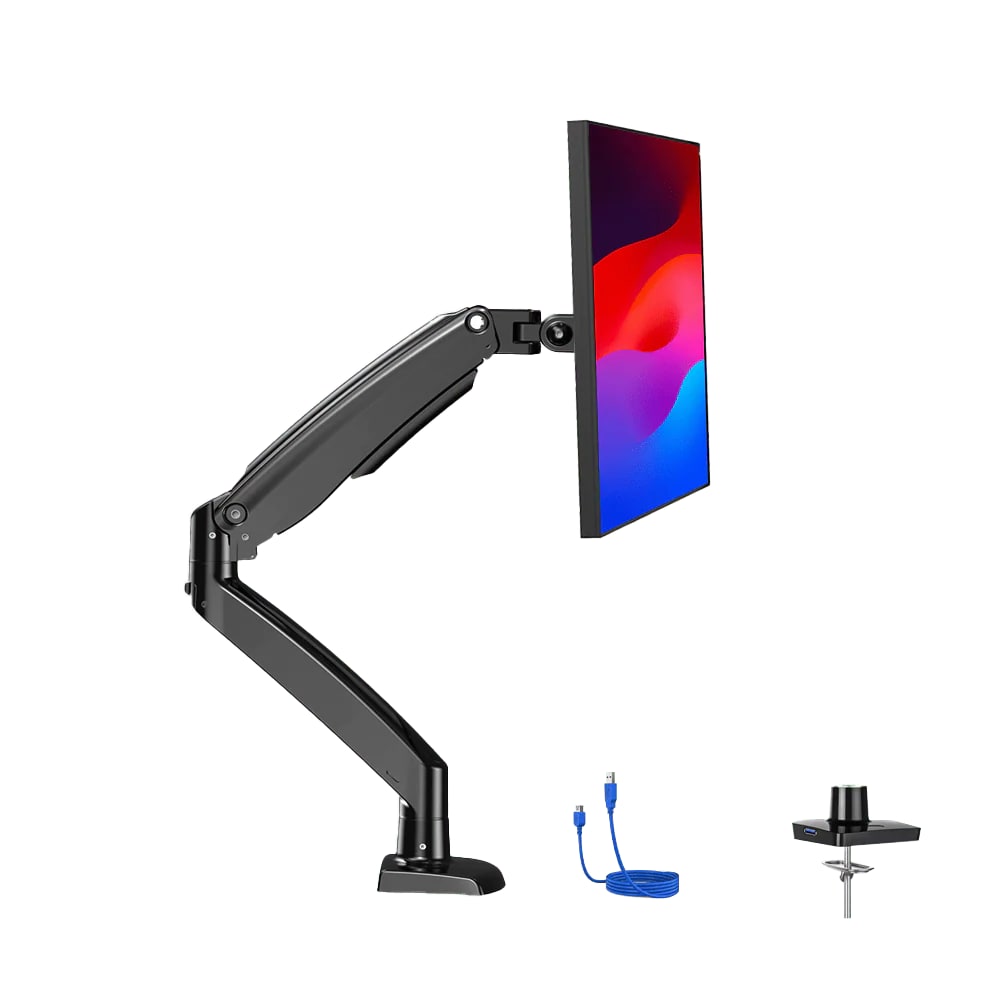
the arm, an illustrative screen, a blue cable and a separate base. Check the current offer for included parts.
This HUANUO arm has a useful, specific role: bringing a screen out over the desk for another activity and returning it afterward. That routine is described in a historical account. It is a more useful reason to consider the product than the large-screen wording in its name, which does not establish fit for your monitor. Map the two positions you want before buying; another account wanted more reach.
Jump to setup, adjustment or cables and desk use.
Placement and assembly
Assembly accounts describe desk-edge and grommet mounting choices, generally manageable installation and a separate Phillips screwdriver. A French-language account says installation was easy but preferable with another person helping. That supports planning the job around both tool access and handling the screen, without turning assistance into a universal requirement.
There is also an adverse account of an elbow collar arriving broken, followed by a reported replacement. It belongs alongside the positive setup accounts, but does not establish a failure rate, long-term durability or what support would provide today. Check the instructions and parts for the actual unit before proceeding.
Adjustment controls
Accounts describe changing screen orientation, including between portrait and landscape. Tilt receives more mixed treatment. One writer reports setting the screen above the desired angle so it settles into position; another describes very firm tilt fastening. These are specific pieces of adjustment work to weigh against the convenient orientation changes.
They are not instructions to copy a workaround. Follow the procedure for your unit, and check the monitor’s requirements separately. The accounts do not establish holding ability, a cause for the tilt behavior or suitability for a particular curved screen.
Cable and desk chores
The clearest desk-use example is moving a screen outward for sim racing and sliding it back afterward. If your desk also serves two activities, that is the task to compare. The same account includes the corrective tilt setting described above, so returning the screen does not make all adjustment effortless.
A separate account wanted additional reach. Decide where the screen needs to be in both arrangements and check the current product details accordingly. The desk-use score covers the described return-to-position task, not a complete cable route, USB performance or a promise that every cable stays connected through every movement.
Who should consider it
Consider it when moving a screen out and returning it is a regular part of using the desk. Compare alternatives if tilt tuning would frustrate you, or if the required reach remains uncertain. Check the current offer for the exact supplied parts; the USB name and pictured cable are not a bundle guarantee.
Compare the alternatives
Compare the LX if changing viewing direction is the main job. Compare the FlowLift Single if the more important decision is how you will reach and reopen cable covers.
The complete monitor-arm guide compares all six options and explains what their task scores cover.
What this review covers
This review uses historical review excerpts about setup, orientation changes and returning a screen to its usual desk position. They include a broken-collar report and reported replacement. They do not establish the current revision’s failure rate, service terms, USB performance or screen compatibility.
These reviews compare the work of setting up an arm, adjusting a screen and organizing the desk. They draw on historical review excerpts and specific manufacturer diagrams, without hands-on testing. The scores describe those tasks; they do not establish compatibility, screen support, safety or durability.
Review authorship, ownership and applicability to the current revision remain unverified. Check the exact screen, desk and instructions before buying. Check the current Amazon offer for the model and supplied parts.
HUANUO Single Monitor Arm for 13-49 inch Screens with USB
HUANUO
Moving one screen between its usual desk position and a second arrangement.
Consider this HUANUO single arm if you bring a screen forward for another desk activity and return it afterward. Allow time for installation and tilt tuning; reports include corrective angle setting and a wish for more reach.
Reasons to choose it
- A historical account describes bringing a screen out over the desk and returning it afterward.
- Accounts describe changing between portrait and landscape orientation.
Tradeoffs to know
- Installation may be easier with another person helping.
- Tilt reports include firm fastening and setting above the desired angle; another account wanted more reach.
Think twice if: You expect tilt adjustment to need no corrective positioning or fastener tuning.
Further reading
Ratings
Editorial score 7.6
Placement and assembly7
Generally manageable mounting still includes screwdriver access and potentially easier handling with help.
Adjustment controls7
Convenient orientation changes coexist with corrective tilt positioning and firm fastening.
Cable and desk chores9
A directly described out-and-back routine makes resetting the desk straightforward in that setup.
Sources & further reading
amazon.com product page
amazon.com product page
amazon.com product page
amazon.com product page
amazon.com product page
huanuo.com product information
cdn.shopify.com product information
Keep reading
Something changed? Help us keep this useful.
Send a correction →