Ergotron LX Desk Monitor Arm Review (2026): The Premium Arm to Beat
A single-product review for buyers deciding whether Ergotron’s polished LX arm is worth the premium once desk fit, cable routing, monitor weight, and current seller details are checked.
Ergotron makes the LX for buyers who want a polished metal arm that can hold a good monitor for years, not just clear a patch of desk for cheap. The owner notes back up the premium pitch on stability and movement; the weaker points are cable routing and the need to recheck the current Amazon offer before checkout.
MSRP
—
Amazon
$89.99
at writing · 2026-05-05
Buyer fit
Premium single-arm pick for people who would rather pay for a polished, durable arm than gamble on a cheaper hinge.
MSRP
—
Amazon
$89.99
at writing · 2026-05-05
Score breakdown
How this product scored
Same rubric, but focused on one product so the reasons behind the score stay readable.
Support and stability
Owners repeatedly describe the LX holding heavier everyday monitors without sag or scary drift; this is its clearest win.
Adjustment and ergonomics
The arm moves smoothly into useful positions and then stays there, which is the daily behavior premium buyers are paying for.
Installation and desk fit
Setup is mostly straightforward, but desk material, clamp clearance, and occasional adjustment questions still matter.
Build and support confidence
Weighty metal parts and a helpful support anecdote make the LX feel like the most confidence-inspiring arm in the group.
Cable routing and daily use
Cable handling is usable but only partly built in; the upper arm and base are less tidy than the premium finish suggests.
Commerce clarity
The product identity and ASIN are clear, but buyers should recheck live seller, condition, and price before checkout.
Quick Verdict
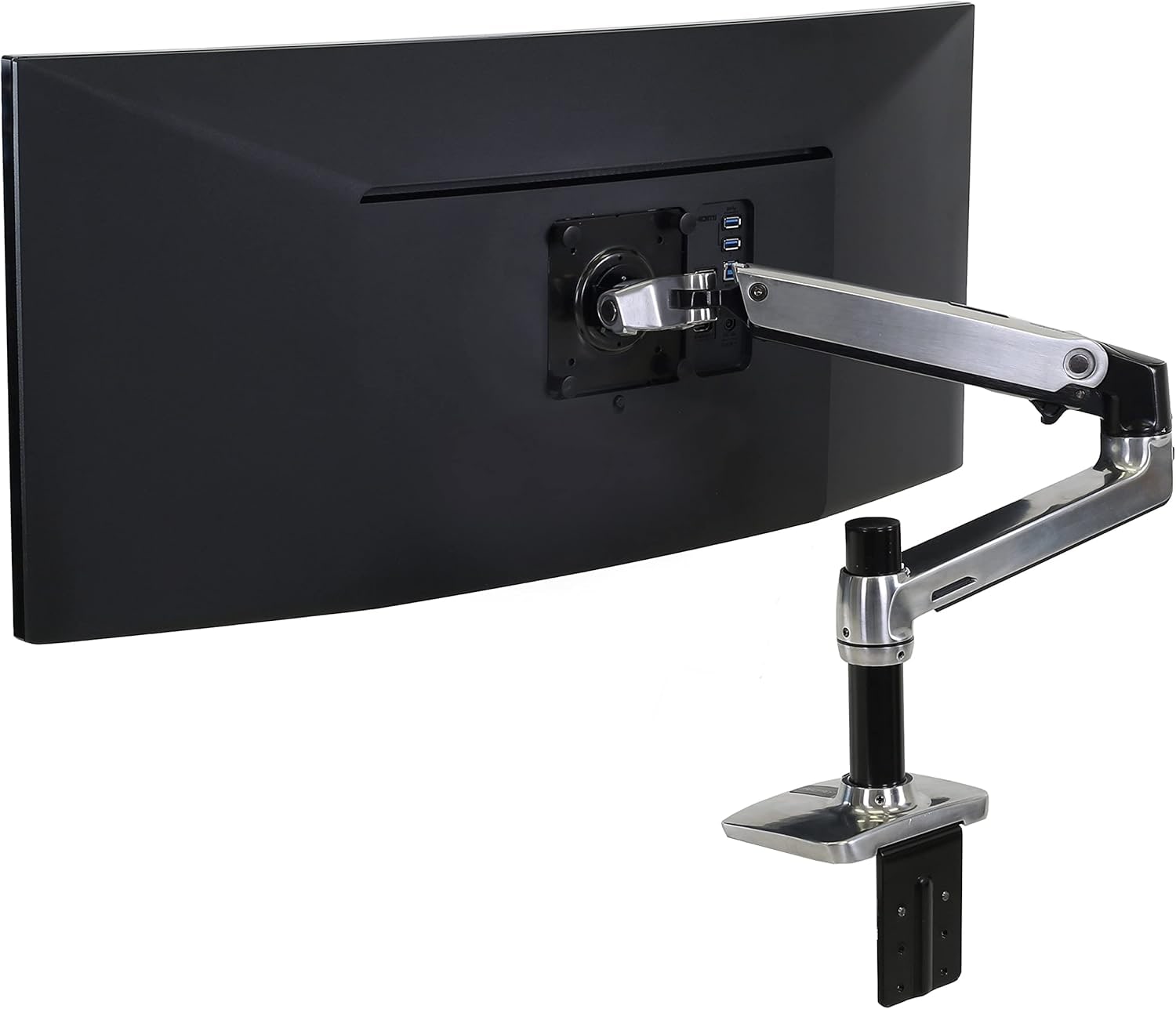
Ergotron is one of the old names in monitor mounting, and the LX is its polished-aluminum single arm for people who want their main screen to float, stay level, and survive years of daily nudging. It claims to handle flat, curved, and ultrawide monitors up to 34 inches and 7–25 lb, with clamp or grommet mounting and standard 75x75/100x100 VESA plates.
That promise mostly holds up in the owner notes. In the full ranking, the LX sits at #1 as Best overall, with an overall score of 9.1/10. The strongest owner line is the one monitor-arm shoppers want to hear: "At no time have I doubted that this thing was stable or that my heavy monitor was in any way at risk." Another owner said it "smoothly swivels" into place and then "STAYS," which is exactly the trick cheap arms often miss.
The catch is not a scary one, but it matters before checkout. Cable routing is only partly built in, the setup still depends on your desk edge and monitor weight, and the current Amazon offer deserves a seller/condition recheck. During research, the parent guide captured Amazon-new availability for ASIN B00358RIRC at $89.99 on 2026-05-05T16:10:00Z. Use the product links here to verify today’s price, seller, condition, and fit details, and to support KB4UB.
Score Breakdown
- Support and stability: 9.5/10. The LX earns its win here. Owners repeatedly describe heavy everyday monitors staying put without that stomach-drop feeling that the screen might sag or creep downward.
- Adjustment and ergonomics: 9.2/10. The best notes are not just about holding still; they are about moving smoothly, swinging into useful positions, and then staying there without constant joint fiddling.
- Installation and desk fit: 8.3/10. Setup sounds manageable, but not magic. One owner said the sparse instructions got the arm “90% there,” then needed a support call and a small fix for a stuck pan motion.
- Build and support confidence: 9.7/10. The parts are described as weighty and solid, and one owner had a surprisingly helpful phone-support experience when something felt off.
- Cable routing and daily use: 7.8/10. This is the most ordinary part of the premium arm. The lower arm has a cover, but the base and upper arm lean on cable ties.
- Commerce clarity: 7.3/10. The ASIN and product identity are clean enough for the review, but the final seller, condition, and price still need a quick live check before buying.
Read those scores as a fit check, not a trophy ceremony. The LX is excellent when the monitor weight, VESA position, desk thickness, and cable path line up. If one of those is weird, even a great arm can feel like the wrong one.
What Feels Great After Setup
The nice part is how quickly the LX stops feeling like a gadget and starts feeling like desk infrastructure. Owners talk about getting a Dell touchscreen above a laptop, swinging it down for close work, or turning it toward a bed for a movie without losing confidence in the arm.
That is the real convenience: the monitor leaves its bulky factory stand, the desk opens up, and the screen can move where your body wants it without making you wonder whether the hinge will give up. One owner summed up the daily feel neatly: "Nor is it the slightest bit finicky about moving or staying where I put it."
What Gets Annoying
The cable setup is less complete than the polished metal makes you expect. One owner liked the arm overall but called the cable system "the one drawback" because only the lower arm has a hollow cover; the base and upper arm rely more on ties.
That is annoying, not fatal. It is worth knowing before checkout if your desk is highly visible, you hate cable ties, or you move the screen enough that tidy cables matter. Also do the boring compatibility pass: monitor weight without the stand, VESA pattern, desk thickness, rear-lip clearance, and whether your desktop material can handle a clamp.
How It Compares
Ergotron LX Desk Monitor Arm is the pick when stability, finish, and trust matter more than the cheapest possible way to lift a screen.
- HUANUO FlowLift Single Monitor Mount: The better mainstream-price option. It clears desk space for much less money, but tilt and tension tuning can feel fussier.
- HUANUO Single Monitor Arm for 13-49 inch Screens with USB: The better match for large curved or ultrawide screens that exceed ordinary 32-inch arm lanes. It adds USB, but big monitors make setup mistakes more punishing.
- WALI GSMP001N Single Monitor Mount: The ultra-budget lane. It can work well for simple setups, but refinement complaints are easier to forgive only because the price is so low.
- HUANUO FlowLift Dual Monitor Stand: The one to compare if you need two screens off the desk, not one. Two monitors add alignment and desk-load problems the LX does not have to solve.
- Amazon Basics Gas Spring Single Computer Monitor Arm: A cheap first-party option for lighter monitors, but it has a narrower lane and less convincing spec capture.
For the full ranking, feature table, and links to every monitor-arm review, go back to Best Monitor Arms in 2026.
Who Should Buy It
Best for: A primary 24- to 34-inch monitor where you will adjust the arm often and would rather pay for stability than gamble on a cheaper hinge.
Skip if: You only need a cheap arm for a light spare monitor, want built-in cable channels everywhere, or cannot confirm a clean new listing at checkout.
Bottom line: The LX is the safest single-arm recommendation in this set, but it still rewards careful measurement. Do not round monitor weight, desk thickness, clamp clearance, or cable slack in your favor.
Tell us what this page missed
These pages get better when real buyer complaints make it back into the scoring model. If something important is underweighted, say it.
Rate this review
Give it a score from 1-10 and tell us what to improve.
0/4000 characters