Reviewed in order: Logitech Brio 505 · Anker PowerConf C200 2K · Insta360 Link 2 Pro · Logitech MX Brio · OBSBOT Meet 2 · Elgato Facecam MK.2 · Dell Pro Webcam WB5023 · Logitech Brio 101
Best Webcams 2026: Work-Call Picks That Actually Hold Up
A practical webcam ranking for bad lighting, focus hunting, privacy shutters, awkward mounts, built-in mics, call apps, and the little setup surprises product pages tend to skip.
We ranked eight current webcams by what matters after the first meeting: image quality in normal rooms, focus and exposure behavior, mic usefulness, mounts and privacy, software setup, reliability clues, and desk fit.
00 · quick verdict
Logitech Brio 505 is the safest default for most work-call buyers, Anker PowerConf C200 2K is the value pick, and Insta360 Link 2 Pro is the premium choice when smart framing and presentation help are worth paying for.
Current winner
Logitech Brio 505
The safest mainstream work-call choice: useful hardware privacy, sensible Logitech controls, and easy desk-call fit, with 1080p detail and thinner long-term owner evidence as the limits.
MSRP
—
Amazon
$129.99
at writing · 2026-05-14
01 · best picks
The short list worth starting with.
#1 · Best overall
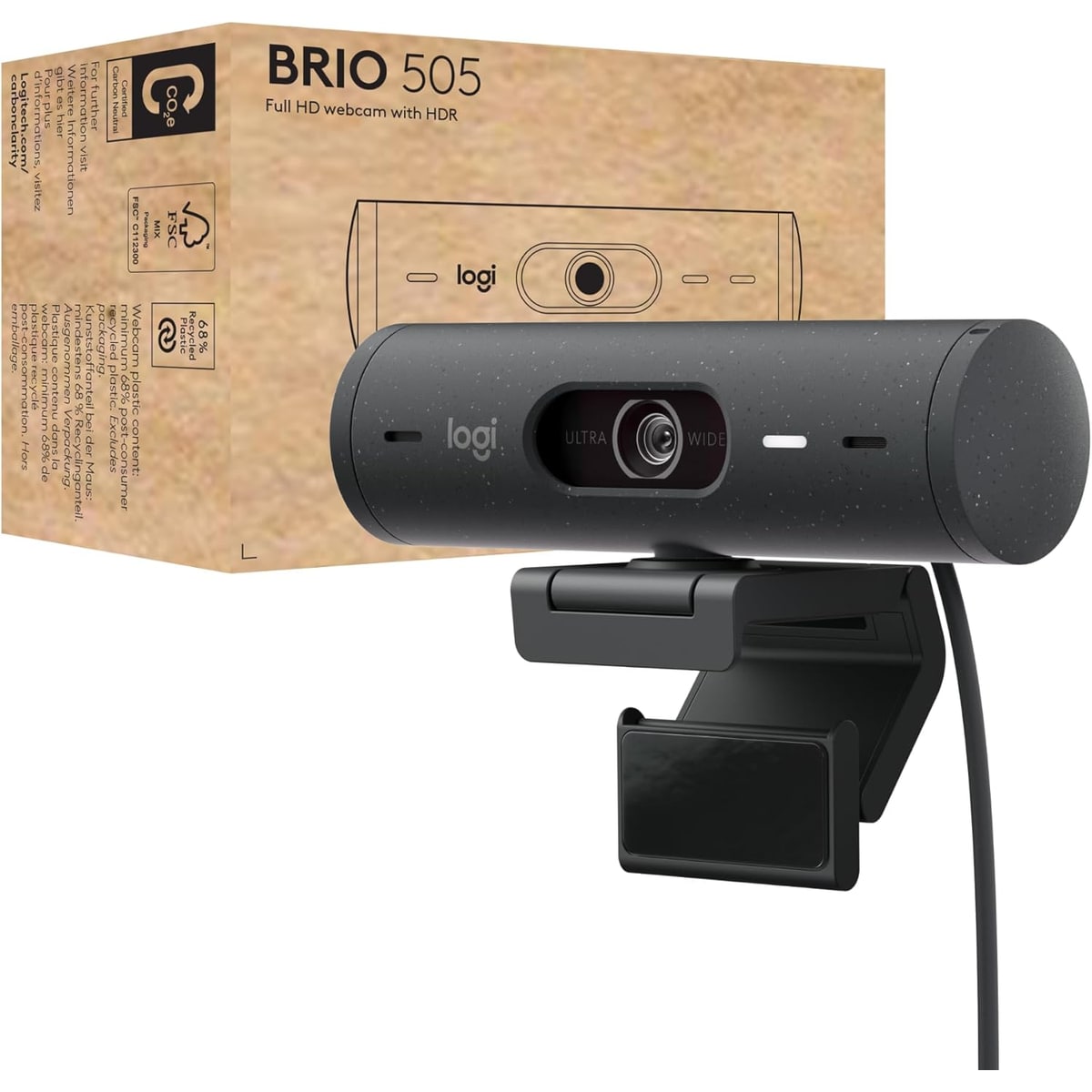
Logitech Brio 505
MSRP
—
Amazon
$129.99
at writing · 2026-05-14
The safest mainstream work-call choice: useful hardware privacy, sensible Logitech controls, and easy desk-call fit, with 1080p detail and thinner long-term owner evidence as the limits.
#2 · Best value 2K
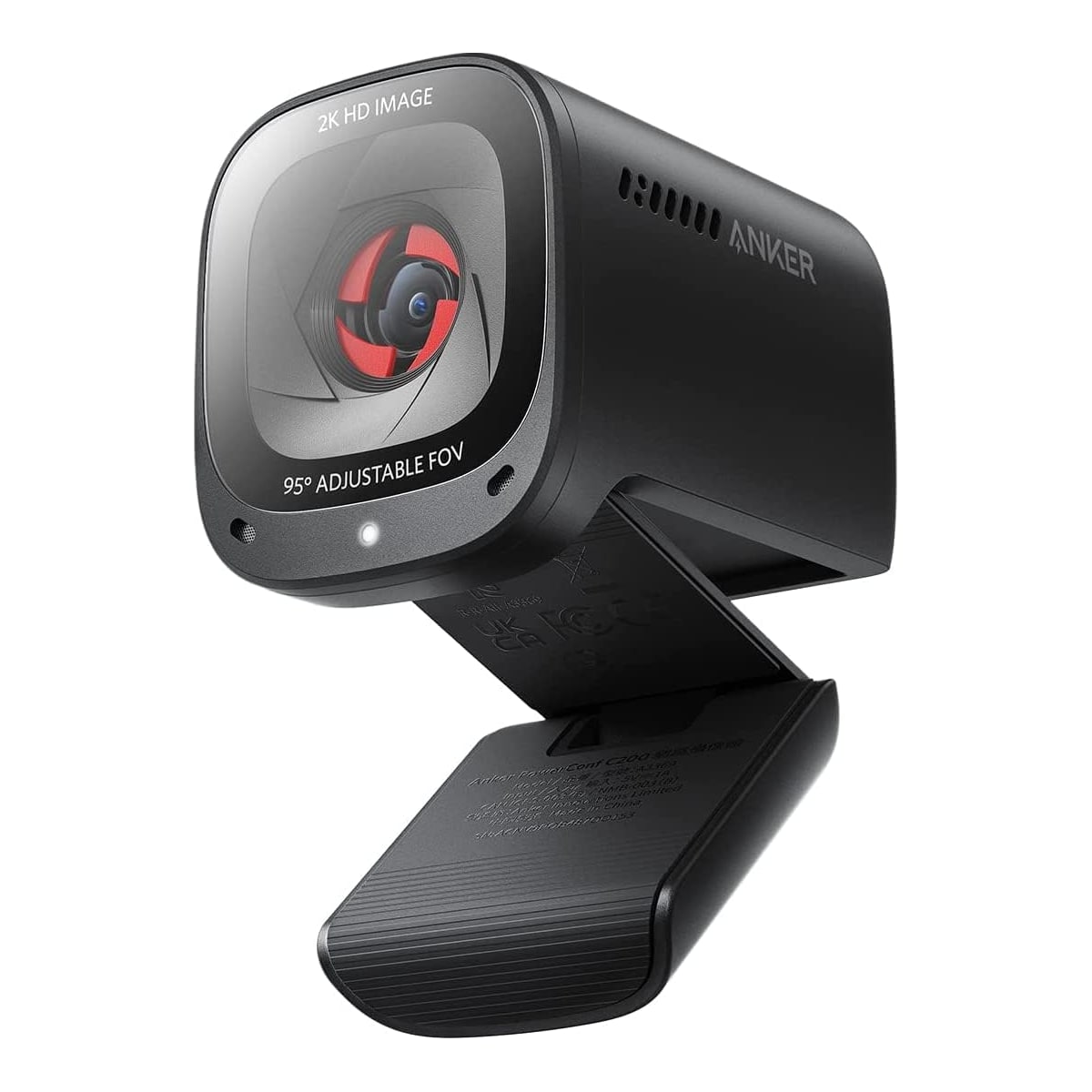
Anker PowerConf C200 2K
MSRP
—
Amazon
$47.49
at writing · 2026-05-14
A strong cheap 2K desk camera with privacy and tuning features; best when expectations stay realistic about lighting, app polish, and built-in mic limits.
#3 · Best premium tracking pick
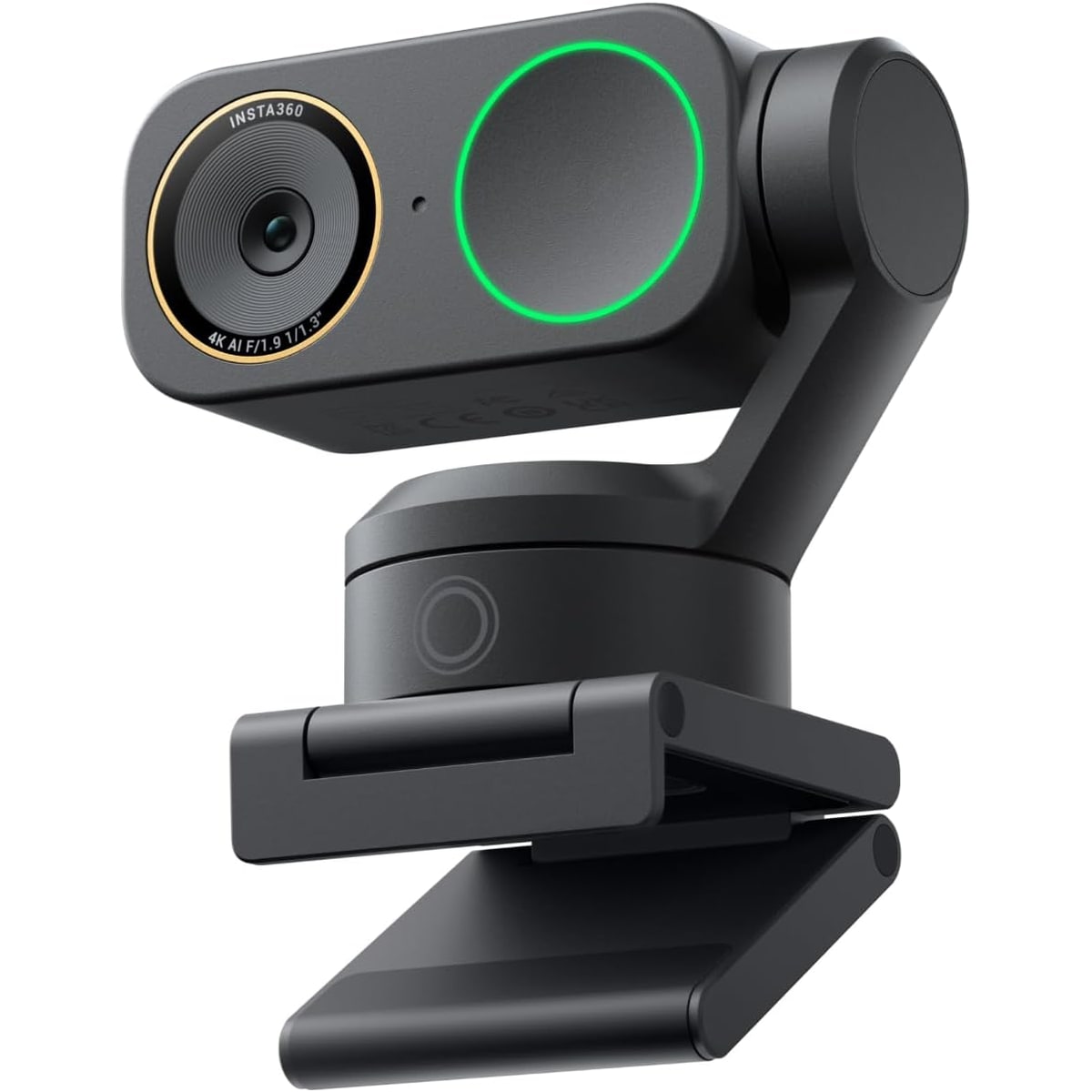
Insta360 Link 2 Pro
MSRP
—
Amazon
$229.99
at writing · 2026-05-14
The premium tracking choice for people who present or move on camera; strong image promise, higher cost, and more dependence on software and room behavior.
02 · Before You Buy
Webcam shopping looks simple until the first call makes you look like a witness in a dim basement. Product pages shout resolution, but the things that decide whether a camera feels good are smaller and more annoying: how it handles a bright window, whether autofocus pulses during a meeting, whether the mount wobbles on a thin monitor, whether the mic makes you sound hollow, and whether the control app helps or just nags.
The most useful webcam is not always the sharpest one. A 4K camera can still look rough in a dark room, and a cheap 1080p camera can be fine for a spare desk if the lighting is friendly. Built-in privacy also matters more than people admit, because a shutter you actually use is worth more than a promise buried in software. The same goes for field of view: wider sounds better until the camera shows your laundry, door, and half the room behind you.
This roundup focuses on what changes after the box is open. The Brio 505 is the safest all-around work-call pick, the Anker C200 is the value surprise, the Insta360 Link 2 Pro is the premium smart-framing option, and the MX Brio is the sharper Logitech upgrade for a fixed desk. Use the product links to check current price and availability before you buy. Prices move fast, and the right pick depends heavily on your room, your lighting, and the job: daily calls, streaming, teaching, or a backup camera that simply needs to behave.
03 · score comparison
Compare the grades before you chase details.
| Grade | #1Logitech Brio 505 | #2Anker PowerConf C200 2K | #3Insta360 Link 2 Pro | #4Logitech MX Brio | #5OBSBOT Meet 2 | #6Elgato Facecam MK.2 | #7Dell Pro Webcam WB5023 | #8Logitech Brio 101 |
|---|---|---|---|---|---|---|---|---|
| Overall UX | 7/10 | 7/10 | 8/10 | 8/10 | 7/10 | 7/10 | 6/10 | 6/10 |
| Image quality and bad-light handling | 7/10 | 7/10 | 9/10 | 8/10 | 8/10 | 8/10 | 6/10 | 5/10 |
| Focus and exposure stability | 8/10 | 7/10 | 9/10 | 8/10 | 8/10 | 7/10 | 7/10 | 5/10 |
| Mic and call audio | 7/10 | 7/10 | 7/10 | 7/10 | 7/10 | 1/10 | 6/10 | 5/10 |
| Mounting, privacy, and hardware | 8/10 | 7/10 | 7/10 | 8/10 | 8/10 | 8/10 | 6/10 | 6/10 |
| Software and compatibility friction | 8/10 | 6/10 | 7/10 | 8/10 | 7/10 | 8/10 | 7/10 | 7/10 |
| Reliability, heat, and support | 6/10 | 6/10 | 6/10 | 6/10 | 5/10 | 6/10 | 5/10 | 6/10 |
| Use-case fit | 9/10 | 8/10 | 8/10 | 8/10 | 8/10 | 7/10 | 7/10 | 6/10 |
| Evidence confidence | 7/10 | 7/10 | 7/10 | 7/10 | 7/10 | 8/10 | 6/10 | 7/10 |
| MSRP | — | — | — | — | — | — | — | — |
05 · product-by-product breakdown
Why each pick landed where it did.
#1 · Best overall
Logitech Brio 505
MSRP
—
Amazon
$129.99
at writing · 2026-05-14
Logitech is the familiar office-webcam name, and the Brio 505 is its modern work-call answer: a 1080p camera with a twist privacy shutter, auto light correction, RightSight framing, Show Mode, and Logitech software for people who live in Zoom, Teams, and Meet. It is not trying to be a tiny cinema camera. It is trying to make a normal desk look less gloomy without making the owner become a camera nerd.
liked
The best praise is practical. The shutter is built in, the 90-degree view can be cropped, Show Mode gives it a real desk-demo trick, and the software controls help with the usual too-dark or blown-out call image. It also has stronger call-app positioning than most cheap webcams, which matters when the buyer is replacing a weak laptop camera rather than building a studio.
complaints
The ceiling is still 1080p. Logitech’s sharper 4K options pull ahead when fine detail matters, and the wide view can show too much room until you crop it. Long-call heat, USB hub behavior, and warranty stories are less well represented than the basic feature story, so treat those as worth checking if your setup is complicated.
best for
Most hybrid workers who want a trustworthy call webcam with a shutter, sane controls, and better desk framing than a laptop camera.
skip if
Buy something else if you need 4K detail, physical camera tracking, streamer-grade manual control, or proof that the built-in mic can replace a headset.
Biggest issue
Its main risk is expectation creep. It looks like the polished default because it is, but it is still a 1080p office webcam. The framing and light correction are helpful cleanup, not magic for a bad window, dark room, or echoey office.
The Brio 505 wins because it fits the highest number of normal desks with the fewest weird compromises. It has the shutter people actually use, enough Logitech control to tune the picture, and a work-call identity that makes sense before and after the first meeting.
#2 · Best value 2K
Anker PowerConf C200 2K
MSRP
—
Amazon
$47.49
at writing · 2026-05-14
AnkerWork’s PowerConf C200 is the budget overachiever in this set. It promises 2K video, adjustable viewing angles, stereo noise-canceling mics, and a built-in privacy cover at a price that often sits well below the big-name premium webcams. The reason it matters is simple: many people do not need the fanciest camera; they need to stop looking like a soft laptop smudge on Monday morning.
liked
The C200 earns its value-pick label because the useful features are not just cosmetic. Reviewer demos repeatedly call out 1440p/30 capture, autofocus, adjustable field of view, and a privacy cover. One demo put the appeal plainly: “for a budget webcam I really like the image quality.” That is the right frame for it — good for the money, not secretly premium.
complaints
The tradeoff is polish. Low light and backlit rooms still need help, the app is part of the tuning story, and 2K in the product name does not mean premium color or exposure behavior. Long-term owner coverage is thinner than the product’s popularity might make you hope, so firmware, durability, and heat confidence stay modest.
best for
Buyers upgrading a laptop camera on a tight budget who still want 2K capture, a cover, and basic tuning instead of the cheapest no-name listing.
skip if
Skip it if your room is consistently dim, you want premium color/exposure behavior with no tuning, or you need a camera for paid streaming work.
Biggest issue
The biggest danger is assuming low price plus 2K means no compromise. The C200 is compelling because the compromise is reasonable, not because it disappears.
This is the value pick. If the Brio 505 feels too expensive and the Brio 101 feels too bare, check the C200 first.
#3 · Best premium tracking pick
Insta360 Link 2 Pro
MSRP
—
Amazon
$229.99
at writing · 2026-05-14
Insta360 built its webcam reputation around smarter framing and a more camera-like image than the usual office puck. The Link 2 Pro is the premium auto-framing option here: 4K capture, a large-sensor pitch, gimbal tracking, HDR, directional noise-canceling mics, and software controls meant for people who want the camera to actively follow a call, lesson, or presentation.
liked
The appeal is strongest for people who move. Reviewer demos highlight tracking zones, gesture/control options, and a more flattering image than a flat desk webcam usually delivers. One presenter-style review summed up the magic as “the less I have to worry about being in frame, sounding clear, and looking sharp, the more I can focus on my message.” That is exactly the buyer this camera is chasing.
complaints
Premium cleverness also adds ways to be annoyed. Tracking, gestures, app controls, HDR, and background tools are useful only if they behave in your room. Privacy is more nuanced than a simple sliding shutter, and long-term owner/support evidence is not as rich as the feature list, so reliability confidence should stay measured.
best for
Presenters, teachers, creators, and premium remote workers who want tracking and better framing enough to pay for it.
skip if
Do not buy it just to sit still in one chair if a Brio 505 or MX Brio already solves the meeting problem for less.
Biggest issue
The main risk is paying for motion intelligence you rarely use. If you only need a clean head-and-shoulders frame, the extra software and tracking can feel like overhead.
The Link 2 Pro is the premium pick because it changes what the webcam is allowed to do. For a static office call, it is more than most people need; for movement, demos, or a high-touch remote setup, that is exactly the point.
#4 · Best premium office 4K
Logitech MX Brio
MSRP
—
Amazon
$169.99
at writing · 2026-05-14
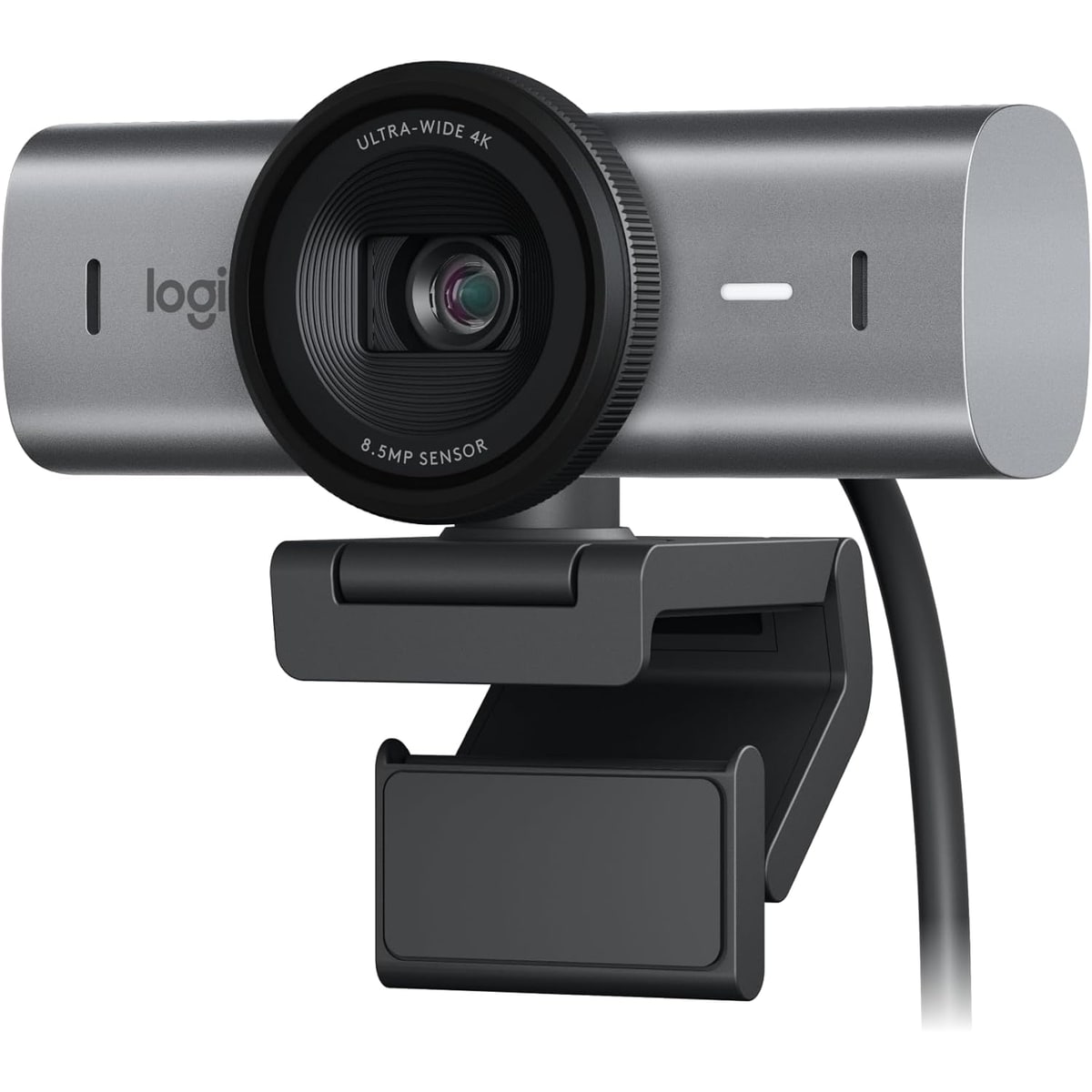
The MX Brio is Logitech’s more polished 4K office webcam: a heavier desk-first camera with 4K30, 1080p60, a twist privacy shutter, beamforming mics, Show Mode, selectable field of view, and deeper controls in Logitech’s software. It is the step up for people who like Logitech’s call-app comfort but want more image detail than the Brio 505 gives them.
liked
The strongest case is image detail plus control. Hands-on coverage praises the sharper 4K image, HDR and anti-flicker options, manual exposure/white-balance controls, Show Mode, and premium-feeling body. One reviewer said, “I really like the image quality on this,” which is the reason the MX Brio belongs above simpler business webcams.
complaints
The same coverage raises desk-fit cautions: it is heavier, some laptop lids may not love it, and tricky LED or backlit rooms may still need manual tuning. USB bandwidth also matters for the best modes, and buyers coming from older Brio 4K models should not assume Windows Hello is part of the deal.
best for
Desk-based professionals who want a sharper Logitech image, good controls, and a premium office camera without moving into PTZ tracking.
skip if
Travel/laptop-first buyers, people who hate camera apps, or anyone buying mainly for a bargain.
Biggest issue
The MX Brio can make you look better, but it asks more from the setup: a stable monitor, decent cable path, and some willingness to tune HDR, exposure, or crop.
This is the premium office 4K pick. It is not as broadly easy to recommend as the Brio 505, but for a fixed desk where detail matters, it is the Logitech upgrade that makes sense.
#5 · Best compact 4K
OBSBOT Meet 2
MSRP
—
Amazon
$129
at writing · 2026-05-14
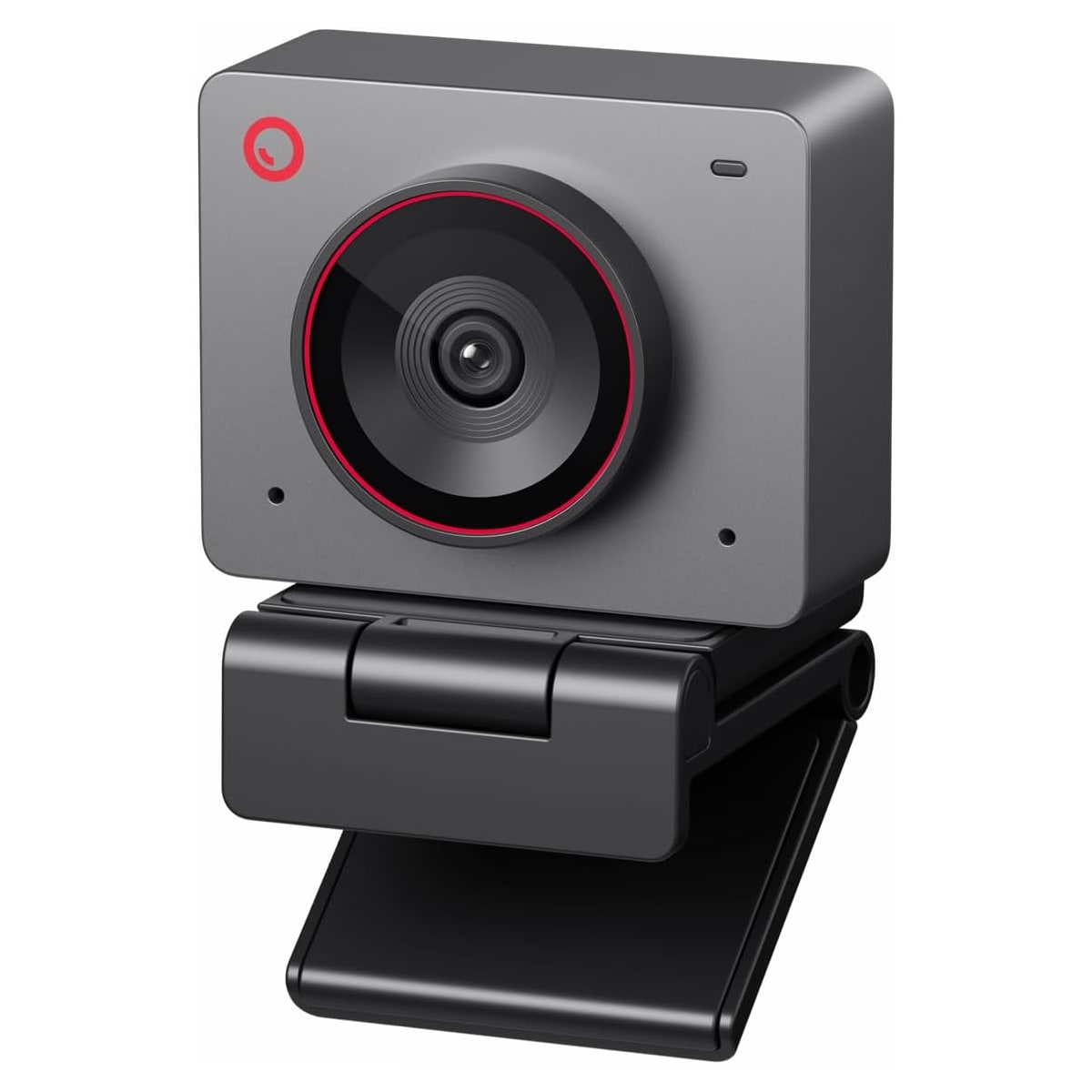
OBSBOT’s Meet 2 is the small 4K wildcard: a compact webcam with autofocus, AI framing, gesture controls, dual mics, magnetic mounting, a removable privacy cap, and OBSBOT Center software. It tries to give small desks and portable setups some of the smart-camera feel without the bulk of a physical pan-and-tilt model.
liked
The fun part is how much OBSBOT fits into the tiny body. Demos support 4K30, 1080p60, autofocus, HDR, gesture controls, a magnetic stand, and app effects. One reviewer called it “plug and play,” and the magnetic mount/cap design does make it feel more portable and playful than the safer office cameras.
complaints
The caution signs are concrete. One reviewer warned the magnetic privacy cap is “probably going to lose it very fast,” another ran into USB cable weirdness, and Amazon’s own text says the camera may get hot during use. Digital framing can also cost image quality, so this is not the same thing as a true PTZ tracker.
best for
Small-desk buyers who want 4K, autofocus, and playful framing controls in a compact body.
skip if
Group rooms, people who move wildly on camera, or buyers who want all smart features to work perfectly without software updates.
Biggest issue
The Meet 2 is tiny and capable, but long calls and digital framing deserve caution. If tracking is the core need, a physical PTZ-style camera may still be the cleaner choice.
This is the compact 4K pick. It is more exciting than the safe office cameras, but the heat note, cable caveat, and app dependence keep it below the broad default choices.
#6 · Best for streamers
Elgato Facecam MK.2
MSRP
—
Amazon
$129.99
at writing · 2026-05-14
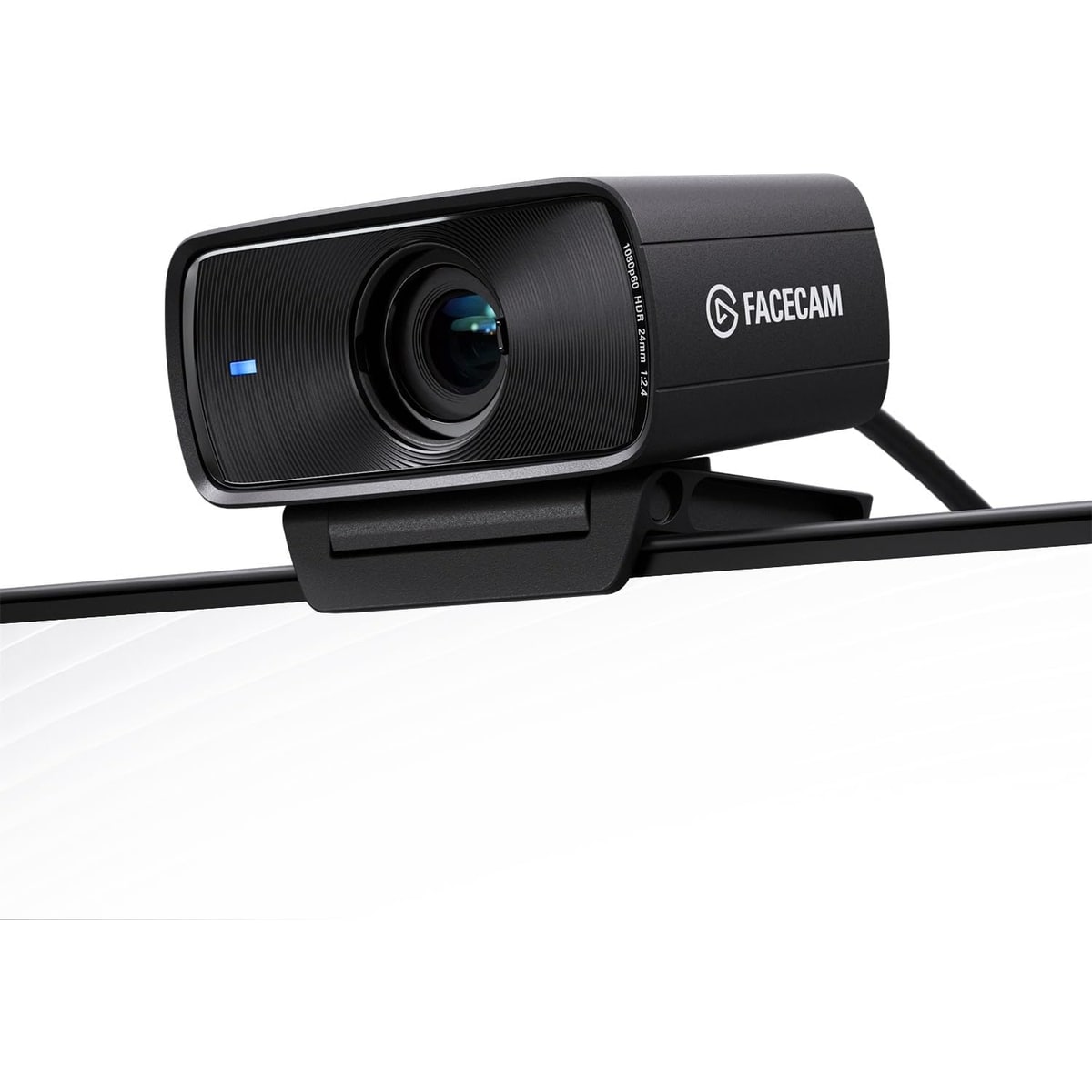
Elgato’s Facecam MK.2 is the least normal meeting webcam here, and that is the point. Elgato builds for streamers and desk creators, so this camera skips the built-in mic, uses fixed focus, leans on Camera Hub, and focuses on controlled 1080p60 video for people who already have audio and lighting handled.
liked
The spec story is unusually clean: 1080p60 HDR, USB-C, USB 3 uncompressed modes, a Sony STARVIS sensor, Camera Hub controls, Stream Deck integration, onboard settings, a sliding shutter, and a 1/4-inch thread. Fixed focus also means no focus hunting during a stream. One setup review praised the everyday convenience: “the setup is so simple you plug it in and it’s done.”
complaints
For ordinary calls, the omissions are real. There is no mic, no 4K, no autofocus, and the image can need tuning. HDR and noise handling can look odd in some rooms, so a buyer who just wants to plug a webcam into a laptop and forget about it may find the Facecam MK.2 strangely incomplete.
best for
Streamers, OBS users, gaming facecam setups, and desk creators with separate audio.
skip if
General office buyers who need an all-in-one camera/mic with hands-off focus.
Biggest issue
The biggest issue is fit, not quality. In the right setup it is thoughtful; in the wrong setup it is a webcam that forgot several features normal meeting buyers expect.
This is the streamer pick. If you already live in Camera Hub, OBS, or Stream Deck, it belongs on the shortlist. If not, the Logitech, Anker, or OBSBOT options will feel easier.
#7 · Best simple business pick
Dell Pro Webcam WB5023
MSRP
—
Amazon
$142.38
at writing · 2026-05-14
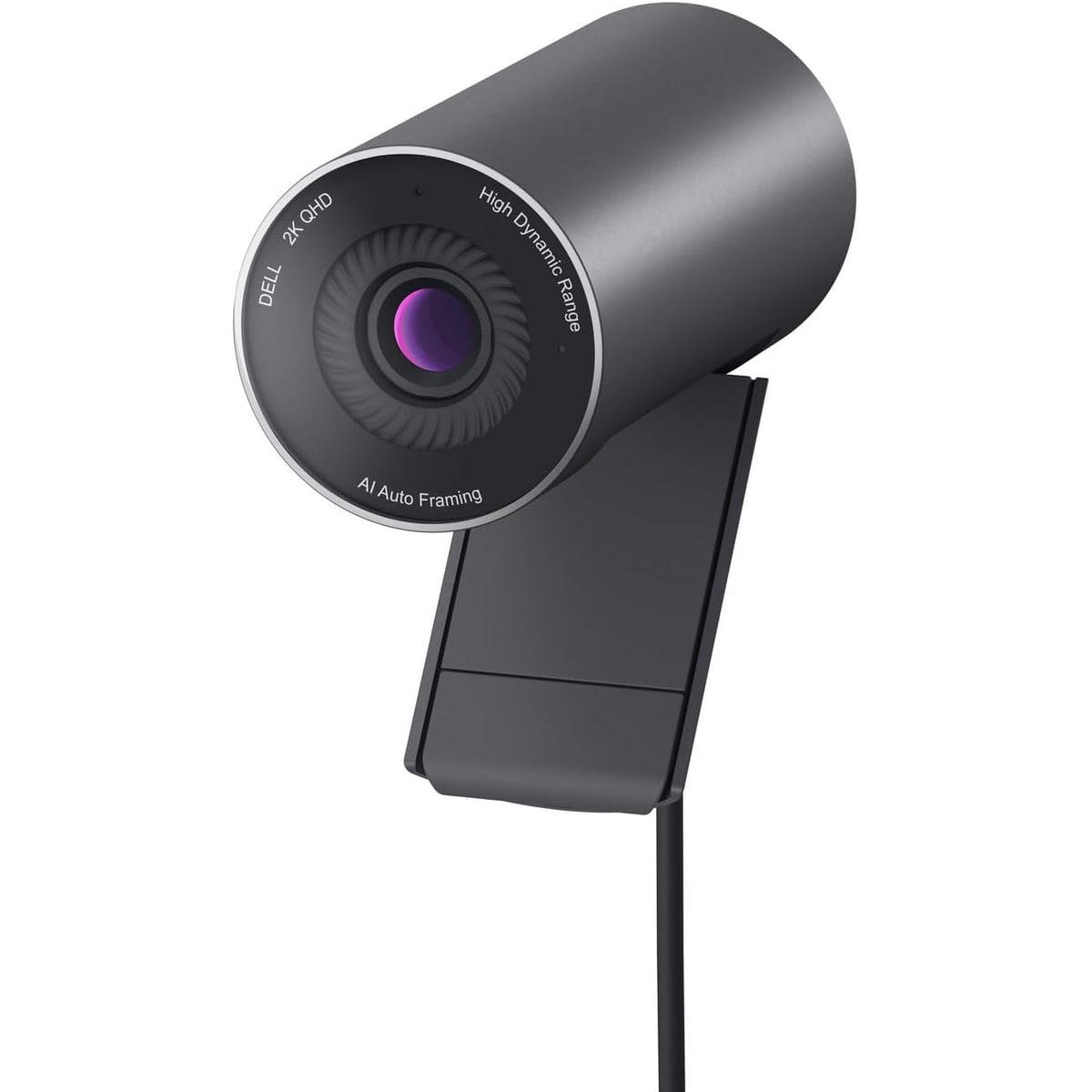
Dell’s Pro Webcam WB5023 is the business-lane pick: a 2K webcam for people who trust Dell accessories, use company laptops or monitors, and want something that feels more office-standard than creator-focused. In this article it answers a real question: should a simple business webcam beat flashier 4K options for daily meetings?
liked
Dell Peripheral Manager is the reason this one has a clear identity. Dell’s own setup walkthrough tells users to “Enable AI Auto-framing” so the camera keeps them centered, and the same software handles presets, HDR, microphone enablement, and camera controls. The magnetic privacy cap and tripod adapter support also make it more practical than a random office webcam.
complaints
The problem is confidence. The available material is much thinner than for Logitech, Anker, OBSBOT, or Elgato, especially around owner complaints, heat, support, mic quality, and long-term reliability. It feels sensible, but it does not build the same buyer excitement or proof depth.
best for
Business buyers who prefer Dell ecosystem gear and want a straightforward 2K meeting camera.
skip if
Shoppers who want the strongest image for the money, rich creator controls, or a clear premium tracking story.
Biggest issue
The biggest issue is that the Dell makes the most sense when Dell compatibility or office procurement matters. If that is not your situation, the C200, Brio 505, or MX Brio are easier to justify.
The WB5023 is the conservative business pick, not the category winner. It is worth checking if Dell familiarity matters; otherwise the higher-ranked cameras have stronger reasons to buy.
#8 · Best bare-budget baseline
Logitech Brio 101
MSRP
—
Amazon
$24.99
at writing · 2026-05-14
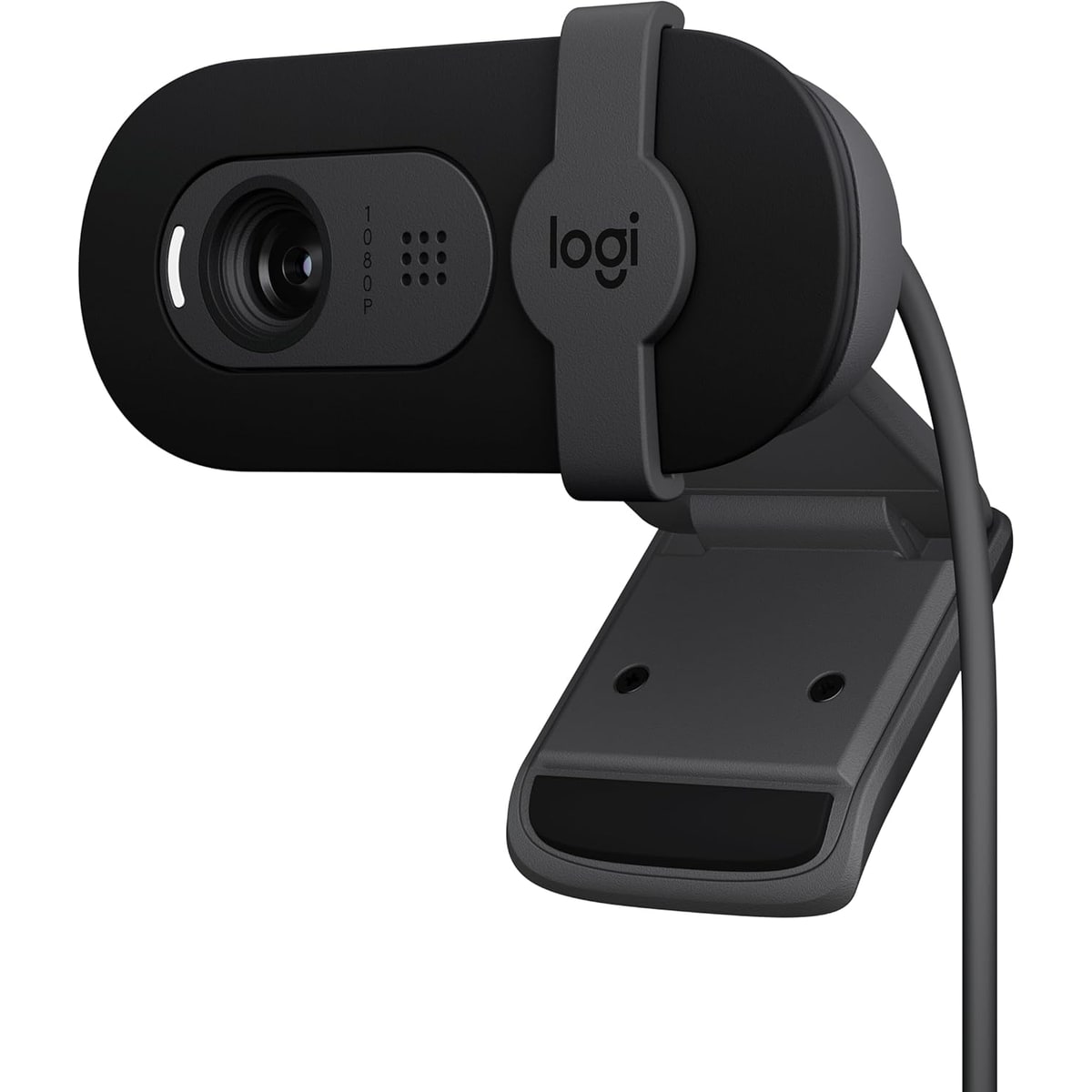
The Logitech Brio 101 is the cheap baseline: a 1080p30 webcam with a built-in mic, a privacy shutter, USB-A, and the reassurance of the Logitech name at a very low captured price. It is here because many shoppers are tempted by the cheapest recognizable camera, and sometimes that really is enough.
liked
The positive case is honest: it is inexpensive, current, recognizable, has a shutter, and can clear the basic laptop-camera upgrade bar for simple calls. One owner-style setup clip said “you don’t actually need any software,” which is exactly the kind of low-effort charm a budget webcam needs.
complaints
This is where the compromises show. Narrow framing, 1080p30, fixed focus, basic audio, and weaker low-light confidence make it a baseline rather than a hidden gem. One comparison transcript called out limited detail and grain, so it is not where to start for important client calls or content creation.
best for
A cheap spare webcam, a school/work backup, or a simple upgrade for a desktop with no camera at all.
skip if
Anyone trying to look noticeably polished, handle bad lighting, or avoid buying twice.
Biggest issue
The risk is false economy. Spending a little more on the Anker C200 may buy enough better image behavior and control to avoid regret.
The Brio 101 is acceptable because the job is small. If you only need a camera to exist, it is fine; if you want to look good, move up.
05 · How We Judged Them
This ranking compares current listings, official or manufacturer-supplied specs where available, reviewer demos, setup walkthroughs, and owner-style complaints around the parts of webcam ownership that usually surface after checkout. We looked for the practical stuff: bad-light performance, focus and exposure behavior, mic usefulness, mounting, privacy, software setup, app compatibility, heat or USB warnings, and whether each camera makes sense for its likely buyer.
The score grid does not simply reward the most expensive camera. A $48 value webcam, a $130 compact 4K camera, and a $230-plus tracking camera are solving different problems. Price is shown separately so a bargain pick does not get punished for lacking premium tricks, and a premium pick does not get a free pass for being clever.
There are limits. Some models have richer reviewer and owner-style coverage than others, while a few rely more heavily on listing text and setup videos. Built-in webcam mics are also treated as call backups, not replacements for a headset or USB microphone. When the evidence is thinner, the copy says so instead of pretending every long-call, firmware, dock, and support question has already been settled.
06 · Quick Verdict
If you want the safest webcam for everyday work calls, start with Logitech Brio 505. It has the most balanced mix of hardware privacy, software control, desk-call features, and normal-buyer fit. If you want to spend less, Anker PowerConf C200 2K is the value pick that still feels like a real webcam instead of a bargain-bin gamble.
Choose Insta360 Link 2 Pro if you present, move, teach, or want smart framing badly enough to pay for it. Choose Logitech MX Brio if you like Logitech’s call-app world but want sharper 4K detail at a fixed desk. Choose OBSBOT Meet 2 for a tiny 4K camera with clever features, but keep the heat, cable, and app caveats in mind. Choose Elgato Facecam MK.2 only if you already have separate audio and want a tuned creator desk camera. The Dell Pro Webcam WB5023 is the conservative business pick, while Logitech Brio 101 is the cheap baseline for people who simply need a camera to exist.
07 · Best Fit for You
Choose Logitech Brio 505 if your main problem is looking better on normal work calls without turning your desk into a studio. It is the easiest pick for Teams, Zoom, Meet, privacy, and everyday setup sanity.
Choose Anker PowerConf C200 2K if price matters but you still want 2K capture, adjustable viewing angles, a privacy cover, and enough tuning to avoid the cheapest-webcam trap.
Choose Insta360 Link 2 Pro if motion, demos, teaching, or premium framing matter. It is overkill for a still head-and-shoulders office call, but exactly the kind of overkill some presenters want.
Choose Logitech MX Brio for a permanent desk where 4K detail, Logitech controls, and a more premium body justify the price. Choose OBSBOT Meet 2 if you want compact 4K and AI features in a small package. Choose Elgato Facecam MK.2 if you stream or record with separate audio. Choose Dell WB5023 for Dell-friendly business simplicity. Choose Brio 101 only when the budget is the whole story.
08 · What to Do Next
Before you buy, picture the camera in the actual room. If a bright window sits behind you, do not expect any webcam to fully save the image. If the camera will sit on a thin laptop lid, weight and mount shape matter. If you are on long calls through a dock or hub, favor models with stronger compatibility clues and keep cable quality in mind.
Then decide how much control you really want. Logitech and Elgato reward people who will tune settings. Insta360 and OBSBOT reward people who want smart framing. Anker rewards people who want the most practical upgrade for the money. Dell rewards business familiarity. The Brio 101 rewards restraint, but only if your expectations are modest.
Use the links to check live Amazon availability and price before deciding. A webcam that is perfect at one price can become merely okay when a better model goes on sale.
Feedback loop
Tell us what this page missed.
These pages get better when real buyer complaints make it back into the scoring model. If something important is underweighted, say it.
Rate this review
Give it a score from 1-10 and tell us what to improve.
0/4000 characters