Elgato Facecam MK.2 Review (2026): A Streamer Webcam, Not a Normal Office Cam
Elgato’s 1080p60 Facecam MK.2 is built for tuned desks, OBS, Camera Hub, and separate audio — which is exactly why some buyers will love it and others should avoid it.
The Elgato Facecam MK.2 is the streamer pick in the webcam guide: strong for tuned OBS desks with separate audio, but awkward if you want an all-in-one meeting webcam.
MSRP
—
Amazon
$129.99
at writing · 2026-05-14
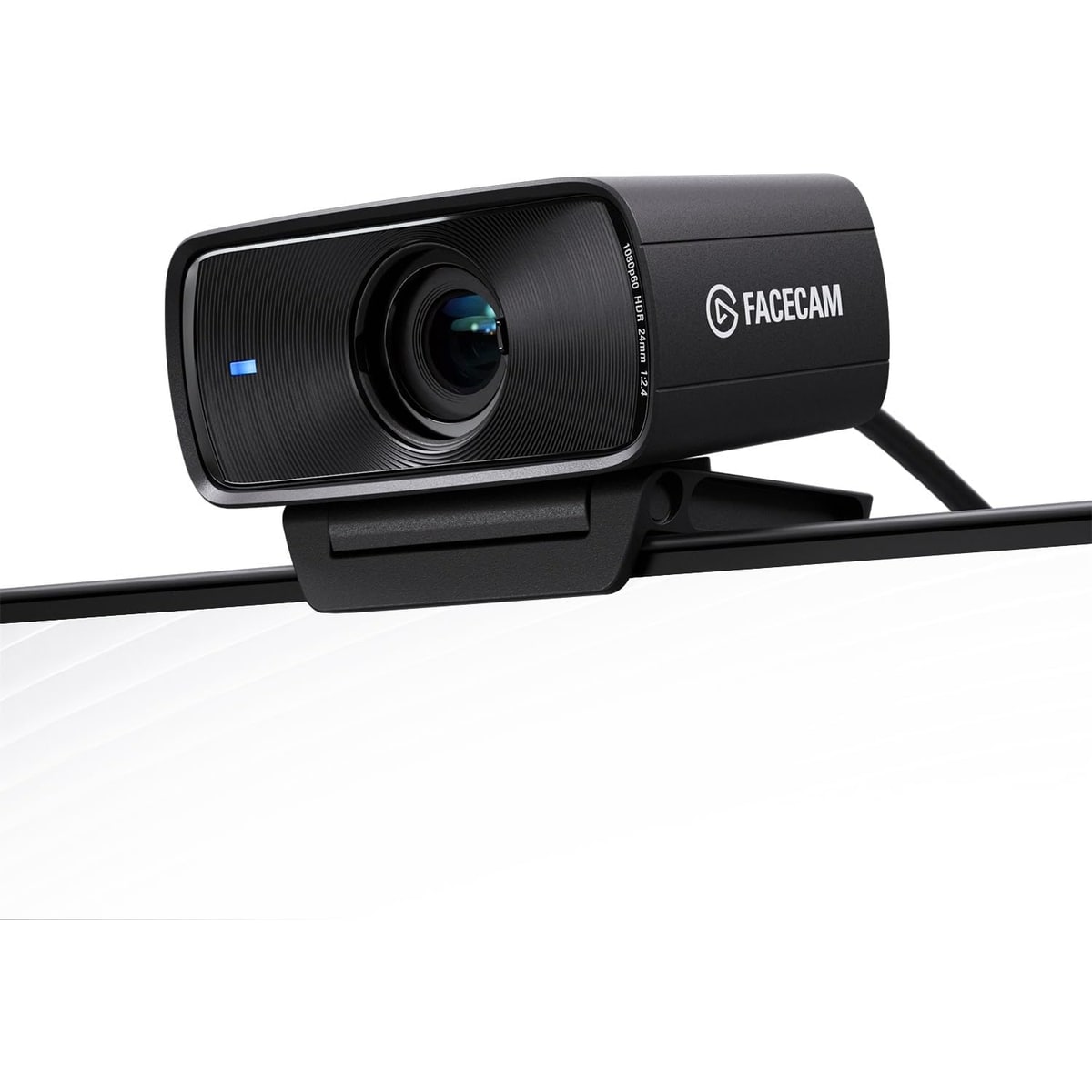
Buyer fit
A controlled 1080p60 streamer camera with no mic and fixed focus; excellent for tuned desks, awkward for simple meeting setups.
MSRP
—
Amazon
$129.99
at writing · 2026-05-14
Score breakdown
How this product scored
Same rubric, but focused on one product so the reasons behind the score stay readable.
Image quality and bad-light handling
The Facecam MK.2 earns its score by being unusually strong for tuned 1080p60 streaming desks: good specs, strong Camera Hub control, a built-in shutter, and no focus hunting. It loses points because it has no mic, no autofocus, no 4K, and asks ordinary meeting buyers to tune more than they probably want.
Focus and exposure stability
The Facecam MK.2 earns its score by being unusually strong for tuned 1080p60 streaming desks: good specs, strong Camera Hub control, a built-in shutter, and no focus hunting. It loses points because it has no mic, no autofocus, no 4K, and asks ordinary meeting buyers to tune more than they probably want.
Mic and call audio
The Facecam MK.2 earns its score by being unusually strong for tuned 1080p60 streaming desks: good specs, strong Camera Hub control, a built-in shutter, and no focus hunting. It loses points because it has no mic, no autofocus, no 4K, and asks ordinary meeting buyers to tune more than they probably want.
Mounting, privacy, and hardware
The Facecam MK.2 earns its score by being unusually strong for tuned 1080p60 streaming desks: good specs, strong Camera Hub control, a built-in shutter, and no focus hunting. It loses points because it has no mic, no autofocus, no 4K, and asks ordinary meeting buyers to tune more than they probably want.
Software and compatibility friction
The Facecam MK.2 earns its score by being unusually strong for tuned 1080p60 streaming desks: good specs, strong Camera Hub control, a built-in shutter, and no focus hunting. It loses points because it has no mic, no autofocus, no 4K, and asks ordinary meeting buyers to tune more than they probably want.
Reliability, heat, and support
The Facecam MK.2 earns its score by being unusually strong for tuned 1080p60 streaming desks: good specs, strong Camera Hub control, a built-in shutter, and no focus hunting. It loses points because it has no mic, no autofocus, no 4K, and asks ordinary meeting buyers to tune more than they probably want.
Use-case fit
The Facecam MK.2 earns its score by being unusually strong for tuned 1080p60 streaming desks: good specs, strong Camera Hub control, a built-in shutter, and no focus hunting. It loses points because it has no mic, no autofocus, no 4K, and asks ordinary meeting buyers to tune more than they probably want.
Evidence confidence
The Facecam MK.2 earns its score by being unusually strong for tuned 1080p60 streaming desks: good specs, strong Camera Hub control, a built-in shutter, and no focus hunting. It loses points because it has no mic, no autofocus, no 4K, and asks ordinary meeting buyers to tune more than they probably want.
Quick Verdict
The Elgato Facecam MK.2 makes much more sense once you stop judging it like a normal laptop-call webcam. Elgato builds gear for streamers and creators, and this camera follows that logic: no built-in mic, no autofocus, no 4K headline, but a controlled 1080p60 image, Camera Hub tuning, Stream Deck friendliness, a sliding shutter, and fixed focus that will not pulse every time you move.
That focus is the point. If you already use OBS, own a real microphone, and like dialing in exposure or white balance once and leaving it alone, the Facecam MK.2 can feel refreshingly honest. If you just want a camera-and-mic combo for Zoom, it can feel strangely incomplete for the price.
That is why it ranked #6 in our Best Webcams in 2026 guide as the Best for streamers pick. Buy it for a tuned desk, separate audio, and repeatable 1080p60 video. Skip it for all-in-one office simplicity, autofocus, 4K crop room, or a webcam that hides the settings from you.
Score Breakdown
Overall score: 7/10. The Facecam MK.2 scores like a specialist. It is very good at the streamer/creator job Elgato built it for, but the same choices that make it clean for OBS desks make it awkward for everyday office buyers.
- Image quality and bad-light handling: 8/10 — The official and retailer spec trail is strong: 1080p60, HDR, Sony STARVIS sensor, f/2.4 fixed-focus lens, Camera Hub image controls, and USB 3 uncompressed modes. Hands-on reviewers showed strong tuned results, but the score stops short of elite because low light, ISO, and HDR can still need care.
- Focus and exposure stability: 7/10 — Fixed focus is the point. You avoid cheap-webcam focus hunting, but you also give up autofocus for close product demos or odd desk distances. One review framed the tradeoff well: as long as you are “between 1 ft and 4 ft” from the webcam, “you will be in focus” (source).
- Mic and call audio: 1/10 — There is no built-in mic. For streamers with a USB/XLR mic, that is fine. For laptop-call buyers, it is a hard no.
- Mounting, privacy, and hardware: 8/10 — The hardware story is unusually clean: built-in sliding shutter, compact body, monitor mount, 1/4-inch thread, USB-C, and a defined USB 3 path for the best video mode.
- Software and compatibility: 8/10 — Camera Hub is a real strength if you want exposure, ISO, shutter, white balance, zoom/pan/tilt presets, Stream Deck control, and saved settings. It is less charming if you hate camera apps.
- Reliability, heat, and support: 6/10 — The packet has strong specs, Amazon page text, and YouTube hands-on material, but thinner long-term owner/forum evidence for heat, USB hub behavior, Camera Hub bugs, and support.
- Use-case fit: 7/10 — Excellent for streamers and desk creators with separate audio. Mediocre for general “please just make my meetings easy” buyers.
- Evidence confidence: 8/10 — Product identity, specs, price snapshot, and hands-on reviewer coverage are solid; long-term ownership signal is the part I would still refresh before publish.
What Feels Great Right Away
The first thing that feels good is that the Facecam MK.2 knows what it is. Elgato did not waste space pretending a webcam mic would satisfy streamers. It put the money into a 1080p60 image pipeline, Camera Hub controls, HDR, USB-C, a proper privacy shutter, and a fixed-focus lens that does not pulse every time you lean forward.
That fixed focus is easy to underrate. Cheap autofocus webcams can do the little in-and-out breathing dance at the exact wrong time. One reviewer liked that the Facecam MK.2 avoids that: “you will never get that here,” as long as you stay in the normal desk range (source). For a gaming facecam box, livestream, or fixed talking-head setup, boring focus is good focus.
The software is the other win. Camera Hub gives you the kind of controls normal webcam buyers rarely touch: exposure, shutter, ISO, white balance, dynamic range, zoom, pan, tilt, and scene-style behavior with Stream Deck. One positive hands-on review said the new model could be “completely set to Auto” and “you plug it in and it looks like this” (source). Another creator went deeper, showing that with about “20 to 30 minutes worth of work” the out-of-box image could be pushed much closer to the look he wanted (source).
The built-in sliding shutter also fixes a small but real annoyance from older webcam habits: no loose cap to misplace. That matters if the camera lives on top of your monitor all year.
What Gets Annoying After the Glow Wears Off
The same choices that make the Facecam MK.2 appealing can also make it feel incomplete. There is no mic. There is no autofocus. There is no 4K. There is no AI auto-framing. If your mental picture of a webcam is “plug it into a laptop and let it handle the meeting,” this will feel oddly demanding for the price.
The no-mic choice is intentional, and for streamers it is probably correct. One reviewer put it bluntly: “no webcam has ever had good microphones” (source). That is a fair streamer take. It is also a buyer warning: if you do not already own a headset, USB mic, or laptop mic you like, you are not finished buying.
Fixed focus is similar. It prevents focus hunting, which is great for a facecam box, but it is less forgiving if you hold products close to the lens or sit outside the intended desk range. Elgato’s official spec lists a 30–120 cm focus range, so this is not the camera for every demo angle.
HDR and low-light tuning also need a careful hand. Some source material showed strong results after tuning; one more critical transcript complained about grain, color, and HDR weirdness. Treat HDR as a tool, not a magic button.
Setup and Daily Use Notes
At the cable level, setup should be simple. One creator summed it up as: “the setup is so simple you plug it in and it’s done” (source). The official spec path is also straightforward: USB-C camera connection, included USB-A to USB-C 3.0 braided cable, monitor mount, 1/4-inch thread, UVC support, and Windows/Mac Camera Hub software.
The real setup is image tuning. If you leave everything on auto and your room is friendly, you may be happy quickly. If your lighting is dim, warm, backlit, or changing through the day, expect to open Camera Hub and work through exposure, ISO, shutter, white balance, dynamic range, and maybe OBS filters or LUT-style color tweaks. That sounds like work because it is; it is also why streamers like the camera.
Keep the USB detail in mind. Elgato and Amazon specs call out uncompressed modes over USB 3.0; USB 2.0 falls back to MJPEG. If your webcam goes through an old dock, monitor hub, KVM, or overloaded USB chain, do not assume you are getting the cleanest mode until you check settings.
Daily use is best when your desk is repeatable: camera at monitor height, face roughly 1–4 feet away, separate mic selected in Zoom/Teams/OBS, and Camera Hub settings saved. In that setup, the Facecam MK.2 can feel refreshingly stable. Outside that setup, the omissions show up fast.
How It Compares With the Other Picks
Against Logitech Brio 505, the Facecam MK.2 is more creator-focused and less friendly for ordinary calls. Brio 505 is the safer work webcam because it has the meeting-first posture, integrated audio expectations, and Logitech controls. Facecam MK.2 is better if you already have a mic and want manual control.
Against Anker PowerConf C200 2K, Elgato trades value convenience for streamer polish. The Anker is cheaper, has 2K resolution, a privacy shutter, and mics. The Elgato has stronger creator software, 1080p60, Stream Deck fit, and no autofocus hunting. If budget and all-in-one calls matter, Anker is easier. If OBS desk control matters, Elgato makes more sense.
Against Insta360 Link 2 Pro, the choice is fixed control versus active tracking. Insta360 costs more because it brings 4K, a gimbal, AI tracking, and presentation features. Elgato is the better fit if you sit in one controlled frame and do not want the camera moving around.
Against Logitech MX Brio, Facecam MK.2 gives up 4K, autofocus, and a more office-friendly feature set. MX Brio is the fixed-desk 4K upgrade; Elgato is the streamer 1080p60 control camera.
Against OBSBOT Meet 2, Elgato is less tiny and less AI-heavy, but more natural for the Elgato/OBS/Stream Deck desk. See the full ranking in Best Webcams in 2026.
Who Should Buy It
Buy the Elgato Facecam MK.2 if you stream, record gaming videos, use OBS, already own a decent microphone, or want a repeatable desk camera you can tune and leave alone. It is especially sensible if you care more about clean 1080p60, stable fixed focus, Stream Deck controls, and a built-in privacy shutter than you care about 4K or webcam mic audio.
Skip it if you are buying for a general office setup, a laptop user who needs the camera to provide audio, a room where lighting changes constantly, or product demos that require autofocus. Also skip it if USB 3 hub/dock uncertainty sounds like exactly the kind of setup problem you do not want.
For the full ranking context, see Best Webcams in 2026, then check the current Facecam MK.2 price against simpler all-in-one webcams before buying.
Tell us what this page missed
These pages get better when real buyer complaints make it back into the scoring model. If something important is underweighted, say it.
Rate this review
Give it a score from 1-10 and tell us what to improve.
0/4000 characters