
The recommendation
Start with Tapo C120 if a power lead fits, or Ring Outdoor Cam Plus, Battery if you prefer battery placement. Both score 8.7/10 for the everyday tasks assessed here.
The shortlist, at a glance
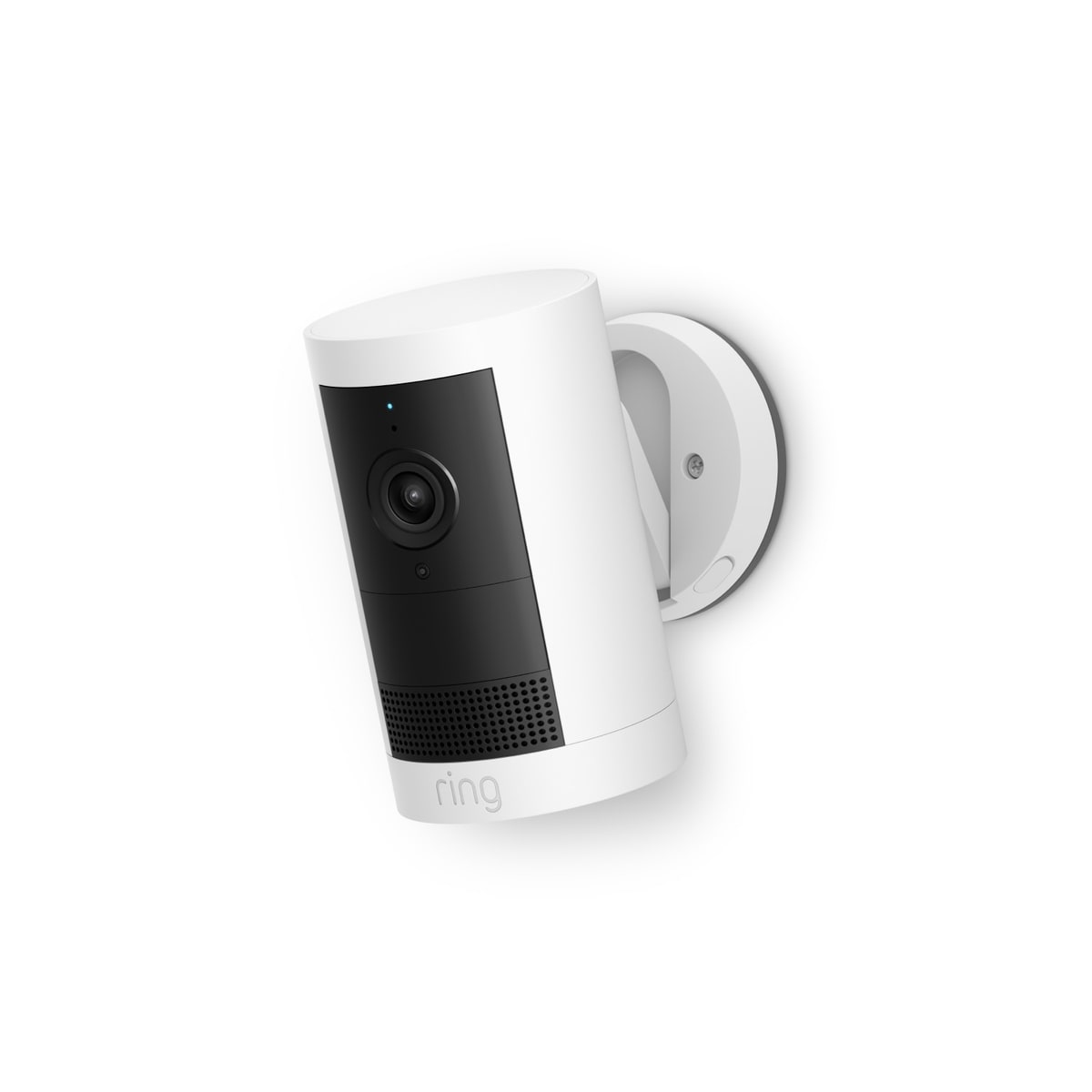
Battery placement with straightforward settings and date/event sorting
Ring Outdoor Cam Plus, Battery →
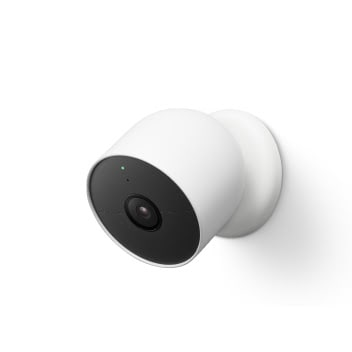
Google Home settings and a removable magnetic camera body
Google Nest Cam Outdoor or Indoor, Battery →
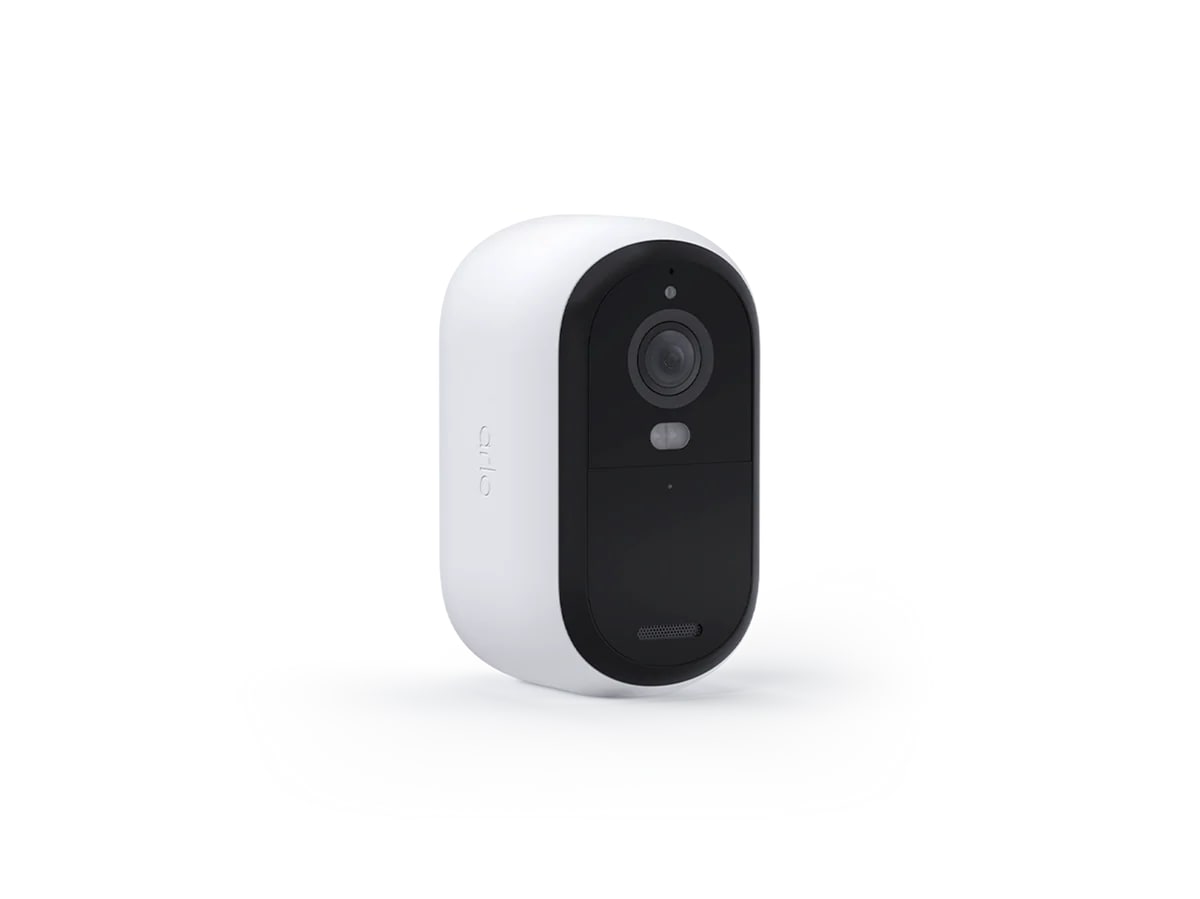
A repeatable live-view and Feed routine with reachable charging access
Arlo Essential Outdoor Camera 2K (2nd Gen) →
Grades at a glance
| Product | Overall | App navigation and ordinary controls | Finding and saving an event | Physical handling and power routine |
|---|---|---|---|---|
| eufy Security SoloCam S340 | 8.0 | 7.0 | 9.0 | 8.0 |
| TP-Link Tapo C120 | 8.7 | 9.0 | 9.0 | 8.0 |
| Reolink Argus 4 Pro | 8.4 | 8.0 | 9.0 | 8.0 |
| Ring Outdoor Cam Plus, Battery | 8.7 | 9.0 | 9.0 | 8.0 |
| Google Nest Cam Outdoor or Indoor, Battery | 6.0 | 8.0 | 3.0 | 7.0 |
| Wyze Cam v4 | 8.1 | 8.0 | 9.0 | 7.0 |
| Blink Outdoor 4 | 7.2 | 5.5 | 9.0 | 7.0 |
| Arlo Essential Outdoor Camera 2K (2nd Gen) | 7.4 | 7.0 | 8.0 | 7.0 |
Compare your shortlist
Does it fit your life?
Choose the routine first

Choose a camera by the jobs you will repeat: opening the live view, finding yesterday’s event and keeping the camera powered. TP-Link Tapo C120 is our starting point when a permanent lead is easy to route. Ring Outdoor Cam Plus, Battery is the equally graded alternative when battery placement fits better. Both score 8.7/10 here; the choice turns on your installation and archive routine.
For a busy event list, compare Reolink’s person-only playback filter. For a camera view away from the best sunny spot, look at eufy’s separately placed panel. The sections below explain the app and handling tradeoffs for all eight.
Updated October 16, 2026. Jump to comparison, individual choices, power and placement, recording routine or how grades work.
Compare the everyday jobs
Use the columns to match the task you care about most. Blink’s easy reviewed archive sits alongside a more involved recording and notification setup. Tapo and Ring tie overall, but one needs a permanent lead while the selected Ring uses a battery. On a narrow screen, scroll the table sideways to see every grade.
| Camera | Controls / 10 | Retrieval / 10 | Handling / 10 | Overall / 10 |
|---|---|---|---|---|
| TP-Link Tapo C120 | 9 | 9 | 8 | 8.7 |
| Ring Outdoor Cam Plus, Battery | 9 | 9 | 8 | 8.7 |
| Reolink Argus 4 Pro | 8 | 9 | 8 | 8.4 |
| Wyze Cam v4 | 8 | 9 | 7 | 8.1 |
| eufy Security SoloCam S340 | 7 | 9 | 8 | 8 |
| Arlo Essential Outdoor Camera 2K (2nd Gen) | 7 | 8 | 7 | 7.4 |
| Blink Outdoor 4 | 5.5 | 9 | 7 | 7.2 |
| Google Nest Cam Outdoor or Indoor, Battery | 8 | 3 | 7 | 6 |
Ties are intentional. Tapo and Ring share a grade but solve power placement differently. Reolink scores 8.4/10 and eufy 8/10, with different strengths in settings and panel placement. Nest’s 3/10 retrieval grade is tied to one historical reported deployment with history-loading problems, alongside a separate working walkthrough; it is not a population or present-app reliability measurement.
TP-Link Tapo C120: Clearly labeled controls at a location with practical permanent power
Tapo C120 is a strong starting point for a location with practical permanent power. Its reviewed app puts live-view actions beside a labeled playback/download entry, while a zoomable timeline helps you browse recordings. The adjustable magnetic base is convenient for aiming; the cable route and side card cover deserve as much attention as the view.
Choose Tapo if a permanent power lead is straightforward and you value a clearly labeled route to recordings. Ring Outdoor Cam Plus, Battery ties its 8.7/10 overall grade and offers date/event sorting with battery placement. The useful choice is whether you prefer a fixed cable or a recharge routine at this particular location.
Overall: 8.7/10. Read the TP-Link Tapo C120 review.
Sources: YouTube — Steve DOES — TP-Link Tapo C120: Big Features in a Tiny Package!; YouTube — George Langabeer — Tapo C120 Smart Security Camera: The Ultimate Unboxing and Review; Security.org — 2K Upgrade? | Ring Outdoor Cam Plus (Battery) Review; Erin Lawrence — Full Review +: What's new? Ring Outdoor Cam Plus (Wireless)
Ring Outdoor Cam Plus, Battery: Battery placement with straightforward settings and date/event sorting
Ring Outdoor Cam Plus, Battery is a strong choice when a permanent camera power lead would be awkward. The reviewed app combines straightforward settings with date and event-type sorting and phone saves. It ties Tapo C120 at 8.7/10 for these everyday tasks, but replaces Tapo’s cable-routing job with battery handling and uses a subscription recording setup in the cited reviews.
Choose Ring when battery placement and easy date/event sorting suit your routine. Choose the equally graded Tapo C120 instead if a permanent power lead is easy to route and you prefer its labeled playback entry and zoomable timeline. With Ring, allow for both battery access and the recording service you plan to keep.
Overall: 8.7/10. Read the Ring Outdoor Cam Plus, Battery review.
Sources: YouTube — Steve DOES — TP-Link Tapo C120: Big Features in a Tiny Package!; YouTube — George Langabeer — Tapo C120 Smart Security Camera: The Ultimate Unboxing and Review; Security.org — 2K Upgrade? | Ring Outdoor Cam Plus (Battery) Review; Erin Lawrence — Full Review +: What's new? Ring Outdoor Cam Plus (Wireless)
Reolink Argus 4 Pro: Narrowing playback to people events and saving a selected clip
The Argus 4 Pro is a strong shortlist choice when you often want to narrow recorded events and save one to a phone. LifeHackster shows playback, a person-only filter and downloading in the same walkthrough. Its wide live view may be easier to use with the phone turned sideways, while separate charging and card covers need room around the mount.
Choose the Argus 4 Pro if person-filtered playback is a task you expect to use often and landscape viewing suits your phone habits. Compare eufy Security SoloCam S340 if panel placement and app charge information matter more. Both have a useful reported phone-save routine, with different details to weigh before mounting.
Overall: 8.4/10. Read the Reolink Argus 4 Pro review.
Sources: Eufy SoloCam S340 - 3 Things You Need to Know! — ModernDayTech; 3 MAJOR FLAWS of the Eufy S340 You NEED to Know! — Ultratec [Jesse Sanchez]; Reolink Argus 4 PRO Review - 4K 180 Degree Low Light Wireless Security Camera — LifeHackster; Eufy SoloCam S340 review: a solar-powered and fully wireless outdoor security camera
eufy Security SoloCam S340: A separate solar-panel position and straightforward phone saves
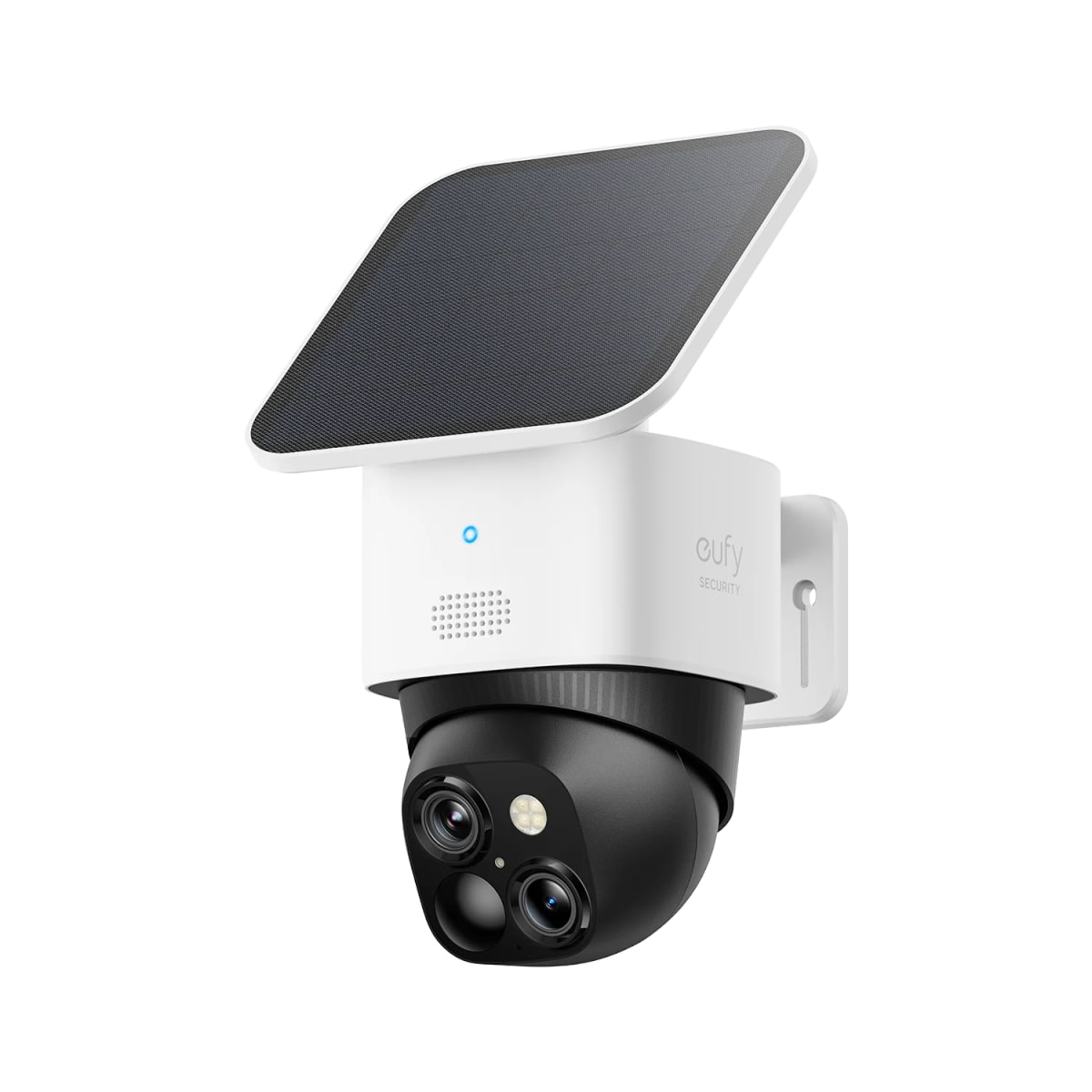
The S340 is appealing when the best camera view and the best solar-panel position are different places. Its app shows charge and solar-generation information, and a February 2025 review describes easy phone downloads from the camera’s onboard recording setup. For a roadside view, check a more specific compromise: one reviewer could not keep vehicle recordings while silencing only their notifications.
Choose the S340 for flexible panel placement and the reported ease of saving recordings to a phone. If your priority is narrowing a busy archive to people events, compare Reolink Argus 4 Pro’s shown playback filter. For the S340, make the recording-versus-notification choice part of your app check before settling on a roadside view.
Overall: 8/10. Read the eufy Security SoloCam S340 review.
Sources: Eufy SoloCam S340 - 3 Things You Need to Know! — ModernDayTech; 3 MAJOR FLAWS of the Eufy S340 You NEED to Know! — Ultratec [Jesse Sanchez]; Reolink Argus 4 PRO Review - 4K 180 Degree Low Light Wireless Security Camera — LifeHackster; Eufy SoloCam S340 review: a solar-powered and fully wireless outdoor security camera
Wyze Cam v4: A card timeline alongside a separate cloud-event list
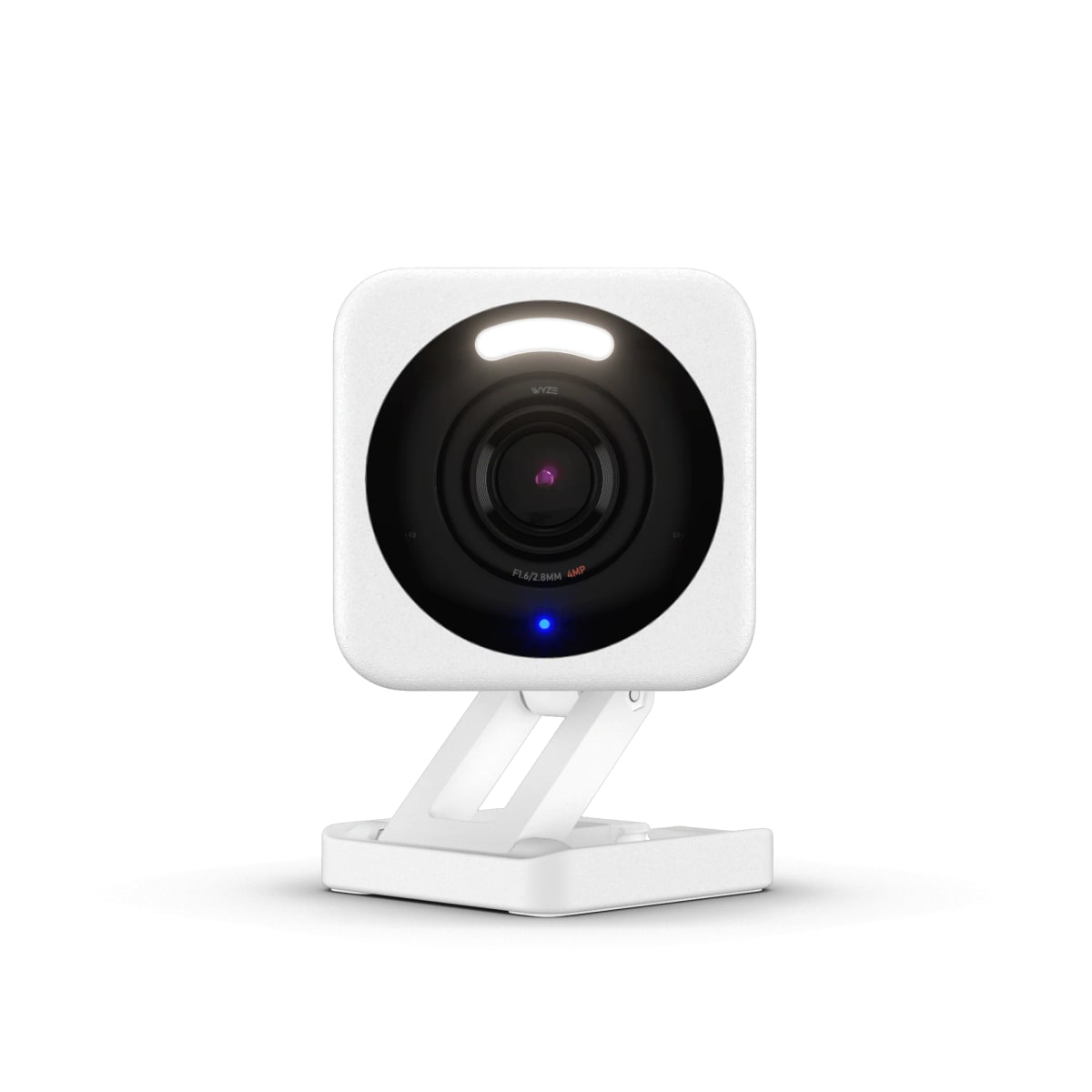
Wyze Cam v4 suits a powered location and a buyer comfortable with two recording destinations. LifeHackster shows an SD-card timeline and a separate cloud-event list, with phone downloads described from that list using Cam Plus. The magnetic stand helps positioning, while the micro-USB lead and underside card cover make access part of the installation decision.
Choose Wyze v4 if its separate card and cloud destinations make sense for your recording routine. Compare Tapo C120 for a labeled playback/download entry, timeline zoom and side card access. Both need permanent power, so the cable route and the card cover you can reach most easily are useful ways to choose.
Overall: 8.1/10. Read the Wyze Cam v4 review.
Sources: YouTube — Steve DOES — TP-Link Tapo C120: Big Features in a Tiny Package!; YouTube — George Langabeer — Tapo C120 Smart Security Camera: The Ultimate Unboxing and Review; YouTube — LifeHackster — Wyze Cam V4 Review - The BEST WyzeCam Yet.
Arlo Essential Outdoor Camera 2K (2nd Gen): A repeatable live-view and Feed routine with reachable charging access
Arlo’s regular second-generation 2K camera suits someone happy to learn two routes through the app: one for a live look, another for recordings and settings. Feed gives recorded footage a useful home, but the route was not obvious to the reviewer at first. The slide-off wall plate makes removal straightforward; limited angle adjustment and an integrated battery make reachable placement especially important.
Choose Arlo if its separate live-view and Feed routes feel comfortable and you can reach the camera for charging. If a permanent power lead is practical, Tapo C120 offers a labeled playback/download entry and a more flexible magnetic base. Decide between them at the mounting position as well as on the phone.
Overall: 7.4/10. Read the Arlo Essential Outdoor Camera 2K (2nd Gen) review.
Sources: LifeHackster — Arlo Essential Wireless Camera 2nd Generation Review; YouTube — Steve DOES — TP-Link Tapo C120: Big Features in a Tiny Package!; YouTube — George Langabeer — Tapo C120 Smart Security Camera: The Ultimate Unboxing and Review
Blink Outdoor 4: Easy subscription-history browsing after deliberate setup checks
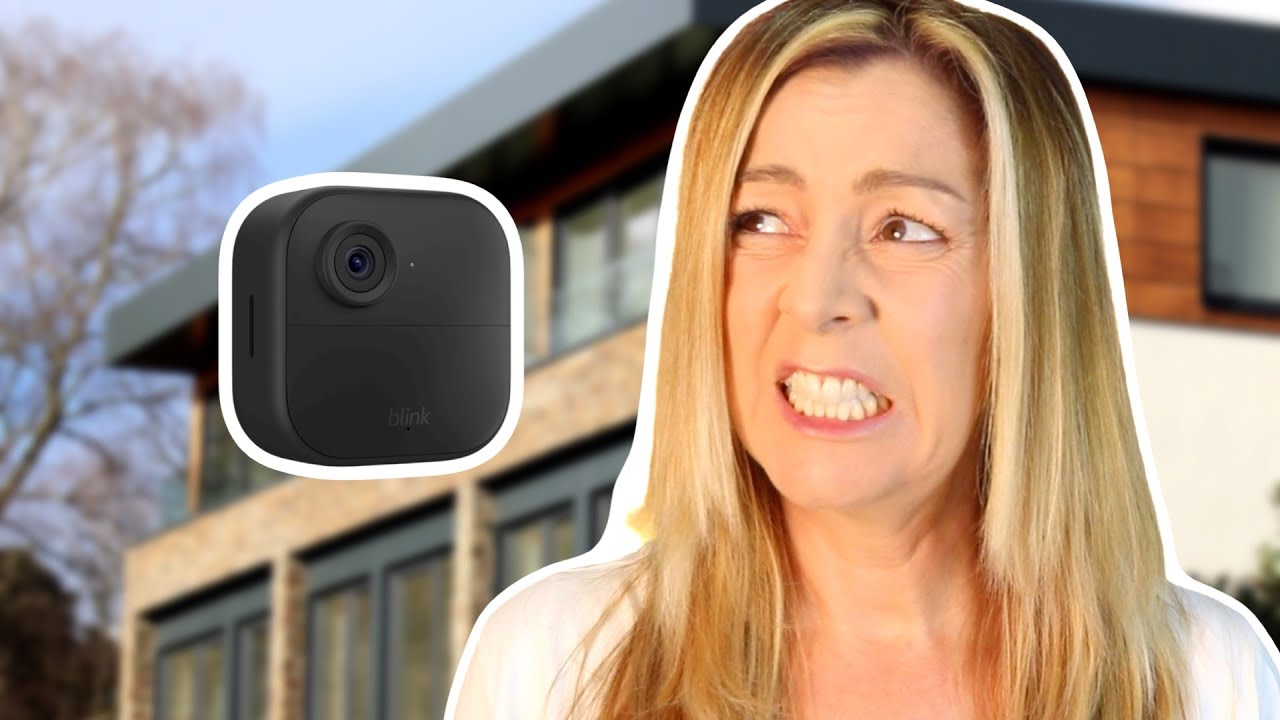
Blink Outdoor 4 can suit someone willing to learn its separate recording, arming and phone-notification controls. Security.org describes easy history browsing and direct phone downloads with a subscription, while Erin Lawrence finds those setup controls unnecessarily fragmented. The archive is the stronger part of this everyday-use assessment; replaceable batteries and the reviewed module setup add physical tasks to plan.
Choose Blink if easy subscription-history browsing appeals and you are comfortable checking recording, arming and phone permissions separately. Compare Ring Outdoor Cam Plus, Battery for a more straightforward reviewed settings interface and date/event sorting. Confirm Blink’s exact kit and intended recording route before choosing accessories.
Overall: 7.2/10. Read the Blink Outdoor 4 review.
Sources: Security.org — 2K Upgrade? | Ring Outdoor Cam Plus (Battery) Review; Erin Lawrence — Full Review +: What's new? Ring Outdoor Cam Plus (Wireless); LifeHackster — Blink Outdoor 4 Review - Is it Worth It?; Erin Lawrence — Blink Outdoor 4 wireless camera: some major red flags; Security.org — The Best Blink Camera? Blink Outdoor 4 Review
Google Nest Cam Outdoor or Indoor, Battery: Google Home settings and a removable magnetic camera body
Nest’s battery camera is worth considering for its Google Home settings and removable magnetic body, but history access needs particular attention. One historical Nest Battery deployment reported repeated loading failures; a separate walkthrough describes working history and downloads. Its 6/10 overall grade reflects that specific caution alongside usable controls and a charging cable you need to keep track of.
Consider Nest if you like its Google Home controls and can check recorded history in your intended setup before relying on it. Ring Outdoor Cam Plus, Battery is the alternative to compare for date/event sorting and a menu-based phone save. Both require attention to the recording service as well as the camera’s physical placement.
Overall: 6/10. Read the Google Nest Cam Outdoor or Indoor, Battery review.
Sources: Security.org — 2K Upgrade? | Ring Outdoor Cam Plus (Battery) Review; Erin Lawrence — Full Review +: What's new? Ring Outdoor Cam Plus (Wireless); Everything the Google Nest Cam (battery) Can Do — Tech With Brett; Google Nest Cam Outdoor or Indoor (Battery, 2nd Gen) — RodrickViews; r/EufyCam — Potentially switching from Google Nest Cam Battery setup, a few questions
Choose a power routine you can maintain
Start at the proposed location. With Tapo or Wyze, trace the permanent power lead before deciding the camera angle. Keep card access reachable: Tapo’s reviewed cover is on the side, while Wyze’s is underneath. With a battery camera, rehearse access rather than assuming a high mounting position will remain convenient. Arlo’s demonstrated plate slides off upward; Ring’s base can change orientation; Nest’s magnetic body still needs its particular charging cable.
For eufy and the optional Reolink solar arrangement, decide panel position separately from the camera view and plan the cable between them. Solar is a placement choice to monitor, not a promise of perpetual operation. Blink’s reviewed setup adds a separate module and rear battery-cover access. Check the exact kit before planning those pieces. None of these grades establishes how long a charge or set of batteries will last.
Check the recording job before relying on it
Ask for a demonstration using the recording route you actually intend to keep. Start from the app home screen, find an existing event, open it, save it to a phone and find the saved file. A successful live view does not complete that job. Try the relevant narrowing tool too: Tapo’s timeline zoom, Ring’s date/event sorting or Reolink’s person-only playback filter. The filter’s presence establishes a navigation option, not detection accuracy.
Keep card, onboard and cloud routes distinct. Eufy’s cited phone-download account follows its onboard-storage description; optional HomeBase remains separate. Wyze’s shown cloud save uses Cam Plus, and Tapo’s two walkthroughs use different storage contexts. Arlo, Blink and Ring recording demonstrations also have historical trial or subscription access. Check current service terms rather than treating the old price or retention description as a present offer.
For Nest, specifically test opening history as well as live view in your own intended configuration. Its adverse evidence comes from one historical deployment report, while Brett describes a working history routine elsewhere. Make that history check part of the decision if you shortlist Nest.
What these grades mean
These editorial grades compare everyday app controls, finding and saving recordings, and physical handling or power chores. They draw on the linked historical reviews and reports; we did not perform firsthand camera testing. They do not assess security, privacy, detection accuracy, image/audio quality, battery duration or current fees.
Read each grade alongside its task explanation. For example, a useful phone-download route can coexist with awkward setup controls. The same three task areas contribute to each overall grade, with category grades shown to half points and overall grades to one decimal. A tie is an invitation to compare routines, not a reason to ignore their differences.
The cited demonstrations have specific storage, power and account configurations. Current menus and service terms may differ. Steve DOES discloses TP-Link sponsorship; LifeHackster says Wyze and Reolink supplied his review cameras, and describes the Reolink video as not sponsored. The illustrations show product form or a credited reviewer thumbnail.
eufy Security SoloCam S340
eufy
A separate solar-panel position and straightforward phone saves
The S340 is appealing when the best camera view and the best solar-panel position are different places. Its app shows charge and solar-generation information, and a February 2025 review describes easy phone downloads from the camera’s onboard recording setup. For a roadside view, check a more specific compromise: one reviewer could not keep vehicle recordings while silencing only their notifications.
The takeaway
Choose the S340 for flexible panel placement and the reported ease of saving recordings to a phone. If your priority is narrowing a busy archive to people events, compare Reolink Argus 4 Pro’s shown playback filter. For the S340, make the recording-versus-notification choice part of your app check before settling on a roadside view.
Reasons to choose it
- The February 2025 review describes easy phone downloads in its onboard-storage discussion.
- Separate panel placement lets you choose sunlight and camera angle independently.
Tradeoffs to know
- One reviewer could not separate vehicle recording from vehicle notifications.
- Panel position and the connecting cable need planning.
Think twice if: You need to keep vehicle recordings while silencing only vehicle alerts without checking the current controls
Published specifications
- Everyday-use focus
- A separate solar-panel position and straightforward phone saves
Ratings
Editorial score 8
App navigation and ordinary controls7
Reviewer wanted separate vehicle-recording and notification toggles but found only recording-category choices.
Finding and saving an event9
The February 2025 review describes easy access to recorded video and phone downloads at home or elsewhere, following its onboard 8GB storage discussion. HomeBase is optional and discussed separately.
Physical handling and power routine8
Separate solar-panel placement and in-app battery/solar-generation view help manage physical charging routine; no sunlight or runtime guarantee.
TP-Link Tapo C120
TP-Link
Clearly labeled controls at a location with practical permanent power
Tapo C120 is a strong starting point for a location with practical permanent power. Its reviewed app puts live-view actions beside a labeled playback/download entry, while a zoomable timeline helps you browse recordings. The adjustable magnetic base is convenient for aiming; the cable route and side card cover deserve as much attention as the view.
The takeaway
Choose Tapo if a permanent power lead is straightforward and you value a clearly labeled route to recordings. Ring Outdoor Cam Plus, Battery ties its 8.7/10 overall grade and offers date/event sorting with battery placement. The useful choice is whether you prefer a fixed cable or a recharge routine at this particular location.
Reasons to choose it
- The walkthroughs show labeled playback access, timeline zoom and clip filtering.
- The magnetic base adjusts for different orientations.
Tradeoffs to know
- The power lead constrains placement, and the side card cover needs clearance.
Think twice if: A permanent power lead would make the intended position impractical
Published specifications
- Everyday-use focus
- Clearly labeled controls at a location with practical permanent power
Further reading
Ratings
Editorial score 8.7
App navigation and ordinary controls9
Demonstration exposes live-view controls and camera settings with labeled playback/download entry.
Finding and saving an event9
Playback timeline can be pinched to zoom; second walkthrough shows clip filter and direct download controls.
Physical handling and power routine8
Adjustable magnetic base and side card access are demonstrated; power lead remains part of placement routine.
Reolink Argus 4 Pro
Reolink
Narrowing playback to people events and saving a selected clip
The Argus 4 Pro is a strong shortlist choice when you often want to narrow recorded events and save one to a phone. LifeHackster shows playback, a person-only filter and downloading in the same walkthrough. Its wide live view may be easier to use with the phone turned sideways, while separate charging and card covers need room around the mount.
The takeaway
Choose the Argus 4 Pro if person-filtered playback is a task you expect to use often and landscape viewing suits your phone habits. Compare eufy Security SoloCam S340 if panel placement and app charge information matter more. Both have a useful reported phone-save routine, with different details to weigh before mounting.
Reasons to choose it
- Playback includes a person-only filter and phone-download control.
Tradeoffs to know
- The wide live view may be more comfortable in landscape.
- Rear charging and bottom card covers both need access.
Think twice if: Turning the phone sideways for a wide live view would be inconvenient
Published specifications
- Everyday-use focus
- Narrowing playback to people events and saving a selected clip
Further reading
Ratings
Editorial score 8.4
App navigation and ordinary controls8
Gear settings expose battery, display and detection controls; wide live view may call for landscape phone orientation.
Finding and saving an event9
Playback offers person-only filtering and download to phone in demonstrated app.
Physical handling and power routine8
USB-C charging flap and separate card-slot flap are shown with adjustable mount and optional separate solar panel.
Ring Outdoor Cam Plus, Battery
Ring
Battery placement with straightforward settings and date/event sorting
Ring Outdoor Cam Plus, Battery is a strong choice when a permanent camera power lead would be awkward. The reviewed app combines straightforward settings with date and event-type sorting and phone saves. It ties Tapo C120 at 8.7/10 for these everyday tasks, but replaces Tapo’s cable-routing job with battery handling and uses a subscription recording setup in the cited reviews.
The takeaway
Choose Ring when battery placement and easy date/event sorting suit your routine. Choose the equally graded Tapo C120 instead if a permanent power lead is easy to route and you prefer its labeled playback entry and zoomable timeline. With Ring, allow for both battery access and the recording service you plan to keep.
Reasons to choose it
- The reviews describe approachable settings and date/event sorting with phone saves.
- The base can move between bottom and rear mounting positions.
Tradeoffs to know
- Battery charging requires an accessible installation.
- The cited event-history and download routines use a recording subscription.
Think twice if: Reaching the camera for battery handling would be difficult
Published specifications
- Everyday-use focus
- Battery placement with straightforward settings and date/event sorting
Further reading
Ratings
Editorial score 8.7
App navigation and ordinary controls9
Reviewer describes straightforward settings/live-view interface and motion scheduling in battery-model review.
Finding and saving an event9
Erin Lawrence demonstrates date/event-type sorting and saving a selected clip to phone via menu; historical plan context applies.
Physical handling and power routine8
The base moves between bottom and rear positions and locks the angle. The battery version needs charging preparation and accessible placement.
Google Nest Cam Outdoor or Indoor, Battery
Google Home settings and a removable magnetic camera body
Nest’s battery camera is worth considering for its Google Home settings and removable magnetic body, but history access needs particular attention. One historical Nest Battery deployment reported repeated loading failures; a separate walkthrough describes working history and downloads. Its 6/10 overall grade reflects that specific caution alongside usable controls and a charging cable you need to keep track of.
The takeaway
Consider Nest if you like its Google Home controls and can check recorded history in your intended setup before relying on it. Ring Outdoor Cam Plus, Battery is the alternative to compare for date/event sorting and a menu-based phone save. Both require attention to the recording service as well as the camera’s physical placement.
Reasons to choose it
- Google Home provides a device chooser, setup-code alternative and battery preferences.
- The magnetic body is convenient to angle and remove.
Tradeoffs to know
- One historical Nest Battery deployment reported repeated history-loading failures.
- Charging depends on keeping the particular magnetic cable.
Think twice if: You cannot check the history-opening routine that you will depend on
Published specifications
- Everyday-use focus
- Google Home settings and a removable magnetic camera body
Further reading
Ratings
Editorial score 6
App navigation and ordinary controls8
Setup uses Google Home device chooser and camera QR/setup code; battery preference and activity-zone controls are described.
Finding and saving an event3
One historical Nest Battery deployment reported repeated Google Home history-loading failures, a direct obstacle to opening recordings in that installation.
Physical handling and power routine7
Separate reviewer dislikes proprietary magnetic charging cable; magnetic removable body simplifies charging access but keeping cable matters.
Wyze Cam v4
Wyze
A card timeline alongside a separate cloud-event list
Wyze Cam v4 suits a powered location and a buyer comfortable with two recording destinations. LifeHackster shows an SD-card timeline and a separate cloud-event list, with phone downloads described from that list using Cam Plus. The magnetic stand helps positioning, while the micro-USB lead and underside card cover make access part of the installation decision.
The takeaway
Choose Wyze v4 if its separate card and cloud destinations make sense for your recording routine. Compare Tapo C120 for a labeled playback/download entry, timeline zoom and side card access. Both need permanent power, so the cable route and the card cover you can reach most easily are useful ways to choose.
Reasons to choose it
- The walkthrough distinguishes the card timeline from cloud events and explains phone downloads from the latter.
Tradeoffs to know
- Micro-USB orientation, the power lead and underside card access need attention.
Think twice if: A permanent lead or underside card access would be awkward at your chosen location
Published specifications
- Everyday-use focus
- A card timeline alongside a separate cloud-event list
Further reading
Ratings
Editorial score 8.1
App navigation and ordinary controls8
Add-device flow, live-view spotlight and settings controls are demonstrated on v4; subscription context is explicitly disclosed.
Finding and saving an event9
Separate SD-card timeline and recent cloud events are visible; reviewer demonstrates download from cloud events, not every free-plan action.
Physical handling and power routine7
Magnetic stand, underside card flap and supplied micro-USB lead are shown; connector orientation adds ordinary handling friction.
Blink Outdoor 4
Blink
Easy subscription-history browsing after deliberate setup checks
Blink Outdoor 4 can suit someone willing to learn its separate recording, arming and phone-notification controls. Security.org describes easy history browsing and direct phone downloads with a subscription, while Erin Lawrence finds those setup controls unnecessarily fragmented. The archive is the stronger part of this everyday-use assessment; replaceable batteries and the reviewed module setup add physical tasks to plan.
The takeaway
Choose Blink if easy subscription-history browsing appeals and you are comfortable checking recording, arming and phone permissions separately. Compare Ring Outdoor Cam Plus, Battery for a more straightforward reviewed settings interface and date/event sorting. Confirm Blink’s exact kit and intended recording route before choosing accessories.
Reasons to choose it
- The subscription-use account describes easy event finding and direct phone downloads.
Tradeoffs to know
- Recording, arming and phone notifications need separate checks.
- Rear-cover battery access and a separate module are parts of the reviewed setup.
Think twice if: Separate recording, arming and phone-notification controls would be frustrating
Published specifications
- Everyday-use focus
- Easy subscription-history browsing after deliberate setup checks
Further reading
Ratings
Editorial score 7.2
App navigation and ordinary controls5.5
Erin Lawrence describes separate app recording/arming and phone notification settings as too many steps.
Finding and saving an event9
Security.org describes easy event-history scrolling, finding specific clips and direct mobile downloads in its subscription setup.
Physical handling and power routine7
Replaceable AA battery compartment requires opening rear cover; separate Sync Module setup and adapter mount add pieces to manage.
Arlo Essential Outdoor Camera 2K (2nd Gen)
Arlo
A repeatable live-view and Feed routine with reachable charging access
Arlo’s regular second-generation 2K camera suits someone happy to learn two routes through the app: one for a live look, another for recordings and settings. Feed gives recorded footage a useful home, but the route was not obvious to the reviewer at first. The slide-off wall plate makes removal straightforward; limited angle adjustment and an integrated battery make reachable placement especially important.
The takeaway
Choose Arlo if its separate live-view and Feed routes feel comfortable and you can reach the camera for charging. If a permanent power lead is practical, Tapo C120 offers a labeled playback/download entry and a more flexible magnetic base. Decide between them at the mounting position as well as on the phone.
Reasons to choose it
- Feed brings recorded-event viewing and phone downloads together.
Tradeoffs to know
- The recorded-event route took the reviewer time to find.
- Limited mount adjustment and integrated-battery charging require accessible placement.
Think twice if: You want live view, recordings and settings to be obvious on the first visit
Published specifications
- Everyday-use focus
- A repeatable live-view and Feed routine with reachable charging access
Further reading
Ratings
Editorial score 7.4
App navigation and ordinary controls7
Live view, recorded events and settings require different taps; reviewer initially struggled to find the recorded-event screen.
Finding and saving an event8
Feed provides viewing and downloading recorded events in the reviewed cloud/trial context.
Physical handling and power routine7
Included wall plate allows removal by sliding camera up; limited adjustment and integrated battery charging add handling.
Sources & further reading
youtube.com review
youtube.com review
youtube.com review
youtube.com review
youtube.com review
youtube.com review
youtube.com review
youtube.com review
youtube.com review
youtube.com review
youtube.com review
youtube.com review
youtube.com review
the-independent.com review
User reports at Reddit
youtube.com review
Keep reading
Something changed? Help us keep this useful.
Send a correction →