
The recommendation
Choose Wyze v4 if its separate card and cloud destinations make sense for your recording routine. Compare Tapo C120 for a labeled playback/download entry, timeline zoom and side card access. Both need permanent power, so the cable route and the card cover you can reach most easily are useful ways to choose.
Grades at a glance
| Product | Overall | App navigation and ordinary controls | Finding and saving an event | Physical handling and power routine |
|---|---|---|---|---|
| Wyze Cam v4 | 8.1 | 8.0 | 9.0 | 7.0 |
Does it fit your life?
Who should choose it
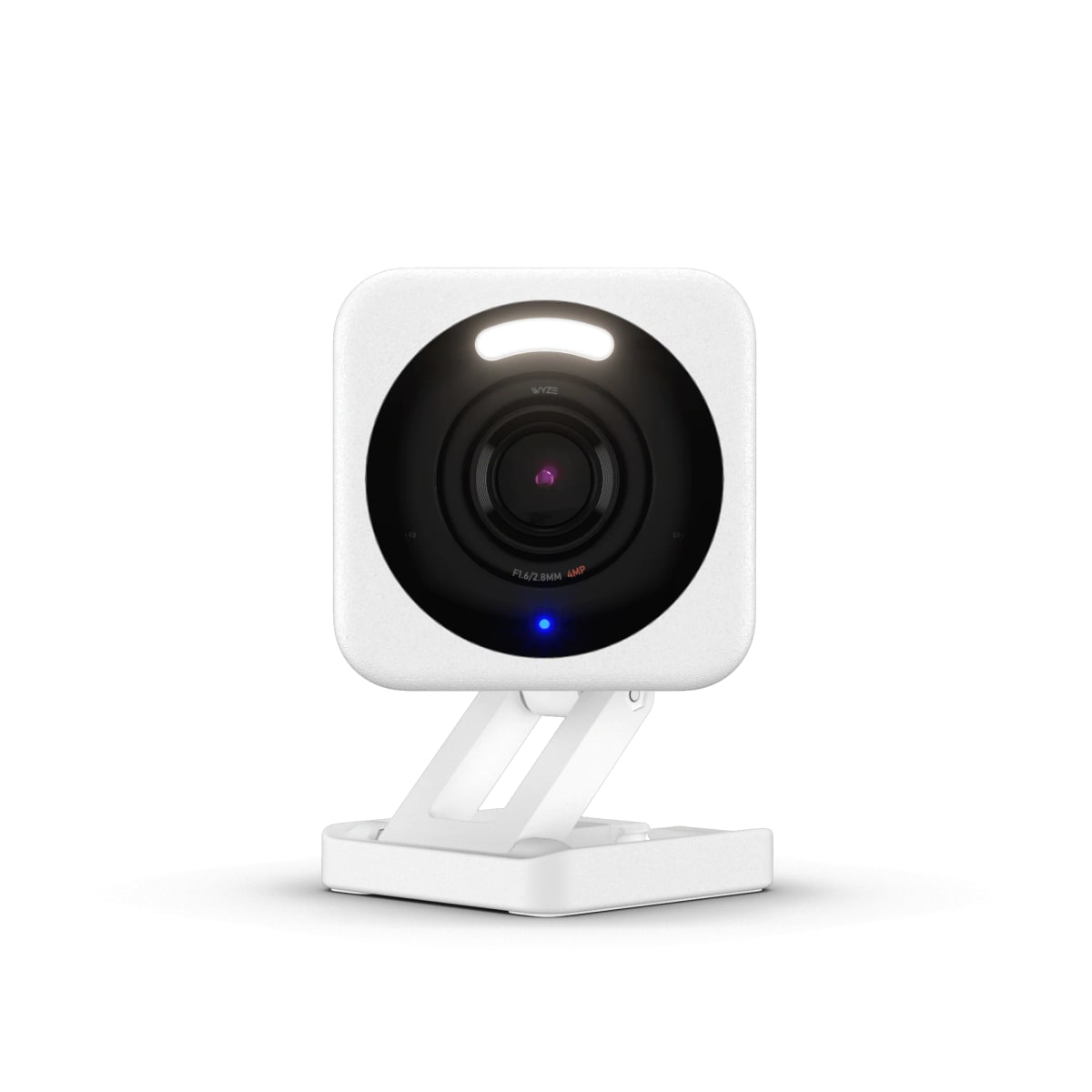
Wyze Cam v4 suits a powered location and a buyer comfortable with two recording destinations. LifeHackster shows an SD-card timeline and a separate cloud-event list, with phone downloads described from that list using Cam Plus. The magnetic stand helps positioning, while the micro-USB lead and underside card cover make access part of the installation decision.
Updated October 16, 2026. Compare the eight-camera guide or jump to grades, controls, recordings, handling and the decision.
Everyday-use grades
| Everyday task | Grade / 10 |
|---|---|
| App navigation and ordinary controls | 8 |
| Finding and saving an event | 9 |
| Physical handling and power routine | 7 |
| Overall | 8.1 |
Grades compare app controls, finding and saving recordings, and physical handling. They are based on the linked historical reviews and reports, not firsthand testing by us. Security, privacy, detection accuracy, image/audio quality and battery duration are outside this assessment.
Using the everyday controls
LifeHackster’s setup selects v4 in the app, powers the camera, uses the setup button and names it after connection. Live view then offers spotlight, talk, snapshot and recording controls, with a gear for settings. Event recording and notifications have their own settings to learn. This is the basis of the 8/10 controls grade.
For everyday use, distinguish taking a live snapshot or recording from choosing what the camera stores automatically. They answer different needs even though both involve video. The walkthrough uses Cam Plus, so check your intended account configuration when trying those routes.
Sources: YouTube — LifeHackster — Wyze Cam V4 Review - The BEST WyzeCam Yet.
Finding and saving a recording
The SD-card entry opens a timeline with motion markers in LifeHackster’s continuous-recording setup. Recent cloud events appear below live view, and he identifies that separate list as the place to view and download footage to a phone. The 9/10 retrieval grade reflects the clear archive destinations and the described cloud-save routine.
Start a search by deciding which archive you mean. A card timeline and a recent-cloud-event list need not contain the same material or present it in the same way. The shown phone download uses Cam Plus; check the save task in your chosen recording mode rather than carrying that result over to every unpaid-account action.
Sources: YouTube — LifeHackster — Wyze Cam V4 Review - The BEST WyzeCam Yet.
Mounting, access and power chores
The v4 has a magnetic stand, a rubber card cover underneath and a micro-USB power lead. The stand makes adjustment convenient, but the connector needs the correct orientation when plugging in. The 7/10 physical grade reflects that ordinary handling detail together with the cable and card-access chores.
Lay out the power route first, then check that you can reach the underside cover at the desired angle. This avoids choosing a neat-looking position that becomes awkward when you need the card. The assessment applies to v4; the reviewer’s comparisons with other Wyze generations are not carried over here.
Sources: YouTube — LifeHackster — Wyze Cam V4 Review - The BEST WyzeCam Yet.
Which routine fits you
Choose Wyze v4 if its separate card and cloud destinations make sense for your recording routine. Compare Tapo C120 for a labeled playback/download entry, timeline zoom and side card access. Both need permanent power, so the cable route and the card cover you can reach most easily are useful ways to choose.
Read the TP-Link Tapo C120 review or return to the comparison table.
Comparison sources: YouTube — LifeHackster — Wyze Cam V4 Review - The BEST WyzeCam Yet.; YouTube — Steve DOES — TP-Link Tapo C120: Big Features in a Tiny Package!; YouTube — George Langabeer — Tapo C120 Smart Security Camera: The Ultimate Unboxing and Review
Check the selected Amazon listing for the exact package, current terms and availability.
Sources and review context
YouTube — LifeHackster — Wyze Cam V4 Review - The BEST WyzeCam Yet.
LifeHackster says Wyze supplied the v4 review camera.
Wyze Cam v4
Wyze
A card timeline alongside a separate cloud-event list
Wyze Cam v4 suits a powered location and a buyer comfortable with two recording destinations. LifeHackster shows an SD-card timeline and a separate cloud-event list, with phone downloads described from that list using Cam Plus. The magnetic stand helps positioning, while the micro-USB lead and underside card cover make access part of the installation decision.
Reasons to choose it
- The walkthrough distinguishes the card timeline from cloud events and explains phone downloads from the latter.
Tradeoffs to know
- Micro-USB orientation, the power lead and underside card access need attention.
Think twice if: A permanent lead or underside card access would be awkward at your chosen location
Published specifications
- Everyday-use focus
- A card timeline alongside a separate cloud-event list
Further reading
Ratings
Editorial score 8.1
App navigation and ordinary controls8
Add-device flow, live-view spotlight and settings controls are demonstrated on v4; subscription context is explicitly disclosed.
Finding and saving an event9
Separate SD-card timeline and recent cloud events are visible; reviewer demonstrates download from cloud events, not every free-plan action.
Physical handling and power routine7
Magnetic stand, underside card flap and supplied micro-USB lead are shown; connector orientation adds ordinary handling friction.
Sources & further reading
youtube.com review
youtube.com review
youtube.com review
Keep reading
Something changed? Help us keep this useful.
Send a correction →