
The recommendation
Choose the S340 for flexible panel placement and the reported ease of saving recordings to a phone. If your priority is narrowing a busy archive to people events, compare Reolink Argus 4 Pro’s shown playback filter. For the S340, make the recording-versus-notification choice part of your app check before settling on a roadside view.
Grades at a glance
| Product | Overall | App navigation and ordinary controls | Finding and saving an event | Physical handling and power routine |
|---|---|---|---|---|
| eufy Security SoloCam S340 | 8.0 | 7.0 | 9.0 | 8.0 |
Does it fit your life?
Who should choose it
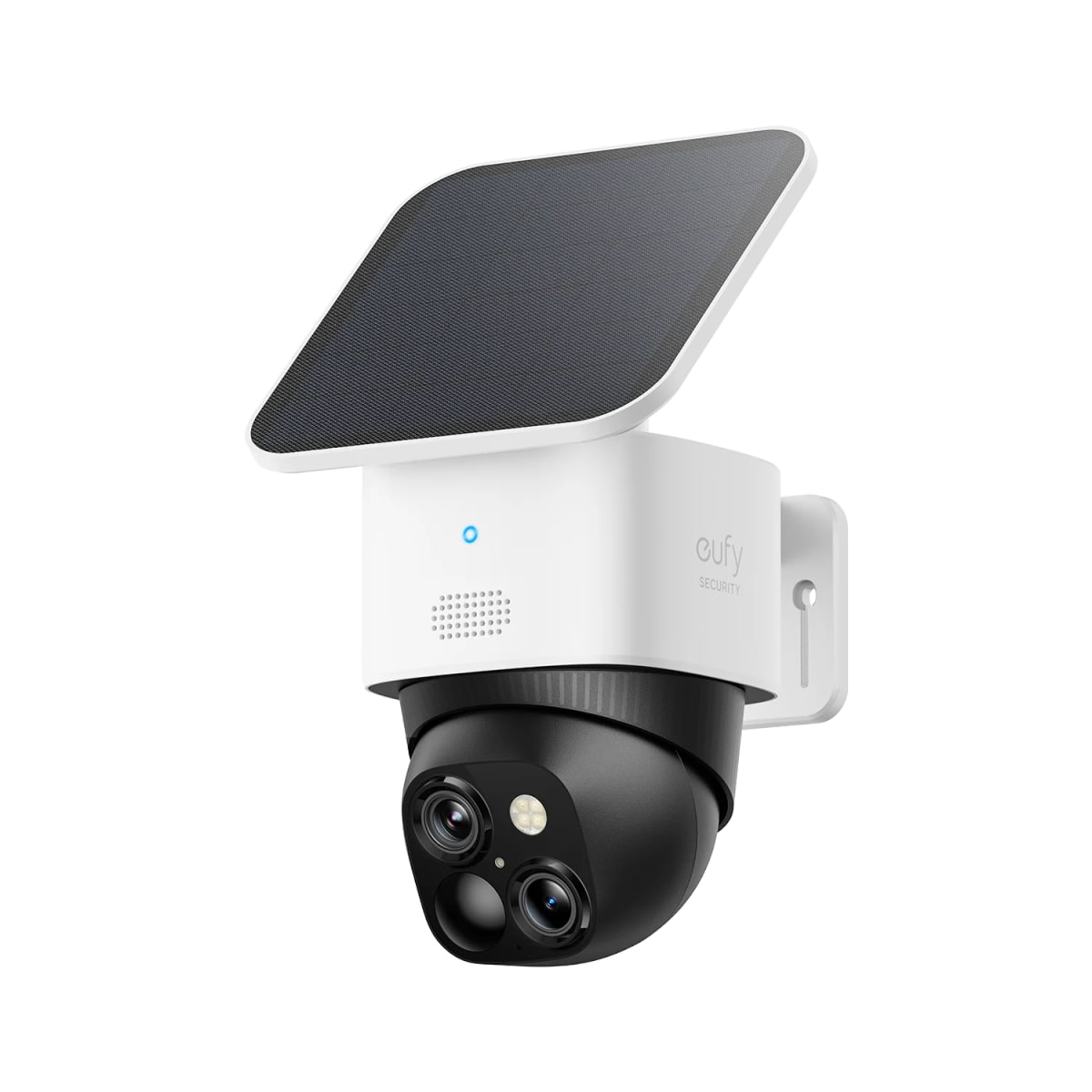
The S340 is appealing when the best camera view and the best solar-panel position are different places. Its app shows charge and solar-generation information, and a February 2025 review describes easy phone downloads from the camera’s onboard recording setup. For a roadside view, check a more specific compromise: one reviewer could not keep vehicle recordings while silencing only their notifications.
Updated October 16, 2026. Compare the eight-camera guide or jump to grades, controls, recordings, handling and the decision.
Everyday-use grades
| Everyday task | Grade / 10 |
|---|---|
| App navigation and ordinary controls | 7 |
| Finding and saving an event | 9 |
| Physical handling and power routine | 8 |
| Overall | 8 |
Grades compare app controls, finding and saving recordings, and physical handling. They are based on the linked historical reviews and reports, not firsthand testing by us. Security, privacy, detection accuracy, image/audio quality and battery duration are outside this assessment.
Using the everyday controls
Ultratec wanted to record passing vehicles but receive phone notifications only for people. In his S340 setup, the available category choices controlled recording; he could not find the separate vehicle-notification switch he wanted. Turning off vehicle recording would not meet that preference because it would also give up footage he wanted to keep.
That specific compromise explains the 7/10 controls grade. It matters most if your camera faces a busy road and you want a quiet phone alongside a broader archive. Check the recording and notification screens together in the current app, with that exact preference in mind.
Sources: 3 MAJOR FLAWS of the Eufy S340 You NEED to Know! — Ultratec [Jesse Sanchez]
Finding and saving a recording
Alistair Charlton’s February 2025 Independent review describes accessing recorded S340 video in Eufy’s app and downloading it to a phone as quick and easy, at home or elsewhere. This is the everyday benefit behind the 9/10 retrieval grade: getting a recording onto the device where you want to keep it.
The account places this routine in its discussion of the camera’s onboard 8GB storage. HomeBase is introduced afterward as an optional addition. Start your storage decision with that distinction: the phone-download praise is not presented as requiring HomeBase, and adding HomeBase is a separate choice. The review does not lay out a filter-by-filter navigation sequence.
Sources: Eufy SoloCam S340 review: a solar-powered and fully wireless outdoor security camera
Mounting, access and power chores
ModernDayTech shows the panel connected to the camera by a cable and explains placing it separately to reach sunlight. The app’s battery and solar-generation information helps you judge whether the chosen panel position is working for your installation. That gives you two useful decisions: aim the camera for the view, then place the panel for its power job.
Plan the connecting cable before fixing either piece. After installation, check the charge information rather than assuming the first position will suit every season. The 8/10 physical grade rewards that placement flexibility while recognizing the extra panel and cable to arrange. It does not promise an interval between charges.
Sources: Eufy SoloCam S340 - 3 Things You Need to Know! — ModernDayTech
Which routine fits you
Choose the S340 for flexible panel placement and the reported ease of saving recordings to a phone. If your priority is narrowing a busy archive to people events, compare Reolink Argus 4 Pro’s shown playback filter. For the S340, make the recording-versus-notification choice part of your app check before settling on a roadside view.
Read the Reolink Argus 4 Pro review or return to the comparison table.
Comparison sources: Eufy SoloCam S340 - 3 Things You Need to Know! — ModernDayTech; 3 MAJOR FLAWS of the Eufy S340 You NEED to Know! — Ultratec [Jesse Sanchez]; Eufy SoloCam S340 review: a solar-powered and fully wireless outdoor security camera; Reolink Argus 4 PRO Review - 4K 180 Degree Low Light Wireless Security Camera — LifeHackster
Check the selected Amazon listing for the exact package, current terms and availability.
Sources and review context
eufy Security SoloCam S340
eufy
A separate solar-panel position and straightforward phone saves
The S340 is appealing when the best camera view and the best solar-panel position are different places. Its app shows charge and solar-generation information, and a February 2025 review describes easy phone downloads from the camera’s onboard recording setup. For a roadside view, check a more specific compromise: one reviewer could not keep vehicle recordings while silencing only their notifications.
Reasons to choose it
- The February 2025 review describes easy phone downloads in its onboard-storage discussion.
- Separate panel placement lets you choose sunlight and camera angle independently.
Tradeoffs to know
- One reviewer could not separate vehicle recording from vehicle notifications.
- Panel position and the connecting cable need planning.
Think twice if: You need to keep vehicle recordings while silencing only vehicle alerts without checking the current controls
Published specifications
- Everyday-use focus
- A separate solar-panel position and straightforward phone saves
Ratings
Editorial score 8
App navigation and ordinary controls7
Reviewer wanted separate vehicle-recording and notification toggles but found only recording-category choices.
Finding and saving an event9
The February 2025 review describes easy access to recorded video and phone downloads at home or elsewhere, following its onboard 8GB storage discussion. HomeBase is optional and discussed separately.
Physical handling and power routine8
Separate solar-panel placement and in-app battery/solar-generation view help manage physical charging routine; no sunlight or runtime guarantee.
Sources & further reading
youtube.com review
youtube.com review
youtube.com review
the-independent.com review
Keep reading
Something changed? Help us keep this useful.
Send a correction →