
The recommendation
Start with AirPods Pro 2 USB-C for straightforward handling or Nothing Ear (2024) for pinch controls, then let your own fit decide.
The shortlist, at a glance
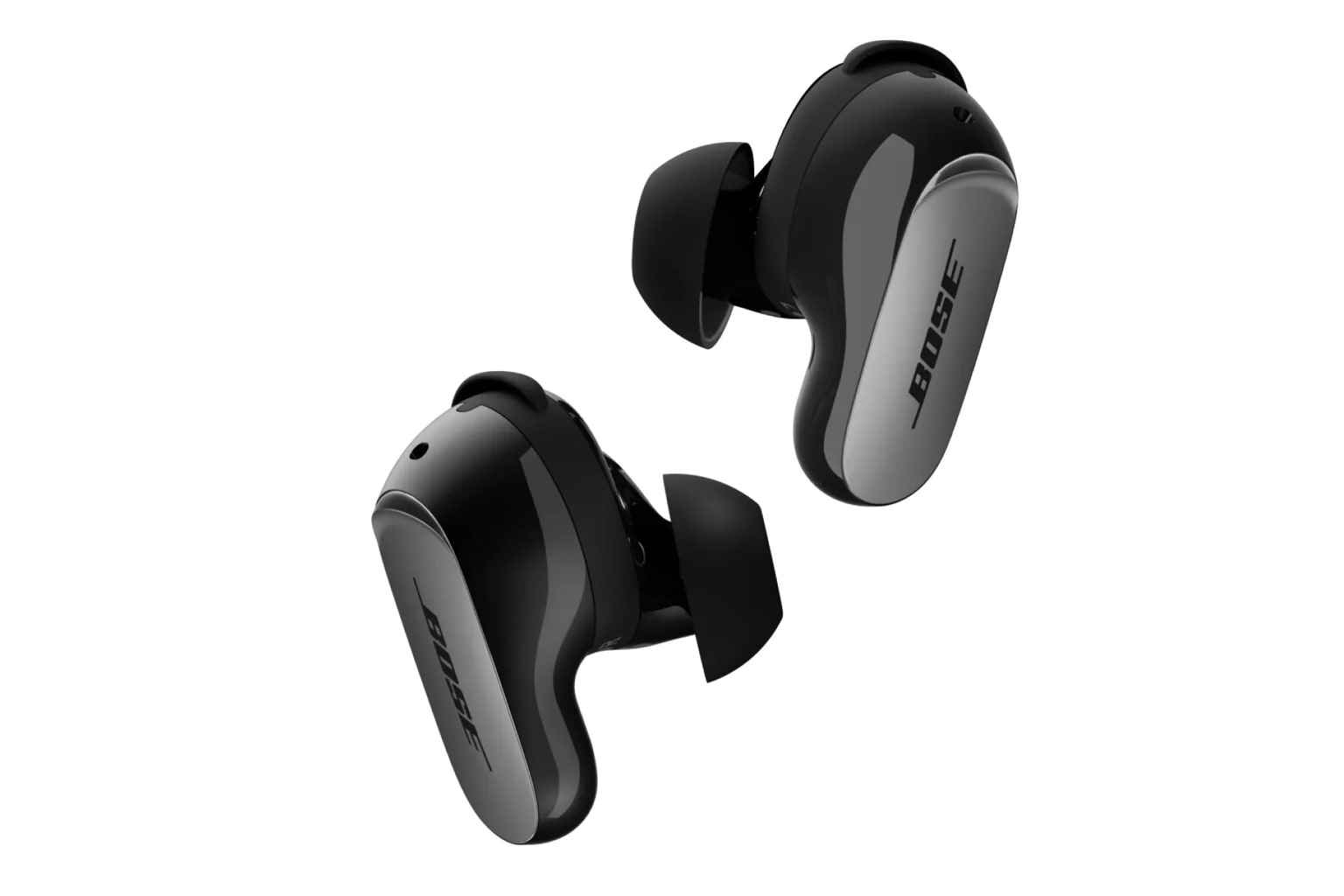
People who prefer a direct volume swipe and are comfortable carrying a larger case.
Bose QuietComfort Ultra Earbuds (2nd Gen) →
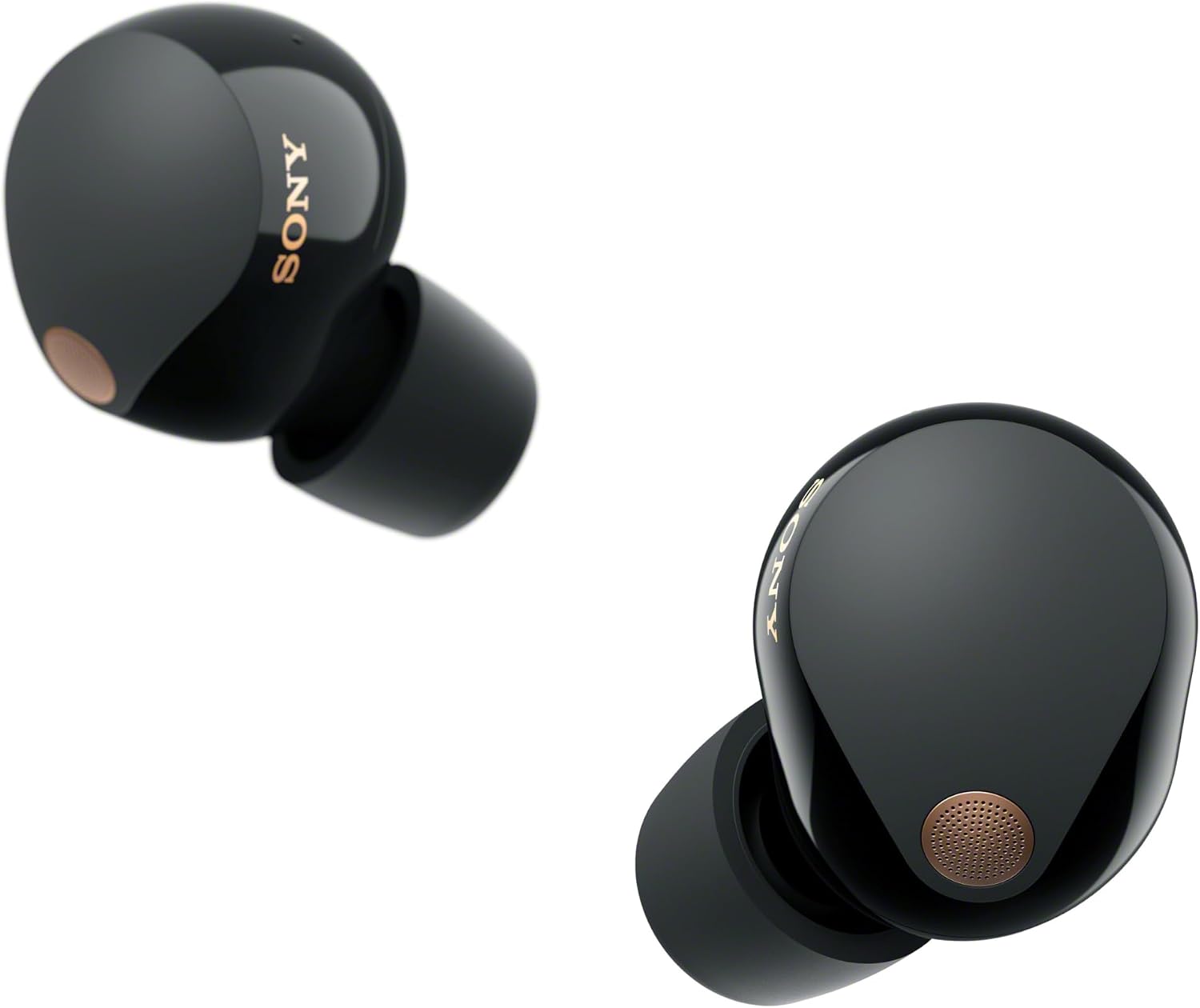
People who like the XM5 shape and can comfortably distinguish fit adjustments from touch commands.
Sony WF-1000XM5 →
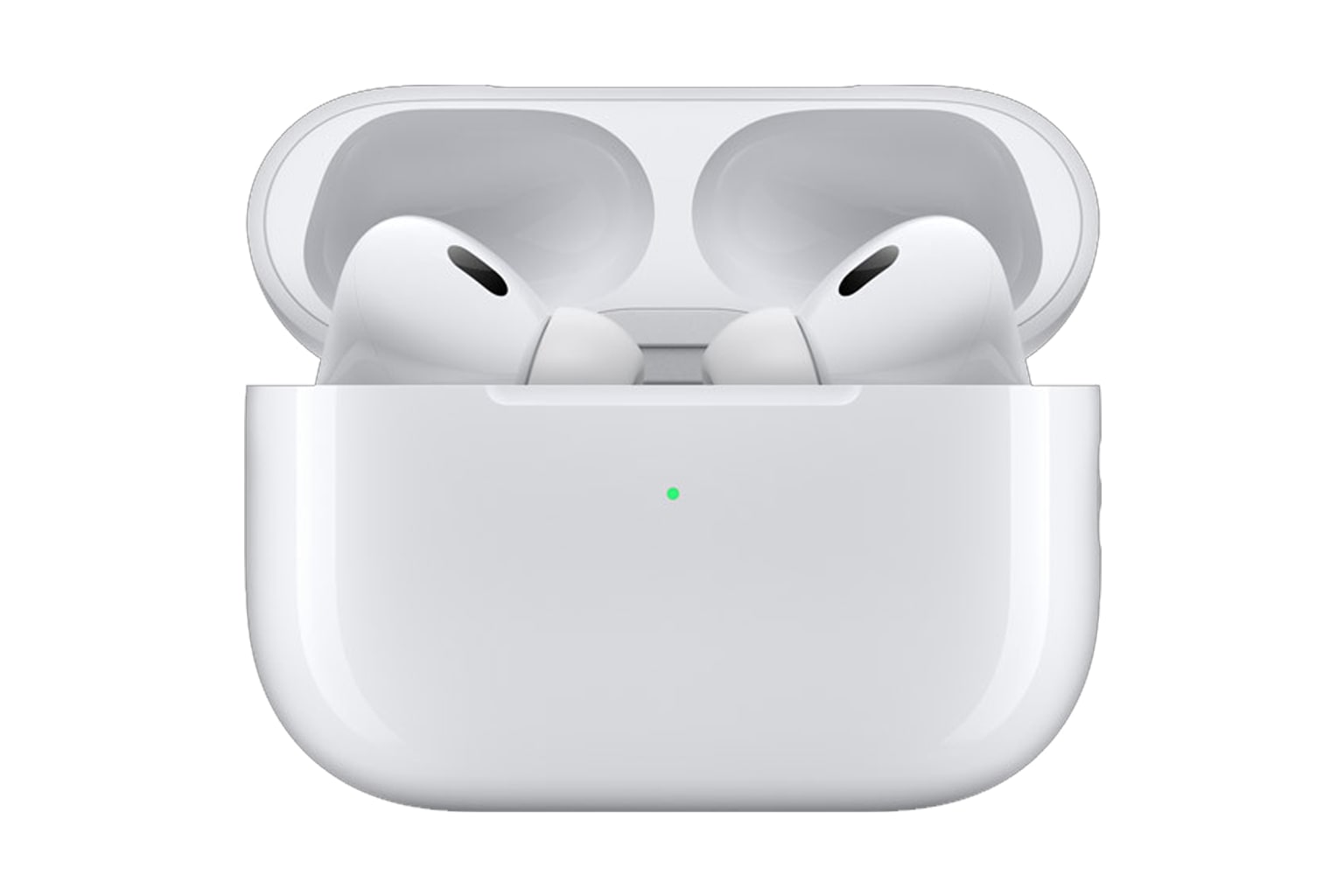
People who prefer a separate stem to hold and swipe, with four tip sizes to try.
Apple AirPods Pro (2nd Generation, USB-C) →
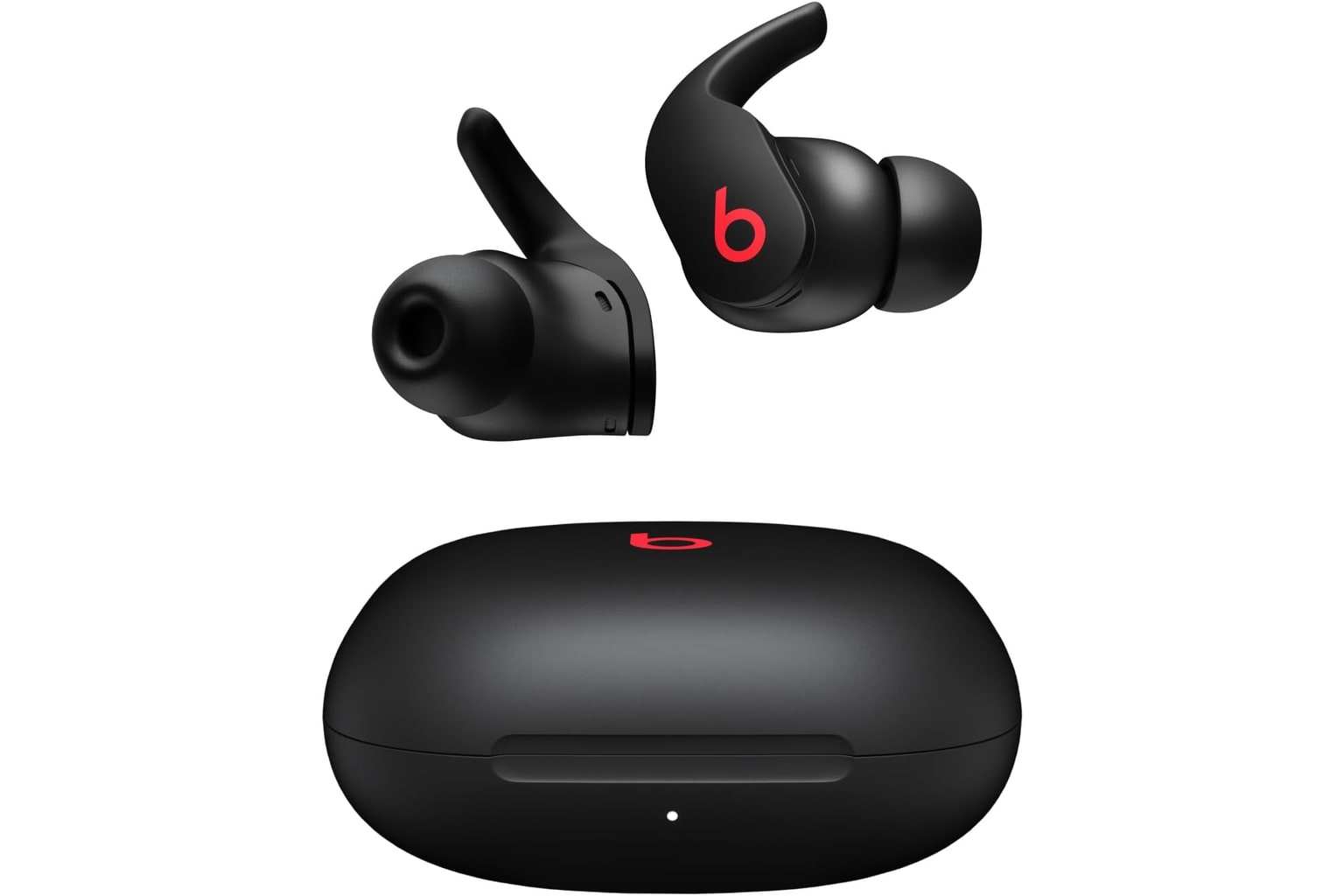
People who want a definite button press and like the feel of an integrated earfin.
Beats Fit Pro (1st Gen) →
Grades at a glance
| Product | Overall | Fit and handling | Case and storage | Everyday controls |
|---|---|---|---|---|
| Bose QuietComfort Ultra Earbuds (2nd Gen) | 6.9 | 6.5 | 6.5 | 8.0 |
| Sony WF-1000XM5 | 6.8 | 6.5 | 8.0 | 6.5 |
| Samsung Galaxy Buds3 Pro | 8.0 | 8.5 | 6.5 | 9.0 |
| Nothing Ear (2024) | 8.4 | 8.0 | 8.0 | 9.0 |
| Apple AirPods Pro (2nd Generation, USB-C) | 8.8 | 8.5 | 9.0 | 9.0 |
| Beats Fit Pro (1st Gen) | 7.9 | 7.5 | 7.0 | 9.0 |
Compare your shortlist
Does it fit your life?
Start with the action that annoys you
The best wireless earbud for everyday handling is the one you can put in, adjust, control and put away without repeatedly thinking about the same small annoyance. Among these six models, AirPods Pro 2 USB-C are the strongest starting point for straightforward lid opening, docking and direct stem controls. Nothing Ear (2024) is a useful alternative if you prefer a pinch action. Neither recommendation overrides a poor fit in your own ears.
Beats Fit Pro makes a different proposition: built-in fins and physical buttons. Samsung Galaxy Buds3 Pro offers pinch playback and swipe volume, with a limited reported contact-care caveat. Bose QuietComfort Ultra Earbuds (2nd Gen) gives you volume swipes but asks for care around its touch area during adjustments. Sony WF-1000XM5 has a clear rear case layout, although reviewers disagree about grip and its reviewed volume sequence takes four taps.
The scores here judge physical fit and handling, ordinary control selection, and case/storage chores. They are editorial comparisons of those aspects. A high score is most useful when the corresponding physical design suits you. It is not a reason to accept a tip that keeps loosening or a control action you already dislike.
Use the table to identify a starting point, then read the relevant full review. The most helpful comparison is often between two specific actions: swipe versus repeated taps, fixed fin versus a different shell shape, or a larger case versus a more convenient docking sequence.
Six designs, six practical tradeoffs
| Model | Everyday handling score | Strongest physical reason to try it | Main reservation |
|---|---|---|---|
| AirPods Pro 2 USB-C | 8.8/10 | Stem swipes and an easily opened, easily docked case | Glossy grip and personal fit |
| Nothing Ear (2024) | 8.4/10 | Pinch controls and identifiable side case access | Tip depth does not suit everyone |
| Galaxy Buds3 Pro | 8.0/10 | Pinch playback and swipe volume | Limited side-specific layout and reported contact-care chore |
| Beats Fit Pro | 7.9/10 | Physical buttons and built-in fins | Fixed-fin comfort and case bulk |
| Bose QuietComfort Ultra Earbuds (2nd Gen) | 6.9/10 | Direct volume swipe | Touch input during adjustments and larger case |
| Sony WF-1000XM5 | 6.8/10 | Four labeled tip sizes and a distinct rear case button | Conflicting grip reports and repeated volume taps |
Small score differences should not overrule the shape you can comfortably wear. The table is a way to locate a useful tradeoff, rather than a prescription to buy the first row. Someone who prefers a physical button may reasonably start with Beats. Someone who cannot tolerate its fixed fin should move to a different shape.
AirPods Pro 2 USB-C: start here for simple case handling
SoundGuys describes a thumb-open lid and earbuds that are easy to lift out and guide back in. Combined with pressure-sensitive stems and volume swipes, that gives the AirPods Pro 2 USB-C a straightforward physical routine. There is a clear area for your fingers to interact with, and the case sequence has favorable reporting.
PCMag describes four tip sizes, including extra-small. That extra option is useful if a three-size set leaves you wanting another choice, but it does not guarantee comfort. The same review acknowledges loose-fit complaints alongside its positive fit experience. A personal account describes frequent repositioning.
Grip is another qualification: PCMag finds the glossy shell difficult to hold, while SoundGuys finds case removal easy. Consider which surface you naturally grasp. Also try removal with your usual hair arrangement or mask straps, since SoundGuys notes that stems can catch on them.
Choose these when a direct swipe and uncomplicated docking matter most and the tips sit naturally. Read the full AirPods Pro 2 USB-C review for the fit and handling checks.
Nothing Ear (2024): a clear pinch action
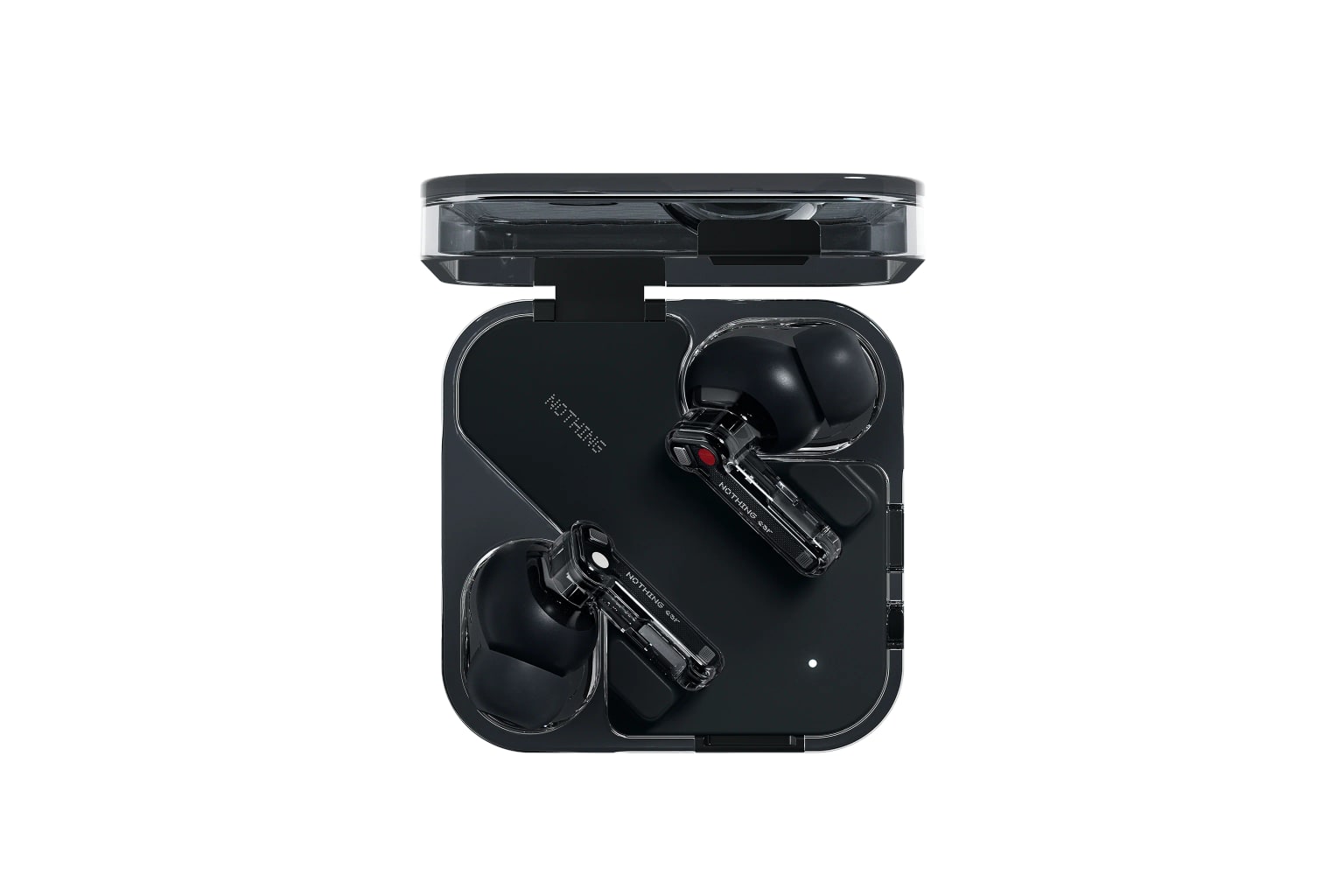
Nothing Ear (2024) is the strongest alternative here for someone who likes a deliberate pinch around a stem. PCMag describes a sensible default layout, with repeated pinches for track selection. Its physical case description places a button on the right side beside the USB-C port. Compare that side access with Sony's rear button and port when deciding where the case will sit on your desk or shelf.
The supplied silicone tip set contains three sizes. PCMag reports a comfortable fit, while personal accounts differ: one wants a deeper tip arrangement and another finds the buds snug and comfortable. That disagreement should remain central to the choice. Three sizes cannot guarantee the particular depth or angle you prefer.
Check the exact model name. This is the 2024 Nothing Ear, rather than Ear (a) or an earlier numbered version. A familiar transparent design does not establish that every review concerns the same purchase.
Try pinching and repositioning as separate actions. If both feel natural and the fit stays settled, this is a useful shortlist choice. The Nothing Ear (2024) review explains the tip-depth reservation and the side-access case layout.
Galaxy Buds3 Pro: separate pinch and swipe gestures
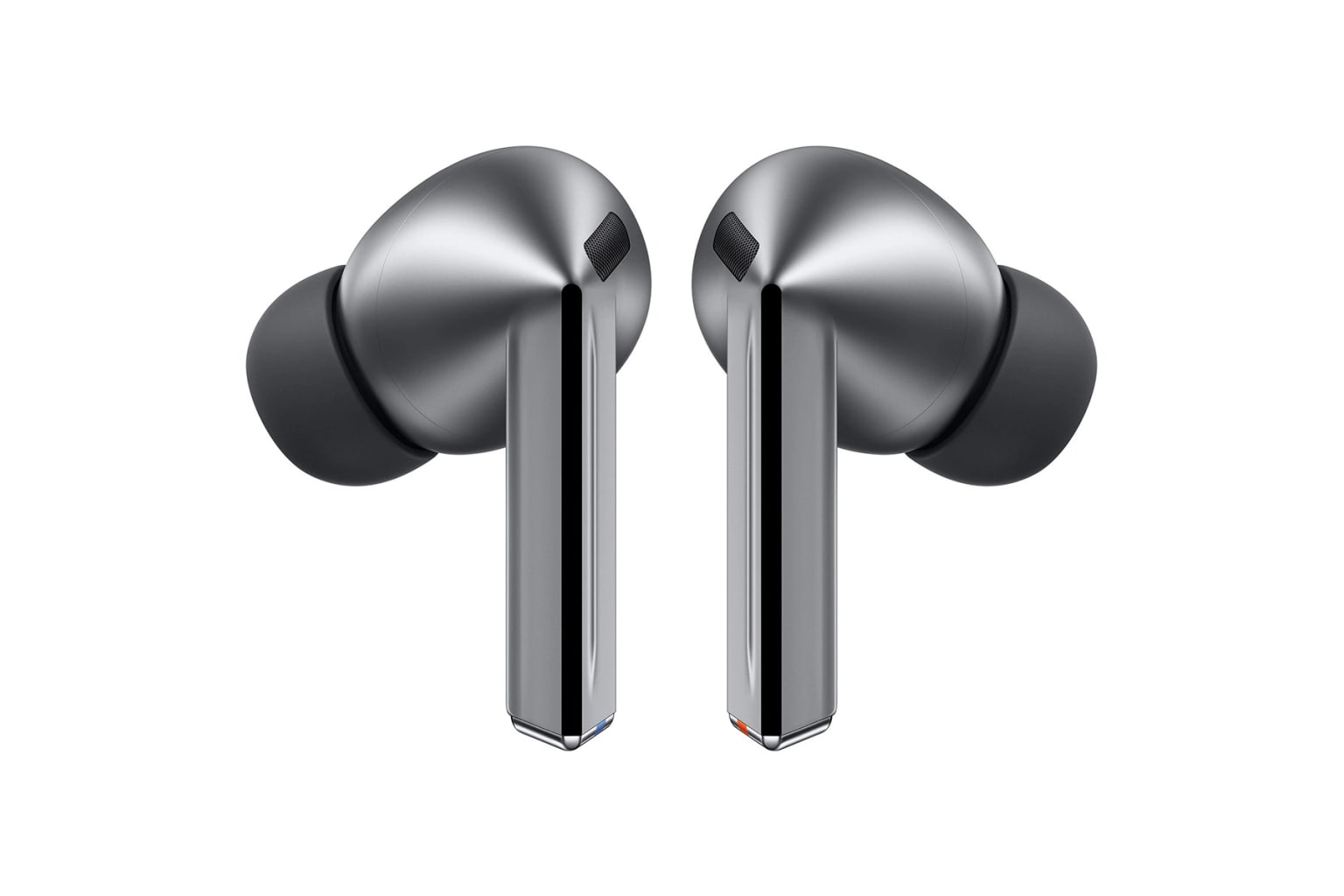
PCMag describes pinching for playback and track selection, with swipes on the back of the stem for volume. That is a clear physical split between actions. The reviewed layout is largely symmetrical, with only the pinch-and-hold gesture allowing different left and right assignments. Those are historical control descriptions, so check the actual available settings if extensive personalization is essential to you.
A same-day personal account says the earbuds stayed in place while eating. That is a useful observation about jaw movement, with a clear personal limit. It is a reason to try the shape during ordinary movement, not a long-term comfort finding.
The case-care reservation comes from SamMobile, which reports that cleaning the bottoms of the earbuds and the pins in the case helped some people reporting charging difficulties, but not others. This identifies a possible contact-care chore. It supplies neither a failure rate nor a guaranteed remedy.
Choose these for gestures that feel distinct in your fingers and a fit that works for you. The Galaxy Buds3 Pro review keeps the case-care report in its proper limits.
Beats Fit Pro: when you want a button and a fin
The Fit Pro's physical buttons are a meaningful alternative to touch panels. PCMag describes easy operation without disturbing the fit. If you often trigger commands while merely adjusting other earbuds, a distinct press deserves consideration.
The built-in fins are the bigger fitting decision. PCMag credits them with stability, but they cannot be exchanged for another fin size. The supplied tips come in small, medium and large. A tip change alters one part of the fit without offering a different support-wing shape.
Personal reports disagree about wing comfort. Some value the support; another finds it uncomfortable despite trying the supplied tip sizes. Do not assume that discomfort is something you should wait out. The useful fit is one you can wear without continually noticing the same pressure point.
The case is rounded, with a recessed rear USB-C port and a short supplied cable in PCMag's account. Some personal reporting criticizes its bulk, so consider both where you carry it and where the cable will reach. Check your normal pocket as well as the earbud shape. The Beats Fit Pro review is for buyers who want to weigh that fixed-fin/button combination.
Bose QuietComfort Ultra Earbuds 2nd Gen: try the adjustment grip
Bose offers a direct up-and-down volume swipe. The reservation is what happens when you want to move the earbud instead. PCMag describes triggering commands during fit adjustments and having to learn a particular pinch to avoid the touch surface. If you repeatedly reposition your earbuds, that distinction can dominate daily use.
Some personal reporting is favorable about comfort, so the handling criticism should not be turned into a claim that nobody can find a good fit. Try seating, adjusting and deliberately making a command as three different actions. Notice whether your fingers naturally distinguish them.
The case is another concrete consideration. PCMag gives dimensions of 2.60 by 2.35 by 1.06 inches and describes it as bulkier than the AirPods Pro 2 and XM5 cases. A second-generation video account also calls it bulky. A bag and a fitted clothing pocket may make that same case feel quite different.
Choose it when you like the fit, can keep adjustments separate from commands and have room for the case. Read the second-generation Bose review before treating a similarly named older model's experience as equivalent.
Sony WF-1000XM5: the grip disagreement matters
SoundGuys describes slippery glossy surfaces, while PCMag finds the earbuds easy to grip. Those reports should sit beside each other. Your fingers, preferred holding point and removal sequence decide which concern is more relevant to you. SoundGuys used a pre-production unit supplied by Sony; that disclosure applies to its grip and rear-case observations here.
PCMag describes four tip sizes, labeled and color-coded so you can distinguish them while fitting, and reports a favorable in-ear fit. Another account describes slipping with a medium tip. Again, positive and negative experiences identify what to try rather than establish a universal outcome.
The controls add a separate reservation. PCMag's reviewed volume layout requires four taps and can be triggered inadvertently during insertion or adjustment. If you change volume frequently, a direct swipe elsewhere in this group may be a better match for your habits.
SoundGuys describes a separate button and USB-C port on the rear of the case. That clear layout is useful, but it cannot resolve a grip you dislike. The Sony WF-1000XM5 review explains the conflicting reports and the repeated-tap tradeoff.
How to make the fit comparison useful
Treat the supplied tip options as choices to explore, not proof that the right fit must be present. AirPods and Sony have four sizes in the cited reviews. Beats and Nothing have three. Beats also adds a fixed fin, introducing another point of contact that you cannot independently resize.
Pay attention to each ear separately. Notice insertion, talking, ordinary jaw movement, removal and replacement. You are looking for a position that feels natural and is easy to find again. Repeated pushing, twisting or holding a bud in place is useful information about your preference.
Separate a fit problem from a handling problem. A bud can sit comfortably but be difficult to lift from the case. Another can be easy to hold but require frequent repositioning. Sony's conflicting grip reports and Bose's adjustment-touch report illustrate why both questions matter.
Choose a fitting opportunity or return arrangement that lets you assess the actual shape. Another person's positive fit can put a model on your shortlist; it cannot settle how it will sit in your ears.
Compare gestures by what you actually use
Start with your most common command. If it is volume, a swipe may be more appealing than four taps. If it is playback, a physical button or pinch may provide the distinction you want. A long function list is less useful than an action you can find and repeat comfortably.
AirPods, Bose and Samsung have reviewed volume swipes. Nothing centers on pinches, with historical customization described in its review. Beats uses physical buttons and a reviewed long-press assignment tradeoff. Sony's reviewed volume selection requires repeated taps. These descriptions tell you what actions to compare, with no promise that every present configuration is unchanged.
Then test the non-command action: adjusting the bud. Bose and Sony have specific reports of unintended input during that movement. A good control position for one person may be precisely where another person naturally grips the shell.
Finally, consider symmetry. Samsung's reviewed layout has limited left/right differences; Nothing's reviewed default is symmetrical with some configurable gestures. Some buyers find matching actions easier to remember. Others prefer distinct roles for each side. Pick the arrangement that matches your habits rather than equating more settings with easier use.
Give the case a place in your day
A case needs somewhere to live. Think about the pocket or bag compartment you use, how easily you retrieve it, which hand opens it and whether you can put a single bud back without prolonged orientation. These are ordinary storage questions with consequences every time you stop wearing the earbuds.
AirPods has favorable reporting on thumb opening and docking. Bose has a specifically documented bulk reservation. Beats has a rounded case, a recessed rear port and personal complaints about size. Sony's port and separate button are at the rear. Nothing groups the button and port on the side. Samsung's secondary contact-care report directs attention to the docking area.
Compare the complete sequence rather than one feature. A small case is less helpful if its buds are awkward for you to grasp. A pleasing lid is less important if the earbuds need constant fit correction.
The best starting point remains AirPods Pro 2 USB-C for straightforward handling, followed by Nothing Ear (2024) for a pinch-led alternative. Let your own fit and the action you repeat most decide between them and the more specialized shapes here.
Bose QuietComfort Ultra Earbuds (2nd Gen)
Bose
People who prefer a direct volume swipe and are comfortable carrying a larger case.
Bose QuietComfort Ultra Earbuds (2nd Gen) deserve a fitting opportunity before a confident recommendation. The useful question is whether you can adjust them without touching the controls. PCMag describes repeatedly triggering actions while repositioning the buds and having to learn a particular pinch to avoid the touch surface. That is a concrete everyday drawback if your usual fit requires frequent correction.
The takeaway
A conditional choice for people who like swipe controls and the physical fit, with adjustment gestures and case bulk worth trying first.
Reasons to choose it
- Swipe gesture gives direct volume selection
- Comfortable fit is reported by some users
- Case dimensions make pocket planning concrete
Tradeoffs to know
- Adjusting the fit can trigger touch commands
- Larger case is noticeable in a pocket
- Comfort remains personal
Think twice if: You repeatedly adjust earbuds or need a case that disappears into a small pocket.
Published specifications
- Model
- Bose QuietComfort Ultra Earbuds (2nd Gen)
Further reading
Ratings
Editorial score 6.9
Fit and handling6.5
The need to avoid touch input during adjustment adds handling effort despite positive personal comfort.
Case and storage6.5
The documented larger case and corroborating bulk report constrain pocket storage convenience.
Everyday controls8
Direct volume swipes are useful, tempered by the overlap between grip and touch surface.
Sony WF-1000XM5
Sony
People who like the XM5 shape and can comfortably distinguish fit adjustments from touch commands.
Sony WF-1000XM5 has two handling reservations that deserve attention before purchase: the grip and the volume sequence. SoundGuys describes slippery glossy surfaces, while PCMag finds the earpieces easy to grip. That disagreement is useful. It tells you to try the actual shape rather than treating either reviewer's fingers as a substitute for yours.
The takeaway
A considered choice for people who like the shape and case layout, with grip disagreements and repeated volume taps to weigh.
Reasons to choose it
- Four labeled tip sizes described by PCMag
- Separate rear button and cable port
- Some reviewers find grip and fit comfortable
Tradeoffs to know
- Grip reports directly disagree
- Reviewed volume changes require four taps
- Insertion and adjustment can trigger commands
Think twice if: You want the simplest volume gesture or find small glossy earpieces difficult to hold.
Published specifications
- Model
- Sony WF-1000XM5
Further reading
Ratings
Editorial score 6.8
Fit and handling6.5
The supplied pre-production grip concern and contrary easy-grip report make a cautious fit judgment appropriate.
Case and storage8
A separate rear button and rear cable port give clear access points without implying charging performance.
Everyday controls6.5
Four-tap volume selection and incidental commands during placement create repeated physical selection effort.
Samsung Galaxy Buds3 Pro
Samsung
People who like separate pinch and swipe actions on a stem.
Galaxy Buds3 Pro are most appealing here for their physical control arrangement. PCMag describes pinching the outer stem for playback and track selection, with swipes on the back of the stem for volume. Separating the gestures that way gives your fingers two distinct actions to learn.
The takeaway
Appealing for pinch playback and swipe volume, with a personal fit check and attention to the case contact area.
Reasons to choose it
- Pinch and swipe give distinct control actions
- A personal report describes a settled fit during eating
- Stem layout offers an identifiable place to interact
Tradeoffs to know
- Reviewed left/right customization has limits
- Fit praise comes from an individual experience
- Reported contact-care friction warrants attention
Think twice if: You need broad left/right control differences or want to overlook the physical docking area.
Published specifications
- Model
- Samsung Galaxy Buds3 Pro
Further reading
Ratings
Editorial score 8
Fit and handling8.5
The specific early eating-fit report is a useful positive observation with an explicit personal limit.
Case and storage6.5
The secondary contact-cleaning account supports a limited care chore, without a prevalence or remedy inference.
Everyday controls9
Pinch playback and swipe volume are distinct actions; the reviewed side-assignment limitations remain.
Nothing Ear (2024)
Nothing
People who prefer a stem pinch and identifiable side access on the case.
Nothing Ear (2024) is worth considering if you like a stem you can pinch and a case whose button and cable connection are together on one side. PCMag describes the default pinch layout as sensible and reports a comfortable, secure fit with the supplied silicone tips. Those are useful reasons to put it on a shortlist.
The takeaway
A useful choice for pinch controls and a clearly arranged case, provided the three-size tip set suits your ears.
Reasons to choose it
- Pinch controls have a clear physical action
- Three supplied silicone tip sizes
- Side button and nearby cable port are easy to identify
Tradeoffs to know
- Fit reports differ about tip depth
- Reviewed default controls are symmetrical
- A comfortable reviewer fit does not predict yours
Think twice if: You already need a deeper tip fit that this particular shape does not provide.
Published specifications
- Model
- Nothing Ear (2024)
Further reading
Ratings
Editorial score 8.4
Fit and handling8
Three supplied tips and positive reviewer fit are tempered by conflicting personal depth preferences.
Case and storage8
The side pairing button and nearby USB-C port keep the case’s main access points together.
Everyday controls9
Pinch controls give playback a deliberate gesture, while track changes require counting two or three pinches.
Apple AirPods Pro (2nd Generation, USB-C)
Apple
People who prefer a separate stem to hold and swipe, with four tip sizes to try.
The AirPods Pro 2 USB-C make their strongest case in the small actions you repeat: open the lid, take out an earpiece, adjust its position, change the volume and put it away. The stem gives your fingers an obvious place to go. SoundGuys describes a lid that opens easily with a thumb and earbuds that are straightforward to lift out and guide back into their places. Those are useful conveniences when you take your earbuds out several times during a day.
The takeaway
A strong choice for direct stem controls and uncomplicated case handling, provided the silicone tips stay comfortable in your ears.
Reasons to choose it
- Four tip sizes offer room to adjust fit
- Stem swipes give a direct volume gesture
- Thumb-open lid and straightforward docking
Tradeoffs to know
- Comfort and retention vary between ears
- Glossy shells can be awkward to grip
- Stems can catch on hair or mask straps
Think twice if: You already struggle to keep this shape in place or dislike gripping glossy earpieces.
Published specifications
- Model
- Apple AirPods Pro (2nd Generation, USB-C)
Further reading
Ratings
Editorial score 8.8
Fit and handling8.5
Four tip choices help adjustment, with loose-fit reports preventing a universal comfort recommendation.
Case and storage9
The reported thumb-open lid and straightforward lifting and docking reduce ordinary storage effort.
Everyday controls9
Pressure and swipe actions are physically distinct and offer direct volume selection.
Beats Fit Pro (1st Gen)
Beats
People who want a definite button press and like the feel of an integrated earfin.
Beats Fit Pro are worth a close look if ordinary earbuds feel insufficiently supported in your ears. Their defining physical feature is an earfin built into each earpiece. PCMag credits those fins with a secure fit, but the same fixed construction limits adjustment. You can change the silicone tip size; you cannot select a different fin size from a set.
The takeaway
Worth considering for physical buttons and built-in support fins, with a careful fit check before you commit.
Reasons to choose it
- Physical buttons offer a distinct action
- Built-in fins add a stabilizing contact point
- Case has an identifiable rear cable port
Tradeoffs to know
- The fins cannot be swapped for another size
- Reports disagree about wing comfort
- Rounded case may feel bulky in a pocket
Think twice if: You need interchangeable fin sizes or dislike pressure from a fixed support wing.
Published specifications
- Model
- Beats Fit Pro (1st Gen)
Further reading
Ratings
Editorial score 7.9
Fit and handling7.5
The integrated fin supports positioning but cannot be independently resized, and comfort reports conflict.
Case and storage7
The rear recessed port is identifiable, while the short cable and reported bulk temper case convenience.
Everyday controls9
A distinct physical button is positively described; the historical long-press assignment involves a choice.
Sources & further reading
soundguys.com review
pcmag.com review
pcmag.com review
pcmag.com review
pcmag.com review
pcmag.com review
sammobile.com review
User reports at Reddit
soundguys.com review
pcmag.com review
Keep reading
Something changed? Help us keep this useful.
Send a correction →