
The recommendation
A strong choice for direct stem controls and uncomplicated case handling, provided the silicone tips stay comfortable in your ears.
Grades at a glance
| Product | Overall | Fit and handling | Case and storage | Everyday controls |
|---|---|---|---|---|
| Apple AirPods Pro (2nd Generation, USB-C) | 8.8 | 8.5 | 9.0 | 9.0 |
Does it fit your life?
The everyday choice
The AirPods Pro 2 USB-C make their strongest case in the small actions you repeat: open the lid, take out an earpiece, adjust its position, change the volume and put it away. The stem gives your fingers an obvious place to go. SoundGuys describes a lid that opens easily with a thumb and earbuds that are straightforward to lift out and guide back into their places. Those are useful conveniences when you take your earbuds out several times during a day.
The qualification is fit. Four tip sizes give you options, but they do not turn one earbud shape into four different shapes. PCMag found the fit snug and comfortable while acknowledging complaints about looseness. A separate personal report describes frequently pushing the buds back into place. If you recognize that routine from another pair, the ease of the lid will not make repeated adjustments less irritating.
Choose these for a physical arrangement you like using. The appeal is a clearly graspable stem, a direct volume gesture and a case that asks little of your hands. That recommendation applies to this second-generation USB-C model; a similar-looking product name is not enough to identify the same purchase.
Four tips, one earbud shape
PCMag describes four pairs of oval tips in extra-small, small, medium and large. That extra-small option is worth noticing if the smallest tip in a three-size set usually feels too large. It is an additional choice, not a prediction of comfort. The useful question is whether a tip lets the earbud sit naturally without frequent pushing or twisting.
Try the available sizes rather than treating the fitted pair as the right pair by default. Pay attention to each ear separately. A size that feels settled on one side may feel loose or intrusive on the other. During a normal fitting opportunity, include talking and ordinary jaw movement; a fit you like only while sitting very still may be less convenient for the way you use earbuds. These are selection checks, not a promise that a particular tip will solve a fit problem.
The glossy exterior deserves a separate check. PCMag calls it difficult to grip, whereas SoundGuys finds removal and replacement in the case easy. Those observations can coexist: a well-shaped docking path does not necessarily make every part of an earpiece easy to hold. Notice whether you naturally grasp the stem or keep pinching the rounded shell.
SoundGuys also flags stems catching on longer hair or mask straps. That is a concrete reason to include your usual accessories when judging handling. A shape that is convenient at a desk can still be awkward during removal if something loops around the stem.
A stem you can find by touch
SoundGuys describes pressure-sensitive stems with swipes for volume adjustment. For someone who regularly wants a small volume change, sliding a finger along a stem can be easier to remember than counting several taps. The physical distinction between squeezing and swiping is the central benefit here.
PCMag describes a double press to move forward a track and a triple press to go back. Together with the volume swipe, that gives you a useful distinction: count presses for track selection, slide for volume. These are the controls described in the reviews; check the settings on the actual pair if a particular assignment is essential. The buying question is whether those movements feel comfortable on a narrow stem.
During a fitting opportunity, locate the stem without looking, make the gesture you use most and then remove the earbud. Notice whether those actions feel distinct. If changing the volume makes you reposition the bud afterward, an apparently simple control can create a second chore. Conversely, if your fingers find the stem naturally, the arrangement has a practical advantage over a touch panel you keep brushing by accident.
The reported swipe gesture earns more weight in this recommendation than a long menu of possible functions. A control you can find and repeat comfortably is useful every day. Do not choose solely because a feature list names more commands than you expect to use.
Opening, lifting and putting away
The case's best-supported advantage is the sequence of opening and docking. SoundGuys describes flicking the lid open with a thumb, lifting out the buds and guiding them back in without difficulty. If you often move between wearing and storing your earbuds, that sequence matters as much as the appearance of the closed case.
The USB-C version is the model covered here. SoundGuys' physical description identifies a USB-C connection and a lanyard loop on the case. Those are useful identification details when comparing listings for a second-generation product. Check the actual model description rather than assuming that every AirPods Pro 2 case has the same connection.
Try the case with the hand you normally use to retrieve it. Open the lid, remove one bud, close the lid and put the case away; then reverse the sequence. This is especially revealing if you often remove just one earbud for a short conversation. The favorable docking report gives you a reason to start here, but your own hand must still find a comfortable grip on the glossy parts.
Keep fit and storage judgments separate. A case can be pleasant to use even when the earbuds do not suit your ears. If the buds repeatedly loosen, the case is not a reason to overlook that recurring inconvenience.
When another shape makes more sense
Beats Fit Pro is the more relevant comparison if your priority is an extra physical contact point in the ear. Its built-in fins provide that, but cannot be exchanged for another fin size, and comfort reports differ. Choose between those shapes by how they sit, rather than assuming the product with more visible support must be more comfortable.
Nothing Ear (2024) is the closer comparison if you want to keep a stem design: it has pinch controls and three supplied tip sizes. Samsung Galaxy Buds3 Pro also separates pinch playback from swipe volume, though its case has a reported contact-care chore to weigh. Sony WF-1000XM5 changes the shell shape more substantially; its four labeled tip sizes are useful, but reviewers disagree about grip and the reviewed volume command takes four taps.
The AirPods Pro 2 USB-C remain the clearest choice here when lid opening, docking and direct stem adjustment are your priorities. If you cannot find a settled fit, move on to another shape. A good everyday earbud should not require you to tolerate the same physical annoyance every time you put it in.
Apple AirPods Pro (2nd Generation, USB-C)
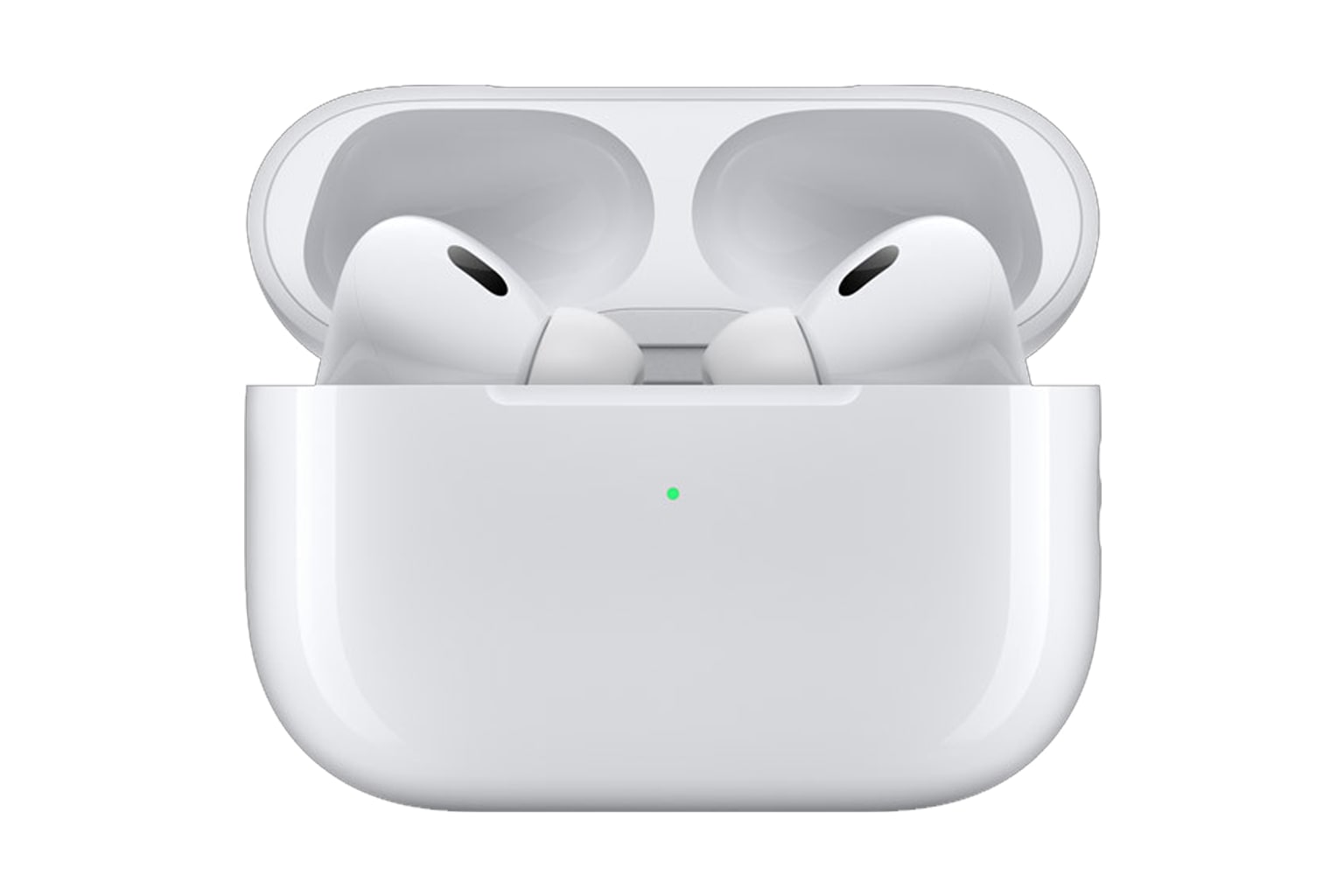
Apple
People who prefer a separate stem to hold and swipe, with four tip sizes to try.
The AirPods Pro 2 USB-C make their strongest case in the small actions you repeat: open the lid, take out an earpiece, adjust its position, change the volume and put it away. The stem gives your fingers an obvious place to go. SoundGuys describes a lid that opens easily with a thumb and earbuds that are straightforward to lift out and guide back into their places. Those are useful conveniences when you take your earbuds out several times during a day.
Reasons to choose it
- Four tip sizes offer room to adjust fit
- Stem swipes give a direct volume gesture
- Thumb-open lid and straightforward docking
Tradeoffs to know
- Comfort and retention vary between ears
- Glossy shells can be awkward to grip
- Stems can catch on hair or mask straps
Think twice if: You already struggle to keep this shape in place or dislike gripping glossy earpieces.
Published specifications
- Model
- Apple AirPods Pro (2nd Generation, USB-C)
Further reading
Ratings
Editorial score 8.8
Fit and handling8.5
Four tip choices help adjustment, with loose-fit reports preventing a universal comfort recommendation.
Case and storage9
The reported thumb-open lid and straightforward lifting and docking reduce ordinary storage effort.
Everyday controls9
Pressure and swipe actions are physically distinct and offer direct volume selection.
Sources & further reading
soundguys.com review
pcmag.com review
Keep reading
Something changed? Help us keep this useful.
Send a correction →