
The recommendation
Start with Jackery for repeated packing and routine checks, EcoFlow for neighboring plug clearance, or DJI for a physical charge-mode switch. Let your most frequent task decide the shortlist.
The shortlist, at a glance
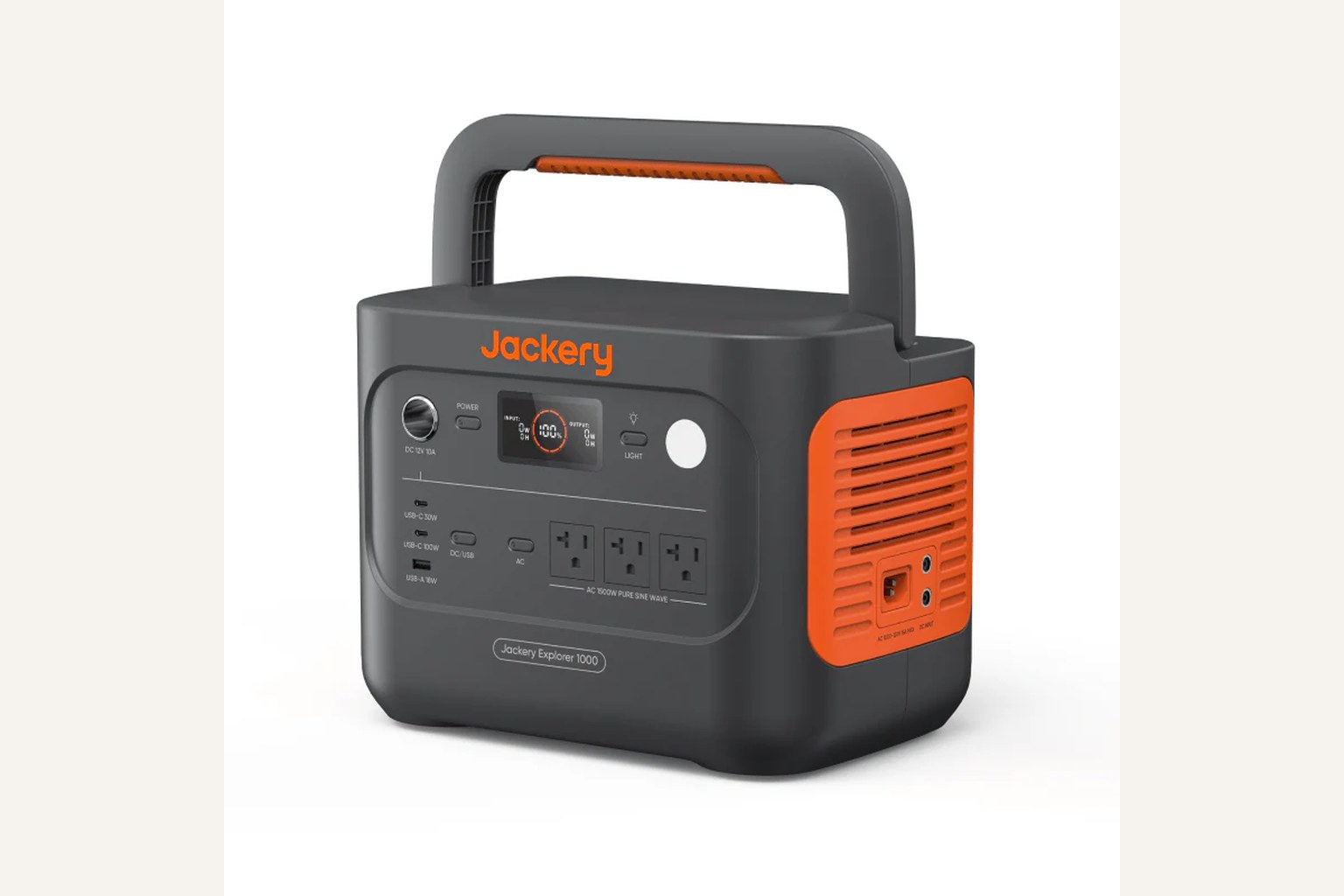
Packing into a vehicle, moving at the destination and making routine screen checks.
Jackery Explorer 1000 v2 →
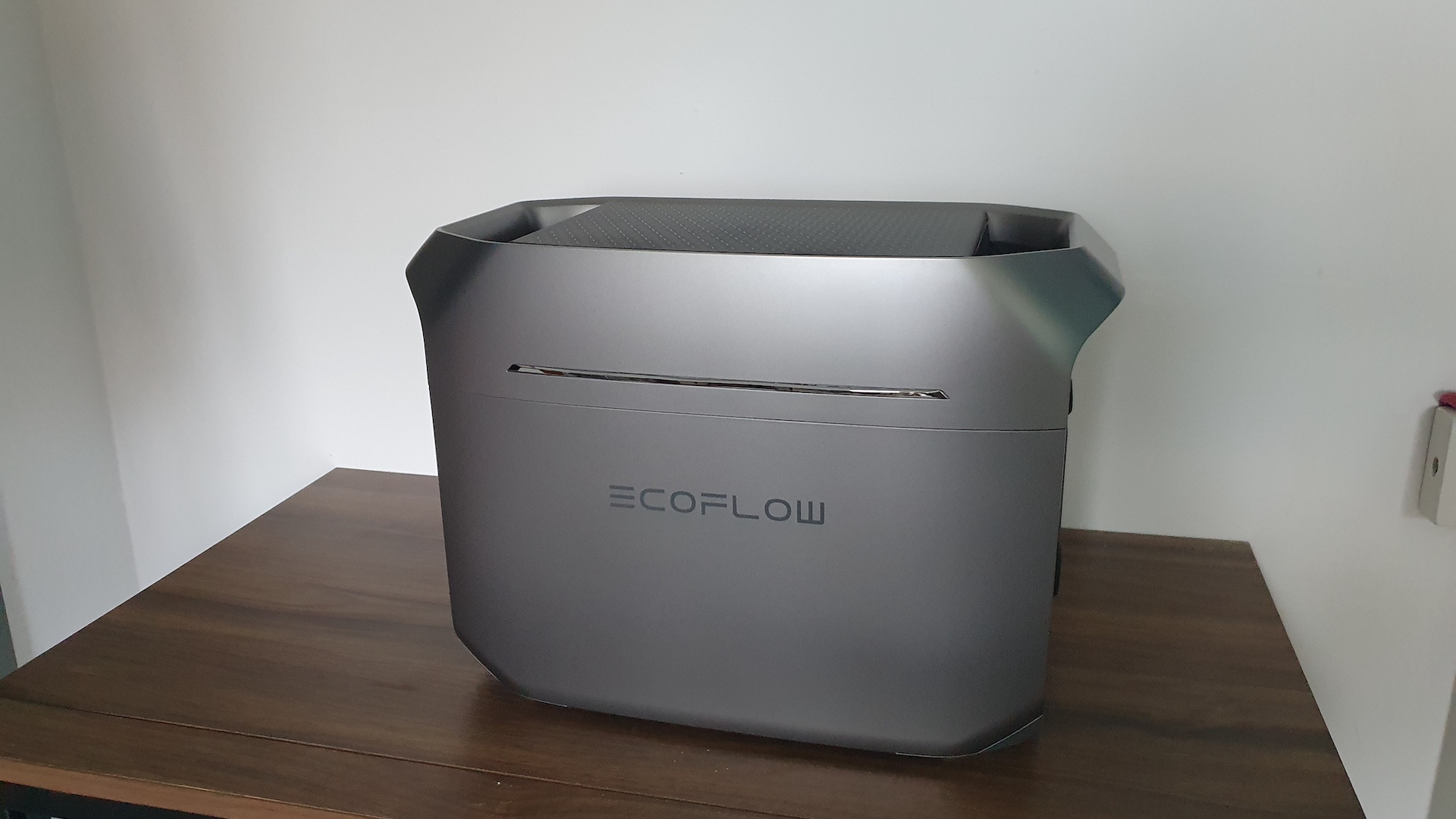
Using neighboring plugs with enough visibility to read the station’s button labels.
EcoFlow DELTA 3 Plus →
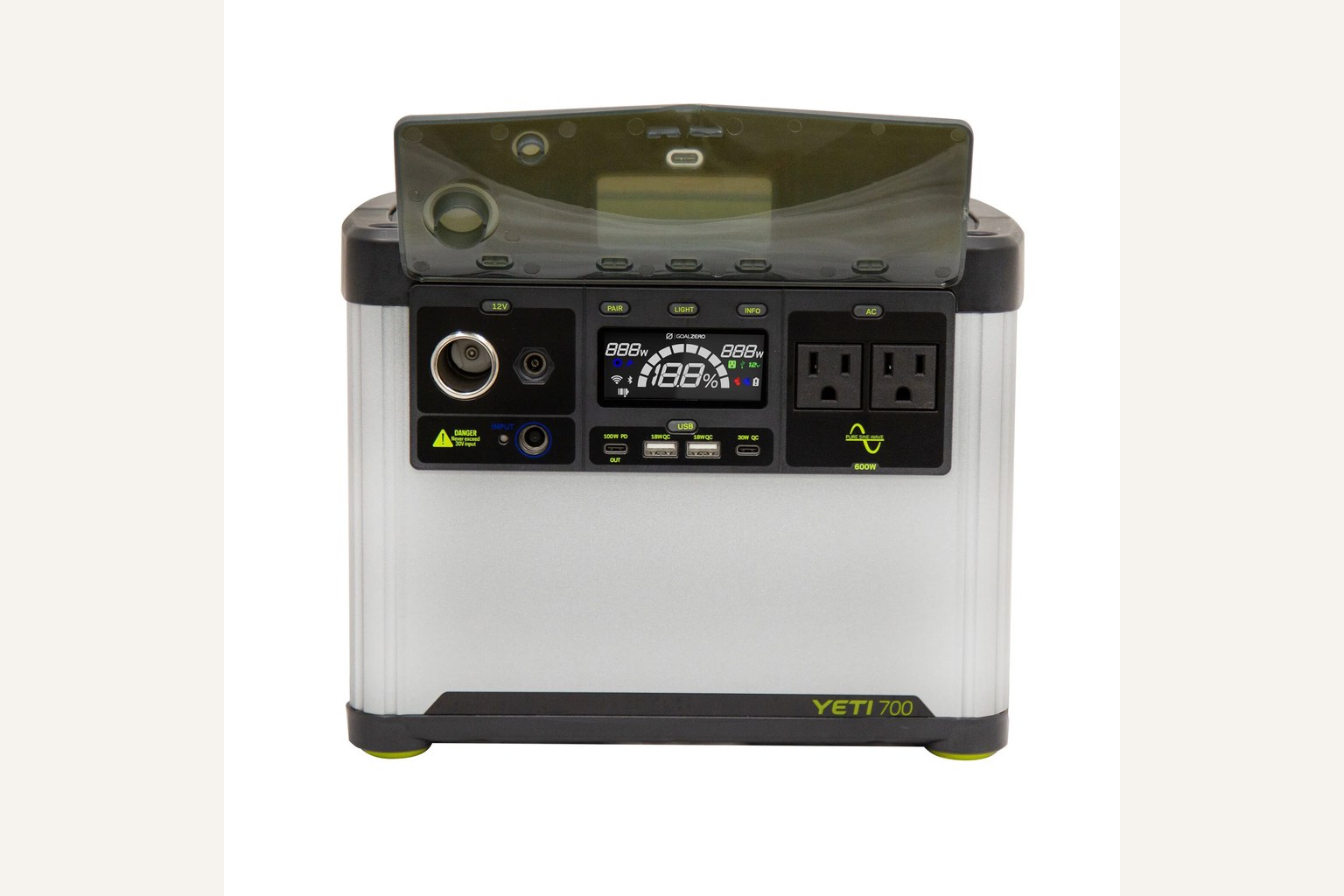
Packing around a flat-folding handle after checking the intended plug arrangement.
Goal Zero Yeti 700 →
Grades at a glance
| Product | Overall | Carrying and setup | Controls and display | Connections and stowage |
|---|---|---|---|---|
| Jackery Explorer 1000 v2 | 8.4 | 9.0 | 9.0 | 7.0 |
| EcoFlow DELTA 3 Plus | 8.3 | 9.0 | 7.0 | 9.0 |
| Anker SOLIX C1000 Gen 2 | 8.1 | 9.0 | 8.0 | 7.0 |
| DJI Power 1000 V2 | 7.7 | 7.0 | 9.0 | 7.0 |
| BLUETTI AC180 | 7.7 | 8.0 | 8.0 | 7.0 |
| Goal Zero Yeti 700 | 6.8 | 9.0 | 7.0 | 4.0 |
Compare your shortlist
Does it fit your life?
How long could it run?
A runtime estimate needs a published battery capacity in Wh. This article does not provide one.
Choose by the job you repeat
A power station can look straightforward until you lift it from a shelf, try to read a small label near the floor or find that one bulky plug blocks another. This guide compares those everyday interactions across six exact models.
Start with Jackery for folding-handle packing and routine controls, EcoFlow for neighboring plug access, or DJI for a physical charge-mode switch. Choose around the task you repeat most. Anker is worth comparing for regular relocation and local status checks; BLUETTI offers grippy handles and separate AC/DC toggles with extra settings and phone-positioning handwork. Goal Zero’s flat-folding handle helps packing, but its closely spaced outlets and initial setup steps narrow its appeal.
These scores compare ordinary carrying, controls and connection chores reported in the linked reviews. They do not rank appliance suitability, runtime, charging speed or long-term durability. We have not tested these stations ourselves. Use the comparisons to choose a workable physical routine, then establish the electrical requirements of your intended devices separately.
Jump to the comparison table or choose by your routine.
The everyday comparison
| Model | Carrying and setup | Controls and display | Connections and stowage | Overall |
|---|---|---|---|---|
| Jackery Explorer 1000 v2 | 9/10 | 9/10 | 7/10 | 8.4/10 |
| EcoFlow DELTA 3 Plus | 9/10 | 7/10 | 9/10 | 8.3/10 |
| Anker SOLIX C1000 Gen 2 | 9/10 | 8/10 | 7/10 | 8.1/10 |
| DJI Power 1000 V2 | 7/10 | 9/10 | 7/10 | 7.7/10 |
| BLUETTI AC180 | 8/10 | 8/10 | 7/10 | 7.7/10 |
| Goal Zero Yeti 700 | 9/10 | 7/10 | 4/10 | 6.8/10 |
The overall score balances carrying and setup, controls and display, and connections and stowage. A higher score does not mean a station is the best match for every task. DJI and BLUETTI tie overall while asking for quite different compromises, and EcoFlow can be the better fit than Jackery when bulky neighboring plugs dominate the routine.
The equal carrying scores for Jackery, EcoFlow and Goal Zero also describe different strengths: a folding carry handle, initial access to top handles, and a flat handle for packing. Read the relevant account before treating the number as a promise about your own carry.
Jackery Explorer 1000 v2: 8.4/10
Start with the Jackery Explorer 1000 v2 if you repeatedly pack, move and check a station. The reviewed folding handle and simple screen suit that routine; an existing solar-panel kit still needs its adapter arrangement checked.
The Solar Lab’s 1000 v2 review calls the flip-up handle easy to pick up and move, and says it folds away so items can be stacked when packing a car. The appeal is the transition between uses: a handle available for the lift, then a flatter top when the station is packed.
The same 1000 v2 review describes the screen as simple and easy to look at, and the app as clean. It also describes a remote inverter toggle and charging modes that are accessed through the app. Routine checking is therefore the clearest strength; some specialty choices still involve a phone.
The Solar Lab’s existing-panel discussion describes adapter-cable handwork when using existing solar panels. The available transcript excerpts are partial, so use this as a reason to plan the adapter arrangement; confirm the exact connector and panel requirements separately.
Read the Jackery Explorer 1000 v2 review for placement decisions and alternatives.
EcoFlow DELTA 3 Plus: 8.3/10
TrustedReviews review — EcoFlow DELTA 3 Plus side view; socket configuration is not shown.
Shortlist the EcoFlow DELTA 3 Plus when bulky plugs compete for neighboring outlets. Reviewers praise the rotated outlet arrangement and room at the top handles; tiny button labels make placement especially important if the station will sit on the floor.
Tech Made Easy’s detailed review describes plenty of room at the top handles and a straightforward initial pickup. This is a useful observation about getting your hands into place. The supplied-unit sponsored account does not establish comfort during a prolonged carry or a universal grip preference.
TrustedReviews reports that tiny, indistinct labels require crouching when the unit is on the floor. That is a concrete inconvenience for someone who expects to look down briefly and make a selection. A display can provide useful information while the nearby labels still make the interaction awkward.
The Solar Lab’s DELTA 3 Plus review praises rotated AC outlets for avoiding interference between plugs during simultaneous use. That is the main reason to shortlist EcoFlow for a group of bulky adapters. It addresses access to neighboring outlets rather than proving every cable arrangement or every regional socket version will be equally convenient.
Read the EcoFlow DELTA 3 Plus review for placement decisions and alternatives.
Anker SOLIX C1000 Gen 2: 8.1/10
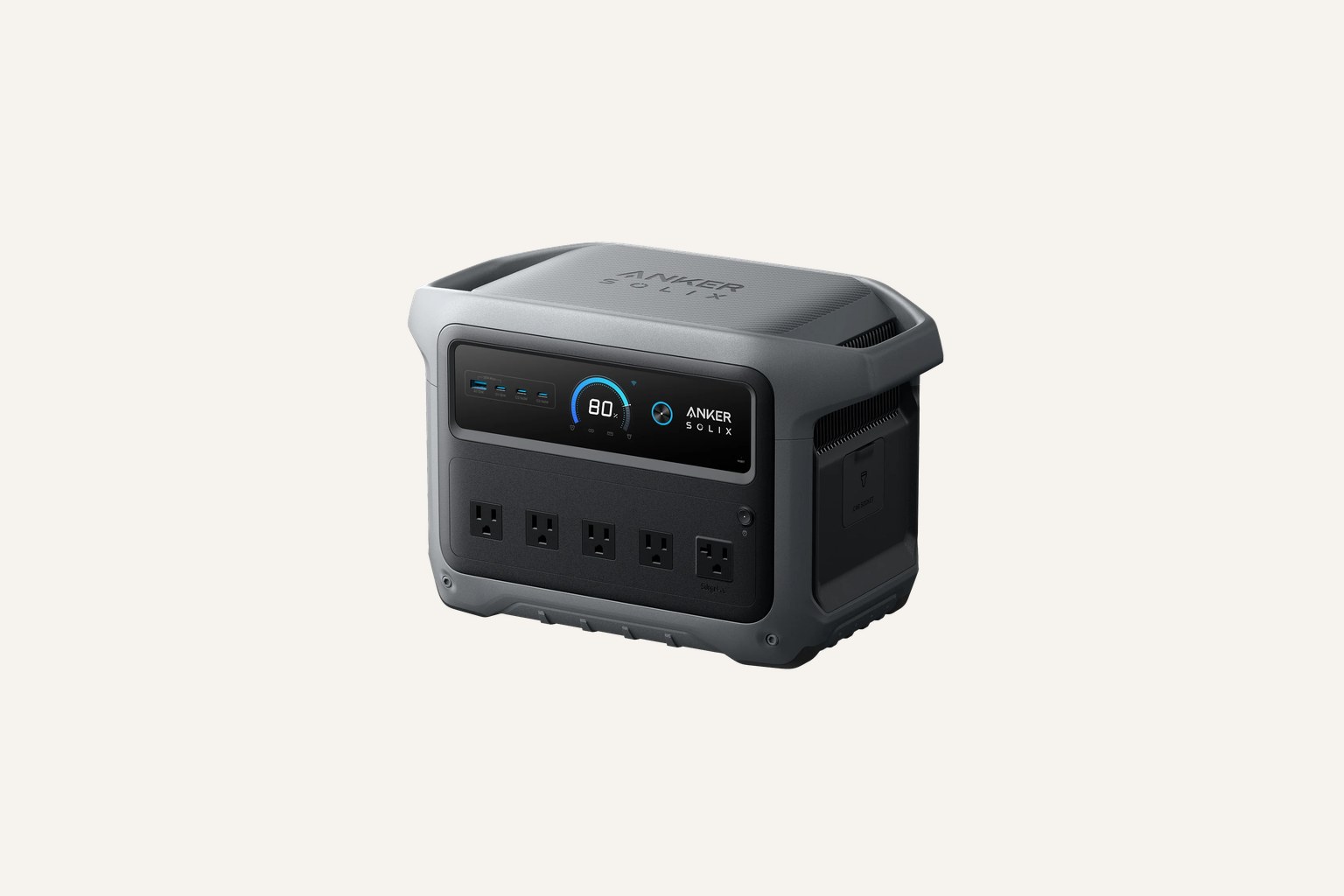
The Anker SOLIX C1000 Gen 2 makes sense for regular moves between storage, a vehicle and a temporary work spot. Local status screens suit quick checks; selecting UltraFast and preparing a solar connection take extra steps.
The cabin-use review describes taking the C1000 Gen 2 out to an off-grid cabin and finding it easy to take around. That is a useful account of repeated relocation, rather than a conclusion drawn solely from a weight specification. The same reviewer describes compact stowage as convenient. For someone who puts the station away after each use, those two tasks belong together: you need to get it out as well as find a place for it afterward.
Minute Man Solar’s standard-model demonstration describes cycling the physical screens with the power button to view input and individual port output. That makes ordinary status checks possible without reaching for a phone. It is a meaningful distinction if the station sits beside a work area and you want to check which connection is active.
The cabin-use reviewer objects to the missing solar adapter and describes solar setup as awkward. That criticism concerns preparing the accessories and arranging that connection. It does not mean the ordinary AC sockets have the same problem. If you plan to unpack panels alongside the station, treat the adapter as a distinct item to identify and pack before the trip.
Read the Anker SOLIX C1000 Gen 2 review for placement decisions and alternatives.
For UltraFast, FamilyGeekery’s first look reports app selection and a reset after unplugging and reconnecting. Minute Man Solar’s screen testing was requested by Anker; the separate first look is an early impression.
DJI Power 1000 V2: 7.7/10
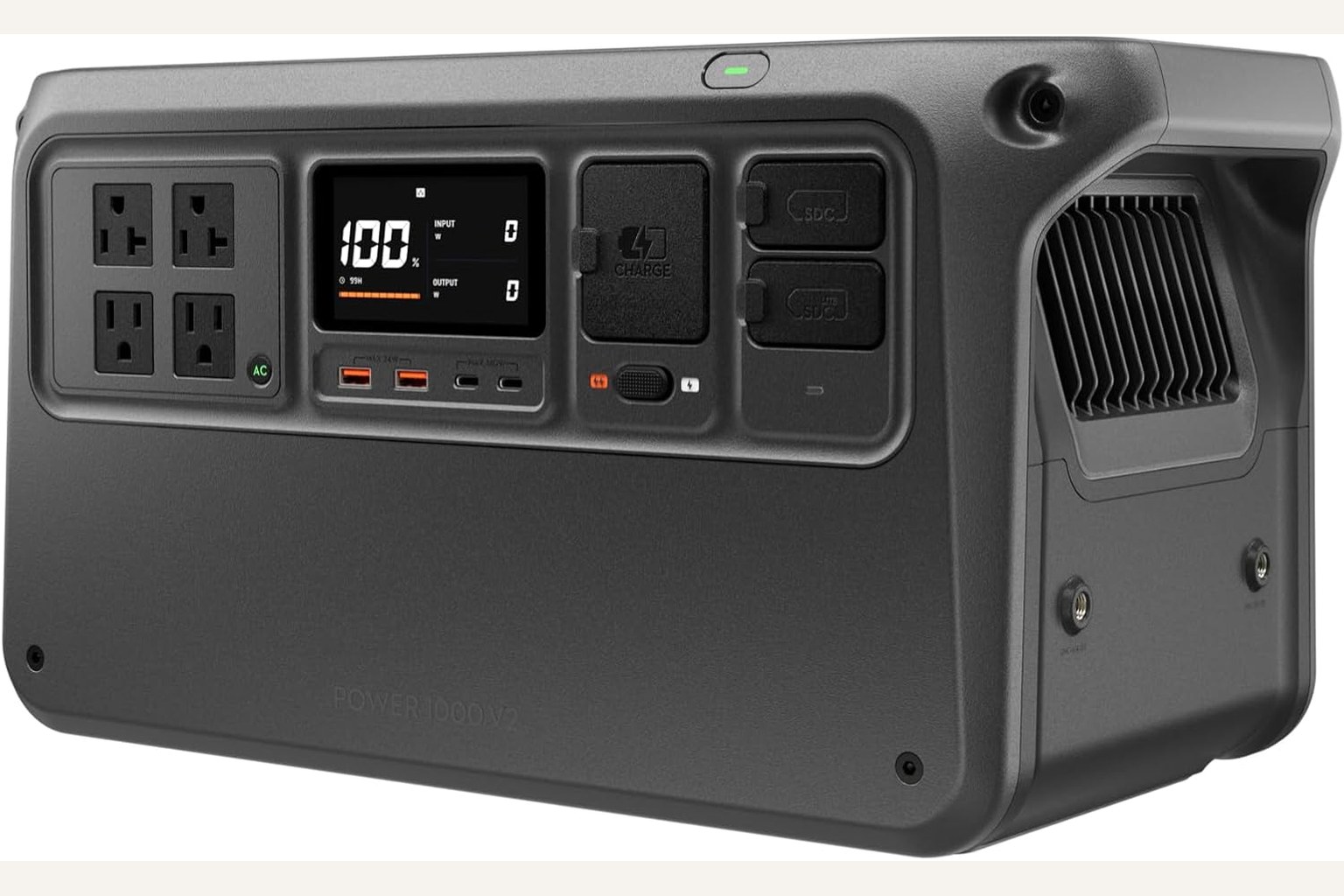
The DJI Power 1000 V2 is a strong comparison for buyers who change charging modes at the station: its physical switch keeps that action direct. Leave room to approach the side handles, and plan the extra pieces needed for solar or DC connections.
Android Authority’s review describes carrying as comfortable but finds a one-handed pickup unbalanced because the handles sit at the sides. Those observations can coexist: a supported carry and a quick lift from one handle are different movements. If you repeatedly pick up a station while your other hand is occupied, the latter matters.
The Power 1000 V2 video review describes a bright readable screen, an immediate physical charge-mode switch and straightforward remote output toggles and settings. The physical switch is the clearest reason to prefer DJI in this comparison: it gives a familiar local action for a choice that can require a phone elsewhere.
The same-model video review describes an additional solar controller and DC adapters. Even with favorable comments about outlet orientation elsewhere in that review, assembling those accessories is a real part of the intended kit. Count the pieces you must carry, connect and store rather than treating every connection as one cable straight into the station.
Read the DJI Power 1000 V2 review for placement decisions and alternatives.
The interface and accessory account is a sponsored review using a supplied unit; its favorable screen description applies to that use.
BLUETTI AC180: 7.7/10
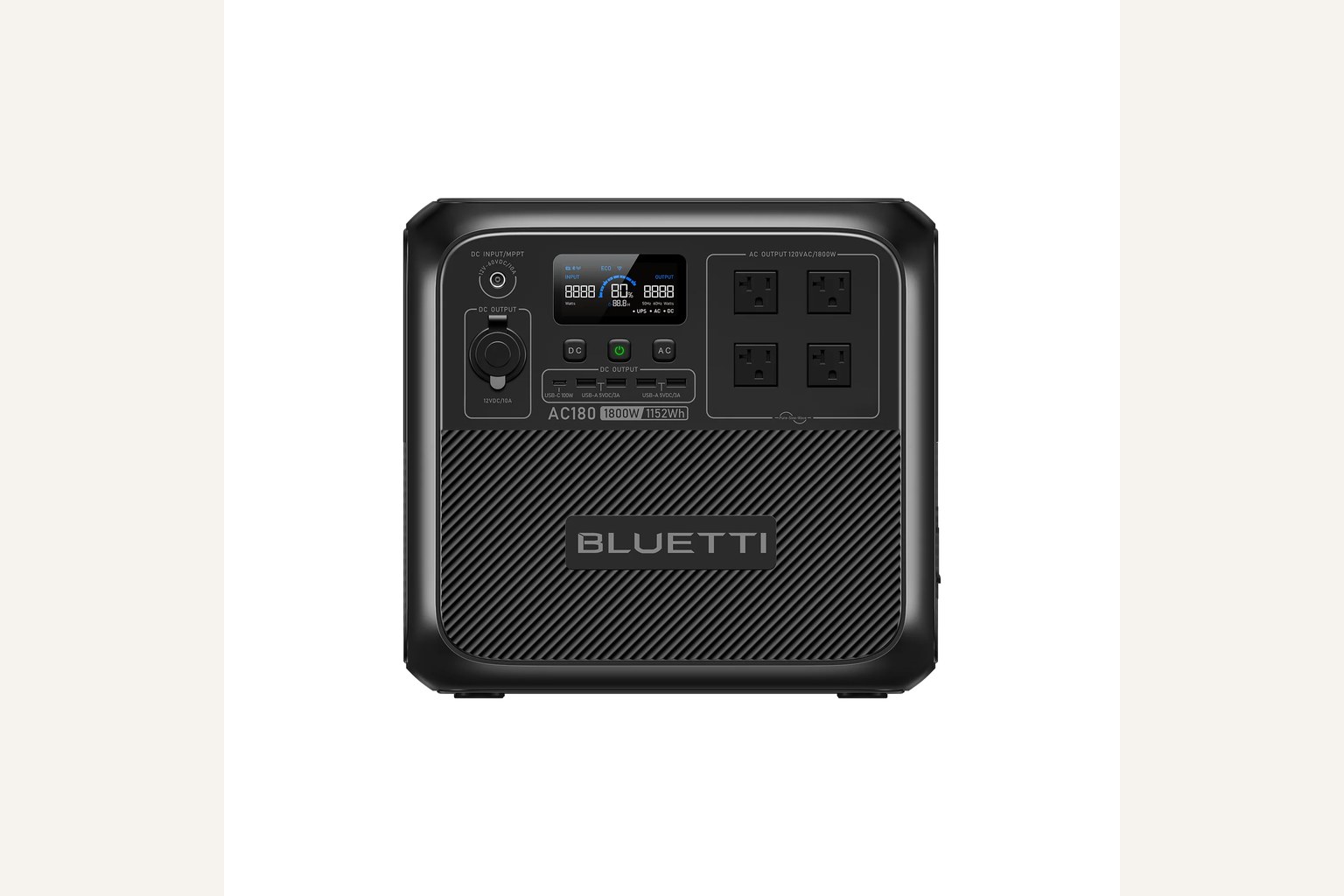
The BLUETTI AC180 is most appealing when it has a regular place to sit. Its grippy handles and separate AC/DC buttons are useful, but a reviewer’s heavy-side impression and precise wireless-pad alignment make frequent moving and casual phone placement less attractive.
ReeWray Outdoors’ AC180 inspection describes large rubberized grippy handles. A later passage in that same review calls the unit on the heavy side. The grips and the carry burden are separate observations: good places to hold a box do not make every carry effortless.
The AC180 controls demonstration describes independent AC/DC toggles and holding two buttons to enter settings, with settings also available through the app. Separate output toggles make the basic choices visible. The settings gesture is the point to learn before expecting the whole interface to be self-explanatory.
The AC180 wireless-pad account reports that phone alignment needs to be precise. The everyday task is therefore placing the phone and checking its position, rather than simply dropping it anywhere on top. Someone attracted to a pad specifically to avoid cable handling should consider whether that repeated positioning feels like a fair exchange.
Read the BLUETTI AC180 review for placement decisions and alternatives.
ReeWray’s review includes affiliate incentives. Backyard Maine’s controls and pad observations use a supplied unit, and the available transcript excerpts are partial.
Goal Zero Yeti 700: 6.8/10
The Goal Zero Yeti 700 offers a folding handle that helps with packing, but its appeal depends on what happens after unpacking. Closely spaced AC outlets work against bulky plugs, while the reviewed first setup involves learning a rear switch and an app connection sequence.
OutdoorGearLab’s Yeti 700 review describes folding the handle flat for easier packing. That is the Yeti’s clearest everyday strength in this comparison: the handle can get out of the way when the station goes into storage or a vehicle.
The Yeti 700 setup video describes locating the rear power switch, discovering its hold behavior and unpairing then reconnecting through a cloud account for firmware after direct pairing. Those are meaningful first-use steps to understand before the station becomes part of a routine.
OutdoorGearLab reports that close AC outlet spacing often limits larger plugs to one outlet. For a buyer with several chunky adapters, that is a direct reason to reconsider the Yeti. The relevant detail is the physical body of each plug, not simply how many sockets appear in a product photograph.
Read the Goal Zero Yeti 700 review for placement decisions and alternatives.
Match the station to your routine
For a station packed into a car after every use, begin with Jackery’s folding handle and compare Anker’s relocation account. Goal Zero also folds its handle flat, but that benefit must outweigh the specific plug-spacing and setup compromises. A folding top is useful only if the rest of the routine works.
For a station left beside a desk, decide whether label visibility or plug clearance is the bigger problem. EcoFlow’s rotated outlets can help neighboring plugs, while its floor-level labels work against quick reading. DJI’s physical mode switch is attractive if you make that selection frequently. BLUETTI’s separate AC/DC toggles suit repeated basic actions, but deeper settings take a two-button gesture.
For a kit with solar accessories, write down the pieces that travel with the station. Anker’s missing adapter complaint, DJI’s additional controller and adapters, and Jackery’s existing-panel handwork all make preparation part of the purchase. Their scores do not certify panel compatibility. Confirm the exact accessories for the arrangement you intend to assemble.
Before checkout
Choose a realistic storage position and final operating location. Check that you can reach the handles, see the controls and fit the actual plug bodies you intend to use. If the main task requires crouching, moving the box or fetching a phone each time, decide whether that is acceptable before buying.
Keep exact model and regional identity attached to every comparison: C1000 Gen 2 is distinct from C1000X and the original C1000, Explorer 1000 v2 from other Jackery generations, Yeti 700 from Yeti 1500, and the production AC180 from prototype accounts. The photographs illustrate the products; check the listing for the exact regional socket layout and bundle. Use the purchase links in the individual reviews to check the exact model, bundle and seller terms.
Sources
- Jackery 1000 V2 - When Will They Learn?
- DETAILED Review EcoFlow Delta 3 Plus
- EcoFlow Delta 3 Plus Review
- EcoFlow DELTA 3 Plus Review: An Amazing Portable Power Station with a Big Quirk
- Why the Anker SOLIX C1000 Gen 2 is My Top Portable Choice
- CHEAP and LIGHT Anker SOLIX C1000 Gen 2 Solar Generator
- Anker Solix C1000 Gen 2 Review - Is Gen 2 better than Gen 1?
- The DJI Power 1000 V2 is a no-nonsense power station ready to take you off-grid
- DJI FINALLY Got Serious About Power! - Power 1000 V2 Review
- An HONEST Look at the New BLUETTI AC180 Power Station
- Can this Cheap Power Station Run My Power Tools? (Bluetti AC180)
- Goal Zero Yeti 700 Review
- Goal Zero Yeti 700 EXCELS in Real-World Conditions!
Jackery Explorer 1000 v2
Jackery
Packing into a vehicle, moving at the destination and making routine screen checks.
Start with the Jackery Explorer 1000 v2 if you repeatedly pack, move and check a station. The reviewed folding handle and simple screen suit that routine; an existing solar-panel kit still needs its adapter arrangement checked.
The takeaway
Start with the Jackery Explorer 1000 v2 if you repeatedly pack, move and check a station. The reviewed folding handle and simple screen suit that routine; an existing solar-panel kit still needs its adapter arrangement checked.
Reasons to choose it
- The reviewer finds the flip-up handle easy to use and convenient to fold away for packing.
- A simple screen and clean app make routine checks approachable.
Tradeoffs to know
- Some charging modes are accessed through the app.
- Using existing panels brought adapter-cable handwork in the review.
Think twice if: You expect existing solar panels to connect without planning adapters, or want specialty charge-mode selection on the unit.
Further reading
Ratings
Editorial score 8.4
Carrying and setup9
The Solar Lab finds the flip-up handle easy to pick up and move, then convenient to fold away when packing a car.
Controls and display9
The reviewer praises the simple screen and clean app, including remote output toggling. Specialty charging modes still involve the app.
Connections and stowage7
The existing-panel discussion describes adapter-cable handwork. Plan that extra piece without treating the transcript as a connector-compatibility specification.
EcoFlow DELTA 3 Plus
EcoFlow
Using neighboring plugs with enough visibility to read the station’s button labels.
Shortlist the EcoFlow DELTA 3 Plus when bulky plugs compete for neighboring outlets. Reviewers praise the rotated outlet arrangement and room at the top handles; tiny button labels make placement especially important if the station will sit on the floor.
The takeaway
Shortlist the EcoFlow DELTA 3 Plus when bulky plugs compete for neighboring outlets. Reviewers praise the rotated outlet arrangement and room at the top handles; tiny button labels make placement especially important if the station will sit on the floor.
Reasons to choose it
- The reviewed rotated AC outlets reduce interference between neighboring plugs.
- The sponsored close-up describes plenty of room at the top handles.
Tradeoffs to know
- Tiny button labels can require crouching when the unit is on the floor.
- The outlet observation does not establish every regional layout or solar-accessory arrangement.
Think twice if: You expect frequent, effortless label checks while the station stays at floor level.
Ratings
Editorial score 8.3
Carrying and setup9
The sponsored close-up describes roomy top handles and says the unit is not that heavy. This supports initial grip access and pickup, not prolonged carrying comfort.
Controls and display7
TrustedReviews finds the button labels tiny and hard to read from above when the unit is on the floor. Positive screen feedback does not remove that label-reading step.
Connections and stowage9
The Solar Lab praises rotated AC outlets for reducing interference during simultaneous plug use. This is a benefit for neighboring plugs, not a claim about every connection.
Anker SOLIX C1000 Gen 2
Anker
Regular relocation and status checks on the station itself.
The Anker SOLIX C1000 Gen 2 makes sense for regular moves between storage, a vehicle and a temporary work spot. Local status screens suit quick checks; selecting UltraFast and preparing a solar connection take extra steps.
The takeaway
The Anker SOLIX C1000 Gen 2 makes sense for regular moves between storage, a vehicle and a temporary work spot. Local status screens suit quick checks; selecting UltraFast and preparing a solar connection take extra steps.
Reasons to choose it
- Reviewer finds it easy to take to a cabin and stow in compact spaces.
- Physical screen cycling provides routine input and output information.
Tradeoffs to know
- UltraFast selection uses the app and reset after reconnection in a first-look report.
- The cabin reviewer objects to a missing solar adapter.
Think twice if: You want special charging modes on a physical switch, or a solar kit with no separate adapter preparation.
Further reading
Ratings
Editorial score 8.1
Carrying and setup9
The cabin reviewer finds this Gen 2 easy to take around and compact to stow. That favors regular relocation, without establishing comfort over a long carry.
Controls and display8
Local screen cycling makes routine checks direct. A separate first-look account adds an app step for UltraFast and reports a reset after reconnection.
Connections and stowage7
Compact stowage is useful, but the cabin reviewer’s missing-adapter complaint makes solar preparation an extra chore.
DJI Power 1000 V2
DJI
Frequent local mode selection and screen checks in an accessible, prepared spot.
The DJI Power 1000 V2 is a strong comparison for buyers who change charging modes at the station: its physical switch keeps that action direct. Leave room to approach the side handles, and plan the extra pieces needed for solar or DC connections.
The takeaway
The DJI Power 1000 V2 is a strong comparison for buyers who change charging modes at the station: its physical switch keeps that action direct. Leave room to approach the side handles, and plan the extra pieces needed for solar or DC connections.
Reasons to choose it
- A reviewed physical switch makes charge-mode selection immediate.
- The sponsored reviewer finds the display bright and easy to read.
Tradeoffs to know
- One reviewer finds pickup from a side handle unbalanced.
- Solar and DC arrangements can require a controller or adapters.
Think twice if: You routinely lift with one hand or want solar and DC setup to involve fewer separate accessories.
Further reading
Ratings
Editorial score 7.7
Carrying and setup7
Android Authority finds carrying comfortable but one-handed pickup unbalanced with the side handles. The tradeoff concerns that particular lifting movement.
Controls and display9
A sponsored supplied-unit review describes a readable screen, direct physical charge-mode switch and straightforward remote settings.
Connections and stowage7
The reviewed solar controller and DC adapters add pieces to arrange and pack, alongside favorable comments about AC outlet orientation.
BLUETTI AC180
BLUETTI
A regular station location, separate AC/DC toggles and occasional moves.
The BLUETTI AC180 is most appealing when it has a regular place to sit. Its grippy handles and separate AC/DC buttons are useful, but a reviewer’s heavy-side impression and precise wireless-pad alignment make frequent moving and casual phone placement less attractive.
The takeaway
The BLUETTI AC180 is most appealing when it has a regular place to sit. Its grippy handles and separate AC/DC buttons are useful, but a reviewer’s heavy-side impression and precise wireless-pad alignment make frequent moving and casual phone placement less attractive.
Reasons to choose it
- Large rubberized grips offer clear places to hold the unit.
- Separate AC/DC toggles keep basic output choices local.
Tradeoffs to know
- The handle reviewer also calls the unit on the heavy side.
- Settings require a two-button hold, and the wireless pad needs careful phone alignment.
Think twice if: You move the station often or want to place a phone on the pad without checking alignment.
Further reading
Ratings
Editorial score 7.7
Carrying and setup8
ReeWray praises the large rubberized grips and later calls the AC180 on the heavy side. Accessible handles help pickup, with a carry tradeoff still to consider.
Controls and display8
Separate AC/DC toggles are straightforward; entering settings takes a two-button hold. The app provides another route to settings.
Connections and stowage7
The wireless pad requires precise phone alignment in the reviewed use. This score concerns that positioning chore, rather than all socket or cable arrangements.
Goal Zero Yeti 700
Goal Zero
Packing around a flat-folding handle after checking the intended plug arrangement.
The Goal Zero Yeti 700 offers a folding handle that helps with packing, but its appeal depends on what happens after unpacking. Closely spaced AC outlets work against bulky plugs, while the reviewed first setup involves learning a rear switch and an app connection sequence.
The takeaway
The Goal Zero Yeti 700 offers a folding handle that helps with packing, but its appeal depends on what happens after unpacking. Closely spaced AC outlets work against bulky plugs, while the reviewed first setup involves learning a rear switch and an app connection sequence.
Reasons to choose it
- The handle folds flat for easier packing in OutdoorGearLab’s account.
Tradeoffs to know
- Close AC spacing can leave room for only one larger plug.
- The setup account involves a rear power-button hold and reconnecting for cloud-based firmware access.
Think twice if: You need several bulky AC adapters together or want an especially direct first setup.
Further reading
Ratings
Editorial score 6.8
Carrying and setup9
OutdoorGearLab praises the handle folding flat for easier packing. The strength is the storage shape, rather than a guarantee about long carries.
Controls and display7
A setup reviewer has to find the rear power switch, learn its hold action and reconnect through a cloud account when pursuing a firmware update.
Connections and stowage4
OutdoorGearLab reports close AC spacing often restricts larger plugs to one outlet. That is substantial friction when plugging in bulky adapters together.
Sources & further reading
youtube.com review
youtube.com review
trustedreviews.com review
thesolarlab.com review
youtube.com review
youtube.com review
youtube.com review
androidauthority.com review
youtube.com review
youtube.com review
youtube.com review
outdoorgearlab.com review
youtube.com review
Keep reading
Something changed? Help us keep this useful.
Send a correction →