
The recommendation
The Nextbase 622GW is our first choice for a visible touchscreen and convenient removal. The VIOFO A119 Mini 2 suits buyers who want a compact camera with local controls; the A229 Pro offers more ways to reach recordings. Choose the Garmin Mini 2 when a tiny body matters more than camera-side playback.
The shortlist, at a glance
Grades at a glance
| Product | Overall | Controls and menu navigation | Finding and saving a recorded clip | Physical handling and routine access |
|---|---|---|---|---|
| VIOFO A229 Pro | 7.7 | 8.0 | 8.0 | 7.0 |
| VIOFO A119 Mini 2 | 7.7 | 8.0 | 7.0 | 8.0 |
| Thinkware U3000 | 7.4 | 8.0 | 7.0 | 7.0 |
| Vantrue N4 Pro | 7.3 | 8.0 | 8.0 | 5.5 |
| Garmin Dash Cam Mini 2 | 7.3 | 7.0 | 7.0 | 8.0 |
| Nextbase 622GW | 8.3 | 8.0 | 8.0 | 9.0 |
Compare your shortlist
Does it fit your life?
Start with the task you will actually do
Choose the Nextbase 622GW if you want a large touchscreen and expect to browse recordings on the camera. Choose VIOFO A119 Mini 2 if you want a compact body that still has local menus. Choose VIOFO A229 Pro if your priority is having several ways to reach a recording, including a computer. Those are the three clearest starting points in this comparison, and each answers a different everyday need.
The other choices are more particular. Garmin Dash Cam Mini 2 favors a tiny body, with a phone supplying the screen for viewing files. Thinkware U3000 offers useful app adjustments, including separate notification volumes, but asks you to understand which tasks need Wi-Fi. Vantrue N4 Pro has an appealing described app and a separate computer log viewer, paired with a substantial main unit and a thick rear lead in the reviewed configuration. Decide which of those compromises you would notice most.
Our scores compare controls, recorded-clip access and ordinary physical handling. The recommendations draw on published walkthroughs of these exact models; app observations refer to the software and equipment used in those recordings. To use the guide, start with two questions: where would you want to inspect a clip, and where would you want to keep it? A camera can offer comfortable local controls yet involve a separate phone session to obtain a copy. Removal, card access and lens adjustment then help break a tie between models whose interfaces already appeal to you.
The shortlist by working style
Nextbase 622GW leads this everyday-use comparison at 8.3/10. Its appeal is easy to explain: a large touch interface, separate important and normal recording folders, and magnetic separation that the reviewer finds convenient for windshield cleaning. The main interaction catch is also clear. In the demonstration, recording must stop before settings and playback become available. Buy for visible menus and convenient removal if that sequence seems reasonable.
VIOFO A119 Mini 2 and A229 Pro both score 7.7/10, though the tie hides a useful distinction. A119 Mini 2 favors compact handling while keeping a small display and physical buttons. A229 Pro offers a local file list and described app, USB-reader and removable-card access. Its body is larger, and the reviewed three-channel kit has extra connections. A buyer who handles the camera often may prefer the Mini 2; someone who works with files on different devices has a stronger reason to choose the Pro.
Thinkware U3000 scores 7.4/10, with basic app controls stronger than its retrieval and handling results. Vantrue N4 Pro and Garmin Dash Cam Mini 2 each score 7.3/10. Vantrue's app and file-access strengths sit alongside the weakest handling result here. Garmin reverses that emphasis: compact hardware is its attraction, while the lack of a display makes the phone necessary for viewing. Use those differences to narrow the list before worrying about a tenth of a point. The higher-scoring camera is useful only if its particular interface fits the job you want to do.
Nextbase 622GW: choose it for a visible interface
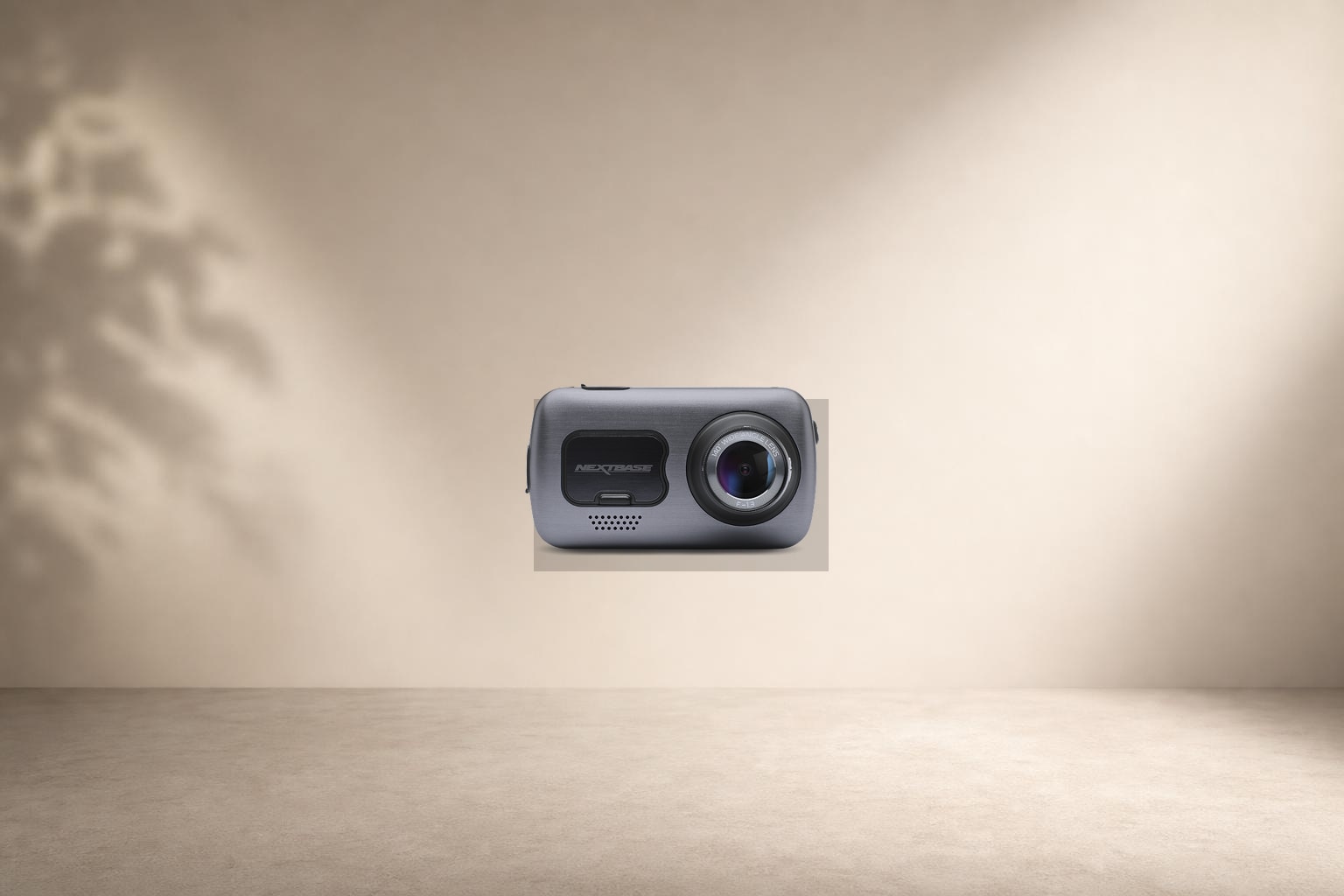
The 622GW is the easiest recommendation here for someone who wants to browse at the camera. The demonstrated touchscreen presents playback and settings as visible destinations. Its physical clip-marking control also gives a separate way to flag a recording as important. In the walkthrough, playback divides recordings into important and normal folders. That organization is useful because it starts the search with a meaningful distinction rather than asking you to treat every recording the same way.
There are two catches to understand before choosing it. First, the reviewer stops recording to access settings and playback. If an option appears unavailable, the camera's current state is part of the explanation. Second, the reviewed phone setup links streaming previews to the option that creates both higher- and lower-quality files. Turning that option off meant downloading a file before viewing it in the app. That is a practical storage-versus-preview decision in that recorded configuration, and a reason to check the app behavior you will actually use.
The magnetic separation is its strongest physical advantage. The reviewer specifically finds it convenient for removing the body to clean the windshield. That favors buyers who value access and removal more than the smallest possible housing. Optional rear and interior modules remain separate purchase decisions. Pick the 622GW because its visible controls and handling fit your routine, rather than assuming every extra feature will make every interaction simpler.
VIOFO: small controls or more access choices
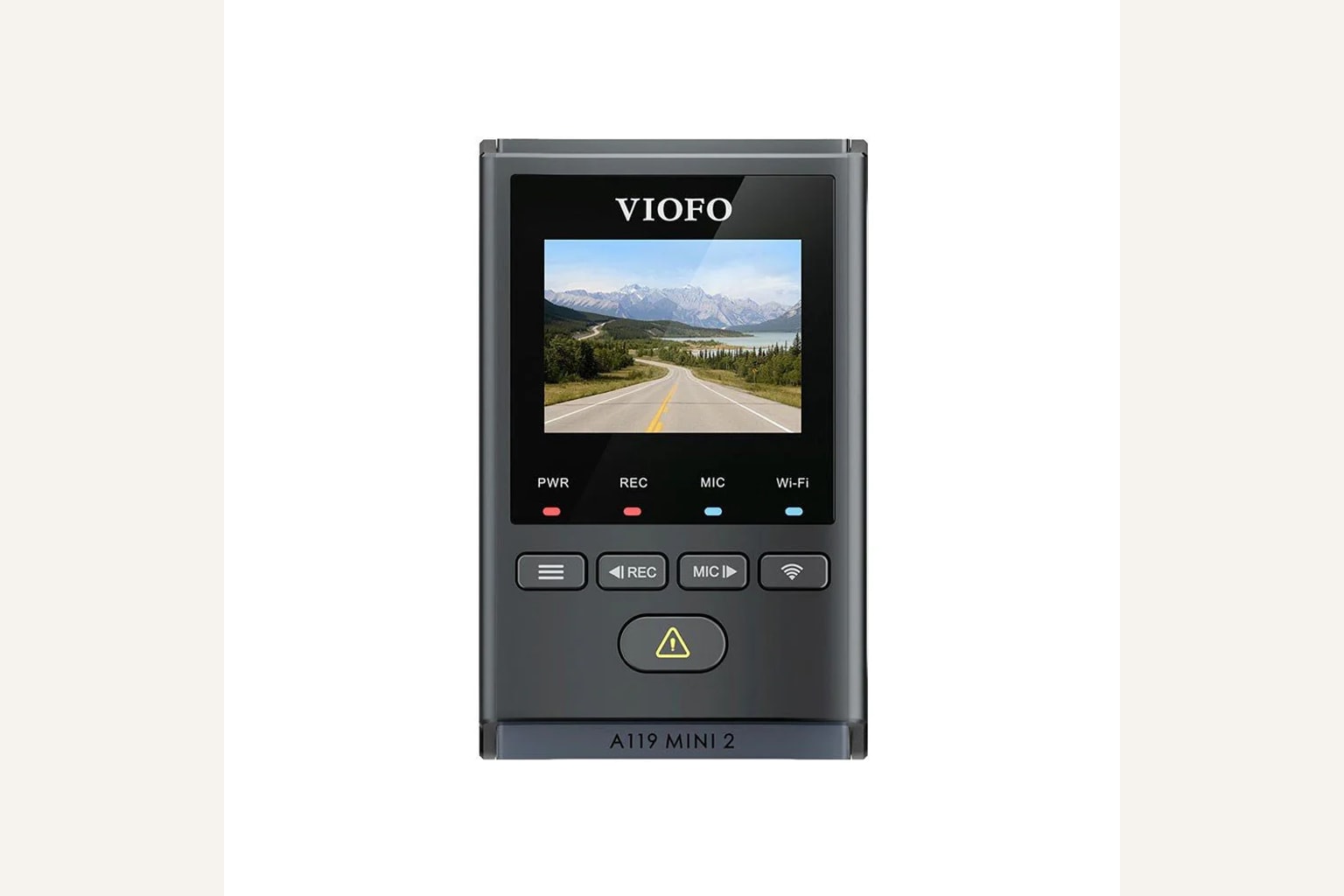
The A119 Mini 2 earns its place by keeping local interaction available in a compact body. A small display and physical buttons let you change ordinary settings without making the phone the only interface. The app can also change settings and view or download recordings. That choice is useful if you prefer a quick physical action on one occasion and a larger phone view on another. The screen is small, so it should appeal to someone who wants local access rather than a spacious touchscreen experience.
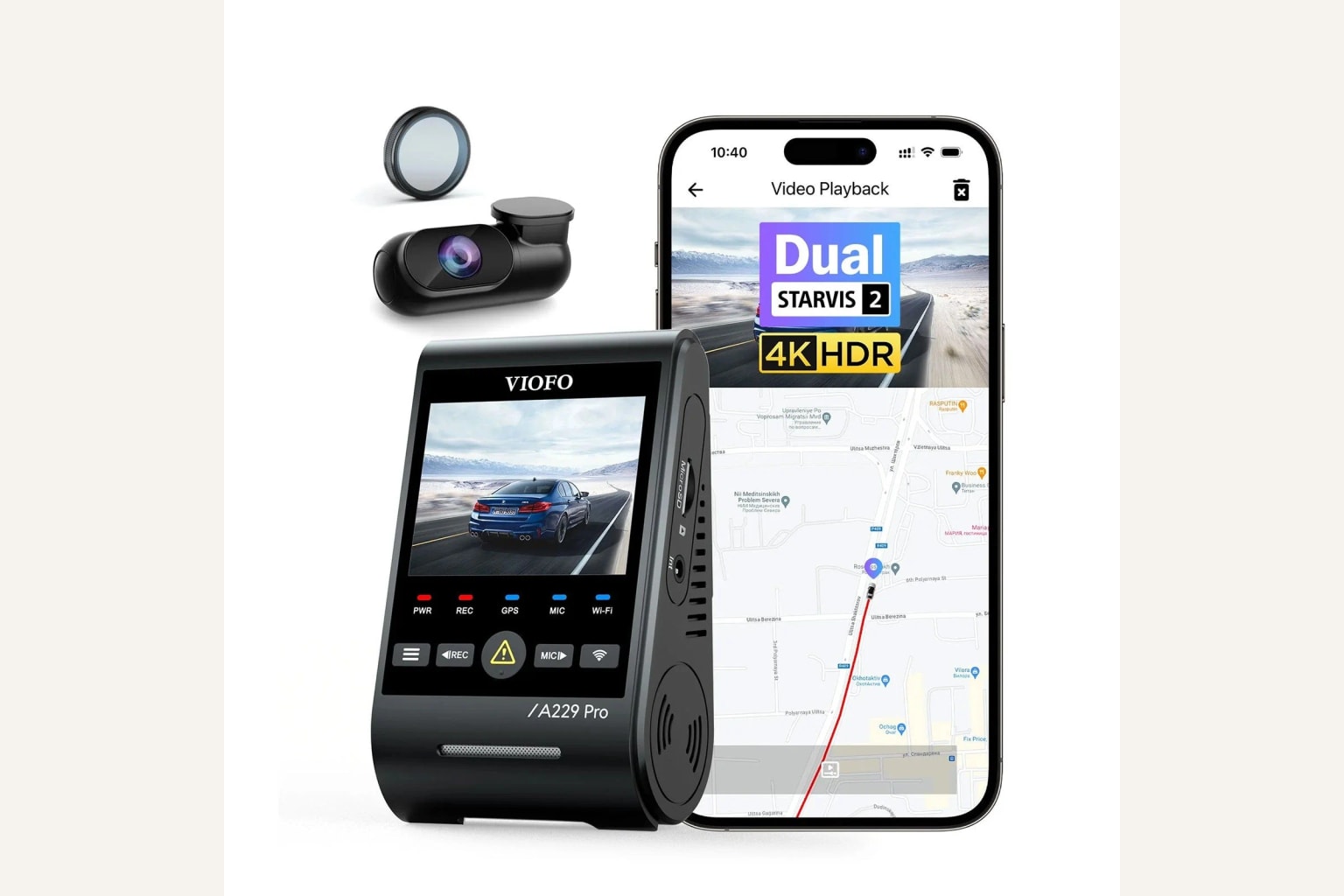
The A229 Pro is the more substantial camera to handle. In the reviewed three-channel configuration, its main unit has connections on different sides and a sliding GPS mount. The lens can be tilted independently of removing the whole camera. For recordings, an overview demonstrates a file-list menu and describes wireless app transfer, a USB connection acting as a card reader, and removing the card for a computer reader. Those are distinct access choices; they should not be read as a promise about transfer time.
Both VIOFO models combine physical controls with an app. The Mini 2 is the stronger fit when compactness leads; A229 Pro is more appealing when computer access matters. In BlackboxMyCar's A119 Mini 2 walkthrough, some voice commands register inconsistently. Make the buttons and app your reasons to buy. Also check the exact kit: rear and interior cameras in a review establish the reviewer's configuration, while the package you select determines what hardware you receive.
Garmin Mini 2: a small body with a phone commitment
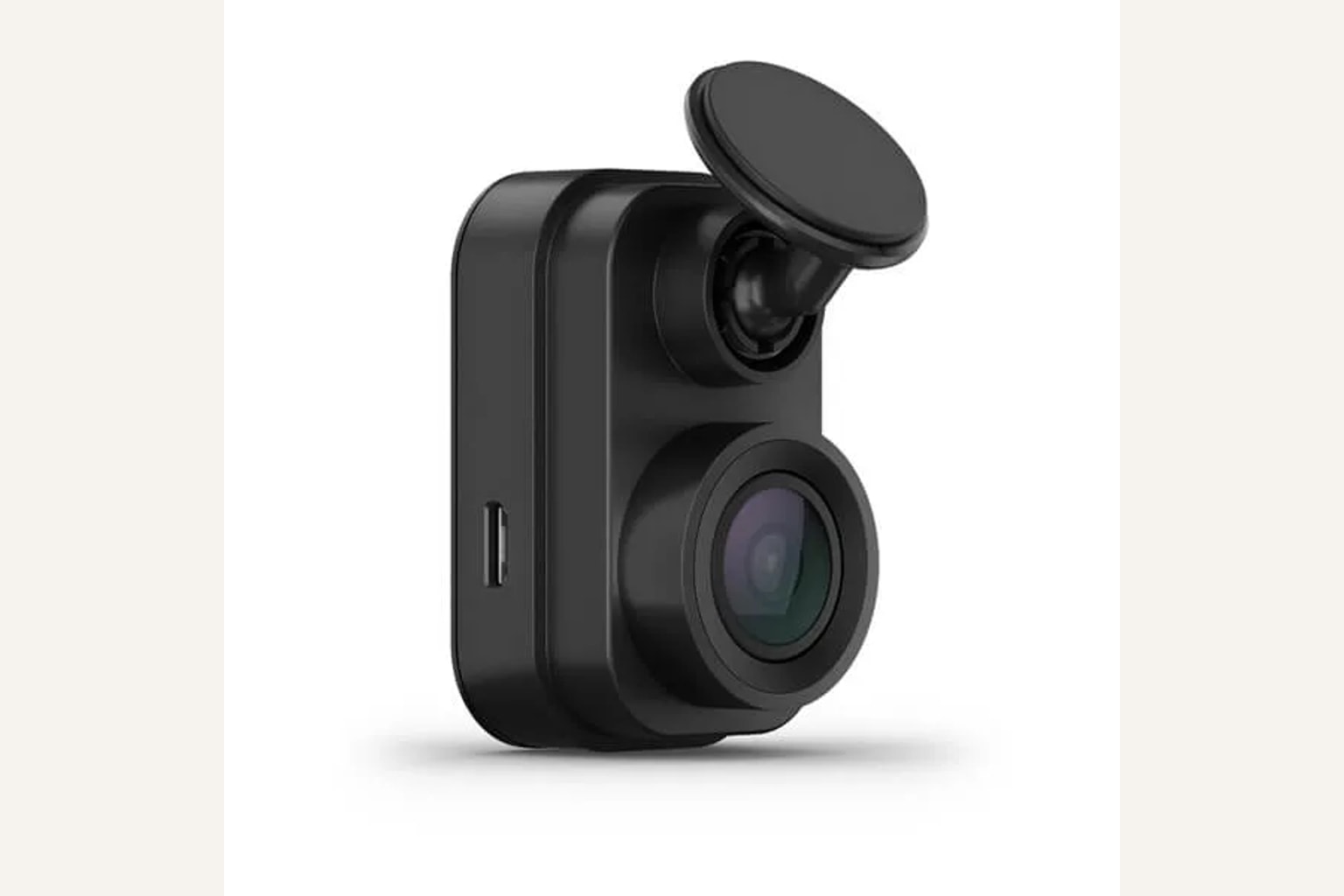
Garmin Dash Cam Mini 2 asks you to accept a clear exchange. The body is tiny and uses a small adhesive mount, but it has no display for viewing recordings. Basic mute and save controls are described in the review; the phone app handles settings and file viewing. If you want a camera that occupies little space and are happy to take out your phone when you need a clip, that division can feel sensible. If you want to browse recordings directly on the camera, it is a poor match.
That commitment matters most when an occasional retrieval becomes a real task. In John Reviews Everything too's Mini 2 review, the app is described as less than speedy. That is one reviewer's experience in an earlier setup, but it is a useful counterpoint to the small camera's simplicity. Be comfortable with a phone session, including the possibility that it takes patience, before making size your deciding factor.
The reviewed unit uses micro-USB, a connector the reviewer dislikes. That is an ordinary accessory and handling consideration for someone who prefers a more uniform set of cables. The separate suction-mount arrangement discussed by that reviewer also carried compatibility uncertainty; it is no basis for assuming a suction mount is supplied or fits every situation. The Mini 2 remains attractive for its compact body. Its 7.3/10 everyday-use score reflects the extra phone dependence alongside that physical advantage.
Vantrue and Thinkware: understand the phone and hardware together
Vantrue N4 Pro's app is described as clean and helpful, with a long press available to toggle Wi-Fi. The same review describes phone file transfers and a separate PC program for inspecting GPS logs. That makes it a reasonable candidate if you are comfortable moving between the camera, a phone and a computer. The reviewer's personal report of smooth use should not become an expectation that every connection or transfer will work without a problem.
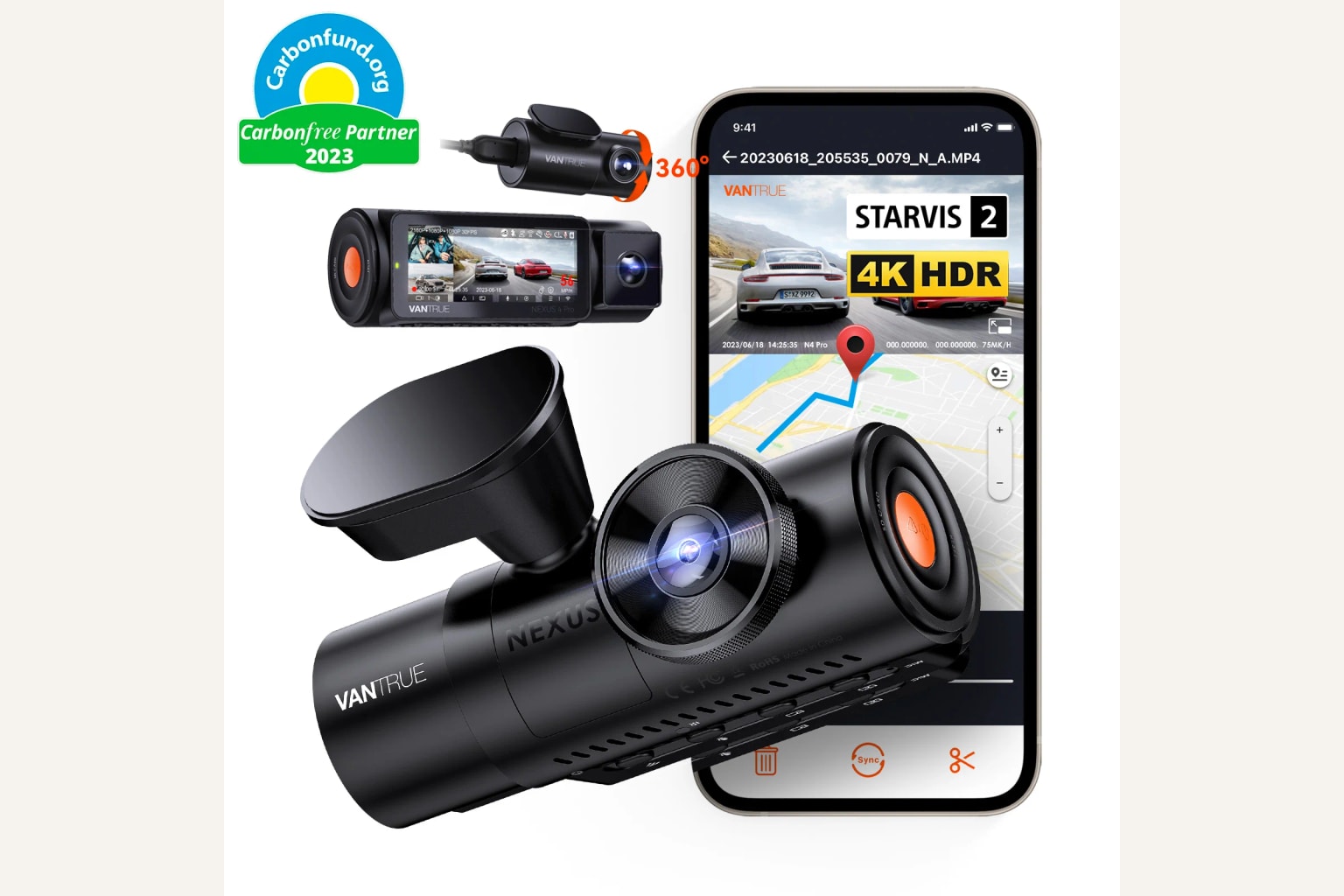
Its physical burden is the more persuasive reason to hesitate. The main body is described as bulky and heavy, and the reviewed rear camera uses a thick lead. Card access and quick-release handling help, but they do not make the complete setup as simple to handle as a small camera. This is why its controls and retrieval scores are stronger than its handling score. Choose it only if the layout suits the equipment you actually intend to use.
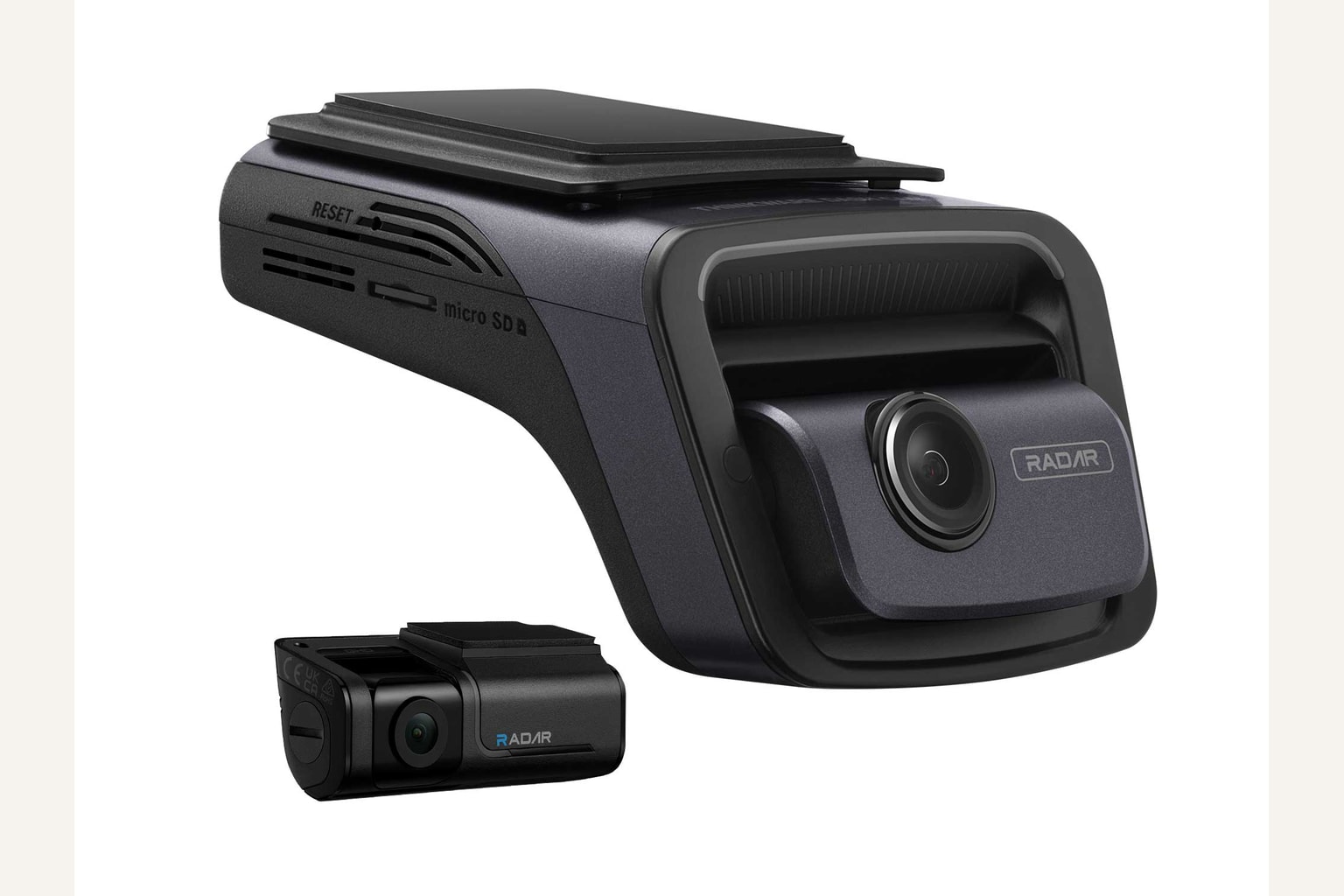
Thinkware U3000 separates basic Bluetooth app actions from heavier Wi-Fi viewing tasks. Its independently adjustable notification volumes offer useful control over everyday prompts. The physical compromises are different from Vantrue's: the front lens plate has a limited tilt range, while the reviewed rear camera uses a coin-slot adjustment and is relatively large. A second review describes app downloads without card removal, but gives less detail about locating and exporting an exact clip. Thinkware is therefore a considered choice for a phone-oriented buyer, with a moderate retrieval score rather than an automatic recommendation for the fewest steps.
Choose your clip routine before choosing your camera
Imagine returning to the car with a particular recording in mind. If you marked it on a Nextbase 622GW, the demonstrated important-recordings folder gives you a place to begin. If you want to inspect what is on an A229 Pro before choosing a transfer method, its local file list is a useful starting point. Garmin Mini 2 requires a phone for viewing because there is no display on the body. These differences affect the first step, before any download starts.
Next, decide where the copy should end up. The A229 Pro overview describes a phone-app route, connecting the camera by USB as a card reader, and using the removed card with a computer reader. Those alternatives are particularly relevant if a computer is your usual destination. Vantrue's separate PC program is described for GPS-log inspection, which is a more specific task than simply obtaining a video file. Thinkware's basic Bluetooth app actions also have a distinct role: the reviewer still needs Wi-Fi for heavier viewing work.
For phone browsing, Nextbase has a condition worth remembering. In the recorded setup, keeping both higher- and lower-quality files enables app previews; switching to a single version means downloading before viewing in the app. If you often inspect several possibilities before choosing a clip, that difference may shape your preference. If you already know what you need, it may bother you less. Treat these walkthroughs as descriptions of the recorded configurations and check the behavior of the app you intend to use. None establishes how long your own transfer will take.
Treat removal and adjustment as buying decisions
The camera body and mount deserve attention even when you expect to leave them alone most of the time. Cleaning the windshield, adjusting the lens angle or reaching the card can turn a small design detail into a recurring annoyance. Nextbase's demonstrated magnetic separation is particularly relevant to cleaning. The VIOFO models' sliding mounts offer a different removal action. These are practical distinctions to consider while the car is parked and the camera is easy to inspect.
A compact body is helpful when you dislike handling a large object, but it can come with a small screen or no screen. Garmin makes the strongest move toward a tiny body. The A119 Mini 2 keeps a small local display, giving it a different balance. A229 Pro has a larger body and the reviewed multi-camera kit has additional connections. Vantrue's bulk and thick rear lead are a stronger handling concern, while Thinkware asks you to consider its lens plate's adjustment range and the reviewed rear camera's coin-slot mechanism.
Consider only the cameras and accessories in the configuration you plan to buy. Rear and interior units appearing in a review may belong to a particular kit or be optional modules. The same caution applies to filters and alternative mounts. A clear decision about what hardware you need is more useful than assuming every pictured accessory is included. If easy removal matters most, begin with Nextbase; if a compact camera with local controls matters most, begin with the A119 Mini 2.
Make the final choice by the compromise you accept
The best reason to choose Nextbase 622GW is that you want to use the camera's own screen. It combines a large touchscreen with organized playback and a removal action the reviewer appreciates. Accept the demonstrated stop-recording step and understand the app-preview condition before buying. VIOFO A119 Mini 2 is the more compact starting point for someone who still wants local menus, provided a small display and physical buttons are comfortable to use.
Choose A229 Pro when the file destination changes from one occasion to another. Its described phone and computer routes are the distinctive advantage, with a larger body as the compromise. Choose Garmin Mini 2 when you would rather have a tiny camera and willingly bring out a phone for settings and viewing. Garmin's compactness and A229 Pro's access flexibility solve different problems; neither is a reason to assume one camera will suit every buyer better.
Thinkware U3000 makes most sense if its particular app controls appeal to you and its limited front adjustment suits your intended position. Vantrue N4 Pro makes most sense if the described app and log-viewing routine justify accommodating its substantial hardware. For either, decide on the exact configuration you want before letting a multi-camera demonstration settle the choice. The individual reviews below explain those physical and software details. Finish with a preference you can state plainly: a touchscreen, compact local controls, several file routes, or a tiny body with phone viewing. That preference should decide the purchase when the scores are close.
VIOFO A229 Pro
VIOFO
Buyers who want alternative phone and computer routes to recordings.
Physical controls and a local file list, with described phone, USB and removable-card access routes.
The takeaway
A flexible everyday interface when file-access choices matter more than minimal hardware.
Reasons to choose it
- Local controls and file-list menu
- Several described access routes
- Sliding mount and adjustable lens
Tradeoffs to know
- Larger main body
- Extra connections in the reviewed multi-camera kit
- Phone connection includes selecting camera Wi-Fi
Think twice if: You want the smallest body or a large touchscreen.
Published specifications
- Access methods
- Local file list; described app, USB reader and removable-card routes
- Local interface
- Display and physical controls
- Reviewed configuration
- Three-channel kit; exact purchased kit must be checked
Further reading
Ratings
Editorial score 7.7
Controls and menu navigation8
Physical controls and app settings give a useful choice, with a camera-network connection step on the phone.
Finding and saving a recorded clip8
The local file list and described app, USB and card routes offer useful retrieval alternatives.
Physical handling and routine access7
The slide-off mount and lens tilt help, while the larger body and reviewed side connections add handling.
VIOFO A119 Mini 2
VIOFO
Buyers who want compact hardware while retaining local menus.
A compact camera with a small local display, physical controls and an optional app interface.
The takeaway
A balanced compact choice when local controls matter more than screen size.
Reasons to choose it
- Local menus in a compact body
- App provides an alternative interface
- Sliding GPS mount
Tradeoffs to know
- Small display
- Limited detail about complete clip export
- Body and mount USB-C ports have different roles
Think twice if: You want a spacious touchscreen or a fully demonstrated export sequence.
Published specifications
- Local interface
- Small display and physical controls
- Mount
- Sliding GPS mount
- Phone route
- Settings, recording viewing and downloads described
Further reading
Ratings
Editorial score 7.7
Controls and menu navigation8
A local display and physical controls coexist with app settings.
Finding and saving a recorded clip7
Phone viewing and downloads are described, with less detail about the complete search and export routine.
Physical handling and routine access8
The compact body and sliding mount are convenient, with distinct mount and body connector roles to learn.
Thinkware U3000
Thinkware
Buyers who like a phone interface and distinct notification-volume controls.
Basic Bluetooth app settings and separate notification volumes, with Wi-Fi viewing and kit-specific adjustments.
The takeaway
A considered phone-led choice when its particular app controls fit your habits.
Reasons to choose it
- Basic app actions over Bluetooth described
- Separate notification-volume controls
- Phone clip downloads described
Tradeoffs to know
- Wi-Fi needed for heavier viewing tasks
- Limited front lens-plate tilt
- Coin-slot rear adjustment in the reviewed kit
Think twice if: You prefer local playback or have not checked the lens adjustment range.
Published specifications
- Connection split
- Bluetooth for basic app actions; Wi-Fi for heavier viewing
- Model
- Original U3000
- Reviewed rear unit
- Relatively large, with coin-slot angle adjustment
Further reading
Ratings
Editorial score 7.4
Controls and menu navigation8
Basic Bluetooth app actions and separate notification volumes provide useful ordinary controls.
Finding and saving a recorded clip7
App clip downloads are described, but the complete locating and exporting path is less clear.
Physical handling and routine access7
Limited front tilt and the reviewed rear unit adjustment add physical details to consider.
Vantrue N4 Pro
Vantrue
Buyers who accept substantial hardware for the described app and PC options.
A described app and computer log-viewing route alongside a bulky main unit and thick reviewed rear lead.
The takeaway
The software routine is more persuasive than the physical simplicity.
Reasons to choose it
- Clean app interface described
- Physical long-press Wi-Fi toggle
- Phone transfer and separate PC log viewing
Tradeoffs to know
- Bulky and heavy main body in the review
- Thick rear lead in the reviewed configuration
- Separate PC software adds another task
Think twice if: A small body and minimal handling are your main priorities.
Published specifications
- Computer route
- Separate software for GPS-log viewing
- Model
- Original N4 Pro
- Phone route
- Configuration and recording downloads described
Further reading
Ratings
Editorial score 7.3
Controls and menu navigation8
The described app and a long-press Wi-Fi action support ordinary control use.
Finding and saving a recorded clip8
Phone downloads and separate PC log viewing offer defined access routes with different purposes.
Physical handling and routine access5.5
Card access and quick release help, but the bulky body and thick reviewed rear lead remain significant compromises.
Garmin Dash Cam Mini 2
Garmin
Buyers who value a tiny body and accept phone-dependent viewing.
A tiny screenless camera with basic mute/save controls and a phone app for settings and viewing.
The takeaway
A focused compact choice if using the phone is a comfortable part of the routine.
Reasons to choose it
- Tiny main body
- Small adhesive mount
- Basic mute and save controls described
Tradeoffs to know
- No camera-side playback screen
- Phone needed for viewing and settings
- Micro-USB connector
Think twice if: You want local playback or prefer to avoid a micro-USB device.
Published specifications
- Connector
- Micro-USB in the reviewed unit
- Local display
- None
- Viewing route
- Phone app
Further reading
Ratings
Editorial score 7.3
Controls and menu navigation7
Basic mute/save controls are available, while settings depend on the phone app.
Finding and saving a recorded clip7
The app provides file viewing; camera-side playback is absent and complete export detail is limited.
Physical handling and routine access8
The tiny body and small adhesive mounting arrangement help, with micro-USB and separate accessory choices to consider.
Nextbase 622GW
Nextbase
Buyers who want visible local playback and convenient body removal.
A large touchscreen and convenient magnetic separation, with a specific reviewed app-preview tradeoff.
The takeaway
The clearest choice here for a visible interface and convenient removal.
Reasons to choose it
- Large touchscreen
- Important and normal playback folders
- Convenient magnetic separation demonstrated
Tradeoffs to know
- Recording stopped for settings/playback in the review
- Reviewed previews depend on dual files
- Optional modules need separate consideration
Think twice if: You want tiny hardware or dislike the reviewed stop-recording and dual-file choices.
Published specifications
- Local interface
- Three-inch touchscreen and separate clip-marking control
- Mount
- Adjustable, with demonstrated magnetic separation
- Reviewed app condition
- Dual files enable streaming previews; otherwise download first
Further reading
Ratings
Editorial score 8.3
Controls and menu navigation8
Visible touch controls and a separate clip-marking action are useful, with recording stopped for menu access.
Finding and saving a recorded clip8
Playback folders and app downloads are demonstrated, with a dual-file condition affecting previews in the reviewed setup.
Physical handling and routine access9
Adjustable mounting and magnetic body separation make ordinary removal particularly convenient in the walkthrough.
Sources & further reading
youtube.com review
youtube.com review
youtube.com review
youtube.com review
youtube.com review
youtube.com review
youtube.com review
youtube.com review
Keep reading
Something changed? Help us keep this useful.
Send a correction →