
The recommendation
The Nextbase 622GW suits buyers who want visible local playback and convenient body removal. Its recorded app setup adds a choice between dual files with previews and single files that must download before viewing.
Grades at a glance
| Product | Overall | Controls and menu navigation | Finding and saving a recorded clip | Physical handling and routine access |
|---|---|---|---|---|
| Nextbase 622GW | 8.3 | 8.0 | 8.0 | 9.0 |
Does it fit your life?
A camera for people who want a visible interface
The Nextbase 622GW is our strongest choice here for someone who wants to browse recordings on a large camera-side touchscreen. The walkthrough shows separate important and normal recording folders, plus a physical control for marking a clip. That gives the local interface a clear purpose: you can return to a recording through a visible playback menu, with marked files separated from ordinary ones. A phone remains available as another interface.
Convenient removal is the second reason to consider it. The reviewer particularly likes the mount's magnetic separation when taking the body down to clean the windshield. If you expect to handle the camera regularly, that detail can matter as much as the screen. The 622GW favors a body you interact with directly, while a tiny screenless camera such as Garmin Mini 2 favors leaving most viewing work to another device.
Our overall everyday-use score is 8.3/10, covering controls, recorded-clip access and physical handling. Before choosing it, understand two qualifications. In the demonstrated camera routine, recording must stop before settings and playback become available. In the recorded phone setup, app previews depend on keeping two file versions; disabling that option means downloading before viewing. Neither makes the touchscreen a poor choice. Both tell you what the choice involves. The 622GW is particularly persuasive when local browsing and straightforward body removal are the conveniences you actually want.
A touchscreen helps, but the camera's state matters
The walkthrough demonstrates touch controls alongside the separate physical clip-marking control. On the screen, the reviewer can stop or resume recording and enter settings or playback. The important detail is the sequence: stopping recording makes the settings and playback menus available. This means an unavailable menu is not necessarily an obscure control; it may be a consequence of what the camera is currently doing.
That pattern can be easy to learn if you are comfortable with a device having distinct recording and review modes. It can be frustrating if you expect every setting and file to be accessible at any moment. Before buying, picture a parked review session. You would want to recognize the recording state, move into playback deliberately and know when you have returned to the ordinary recording view. The value of the touchscreen lies partly in seeing those choices clearly.
Controls score 8/10. The visible interface and physical clip-marking action are useful strengths, while the state change prevents a frictionless-controls recommendation. The 622GW is a good fit for someone who prefers a visible menu over remembering a sequence of small buttons. If your preference is for a smaller body with local controls rather than a large touch surface, VIOFO A119 Mini 2 offers a different balance. Its screen is smaller, but the phone is still an alternative for settings.
Playback begins with important or normal recordings
The 622GW's playback menu gives marked recordings and normal recordings separate folders in the walkthrough. That provides a useful first decision when you return to the camera. If you remember flagging the moment, you can begin with important recordings. If you want something from an ordinary part of a trip, you can begin with the normal folder. The organization helps narrow where you look without pretending to know the precise passage you have in mind.
The physical clip-marking control complements this layout. It gives a direct action for marking a recording, while the touchscreen provides the browsing interface later. Those are different stages of the same job. Consider whether that separation matches how you tend to use devices: a brief action at one point, followed by a more deliberate review session when parked. You may value that arrangement more than having all interaction pass through an app.
Recorded-clip access scores 8/10, supported by the demonstrated folders and phone download route. The local organization is the clearest reason to prefer the 622GW if browsing at the camera matters to you. For phone-first browsing, the dual-file preview condition is just as important as the folder names. Read the next section before deciding how you would use it. A visible playback menu can make the starting point easier to understand, but you still need to identify the correct file and decide whether to keep a copy elsewhere.
The phone preview tradeoff to understand
The phone preview behavior is the detail most likely to change how you use this camera. In AutoFun's recorded configuration, the dual-file option creates both a higher-quality file and a smaller, lower-quality version. The app uses the smaller version for streaming previews. When the reviewer disables dual files, a recording must download before it can be viewed in the app. Keeping one version therefore changes the browsing routine as well as the number of files.
Imagine looking through several possible clips because you remember the event but not the exact file. A preview can help you decide which one merits a download. Now imagine that you already know the file you need and simply want a phone copy. Downloading first may be less of an inconvenience. The same setting has different practical value in those two situations, which is why it is worth understanding before making the 622GW your preferred phone interface.
This observation belongs to the app and firmware configuration in the walkthrough. Check the behavior of the version you will use rather than assuming every current menu follows the same sequence. The useful buying question is specific: can you inspect a candidate clip before downloading it, and what setting makes that possible? In the demonstrated setup, the answer involves the extra file version and additional card space. The local touchscreen offers a separate place to browse when you prefer to begin at the camera itself.
The app is an additional interface, not a reason to ignore the screen
The review shows the app connecting to the camera and presenting files, a live view and settings. It also demonstrates stopping and resuming recording from the app. That makes the phone a second way to interact with the camera, which can be useful if you prefer a larger screen or want a recording on the phone. The local touchscreen remains a meaningful advantage because the camera can support a playback session without making the phone the only display.
The preview condition creates a reason to think about how those interfaces complement one another. You may prefer the camera for a quick local check and use the phone when you want a copy. Alternatively, you may want previews on the phone to make browsing more comfortable, in which case the demonstrated dual-file choice becomes relevant. Start with your intended task rather than setting every option to the configuration that sounds most minimal.
A phone interface also means the experience includes the particular app version and device pairing you use. The review supports the presence of the demonstrated controls and download route, rather than an exact promise about the speed of every connection. If your ideal camera is one you can understand locally before involving another device, the 622GW has a persuasive advantage. Garmin Mini 2 takes the opposite approach by giving up the local screen to keep its body tiny.
Magnetic separation is the physical highlight
Physical handling scores 9/10, the highest of the three categories for the 622GW. The reviewer demonstrates the mount separating and specifically finds the magnetic connection convenient for taking the body down to clean the windshield. This is a small task with a clear benefit: access to the glass does not have to mean wrestling with the same part of the mounting arrangement every time.
The mount also allows angle adjustment, with the demonstrated movement concentrated up and down and some movement from side to side. That should be considered as an adjustment pattern rather than a guarantee for every windshield. If your camera position is unusual, the actual available range deserves attention. A mount can be convenient to release while still needing to suit the angle where you expect to place the camera.
This is a good example of why the smallest camera is not automatically the easiest camera to handle. Garmin Mini 2 has a much smaller body, but a buyer who regularly removes the camera may care more about the release action than the body dimensions. VIOFO's sliding mounts offer another approach. The Nextbase is especially attractive if the object is comfortable for you to hold and the magnetic separation suits the way you clean and maintain the surrounding area.
Keep the main camera and optional modules distinct
The walkthrough identifies an expansion connection and discusses optional rear and interior camera modules. Those should be treated as separate configuration choices. A review that demonstrates or mentions additional cameras does not establish that they accompany every 622GW package. Decide what hardware you need, then compare the actual contents of the package you are considering. That is particularly useful when the main camera's handling is the reason it reached your shortlist.
The reviewed main unit also has a mini-USB connection. This is a practical detail if you prefer to keep a uniform set of cables for devices you handle regularly. It does not overturn the benefit of the magnetic release, but the connection should be part of the same picture. A camera may be convenient to remove and still introduce another connector type into your routine.
Avoid letting optional features distract from the interface decision. If you want the touchscreen and the folder organization, those are the clear reasons to start with the 622GW. If you also want an additional camera module, evaluate the exact combination separately. Buying a larger package simply because more items appear in a demonstration can create handling commitments you did not need. A deliberate main-camera decision makes the accessory decision easier to assess.
Make the touchscreen the reason to buy
AutoFun's Alexa experience is a reason to make the touchscreen the purchase priority. He reports struggling to get the feature working, then finding that it worked after an update; the phone still had to be present. That is a concrete limitation of his recorded setup. It makes voice integration an extra to investigate for your own phone and software, rather than a dependable reason to expect fewer interaction steps from the camera.
The touchscreen and separate clip-marking control provide a firmer basis for the recommendation. You can decide whether you like visible menus and organized playback without depending on a particular voice integration becoming your preferred control. If voice functions matter to you, their exact behavior on your phone and software version becomes a separate question. The demonstrated frustration is a useful counterweight to an attractive feature name.
This also helps explain the controls score. An 8/10 result recognizes useful visible controls while leaving room for the extra state change and optional functions that introduce more complexity. The 622GW does not need every feature to be equally appealing to be a good choice. It needs the ordinary interactions you will actually use to fit your preferences. If you like a screen and a clear physical action for marking a clip, its strongest features are already the ones you are most likely to value.
Choose it for the screen and release routine
Choose Nextbase 622GW if the large touchscreen, separate clip-marking control and visible playback folders are features you expect to use. Its magnetic body separation adds a practical benefit for windshield cleaning. Together, those details explain its 8.3/10 overall everyday-use score: this is a camera whose local interface and handling make a strong case without requiring you to use every connected feature it offers.
Be willing to learn the recording-versus-playback sequence demonstrated in the review. Also decide how much phone previews matter to you, because the recorded dual-file setting links preview access to keeping an additional version. If either point would regularly interrupt your preferred routine, a different interface may be a better fit even though the Nextbase scores well. The Alexa account reinforces the same approach: choose on the touch and physical controls, with voice integration treated as an extra whose behavior needs checking on your own setup.
VIOFO A119 Mini 2 is the alternative for compact local controls. A229 Pro is the alternative for a local file list plus several described phone and computer access routes. Garmin Mini 2 is the alternative when a tiny body matters enough to give up camera-side playback. The 622GW earns its place when you actively want to see and use the camera's own interface, and when convenient body removal matters more than minimizing the size of the object you handle.
Nextbase 622GW
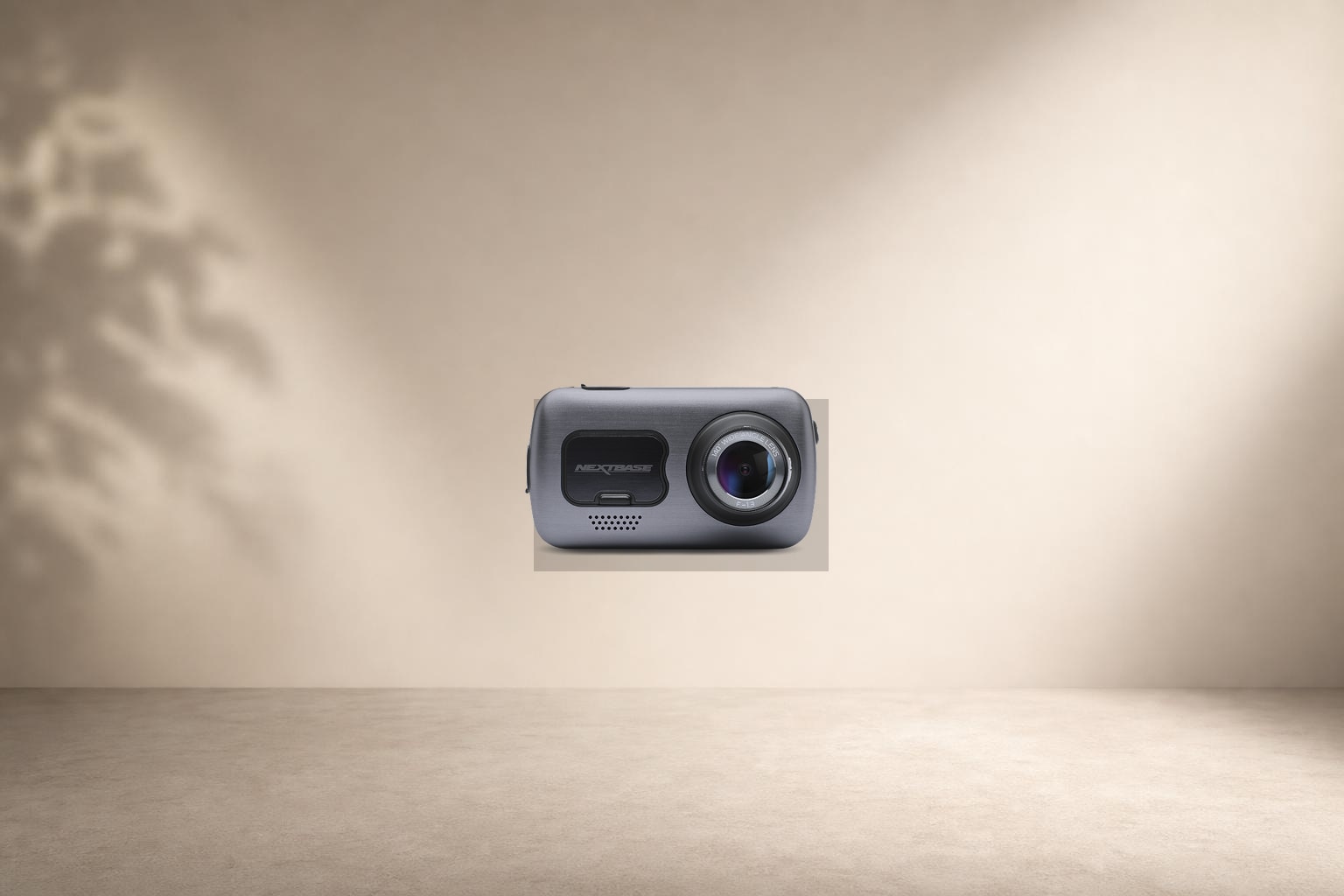
Nextbase
Buyers who want visible local playback and convenient body removal.
A large touchscreen and convenient magnetic separation, with a specific reviewed app-preview tradeoff.
The takeaway
The clearest choice here for a visible interface and convenient removal.
Reasons to choose it
- Large touchscreen
- Important and normal playback folders
- Convenient magnetic separation demonstrated
Tradeoffs to know
- Recording stopped for settings/playback in the review
- Reviewed previews depend on dual files
- Optional modules need separate consideration
Think twice if: You want tiny hardware or dislike the reviewed stop-recording and dual-file choices.
Published specifications
- Local interface
- Three-inch touchscreen and separate clip-marking control
- Mount
- Adjustable, with demonstrated magnetic separation
- Reviewed app condition
- Dual files enable streaming previews; otherwise download first
Further reading
Ratings
Editorial score 8.3
Controls and menu navigation8
Visible touch controls and a separate clip-marking action are useful, with recording stopped for menu access.
Finding and saving a recorded clip8
Playback folders and app downloads are demonstrated, with a dual-file condition affecting previews in the reviewed setup.
Physical handling and routine access9
Adjustable mounting and magnetic body separation make ordinary removal particularly convenient in the walkthrough.
Sources & further reading
youtube.com review
youtube.com review
youtube.com review
youtube.com review
youtube.com review
youtube.com review
youtube.com review
youtube.com review
Keep reading
Something changed? Help us keep this useful.
Send a correction →