Reviewed in order: Dell 27 Plus 4K USB-C Monitor S2725QC · Dell 27 Plus 4K Monitor S2725QS · Dell UltraSharp U2725QE 27-inch 4K Thunderbolt Hub Monitor · Samsung 49-inch Odyssey G9 G95C · Samsung 32-inch OLED M9 M90SF Smart Monitor · Dell P2424HT 23.8-inch touch USB-C hub monitor
Best Computer Monitors in 2026: 4K, USB-C, OLED, Ultrawide, and Touch Picks
Six monitor recommendations ranked by the details that matter after setup: text clarity, charging caveats, HDR limits, desk fit, OLED care, and current new-item availability.
We compared six current monitors across everyday 4K, USB-C office, premium Thunderbolt, OLED smart, super-ultrawide, and touch-first lanes so you can pick the screen that fits your desk, not just the one with the loudest spec sheet.
00 · quick verdict
Dell S2725QC is the safest everyday pick, Dell S2725QS is the simpler 4K value choice, and Dell U2725QE is the premium office hub. Samsung’s G9 and M9 are exciting specialty screens, while Dell P2424HT only makes sense when touch is the job.
Current winner
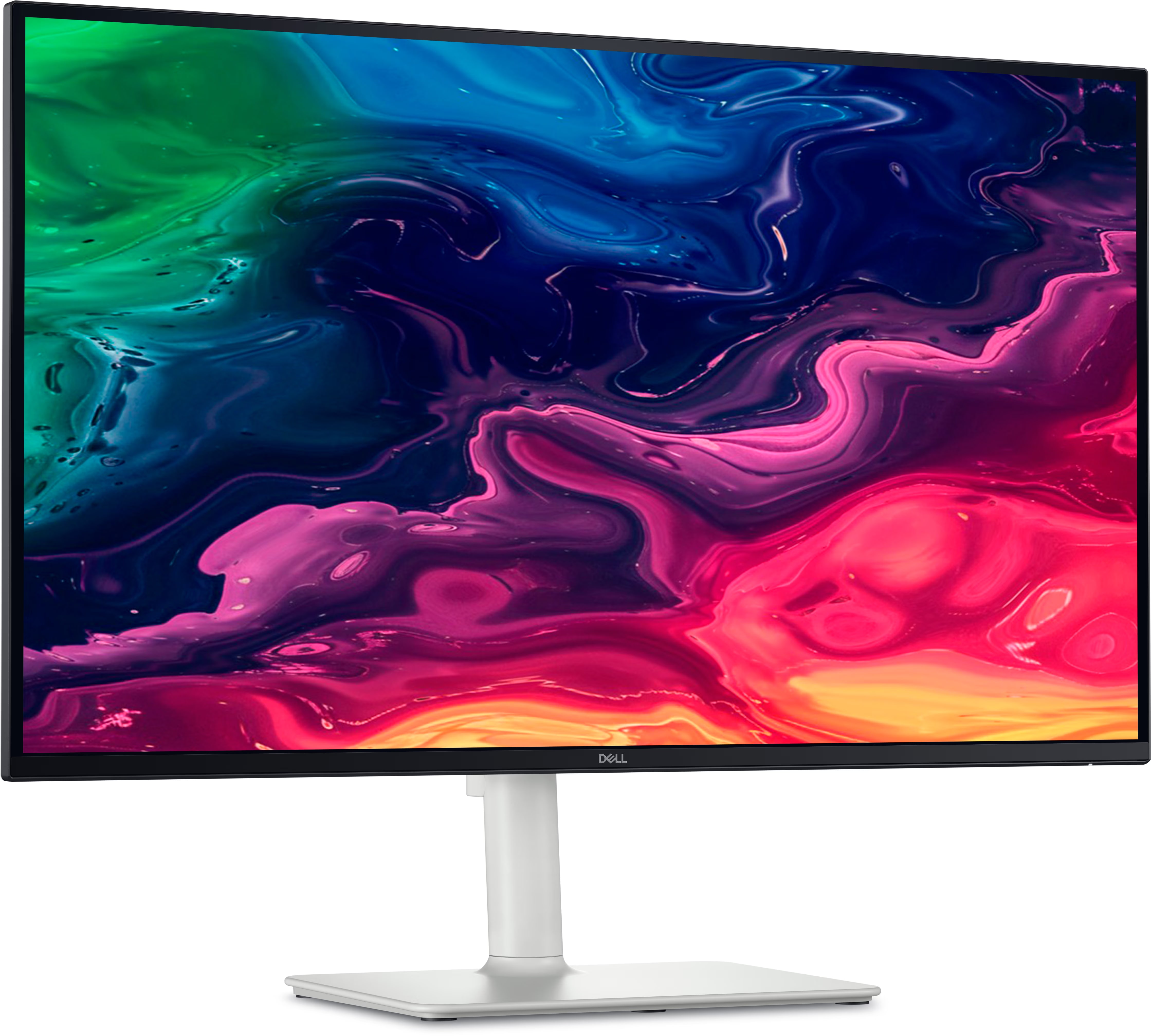
Dell 27 Plus 4K USB-C Monitor S2725QC
The broadest recommendation here: sharp 27-inch 4K text, 120 Hz smoothness, USB-C desk cleanup, and a current new Amazon listing at the same observed price as the simpler Dell Plus model.
MSRP
—
Amazon
$279.99
at writing · 2026-05-15
01 · best picks
The short list worth starting with.
#1 · Best overall
Dell 27 Plus 4K USB-C Monitor S2725QC
MSRP
—
Amazon
$279.99
at writing · 2026-05-15
The broadest recommendation here: sharp 27-inch 4K text, 120 Hz smoothness, USB-C desk cleanup, and a current new Amazon listing at the same observed price as the simpler Dell Plus model.
#2 · Best no-hub 4K value
Dell 27 Plus 4K Monitor S2725QS

MSRP
—
Amazon
$279.99
at writing · 2026-05-15
The safer pick if you want the Dell Plus panel story without USB-C hub expectations: sharp 4K, 120 Hz, ergonomic stand, and a clean current Amazon signal.
#3 · Best premium office hub
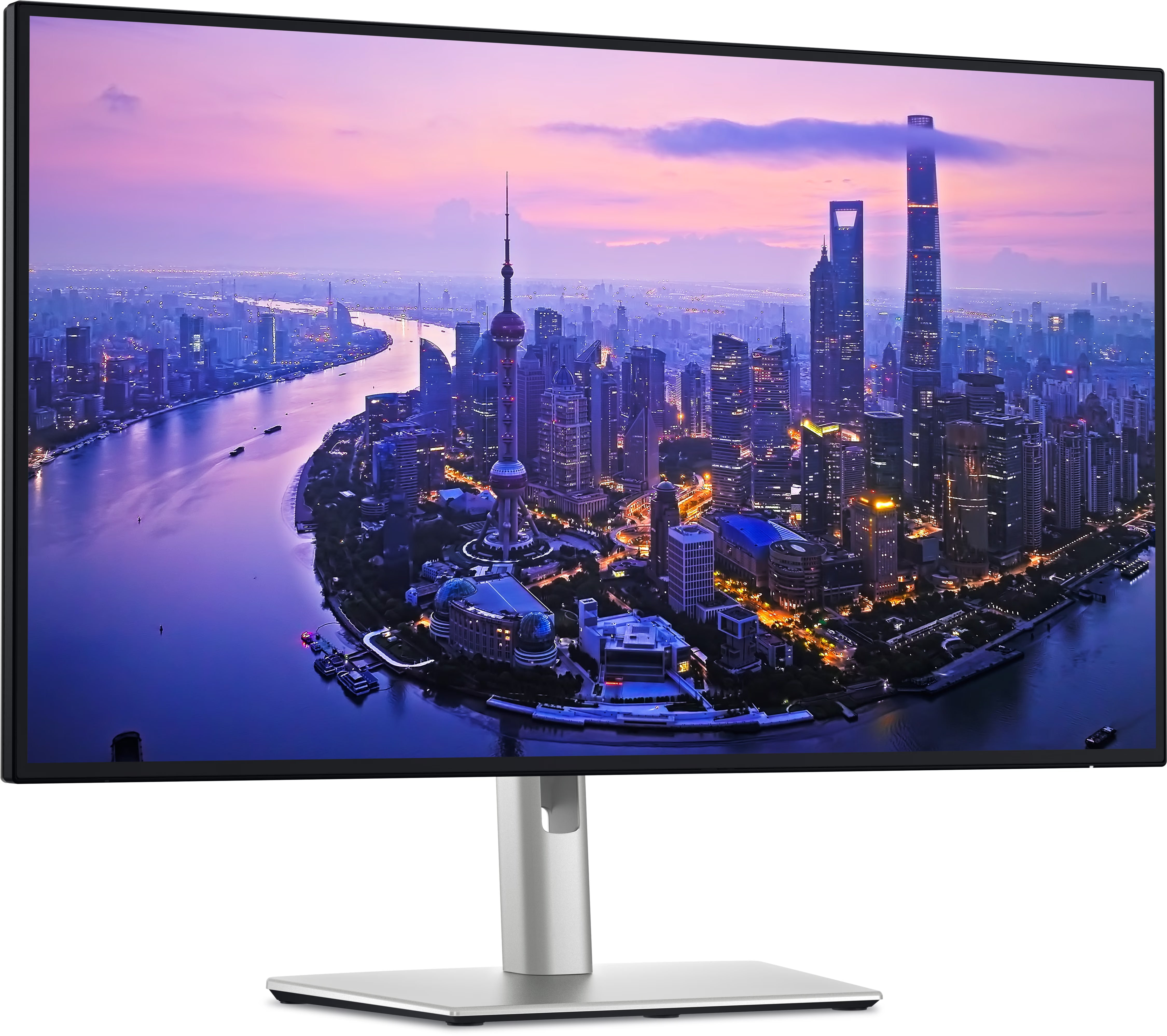
Dell UltraSharp U2725QE 27-inch 4K Thunderbolt Hub Monitor
MSRP
—
Amazon
$696.69
at writing · 2026-05-15
The premium laptop-desk pick: Thunderbolt 4, KVM, up to 140 W power delivery, IPS Black contrast, and UltraSharp desk polish, with seller and price details worth rechecking.
02 · Before You Buy
Computer monitor shopping is full of harmless-looking words that can turn expensive once the box is open. Two screens can both say 4K, 120 Hz, USB-C, HDR, or smart monitor and still feel completely different on your desk. One charges a laptop cleanly. One only sounds like it will. One makes games look huge but asks a lot from your GPU. One looks great in a trailer but gray in a dark room. One gives you a 49-inch curved command center and quietly asks whether your desk, chair, neck, apps, and return window were ready.
That is the point of this ranking. We looked past the loudest specs and focused on the details you usually discover late: text sharpness, stand behavior, charging reality, OLED care, smart-menu annoyances, ultrawide desk math, touch-screen compromises, and whether the listing appears to be the exact new model you meant to buy.
Use the product links to check current pricing, seller, and availability before you decide. If this guide helps you avoid the wrong screen, buying through those links also helps keep KB4UB running.
03 · score comparison
Compare the grades before you chase details.
| Grade | #1Dell 27 Plus 4K USB-C Monitor S2725QC | #2Dell 27 Plus 4K Monitor S2725QS | #3Dell UltraSharp U2725QE 27-inch 4K Thunderbolt Hub Monitor | #4Samsung 49-inch Odyssey G9 G95C | #5Samsung 32-inch OLED M9 M90SF Smart Monitor | #6Dell P2424HT 23.8-inch touch USB-C hub monitor |
|---|---|---|---|---|---|---|
| Overall UX | 8/10 | 8/10 | 8/10 | 8/10 | 8/10 | 7/10 |
| Text clarity and comfort | 9/10 | 9/10 | 9/10 | 8/10 | 7/10 | 6/10 |
| Panel quality and consistency | 8/10 | 8/10 | 8/10 | 8/10 | 9/10 | 7/10 |
| Motion and gaming setup | 8/10 | 8/10 | 8/10 | 9/10 | 9/10 | 5/10 |
| Connectivity and desk setup | 9/10 | 7/10 | 10/10 | 7/10 | 7/10 | 8/10 |
| HDR, color, and creator fit | 7/10 | 7/10 | 8/10 | 8/10 | 9/10 | 5/10 |
| Reliability and support | 7/10 | 7/10 | 7/10 | 7/10 | 7/10 | 7/10 |
| Use-case fit | 9/10 | 9/10 | 9/10 | 8/10 | 8/10 | 8/10 |
| Source confidence | 8/10 | 8/10 | 8/10 | 8/10 | 7/10 | 7/10 |
| MSRP | — | — | — | — | — | — |
05 · product-by-product breakdown
Why each pick landed where it did.
#1 · Best overall
Dell 27 Plus 4K USB-C Monitor S2725QC
MSRP
—
Amazon
$279.99
at writing · 2026-05-15
Dell’s S2725QC is the USB-C sibling in the company’s 27-inch Plus 4K line: a mainstream monitor built for laptop work, a tidier desk, and after-hours 120 Hz gaming without UltraSharp pricing. It ranks first because it asks the fewest compromises from the broadest group of buyers: sharp 4K text, a modern refresh rate, useful ergonomics, basic speakers, and a current new Amazon listing at the same observed price as the simpler S2725QS.
liked
The appeal is versatility. Review evidence points to crisp 4K text, wide viewing angles, a useful sRGB mode, and USB-C convenience for laptop desks; one review put the everyday benefit plainly: “the high 4K resolution helps make text look sharp.” It is the monitor here most likely to make a normal home-office setup cleaner without forcing you into a full Thunderbolt hub.
complaints
The caution is that the spec sheet can sound more premium than the picture looks in HDR. Sources describe limited contrast, no local dimming, and HDR that does not have OLED or mini-LED pop; one review said colors were “missing that punch for a proper and vivid HDR experience.” Also verify the exact USB-C power delivery at checkout if it needs to charge your laptop.
best for
Laptop-first home offices, students, coding desks, and mixed work/gaming setups where 27-inch 4K sharpness and one-cable convenience matter most.
skip if
Skip it if you need Thunderbolt 4, KVM, 140 W charging, serious HDR, or a pure gaming monitor above 120 Hz.
Biggest issue
The main risks are ordinary IPS black levels, uncertain charging wattage in some listings, and accidentally buying the non-USB-C S2725QS instead.
Start here if you want the safest all-around monitor and your desk would actually benefit from USB-C.
#2 · Best no-hub 4K value
Dell 27 Plus 4K Monitor S2725QS
MSRP
—
Amazon
$279.99
at writing · 2026-05-15
Dell’s S2725QS is the simpler 27-inch Plus 4K monitor: no laptop-dock pitch, just a sharp IPS panel, 120 Hz refresh, an ergonomic stand, and a mainstream price. It ranks just behind the S2725QC because many laptop users will want USB-C, but it may be the cleaner choice for a desktop PC, console, or work desk that already has its cables sorted.
liked
The case is easy to understand: 4K text is sharp, 120 Hz feels smoother than older 60 Hz office monitors, the stand is more adjustable than barebones budget displays, and the current Amazon listing matched the model cleanly. One comparison review said buyers would be happy with it if they want “sharp text while working or browsing the web.”
complaints
Do not buy it for HDR magic. Review evidence calls out mediocre IPS contrast, grayish blacks in dark rooms, and no local dimming. One gaming-focused source also noted that fast scenes can show “some blurring,” so the 120 Hz label should not be confused with a high-end gaming panel.
best for
Desktop users, school/work setups, office productivity, coding, and budget console or PC gaming where 4K clarity and 120 Hz matter more than docking.
skip if
Avoid it if you need USB-C charging, a hub, KVM, OLED-level contrast, strong HDR, or competitive gaming response.
Biggest issue
The practical tradeoffs are no USB-C charging, basic connectivity, monitor-speaker sound, and the usual IPS limits in dark content.
Pick the S2725QS when you want the Dell Plus display story without paying for ports you will not plug in.
#3 · Best premium office hub
Dell UltraSharp U2725QE 27-inch 4K Thunderbolt Hub Monitor
MSRP
—
Amazon
$696.69
at writing · 2026-05-15
Dell’s UltraSharp U2725QE is the premium office monitor in this group, aimed at people who want the display to act like the center of a laptop workstation. Instead of chasing OLED contrast or giant-screen drama, it leans into Thunderbolt 4, KVM, a deep port selection, 120 Hz smoothness, IPS Black contrast, and enough power delivery for serious laptop desks.
liked
The hub is the reason to care. Review evidence points to Thunderbolt 4, KVM switching, broad rear connectivity, and up to 140 W power delivery; one review summed up the appeal by saying the monitor “serves as a USB hub” so you do not have to keep unplugging devices. Reviewers also described better-than-basic IPS contrast and strong color behavior, making it the grown-up desk pick for MacBook and work-laptop users.
complaints
It is expensive for a 27-inch monitor if you do not need the dock. HDR still should not be treated as the main event, and one Mac-focused review was careful to say the improved contrast is “still obviously nowhere near comparable to OLED technology.” The Amazon offers we saw were also less tidy than the Dell Plus models, with multiple new offers rather than a simple Amazon.com buy box.
best for
MacBook and work-laptop desks that need Thunderbolt, KVM, USB devices, cleaner cabling, and a premium 27-inch 4K office panel.
skip if
Skip it if your budget is closer to the Dell Plus monitors, if you mainly want HDR/gaming spectacle, or if you already own a dock you like.
Biggest issue
The key checkout job is confirming the exact U2725QE listing, seller, warranty path, and port needs before paying the premium.
Buy the U2725QE for the desk hub, not because it is merely another sharp 27-inch screen.
#4 · Best super-ultrawide
Samsung 49-inch Odyssey G9 G95C
MSRP
—
Amazon
$899.99
at writing · 2026-05-15
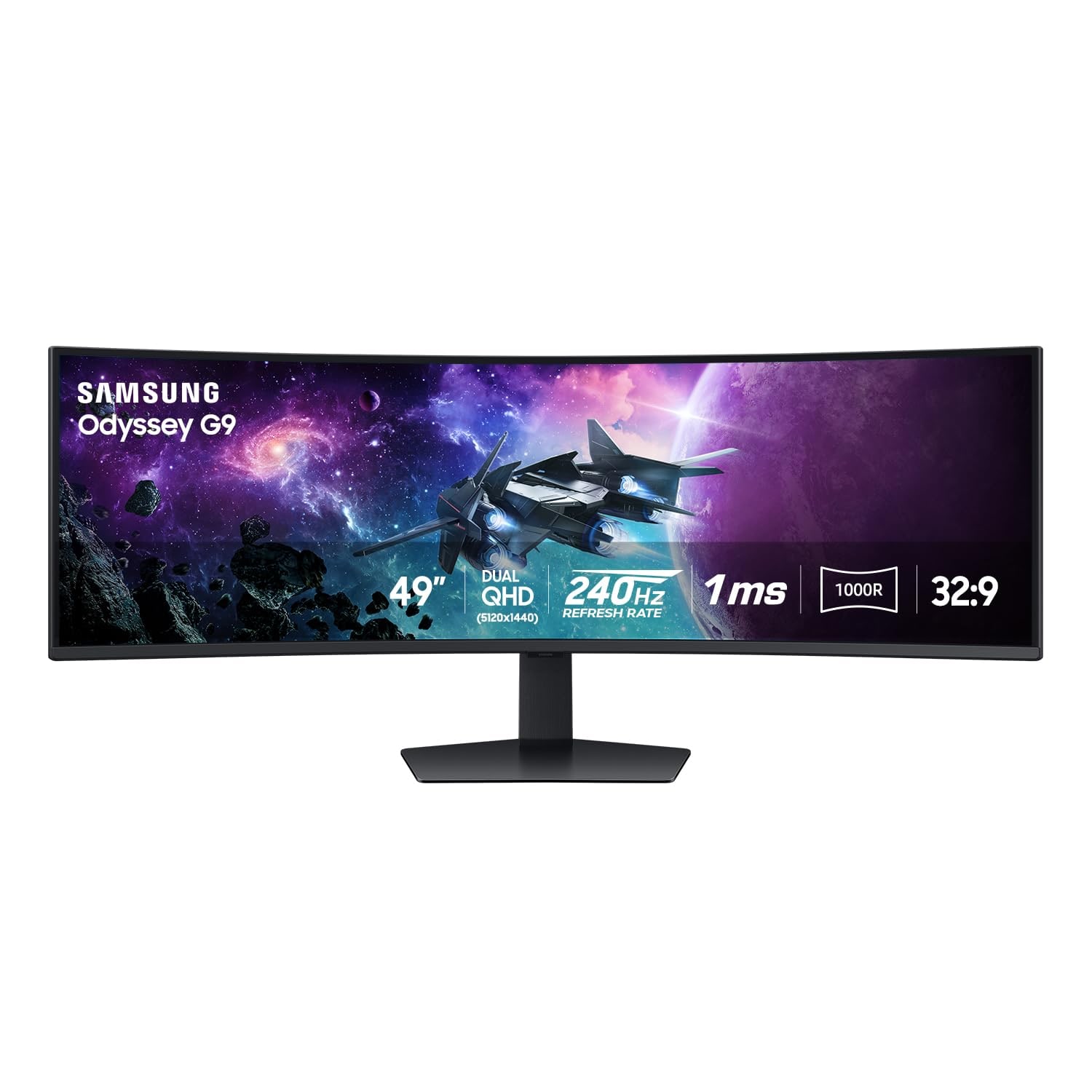
Samsung’s Odyssey G9 G95C is the 49-inch wild card: a 1000R curved, DQHD, 240 Hz VA super-ultrawide built for people who want one enormous screen instead of a normal monitor layout. It ranks below the safer 27-inch picks because it is less universal, but for the right desk it can make games and timeline-heavy work feel wonderfully spacious.
liked
The appeal is clear: games that support 32:9 can feel dramatically wider, productivity layouts get a massive canvas, and the Amazon listing showed a current new buy box at $899.99 when checked. One reviewer said the extra width meant “three to four windows open,” while another said the “sheer width” made day-to-day work feel less cramped.
complaints
Everything about it is conditional. You need desk depth, a GPU that can drive it, games and apps that behave well at 32:9, and patience for a huge stand or careful mounting. One reviewer put the desk warning bluntly: “you will need a very large desk.” It is also easy to mix up with Samsung’s OLED G9 models, so exact G95C identity matters.
best for
Sim, racing, immersive PC gaming, video timelines, trading dashboards, and multitasking desks where a giant curved canvas is the whole point.
skip if
Avoid it for small desks, console-first setups, color-critical work, simple office use, or anyone who wants normal monitor ergonomics.
Biggest issue
Desk fit, aspect-ratio support, GPU load, panel QC worries, firmware reports, and return hassle all deserve more attention than the headline specs.
Choose it only if you already want the super-ultrawide life and have measured your desk twice.
#5 · Best OLED media splurge
Samsung 32-inch OLED M9 M90SF Smart Monitor
MSRP
—
Amazon
$1,599.99
at writing · 2026-05-15
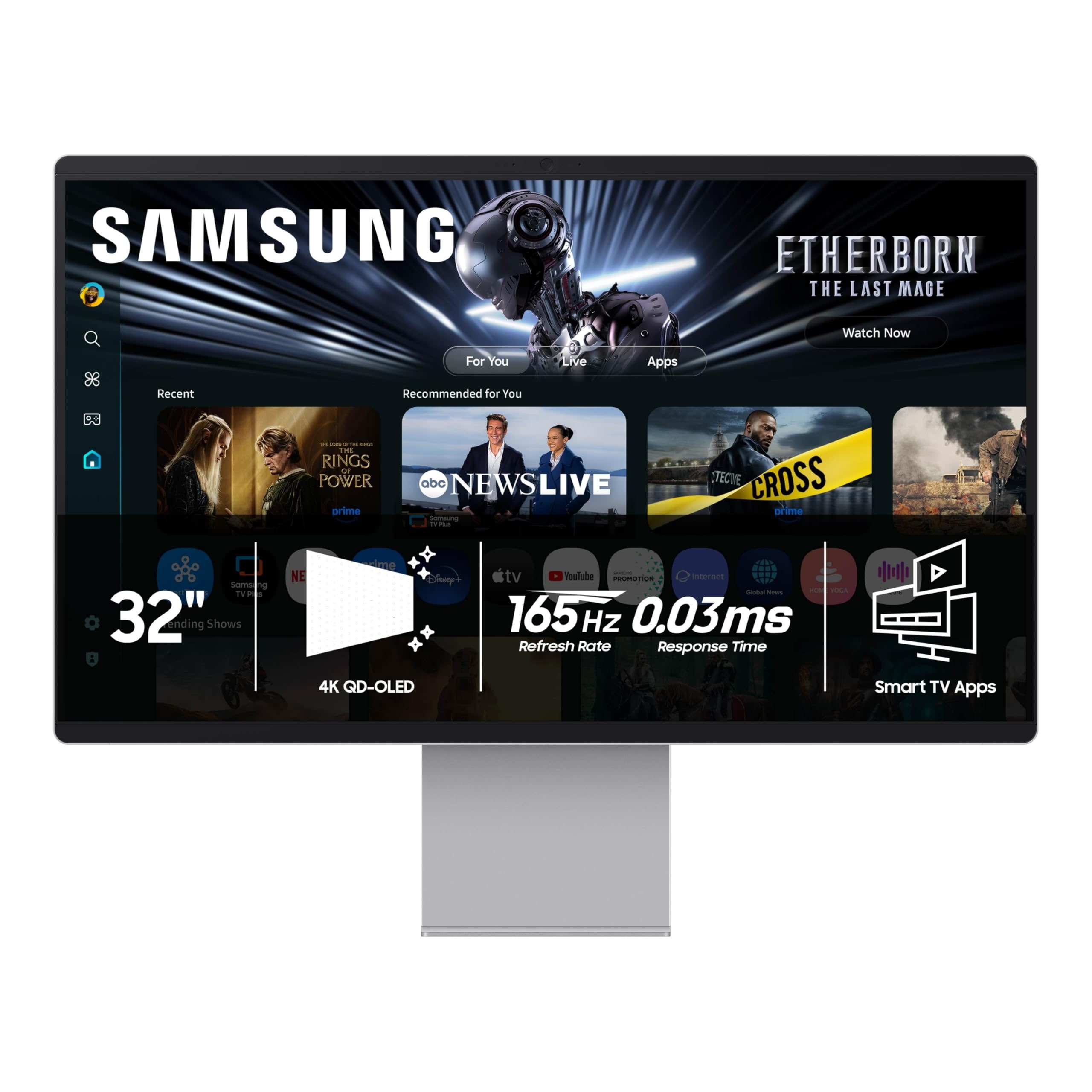
Samsung’s Smart Monitor M9 M90SF is a 32-inch 4K QD-OLED display trying to be a premium monitor, streaming screen, and gaming hub in one. It brings the richest image potential here, but it ranks as a splurge because a desktop OLED with a smart-TV brain is not automatically the best work monitor for everyone.
liked
OLED contrast, 165 Hz refresh, remote/app features, Gaming Hub, and Samsung’s smart monitor extras make it the most exciting display in the group for media and after-hours gaming. A video review captured the appeal in simple terms: “the colors really pop.” If you hate the idea of a separate small TV near your desk, this is the monitor that makes that pitch credible.
complaints
The evidence also points to the right worries: a much higher price, desktop OLED care, possible text-rendering concerns, static UI habits, smart-interface annoyances, account prompts, and wake/app behavior. Those are not small details if the monitor will spend eight hours a day showing documents and browser tabs.
best for
Buyers who want one premium 32-inch screen for work, streaming, console/PC gaming, and rich media viewing, and who are comfortable managing OLED habits.
skip if
Skip it for budget office work, worry-free static desktops, color-critical jobs that need a locked-down setup, or anyone who dislikes TV-style menus on a monitor.
Biggest issue
The big questions are burn-in comfort, text rendering, smart software behavior, warranty terms, and whether the OLED magic is worth the money for your actual desk.
Treat the M9 as an OLED media-monitor splurge, not a default office recommendation.
#6 · Best touch niche
Dell P2424HT 23.8-inch touch USB-C hub monitor
MSRP
—
Amazon
$378.89
at writing · 2026-05-15
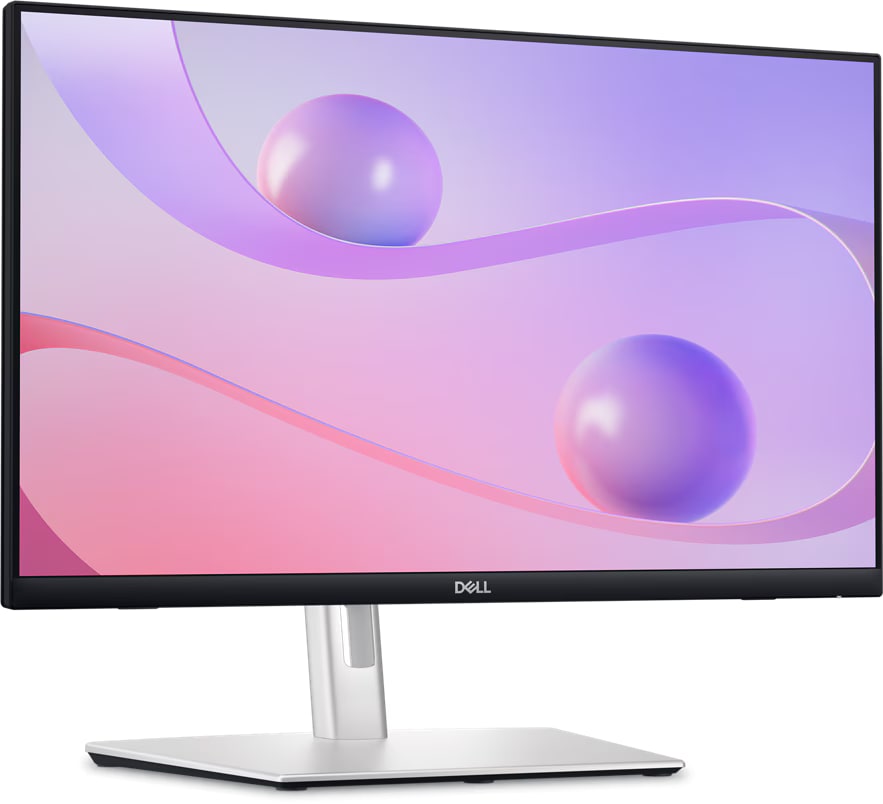
Dell’s P2424HT is not trying to win a spec race. It is a 23.8-inch touch monitor with a flexible stand and USB-C hub angle, made for annotation, teaching, reception desks, accessibility setups, and other touch-based office jobs where the screen position matters as much as the panel.
liked
The useful parts are concrete: 10-finger touch support, an articulating stand that can come forward into a more touch-friendly posture, matte IPS office behavior, included setup cables, and current new availability. One reviewer liked that the matte screen did not leave as much visible “finger grease” as glossy touch screens. It belongs in this guide because some buyers need touch more than they need 4K.
complaints
For normal monitor shoppers, the compromises are obvious. It is 1080p, 60 Hz-class, not HDR-focused, not a gaming display, and not a creator-color pick. The buying path was also less tidy than the Dell Plus models, with more seller and price caveats to check before checkout.
best for
Touch setups, front desks, teaching, annotation, point-of-service tasks, and workstations where the flexible arm-like stand solves a real problem.
skip if
Do not buy it for maximum sharpness, gaming, media punch, photo/video work, or because you simply want the best general monitor for the money.
Biggest issue
Check OS touch support, seller condition, cable needs, VESA plans, and whether 1080p is enough before you commit.
The P2424HT is the right kind of oddball when touch is the job, and the wrong buy when touch is just a novelty.
05 · How This Review Works
We compared six current monitor picks that solve different jobs: a mainstream 27-inch 4K USB-C monitor, a simpler 27-inch 4K value monitor, a premium Thunderbolt office hub, a 49-inch super-ultrawide, a 32-inch OLED smart monitor, and a touch-focused office display. Each pick had to match the exact model we were ranking and be available new at the time we checked.
The scores do not include a separate value grade. Price is shown as buying context, while the score itself focuses on how the monitor behaves: text comfort, panel consistency, motion, setup, connectivity, HDR/color fit, support risk, and whether it makes sense for the buyer it is meant to serve. A $280 Dell Plus and a $1,600 OLED Samsung are not trying to win the same desk.
Read the lane labels as carefully as the rank. The best monitor for a MacBook dock setup is not automatically the best monitor for a console, a tiny desk, a classroom touch station, or someone who wants a giant curved gaming wall.
06 · Best Fit for You
Choose Dell 27 Plus 4K USB-C Monitor S2725QC if you want the safest everyday recommendation: 27-inch 4K sharpness, 120 Hz, and a cleaner USB-C laptop desk at a mainstream price.
Choose Dell 27 Plus 4K Monitor S2725QS if you like the Dell Plus panel story but do not need USB-C charging or hub features. It is the cleaner value pick for a desktop PC, console-adjacent setup, or work desk that already has its cables sorted.
Choose Dell UltraSharp U2725QE if the monitor needs to replace part of your laptop dock. Thunderbolt 4, KVM, ports, and stronger power delivery are the reasons to pay more.
Choose Samsung Odyssey G9 G95C only if you already want a 49-inch curved ultrawide and have the desk, GPU, and app/game support to enjoy it. Choose Samsung Smart Monitor M9 M90SF if OLED media and smart-TV features matter enough to accept desktop OLED caveats. Choose Dell P2424HT when touch and its flexible stand are the point, not when you simply want the sharpest monitor.
07 · What to Do Next
Before checkout, confirm the exact model number and ASIN. Dell’s S2725QS and S2725QC are easy to confuse, Samsung’s G9 names can cross into OLED models, and Dell’s P2424HT should not be mixed with non-touch P-series monitors. Then check seller, condition, delivery timing, return window, and whether the current price still makes sense.
Match the monitor to your desk before you match it to a benchmark. Laptop users should verify USB-C wattage, hub needs, and sleep/wake behavior. Gamers should check refresh rate, VRR, console support, GPU load, and aspect-ratio support. OLED buyers should be honest about static windows and burn-in comfort. Ultrawide buyers should measure desk depth and think about mounting before the box arrives.
When the monitor is delivered, test the problems that are painful to discover late: dead or stuck pixels, backlight or uniformity issues, USB-C charging, sleep/wake behavior, stand wobble, scaling, and the apps or games you use most. Return-window testing is much cheaper than learning to tolerate the wrong screen for years.
Feedback loop
Tell us what this page missed.
These pages get better when real buyer complaints make it back into the scoring model. If something important is underweighted, say it.
Rate this review
Give it a score from 1-10 and tell us what to improve.
0/4000 characters