Dell P2424HT Review (2026): Touch Only Makes Sense for the Right Desk
A 23.8-inch Dell touch display with a flexible stand and USB-C hub angle, best when fingers-on-screen work matters more than 4K sharpness or gaming specs.
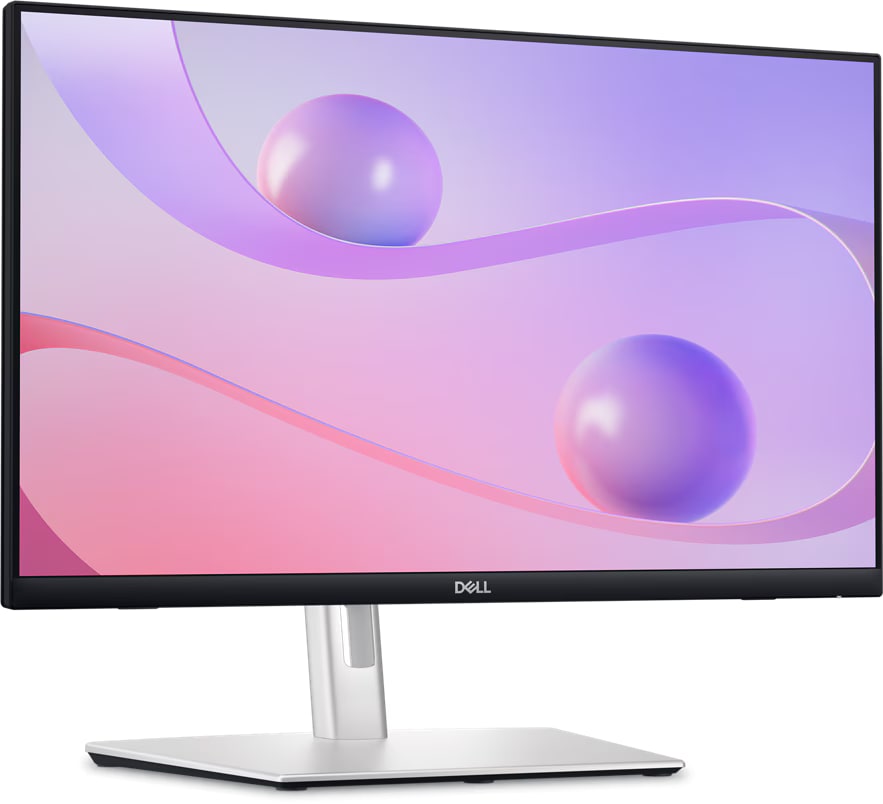
Dell’s P2424HT is the niche monitor in our computer-monitor ranking: useful for annotation, reception desks, teaching, accessibility setups, and touch-first work, but easy to overbuy if you only want a normal office screen.
MSRP
—
Amazon
$378.89
at writing · 2026-05-15
Buyer fit
A useful outlier when touch, annotation, reception-desk work, or a flexible stand matters more than resolution, HDR, or gaming specs.
MSRP
—
Amazon
$378.89
at writing · 2026-05-15
Score breakdown
How this product scored
Same rubric, but focused on one product so the reasons behind the score stay readable.
Text clarity and comfort
1080p at 23.8 inches is serviceable for touch and office tasks, but it cannot compete with the 27-inch 4K picks for text density.
Panel quality and consistency
IPS and matte office behavior are safe enough, but nothing in the review evidence suggests premium contrast or panel performance.
Motion and gaming setup
This is not a gaming monitor; 60 Hz-class behavior and office touch priorities set the ceiling.
Connectivity and desk setup
The flexible stand, touch posture, included cables, and USB-C hub angle are the reasons to consider it.
HDR, color, and creator fit
No HDR story and no creator-color ambition; it is a hands-on office monitor.
Reliability and support
The exact product is available, but seller/price volatility and thin owner depth make the buying check important.
Use-case fit
Strong for annotation, reception desks, teaching, accessibility, and kiosk-like work; weak for almost every spec-driven monitor shopper.
Source confidence
The identity and touch setup are supported by the dossier and UX rows, with non-touch Dell model bleed explicitly avoided.
Quick Verdict
Dell’s P2424HT only makes sense if you start with the job it is trying to do. This is not the monitor to buy because you saw a big discount and wanted the strongest screen for general use. It is the one to consider when the screen has to come forward, sit low, respond to touch, and survive hands-on work at a front desk, classroom, lab bench, checkout counter, accessibility setup, or annotation station.
In our full computer monitor ranking, it lands at #6 as the “Best for touch desks” pick with a 6.5/10 overall score. That rank is not a punishment as much as a warning label. The Dell S2725QC and S2725QS are much better everyday monitor buys for most people because they give you 27-inch 4K sharpness and 120 Hz motion. The P2424HT earns its slot because it does something those safer picks do not: it turns the monitor into a more physical work surface.
The most useful reviewer footage is practical. One setup reviewer liked that “the monitor is not glossy it is matte screen” and said touch left fewer visible marks than a glossy panel. The same kind of source also points out why cabling matters more here: “cable management on this monitor is a bit more essential” because the arm is meant to move. At writing, a new Amazon listing for ASIN B0D1Z97G1V was captured at $378.89 on 2026-05-15T10:51:31Z, with seller and price caveats worth rechecking. Use the product links to confirm today’s price, seller, condition, return window, and exact model before buying, and to support KB4UB if this review saves you from the wrong screen.
Score Breakdown
- Text clarity and comfort: 6.1/10. 1080p on a 23.8-inch panel is usable for front-desk forms, touch controls, presentations, and everyday office tasks. It is not in the same league as the 27-inch 4K Dell picks for long reading, coding, spreadsheets, or dense browser work.
- Panel quality and consistency: 6.7/10. IPS and an anti-glare touch surface are the right ingredients for this job. The sources do not support treating it like a premium contrast, HDR, or media display.
- Motion and gaming setup: 5.2/10. This is a 60 Hz-class office monitor. Buy it for fingers and desk posture, not games.
- Connectivity and desk setup: 7.5/10. This is the strongest score: flexible stand, touch posture, included cables, Ethernet/USB hub signals, and USB-C laptop setup all matter here.
- HDR, color, and creator fit: 4.5/10. There is no meaningful HDR story and no creator-monitor ambition. The better read is matte office utility.
- Reliability and support: 6.6/10. Product identity is clear, but current commerce was less tidy than the Dell Plus models. Check seller, condition, warranty path, and return terms before checkout.
- Use-case fit: 7.8/10. Strong when touch is truly the job; weak when touch is just a nice idea.
- Source confidence: 7.0/10. The exact P2424HT identity, stand behavior, setup cables, and touch angle are supported. Long-term owner depth is thinner than for broader monitor categories.
What Feels Useful After Setup
The stand is the main event. Normal monitors mostly ask you to set height and tilt once, then leave them alone. The P2424HT is built around the idea that the display may need to come closer, lower, and more touch-friendly during the day. That matters for signing forms, marking up documents, walking someone through a map, running a kiosk-like app, or teaching from a screen where a mouse would slow the moment down.
The setup package also looks more complete than a barebones office monitor. Dell’s support/unboxing row says, “Inside the box, you will find a 24-inch display, a stand base, a stand riser, a cable cover, a DisplayPort cable, a USB-C to USB-C cable, a USB-C to USB-A cable, a Power cable,” plus the safety and quick-start paperwork. That does not make setup effortless, but it does mean the monitor is clearly meant to cover both USB-C laptop and more traditional desktop connections.
The matte touch surface is the small payoff. A glossy touch monitor can feel gross fast because every tap turns into a smudge reminder. The hands-on transcript specifically praises the matte finish because it does not leave as many fingerprints around. For a screen that people are meant to touch all day, that is not a tiny detail.
What Gets Annoying
The first annoyance is that this is still a 1080p 24-inch-class monitor at a price where many shoppers will also see sharper 27-inch 4K screens. If the monitor is mostly for reading, editing, tabs, documents, or spreadsheets, the P2424HT will feel like the wrong trade. Touch does not make text denser.
The second annoyance is cabling. The flexible stand is useful because it moves, but movement means cables have to be routed with more care than on a fixed stand. One setup transcript says the cables should be routed through the grommets, then warns that “cable management on this monitor is a bit more essential” because the arm will move around. If the desk already has tight cable runs, docking gear, or a wall behind it, build slack into the plan.
The third annoyance is buying confidence. The exact ASIN was available, but the checkout trail also showed seller/price volatility and Amazon text showing Ships/Sold by Aventis Systems rather than the cleaner Amazon.com-style buy box seen on the Dell Plus monitors. That does not make it a bad buy. It just means you should treat seller, condition, warranty, and return window as part of the product.
How It Compares
The P2424HT is the specialty tool in this monitor group. Do not compare it by asking whether it beats every other screen on specs. Ask whether touch and stand posture matter enough to give up sharper, faster, prettier alternatives.
- Dell S2725QC: The better default pick. It gives you 27-inch 4K, 120 Hz, and USB-C desk cleanup for ordinary laptop and home-office buyers. Pick the P2424HT only if touch is more important than crisp 4K text.
- Dell S2725QS: The better no-hub value monitor. If you do not need touch or USB-C hub behavior, this is the cleaner normal-screen buy.
- Dell UltraSharp U2725QE: The better premium laptop desk. Thunderbolt 4, KVM, richer office-hub features, and 4K sharpness make the UltraSharp a workstation center. The P2424HT wins only when the physical touch posture is the point.
- Samsung Odyssey G9 G95C: A completely different creature: huge, curved, fast, and desk-dominating. It is for immersive gaming and giant-window layouts, not reception desks or annotation.
- Samsung Smart Monitor M9 M90SF: The OLED/media splurge. Choose it for contrast, streaming, and after-hours display fun; choose the Dell touch monitor for hands-on office work.
If you are not sure which lane you are in, start with the full computer monitor ranking before buying.
Who Should Buy It
Best for: Touch-first desks, reception counters, teaching, annotation, point-of-service tasks, accessibility setups, and workstations where pulling the display forward or lowering it changes how the job gets done.
Skip if: You want maximum sharpness, gaming motion, HDR punch, creator color, OLED contrast, or the safest general monitor for the money. Also skip it if touch would be fun for a week and ignored after that.
Bottom line: The Dell P2424HT is the right kind of oddball when touch is the job, and the wrong buy when touch is only a novelty.
Before checkout, confirm the exact Dell P2424HT name, ASIN B0D1Z97G1V, seller, condition, return window, OS touch support, USB-C needs, desk clearance, cable slack, VESA plans, and whether 1080p is acceptable for the real work you will do on it. During the return window, test touch in the apps you actually use, move the stand through its normal range, check for wobble, verify USB-C charging/hub behavior, and inspect the panel for dead pixels or distracting uniformity problems.
Tell us what this page missed
These pages get better when real buyer complaints make it back into the scoring model. If something important is underweighted, say it.
Rate this review
Give it a score from 1-10 and tell us what to improve.
0/4000 characters