Dell S2725QS Review (2026): Sharp 4K/120 Hz Without the USB-C Dock
A straightforward 27-inch Dell Plus 4K monitor with sharp text, 120 Hz smoothness, and a useful stand — but no USB-C docking safety net.
A sharp, simple 27-inch 4K/120 Hz Dell Plus monitor for desktops, school, coding, and casual console or PC gaming, as long as you do not need USB-C charging, a USB hub, or convincing HDR.
MSRP
—
Amazon
$279.99
at writing · 2026-05-15
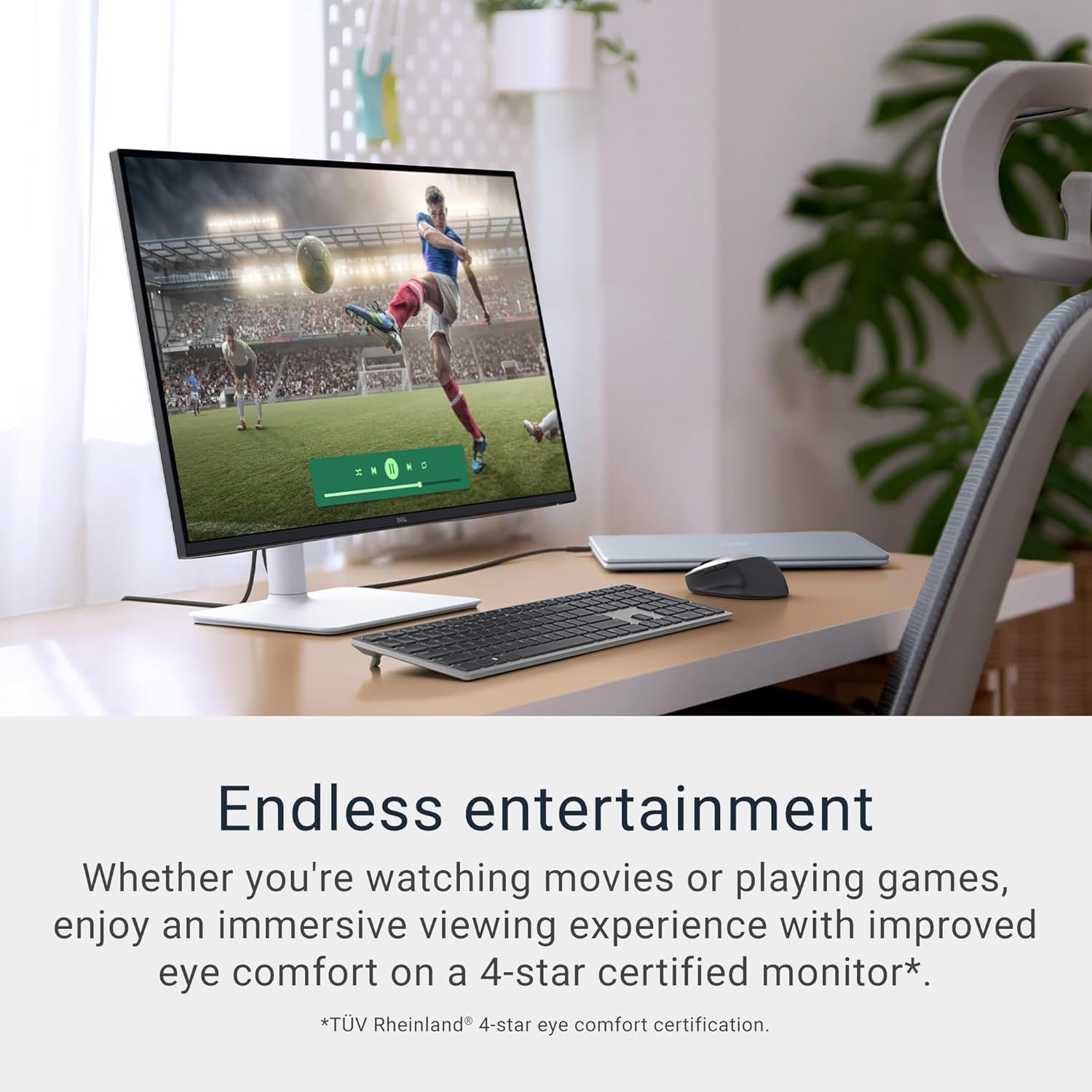
Buyer fit
A clean current Amazon listing and a strong Dell Plus fit for buyers who want sharp 4K, 120 Hz, and an ergonomic stand without USB-C hub expectations.
MSRP
—
Amazon
$279.99
at writing · 2026-05-15
Score breakdown
How this product scored
Same rubric, but focused on one product so the reasons behind the score stay readable.
Text clarity and comfort
The same 27-inch 4K comfort case applies here: sharp text, useful screen size, and a less twitchy 120 Hz desktop than old budget 4K monitors.
Panel quality and consistency
IPS contrast and no local dimming are the limit; sources do not support treating it as a dark-room movie or HDR display.
Motion and gaming setup
120 Hz, HDMI 2.1-era bandwidth signals, and common VRR support make it more flexible than a basic office panel, with response-time caveats for fast scenes.
Connectivity and desk setup
The stand is better than barebones budget monitors, but no verified USB-C PD or hub keeps it behind the S2725QC for laptop desks.
HDR, color, and creator fit
Good enough for ordinary SDR use, not a serious HDR or wide-gamut creator pick.
Reliability and support
The current Amazon listing is clean, but long-term owner and quality-control evidence remains thinner than the spec sheet and reviewer coverage.
Use-case fit
Excellent if you want the simple 4K/120 Hz Dell Plus lane and do not need the monitor to be a laptop dock.
Source confidence
The exact model, ASIN, images, and reviewer excerpts line up cleanly.
Quick Verdict
The Dell 27 Plus 4K Monitor S2725QS is the one to buy when you want the useful part of Dell’s Plus line — crisp 27-inch 4K, a smoother 120 Hz desktop, and a sensible stand — without paying attention to laptop-dock features. In the full computer monitor ranking, it lands at #2 with an 8.1/10 overall score, just behind the USB-C S2725QC and ahead of the more specialized premium, OLED, ultrawide, and touch picks for most ordinary desks.
The reason to keep reading before you buy is simple: this is a very good value monitor if your desk is already wired, and the wrong one if you expected hidden hub features, rich HDR, or esports-grade motion. One comparison reviewer summed up the everyday appeal well: “You’ll be happy with either if you want sharp text while working or browsing the web.” That is the S2725QS at its best: clean 4K text, a smoother feel than older budget 4K screens, and fewer extras to misunderstand.
The tradeoff is not subtle. There is no verified USB-C power delivery, no built-in USB hub, no audio jack, and HDR is the kind you should mostly ignore. At our 2026-05-15 price check, we found a new Amazon listing for ASIN B0F1GF1KFC at $279.99 with Amazon.com shown for shipping and selling. Use the product links to recheck today’s price, seller, delivery, and return window before buying; if this review helps you avoid the wrong monitor, those links also help support KB4UB.
Score Breakdown
- Text clarity and comfort: 8.7/10. The 27-inch 4K panel is the core win. Text, spreadsheets, code, browser tabs, and two-window work are the jobs this monitor handles best.
- Panel quality and consistency: 7.5/10. IPS viewing angles help, but ordinary IPS blacks and no local dimming keep it out of premium movie-night territory.
- Motion and gaming setup: 8.0/10. 120 Hz and VRR/console-friendly signals make it much nicer than old 60 Hz office monitors, but fast action can still show blur.
- Connectivity and desk setup: 7.3/10. The stand and basic inputs are sensible. The missing USB-C charging and hub features are the main reason it sits behind the S2725QC.
- HDR, color, and creator fit: 6.6/10. It is fine for normal SDR use and light creative work after realistic calibration expectations. It is not a serious HDR display.
- Reliability and support: 7.4/10. The current Amazon listing looked clean, but long-term owner depth is thinner than the spec sheets and reviewer coverage.
- Use-case fit: 8.6/10. It fits desktop PCs, school desks, coding desks, and casual gaming setups very well if docking is not part of the job.
- Evidence confidence: 8.4/10. The exact model, ASIN, product images, price check, and multiple reviewer excerpts line up; the main caution is not confusing it with the USB-C S2725QC.
What Feels Great After Setup
The first thing most buyers will notice is not some flashy feature. It is that 27-inch 4K still feels like a sweet spot for everyday desk work. You get enough density for clean text and enough physical space to keep two windows open without turning the desk into a giant-screen project. If you are coming from a 1080p office monitor or an older 60 Hz 4K display, the combination of sharp text and 120 Hz cursor/window movement can make the whole computer feel calmer.
The design also helps the S2725QS stay easy to live with. It looks like a normal Dell office monitor rather than a gaming display, so it fits a home office, dorm desk, or shared work area without demanding attention. An unboxing reviewer said the stand was “pretty good quality,” required “no tools at all,” and that the height movement “feels pretty smooth.” That matters because cheap 4K monitors often save money on exactly the parts you touch every day.
The other quiet win is console and mixed-use flexibility. The S2725QS is not a premium gaming monitor, but 4K/120 Hz support gives it a useful second life after work. For someone with a desktop PC, a console, or a laptop that already has a dock, this is the simpler Dell Plus choice: buy the panel and refresh rate, not ports you will never use.
What Gets Annoying
The biggest annoyance is what the monitor does not do. The S2725QS is the no-hub model, so do not buy it expecting one-cable laptop life. One exact-model comparison notes that “there are no USB ports on the new monitor,” and also calls out that it “doesn’t come with an audio jack.” The built-in speakers are there for emergency sound, not for music, calls, or games you care about.
The picture caveat is equally important. This is an IPS monitor with the usual IPS limits. One reviewer says both the old and new Dell budget 4K models have “mediocre contrast ratios that make blacks look gray in dark rooms,” and that neither has “a local dimming feature to fix this.” That does not ruin the monitor for office work, school, coding, or daytime use. It does mean HDR labels and dark-room movie expectations can set you up for disappointment.
There are also small desk-quality tradeoffs. One comparison reviewer says the newer stand can be a little more wobbly than the older S2721QS and that its cable-management clip feels cheaper than the old cutout. None of that is a dealbreaker at the S2725QS’s price if the monitor stays mostly in place. It is worth knowing if you constantly adjust your screen or care about a very tidy rear view.
Gaming and Console Fit
For casual gaming, the S2725QS is better than its office-monitor look suggests. The strongest exact-model comparison says the newer model has “a higher 120 Hz refresh rate” and “supports VRR over HDMI,” then adds that it can take advantage of gaming consoles with 4K signals up to 120 Hz. That is the reason this monitor makes sense for a desk that handles work during the day and a PS5, Xbox, or PC at night.
The catch is motion clarity. A PS5-focused reviewer warns that “slight ghosting can appear behind objects in fast moving scenes,” explaining that the pixels do not always keep up with the 120 Hz refresh. Another comparison reaches the same practical conclusion: it works well with consoles, but it is “not a significant upgrade in actual gaming performance” because fast-moving objects can still blur.
So the buying rule is straightforward. If you mostly play cinematic games, sports games, RPGs, strategy titles, or console games where 4K/120 support is the main checkbox, this monitor is a strong value. If you are chasing competitive shooters, high-refresh esports, excellent response behavior, or HDR spectacle, buy a monitor that was built for that instead.
How It Compares
The S2725QS is the simple 4K value pick in this set.
- Dell 27 Plus 4K USB-C Monitor S2725QC: This is the #1 pick because USB-C makes it easier to recommend to laptop users. Buy the S2725QS instead if you use a desktop PC, a console, or an existing dock and do not want to pay for USB-C charging you will not use.
- Dell UltraSharp U2725QE: The UltraSharp is the premium office-hub choice with Thunderbolt, KVM, stronger desk connectivity, and a much higher price. The S2725QS is the “just give me a good 27-inch 4K screen” answer.
- Samsung Odyssey G9 G95C: The G9 is for people who already want a giant 49-inch curved ultrawide. It is more immersive and more demanding. The Dell is safer, sharper per desk inch, and easier to fit.
- Samsung Smart Monitor M9 M90SF: The M9 is the OLED media splurge. It looks far richer in the right content, but it brings price, desktop OLED care, and smart-monitor software questions. The Dell is much less dramatic and much easier to justify for work.
- Dell P2424HT: The P2424HT is a touch-workflow tool. Choose it only when touch and its flexible stand matter more than 4K sharpness.
If you are still deciding between these, start with the full best computer monitors guide and work backward from your desk: laptop dock, desktop PC, console, giant canvas, OLED media, or touch.
Buyer Fit and Checkout Notes
Best for: Desktop users, students, office workers, coders, and casual console/PC gamers who want a sharp 27-inch 4K screen with 120 Hz smoothness and do not need the monitor to charge a laptop.
Skip if: You need USB-C power delivery, a USB hub, KVM switching, Thunderbolt, strong HDR, OLED-level blacks, serious creator color work, or fast competitive gaming response.
Bottom line: Pick the Dell 27 Plus 4K Monitor S2725QS when you want the Dell Plus display case without paying for ports you will not use. Pick the S2725QC if your laptop desk would benefit from USB-C.
Before checkout, confirm the exact model number and ASIN B0F1GF1KFC. Dell’s S2725QS and S2725QC are easy to confuse, and older S2721QS/S2722QC models show up in nearby conversations. When it arrives, use the return window on the things that are hard to judge from a product page: dead pixels, uniformity, stand wobble, 4K/120 input behavior, VRR, your actual console/PC settings, and whether HDR is better left off.
Tell us what this page missed
These pages get better when real buyer complaints make it back into the scoring model. If something important is underweighted, say it.
Rate this review
Give it a score from 1-10 and tell us what to improve.
0/4000 characters