Dell S2725QC Review (2026): The 4K USB-C Monitor Most People Should Start With
A sharp 27-inch 4K/120 Hz Dell Plus monitor that cleans up laptop desks, if you know the 65 W charging, HDR, and stand limits before checkout.
The Dell S2725QC is our #1 computer monitor pick because it gives mainstream buyers sharp 27-inch 4K text, 120 Hz smoothness, useful USB-C convenience, and clean current availability without jumping to UltraSharp pricing.
MSRP
—
Amazon
$279.99
at writing · 2026-05-15
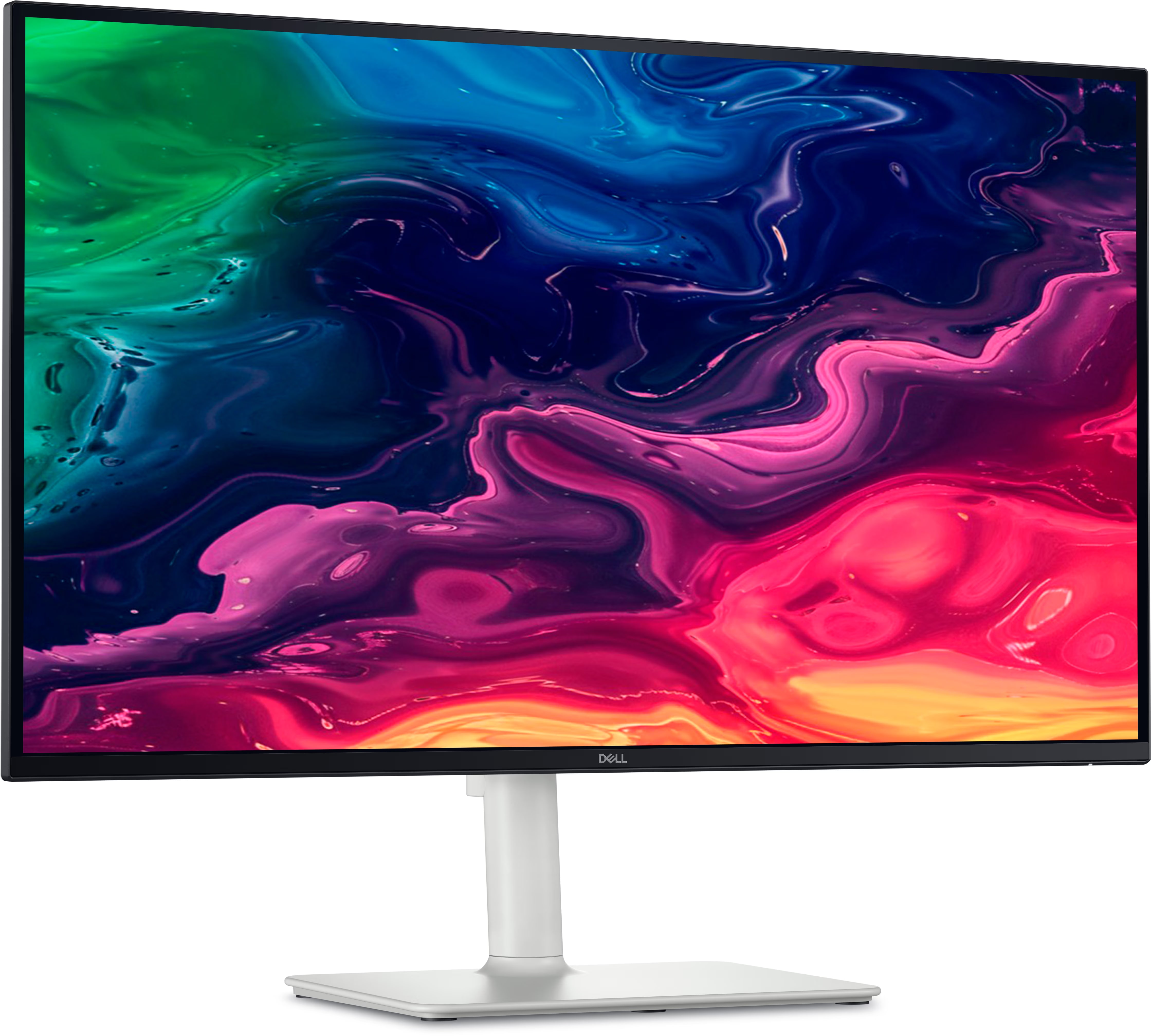
Buyer fit
The broadest recommendation here: 27-inch 4K sharpness, 120 Hz smoothness, useful USB-C convenience, and a clean current Amazon listing at the same checked price as the simpler Dell Plus model.
MSRP
—
Amazon
$279.99
at writing · 2026-05-15
Score breakdown
How this product scored
Same rubric, but focused on one product so the reasons behind the score stay readable.
Text clarity and comfort
4K on 27 inches gives the office sharpness people buy this class for, and the 120 Hz refresh keeps ordinary desktop motion smoother than older 60 Hz 4K displays.
Panel quality and consistency
IPS viewing angles and sRGB behavior are useful, but the sources keep HDR and black depth in the ordinary IPS lane rather than a premium-display lane.
Motion and gaming setup
The 120 Hz and VRR support is a real perk for mixed work and casual gaming, though this is not a high-refresh esports monitor.
Connectivity and desk setup
USB-C is the reason to buy it over the S2725QS, but the review keeps wattage caveats visible instead of pretending it is a full Thunderbolt dock.
HDR, color, and creator fit
The accurate sRGB mode helps normal SDR work; HDR remains flat compared with OLED or mini-LED expectations.
Reliability and support
The exact Amazon listing looked clean, but deeper long-term owner evidence around USB-C wake, cables, and hub behavior remains limited.
Use-case fit
It fits the most common buyer: laptop or desktop, 4K text, light gaming, fewer cables, and no premium UltraSharp price jump.
Source confidence
Exact model identity, ASIN checks, supporting research, images, and reviewer excerpts support the recommendation.
Quick Verdict
The Dell 27 Plus 4K USB-C Monitor S2725QC is the kind of monitor people buy when they are tired of guessing. It gives you the sensible 27-inch 4K size, a smoother 120 Hz desktop, USB-C for a cleaner laptop setup, and a price that was still in mainstream territory when we checked it.
That is why it finished #1 in our full computer monitor ranking with an 8.4/10 overall score. It is not the flashiest screen in the group. The Samsung OLED M9 is more dramatic for movies and games, the Odyssey G9 is more immersive, and Dell’s UltraSharp U2725QE is the stronger dock replacement. The S2725QC wins because it fits the desk most people actually have.
The part to read before checkout is what happens after the first cable is plugged in. One reviewer says the “high 4K resolution helps make text look sharp” and that the “27in screen is big enough to put two windows side by side.” Good. That is the everyday win. But the same review also points to a stand that can wobble, HDR that looks flat, no KVM switch, and USB-C charging that may not be enough for every laptop. At our 2026-05-15 check, ASIN B0F1GFD44G was available new at $279.99. Use the product links to recheck today’s price, seller, and delivery details before buying; if this review helps you choose the right screen, those links also support KB4UB.
Score Breakdown
- Text clarity and comfort: 8.8/10. A 27-inch 4K IPS panel is the sweet spot for sharp office text, coding, spreadsheets, and school work. The 120 Hz refresh also makes ordinary scrolling and cursor movement feel less dated than older 60 Hz 4K monitors.
- Panel quality and consistency: 7.6/10. IPS viewing angles and a useful sRGB mode help, but this is still an ordinary IPS picture, not a deep-black media display.
- Motion and gaming setup: 8.1/10. 120 Hz, VRR support, HDMI 2.1-era signals, and low input lag make it credible for mixed use. It is not a dedicated fast-motion gaming monitor.
- Connectivity and desk setup: 8.5/10. USB-C is the reason to buy this over the Dell S2725QS. The caveat is that it is not Thunderbolt, not a KVM monitor, and not a high-wattage laptop dock.
- HDR, color, and creator fit: 6.8/10. SDR work is the safer story. Reviewer excerpts repeatedly warn that HDR lacks contrast and punch.
- Reliability and support: 7.4/10. The exact Amazon listing looked clean, but deeper long-term owner evidence around USB-C wake, cables, and hub behavior is still limited.
- Use-case fit: 9.0/10. For the common buyer who wants one monitor for laptop work, desktop use, school, and casual gaming, the fit is unusually clean.
- Evidence confidence: 8.2/10. The exact model, ASIN, images, and reviewer excerpts support the recommendation without stretching it into a premium-dock claim.
What Feels Great After Setup
The best thing about the S2725QC is that it makes a normal desk feel more finished without turning monitor shopping into homework. The 4K resolution gives small text and app chrome the sharpness people expect from a modern office display, while the 27-inch size is big enough for two useful windows without becoming a furniture problem.
The USB-C setup is the quiet convenience. A reviewer describes a “USBC port with display port all mode and 65 W of power delivery,” plus a pop-out bottom port area with USB-A and USB-C for quick accessories. That is exactly the kind of detail that matters after the first week: fewer visible cables, easier laptop docking, and a monitor that can handle work during the day and casual gaming at night.
The 120 Hz refresh is also not just a gaming checkbox. It makes scrolling, window movement, and mouse motion feel smoother in daily use. If you are coming from an older 60 Hz office monitor, this is one of the upgrades you notice without needing a benchmark.
What Gets Annoying
The first annoyance is that the S2725QC can sound more premium than it looks in HDR. A reviewer says “colors are just missing that punch” and that blacks can look gray because there is no local dimming. That does not ruin the monitor for office use, but it does mean you should not buy it expecting OLED-like movie nights or a serious HDR creator screen.
The second annoyance is the stand and hub ceiling. One reviewer calls the stand very ergonomic, but also says the adjustments “don’t always stay in place” and that the stand “wobbles easily” when using the rear joystick. That is a livable flaw for a mainstream pick, not a reason to panic, but it matters if you constantly adjust your screen.
Finally, treat USB-C as convenience, not magic. The same reviewer says you “might need a separate charging cable if you have a power hungry laptop,” and it “doesn’t have a KVM switch.” If you need one keyboard and mouse shared across computers, Thunderbolt 4, or 140 W charging, the Dell UltraSharp U2725QE is the cleaner fit.
Gaming, HDR, and Creator Fit
The S2725QC is better at “I also game” than “I bought this for gaming.” Reviewer notes say it supports common VRR formats, works cleanly with PS5, and still supports 4K up to 120 Hz with Xbox even though 1440p at 120 Hz did not work in the tested settings. Low input lag helps the screen feel responsive.
The tradeoff is motion clarity. One reviewer says that “any fastmoving object has distracting trails behind it,” which is the line that should keep competitive gamers from overbuying the Dell Plus promise. It is a smoother work monitor with useful gaming perks, not a replacement for a purpose-built high-refresh gaming display.
For creator work, the sRGB mode is the bright spot. The same reviewer says it locks colors well to sRGB, which is useful for normal SDR work. The caveat is calibration and HDR. If you need near-perfect SDR color, wide-gamut HDR, or deep contrast, this is not the monitor to stretch into that job.
How It Compares
The closest comparison is the Dell 27 Plus 4K Monitor S2725QS. It has the same basic appeal — 27-inch 4K, 120 Hz, and a mainstream Dell Plus feel — but it is the no-hub value pick. Choose the S2725QS if your desktop PC or console setup does not need USB-C.
The Dell UltraSharp U2725QE is the step-up office choice. It cost much more at our 2026-05-15 check, but it is the one to consider if the monitor needs to replace part of a dock: Thunderbolt 4, KVM, a larger port set, stronger power-delivery support, and a more premium office build.
Samsung’s Odyssey G9 G95C and Smart Monitor M9 M90SF solve different cravings. The G9 is for people who already want a 49-inch curved gaming wall. The M9 is for OLED contrast, smart features, and media. The S2725QC is calmer: sharper office text than the ultrawide lane, less OLED care anxiety than the M9, and far less money than the UltraSharp.
Buyer Fit
Best for: Laptop-first home offices, students, coding desks, spreadsheet-heavy work, and mixed work/gaming setups where 27-inch 4K sharpness and one-cable convenience matter most.
Skip if: You need Thunderbolt 4, KVM, 140 W charging, serious HDR, OLED contrast, a true creator display, or fast-motion gaming above 120 Hz.
Bottom line: The Dell S2725QC is our safest everyday monitor pick because it does the normal stuff well: sharp text, useful size, smoother desktop motion, and cleaner USB-C setup at a mainstream price.
Before the return window closes, test the exact things that would be painful to discover later: dead or stuck pixels, scaling at your preferred OS setting, USB-C charging with your actual laptop, sleep/wake behavior, speaker expectations, stand wobble, glare near your window, and the games or apps you use most.
Tell us what this page missed
These pages get better when real buyer complaints make it back into the scoring model. If something important is underweighted, say it.
Rate this review
Give it a score from 1-10 and tell us what to improve.
0/4000 characters