Dell UltraSharp U2725QE Review (2026): Buy It for the Dock, Not Just the Screen
A 27-inch 4K Thunderbolt hub monitor for MacBook and work-laptop desks, with 120 Hz smoothness, IPS Black contrast, KVM convenience, and a price that only makes sense if you use the ports.
The Dell UltraSharp U2725QE is the premium office-hub pick in our computer monitor ranking because it combines sharp 27-inch 4K text, 120 Hz motion, IPS Black contrast, Thunderbolt 4, KVM, and up to 140 W power delivery. It is not the best value if you only need a screen.
MSRP
—
Amazon
$696.69
at writing · 2026-05-15
Buyer fit
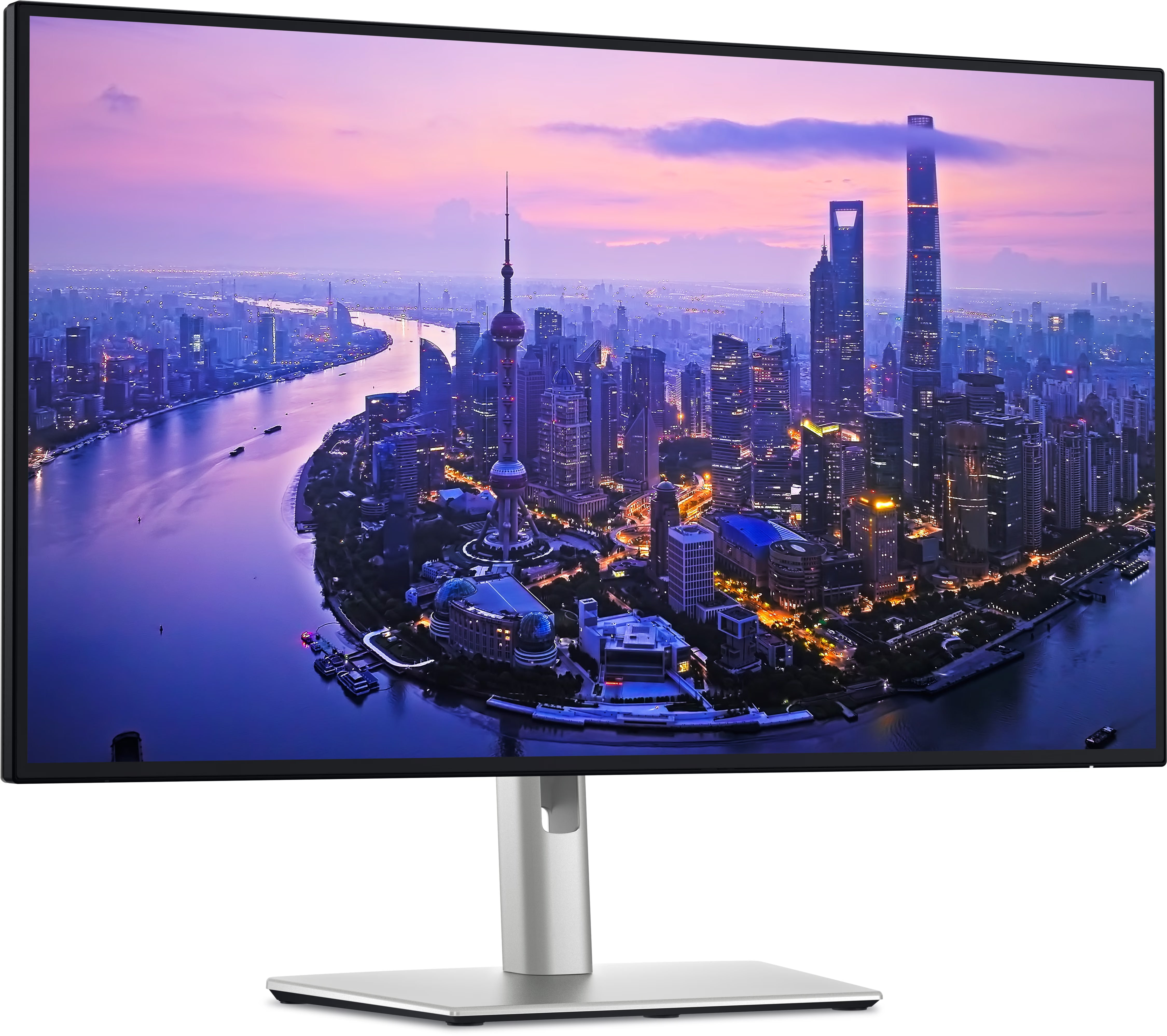
The premium laptop-desk pick: Thunderbolt 4, KVM, reported 140 W power delivery, IPS Black contrast, and UltraSharp desk polish, with seller and price caveats to recheck.
MSRP
—
Amazon
$696.69
at writing · 2026-05-15
Score breakdown
How this product scored
Same rubric, but focused on one product so the reasons behind the score stay readable.
Text clarity and comfort
It keeps the 27-inch 4K sharpness of the Dell Plus models and adds the calmer UltraSharp office design language reviewers expect from Dell’s premium line.
Panel quality and consistency
IPS Black contrast is a real step up from ordinary IPS, although it still does not become OLED or mini-LED HDR.
Motion and gaming setup
120 Hz and VRR make daily movement and some gaming nicer; the product remains office-first rather than gamer-first.
Connectivity and desk setup
This is the standout score: Thunderbolt 4, KVM, a large port set, and reported 140 W power delivery are exactly why it exists.
HDR, color, and creator fit
Color and sRGB behavior are strong for office and creator-adjacent work, while HDR is still limited by the panel class.
Reliability and support
Dell’s premium role helps, but the Amazon seller/offer picture was less clean than the Dell Plus buy boxes and should be checked before buying.
Use-case fit
Best when the monitor replaces a dock; overbuilt if all you need is a sharp 4K panel.
Source confidence
The U2725QE trail is solid, though a few nearby UltraSharp model names required extra filtering.
Quick Verdict
The Dell UltraSharp U2725QE is the monitor you consider when one cable, fewer desk boxes, and a calmer laptop setup sound more valuable than saving a few hundred dollars. It is a 27-inch 4K UltraSharp with IPS Black, 120 Hz, Thunderbolt 4, KVM, a large USB hub, and reported power delivery up to 140 W. That mix is why it ranked #3 in our Best Computer Monitors in 2026 guide as the Best premium office hub, with an 8.3/10 overall score.
It does not beat the Dell S2725QC or S2725QS as the default recommendation because those Dell Plus monitors cover the common 27-inch 4K/120 Hz job for much less money. The U2725QE earns its place when the monitor becomes the center of the desk: laptop charging, USB devices, display input, KVM switching, and daily screen comfort all in one place. One reviewer described the appeal as “4K resolution with a 120 HZ refresh rate” plus “1 cable laptop connectivity,” backed by a large port selection, Thunderbolt 4 hub features, KVM, and high-power laptop charging. That is the buying case.
The pre-buy question is whether those extras will actually change your day. If you already own a dock you like, or if you mostly want HDR movies and gaming pop, the price is hard to defend. If your desk is a MacBook or work-laptop nest of chargers, dongles, and USB accessories, this is the premium pick that can feel boring in exactly the right way. Before checkout, use the product links to recheck current price, seller, stock, exact ASIN B0FM7X82CM, warranty path, and return terms; purchases through those links also help support KB4UB.
Score Breakdown
- Text clarity and comfort: 9.0/10. 27-inch 4K is still the sweet spot for sharp office text, and the UltraSharp design keeps the desk-first feel calmer than louder gaming or smart-monitor picks.
- Panel quality and consistency: 8.4/10. IPS Black gives better contrast than ordinary IPS, but it still is not OLED or mini-LED HDR. Treat the deeper blacks as a useful office upgrade, not a home-theater transformation.
- Motion and gaming setup: 7.8/10. 120 Hz and VRR make scrolling and casual gaming smoother. Response behavior keeps it office-first rather than a dedicated gaming monitor.
- Connectivity and desk setup: 9.5/10. This is the whole reason to buy it: Thunderbolt 4, KVM, broad USB connectivity, and reported 140 W laptop power delivery.
- HDR, color, and creator fit: 8.0/10. Color behavior is strong enough for serious everyday work and creator-adjacent use. HDR remains limited by the panel type.
- Reliability and support: 7.2/10. Dell’s premium line helps, but the Amazon checkout picture was not as simple as the Dell Plus picks. Confirm seller, condition, and warranty before paying the premium.
- Use-case fit: 8.5/10. Excellent if it replaces a dock. Overbuilt if you only need a sharp 4K display.
- Evidence confidence: 7.8/10. Exact U2725QE evidence is solid, but nearby UltraSharp model names are easy to confuse and long-term owner evidence is thinner than the spec sheet and reviewer coverage.
What Feels Great After Setup
The first win should be desk relief. The U2725QE is not trying to wow you with a giant curve or OLED drama; it is trying to make a laptop desk less annoying every morning. You plug in one main cable, keep accessories attached to the monitor, switch between machines with KVM, and get a sharp 4K panel that looks appropriate in an office.
Reviewers keep coming back to that practical pleasure. One called out the “massive USB hub with 10 USB ports” and said it can become “a central point in your work setup.” That matters more than it sounds if your current desk has a laptop charger, external drive, webcam, keyboard receiver, Ethernet adapter, and a second computer all fighting for attention.
The 120 Hz refresh rate is the other quiet delight. It is not just for games. A Mac-focused reviewer said moving from a 120 Hz MacBook screen to a 60 Hz monitor felt “clunky and jarring” and that “120 HZ just feels much nicer to use.” If you notice cursor movement, scrolling, window dragging, or quick app switching all day, this is one of those upgrades that becomes normal fast and then feels hard to give up.
Setup Details You Should Not Skip
The U2725QE is at its best when you plan the desk around it before ordering. Count your USB devices, confirm whether you need Thunderbolt instead of ordinary USB-C, decide whether KVM switching matters, and make sure the reported 140 W power delivery is appropriate for your laptop. This monitor scores 9.5/10 for connectivity and desk setup because those features are unusually central to the product, not because every buyer needs them.
Mac users should also check refresh-rate settings after setup. One reviewer warns that macOS may set an external monitor to 60 Hz by default, so you may need to open System Settings, go to Displays, and choose 120 Hz or variable refresh. That is a small step, but it decides whether you actually get one of the upgrades you paid for.
The stand and desk behavior are mostly office-friendly, with a full ergonomic stand and cable cutout. One review excerpt says it is “easy to place in an ideal position” but also notes that the stand “wobbles kind of easily.” That is not a fatal flaw for normal typing and office work, but it is worth knowing if your desk shakes, you type heavily, or you plan to use a standing desk that moves a lot.
Display, Motion, and HDR Reality
The screen is genuinely strong for the job it is built to do. You get 27-inch 4K sharpness, IPS Black contrast, a matte anti-glare surface, useful brightness, and color behavior that fits office and creator-adjacent work better than a bargain IPS panel. One Mac-focused reviewer said the matte coating did not create a “noticeable impact on colors or text sharpness” when viewed straight on. That is exactly the kind of practical detail that matters if you stare at text all day.
IPS Black is also a real improvement, but it has limits. One reviewer says darker scenes look “noticeably better compared to your typical monitor with a 1,000 to1 contrast ratio,” while still being “nowhere near comparable to OLED technology.” That is the right mental model: better blacks for an office monitor, not OLED magic.
Gaming is similar. The U2725QE supports the smoother 4K/120 Hz lane and can make console or casual PC play feel more modern than old 60 Hz office monitors. But one review warned that “fastmoving objects look blurry” and called that the biggest difference between this and a dedicated gaming monitor. If you play slow-paced games after work, fine. If shooters are the reason you are buying, look elsewhere.
Annoyances, Seller Caveats, and Reliability Signals
The main annoyance is price discipline. At our Amazon check, the U2725QE showed $696.69 with multiple new offers instead of the cleaner single-listing feel of the cheaper Dell Plus picks. A later offer snapshot also showed $659.00 in stock from Aventis Systems and new offers from $652.37. That is available enough to consider, but it makes seller, warranty, and return-policy checks more important.
There is also a coil-whine caveat. A follow-up reviewer said some people had complained about excessive or loud coil whine, described as “a high-pitched buzzing noise coming out of the monitor.” The evidence does not prove that this is common, so do not turn it into a dealbreaker by default. Turn it into a return-window reminder: keep packaging until you know your specific unit is quiet at your desk, with your brightness settings, your laptop, and your room noise.
The other reliability note is identity. This model is easy to mix up with the U2723QE, U2725Q, S2725 family, or adjacent 32-inch/42-inch UltraSharp models. Before buying, confirm the exact Dell UltraSharp U2725QE 27-inch 4K Thunderbolt Hub Monitor listing, ASIN B0FM7X82CM when using Amazon, seller, condition, return policy, and Dell warranty path.
How It Compares to the Other Monitor Picks
The Dell S2725QC is the easier recommendation for most people. It cost far less at our 2026-05-15 check, keeps the 27-inch 4K/120 Hz comfort case, and adds USB-C convenience without pretending to be a full Thunderbolt workstation hub. If you want a clean laptop monitor and do not need KVM or a big port setup, start there.
The Dell S2725QS is the value play if you can skip the hub entirely. It is still sharp, still 120 Hz, and still a strong everyday 4K monitor, but it belongs on desks where a normal display cable is enough.
Samsung’s Odyssey G9 G95C and OLED M9 are more exciting, but they solve different problems. The G9 is a giant curved gaming and multitasking canvas that demands desk space and GPU confidence. The OLED M9 is the media/gaming splurge with OLED care and Samsung smart-monitor behavior to consider. The U2725QE is less theatrical than either one, and that is the point: one premium 27-inch office display acting as a dock, display, USB hub, and KVM.
The Dell P2424HT is the niche touch pick. It only makes sense when touch or a flexible stand matters more than 4K sharpness, HDR, or gaming smoothness.
Final Buying Advice
Buy the Dell UltraSharp U2725QE if your desk has outgrown a normal monitor. The best buyer is running a MacBook or work laptop, wants 27-inch 4K text clarity, notices the difference between 60 Hz and 120 Hz, uses several USB devices, and would genuinely benefit from Thunderbolt 4, KVM switching, and high-power laptop charging through the display. For that person, the premium is not just for panel quality; it is for removing little daily annoyances.
Skip it if you are really shopping for value. The Dell S2725QC and S2725QS preserve much of the 4K/120 Hz comfort for less money. Also skip it if you want OLED contrast, dramatic HDR, a massive ultrawide canvas, or competitive gaming response. The U2725QE can handle some after-hours play, but it is a productivity-first monitor with gaming perks, not the other way around.
The checkout rule is simple: do not buy it unless you can name the dock or cable mess it replaces. If you can, this is one of the most sensible premium monitors in the set. If you cannot, it is an excellent way to overspend on a very nice 27-inch screen.
Tell us what this page missed
These pages get better when real buyer complaints make it back into the scoring model. If something important is underweighted, say it.
Rate this review
Give it a score from 1-10 and tell us what to improve.
0/4000 characters