
The recommendation
Start with Flip 7 for interchangeable attachments or Boom 2 for a handle-led routine; choose another model when its specific controls or source path better match your day.
The shortlist, at a glance
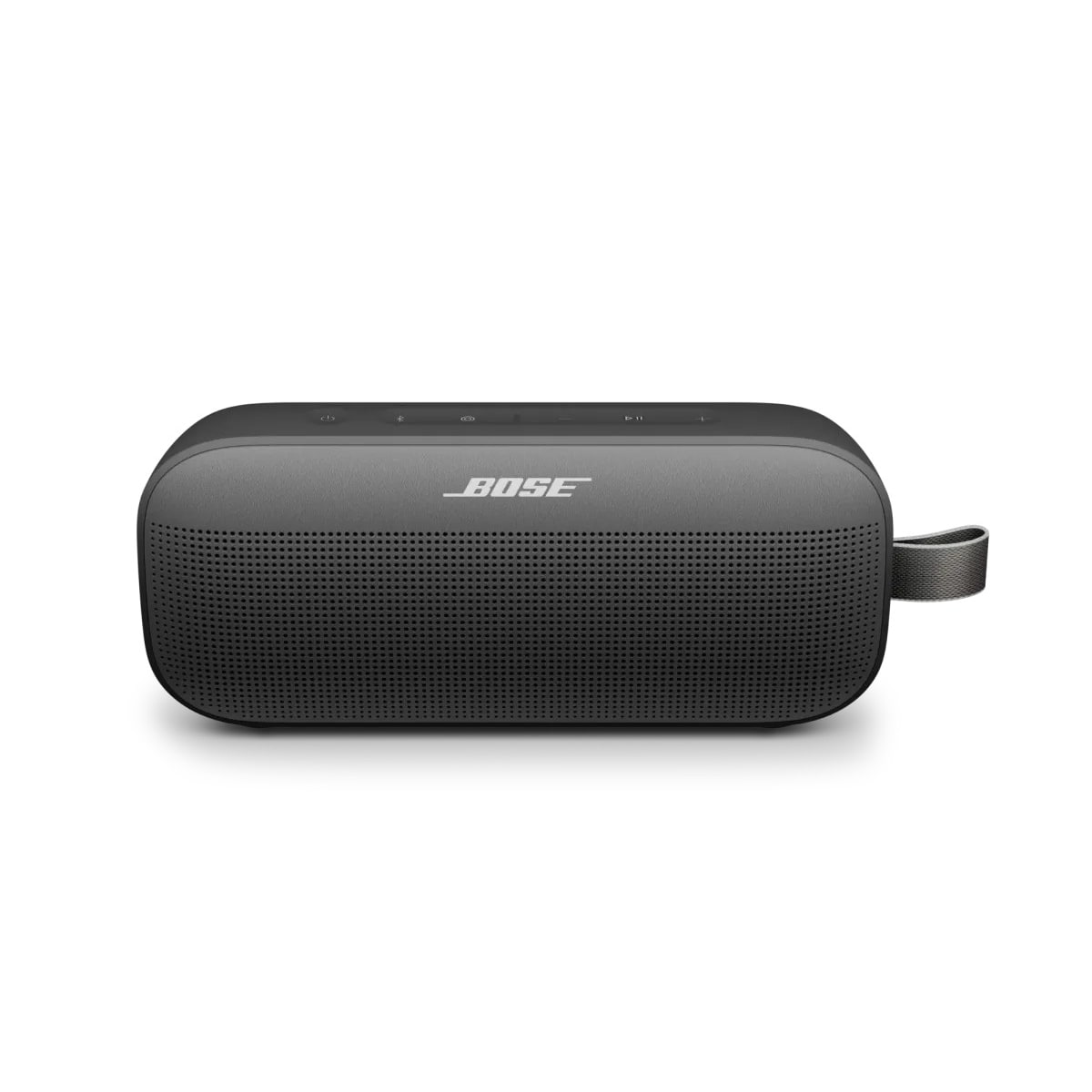
Buyers who value direct playback and a shortcut with a clear assigned purpose.
Bose SoundLink Flex (2nd Gen) →
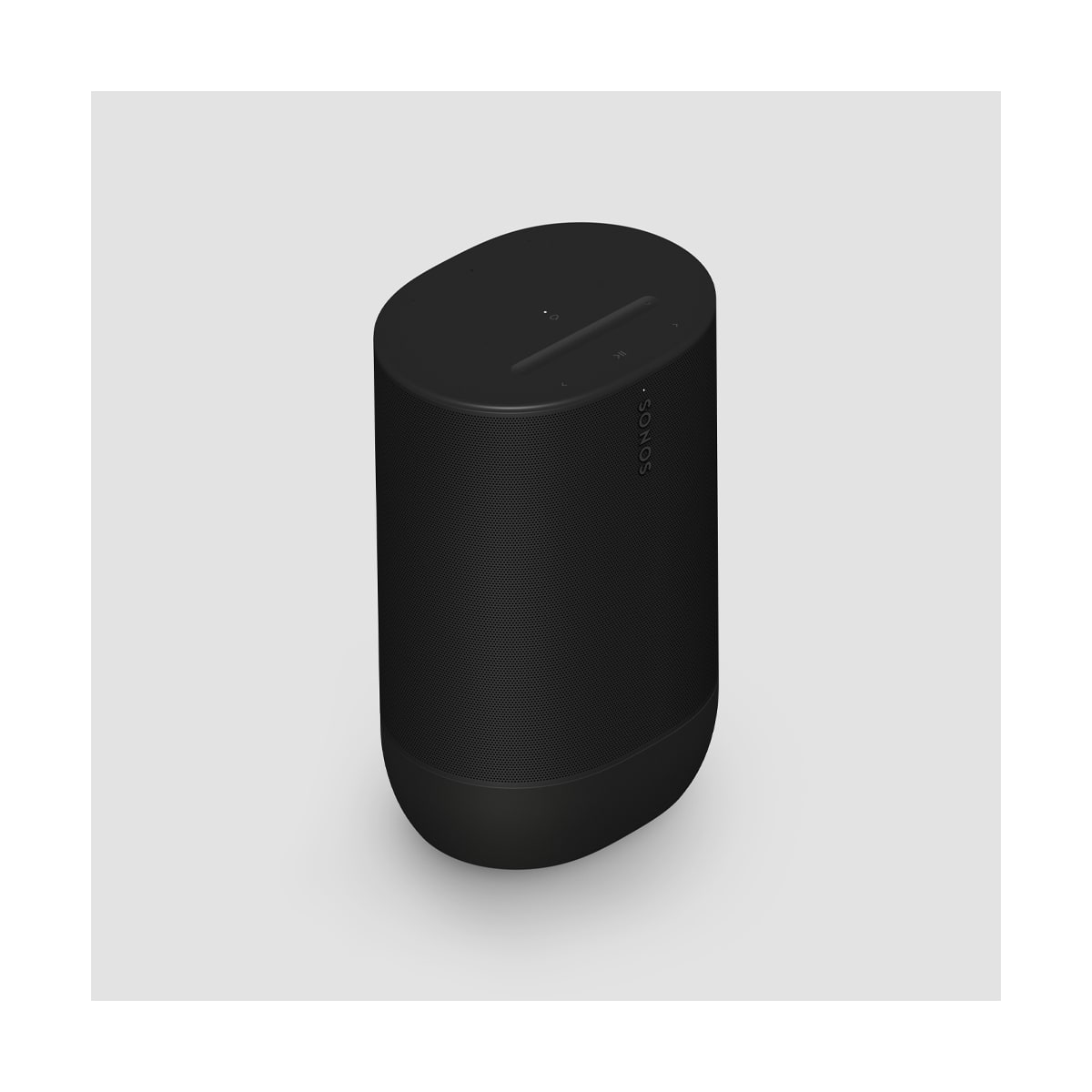
Buyers who want room-to-room use with an indented volume reference and dedicated skip controls.
Sonos Move 2 →
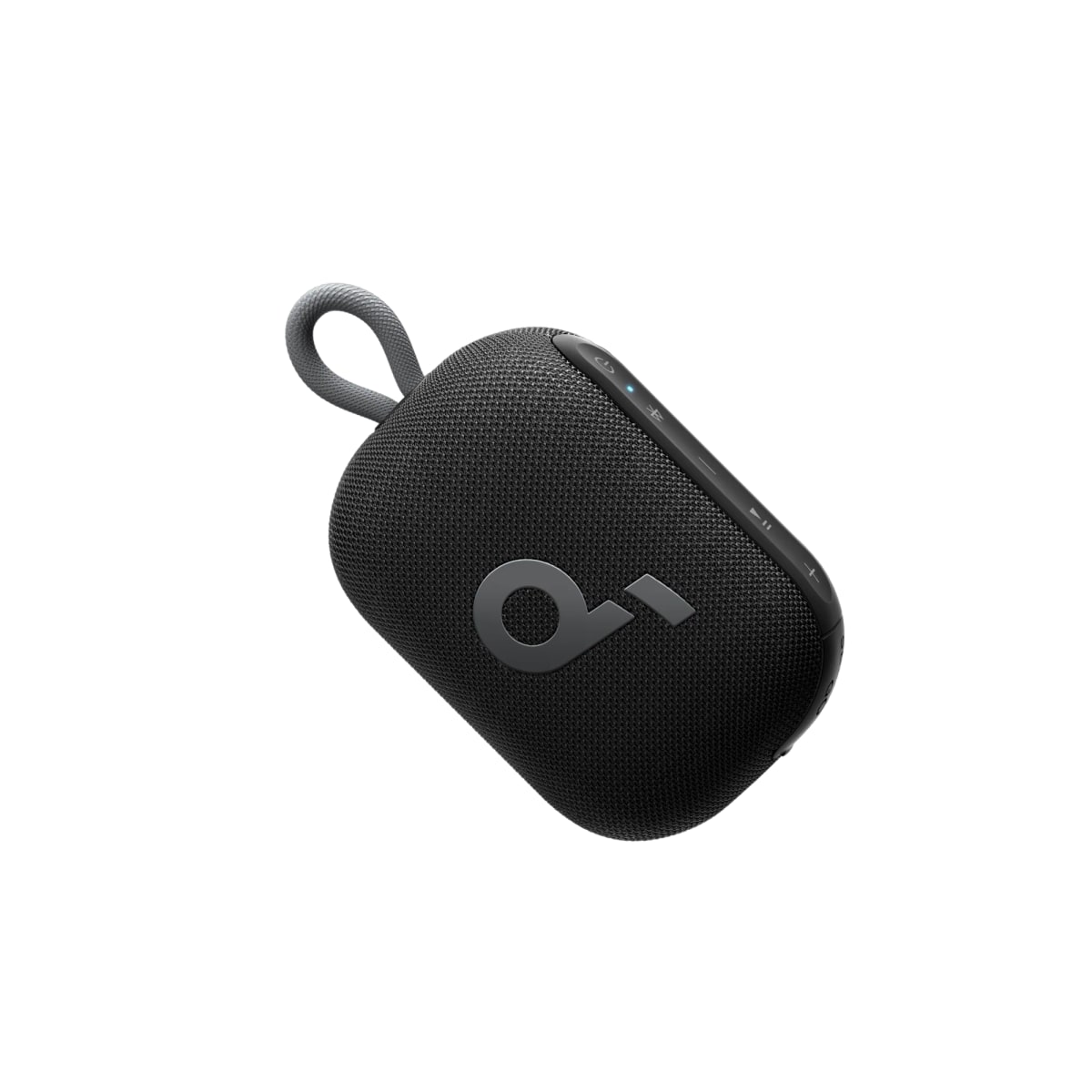
Buyers whose existing bag and attachment arrangement suits a fixed loop.
Anker Soundcore Select 4 Go →
Grades at a glance
| Product | Overall | Carry and placement | Buttons and control selection | Connection and charging-port chores |
|---|---|---|---|---|
| JBL Charge 6 | 7.7 | 7.0 | 9.0 | 7.0 |
| Bose SoundLink Max | 7.0 | 7.0 | 7.0 | 7.0 |
| JBL Flip 7 | 8.4 | 9.0 | 9.0 | 7.0 |
| Bose SoundLink Flex (2nd Gen) | 7.7 | 7.0 | 9.0 | 7.0 |
| Anker Soundcore Boom 2 | 8.4 | 9.0 | 9.0 | 7.0 |
| Sonos Move 2 | 7.7 | 7.0 | 9.0 | 7.0 |
| Anker Soundcore Select 4 Go | 7.0 | 7.0 | 7.0 | 7.0 |
Compare your shortlist
Does it fit your life?
Choose the routine you want to simplify
The most useful starting point is the action you expect to repeat. You might want a handle for moving between surfaces, a bag attachment, a clear playback button, or a source connection you understand without guesswork. These seven speakers offer different combinations. The strongest choice for your day is the one whose particular arrangement fits those tasks, rather than the one with the longest feature list.
The JBL Flip 7 and Soundcore Boom 2 lead this ordinary-use comparison at 8.4/10, but for different physical preferences. The Flip 7's historical reviews describe interchangeable carry pieces and separated playback and connection controls. The Boom 2's review describes straightforward handle carrying and direct physical actions. Read the choices as two different routines rather than interchangeable winners. Flip 7 arrangement, Boom 2 handle and buttons.
The Charge 6, Flex second generation, and Move 2 each receive 7.7/10, with favorable controls and more qualified handling or connection routines. The Max and Select 4 Go receive 7/10, each offering workable tasks with concrete reservations. The sections below explain what you would hold, press, select, and connect, and direct you to a full review when a particular tradeoff matches your needs.
Find your decision
Jump to the comparison table, the Flip 7, Boom 2, Charge 6, Flex second generation, Move 2, Max, or Select 4 Go. For a wired-source requirement, begin with source routes.
Quick comparison and routes to every review
Use this table to identify a routine worth investigating. The category marks describe carrying and placement, ordinary control selection, and connection or charging-port chores. They help reveal where the work occurs; the individual reviews explain the source-specific qualifications behind each mark.
| Speaker | Carry | Controls | Connections | Overall | Start here if you want |
|---|---|---|---|---|---|
| JBL Flip 7 | 9 | 9 | 7 | 8.4 | Interchangeable carry arrangements |
| Soundcore Boom 2 | 9 | 9 | 7 | 8.4 | A handle and physical core controls |
| JBL Charge 6 | 7 | 9 | 7 | 7.7 | A detachable handle or loop |
| Bose Flex 2nd Gen | 7 | 9 | 7 | 7.7 | Dedicated playback and a shortcut |
| Sonos Move 2 | 7 | 9 | 7 | 7.7 | Room changes and a tactile volume reference |
| Bose SoundLink Max | 7 | 7 | 7 | 7.0 | A handle and separate auxiliary input |
| Soundcore Select 4 Go | 7 | 7 | 7 | 7.0 | A fixed loop for your own carry arrangement |
All marks are out of ten. A tied grade leaves room for a clear personal preference: you may value the Move 2's separate skip controls more than a detachable handle, or the Max's auxiliary input more than a higher control mark elsewhere. Use the grade to locate the tradeoff, then decide whether that tradeoff matters in your actual setup.
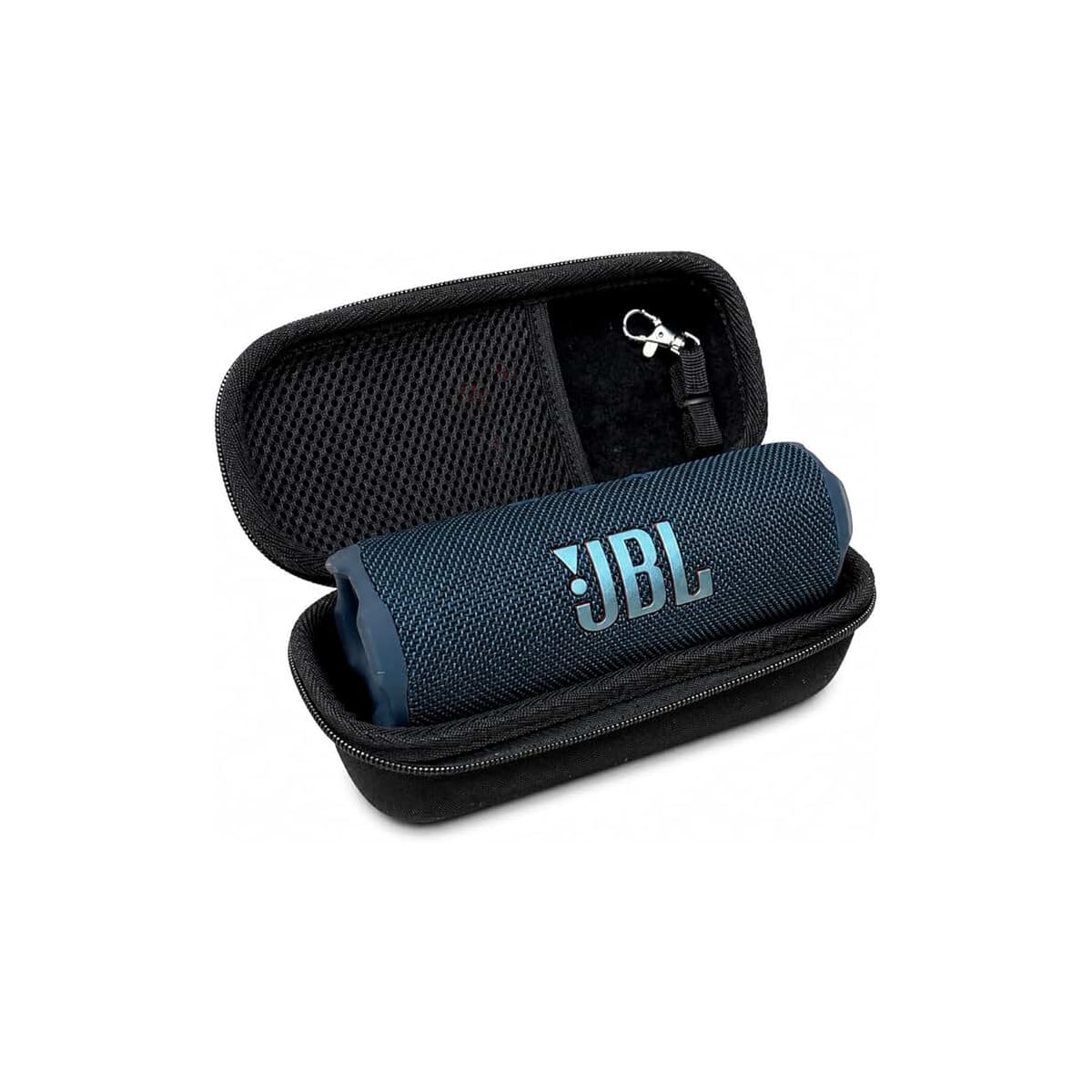
JBL Flip 7 for interchangeable attachments
Smart Home Sounds demonstrates push-lock carry pieces on the Flip 7, including loop and carabiner arrangements in its historical review sample. Confirm the included pieces with the seller; the useful starting point here is the attachment action. If you want to change how a speaker attaches, this is a good first review to open. Flip 7 attachment demonstration.
SoundGuys raises a small organization concern by anticipating that the unused piece could get lost. That was an expectation, not a report of actual loss. Give the spare a hypothetical home in your bag before buying. If you cannot picture managing it, decide whether you would simply leave one favorite attachment installed. The mechanism can be useful without requiring you to switch pieces on every trip. Spare-piece concern.
The Flip 7 also has a historical USB-listening qualification: SoundGuys reports that listening over USB did not charge it simultaneously in that setup. If a single-cable desk routine is essential, investigate your exact arrangement before relying on it. Its 8.4/10 is strongest for the reported carrying and control organization. Read the full Flip 7 review for that decision in detail. USB observation.
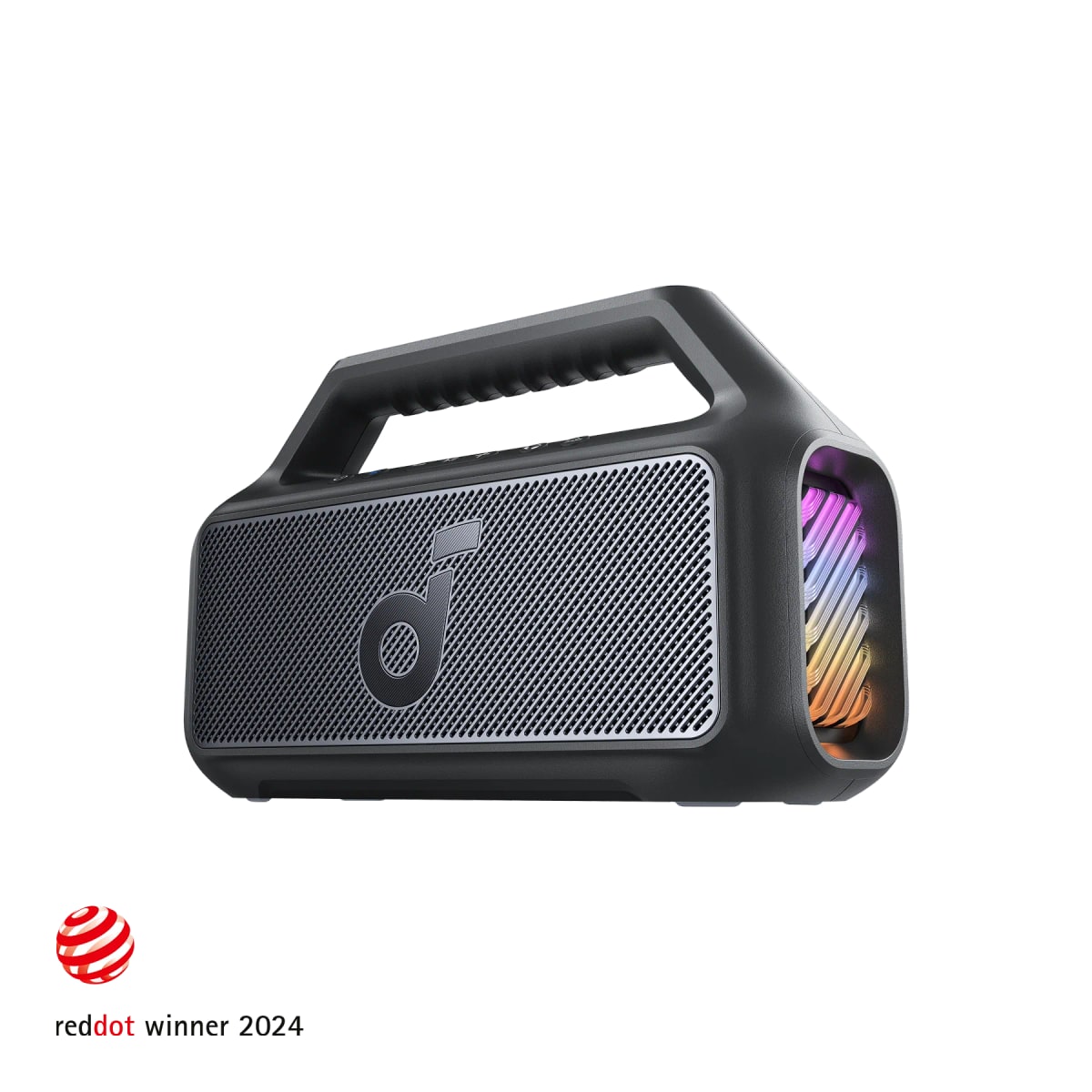
Soundcore Boom 2 for a handle-led routine
The Breakdown With Luke's review describes a useful handle and straightforward carrying, alongside physical power, playback, volume, and Bluetooth controls. The narrow recommendation is attractive: investigate the Boom 2 if you want to grasp a handle, move the speaker, and use common controls directly. The account does not promise identical comfort for every hand. Boom 2 carrying and controls.
The Car Detailing Channel supplies the clearer connector description: USB-C input, USB-A output, and a rear cap to manage. The input and output need different cables, so decide which job you need before choosing what to pack. For a buyer, the useful task is identifying which cable goes where and how you will reach the cap. Boom 2 connectors.
Both reports describe a routine without a direct auxiliary listening input. If your source needs that connection, the Boom 2 should not stay on the shortlist merely because its handle appeals. If Bluetooth is your intended source route, the reported handle and direct controls may be the more relevant features. Its 8.4/10 recognizes that balance; the full Boom 2 review separates each chore. Source-route limitation.
JBL Charge 6 for handle-or-loop flexibility
SoundGuys describes the Charge 6's detachable carry arrangement as usable in two ways: a regular handle or a loop. The same historical account identifies raised playback controls and a separate strip for power and connection choices. This is appealing if you want a defined carry point and routinely operate playback on the speaker itself. Charge 6 carry and controls.
My Tech Gear's review describes noticeable weight and one broken-handle experience. The first observation qualifies the carrying convenience; the second remains a single anecdote, not a failure rate. If the detachable arrangement is the central reason you would choose the Charge 6, examine it directly during your purchase evaluation rather than treating either a favorable description or an individual problem as universal. Charge 6 handling account.
For wired listening, SoundGuys describes holding the playback button while inserting a USB-C cable in its historical setup. That is a mode-selection action to investigate with your intended source, not a guarantee for every present device combination. The 7.7/10 overall favors controls while retaining carry burden and this extra connection step. Continue to the full Charge 6 review. Reported wired gesture.
Bose Flex second generation for playback and shortcuts
The second-generation Flex has a dedicated playback button and an assignable shortcut in the historical accounts. Smart Home Sounds describes selectable shortcut functions, and another second-generation review describes the reorganized controls. Decide which action you would assign before making the shortcut a reason to buy. A button with a clear purpose is more useful than a feature whose role in your day remains vague. Shortcut choices, second-generation controls account.
The second-generation account describes using the speaker on its side, on its back, or hanging from its strap, but says end-standing lacks supporting feet and the side-standing arrangement feels somewhat tippy. That makes your intended surface important. It is a placement caveat from one account, not a prediction that the speaker will fall. Placement observations.
The same account describes manually switching sources. If you alternate between phone and computer often, investigate that action instead of assuming that paired devices create your preferred transition automatically. The 7.7/10 recommendation is strongest when dedicated controls matter and you accept deliberate placement and source selection. Read the Flex second-generation review before using original-Flex comparisons to make the decision. Manual switching.
Sonos Move 2 for room changes and tactile controls
The historical 6 Months Later review describes room-to-room use, an indented volume bar, and dedicated forward and backward skip buttons. This is a useful combination for someone who wants a home-centered routine and direct physical reference points after moving the speaker. Keep the observations specific to Move 2; other Sonos products discussed in the review do not establish the same experience. Move 2 movement and controls.
Tay's separate historical account describes some heft and an initial system update that interrupted a planned quick departure. The update was a task in that system at that time, and the reviewer says setup worked out afterward. Use the story as a reason to allow an initial preparation session, rather than a claim about current app behavior. Historical setup chore.
For a wired source, the 6 Months Later review describes using a Sonos USB-C line-in adapter. That additional component needs a place in your routine and separate confirmation of the exact current arrangement. The 7.7/10 favors physical control selection while retaining carrying and setup work. The full Move 2 review is the right next read if movement within your home matters more than bag attachments. Adapter-based input.
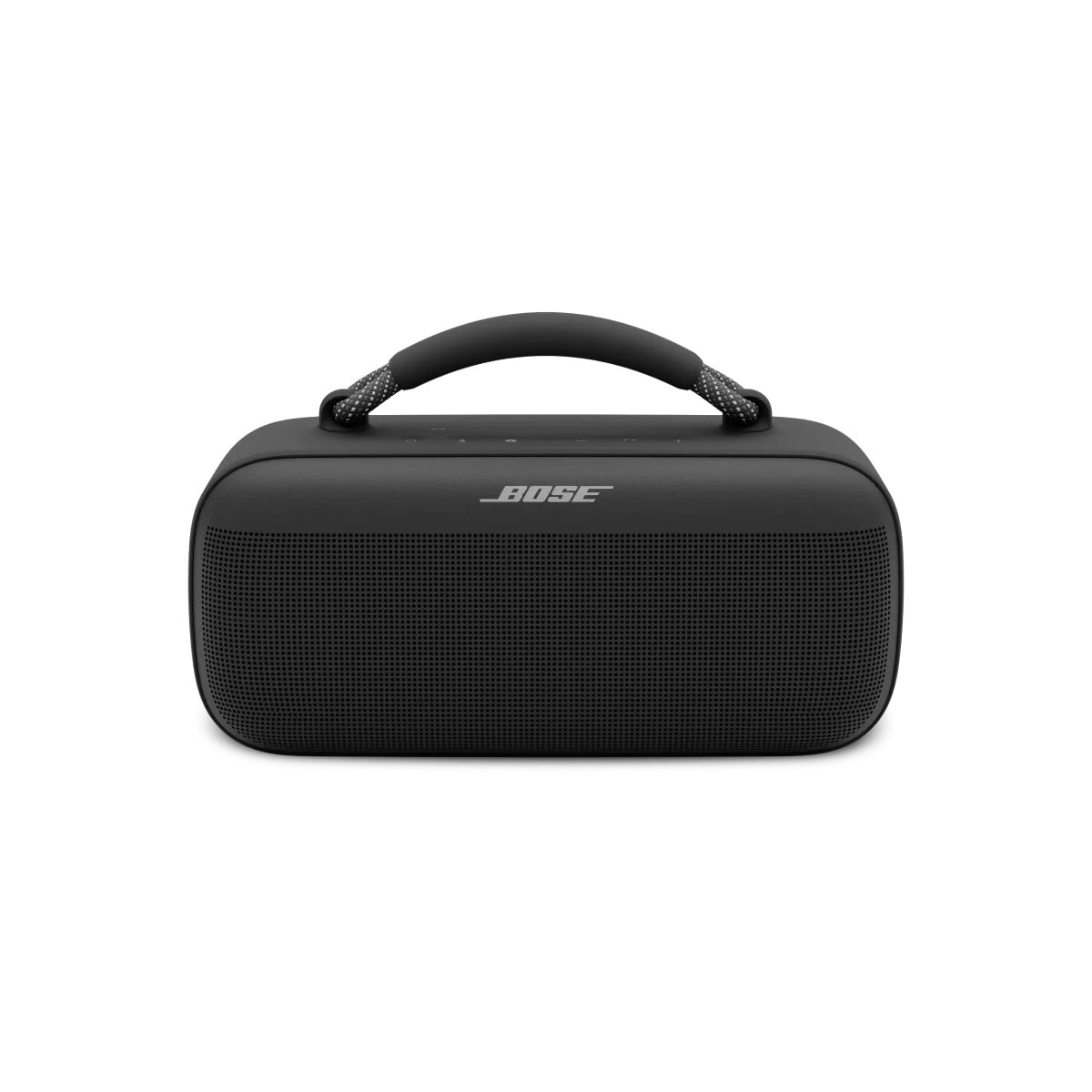
Bose SoundLink Max for a distinct auxiliary input
CNET's historical Max review describes a grippy handle alongside noticeable heft. It also distinguishes the USB-C charging connector from the auxiliary listening input. This makes the Max a relevant option for someone with an actual wired-source requirement and an interest in a clear carry handle. The two features solve different tasks; evaluate both rather than assuming the handle removes the carrying burden. Max handle and connector roles.
The control reservation comes from Danny Pops' historical review. The reviewer found Spotify shortcut selections confusing and preferred the phone. That is a personal shortcut experience, not a general failure claim. If you already prefer phone-based content selection, it may matter less than it would to a buyer who expects that shortcut to be central. Max shortcut experience.
The 7/10 overall describes usable routines with qualifications in each category. Choose the full Max review if the separate auxiliary input matches your source plan. Do not use that review's original-Flex comparisons to settle the second-generation Flex choice, and do not treat launch-era promises as confirmation of a feature you need today. Resolve the exact task before relying on it.
Soundcore Select 4 Go for an existing attachment routine
Pack Hacker's historical month-use Select 4 Go review explains the fixed loop and using another carabiner or strap for some attachment points. It also describes limited room in very small slings in the reviewer's packing setup. This is a useful choice to investigate if you already have an attachment arrangement you like. It is less straightforward if you expect an opening clip without adding another item. Select 4 Go attachment and packing.
The same reviewer accidentally pressed power while using a particular attached arrangement. Keep that context beside the observation: it is accidental button contact in that setup, not an unexplained shutdown or a universal attachment problem. Evaluate where the buttons would meet your hand and bag. Attached power-button account.
My Tech Gear's review identifies the Select 4 Go's controls and USB-C access beneath a flap. The access step belongs in your routine alongside packing and attachment management. The 7/10 recommendation is practical when those tasks suit you. Read the full Select 4 Go review, keeping JBL Go and Clip comparison passages separate from this product's observations. Controls and flap access.
Match the source route before comparing conveniences
A required wired source can decide the shortlist before carrying preferences do. The Max's separate auxiliary input, the Move 2's adapter-based line-in, and the Boom 2's reported Bluetooth-source routine are different paths. Identify your actual source and the whole cable arrangement first. A familiar USB-C connector does not, by itself, explain the source task. Max input, Move 2 adapter, Boom 2 route.
The JBL reports add different questions: a button-plus-plug gesture for Charge 6 and a separation between USB listening and charging in the Flip 7 historical setup. Do not merge those observations into one general USB warning. Investigate the specific action for the product and source you intend to use. Charge 6 gesture, Flip 7 USB task.
Once the required path is clear, compare convenience within that path. Would you rather manage an adapter, a separate input cable, or a deliberate source-selection action? Does that happen once during setup or repeatedly during a normal day? The answer can matter more than a tied overall grade. A routine you understand and accept is a stronger basis for purchase than an option that sounds flexible but leaves the essential connection unresolved.
Make a shortlist you can actually evaluate
Start with a requirement that would rule a speaker in or out. If your wired player must connect directly to an auxiliary input, investigate the Max first; CNET identifies that input separately from USB-C charging. If your priority is a speaker attached to a bag, compare the Flip 7's interchangeable pieces with the Select 4 Go's fixed loop and your existing attachment. If you chiefly want to pick something up by a handle and move it, begin with Boom 2, Charge 6, and Max. Max inputs, Flip 7 pieces, Select 4 Go loop.
For a home purchase, describe two likely positions and the actions you would perform at each. You might pause at a desk, change volume in another room, or reconnect a fixed source when returning. That sequence can reveal whether you value the Move 2's separate skip controls, the Flex's shortcut, or the JBL playback layout most. A clear physical preference is a better tie-breaker than a small difference in an overall mark.
Then evaluate the whole sequence: pick up, move, set down, operate, and connect or select the intended source. Include your actual bag, cable, or desk arrangement where possible. Confirm seller contents separately, particularly where your choice depends on an attachment or adapter. The strongest general starting points are Flip 7 for interchangeable attachments and Boom 2 for handle carrying, both at 8.4/10. Choose another model when its particular input, control, or placement arrangement serves your required task better.
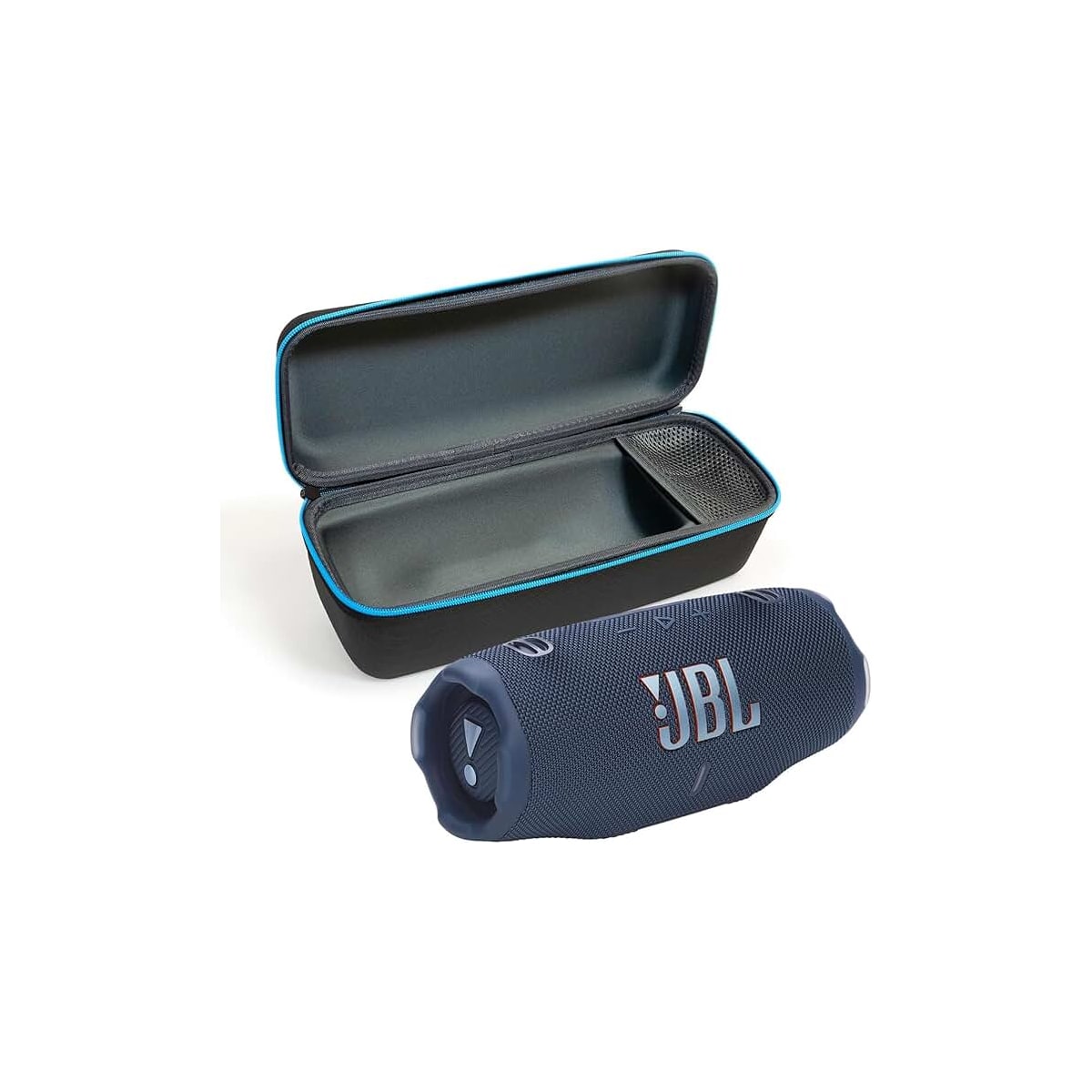
JBL Charge 6
JBL
Buyers who value two carry arrangements and direct physical playback controls.
A detachable handle-or-loop arrangement and raised playback controls, balanced by reported carrying heft and a wired-mode gesture.
The takeaway
Shortlist the Charge 6 for its carry choices and organized controls if its reported handling burden and wired gesture fit your routine.
Reasons to choose it
- Detachable arrangement works as a handle or loop in the historical review.
- Raised playback controls are separated from connection controls.
- A defined rear USB-C access point.
Tradeoffs to know
- Reported carrying heft remains noticeable.
- Several playback actions share a central button.
- Historical wired listening involves holding a button while inserting the cable.
Think twice if: Minimizing the carrying load or avoiding an extra wired-mode action is essential.
Published specifications
- Model
- JBL Charge 6
- Review focus
- Carrying, physical control selection, and connection chores
Further reading
Ratings
Editorial score 7.7
Carry and placement7
Two reported carry arrangements are useful, with noticeable carrying heft retained. The single broken-handle anecdote does not establish a failure rate.
Buttons and control selection9
Raised playback controls and separate connection controls provide a direct layout, with several central-button actions to learn.
Connection and charging-port chores7
Rear USB-C access is defined, while the historical review describes a button-plus-plug action for wired listening.
Bose SoundLink Max
Bose
Buyers who want a defined handle and a separate auxiliary listening input.
A grippy carry handle and distinct auxiliary source input, with reported heft and one historical shortcut-selection reservation.
The takeaway
Consider the Max when its handle and separate auxiliary input address real tasks, after evaluating heft and the shortcut you intend to use.
Reasons to choose it
- CNET describes grip on the handle.
- A separate auxiliary input defines the wired-source route.
- USB-C charging and auxiliary source roles are distinguished in the review.
Tradeoffs to know
- CNET describes noticeable carrying heft.
- One historical reviewer found Spotify shortcut selection confusing and preferred the phone.
- A wired source needs the auxiliary route described in the review.
Think twice if: You expect minimal carrying burden or depend on a shortcut whose exact selection behavior you have not evaluated.
Published specifications
- Model
- Bose SoundLink Max
- Review focus
- Carrying, physical control selection, and connection chores
Further reading
Ratings
Editorial score 7
Carry and placement7
Reported handle grip makes movement manageable, with meaningful carrying heft retained.
Buttons and control selection7
A historical reviewer found the Spotify shortcut confusing and preferred phone selection; this is a personal workflow.
Connection and charging-port chores7
CNET distinguishes USB-C charging from auxiliary listening input, requiring the appropriate source path.
JBL Flip 7
JBL
Buyers who want interchangeable carry arrangements and identifiable playback controls.
Push-lock carry pieces and separated physical controls are appealing, with spare-piece organization and a historical USB-listening caveat.
The takeaway
Shortlist the Flip 7 for attachment flexibility and direct controls, while resolving any essential one-cable desk requirement for your setup.
Reasons to choose it
- Push-lock attachment choices are demonstrated in the historical review.
- Raised playback controls have a separate power and pairing strip.
- Core physical controls are clearly distinguished in the reviews.
Tradeoffs to know
- Unused carry pieces need an organization plan.
- The accessory-loss comment is anticipation rather than an actual loss.
- SoundGuys reports USB listening did not charge the speaker simultaneously in its historical setup.
Think twice if: You dislike managing detachable pieces or require an unverified simultaneous USB listening and charging routine.
Published specifications
- Model
- JBL Flip 7
- Review focus
- Carrying, physical control selection, and connection chores
Further reading
Ratings
Editorial score 8.4
Carry and placement9
Push-lock carry choices give a direct routine; the unused-piece concern is anticipated loss, not a witnessed event.
Buttons and control selection9
Raised playback controls and a dedicated backlit strip separate common functions; this does not mean every button is illuminated.
Connection and charging-port chores7
The historical SoundGuys setup separates USB listening from charging, adding planning for that routine.
Bose SoundLink Flex (2nd Gen)
Bose
Buyers who value direct playback and a shortcut with a clear assigned purpose.
Dedicated playback and a configurable shortcut stand out, with deliberate surface choice and manual source switching retained.
The takeaway
Choose this exact generation for its control choices if thoughtful placement and manual source selection suit you.
Reasons to choose it
- Dedicated play/pause control is identified in the second-generation review.
- A shortcut offers configurable choices in the historical review.
- Several resting or strap arrangements are described.
Tradeoffs to know
- One reviewer finds side-standing somewhat tippy.
- The same account says end-standing lacks supporting feet.
- Manual source switching remains part of that historical routine.
Think twice if: Your placement depends on unsupported end-standing or you expect source changes without a deliberate selection.
Published specifications
- Model
- Bose SoundLink Flex (2nd Gen)
- Review focus
- Carrying, physical control selection, and connection chores
Further reading
Ratings
Editorial score 7.7
Carry and placement7
Side, back, and strap choices are qualified by reported side-standing balance and lack of end-standing support.
Buttons and control selection9
Dedicated playback and an assignable shortcut support direct selection, with initial function choice required.
Connection and charging-port chores7
The historical review describes USB-C charging and manual source switching; sample accessories do not certify a present seller bundle.
Anker Soundcore Boom 2
Anker
Buyers who prefer a handle-led routine and direct physical core controls.
A straightforward reported handle and physical controls, with rear-cap access and distinct USB roles to manage.
The takeaway
Shortlist the Boom 2 for its handle and physical controls if Bluetooth-source use and deliberate rear connector access fit your needs.
Reasons to choose it
- The review describes straightforward handle carrying.
- Physical power, playback, volume, and pairing controls are identified.
- Historical app light selections provide an additional control route.
Tradeoffs to know
- Rear connector access involves a cap.
- USB-C input and USB-A output are separate roles.
- The reports describe a source routine without a direct auxiliary input.
Think twice if: A direct auxiliary listening input is a required part of your source arrangement.
Published specifications
- Model
- Anker Soundcore Boom 2
- Review focus
- Carrying, physical control selection, and connection chores
Further reading
Ratings
Editorial score 8.4
Carry and placement9
The reviewer describes direct handle carrying; this remains a personal handling account.
Buttons and control selection9
Core physical controls are identified, with historical app choices for lights as a separate selection task.
Connection and charging-port chores7
A rear cap and distinct USB-C input and USB-A output add access and cable choices; direct auxiliary input is absent in these reports.
Sonos Move 2
Sonos
Buyers who want room-to-room use with an indented volume reference and dedicated skip controls.
Room-changing use and tactile physical controls, balanced by reported heft, historical setup work, and an adapter-based wired route.
The takeaway
Consider the Move 2 for a room-changing home routine when its physical controls matter and setup and adapter organization are acceptable.
Reasons to choose it
- Historical review describes room-to-room use.
- Indented volume bar supplies a distinct physical reference.
- Dedicated forward and backward skip controls are identified.
Tradeoffs to know
- Another reviewer describes carrying heft.
- One historical system needed an update during initial setup.
- Reported line-in use requires a separate adapter arrangement.
Think twice if: You require an immediate unprepared first-use routine or have not planned a necessary wired-input adapter.
Published specifications
- Model
- Sonos Move 2
- Review focus
- Carrying, physical control selection, and connection chores
Further reading
Ratings
Editorial score 7.7
Carry and placement7
Room-to-room flexibility is favorable, with reported carrying heft retained.
Buttons and control selection9
The historical review describes an indented volume reference and dedicated skip controls for direct ordinary operation.
Connection and charging-port chores7
One historical setup required a system update; a separate line-in adapter adds component management. Neither establishes current app behavior.
Anker Soundcore Select 4 Go
Anker
Buyers whose existing bag and attachment arrangement suits a fixed loop.
A fixed loop and physical controls, with attachment, small-bag space, accidental button contact, and flap access to evaluate.
The takeaway
Choose the Select 4 Go if its loop fits your carry plan, after checking packing space, attached button contact, and connector access.
Reasons to choose it
- Fixed loop accommodates a separate attachment in the reviewer’s arrangement.
- Physical playback, volume, power, and pairing controls are identified.
- A defined USB-C connector sits beneath the flap.
Tradeoffs to know
- Some carry points require another carabiner or strap.
- Very small slings left limited room in one packing setup.
- One attached arrangement led to accidental power-button presses; charging access also involves a flap.
Think twice if: You need an opening clip without another item or your attached position exposes power to unwanted contact.
Published specifications
- Model
- Anker Soundcore Select 4 Go
- Review focus
- Carrying, physical control selection, and connection chores
Further reading
Ratings
Editorial score 7
Carry and placement7
A fixed loop needs another attachment for some carry points, and the reviewer reports limited small-sling space.
Buttons and control selection7
Direct controls are present, while one reviewer accidentally pressed power in a specific attached arrangement.
Connection and charging-port chores7
USB-C access beneath a flap adds a recurring physical step.
Sources & further reading
youtube.com review
youtube.com review
youtube.com review
youtube.com review
youtube.com review
youtube.com review
youtube.com review
youtube.com review
youtube.com review
youtube.com review
youtube.com review
youtube.com review
youtube.com review
youtube.com review
Keep reading
Something changed? Help us keep this useful.
Send a correction →