
The recommendation
Choose this exact generation for its control choices if thoughtful placement and manual source selection suit you.
Grades at a glance
| Product | Overall | Carry and placement | Buttons and control selection | Connection and charging-port chores |
|---|---|---|---|---|
| Bose SoundLink Flex (2nd Gen) | 7.7 | 7.0 | 9.0 | 7.0 |
Does it fit your life?
The reason to consider this generation
The Bose SoundLink Flex second generation is appealing if you want a dedicated playback button and an assignable shortcut, and you are willing to choose its resting position thoughtfully. A second-generation review describes a dedicated play/pause control and several ways to position the speaker. For a desk buyer, those details put the choice in practical terms: decide where it will rest, then whether you can comfortably reach the controls there. Second-generation hands-on review.
Smart Home Sounds describes the new shortcut and the selections available through the companion app in its historical setup. Together, these reports support an ordinary-use recommendation centered on controls, with more qualified marks for placement and switching sources. They do not establish every current app behavior or every seller's accessory package. Smart Home Sounds Flex 2 review.
The score is 7.7/10 overall. Shortlist this exact generation if a clear playback control and a configurable shortcut address tasks you repeat. Give the placement and manual-source discussion equal attention if your desk is crowded or you alternate between devices throughout the day.
Choose a resting position deliberately
The second-generation review describes using the second-generation Flex on its side, on its back, or hanging from the built-in webbed strap. It also says there are no feet to support standing it on an end, and describes the side-standing arrangement as a little tippy. These are specific placement observations from one account. They should guide how you examine a surface, rather than become a prediction that the speaker will fall in every situation. Reported placement choices.
Start with the surface where the speaker will spend most of its time. If space is tight, resist assuming you can simply stand it on whichever narrow edge saves room. Evaluate the orientations described for this product and decide which one leaves the controls and connector convenient. A placement that looks tidy in a photograph may not be the placement you want when reaching over to operate it.
If the speaker moves between several places, consider whether you are happy to choose an orientation at each stop. Someone with a clear desktop may find this a small decision. Someone relying on a narrow ledge may find it decisive. The 7/10 carrying and placement score recognizes several options while retaining the reported balance limitation as meaningful work for the buyer to consider.
The hanging option is a separate preference
The same review identifies a built-in webbed strap as one of the placement options. That creates a useful distinction between placing the speaker on a surface and arranging a suitable hanging point. Neither is automatically more convenient. Think about where you would actually hang it and how often you would use that arrangement. Webbed-strap placement.
For a buyer who already has a suitable place in mind, the strap may make the speaker easier to accommodate without taking up the chosen surface. For someone who simply wants to set a speaker down anywhere, a hanging arrangement may be irrelevant. Do not count it as a benefit just because it appears in a feature list; count it when it solves a real placement task.
A helpful purchase evaluation would compare your preferred resting orientation with your preferred hanging arrangement. Which leaves the controls in the position you want? Would changing between the two feel worthwhile? These questions stay within ordinary placement and handling. They do not require claims about what the strap can withstand or how the speaker would behave in an accident. The point is to select a routine you can picture using comfortably and consistently.
Give the shortcut one clear purpose
In its review, Smart Home Sounds describes configuring the shortcut for functions such as starting a linked Spotify selection, accessing a voice-assistant function, or entering a speaker-linking mode. Those are historical selectable functions in that account. They show what the shortcut was used for without establishing present compatibility for every service or device. Historical shortcut choices.
For the buying decision, choose the one action you would most want on that button. If no particular action comes to mind, treat the shortcut as secondary. If you immediately think of a frequent task, investigate that exact function in the arrangement you plan to use. The strongest reason to value a shortcut is that it removes a repeated step you already understand.
A shared speaker adds another question: does everyone expect the same action from that button? A shortcut can be useful while still requiring an agreement about its purpose. Someone who expects source selection may be surprised by a content-start action. Decide how you want to use it and leave more specialized choices to the phone if that is simpler for the household. The favorable score is about available, identifiable control choices, not a requirement to configure every option.
Manual source changes remain part of the day
The second-generation review says the second-generation Flex required manual switching between sources in the reviewer's setup. That is a recurring interaction worth understanding if you alternate between a phone and computer. It does not establish that every present device combination behaves identically, but it does prevent treating “paired” as a complete description of the daily routine. Manual-source-switch observation.
Imagine a normal workday. You might begin with a phone, then want the computer, then return to the phone. Is deliberately selecting the intended source acceptable? Some buyers prefer making that choice themselves. Others want the transition to require very little attention. Before choosing the Flex, describe the transition you need and ask to see it with the devices you expect to use.
The 7/10 connection and charging-port score retains this manual step alongside ordinary USB-C charging access. It is a practical qualification rather than a failure claim. If you use one source almost all the time, it may be minor. If changing devices is your most frequent interaction, it deserves more weight in your decision. A high button-selection mark should not obscure a different chore that occurs at the source-selection stage.
Plan a convenient charging position
The second-generation account describes charging through USB-C and refers to the cable that came with that particular review sample. Use the connector observation to plan your routine, but do not treat the review sample as a promise about what a current seller's package contains. Confirm the exact accessories of the item you intend to purchase. Review-sample charging account.
For a desk arrangement, think about whether the charging position and the listening position will be the same. If you will move the speaker to a separate charging spot, that is another placement decision to include in the purchase. If it will remain on the desk, consider how you will approach the connector without interfering with the orientation you prefer. These are ordinary cable and space questions, not assumptions about charging duration.
Keep the cable task separate from changing sources. You may find one easy and the other more involved. Identifying each recurring action prevents a vague impression of convenience from replacing your actual needs. A sensible shortlist should make clear which tasks are already resolved and which require a personal demonstration. For the Flex, manual switching and choosing a suitable resting orientation are the two questions most worth answering before buying.
Compare the Flex with the Max carefully
The SoundLink Max deserves a look if you want a carry handle or have a wired player to connect. CNET describes the Max's grippy handle and noticeable heft, and identifies its separate auxiliary input. Those are more useful comparison points than assuming that the shared SoundLink name implies a shared routine. Max handling and inputs.
For the Flex, begin with your intended resting position and the action you would assign to the shortcut. For the Max, begin with how you would carry it and whether you need the auxiliary input. If neither handle carrying nor a wired source matters to you, concentrate on the controls you would actually use. If the wired source is essential, settle that requirement before comparing a convenient playback button with a convenient grasp.
Danny Pops found the Max's Spotify shortcut confusing in a historical review and preferred selecting content on a phone. That experience belongs to the Max and that setup. It does not answer whether the Flex shortcut will serve your chosen task. Have the specific selection demonstrated for the product you are considering. For a shared speaker, include the person who will use it most: agreeing on what a shortcut should do can matter as much as choosing the function initially. Max shortcut experience.
A tabletop alternative to investigate
The JBL Flip 7 review is a helpful next read if direct physical control selection is your priority. Its historical reviews describe raised playback controls separated from a dedicated power and pairing strip. Its separated layout is worth comparing with the Flex controls in the position you expect to use. Flip 7 control layout.
The Flip 7 also asks you to think about detachable carry pieces, while the Flex asks you to choose among its resting and strap arrangements. These are different organization tasks. Decide which kind you would rather manage instead of choosing solely from the overall grades. A favorable control arrangement can matter on either product while the placement routine determines which one fits your space.
For a room-to-room home setup, the Sonos Move 2 review provides another comparison. A historical six-month review describes an indented volume bar and separate skip controls. That may interest someone who wants a distinct tactile reference. It comes with its own setup and adapter questions, discussed in that review, and should not be treated as the same routine in a different enclosure. Move 2 physical controls.
A useful two-device demonstration
If the Flex is intended for both your phone and computer, ask for a demonstration that begins with one source selected, changes deliberately to the other, and then returns. The second-generation review describes manual switching, so evaluating the transition is more informative than merely seeing that both devices have been paired. Add the shortcut to that demonstration only if it serves a separate task you actually want. Otherwise, keep the first check focused on source selection. This leaves you with a concrete answer about the daily transition, while current compatibility and the seller's exact package remain separate questions. Second-generation source-switch account.
What to check before choosing
Begin by placing the second-generation Flex in the orientation you actually want to use. Evaluate access to play/pause, volume, the shortcut, and the charging connector from that position. Then consider the alternative position you might need away from home. The second-generation account's balance caveat is a useful reason to examine your surface deliberately; it is not a prediction of an accident. Placement and controls account.
Next, decide whether the shortcut has a clear purpose for you. If it does, verify that specific selection in your intended setup. Finally, walk through a source change between the devices you expect to alternate. That sequence reveals more than a generic statement that the speaker supports several options. It helps you decide whether the manual actions are acceptable in your day.
The verdict is favorable for buyers who value direct playback and a configurable control, with thoughtful placement and explicit source selection accepted as part of ownership. The category marks are 7/10 for carrying and placement, 9/10 for buttons and control selection, and 7/10 for connection and charging-port chores, giving 7.7/10 overall. Return to the full speaker guide for the seven-model comparison and links to every individual review.
Bose SoundLink Flex (2nd Gen)
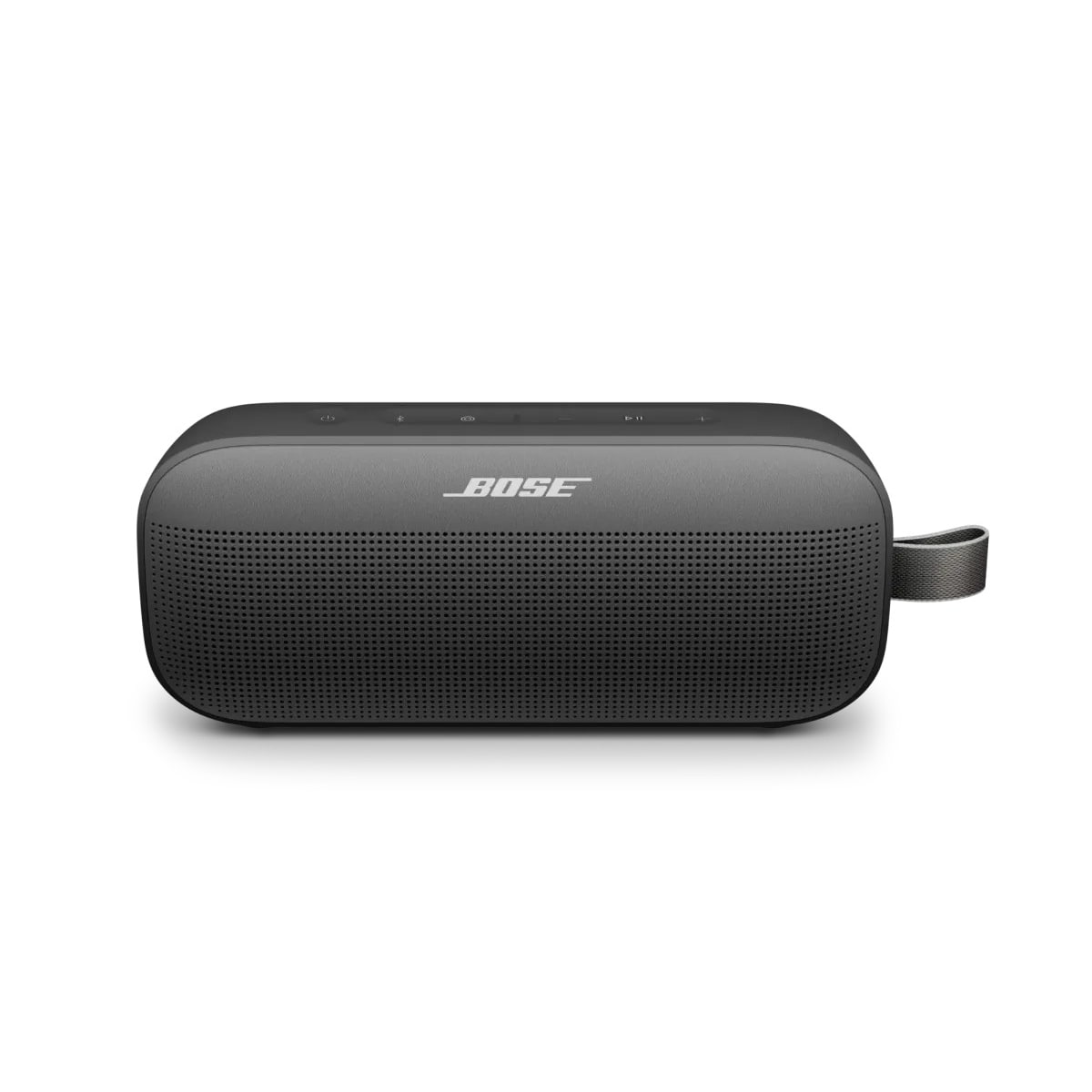
Bose
Buyers who value direct playback and a shortcut with a clear assigned purpose.
Dedicated playback and a configurable shortcut stand out, with deliberate surface choice and manual source switching retained.
Reasons to choose it
- Dedicated play/pause control is identified in the second-generation review.
- A shortcut offers configurable choices in the historical review.
- Several resting or strap arrangements are described.
Tradeoffs to know
- One reviewer finds side-standing somewhat tippy.
- The same account says end-standing lacks supporting feet.
- Manual source switching remains part of that historical routine.
Think twice if: Your placement depends on unsupported end-standing or you expect source changes without a deliberate selection.
Published specifications
- Model
- Bose SoundLink Flex (2nd Gen)
- Review focus
- Carrying, physical control selection, and connection chores
Further reading
Ratings
Editorial score 7.7
Carry and placement7
Side, back, and strap choices are qualified by reported side-standing balance and lack of end-standing support.
Buttons and control selection9
Dedicated playback and an assignable shortcut support direct selection, with initial function choice required.
Connection and charging-port chores7
The historical review describes USB-C charging and manual source switching; sample accessories do not certify a present seller bundle.
Sources & further reading
youtube.com review
youtube.com review
youtube.com review
youtube.com review
youtube.com review
youtube.com review
Keep reading
Something changed? Help us keep this useful.
Send a correction →