
The recommendation
Shortlist the Charge 6 for its carry choices and organized controls if its reported handling burden and wired gesture fit your routine.
Grades at a glance
| Product | Overall | Carry and placement | Buttons and control selection | Connection and charging-port chores |
|---|---|---|---|---|
| JBL Charge 6 | 7.7 | 7.0 | 9.0 | 7.0 |
Does it fit your life?
The decision in everyday terms
The JBL Charge 6 makes most sense if you want separate playback and pairing controls and like having a choice of carry arrangements. SoundGuys describes a detachable handle that can be arranged as a conventional handle or a loop. That is a concrete convenience when deciding how to pick the speaker up. The same review describes raised playback controls and a separate strip for power and connection functions. Those are the strongest reasons to shortlist it for ordinary handling. SoundGuys Charge 6 review.
The reservation is the load you are choosing to carry. My Tech Gear describes the Charge 6 as weighing about three pounds and feeling on the heavier side for a portable speaker. Consider the Charge 6 if a proper handle matters more than minimizing what goes in your bag. My Tech Gear Charge 6 review.
Our ordinary-use score is 7.7/10. It reflects the handling, button-selection, and connector chores discussed below. Use the speaker comparison guide to decide whether those particular conveniences match your routine.
Start with the trip between surfaces
The detachable arrangement gives you a meaningful choice before you leave the room. SoundGuys describes using it either as a regular handle or as a loop, particularly when carrying other things. The useful buying question is which arrangement you would actually use. Someone moving from a desk to a patio may simply want a clear place to grasp; someone loading a car may prefer a loop arrangement while organizing the rest of their belongings. Those are possible preferences, rather than promises about comfort for every hand. Carry arrangement.
Think about the entire journey, including picking the speaker up again when you return. If you mostly set it down and leave it in place, changing the handle arrangement may be a minor benefit. If you move it several times in an afternoon, a defined carry point could matter more than how neatly it looks on a shelf. Choose according to the task you repeat, rather than treating a detachable accessory as an automatic upgrade.
The historical weight observation is useful here because it prevents the handle from dominating the decision. A convenient grasp and a noticeable load can coexist. If the speaker is one item among a laptop, food, and other belongings, judge the total carrying task. Do not assume that adding a handle makes the object feel smaller in a crowded bag. Reported handling load.
What the handle anecdote can tell you
My Tech Gear also reports that its handle broke after a few uses. That is a single personal account. The review goes on to make wider claims about other people and the design, but that does not establish a handle failure rate. We would use the individual experience as a reason to examine the attachment arrangement carefully, rather than convert it into a general reliability verdict. Single handle account.
For a buyer, the useful distinction is between wanting a handle and depending on a particular attachment to make the purchase worthwhile. If your whole reason for choosing the Charge 6 is the detachable arrangement, inspect that feature during your own evaluation. Consider whether you like attaching, removing, and carrying it in the configuration you intend to use. A favorable description of the concept does not answer those personal fit questions.
If the detachable handle is indispensable to you, make its operation part of the purchase decision rather than an accessory you inspect later. A demonstration can help you decide whether you like the arrangement, although it cannot settle long-term reliability. If you would mainly carry the speaker inside a bag, give more attention to its size among your other belongings and the load you are willing to carry.
Putting it down and reaching it again
SoundGuys describes a wider, flatter base on the Charge 6. The practical point is the orientation of the speaker and the space you leave for operating it. A desk position should allow you to approach the controls and the rear connector without reorganizing everything around it. This is a placement decision, rather than a claim about what every surface will do. Charge 6 physical layout.
Before buying, picture the likely home position with a cable attached. Will you be facing the buttons? Will the cable path overlap the place where you put your hand to pick it up? If you plan to move the speaker between two regular locations, consider both locations. A convenient shelf position can become less convenient if the next stop requires reaching around a crowded monitor or lamp.
Avoid paying for versatility you will never use. If the speaker will remain at the back of a desk, the direct control arrangement may matter more than the handle. If it will travel in a bag, compare its carrying burden with the space you have available. The relevant question is whether you can give this particular object a sensible home and a sensible journey between homes.
Separate controls make the layout appealing
Raised playback controls are the clearest strength in the SoundGuys account. The review distinguishes those controls from the dedicated strip containing power, Bluetooth, and the grouping button. Having different functions in identifiable places gives the interface a useful structure: routine playback in one area and connection choices in another. This supports the 9/10 button-selection score without implying that every control is equally visible in every situation. Control layout.
My Tech Gear describes the central playback button handling play, pause, forward skip, and backward skip. Several actions sharing a button means there is still something to learn. The important distinction is between finding the button and remembering the action you want it to perform. Raised controls can help with the first task while leaving the second as a habit to acquire. Playback functions.
If you usually control everything from a phone, this physical arrangement may be a modest convenience. If you regularly reach over to pause or adjust a setting, it is a stronger reason to choose the Charge 6. Imagine your most frequent action rather than the longest feature list. A layout earns its place in daily use when its obvious controls match the things you actually do.
The rear connector has its own routine
My Tech Gear places the USB-C charging connector at the back. SoundGuys describes a separate wired-listening routine that involves holding the playback button while inserting a USB-C cable. The second observation is about a historical review setup. It is useful for understanding the extra action involved, but it does not establish that every current phone, cable, or software combination will behave the same way. Rear charging connector, reported button-and-cable action.
That distinction matters at a desk. If your plan is simply to plug something in and expect the speaker to select the intended mode, the reported button-plus-plug action deserves attention. You would be managing both the cable and a control at the same time. Decide whether that is an occasional setup task or something you would repeat often enough to become irritating.
Keep the two purposes clear when evaluating the purchase: accessing the charging port and selecting a wired source are separate chores. The connector's shape alone does not explain the listening procedure. Ask for a demonstration of your intended wired arrangement if it is important to the purchase, including the action needed to enter that mode. The reported routine earns a 7/10 connector-chores score because it is usable but includes a meaningful extra step.
Charge 6 or Flip 7 for your routine
The JBL Flip 7 review is the next read if carry options and playback controls brought you to the Charge 6. Smart Home Sounds demonstrates the Flip 7's push-lock attachment pieces, while SoundGuys describes its separated control strip. On the Charge 6, the attraction is the handle-or-loop arrangement. Start with the way you want to carry the speaker, then compare the controls after putting it down. Flip 7 attachments, Flip 7 controls.
For a speaker that travels mainly by hand, compare the grip you would use on the Charge 6 with the attachment you would leave on the Flip 7. For a speaker that travels inside a bag, include those pieces when judging the space each arrangement needs. A detachable part is useful when removing or changing it makes your day easier; it can be incidental if one configuration already suits every trip.
Wired use creates a separate choice. SoundGuys describes a button-plus-plug gesture on the Charge 6, whereas its Flip 7 review reports that USB listening did not charge the speaker at the same time in that setup. If you work at a desk, explain your intended sequence before asking for a demonstration. Entering a mode and combining listening with charging are different requirements. Confirm the one you need on the exact setup you would use. Charge 6 gesture, Flip 7 USB observation.
Reading the scores as a buying aid
The Charge 6 receives 7/10 for carrying and placement, 9/10 for buttons and control selection, and 7/10 for connection and charging-port chores. The overall 7.7/10 describes that combination. It favors a sensible control arrangement while recognizing that carrying load and the wired-mode gesture remain part of the experience. The most useful reading is the shape of those tradeoffs, rather than treating the decimal as the final answer.
For someone who moves the speaker briefly and mostly uses its playback buttons, the stronger control score may align well with daily use. For someone planning long walks with a full bag, the handling reservation may deserve greater attention. If wired listening is the main purpose, the historical mode-selection action should carry more weight in your personal decision than a favorable description of raised buttons.
A grade does not replace trying the relevant interaction. Write down the two or three tasks that decide the purchase for you, then use the discussion above to prepare specific questions. “Can I find pause while it sits here?” and “What do I do when I connect this cable?” are more useful than asking whether a speaker is generally easy. They turn a broad recommendation into something you can check against your own routine.
A focused demonstration request
A useful Charge 6 demonstration would start with the detachable arrangement set up the way you prefer, then move to the central playback control, then finish with the reported button-and-cable gesture. Ask to see those actions together rather than separately admiring the handle and connector. That makes it possible to judge whether their locations work together in your preferred placement. SoundGuys describes all three interactions in the same historical review, while its older-model comparisons remain separate. If you cannot demonstrate your intended wired arrangement, treat that question as unresolved even if the carrying and buttons already appeal. Charge 6 interaction sequence.
Final fit and next steps
Choose the Charge 6 if the detachable carry choices and organized physical controls solve real tasks for you, and you are comfortable with the reported carrying burden. Put it lower on your list if you chiefly want the least possible object to manage or if an extra button-and-cable action would undermine the wired routine you have in mind. The recommendation follows those ordinary interactions rather than a claim that one speaker suits everyone.
For another approach to physical controls, read the Bose SoundLink Flex second-generation review. For a handle-led alternative, see the Soundcore Boom 2 review. Return to the full comparison to compare the complete seven-model selection before choosing which interaction to evaluate first.
JBL Charge 6
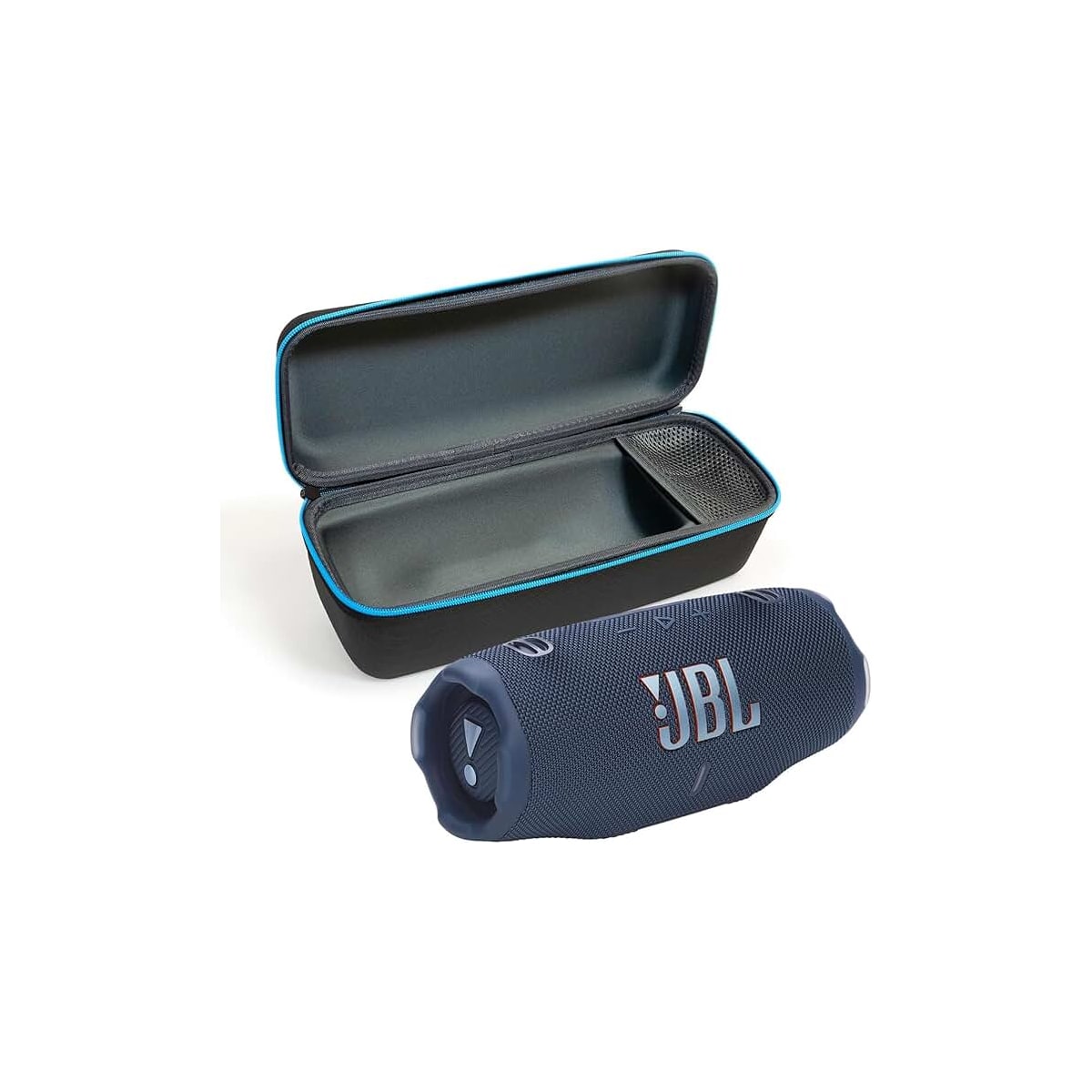
JBL
Buyers who value two carry arrangements and direct physical playback controls.
A detachable handle-or-loop arrangement and raised playback controls, balanced by reported carrying heft and a wired-mode gesture.
Reasons to choose it
- Detachable arrangement works as a handle or loop in the historical review.
- Raised playback controls are separated from connection controls.
- A defined rear USB-C access point.
Tradeoffs to know
- Reported carrying heft remains noticeable.
- Several playback actions share a central button.
- Historical wired listening involves holding a button while inserting the cable.
Think twice if: Minimizing the carrying load or avoiding an extra wired-mode action is essential.
Published specifications
- Model
- JBL Charge 6
- Review focus
- Carrying, physical control selection, and connection chores
Further reading
Ratings
Editorial score 7.7
Carry and placement7
Two reported carry arrangements are useful, with noticeable carrying heft retained. The single broken-handle anecdote does not establish a failure rate.
Buttons and control selection9
Raised playback controls and separate connection controls provide a direct layout, with several central-button actions to learn.
Connection and charging-port chores7
Rear USB-C access is defined, while the historical review describes a button-plus-plug action for wired listening.
Sources & further reading
youtube.com review
youtube.com review
youtube.com review
youtube.com review
Keep reading
Something changed? Help us keep this useful.
Send a correction →