
The recommendation
Choose the monitor by the reading and access routine you need: Aranet4 for portable CO₂, Qingping Gen 2 for touchscreen exploration, or a matching app-centered design for a defined room task.
The shortlist, at a glance
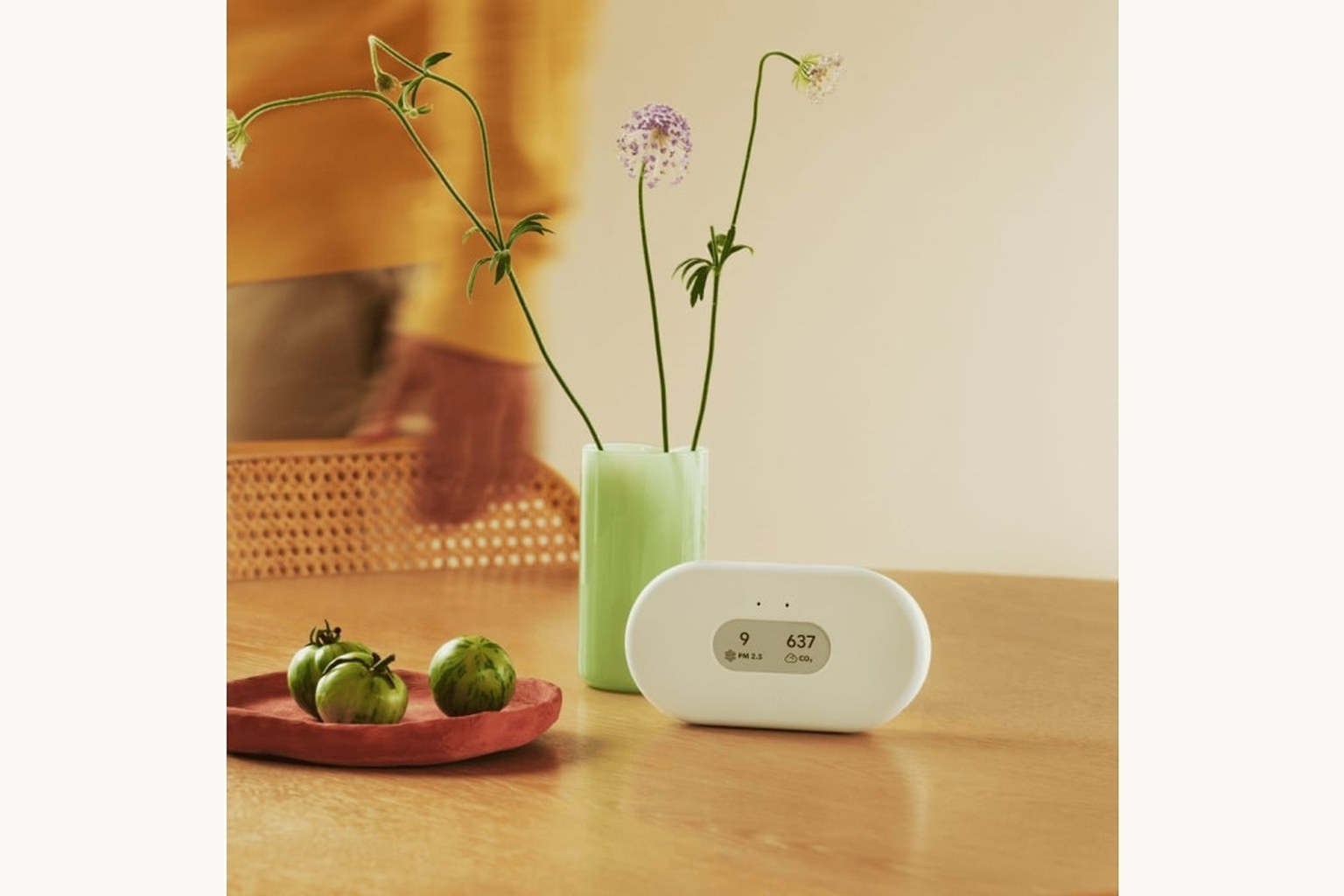
A defined home monitoring routine using the Airthings app and its documented mix of readings.
Airthings View Plus 2960 →
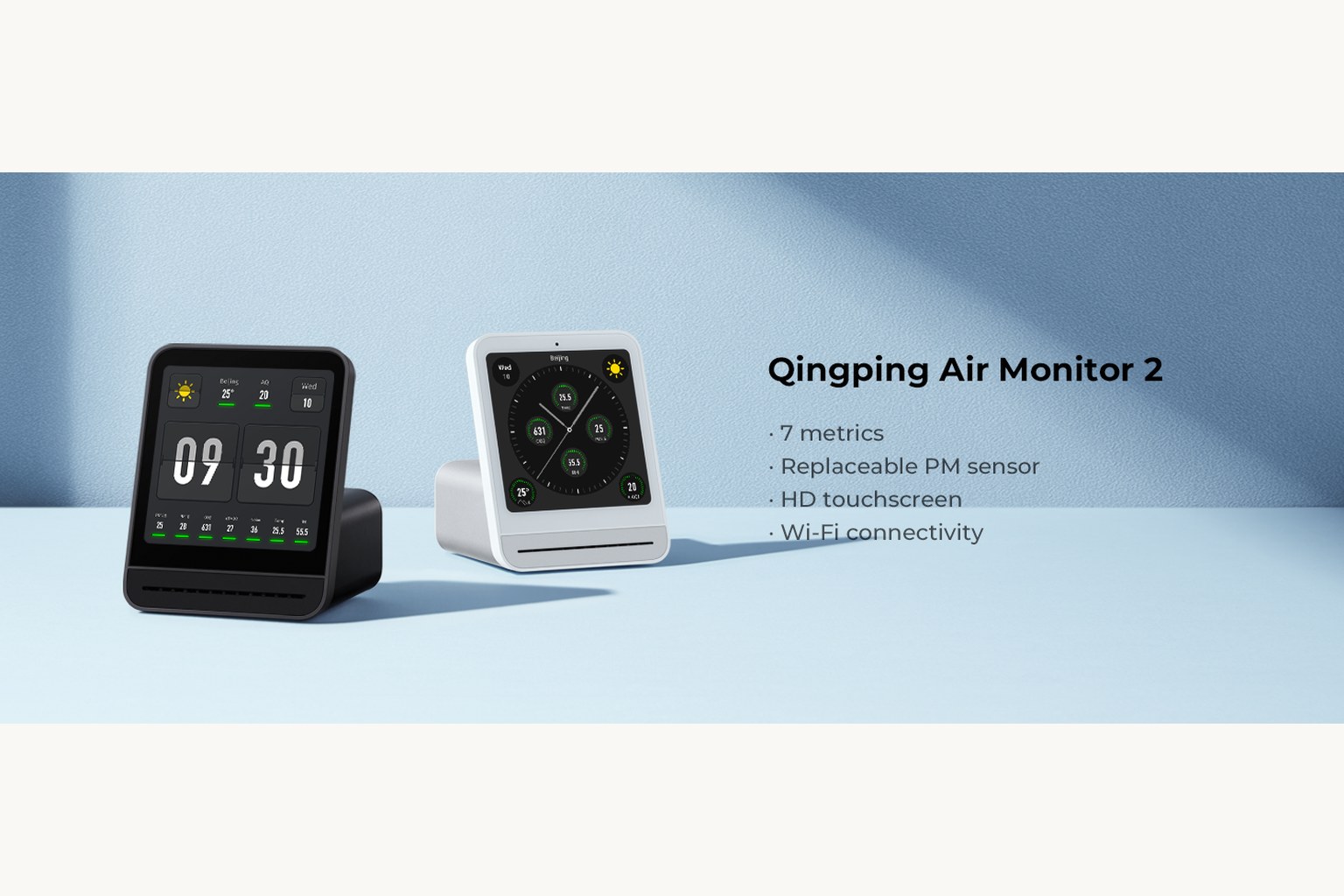
A reachable room display for tapping individual readings, looking back at history and opening explanations.
Qingping Air Quality Monitor Gen 2 →
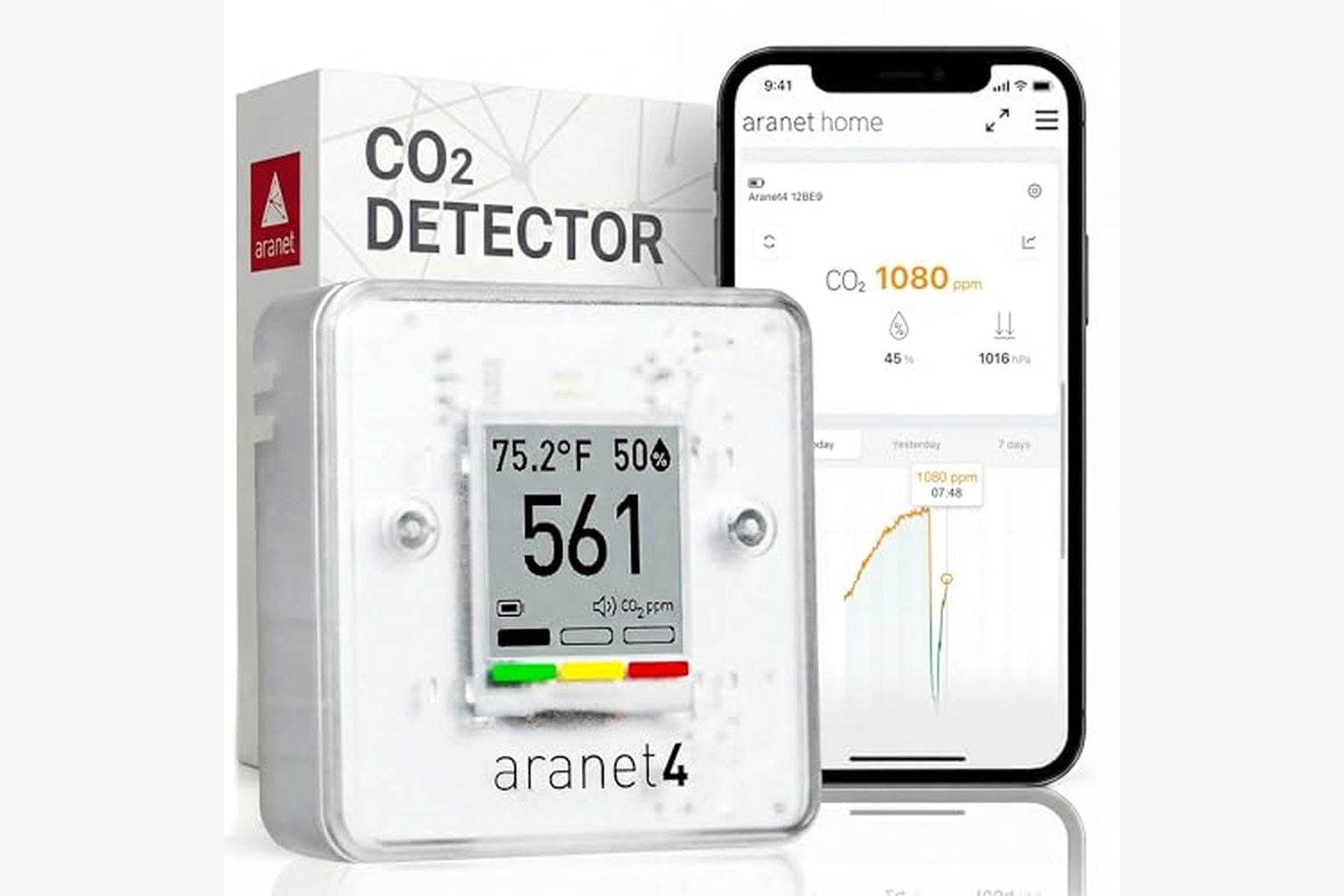
Portable, standalone access to CO₂ information, with little need to open a phone for a current reading.
Aranet4 Home →

A regularly visited room dashboard showing current information and recent history with physical controls.
IQAir AirVisual Pro →
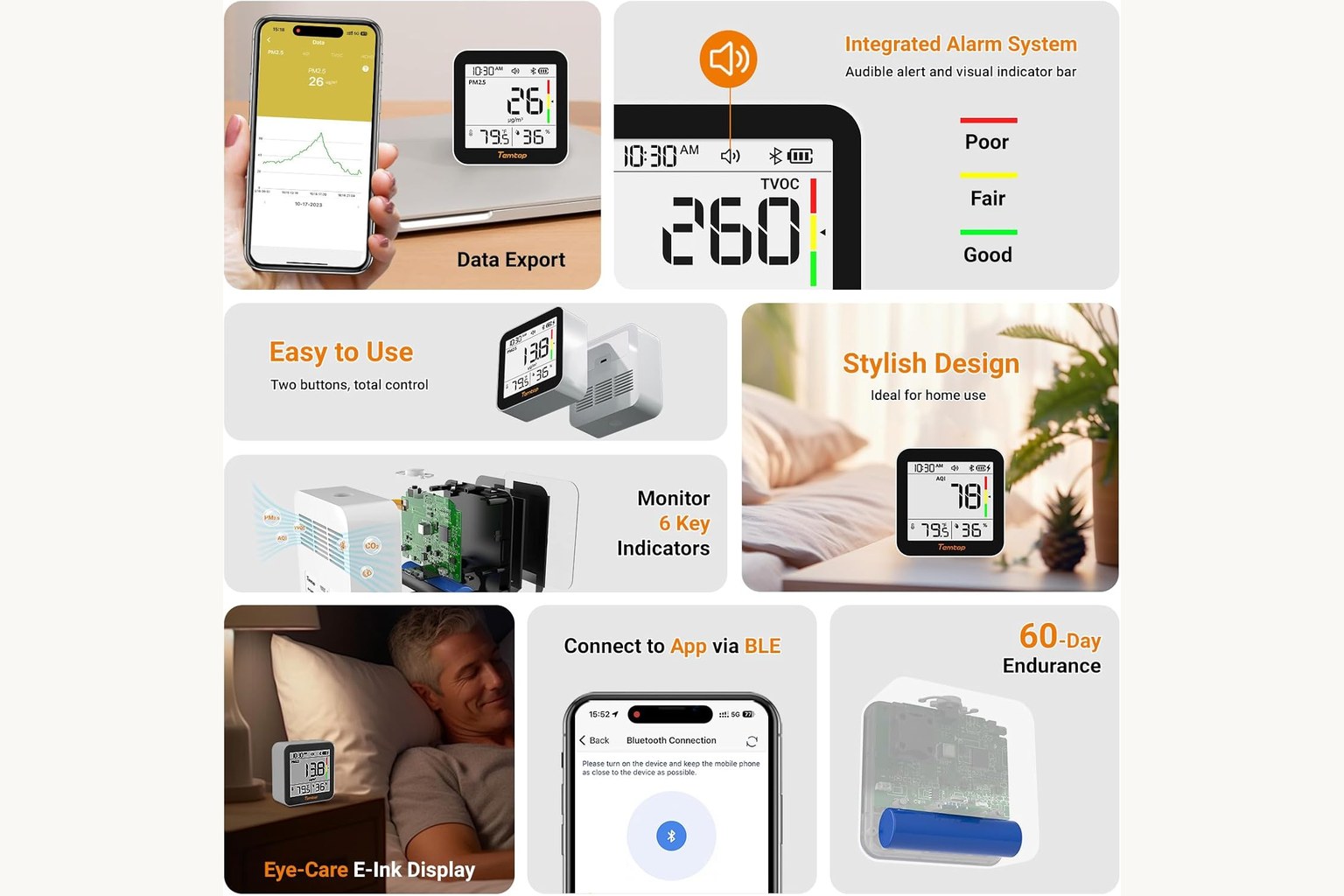
A buyer who wants initial readings on the unit and can check the exact M10+ app tasks before relying on them.
Temtop M10+ →
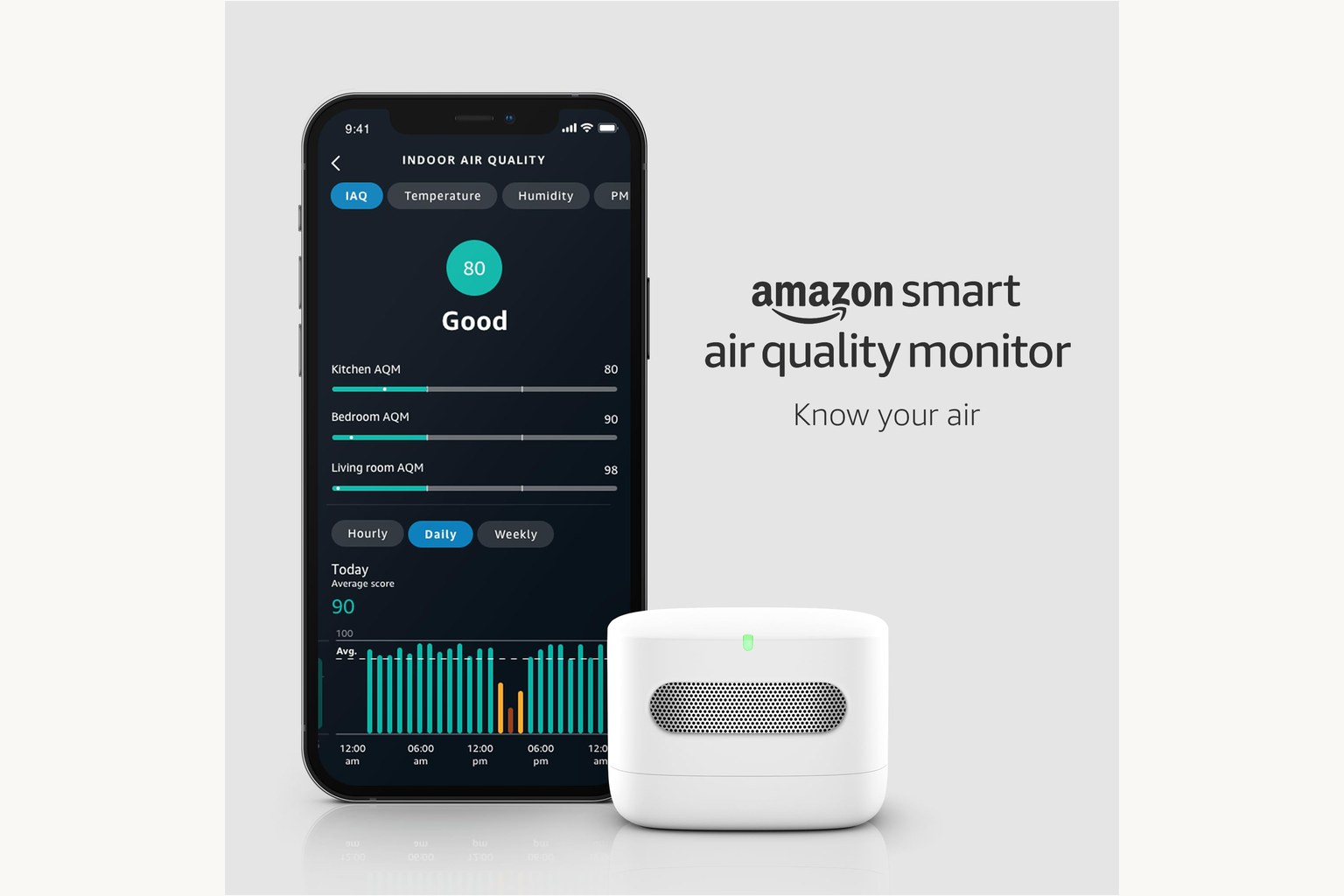
An Alexa-comfortable household that prefers app explanations and accepts a color indicator on the hardware.
Amazon Smart Air Quality Monitor →
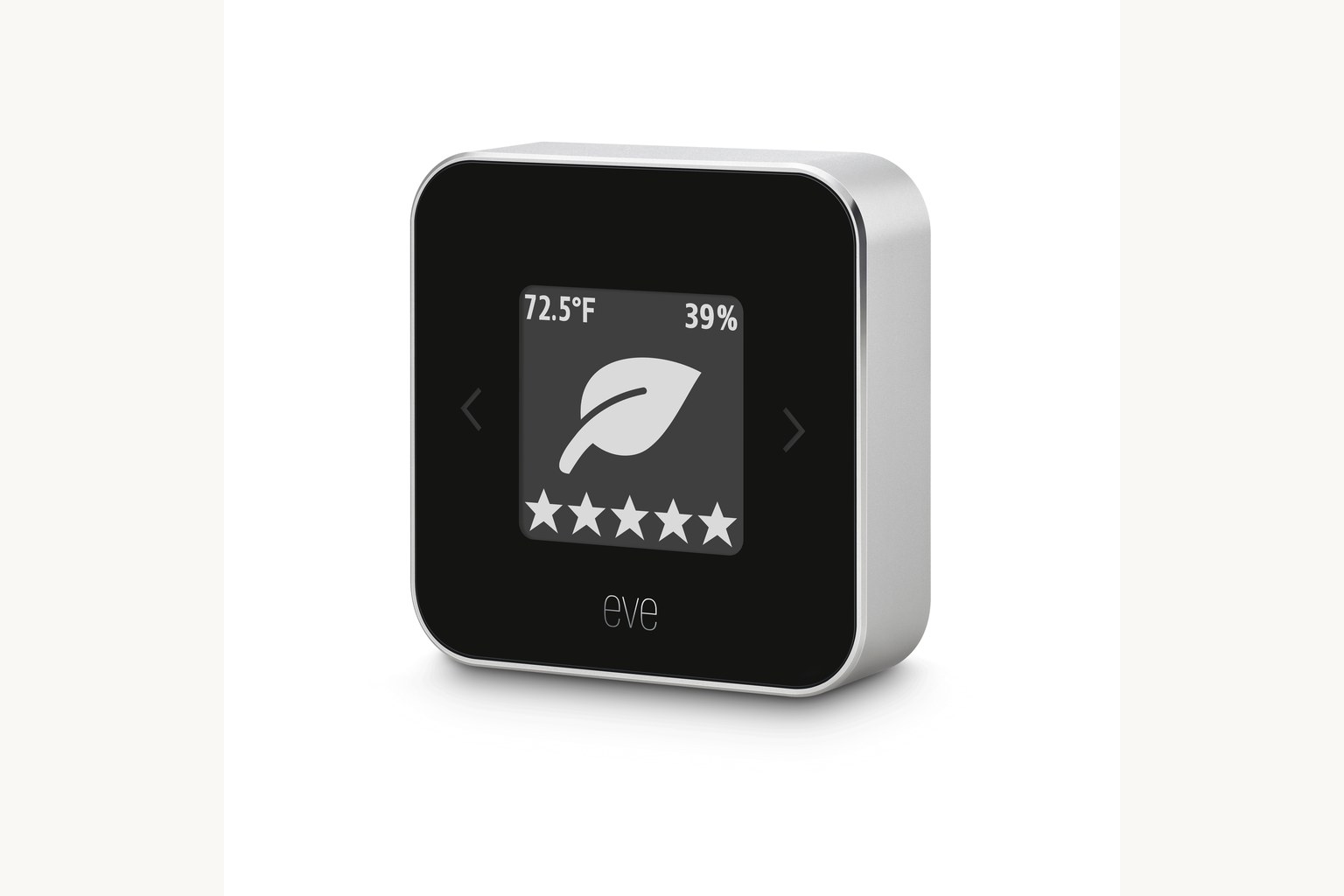
A defined Eve and Apple Home routine using the third-generation Thread model, with a compact overview and app detail.
Eve Room →
An app-assisted room routine using history, brightness and night-mode controls.
GoveeLife Smart Air Quality Monitor →
Grades at a glance
| Product | Overall | Readout and useful interpretation | Setup and placement | Daily access and control |
|---|---|---|---|---|
| Airthings View Plus 2960 | 8.0 | 8.0 | 9.0 | 7.0 |
| Qingping Air Quality Monitor Gen 2 | 8.7 | 9.0 | 8.0 | 9.0 |
| Aranet4 Home | 9.5 | 9.5 | 9.5 | 9.5 |
| IQAir AirVisual Pro | 8.3 | 9.0 | 8.0 | 8.0 |
| Temtop M10+ | 6.5 | 7.0 | 7.0 | 5.5 |
| Amazon Smart Air Quality Monitor | 8.0 | 8.0 | 9.0 | 7.0 |
| Eve Room | 7.3 | 8.0 | 7.0 | 7.0 |
| GoveeLife Smart Air Quality Monitor | 8.7 | 8.0 | 9.0 | 9.0 |
Compare your shortlist
Does it fit your life?
Choose the reading, then the routine
The best air-quality monitor for you is the one that provides the reading you need in a form you will actually revisit. These eight models serve different jobs. Aranet4 Home is the strongest usability choice here for portable, standalone CO₂ access. Qingping Gen 2 is especially appealing for exploring several room readings through a touchscreen. GoveeLife offers a concrete app-assisted routine with convenient history and display controls. Airthings View Plus deserves attention when its documented mix of readings fits your brief and you accept an app-centered approach.
Each recommendation starts with a particular task. A monitor that is easy to carry is not automatically the broadest room dashboard, and a wider reading list does not guarantee a more useful daily habit. Start with the question you want to follow, then choose the display, setup and data workflow that make it practical. The usability grades below assess those interactions; they do not rank sensor precision or make promises about household outcomes.
Compare usability within the right role
All eight models are assessed through the same three categories: readout and useful interpretation, setup and placement, and daily access and control. The scores express our usability judgments about those tasks. A high grade means the product fits its observed usability role well, rather than measuring everything another model measures. Check the role column before treating any overall score as a buying recommendation.
| Monitor | Best starting point | Readout | Setup | Daily access | Overall |
|---|---|---|---|---|---|
| Airthings View Plus 2960 | App-centered home monitoring | 8 | 9 | 7 | 8 |
| Qingping Air Quality Monitor Gen 2 | Touchscreen exploration | 9 | 8 | 9 | 8.7 |
| Aranet4 Home | Portable standalone CO₂ | 9.5 | 9.5 | 9.5 | 9.5 |
| IQAir AirVisual Pro | Room dashboard with physical controls | 9 | 8 | 8 | 8.3 |
| Temtop M10+ | Device readings with app compromises | 7 | 7 | 5.5 | 6.5 |
| Amazon Smart Air Quality Monitor | Alexa app routine | 8 | 9 | 7 | 8 |
| Eve Room | Eve and Apple Home routine | 8 | 7 | 7 | 7.3 |
| GoveeLife Smart Air Quality Monitor | App history and display control | 8 | 9 | 9 | 8.7 |
Aranet4 Home: for portable CO₂ access
Choose Aranet4 Home if the main job is seeing CO₂ information without opening a phone or finding Wi-Fi. One family reports almost daily use over three years, describing light weight, silent operation and standalone access. A separate reviewer describes four years of office and travel use across several Aranet units. These are concrete reasons to value portability and everyday availability, rather than an inference from a small product photograph.
The 9.5/10 usability grade belongs to that focused role. It should not be interpreted as the widest pollutant coverage in the group. If you need particle or VOC readings, a CO₂-focused recommendation does not meet that requirement. The family's report of one battery replacement in three years is useful ownership context, not a guaranteed replacement interval. A separate unboxing used a supplied-for-review unit; an intention to use it for weeks is kept separate from the completed longer-use accounts.
Qingping Gen 2: for using the screen itself
The Qingping Air Quality Monitor Gen 2 is a strong candidate when you want to tap a reading, see a graph and open an explanation directly on the unit. BreatheSafeAir's detailed hands-on account describes customizable screen layouts, selection of individual readings and on-device history. It discloses a supplied review unit and affiliate links. That interface detail supports the 8.7/10 usability recommendation more usefully than a broad claim that the product is accurate or easy.
Plan a normal powered location: the same account describes only a few hours of battery use. The app remains relevant for a fuller data export. The Gen 2 also has a described replaceable PM module, with a proprietary housing; that is a maintenance feature to verify, rather than a guarantee of indefinite repairability or current replacement availability. Be precise about the generation, because observations of the original model cannot automatically be transferred to this one.
Airthings View Plus: for an app-centered home routine
Airthings lists radon, PM2.5, CO₂, VOCs, temperature, humidity and pressure for the View Plus. That combination makes it relevant when those particular readings belong in your monitoring brief. A pairing demonstration shows account creation, Bluetooth discovery, a code on the unit and Wi-Fi connection. The presenter found the device quickly, then encountered an initial-data waiting message. That supports an approachable setup while reminding you that pairing is not the same as having every reading immediately.
Its overall usability grade is 8/10. PCMag identifies a small unlit display and voice-assistant integration problems in its review, which carries an affiliate commission disclosure. Those caveats make an app-first purchase plan more sensible than buying chiefly for a bright shared screen or a particular voice workflow. Choose the View Plus when its reading mix and app approach fit; compare a narrower or more screen-oriented product when they do not.
IQAir AirVisual Pro: for a visible room dashboard
AirVisual Pro has a practical screen argument. A reviewer reporting six months of use walks through current CO₂ information and recent history. Another presenter shows indoor and outdoor portions of the display, a graph, temperature and humidity. An unboxing identifies top buttons and a micro-USB power arrangement. Together, those observations support an 8.3/10 usability grade for a monitor you plan to consult in a regularly used room.
The setup evidence is physical: power, controls and instructions. It does not establish completed Wi-Fi or app pairing, so check a connected workflow separately if it is essential. One presenter's unanswered-email complaint involved collaboration requests as well as ordinary inquiries; it is not a reliable general measure of customer support. The useful purchase argument is the screen and controls actually demonstrated, with the outdoor view understood according to its own labeling and data source.
GoveeLife: for app history and easy adjustments
A concrete GoveeLife demonstration describes Wi-Fi pairing, history windows and settings for alarms, units, brightness and night mode. The presenter says app changes appeared on the unit with very little visible delay. This is a good reason to consider its 8.7/10 usability grade if you expect to revisit the app and adjust the display as part of ordinary use. It does not establish every possible export or third-party integration.
Another user reports a particle-related display increase while a humidifier was producing mist. That is a useful interpretation caveat, not a reference-instrument accuracy test. Note nearby activity and follow placement instructions before deciding what a change means. A workshop-themed unboxing shows the connector and a proposed desk location. Treat it as an introduction to the hardware, not a demonstration of specialized workshop performance.
Amazon: for a household comfortable with Alexa
Amazon's monitor makes sense when you are content to use the Alexa app for numerical detail and explanation. The hardware has a color-coded indicator rather than a substantial numerical screen. One self-funded reviewer demonstrates individual readings, trend views and contextual help; other demonstrations reach useful information after setup. Those tasks support an 8/10 usability grade, with app dependence explaining the lower daily-access score.
Check its scope carefully. Amazon explicitly says it does not measure CO₂ or radon, and that its CO reading is not a substitute for a certified CO alarm. It has no microphone or speaker and no built-in Alexa. Historical videos differ on notifications, routines, export and history windows. Verify the exact current workflow if one of those is your reason to buy, rather than combining conflicting demonstrations into a single feature promise.
Eve Room: for a defined Eve and Apple Home setup
The third-generation Thread Eve Room is relevant when you want a compact five-star overview, more detail in Eve and a planned Apple Home ecosystem. Eve documents graphs, XLSX export and hub-based remote or automatic control. Its setup guidance also includes a placement and calibration routine, which matters if you expected to move the sensor casually between rooms. Its overall usability grade is 7.3/10.
Third-generation community reports describe initial Eve pairing and mixed migration results in Home Assistant. Those errors belong to that third-party integration route; they are not evidence of native Apple Home failure. One contributor later returned the device after finding it needed charging about monthly, a single person's follow-up rather than a runtime benchmark. Check generation, ecosystem requirements and charging convenience before choosing Eve Room for a particular location.
Temtop M10+: for a qualified device-readout choice
An M10+ unboxing shows initial battery operation and readings on the unit. A separate explicit M10+ iPhone app report says connection and most settings worked, but describes a wrong AM/PM indicator the user could not correct. The same user found the explanatory labels short on numeric context. These are concrete reasons for the more qualified 6.5/10 usability grade, especially if the app is central to your plan.
The report shows February 10 without a year, so it is not a current-version verdict. Initial battery operation also does not establish an all-day runtime or a charging interval. Keep the exact M10+ identity separate from other Temtop models. Choose it after checking the display and app tasks you need, rather than inheriting features or experiences from a similar product name.
What readings would change your use?
Write down one question before choosing a model. If it is about following displayed CO₂ across the places you spend time, prioritize that reading and a convenient portable routine. If it concerns several room trends at a fixed desk, a larger display or approachable app may be more valuable. If a particular reading such as radon is part of your brief, verify that it is explicitly listed rather than assuming every air monitor includes it.
Keep distinct readings distinct. A summary score, star display or colored light makes information approachable, but it is not a full explanation of what changed. Open the relevant detail and check its time context. A VOC trend does not identify every compound, and one favorable number does not describe every aspect of a room. No product in this guide receives an accuracy or household-outcome guarantee from its usability grade.
Plan access, placement and care together
Choose the normal location while thinking about the interaction. A touchscreen belongs somewhere you can comfortably reach it; physical buttons need access; an app-led device needs a routine that actually brings you back to the app. Power and viewing distance can matter more than a decorative product photo. Follow the exact manufacturer's placement instructions, and record a move if you want to compare the information across days.
Do not confuse an internal battery with a proven portable-use routine. Aranet has explicit sustained portability reports; Qingping's detailed account describes a few hours of battery operation; Temtop's observed unplugged startup establishes a much narrower fact. Charging and replacement expectations should follow the instructions and evidence for the exact model. Check the exact model’s care instructions; a sensor opening or removable cover alone does not tell you how to clean it or how long it will last.
For data, separate seeing a graph from exporting a record. Qingping's review describes app-based detailed export, and Eve documents an XLSX route. GoveeLife's demonstration establishes app history, while the other connected tasks need to be checked on their own terms. If a spreadsheet, alert or integration is essential, verify that exact workflow before purchase. A useful monitor is a complete route from your chosen reading to a decision you understand how to make.
Airthings View Plus 2960
Airthings
A defined home monitoring routine using the Airthings app and its documented mix of readings.
View Plus suits a buyer who has a reason to follow several individual room readings and accepts account and app setup. Airthings documents radon, PM2.5, CO₂, VOCs, temperature, humidity and pressure. A video demonstrates quick discovery and code pairing, followed by an initial-data waiting message. PCMag identifies a small unlit screen and integration limitations; its review carries an affiliate disclosure. The practical choice is whether the app will become a useful routine for your household.
The takeaway
Choose View Plus for its documented reading mix and an app-centered routine. Compare a more visible screen or a focused portable CO₂ device when those are your priorities.
Reasons to choose it
- Concrete pairing demonstration reaches Wi-Fi connection.
- Documented reading mix includes radon alongside several room parameters.
- Historical charts are described in the editorial review.
Tradeoffs to know
- Small screen without backlighting reported by PCMag.
- Account and app steps add a commitment beyond the hardware.
- Voice-assistant problems in one review warrant checking your exact intended workflow.
Think twice if: You want a bright shared numerical display, frequent room-to-room checks or a purchase built around an unverified voice workflow.
Published specifications
- Documented readings
- Radon, PM2.5, CO₂, VOCs, temperature, humidity, pressure
- Primary access considered
- Device display and Airthings app
Ratings
Editorial score 8
Readout and useful interpretation8
Useful multi-reading context is offset by the small unlit screen reported in PCMag.
Setup and placement9
One demonstration completes account, Bluetooth discovery, on-device code and Wi-Fi setup quickly.
Daily access and control7
The app/account commitment and reported integration limits constrain everyday access.
Qingping Air Quality Monitor Gen 2
Qingping
A reachable room display for tapping individual readings, looking back at history and opening explanations.
Gen 2 makes a persuasive case through its touchscreen. A detailed hands-on review describes direct Wi-Fi setup, customizable layouts, individual-reading selection and on-device history. That review used a supplied unit and includes affiliate links. The same account reports a few hours of battery use and app-based detailed export, making a normal powered desk or shelf location sensible. Keep the exact generation in view when shopping, and understand its VOC representation as a trend-oriented index.
The takeaway
Choose Qingping Gen 2 when exploring readings on the monitor itself is your priority. Plan power and verify any detailed export task separately.
Reasons to choose it
- Detailed Gen 2 walkthrough shows useful touchscreen navigation.
- On-device history reduces routine phone dependence.
- A replaceable PM module is described for this generation.
Tradeoffs to know
- Reported battery duration is only a few hours in the detailed review.
- Fuller data export uses the app.
- The PM module uses proprietary housing, so compatibility and availability need checking.
Think twice if: You need sustained all-day portable operation or expect detailed data export without using the app.
Published specifications
- Interaction
- Touchscreen with on-device history described in hands-on review
- Maintenance feature
- Replaceable PM module described; proprietary housing
Further reading
Ratings
Editorial score 8.7
Readout and useful interpretation9
Detailed Gen 2 touchscreen, graph and explanation walkthrough supports accessible interpretation.
Setup and placement8
On-device Wi-Fi setup is described, with short reported battery operation constraining placement.
Daily access and control9
Routine history and reading selection are accessible on the device, while detailed export needs the app.
Aranet4 Home
Aranet4
Portable, standalone access to CO₂ information, with little need to open a phone for a current reading.
Aranet4 Home has a focused role and concrete longer-use accounts. One family reports almost daily use over three years, emphasizing portable, silent and standalone operation. A separate reviewer describes four years across office and travel use with several units. These support an accessible CO₂ routine, rather than broader pollutant coverage or precision claims. One family’s battery replacement experience is individual context, and a gifted unboxing remains separate from the sustained-use accounts.
The takeaway
Choose Aranet4 Home when CO₂ is the reading you want to carry and consult. Its high usability grade applies to that focused job.
Reasons to choose it
- Sustained-use accounts describe convenient portability.
- One family explicitly uses it without phone or Wi-Fi.
- Silent operation is described in the family account.
Tradeoffs to know
- CO₂-focused recommendation does not meet a particle or VOC brief.
- Battery anecdotes cannot establish your replacement interval.
- Specific export or remote workflows need their own verification.
Think twice if: You need particle or VOC monitoring, a broad room dashboard or an unverified remote data workflow.
Published specifications
- Access described
- Device display without phone or Wi-Fi in a sustained-use account
- Principal monitoring role
- Portable standalone CO₂ access
Ratings
Editorial score 9.5
Readout and useful interpretation9.5
Two sustained-use accounts describe easy access to CO₂ information in office and portable use.
Setup and placement9.5
Battery-powered, portable operation and standalone use support flexible placement in the described role.
Daily access and control9.5
A family describes silent operation and current readings without a phone or Wi-Fi.
IQAir AirVisual Pro
IQAir
A regularly visited room dashboard showing current information and recent history with physical controls.
AirVisual Pro’s strongest argument is the visible dashboard. One six-month user walks through CO₂ information and recent history; another presenter shows indoor and outdoor portions of the screen plus temperature and humidity. An unboxing identifies physical controls and micro-USB power. These are useful observations, while completed Wi-Fi and app pairing are not established by the setup passage. A mixed collaboration-and-product email complaint is not used as a general measure of support.
The takeaway
Choose AirVisual Pro for a visible room dashboard after checking the exact connected tasks you need. The physical setup observations do not establish every app workflow.
Reasons to choose it
- Concrete screen walkthroughs show readings and graphs.
- Physical menu and navigation controls are observed.
- A six-month use account supports the room-dashboard role.
Tradeoffs to know
- Setup evidence is limited to physical steps and controls.
- Specific connected tasks require separate verification.
- Outdoor and indoor display information need their own context.
Think twice if: You need a purchase justified by verified connected setup, a specific export task or frequent portable CO₂ checks.
Published specifications
- Observed controls
- Power, menu and up/down buttons
- Observed power connection
- Micro-USB
Further reading
Ratings
Editorial score 8.3
Readout and useful interpretation9
Current readings and recent history are shown in concrete use walkthroughs.
Setup and placement8
Unboxing establishes physical power and controls only, without proving completed Wi-Fi/app pairing.
Daily access and control8
Screen access and hardware navigation are useful, with connected-workflow limits retained.
Temtop M10+
Temtop
A buyer who wants initial readings on the unit and can check the exact M10+ app tasks before relying on them.
M10+ videos show an initial device readout and operation on the built-in battery. One explicit M10+ iPhone app report says connection and most settings worked but describes an AM/PM indication the user could not correct. The same person wanted numeric context alongside the app’s qualitative reference labels. The report has a February 10 date without a visible year, so it is not a current-version verdict. Battery operation at unboxing does not establish a runtime or long-term experience.
The takeaway
Consider M10+ after checking its actual display and app routine. Its qualified usability recommendation reflects specific access friction and limited initial-use scope.
Reasons to choose it
- Battery operation is observed while unplugged at unboxing.
- Initial readings are accessible on the unit.
- One M10+ app user reports successful connection and most settings updates.
Tradeoffs to know
- One user could not correct the app-linked AM/PM indication.
- The same report finds the reference labels short on numeric context.
- Initial use does not establish sustained battery life or sensor behavior.
Think twice if: You need established all-day battery endurance, a proven rich data workflow or an app experience without the reported time-display friction.
Published specifications
- App report scope
- Explicit M10+ iPhone account; year not visible
- Observed initial use
- On-device readings while operating unplugged
Ratings
Editorial score 6.5
Readout and useful interpretation7
Initial readout is accessible, while one M10+ app user finds reference labels insufficiently numerical.
Setup and placement7
The unboxing supports initial power and placement only, with time needed after unpacking.
Daily access and control5.5
A connected M10+ app session can update most settings, but one user cannot correct AM/PM.
Amazon Smart Air Quality Monitor
Amazon
An Alexa-comfortable household that prefers app explanations and accepts a color indicator on the hardware.
Amazon’s monitor directs detailed use toward the Alexa app. Demonstrations show individual readings, explanations and successful initial setup, while the hardware provides a color-coded indicator. The product documentation explicitly excludes CO₂ and radon and says the CO reading does not replace a certified CO alarm. Historical videos show differing routines, notifications and history windows, so those details require current checks. One detailed reviewer discloses purchasing the unit without payment or prior approval.
The takeaway
Choose it for a confirmed Alexa app routine. Compare another design if you need CO₂, a substantial hardware display or an unverified alert/export function.
Reasons to choose it
- Concrete demonstrations reach useful app information.
- Individual readings have contextual explanations in one walkthrough.
- A small indicator can prompt a closer app check.
Tradeoffs to know
- Detailed access depends on the Alexa route.
- No CO₂ or radon measurement according to the product documentation.
- Historical feature differences leave specific current routines and export unresolved.
Think twice if: You need CO₂ or radon readings, a numerical device screen or a purchase dependent on an unverified current alert/export feature.
Published specifications
- Documented exclusions
- CO₂ and radon; not a certified CO alarm
- Documented readings
- PM2.5, VOCs, CO, humidity, temperature
- On-device interface
- Color indicator; no microphone or speaker; Alexa not built in
Ratings
Editorial score 8
Readout and useful interpretation8
App explanations and individual-reading walkthroughs are useful, while the hardware indicator is limited.
Setup and placement9
Concrete setup demonstrations reach readings after the initial setup prompts.
Daily access and control7
Alexa dependence and conflicting historical feature windows create material access qualifications.
Eve Room
Eve
A defined Eve and Apple Home routine using the third-generation Thread model, with a compact overview and app detail.
The third-generation Thread Eve Room combines a documented five-star overview with Eve app graphs and XLSX export. Hub requirements matter for remote and automatic use, while the manufacturer’s setup guidance includes placement and calibration steps. Third-generation community accounts describe initial Eve pairing and different Home Assistant migration results; these are not native Apple Home failure reports. One contributor later returned the device after approximately monthly charging, an individual follow-up rather than a universal runtime.
The takeaway
Choose the current Thread Eve Room when its readings and Apple Home route fit your plan. Verify generation, hub requirements and any third-party migration separately.
Reasons to choose it
- Documented glanceable star overview and app detail.
- Manufacturer describes a concrete XLSX export route.
- Initial Eve QR pairing is reported in the third-generation discussion.
Tradeoffs to know
- Ecosystem and hub requirements affect the full routine.
- Placement and restarting calibration can add setup steps.
- Home Assistant migration and one charging experience create qualified ownership considerations.
Think twice if: You want PM2.5 or CO₂ monitoring, completely independent access or a purchase based on guaranteed Home Assistant migration.
Published specifications
- Documented charging port
- Micro-USB
- Documented export
- XLSX through Eve app
- Version considered
- Thread model; third-generation community context
Ratings
Editorial score 7.3
Readout and useful interpretation8
Documented stars and app detail provide accessible interpretation, with limited detail in the glance view.
Setup and placement7
Initial QR pairing is reported; manufacturer placement steps and scoped Home Assistant migrations add effort.
Daily access and control7
Documented app graphs/export and hub-dependent tasks are useful, with ecosystem and individual charging limits.
GoveeLife Smart Air Quality Monitor
GoveeLife
An app-assisted room routine using history, brightness and night-mode controls.
GoveeLife’s strongest evidence is a pairing and controls demonstration: entering Wi-Fi details, opening multiple history windows and adjusting alarms, units, brightness and night mode. The presenter describes prompt reflection of app changes on the unit. A separate humidifier account reports a displayed particle-related rise in mist, emphasizing the need for room context. A workshop unboxing contributes a rear USB-C observation and intended desk placement, not a specialized-use or reduction claim.
The takeaway
Choose GoveeLife for the demonstrated history and display-control routine. Confirm your exact measurement brief and interpret changes alongside the room context.
Reasons to choose it
- Concrete pairing demonstration reaches history and settings.
- Brightness and night-mode controls are demonstrated.
- App changes appear promptly in one observed session.
Tradeoffs to know
- Humidifier mist complicates interpretation in one account.
- App graphs do not establish every export or integration.
- Workshop-themed unboxing is not sustained specialized-use evidence.
Think twice if: You need an unverified CO₂ or export capability, want to avoid the phone entirely or expect readings to explain their own causes.
Published specifications
- Demonstrated controls
- History windows, alarms, units, brightness and night mode
- Observed connector
- Rear USB-C
Further reading
Ratings
Editorial score 8.7
Readout and useful interpretation8
Useful room information needs contextual interpretation, illustrated by the humidifier-mist display account.
Setup and placement9
Wi-Fi credentials and successful pairing are described in a concrete demonstration.
Daily access and control9
History and brightness/night-mode changes are readily accessed in the observed app session.
Sources & further reading
youtube.com review
airthings.com product information
pcmag.com review
breathesafeair.com review
airpurifierfirst.com review
youtube.com review
youtube.com review
breathesafeair.com review
youtube.com review
youtube.com review
youtube.com review
youtube.com review
youtube.com review
User reports at apps.apple.com
amazon.com product information
youtube.com review
youtube.com review
youtube.com review
User reports at community.home-assistant.io
evehome.com product information
youtube.com review
youtube.com review
youtube.com review
Keep reading
Something changed? Help us keep this useful.
Send a correction →