
The recommendation
Choose View Plus for its documented reading mix and an app-centered routine. Compare a more visible screen or a focused portable CO₂ device when those are your priorities.
Grades at a glance
| Product | Overall | Readout and useful interpretation | Setup and placement | Daily access and control |
|---|---|---|---|---|
| Airthings View Plus 2960 | 8.0 | 8.0 | 9.0 | 7.0 |
Does it fit your life?
The appeal is one place to look
The Airthings View Plus 2960 makes the most sense when you want several kinds of room information in one app and are willing to make that app part of your routine. Airthings lists radon, PM2.5, CO₂, VOCs, temperature, humidity and pressure. That is a useful starting point for choosing a monitoring role, but the list alone does not tell you how pleasant the product will be to live with. The practical question is whether you will actually check the individual readings, understand the time periods they represent and return to the same room often enough to learn something useful.
Choose it for an app-centered home monitoring routine when this particular combination of readings matters to you. Give it more thought if your main wish is a large, bright room display or a CO₂ number you can carry around. The View Plus earns 8/10 overall for usability, with 8 for readout and useful interpretation, 9 for setup and placement, and 7 for daily access and control. Those grades describe interaction and convenience, rather than the precision of its sensors or the condition of your home.
What the readings can change
Start by writing down the room question you want to answer. Perhaps you want to compare the displayed CO₂ trend during an ordinary workday with the trend when the room is used differently. Perhaps you want to notice when the particle reading changes around a recurring household activity. Those are useful reasons to keep a monitor visible and to check a chart. They also require you to look at the relevant individual reading, rather than treating an overall impression as an explanation of everything happening in the room.
The manufacturer's broad reading list is the View Plus's main reason to enter this shortlist. A buyer who already knows that radon is part of their monitoring brief has a different shopping problem from someone who only wants portable CO₂ access. Conversely, buying the widest list simply because it is wider can create more numbers to manage without changing your decisions. Decide which two or three readings you intend to revisit, what household context you will note alongside them, and whether the app makes those comparisons approachable for everyone who will use it.
Avoid interpreting a change as proof of a particular cause. A room can change in several ways between checks. A useful personal routine is to note an event, keep the monitoring location consistent and compare the same reading over a relevant period. This is advice about organizing information; it is not a claim that the View Plus will diagnose a source or resolve a household problem by itself.
Setup is straightforward, but there is an app commitment
One video demonstration shows a concrete setup sequence: downloading the Airthings app, creating an account with an email address, confirming the email, allowing Bluetooth and adding the monitor. The presenter says the device was found quickly, then uses a six-digit code displayed on the unit and connects it to Wi-Fi. The sequence makes the setup requirement clear: a working email account, Bluetooth permission, the code on the monitor and a Wi-Fi connection.
Those steps also show what ownership involves beyond finding a place for the hardware. You need to be comfortable with an account, phone permissions and Wi-Fi setup. For a household where one person manages every connected device, consider who will look at the readings when that person is away. A quick pairing experience does not automatically make the whole household's access effortless. Before buying, picture the actual person opening the app and finding the relevant room and time period.
The demonstration ends with the app saying that radon, CO₂ and VOC sensors are collecting initial data and that the first reading will be available in three days. Treat that as an observed setup message in that review, rather than a universal promise about every reading or every firmware version. It matters because the first minutes after pairing may not provide the picture you expected. Plan your initial setup around learning the interface, and follow the instructions supplied with your own unit for its startup process.
The display is the clearest compromise
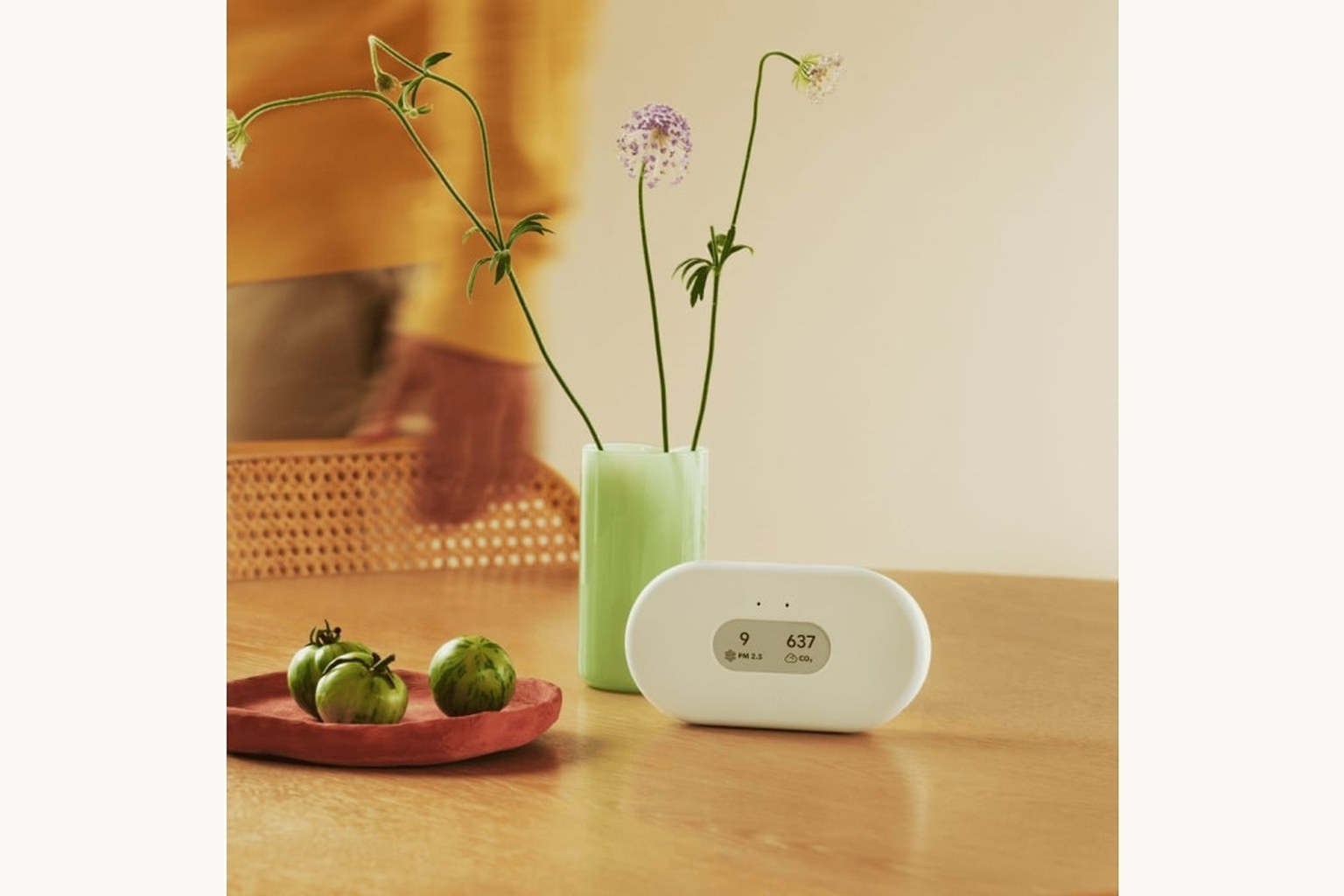
PCMag's review identifies a small screen without backlighting and says a larger, brighter display would improve the product. Its affiliate commission disclosure should be kept in mind when reading the recommendation. The useful part for this buying decision is the specific display criticism: a monitor can gather information conveniently while still being less convenient to read from across a room or in a dim corner. That tradeoff is especially relevant if you are trying to reduce phone use.
Think about your proposed location in ordinary use. A unit on a desk near your normal seating position creates a different reading task from one on a distant shelf. If the display is primarily a quick prompt to open the app, the compromise may be acceptable. If you expect several people to consult the screen while passing through a room, compare Qingping Gen 2’s touchscreen and IQAir AirVisual Pro’s dashboard. Their screen walkthroughs make that difference easier to judge.
Do not decide display suitability from a bright product photograph alone. Consider viewing distance, room lighting and whether you can reach the unit without rearranging furniture. These are ordinary placement decisions, but they often determine whether a monitor becomes a useful household habit or an object you stop consulting. The View Plus's readout grade reflects the useful information alongside the reported screen limitation, rather than a claim that everyone will find the display equally legible.
Daily access favors deliberate app use
PCMag also mentions historical charts, limits on user-defined thresholds and problems with voice assistant integration in its testing. These are specific observations from that review, not a guarantee that the current integration experience will be identical. They are enough to make app access the sensible foundation for a purchase decision. A buyer who depends on a particular voice command or alert behavior should verify that exact workflow before making it the reason to choose this monitor.
There is a practical difference between having information available and retrieving it with little effort. If you already review connected-home apps each morning, checking the View Plus may fit naturally. If you rarely open those apps, its wider reading list may not translate into wider understanding. Ask whether you want a monitor that invites investigation on a phone or one that puts your chosen reading directly in your line of sight.
For shared use, agree on a simple question rather than asking everyone to watch every metric. For example, one person can record the displayed trend during a particular room activity, then compare it with another ordinary day. This makes the app a tool for a defined task. It also prevents a collection of graphs from becoming an obligation to inspect numbers continuously. No particular household outcome follows simply from having the app installed.
Placement and ongoing care
A sensible plan is to choose a stable home location before making day-to-day comparisons. Moving the monitor repeatedly changes the setting you are observing and makes your notes harder to interpret. Use the placement instructions that come with the product and leave room to access the unit and its power arrangement. Check the manufacturer's instructions for clearances, cleaning and any service requirements; the pairing demonstration does not answer those ownership questions.
The startup wait seen in the pairing demonstration is another reason to avoid expecting instant room-to-room answers from every reading. If your main task involves carrying a monitor between meeting rooms, Aranet4 Home's sustained-use portability reports fit that routine more directly. If you want a View Plus to build a picture of one location over time, choose that location deliberately and keep a note of any move that interrupts the comparison.
Maintenance also includes maintaining access to the information. Keep track of the account used for setup, make sure the relevant household member knows how to find the monitor and revisit any integration you depend on after an app or network change. The observed pairing was quick. Keeping the account and its information accessible to the right people is the separate, ongoing responsibility that comes with this app-centered design.
When another monitor fits better
Aranet4 Home is a stronger starting point when the brief is portable, standalone CO₂ access. Its high usability grade comes from that narrower job, so it should not be read as a claim to measure everything the Airthings lists. Qingping Gen 2 offers a different alternative: a touchscreen with on-device history described in a detailed hands-on review. That may better suit someone who wants to explore readings without reaching for a phone every time.
IQAir AirVisual Pro is also worth comparing if the room display is central to your plan. Its reports describe a multi-reading screen and graphs, although the physical setup evidence is stronger than the evidence for connected setup. Amazon's monitor instead makes sense to investigate when Alexa is already part of your household routine. It has a limited on-device indicator and does not measure CO₂ or radon according to its product documentation, so it is not a direct substitute for the same brief.
Do not choose among these products by comparing the overall grades as though they were laboratory rankings. We assess how easy it is to read, set up and access each product within its stated role. A convenient narrow monitor can be the wrong purchase if it omits the reading you need. Equally, a broader model can be the wrong purchase if its access method discourages you from using it.
A useful first-week routine
Before installation, decide which room and which reading matter first. Complete account and network setup when you have time to follow the prompts, rather than immediately before an event you hoped to observe. Note any initial-data message, and use that period to learn how the app organizes the monitor's information. When readings become available, resist the temptation to compare unrelated numbers or to assume that the earliest value represents the room in every circumstance.
During ordinary use, record only the context that helps answer your chosen question: where the unit is, the approximate time, and the relevant household activity. Revisit the same app view so you are comparing like with like. If the display proves inconvenient at its chosen distance, decide whether a better permitted location solves that access problem before building your routine around repeated phone checks. Judge whether that routine is comfortable enough to keep using after the novelty of setup has passed.
Buying verdict
The View Plus 2960 is a considered choice for someone who values its documented mix of readings and accepts an account and app as part of everyday monitoring. The quick pairing demonstration is encouraging, while the small unlit screen and reported integration limits explain why daily access trails setup in our usability grades. Its appeal is strongest when you have a defined room question and intend to return to the individual readings over time.
Choose a different design if your priority is a bright shared display, frequent room-to-room use or a simple standalone CO₂ reading. Before ordering, check the exact model identity and the workflow you intend to use. The purchase should follow the information you need and how you will retrieve it, rather than the length of the sensor list alone.
Airthings View Plus 2960
Airthings
A defined home monitoring routine using the Airthings app and its documented mix of readings.
View Plus suits a buyer who has a reason to follow several individual room readings and accepts account and app setup. Airthings documents radon, PM2.5, CO₂, VOCs, temperature, humidity and pressure. A video demonstrates quick discovery and code pairing, followed by an initial-data waiting message. PCMag identifies a small unlit screen and integration limitations; its review carries an affiliate disclosure. The practical choice is whether the app will become a useful routine for your household.
Reasons to choose it
- Concrete pairing demonstration reaches Wi-Fi connection.
- Documented reading mix includes radon alongside several room parameters.
- Historical charts are described in the editorial review.
Tradeoffs to know
- Small screen without backlighting reported by PCMag.
- Account and app steps add a commitment beyond the hardware.
- Voice-assistant problems in one review warrant checking your exact intended workflow.
Think twice if: You want a bright shared numerical display, frequent room-to-room checks or a purchase built around an unverified voice workflow.
Published specifications
- Documented readings
- Radon, PM2.5, CO₂, VOCs, temperature, humidity, pressure
- Primary access considered
- Device display and Airthings app
Ratings
Editorial score 8
Readout and useful interpretation8
Useful multi-reading context is offset by the small unlit screen reported in PCMag.
Setup and placement9
One demonstration completes account, Bluetooth discovery, on-device code and Wi-Fi setup quickly.
Daily access and control7
The app/account commitment and reported integration limits constrain everyday access.
Sources & further reading
youtube.com review
airthings.com product information
pcmag.com review
breathesafeair.com review
airpurifierfirst.com review
youtube.com review
breathesafeair.com review
youtube.com review
youtube.com review
youtube.com review
amazon.com product information
youtube.com review
youtube.com review
youtube.com review
Keep reading
Something changed? Help us keep this useful.
Send a correction →