Reviewed in order: ASUS RT-BE86U · TP-Link Archer BE230 · NETGEAR Nighthawk RS500 · Amazon eero 7 · TP-Link Archer AX21 V5
Best Home Wi‑Fi Routers in 2026: Setup, Range, Ports, and Paid Extras
The fastest-looking router is not always the right one. Check the bands, ports, app limits, paid controls, range caveats, and exact Amazon listing before you replace your Wi‑Fi.
A buyer-focused ranking of ASUS, TP-Link, NETGEAR, and eero routers by setup, range, wired headroom, app clarity, paid feature boundaries, firmware trust, and exact Amazon buying details.
00 · quick verdict
ASUS RT-BE86U is the best overall standalone router here because it combines Wi‑Fi 7, serious 10G/2.5G wired ports, ASUSWRT controls, VPN/security tools, and a price snapshot that makes sense for advanced homes. TP-Link Archer BE230 is the best cheap way into Wi‑Fi 7, NETGEAR Nighthawk RS500 is the premium tri-band Nighthawk option, Amazon eero 7 is the simple app-first pick, and TP-Link Archer AX21 V5 is the low-cost Wi‑Fi 6 baseline for small/simple homes.
Current winner
ASUS RT-BE86U
Best overall for buyers who want one strong standalone router with serious wired ports, ASUSWRT controls, VPN/segmentation/gaming tools, AiMesh expansion, and no mandatory security subscription; the tradeoffs are a more technical interface and no 6 GHz radio.
MSRP
$329.99
Amazon
$219.99
at writing · 2026-05-17
01 · best picks
The short list worth starting with.
#1 · Best overall
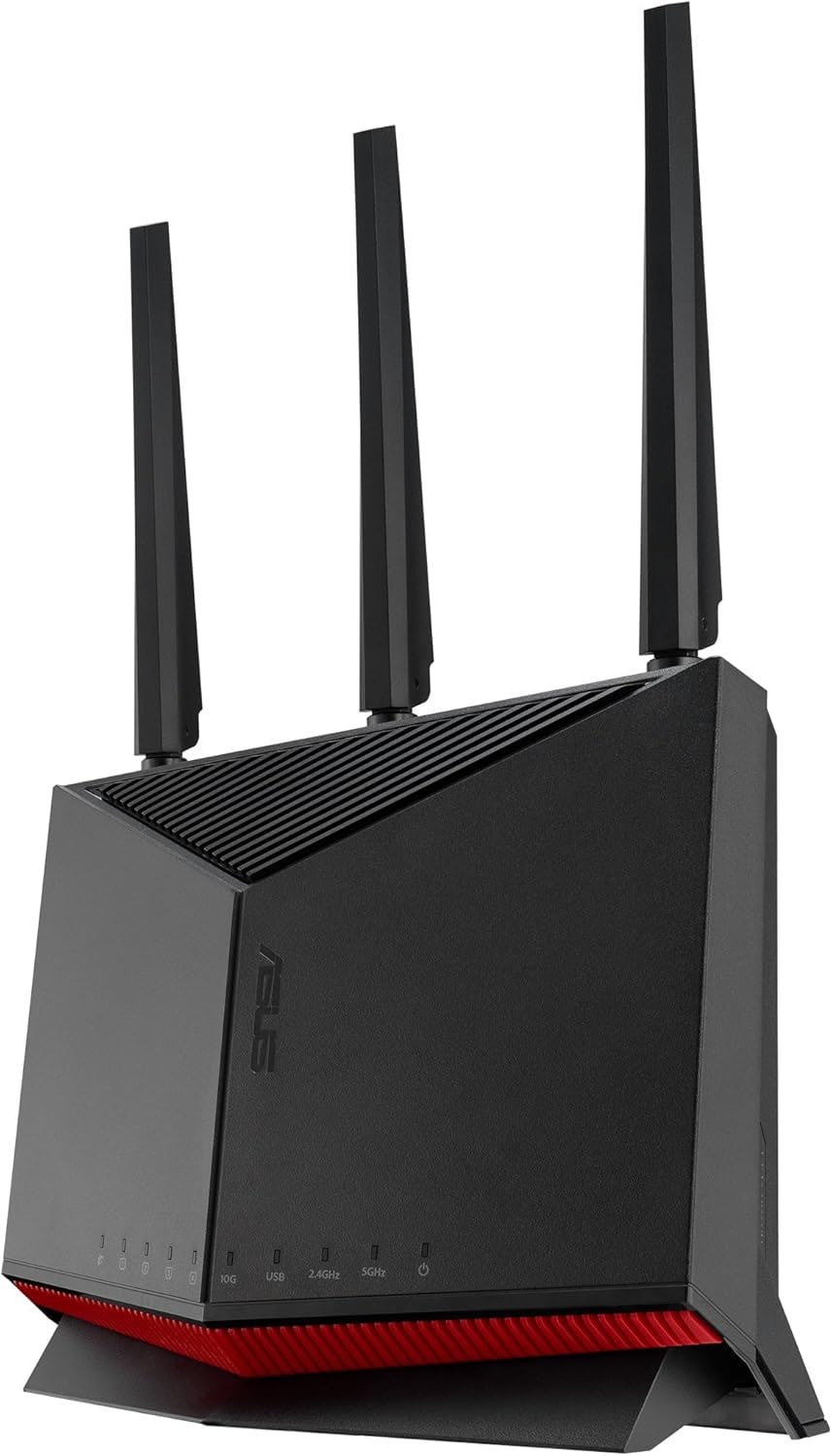
ASUS RT-BE86U
MSRP
$329.99
Amazon
$219.99
at writing · 2026-05-17
Best overall for buyers who want one strong standalone router with serious wired ports, ASUSWRT controls, VPN/segmentation/gaming tools, AiMesh expansion, and no mandatory security subscription; the tradeoffs are a more technical interface and no 6 GHz radio.
#2 · Best value Wi‑Fi 7
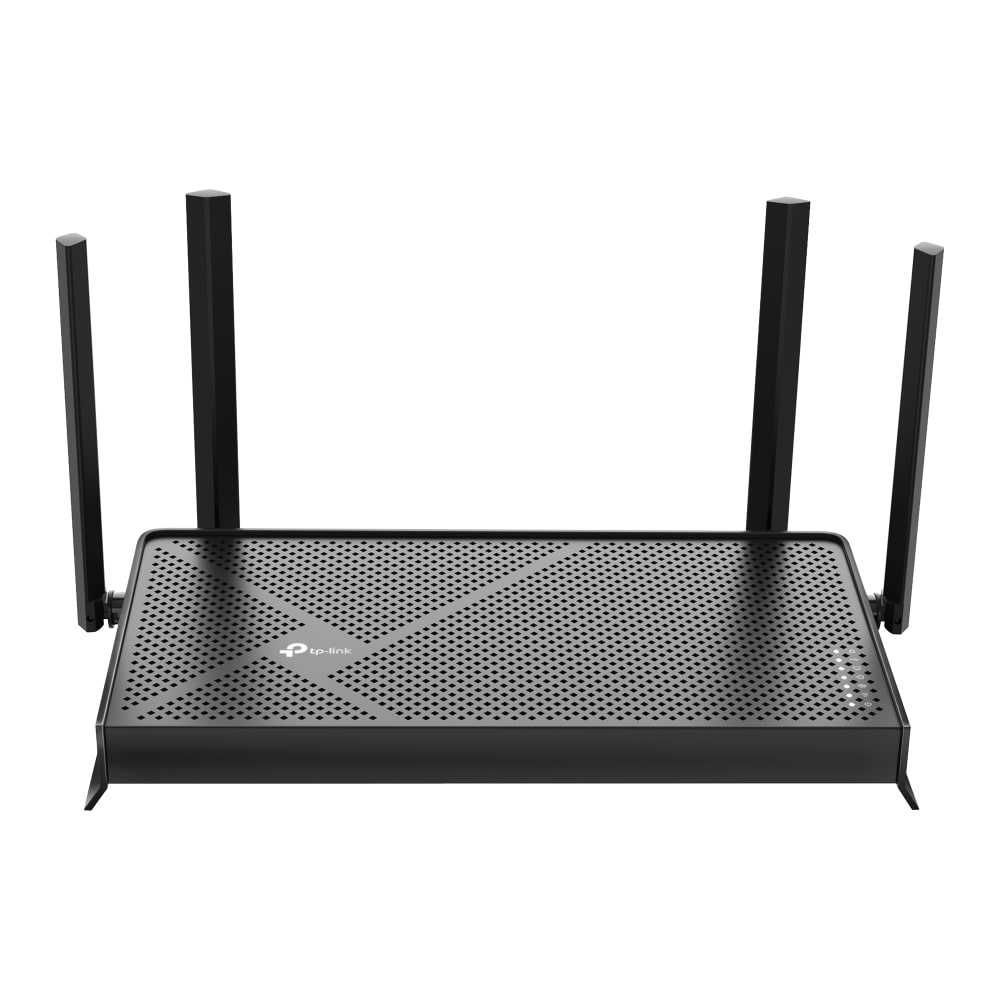
TP-Link Archer BE230
MSRP
$119.99
Amazon
$86.97
at writing · 2026-05-17
The best value lane: inexpensive Wi‑Fi 7 with dual 2.5GbE ports, USB, Tether/web setup, VPN features, and recent firmware activity, balanced by dual-band range and HomeShield subscription caveats.
#3 · Best premium range pick
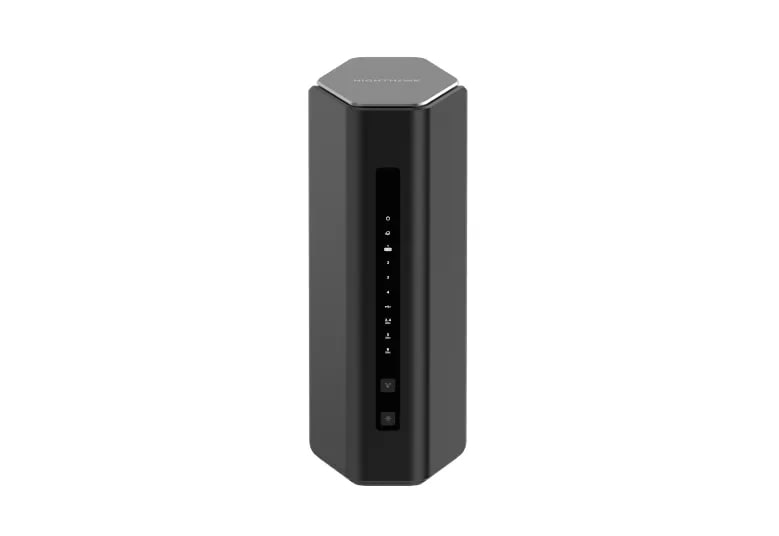
NETGEAR Nighthawk RS500
MSRP
$399.99
Amazon
$399
at writing · 2026-05-17
Premium standalone Wi‑Fi 7 lane with tri-band/6 GHz performance headroom and recognizable Nighthawk setup, held back by 2.5GbE limits, account/app hassle, paid Armor/parental-control boundaries, and unclear mesh expansion.
02 · Before You Buy
A home router is boring right up until it becomes the reason everyone in the house is annoyed. The box can promise Wi‑Fi 7, giant speed numbers, and heroic coverage, but the problems buyers actually live with are usually smaller and meaner: the modem refuses to hand off cleanly, the app hides the setting you need, a security trial turns into another bill, the far bedroom still drops calls, or the router is only fast when you are standing next to it.
That is why this ranking leans into the ownership details product pages blur. ASUS RT-BE86U wins because it has the best mix of serious wired hardware, local controls, and Wi‑Fi 7 value for buyers who can handle a more technical router. TP-Link Archer BE230 is the value surprise. NETGEAR Nighthawk RS500 is the premium tri-band one-box pick. Amazon eero 7 is the calm app-first option. TP-Link Archer AX21 V5 is the cheap Wi‑Fi 6 baseline for people who should not overbuy.
Before you buy, check your internet plan, wall layout, number of wired devices, patience for subscriptions, and whether you actually own Wi‑Fi 7 or 6E clients. Then use the product links to confirm the exact ASIN, current price, seller, new condition, and return terms. Those checks can save more regret than another speed chart, and using the links also helps support KB4UB.
03 · score comparison
Compare the grades before you chase details.
| Grade | #1ASUS RT-BE86U | #2TP-Link Archer BE230 | #3NETGEAR Nighthawk RS500 | #4Amazon eero 7 | #5TP-Link Archer AX21 V5 |
|---|---|---|---|---|---|
| Overall UX | 8/10 | 8/10 | 8/10 | 8/10 | 7/10 |
| Coverage & reliability | 8/10 | 7/10 | 9/10 | 8/10 | 6/10 |
| Setup & recovery | 7/10 | 8/10 | 7/10 | 9/10 | 7/10 |
| Speed headroom | 9/10 | 8/10 | 9/10 | 7/10 | 5/10 |
| Controls & subscriptions | 9/10 | 7/10 | 6/10 | 6/10 | 6/10 |
| Firmware & support trust | 8/10 | 8/10 | 7/10 | 8/10 | 6/10 |
| Fit & value clarity | 8/10 | 9/10 | 7/10 | 8/10 | 9/10 |
| MSRP | $329.99 | $119.99 | $399.99 | $169.99 | — |
05 · product-by-product breakdown
Why each pick landed where it did.
#1 · Best overall
ASUS RT-BE86U
MSRP
$329.99
Amazon
$219.99
at writing · 2026-05-17
ASUS built the RT-BE86U for the buyer who treats the router as part of the home network, not just the box the ISP forgot to make good. It is a vertical dual-band Wi‑Fi 7 router with a 10G WAN/LAN port, multiple 2.5GbE ports, ASUSWRT web controls, the ASUS Router app, AiMesh support, VPN tools, gaming prioritization, and subscription-free security/parental-control claims. It ranks first because it gives this comparison the best mix of current hardware, local control, wired headroom, and clear tradeoffs without jumping into an even pricier tri-band flagship.
liked
The appeal is not just “fast router.” Formal-review evidence points to strong throughput and unusually good wired hardware for a standalone model; PCMag’s bottom line called out “solid throughput performance,” while Dong Knows Tech called it a “better deal” for buyers who do not need extra network ports or 6 GHz. The daily-use win is the stack: 10G/2.5G ports, VPN Fusion, Guest Network Pro, AiProtection Pro, and a real web UI for people who do not want every important setting flattened into a phone app.
complaints
The warning is simple and important: this is dual-band Wi‑Fi 7. There is no 6 GHz radio and no 320 MHz 6 GHz channel, so shoppers expecting the full Wi‑Fi 7 showcase need to know that before checkout. PCMag listed “Lacks 6GHz band” as a con, and that is the caveat to keep in mind. The app/web interface can also feel dense for simple households, and the single 10G port still forces a WAN-vs-LAN choice for serious fiber/NAS setups.
best for
Advanced home users, gamers, VPN users, wired-office setups, ASUS AiMesh households, and buyers who want more local controls without paying a security subscription.
skip if
People who want the simplest app-first setup, a full 6 GHz Wi‑Fi 7 experience, a clean multi-node mesh kit from day one, or simultaneous 10G WAN and 10G LAN headroom.
Biggest issue
Use the exact ASUS RT-BE86U / B0DGZZJ996 listing, and remember that this dual-band Wi‑Fi 7 router does not include a 6 GHz band.
RT-BE86U is the router I would start with for a capable standalone home network. It asks more from the buyer than eero or a cheap Archer, but it gives back real controls and wired headroom.
#2 · Best value Wi‑Fi 7
TP-Link Archer BE230
MSRP
$119.99
Amazon
$86.97
at writing · 2026-05-17
TP-Link’s Archer BE230 is the budget Wi‑Fi 7 router in this set, and that role matters. It is not a flagship, but it gives buyers BE3600 dual-band Wi‑Fi 7, one 2.5Gbps WAN port, one 2.5Gbps LAN port, three gigabit LAN ports, USB 3.0, TP-Link Tether setup, a web interface, VPN tools, and EasyMesh compatibility for an Amazon price snapshot under $90. It ranks high because it solves a very common problem: replacing an old router without pretending every home needs a $300-to-$400 box.
liked
The nice surprise is how much useful hardware TP-Link includes for the money. A YouTube reviewer called it “fantastic value at least on the surface,” and HighSpeedInternet called it an “excellent upgrade” for buyers trying to improve speeds without breaking the bank. Tether setup gives normal buyers a guided path, while the web UI, VPN tools, USB port, and dual 2.5GbE ports keep it from feeling like a disposable bargain-bin router.
complaints
The catch is exactly the thing a product-page shopper can miss: this Wi‑Fi 7 router has no 6 GHz band. The same YouTube review warned that “one feature” may be missing from what buyers expect, and formal-review evidence flags range drop-off through distance and walls. HomeShield wording also needs care: some security and parental-control features sit behind paid tiers, so do not buy it assuming every control is free forever.
best for
Small-to-medium homes, apartment upgrades, buyers with 1-to-2.5Gbps internet, basic wired devices, and shoppers who want future-device support without premium-router pricing.
skip if
Large or wall-heavy homes, crowded 6 GHz-ready apartments, >2.5Gbps plans, buyers who need free advanced security/parental controls, or anyone expecting Wi‑Fi 7 to automatically mean 6 GHz.
Biggest issue
Use the exact BE230 / B0DC99N2T8 listing. Do not mix in renewed offers, other Archer models, or the expectation that EasyMesh means every TP-Link mesh/ecosystem combination works cleanly.
Archer BE230 is the value pick because it is honest hardware at a low price. Its weaknesses are real, but they are easy to accept if the buyer sees them before clicking buy.
#3 · Best premium range pick
NETGEAR Nighthawk RS500
MSRP
$399.99
Amazon
$399
at writing · 2026-05-17
NETGEAR’s Nighthawk RS500 is the recognizable premium router in this lineup: a tri-band Wi‑Fi 7 standalone model with 2.4/5/6 GHz radios, a 2.5Gbps WAN port, a 2.5Gbps LAN port, three gigabit LAN ports, USB, Nighthawk app setup, and browser-based management through routerlogin.net. It ranks behind ASUS and TP-Link because the hardware is strong, but the buy is less clean once you factor in subscriptions, account setup, and the lack of 10G ports.
liked
The RS500’s best argument is radio headroom. HighSpeedInternet recorded strong 6 GHz and 5 GHz results in its test path, and NETGEAR claims up to 3,000 sq ft and 120 devices. Buyers also get both an app path and a browser path, which matters for people who like the Nighthawk interface but still want a non-phone fallback when setup gets annoying.
complaints
At this price, the compromises deserve daylight. HighSpeedInternet wrote that whether it is right for you “squarely depends on your internet needs,” active devices, and budget, and also warned to “expect to pay extra” for all parental controls. NETGEAR saves 10GbE for higher models, the 2.5Gbps WAN can bottleneck top-tier fiber plans, and account/app handoff can be a surprise if you expected old-school local-router setup.
best for
Larger homes with Wi‑Fi 7/6E clients, 1-to-2.5Gbps internet, buyers who like Nighthawk hardware, and households that want a one-box router with a 6 GHz lane.
skip if
Subscription-averse families, 5/10Gbps fiber users, local-control purists, buyers who need verified mesh expansion, or people who want maximum value over recognizable premium branding.
Biggest issue
Use the exact NETGEAR Nighthawk RS500 / B0DG71H4GD listing, and check seller, condition, and current price because router offers can shift quickly.
RS500 is a good premium router if its exact strengths match your home. It is not the cleanest value, but it is the easiest way in this set to get a standalone tri-band Wi‑Fi 7 Nighthawk.
#4 · Best simple setup
Amazon eero 7
MSRP
$169.99
Amazon
$139.99
at writing · 2026-05-17

Amazon eero 7 is the small white router for people who do not want router ownership to become a hobby. It is a dual-band Wi‑Fi 7 eero node/router with app setup, eero mesh expansion, two auto-sensing 2.5GbE ports, automatic software, claimed 2,000 sq ft coverage, and compatibility with older eero networks. It ranks fourth because its setup story is the friendliest here, but its app-centered design and paid eero Plus boundaries are not footnotes.
liked
The appeal is calm. The eero app handles setup and monitoring, a single unit can start as the gateway or expand an existing eero network, and official sources position it as the affordable eero Wi‑Fi 7 router. Two 2.5GbE ports are generous for a compact app-first unit, and automatic updates are exactly what many non-technical households want: fewer settings, fewer chores, less router babysitting.
complaints
This is not the power-user Wi‑Fi 7 router. It is dual-band, not tri-band, and nothing reliable we found supports promising 6 GHz performance. One owner post titled “Upgrading to Eero 7 slowed me down” reported that the same placement as an older setup produced “only 25mbps,” which is not proof of a universal problem but is a useful reminder: placement, backhaul, and client devices still matter. eero Plus also matters because advanced security, ad blocking, Internet Backup, historical data, and similar features can be paid or bundle-dependent.
best for
Non-technical homes, apartments, existing eero households, people who want guided setup, and buyers who would rather add nodes than tune router settings.
skip if
Advanced users who want a web UI, VLAN-style control, deep logs, lots of Ethernet ports, subscription-free advanced security controls, or a full 6 GHz Wi‑Fi 7 router.
Biggest issue
Confirm the exact selected variant: one-pack, without eero Plus, ASIN B0D954FD8R. Amazon/eero listings can blur packs, subscriptions, bundles, and higher-end eero Pro/Max models.
eero 7 is not trying to win a spec-sheet fight. It wins for the household that wants the router to disappear into the background, as long as the buyer understands the app and subscription tradeoffs first.
#5 · Best cheap Wi‑Fi 6 baseline
TP-Link Archer AX21 V5
MSRP
—
Amazon
$52.07
at writing · 2026-05-17
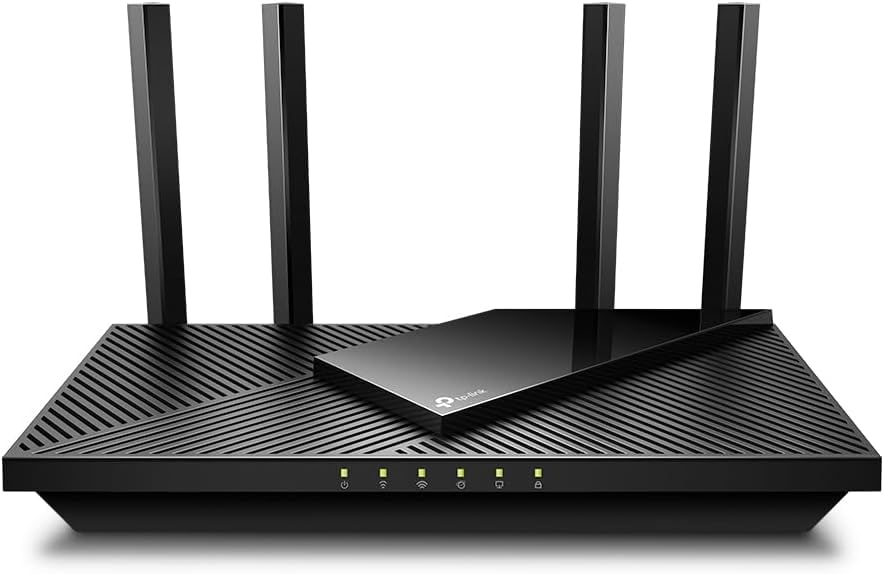
TP-Link Archer AX21 V5 is the reality-check pick. It is a dual-band AX1800 Wi‑Fi 6 router with gigabit WAN/LAN, four external antennas, Tether setup, basic management features, and an Amazon listing snapshot at about $52. It belongs in the comparison because plenty of homes do not need Wi‑Fi 7 yet. It ranks last because the same evidence that makes it a smart cheap buy also makes the limits easy to see.
liked
The strengths are practical: very low price, clear Wi‑Fi 6 positioning, simple hardware, Tether app setup, guest/QoS/parental/VPN-style basics in the research, and enough speed for basic cable or fiber plans at or below gigabit. PCMag put the bargain nicely: it “won’t wow you with features,” but it delivered good throughput, strong signal strength in testing, and was “a cinch to install.” For a small apartment or an aging ISP-router replacement, that can be enough.
complaints
The AX21 V5 has no multi-gig headroom, no 6 GHz, no Wi‑Fi 7, and no strong reason to trust it as a large-home range fix. Transcript and retailer evidence also raised setup hiccups, modem handoff frustration, firmware/app complaints, and random-disconnect claims. Those are caveat signals rather than a verdict, but budget buyers deserve to see them before assuming cheap also means hassle-free.
best for
Small apartments, small homes, basic streaming/work households, and shoppers who want the lowest reasonable new router rather than the newest spec label.
skip if
Large homes, crowded apartments, multi-gig internet, heavy wired-device setups, advanced-control buyers, or anyone trying to solve repeated dropouts in a wall-heavy house.
Biggest issue
Treat the displayed price as a listing snapshot, not a fixed MSRP, and use the exact AX21 V5 / B08H8ZLKKK offer with the right seller, condition, and price.
AX21 V5 is the “do not overbuy” option. It is not exciting, and that is the point: buy it only when your home and internet plan are genuinely simple.
05 · How This Review Works
This guide compares five router picks using official specs/support pages, Amazon listing snapshots, formal reviews, YouTube transcripts, retailer-page context, owner/forum signals where clean rows existed, product dossiers, saved source excerpts, and verified image/owner reports. We did not run our own router lab. The useful work here is connecting the published evidence to what buyers feel after checkout: setup, range, drops, app clarity, paid feature boundaries, wired-port limits, and whether the router actually fits the home it is being sold to.
The score grid uses six measures: coverage and reliability, setup and recovery, speed headroom, controls and subscriptions, firmware/support trust, and fit/value clarity. Price is shown in the product cards because Amazon availability changes quickly, but the score is not just “cheap wins.” A cheap router can rank well for the right home and poorly for the wrong one.
06 · Best Fit for You
Choose ASUS RT-BE86U if you want the strongest standalone router here: Wi‑Fi 7, 10G/2.5G wired headroom, VPN/security/segmentation tools, ASUSWRT, AiMesh, and no mandatory security subscription.
Choose TP-Link Archer BE230 if you want the cheapest sensible route into Wi‑Fi 7 and can live without 6 GHz or flagship range.
Choose NETGEAR Nighthawk RS500 if you want a premium tri-band Wi‑Fi 7 router with a 6 GHz lane and familiar Nighthawk hardware, and you accept NETGEAR account/app and subscription caveats.
Choose Amazon eero 7 if setup simplicity matters more than advanced controls. It is the easiest app-first pick and can expand into the eero ecosystem.
Choose TP-Link Archer AX21 V5 if your home is simple, your internet plan is basic, and you would rather spend about $50 than chase Wi‑Fi 7 features you may not use.
07 · What to Do Next
Start with the constraint your router has to survive. If you have a 2Gbps or faster internet plan, a gigabit-only router like AX21 V5 is the wrong foundation. If you need wired backhaul, NAS/desktop ports, VPN, or local admin controls, ASUS RT-BE86U and Archer BE230 make more sense than eero. If you want 6 GHz, do not assume every Wi‑Fi 7 router has it: BE230, RT-BE86U, and eero 7 are dual-band. If you want the calmest setup for a non-technical home, eero may be worth the control tradeoff.
Then verify the listing like a suspicious person. Check the exact model, ASIN, new condition, seller, shipper, pack size, return path, coupon/bundle wording, and whether any security or parental-control promise requires a subscription. When the router arrives, test it where it will actually live: far room, video-call spot, game console, work laptop, and the room where someone already complains about Wi‑Fi. If that room still fails, return it before the window closes.
Feedback loop
Tell us what this page missed.
These pages get better when real buyer complaints make it back into the scoring model. If something important is underweighted, say it.
Rate this review
Give it a score from 1-10 and tell us what to improve.
0/4000 characters