Reviewed in order: Logitech Lift Vertical Ergonomic Mouse · Logitech MX Ergo S Advanced Wireless Trackball Mouse · Logitech MX Vertical Wireless Mouse · ELECOM DEFT PRO Trackball Mouse M-DPT1MRXBK · Anker 2.4G Wireless Vertical Ergonomic Optical Mouse
Best Ergonomic Mice in 2026: Find the Shape Your Hand Won’t Regret
Vertical mice, thumb trackballs, and finger trackballs solve different problems. Start with hand size, desk habits, setup patience, and whether you really want to move the mouse at all.
We ranked five current ergonomic mice by fit, controls, tracking, setup, upkeep, desk behavior, and current Amazon-new availability.
00 · quick verdict
Logitech Lift is the best overall starting point for small-to-medium-hand buyers, MX Ergo S is the strongest trackball alternative, and MX Vertical is the better fit if you want a larger rechargeable vertical mouse.
Current winner
Logitech Lift Vertical Ergonomic Mouse
Compact mainstream vertical mouse for small-to-medium hands; the most broadly sensible starting point before choosing a larger vertical mouse or trackball.
MSRP
$79.99
Amazon
$59.99
at writing · 2026-05-06
01 · best picks
The short list worth starting with.
#1 · Best overall
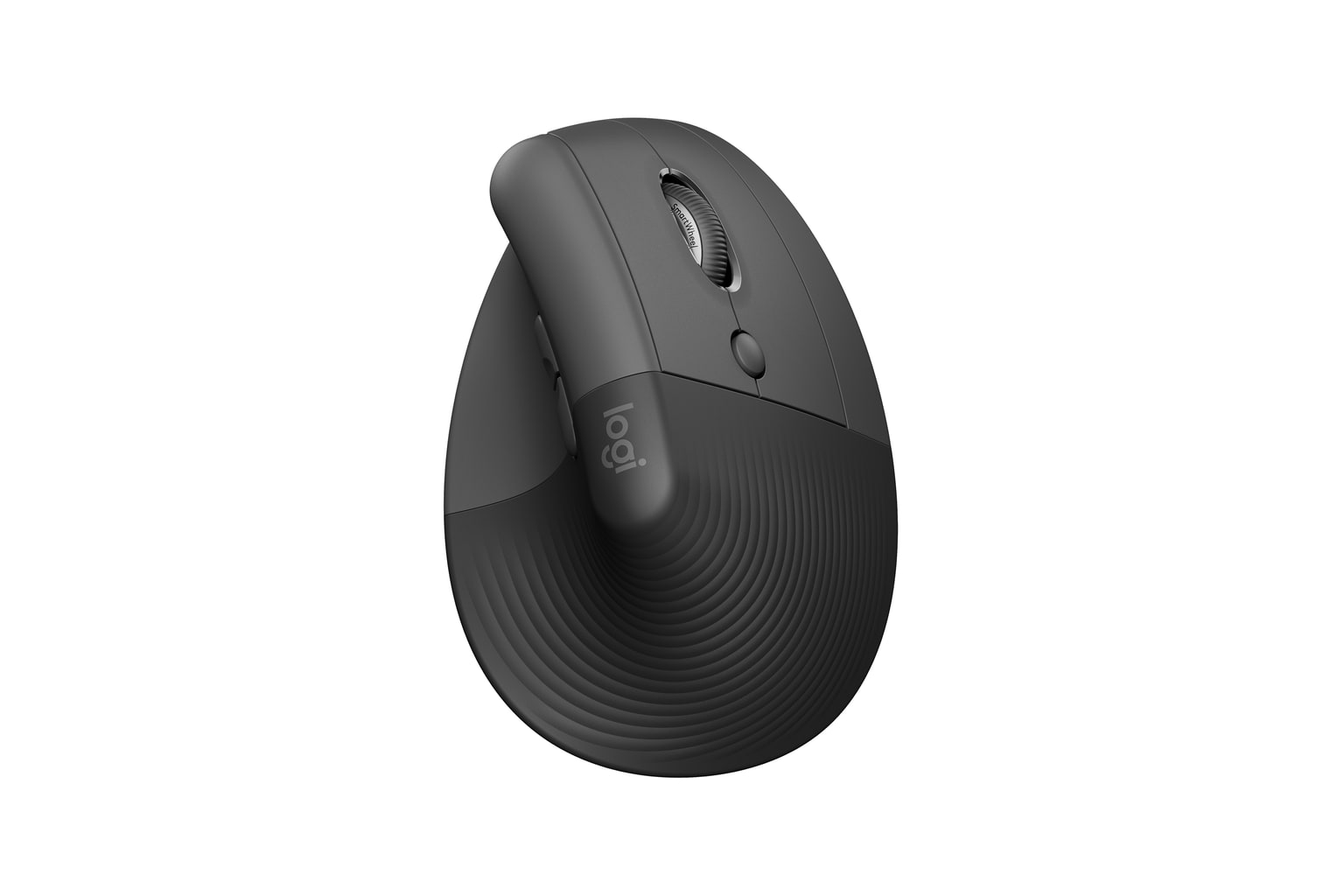
Logitech Lift Vertical Ergonomic Mouse
MSRP
$79.99
Amazon
$59.99
at writing · 2026-05-06
Compact mainstream vertical mouse for small-to-medium hands; the most broadly sensible starting point before choosing a larger vertical mouse or trackball.
#2 · Best trackball alternative
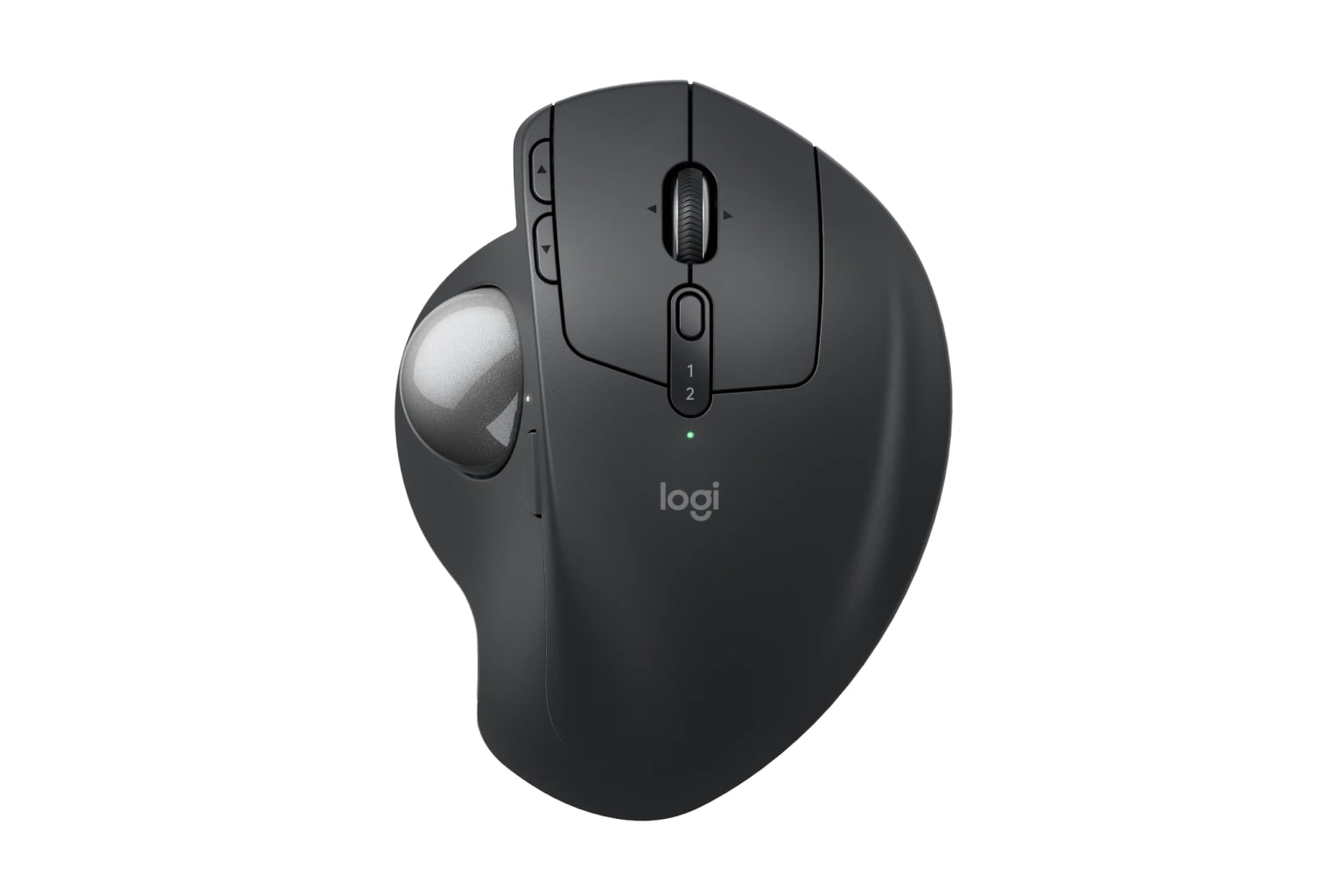
Logitech MX Ergo S Advanced Wireless Trackball Mouse
MSRP
$119.99
Amazon
$99.99
at writing · 2026-05-06
Stationary thumb-trackball pick for right-handed desk users who want less whole-arm mouse movement and Logitech’s current productivity ecosystem.
#3 · Best for larger hands
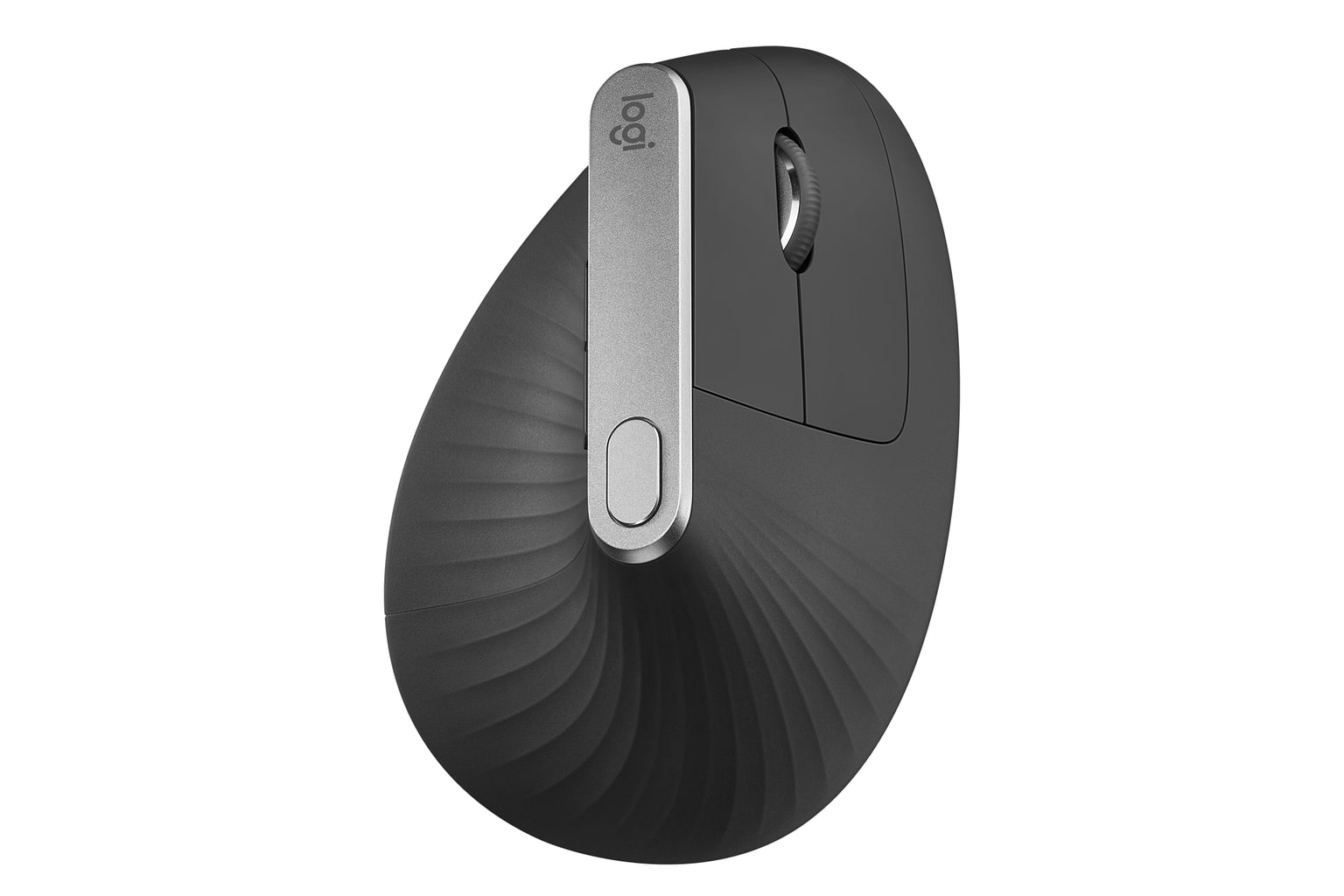
Logitech MX Vertical Wireless Mouse
MSRP
$119.99
Amazon
$74.99
at writing · 2026-05-06
Premium large-hand vertical pick for right-handed buyers who want USB-C charging and a taller Logitech shell.
02 · Before You Buy
Ergonomic mice are easy to buy for the wrong reason. The product photo promises a relaxed wrist; the box rarely tells you whether your thumb will hate a trackball, whether a small vertical shell will make your palm drag, whether the side buttons sit where your hand actually lands, or whether the receiver/software setup will annoy you before your wrist gets a vote.
That is the catch with this category: “ergonomic” is not one shape. A compact vertical mouse, a tall vertical mouse, a thumb trackball, and a finger trackball all change your desk habits in different ways. One reduces forearm rotation. Another keeps the mouse planted. Another gives you more buttons but asks you to learn new software and maintenance routines. None of them magically fixes a bad desk height, tense grip, or a mouse that simply does not fit your hand.
Use this guide before you click the first high-star listing. The best pick here is not just the most comfortable-sounding mouse; it is the one whose size, handedness, controls, connection method, and daily upkeep match the way you work. Use the product links to check current price and availability before buying, and if this saves you from the wrong shape, it helps support KB4UB too.
03 · score comparison
Compare the grades before you chase details.
| Grade | #1Logitech Lift Vertical Ergonomic Mouse | #2Logitech MX Ergo S Advanced Wireless Trackball Mouse | #3Logitech MX Vertical Wireless Mouse | #4ELECOM DEFT PRO Trackball Mouse M-DPT1MRXBK | #5Anker 2.4G Wireless Vertical Ergonomic Optical Mouse |
|---|---|---|---|---|---|
| Overall UX | 9/10 | 8/10 | 8/10 | 8/10 | 7/10 |
| Comfort and posture fit | 9/10 | 9/10 | 8/10 | 8/10 | 8/10 |
| Controls, buttons, and scroll | 8/10 | 9/10 | 8/10 | 8/10 | 7/10 |
| Tracking and desk behavior | 8/10 | 8/10 | 8/10 | 8/10 | 7/10 |
| Setup, software, and connectivity | 9/10 | 8/10 | 8/10 | 7/10 | 7/10 |
| Durability and maintenance | 8/10 | 8/10 | 8/10 | 7/10 | 7/10 |
| Workspace fit | 9/10 | 7/10 | 8/10 | 7/10 | 8/10 |
| MSRP | $79.99 | $119.99 | $119.99 | $64.99 | — |
05 · product-by-product breakdown
Why each pick landed where it did.
#1 · Best overall
Logitech Lift Vertical Ergonomic Mouse
MSRP
$79.99
Amazon
$59.99
at writing · 2026-05-06
Logitech Lift is the smaller 57-degree vertical mouse in this guide, built for people who want a gentler hand angle without jumping to a bulky specialty device. It takes first place because its compact fit, quiet buttons, current Amazon-new listing, and simple setup make it the least risky starting point for small-to-medium hands.
liked
Owners and reviewers keep circling back to the same daily-use wins: the small/medium-hand shape, quiet clicks, compact footprint, simple AA power, and enough Logi Options+ control to feel more polished than a bargain vertical mouse.
complaints
The shape stops being a win when the hand is too large. Some sources also flagged shallow quiet clicks, a less-premium wheel than Logitech’s MX line, and occasional Options+ annoyances.
best for
Best for small-to-medium right-handed buyers who want a quiet office vertical mouse, plus left-handed buyers willing to validate the separate Lift Left listing.
skip if
Skip it if you have large hands, want USB-C rechargeable hardware, expect an MX Master-style wheel, or need gaming-grade precision.
Biggest issue
The main risk is buying the wrong size or variant. Treat the Graphite right-handed ASIN, left-hand model, colors, and combo packs as separate shopping decisions.
Start with Lift if you want the mainstream vertical-mouse answer, then check hand size before anything else. When the fit is right, it solves the common desk-mouse problem cleanly.
#2 · Best trackball alternative
Logitech MX Ergo S Advanced Wireless Trackball Mouse
MSRP
$119.99
Amazon
$99.99
at writing · 2026-05-06
Logitech MX Ergo S is the current version of Logitech’s familiar thumb-trackball idea. Instead of sliding a mouse across the desk, you plant the device and move the cursor with your thumb. It ranks high because that can be exactly the ergonomic change some desk users need, as long as they accept the learning curve.
liked
The upside is a planted, comfortable trackball body, precision/speed mode, long battery claim, quiet-click update, USB-C charging, and Logi Options+ controls. The S model also fixes the old MX Ergo buying problem by passing the current-new Amazon check.
complaints
Trackballs ask more from the buyer. Expect a learning curve, possible thumb fatigue, ball cleaning, no cable-use comfort lane, Bluetooth/software quirks, weak portability, and right-hand-only fit.
best for
Best for right-handed medium-to-large-hand desk users who would rather steer with a thumb ball than push a mouse around all day.
skip if
Skip it if you dislike trackballs, play fast-twitch games, need a left-hand product, or want something small enough to throw in a laptop bag.
Biggest issue
Keep the product identity clean: base MX Ergo S Graphite is not the original MX Ergo, not MX Ergo S Plus, and not an Amazon Resale offer.
Use MX Ergo S to test whether a stationary thumb trackball is your real answer. In the right lane it is excellent; in the wrong lane it will feel wrong fast.
#3 · Best for larger hands
Logitech MX Vertical Wireless Mouse
MSRP
$119.99
Amazon
$74.99
at writing · 2026-05-06
Logitech MX Vertical is the larger premium vertical mouse here. It keeps normal mouse movement but rotates the hand into a taller 57-degree shell with USB-C charging and Logitech customization. It sits behind Lift because it is more specific: right-handed, larger, older in receiver setup, and less forgiving for small hands.
liked
The core pitch holds up: a larger 57-degree shell, rechargeable battery, reliable Logitech Bluetooth/Unifying setup, accurate office tracking, and useful customization for people already comfortable with Logitech software.
complaints
Small hands are a poor match, left-handed buyers are out, and the tall shape can take time to learn. It also skips the newer Logi Bolt receiver path and does not give you an MX Master-style premium scroll wheel.
best for
Best for medium-to-large right-handed desk workers who want a conventional moving mouse but need a taller vertical grip than Lift provides.
skip if
Skip it if you have small hands, need a left-hand model, travel often, or want horizontal/MagSpeed-style scrolling.
Biggest issue
The practical risk is paying premium-Logitech money and then discovering that the shell is too tall, or that Unifying/Bluetooth receiver expectations do not match your current setup.
MX Vertical still earns its place, but it is the larger-hand answer—not the default answer.
#4 · Best finger trackball
ELECOM DEFT PRO Trackball Mouse M-DPT1MRXBK
MSRP
$64.99
Amazon
$59.99
at writing · 2026-05-06
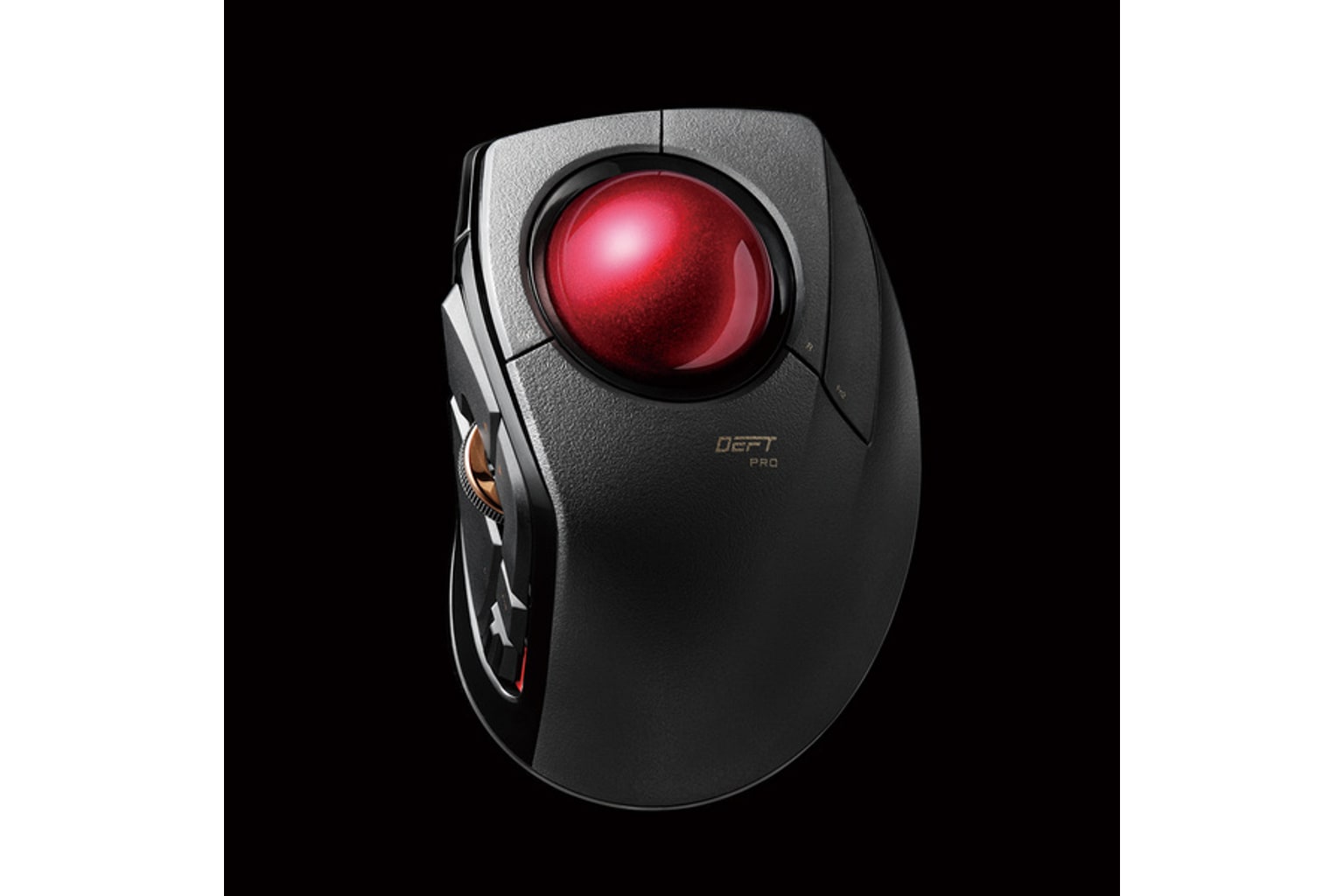
ELECOM DEFT PRO is the advanced finger-trackball pick: stationary body, index-finger ball, many controls, and three connection modes. It ranks fourth because the feature list is genuinely useful for the right buyer, but setup, software, ball smoothness, and right-hand-only fit make it less beginner-safe.
liked
The appeal is concrete: wired, 2.4GHz, and Bluetooth modes; index-finger control; tilt wheel; many assignable buttons; removable 44 mm ball; and a stationary wrist/forearm posture that gives trackball shoppers an alternative to Logitech thumb control.
complaints
Owner and reviewer notes point to the chores: Mouse Assistant setup, OS caveats, right-hand-only fit, possible bearing/stiction complaints, button-count confusion, and battery/spec conflicts that require careful reading.
best for
Best for trackball-curious right-handed users who enjoy mapping buttons and want finger control rather than a thumb ball.
skip if
Skip it if you want plug-and-play simplicity, polished Logitech software, left-handed use, or a mouse that feels familiar immediately.
Biggest issue
A long feature list does not make this beginner-safe. The setup and maintenance chores are part of the product.
DEFT PRO is the enthusiast lane: more flexible, more complicated, and worth it only if that sounds useful instead of exhausting.
#5 · Best budget trial
Anker 2.4G Wireless Vertical Ergonomic Optical Mouse
MSRP
—
Amazon
$29.99
at writing · 2026-05-06
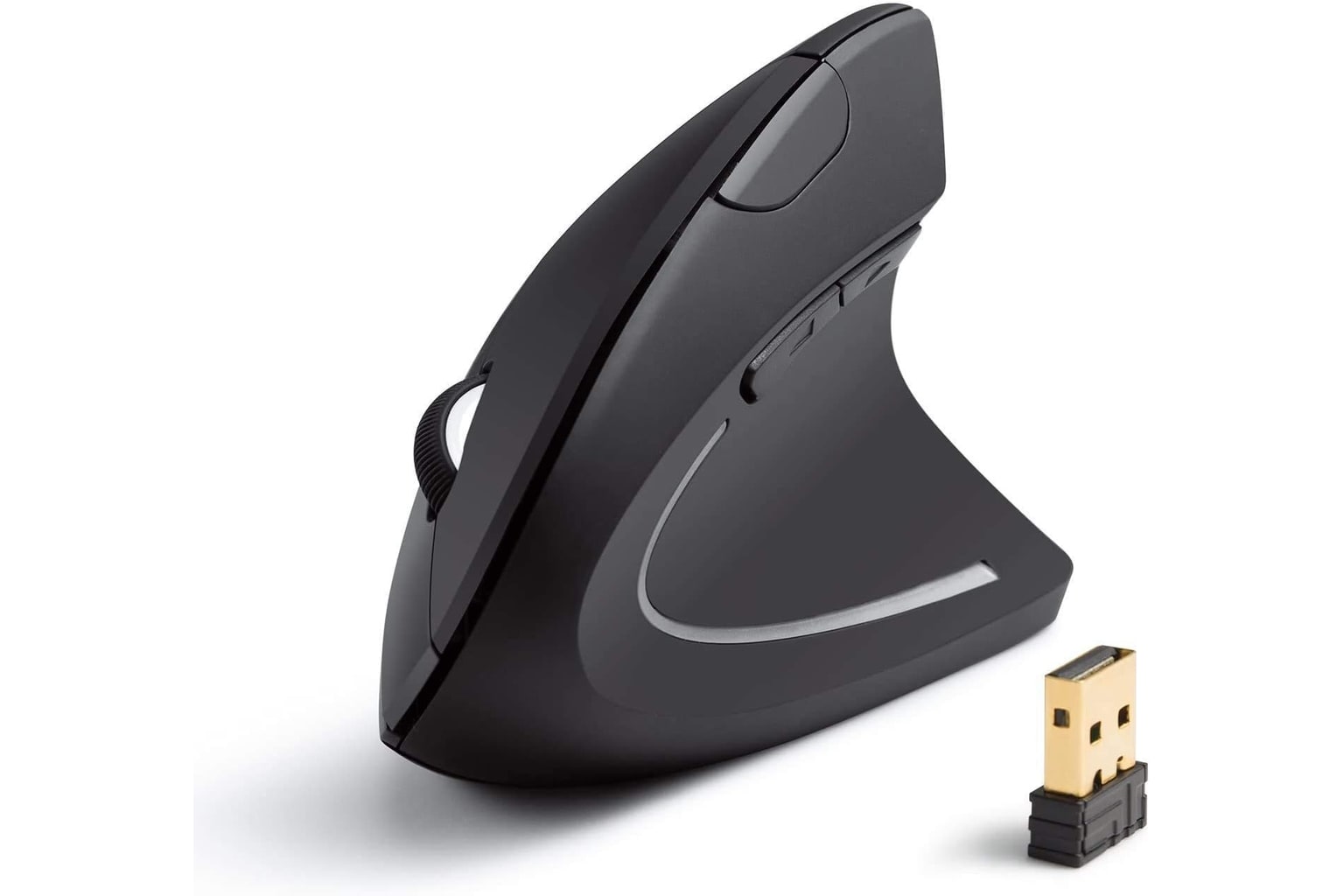
Anker’s 2.4G Wireless Vertical Ergonomic Optical Mouse is the simple budget experiment here. It gives you a right-handed handshake shape, USB receiver setup, DPI switch, and browser buttons without premium software or a premium price. It ranks fifth because the low-risk trial is useful, but the mouse is clearly more basic than the Logitech and trackball picks.
liked
Sources describe it as simple, comfortable for the money, tactile enough for office/web work, and easy to set up with a USB receiver. It is the least intimidating way to find out whether a vertical shell helps your desk routine.
complaints
It is still a budget mouse: no Bluetooth, no meaningful configuration software, basic scroll, small-hand side-button caveats, mixed sensor/latency comments, and no confirmed left-hand option.
best for
Best for right-handed buyers who want the cheapest sensible vertical-mouse experiment for ordinary office or browser use.
skip if
Skip it if you need Bluetooth, multi-device switching, programmable controls, gaming/CAD precision, or a premium wheel/button feel.
Biggest issue
Do not let the low price hide fit and connection needs. Treat it as receiver-only unless a refreshed official source proves otherwise.
This is the “try the idea cheaply” pick, not the best ergonomic mouse overall. Buy it because the experiment is inexpensive and the limitations are acceptable.
05 · How This Review Works
This review compares current product specs, product dossiers, a feature/spec matrix, image-source checks, Amazon-new availability snapshots, and 224 source-linked notes from formal reviews, product pages, YouTube transcripts, and public owner/community discussions. Every kept product had a current new Amazon buying path at the time captured; the older Logitech MX Ergo candidate was removed when its assigned listing no longer met that standard, then replaced by the current MX Ergo S.
The score does not hide price inside a “value” grade. Price appears as a captured shopping snapshot because a $29.99 Anker vertical mouse and a $99.99 Logitech trackball are solving different problems. The rubric weighs comfort/posture fit first, then controls and scrolling, tracking and desk behavior, setup/software/connectivity, durability/maintenance, and workspace fit.
Read the lane labels as carefully as the rank. A product can score well and still be a poor fit if you are left-handed, have large hands, hate trackballs, need Bluetooth, dislike software, or want a travel mouse. The goal is not to crown one mouse for everyone; it is to help you avoid the mismatch you could have spotted before checkout.
06 · Best Fit for You
Choose Logitech Lift Vertical Ergonomic Mouse if you have small-to-medium hands and want the safest mainstream vertical pick. It is quiet, compact, current, and easy to recommend when the fit is right. Large hands should start with a bigger shell instead.
Choose Logitech MX Ergo S if your real problem is moving a mouse around the desk. It keeps the device planted and uses a thumb trackball, which can feel wonderful for the right desk user and completely wrong for someone who dislikes thumb control.
Choose Logitech MX Vertical if you want a conventional moving mouse but need a larger, taller vertical shell with USB-C charging. It is the premium large-hand vertical pick, not the small-hand or left-hand pick.
Choose ELECOM DEFT PRO if you want a finger trackball with many controls and wired/receiver/Bluetooth flexibility, and you do not mind setup. Choose Anker 2.4G Wireless Vertical if you simply want to test a vertical shape cheaply with a USB receiver.
07 · What to Do Next
Before checkout, start with your hand and desk, not the rank. Confirm right- or left-hand fit, hand-size guidance, whether the mouse is vertical or trackball-based, and whether the device needs a receiver, Bluetooth, software, batteries, or a charging cable you might not already have.
If you are choosing a vertical mouse, pay close attention to shell size and button reach. If you are choosing a trackball, be honest about whether thumb or finger control sounds like relief or a chore. Then use the product links here to recheck current price, color/variant, and new-item availability before you buy.
Feedback loop
Tell us what this page missed.
These pages get better when real buyer complaints make it back into the scoring model. If something important is underweighted, say it.
Rate this review
Give it a score from 1-10 and tell us what to improve.
0/4000 characters