Logitech Lift Review (2026): The Safest Ergonomic Mouse—If It Fits
A quiet compact vertical mouse that makes the most sense for small-to-medium hands, not large palms chasing a one-size-fits-all fix.
Logitech Lift ranked #1 because it gets the ergonomic-mouse basics right: compact 57-degree posture, quiet clicks, Bluetooth/Logi Bolt, a left-hand path, and simple AA power. The trap is fit—large hands should move to a bigger vertical mouse instead of forcing this shell.
MSRP
$79.99
Amazon
$59.99
at writing · 2026-05-06
Buyer fit
Compact mainstream vertical mouse for small-to-medium hands; the most broadly sensible starting point before choosing a larger vertical mouse or trackball.
MSRP
$79.99
Amazon
$59.99
at writing · 2026-05-06
Score breakdown
How this product scored
Same rubric, but focused on one product so the reasons behind the score stay readable.
Comfort and posture fit
The Lift is the safest first stop for most ergonomic-mouse shoppers because it pairs a compact 57-degree vertical shape with quiet office behavior, Bluetooth/Logi Bolt setup, a left-hand path, and fewer niche-trackball tradeoffs. Its limit is fit: large hands should not force themselves into it.
Controls, buttons, and scroll
The Lift is the safest first stop for most ergonomic-mouse shoppers because it pairs a compact 57-degree vertical shape with quiet office behavior, Bluetooth/Logi Bolt setup, a left-hand path, and fewer niche-trackball tradeoffs. Its limit is fit: large hands should not force themselves into it.
Tracking and desk behavior
The Lift is the safest first stop for most ergonomic-mouse shoppers because it pairs a compact 57-degree vertical shape with quiet office behavior, Bluetooth/Logi Bolt setup, a left-hand path, and fewer niche-trackball tradeoffs. Its limit is fit: large hands should not force themselves into it.
Setup, software, and connectivity
The Lift is the safest first stop for most ergonomic-mouse shoppers because it pairs a compact 57-degree vertical shape with quiet office behavior, Bluetooth/Logi Bolt setup, a left-hand path, and fewer niche-trackball tradeoffs. Its limit is fit: large hands should not force themselves into it.
Durability and maintenance
The Lift is the safest first stop for most ergonomic-mouse shoppers because it pairs a compact 57-degree vertical shape with quiet office behavior, Bluetooth/Logi Bolt setup, a left-hand path, and fewer niche-trackball tradeoffs. Its limit is fit: large hands should not force themselves into it.
Workspace fit
The Lift is the safest first stop for most ergonomic-mouse shoppers because it pairs a compact 57-degree vertical shape with quiet office behavior, Bluetooth/Logi Bolt setup, a left-hand path, and fewer niche-trackball tradeoffs. Its limit is fit: large hands should not force themselves into it.
Quick Verdict
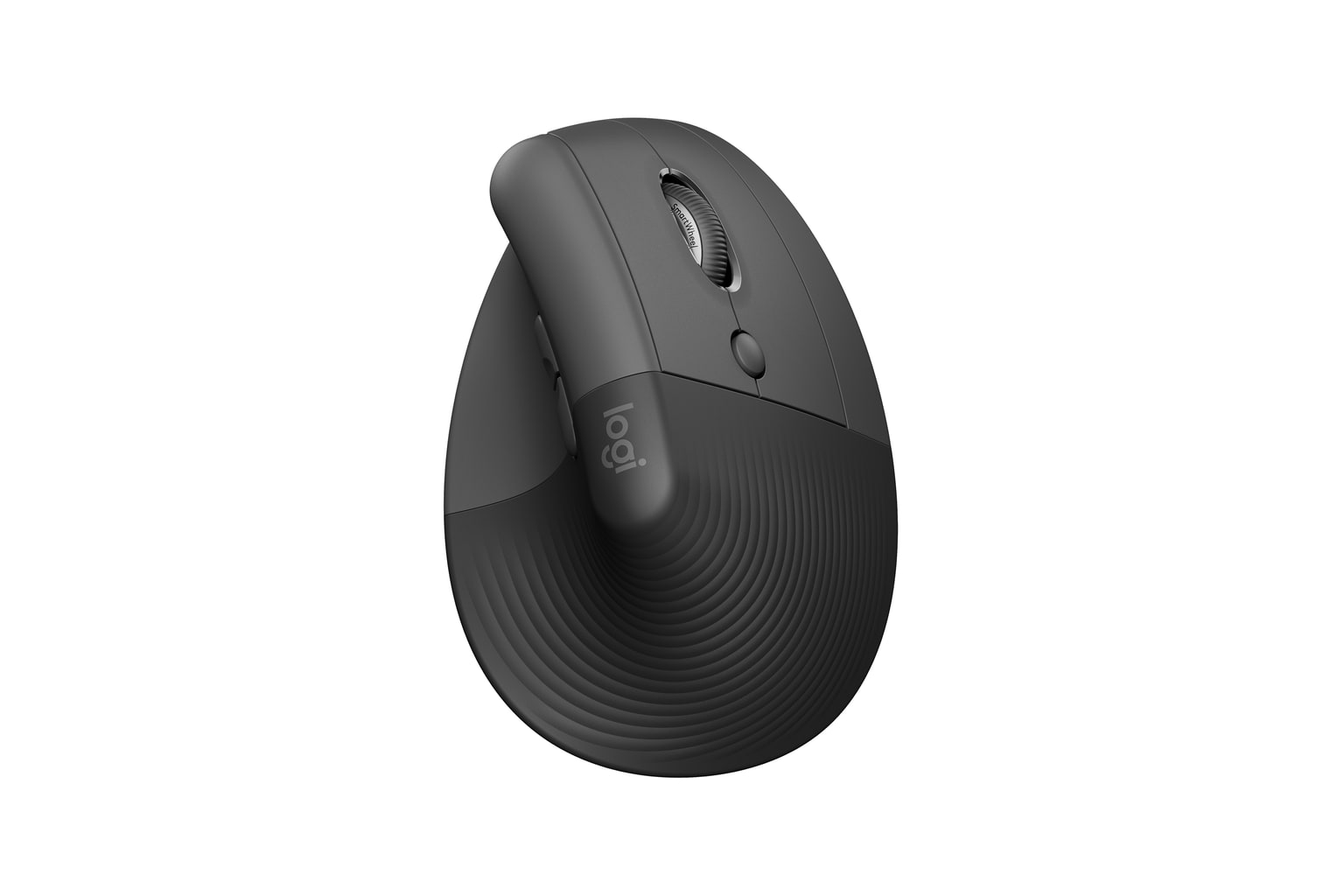
Logitech Lift is Logitech’s smaller mainstream vertical mouse: a compact 57-degree shell for small-to-medium hands, quiet clicks, Bluetooth or Logi Bolt, Easy-Switch for up to three devices, Logi Options+ customization on Windows/macOS, and simple AA power. That sounds almost boring on paper, but boring is the point. You get the ergonomic shape without betting on a trackball, a huge desk fixture, or a mystery-brand software story.
That is why it ranked #1 in the parent guide with an 8.7/10 overall score. It solves the ordinary desk-mouse problem cleanly when the fit is right. PCMag wrote that "The unique bend of the mouse fits almost perfectly with the natural curvature of your hand," but the same review warned that "if your hands are on the larger side, you’ll likely find that the mouse is just too small." That is the buying decision in one sentence: excellent default pick, bad purchase if you ignore hand size.
At the writing snapshot, the kept offer was the Graphite right-handed mouse-only ASIN B09J1TB35S, captured new at $59.99 from Amazon.com, with used, left-hand, color, and combo variants visible separately. Use the product links here to check today’s exact price, seller, condition, and availability before buying. See how it stacks up against the rest of the shortlist in Best Ergonomic Mice in 2026.
Score Breakdown
- Comfort and posture fit: 8.8/10. Lift earns its win by making a vertical posture feel normal for small-to-medium hands. Tom’s Hardware put the catch perfectly: "It’s only ergonomic if it fits your hand." Large hands are not a tiny caveat here; they are the main reason to choose MX Vertical instead.
- Controls, buttons, and scroll: 8.4/10. Quiet clicks, thumb buttons, a below-wheel DPI/custom button, and SmartWheel make it a useful office mouse. The tradeoff is feel: PCMag liked the quiet but said the clickers "lack any satisfying or tactile feedback."
- Tracking and desk behavior: 8.0/10. The 400–4000 DPI range is plenty for normal productivity, and the compact body is easy to place on a crowded desk. Do not buy it for fast-twitch gaming or precision work that calls for a gaming sensor.
- Setup, software, and connectivity: 8.8/10. Bluetooth, included Logi Bolt, Easy-Switch, and Options+ give it a much cleaner setup story than budget vertical mice. The better software features mostly live on Windows/macOS.
- Durability and maintenance: 8.2/10. The AA battery approach is boring in a good way, with Logitech quoting up to 24 months. The score stays cautious because quiet switches, rubber texture, and wheel feel still deserve normal long-term skepticism.
- Workspace fit: 9.0/10. Lift is small, quiet, easy to stash, and available in a separate left-handed path. Just do not mix the right-hand Graphite listing with left-hand, combo, used, or alternate-color offers when comparing price.
What Feels Great Right Away
The first good thing is how little drama there is if your hand fits. Lift changes your wrist angle without asking you to learn a trackball, park a huge device on your desk, or accept a weird no-name software story. The body is rounded, the grip area is textured, and the whole thing feels more like a normal Logitech mouse that happens to stand upright.
Quietness is the sleeper win. In a direct Lift vs. MX Vertical comparison, Adam Talks Tech said "the Logitech lift is actually quite a bit quieter than the MX vertical" for both clicking and scrolling. That matters in shared offices, late-night home setups, and video-call-heavy desks where loud clicks get old.
Longer use is where the best owner hook shows up. A 6 Months Later reviewer said, "after using this mouse for six months, I really like it and I'm gonna keep using it," and described the shape as feeling more natural than their previous mouse. Do not read that as a medical promise. Read it as a useful sign that the Lift’s comfort is not just a five-minute showroom trick.
What Gets Annoying
The annoying part is that the Lift can look more universal than it is. Product photos make the shape seem like the answer; your hand size decides whether it actually is. PCMag’s reviewer hit the exact failure mode: the heel of the palm dragged on the mouse pad, and larger hands lost the intended relaxed posture. If you already dislike compact mice, do not talk yourself into this one just because it ranked first.
The click feel is deliberately muted. That is great for noise and less great if you like crisp mechanical feedback. The SmartWheel is useful, but it is not the premium MX Master-style wheel some Logitech buyers picture when they see the brand name.
The AA battery is another taste test. It keeps maintenance simple and can run for a long time, but buyers who want USB-C charging should look at MX Vertical or MX Ergo S instead. None of these are dealbreakers for the right buyer. They are the little mismatches that become annoying when you buy the Lift for the wrong hand, desk, or expectation.
Setup and Daily Use After the Honeymoon
Setup is one of the reasons Lift beat the more niche ergonomic picks. You can pair over Bluetooth or use the included Logi Bolt receiver, and the underside battery door stores the receiver so it is less likely to vanish in a drawer. In another Adam Talks Tech review, the magnetic battery door stood out because "it pops off super easily" and gives the receiver a home.
Options+ is worth installing if you use Windows or macOS and care about button shortcuts, per-app behavior, pointer speed, Easy-Switch, or Logitech Flow. Basic pointing works across more systems, but the fun stuff is not equally rich everywhere. If you use ChromeOS, Linux, iPadOS, or Android, check the exact feature support before assuming every customization will follow you.
Daily maintenance is simple: keep an AA battery around, tune pointer speed, and give yourself a real work session before deciding. Vertical mice can feel strange for the first hour. That is normal. What is not normal is palm drag, finger strain, or having to grip harder to control it. If the shape turns one discomfort into another, send it back while the return window is still alive.
How It Compares
Lift is the safest first stop, not the only good ergonomic-mouse shape.
- Logitech MX Ergo S: choose this if your real problem is moving a mouse around the desk. It keeps the device planted and uses a thumb trackball, but thumb control is a taste test. Lift feels more familiar.
- Logitech MX Vertical: choose this if you like the vertical idea but have medium-to-large hands or want USB-C charging. It is taller and more premium-feeling, but right-hand-only and less compact.
- ELECOM DEFT PRO: choose this if you want a finger trackball with lots of buttons and wired/receiver/Bluetooth flexibility. It asks for much more setup patience than Lift.
- Anker 2.4G Wireless Vertical: choose this if price matters more than polish. It is the cheap vertical-mouse trial; Lift is the better long-term office pick if the fit works.
See how it stacks up against the rest of the shortlist in Best Ergonomic Mice in 2026.
Who Should Buy It — and Who Should Skip It
Buy the Logitech Lift if:
- you have small-to-medium hands and want a mainstream vertical mouse
- quiet clicking matters at your desk
- Bluetooth plus an included Logi Bolt receiver sounds useful
- you like AA battery simplicity more than charging another device
- you want a separate left-handed path and are willing to verify that listing separately
- you want the safest starting point before trying a trackball or a larger vertical mouse
Skip it if:
- you have large hands, broad palms, or already hate compact mice
- you want USB-C rechargeable hardware
- you expect a premium MX-style scroll wheel
- you need gaming-grade sensor behavior or ultra-light performance
- you dislike installing Options+ for customization
Bottom line: Lift is the right first checkout click only if the shell fits. If your hand is too big, the smartest move is not to force the winner—it is to buy the bigger shape.
Tell us what this page missed
These pages get better when real buyer complaints make it back into the scoring model. If something important is underweighted, say it.
Rate this review
Give it a score from 1-10 and tell us what to improve.
0/4000 characters