
The recommendation
Choose only after confirming a satisfactory connection route for your own device.
Grades at a glance
| Product | Overall | Paper, roll and label handling | Buttons and ordinary setup selection | Connection and routine care chores |
|---|---|---|---|---|
| MUNBYN Bluetooth Thermal Label Printer RW403B | 7.7 | 7.0 | 9.0 | 7.0 |
Does it fit your life?
On this page
Updated October 16, 2026. Research checked October 16, 2026. The reports describe historical experiences; current app and driver behavior may differ.
Useful controls, with a connection decision to make first · Loading and the space behind the printer · A jam report with an unusual starting point · Buttons and instructions · Both phone experiences matter · Routine care and repeat work · Compare the whole routine · A conditional recommendation · Separate the two jobs you want it to do · About the demonstrations
Ordinary task comparison
| Ordinary task | Score out of ten | Reason |
|---|---|---|
| Paper, roll and label handling | 7.0 | External stock needs positioning, and the reported used-roll advance problem adds a qualified handling burden. |
| Buttons and ordinary setup selection | 9.0 | Side access and described feed/self-test functions are manageable, with favorable documentation detail. |
| Connection and routine care chores | 7.0 | One phone setup succeeds; another fails on two Android devices and needs a wired-driver fallback. |
Overall: 7.7 out of ten for these ordinary tasks. The score describes the reported handling, selection, and connection chores; use the specific tradeoffs below to judge the fit for your station.
Useful controls, with a connection decision to make first
The MUNBYN Bluetooth Thermal Label Printer RW403B, also called RealWriter 403B, has an appealing physical routine: side access to the cover, adjustable guides, a rear power switch, and a top button with several described functions. One reviewer particularly likes the illustrated model-specific manual. Those details make it worth considering if you want accessible paper handling and a clear reference for occasional setup actions.
Settle the connection requirement first. Of the two supplied-unit accounts, one reaches a successful connection inside the MUNBYN app. The other cannot connect two Android devices and turns to a wired computer with a downloaded driver, which works in that setup. This is a meaningful difference for someone buying specifically to use a phone.
If you would be comfortable with a cable at a fixed desk, the reported fallback is relevant. If a phone is your only acceptable work device, it does not solve your problem. Check today's route for your exact device before letting the compact body, favorable controls, or successful video sample decide the purchase. The RW403B is a conditional recommendation whose physical strengths need to fit the connection you will actually use.
Loading and the space behind the printer
The detailed assembly report describes opening the cover with the side button and sliding the internal guides to fit the paper. Once the stock is positioned, the reviewer says the printer feeds itself. That is a manageable starting routine, but the supply still needs a sensible place outside the printer. Without a stand, the reviewer places the stack or roll behind the machine and watches that it does not catch or roll away.
That external arrangement is the main handling compromise. When assessing desk space, include the supply and its path into the printer. The body can appear compact while the overall setup asks for a clear area behind it. A packing table with a stable paper home is a better match than a crowded surface where the supply must be balanced wherever there is a gap.
The ILH-02 holder in the reports is separate context. One reviewer received it with extra labels as additional material; the other explicitly describes it as sold separately. Do not assume that a holder shown in a review is part of the retail printer box. Check the exact package and any accessory purchase independently, including whether its assembly and location suit your intended station.
The holder demonstrations also involve orientation and assembly decisions. That is worth understanding before you choose an accessory because it looks tidy in a photograph. Think about how you will replenish the stock and access the printer, rather than considering only the finished display. The reports do not establish an integrated paper container inside the RW403B or a universal supplied accessory kit.
A jam report with an unusual starting point
The longer review includes a jam while the reviewer manually advanced roll material that had already been printed on, trying to reach unused stickers. That starting point matters. It is a concrete awkward episode, but it is not a measured routine jam rate and should not be retold as though new stock repeatedly jammed during ordinary shipping-label work.
For a buyer, the useful takeaway is to plan the stock you intend to load. A routine built around a ready supply is different from one built around recovering blank stickers partway through a previously used roll. If your craft or packing habits regularly involve that second situation, the reported episode is relevant. If you normally replenish connected unused labels, keep the qualification attached rather than treating the account as a universal failure prediction.
It is also reasonable to separate ordinary loading from artwork experimentation. The same reviewer spends substantial time adjusting custom designs, but this review's handling judgment concerns the physical paper path and supply. It does not score centering accuracy, edge-to-edge artwork, or the quality of printed stickers. A buyer with professional artwork requirements needs separate evidence for those questions.
Both phone experiences matter
In the favorable report, the reviewer downloads MUNBYN Print, opens the app, selects the printer inside it, and reaches a connected status. They specifically explain that discovery happens within the app rather than simply looking for the printer in the phone's general Bluetooth menu. That is useful historical workflow detail for understanding what the wireless route involved.
In the other report, the reviewer says two Android devices would not connect even after they enabled the requested settings. They then connected the printer to a computer and downloaded the driver; that route worked in their setup. The contrast is important because it changes what a buyer should confirm before ordering. Neither enthusiasm nor frustration in one report should erase the other result.
These reports do not identify a single cause for the difference. It would be speculation to blame a particular phone, permission, app release, or firmware. It would also be speculation to say that a newer version has fixed the problem. Treat the outcomes as historical and specific to the devices and software involved, with present compatibility still something to check for your own situation.
If you would happily use a cable at a permanent desk, the fallback described in one report may make the product more interesting. If a cable would defeat the entire reason for buying, its existence does not solve your problem. Make that distinction before comparing scores: a generally manageable printer can still be the wrong choice when its uncertain route is your only acceptable route.
Routine care and repeat work
During sticker work, the longer-review author finds material at the printhead and attends to cleaning it. Include access to the open printer in your desk plan, and use the current model-specific care instructions for the procedure and materials. A holder may organize the supply neatly while the machine is closed, so also picture where that supply will wait when you need to reach inside. The useful purchasing detail is having room to approach the chore comfortably.
Allow space to put the supply aside when attending to the machine. If a separate holder is part of your setup, consider how the printer and stock will be approached together. A station that looks organized when closed should also be workable when the cover is open. This is an ordinary planning task, not a reason to infer a maintenance-free design from a compact shell.
For repeated label work, choose a file route you can tolerate several times in a session. The supplied reports show ordinary app selection and a computer fallback, but they do not prove integration with every shop platform or carrier. Check your actual document source and the current device route. The fact that a reviewer reached a sample label does not establish that your full order-handling process will have the same number of steps.
Compare the whole routine
The JADENS JD268BT has a clearer reported phone-PDF example: the supplied-unit reviewer saves a label file, opens it in the app, finds the printer, and reaches file printing. That is useful if you want to see what a phone-led job involves. It still adds export/import work, while the shown Mac route is USB. Its separately requested holder and initial orientation corrections also show that an external paper station remains part of the choice.
The Brother QL-1110NWB offers an appealing alternative for a settled desk. Its reviewer describes a spool locating in notches, distinct feed and cut functions, and an established Wi-Fi connection. The supply system is proprietary, which the reviewer dislikes. If you prefer that more defined paper change, it may be worth accepting the label constraint; if you want to keep evaluating external stock arrangements, MUNBYN remains a different proposition.
The Rollo USB X1038 avoids making a phone connection the premise of its reported routine. Its reviewers describe a wired computer station, including a manual driver installation and an initial paper-size correction. One also reports a failed attempt to load a lone leftover label. It is worth comparing if a computer already lives beside the parcels and you would rather plan a USB route from the outset.
Phomemo's 241BT also uses adjustable guides and a multipurpose feed-related control. Its supplied-unit reviewer describes a confusing media-tracking message, contact with support, and a reset before continuing. They also report having to recreate designs in the app used at the time. Those older experiences make the current file and recovery workflow worth checking, without establishing a present software disadvantage for either printer.
A conditional recommendation
The RW403B's best argument is the ordinary interaction: a side cover, adjustable paper guides, useful button descriptions, and documentation that one reviewer found approachable. Its main compromises are the external stock arrangement and the unresolved difference between the reported phone connections. A shopper who settles those issues in their own plan has a stronger reason to choose it than one relying only on the word Bluetooth.
Before ordering, confirm the exact RW403B/RealWriter 403B identity, the package contents, the intended label supply, and today's connection instructions for your device. If you intend to add the ILH-02, treat it as a separate accessory decision. Then picture the complete station with the cover open and the stock behind it. That is the arrangement you will live with between jobs.
Separate the two jobs you want it to do
For finished shipping PDFs, begin with the device and file you already use. Check how that file reaches the RW403B through the current app or computer route. If a cable is acceptable, make room for the computer and decide whether that arrangement could remain ready between jobs. If you are buying for phone use alone, resolve that exact requirement first; the successful wired fallback in one review cannot make an unsuitable phone route acceptable.
For custom stickers, add the design and supply changes to that plan. Where will you create and save the artwork? Where will each unused roll wait? Will a paper change involve moving the holder or clearing space behind the machine? The reviewer's creative projects make these useful questions, but the favorable handling score is not an artwork-accuracy assessment. Treat exact placement and output requirements as separate purchase questions rather than assuming the paper guides answer them.
The unusual jam report is relevant to how you manage those supplies. Advancing through a previously printed roll to find blank stickers is a different starting point from loading fresh connected stock. If you routinely keep partly used rolls for later projects, think through how you intend to identify and prepare them. Preserve that context when comparing MUNBYN with the alternatives: it helps you decide whether the reported problem resembles a job you expect to do, without predicting a routine failure rate.
About the demonstrations
Both reviewers disclose supplied MUNBYN units. One received extra labels and an ILH-02 holder; the other describes that holder separately. Their favorable and unfavorable experiences are retained together. This review draws on their historical ordinary workflow reports, not our own testing, and does not promise current software behavior, print quality, carrier acceptance, or durability.
MUNBYN Bluetooth Thermal Label Printer RW403B
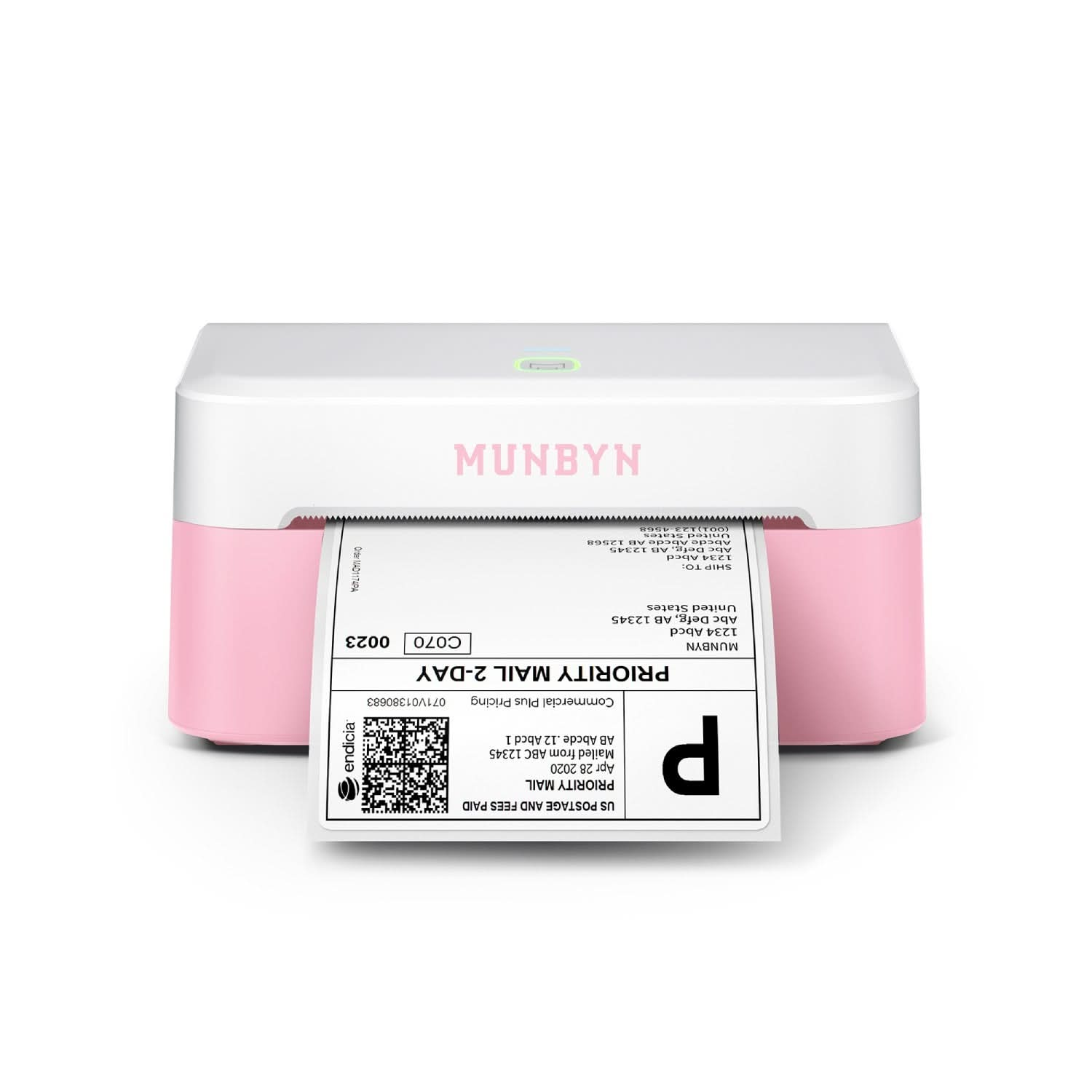
MUNBYN
Someone who likes the physical controls and has confirmed a satisfactory current device route.
Side access, adjustable guides, and useful documentation, with conflicting historical phone-connection experiences.
Reasons to choose it
- Side opening and adjustable guides described
- One reviewer praises illustrated model-specific documentation
- Successful in-app connection in one report
Tradeoffs to know
- Another reviewer fails to connect two Android devices and uses a wired-driver fallback
- External stock needs a planned home
- ILH-02 holder is separate accessory context
Think twice if: The purchase depends entirely on an unchecked phone connection or an assumed included holder.
Further reading
Ratings
Editorial score 7.7
Paper, roll and label handling7
External stock needs positioning, and the reported used-roll advance problem adds a qualified handling burden.
Buttons and ordinary setup selection9
Side access and described feed/self-test functions are manageable, with favorable documentation detail.
Connection and routine care chores7
One phone setup succeeds; another fails on two Android devices and needs a wired-driver fallback.
Sources & further reading
youtube.com review
youtube.com review
youtube.com review
youtube.com review
youtube.com review
youtube.com review
youtube.com review
youtube.com product information
youtube.com review
youtube.com review
Keep reading
Something changed? Help us keep this useful.
Send a correction →