
The recommendation
Worth shortlisting if saved PDFs and an external paper holder fit your routine.
Grades at a glance
| Product | Overall | Paper, roll and label handling | Buttons and ordinary setup selection | Connection and routine care chores |
|---|---|---|---|---|
| JADENS Bluetooth Thermal Shipping Label Printer JD268BT | 7.7 | 7.0 | 9.0 | 7.0 |
Does it fit your life?
On this page
Updated October 16, 2026. Research checked October 16, 2026. The reports describe historical experiences; current app and driver behavior may differ.
A phone-file workflow you can understand before buying · The supplied-unit context · Loading begins with orientation · App selection feels direct in the shown setup · The recurring PDF chore · The computer route shown is USB · Alternatives and the tradeoffs they change · The right buyer for the JD268BT · Decide how the station will reset between sessions · About the reported experience
Ordinary task comparison
| Ordinary task | Score out of ten | Reason |
|---|---|---|
| Paper, roll and label handling | 7.0 | The reviewer corrects holder and paper orientation, then loads successfully with an external desk arrangement. |
| Buttons and ordinary setup selection | 9.0 | Finding, connecting, and selecting file printing are direct in the shown phone setup. |
| Connection and routine care chores | 7.0 | Saving PDFs and opening them in the printer app adds repeated file work; the shown Mac route is USB. |
Overall: 7.7 out of ten for these ordinary tasks. The score describes the reported handling, selection, and connection chores; use the specific tradeoffs below to judge the fit for your station.
A phone-file workflow you can understand before buying
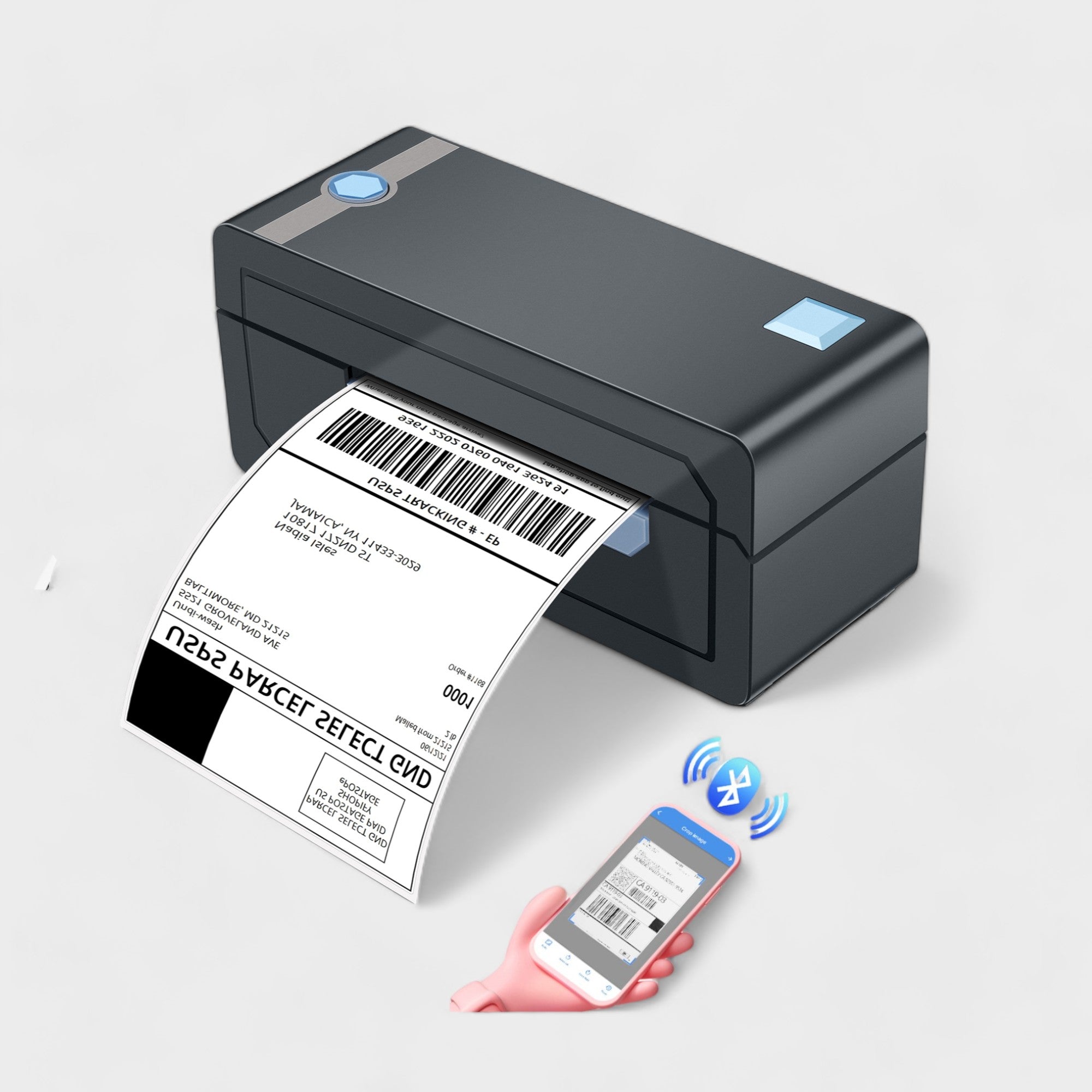
The JADENS Bluetooth Thermal Shipping Label Printer JD268BT is a sensible shortlist choice if your phone workflow already revolves around saved label PDFs. In its supplied-unit first look, the reviewer finds the printer in the app, connects, chooses file printing, and opens a sample label. That sequence gives you a clear picture of the selections involved.
The extra file step is the deciding tradeoff. In that historical setup, the reviewer saves a label as a PDF before opening it in the printer app. If you normally finish everything inside a selling app, include that export and import in your comparison. If you already save each label as a file, the same route may fit comfortably into the job you do today.
Allow room for the paper as well as the printer. The reviewer initially reverses part of the external holder and the paper orientation, then corrects both and continues with the guides and loading. They had separately requested a holder, so check the current retail package before planning around the one shown. The JD268BT is most appealing when you are happy to give that complete station a home and use a deliberate saved-file routine.
The supplied-unit context
The main review explicitly names JD268BT, with BT-268 used in its title. The reviewer receives a free printer that they can keep, says they were not paid to say particular things, and shares a coupon. They also say this is an early look and that they have no long-term conclusions. Those details belong near the recommendation because the video is strongest as a setup demonstration.
The holder requires particular care when shopping. The reviewer says they asked for a stand because the literature did not appear to include one, then describes the holder they received. That does not establish that every ordinary retail printer order contains the same holder. Confirm the current package before assuming that the reviewed station can be recreated from the printer box alone.
A shorter JADENS report also shows the printer opening and explains alignment, but the speaker does not identify the exact model suffix. Its useful contribution is that limited view of paper access. For the JD268BT's phone and computer routes, rely on the explicitly identified first look and check current model-specific instructions. The short report's broader laptop and Bluetooth remarks are not enough to settle which connection your own device will use.
Loading begins with orientation
The main reviewer shows how easy it is to make a small orientation mistake during setup. Part of the holder is initially assembled backward and the paper is initially reversed. Both are corrected before the loading demonstration continues. This is more useful than a perfectly edited unboxing because it reveals the kind of attention the first setup can require.
Inside the printer, adjustable guides slide to suit the stock. The review describes closing the cover and the printer adjusting the labels after the supply has been correctly placed. The useful pattern is a manageable routine after orientation and positioning, rather than a claim that no setup attention is needed. If you are unfamiliar with rear-fed stock, expect the initial paper route to deserve a careful look.
The desk footprint grows with the paper holder. The reviewer specifically remarks on the extra space once the paper arrangement is added. A buyer comparing product dimensions should therefore draw the whole station: incoming supply, printer, output area, power lead, and any computer cable. The printer's closed shell is only one piece of that layout.
Think about replenishment as well as initial assembly. If the station remains set up, much of the holder arrangement may be an occasional task. If you clear the table after each packing session, moving and restoring the paper supply becomes part of each use. The report does not measure either scenario, but the visible separate holder makes that an appropriate practical distinction to consider.
App selection feels direct in the shown setup
After installing the phone app, the reviewer sees an initial device-not-found state, adds a printer, discovers it, and selects connect. They then use the file-printing option to reach a saved sample label. This sequence makes the software side fairly easy to follow in that particular first look. It is the basis for a favorable view of ordinary selection, with the export/import chore considered separately.
The reviewer had tried the process before recording and says they did not want to approach it entirely cold. That makes the video useful as a walkthrough of a familiar route, rather than a first-use timing test. Watch the choices they make: add the printer, connect, select file printing, then find the saved file. Those are the actions to compare with your habits, especially if you will return to the printer after a gap between orders.
For buying, decide whether an explicit saved file is a convenience or a burden. Some people already organize each shipping label as a PDF and would find the app-opening step familiar. Others remain inside one selling app throughout the job and would regard the transfer as an interruption. The same demonstrated interface can suit the first routine and frustrate the second.
Current app layout and device requirements may differ from those in the review. Confirm the present JD268BT instructions for your own phone. A historical successful sample-label sequence supports the concept and the reported experience, without establishing all current operating systems, every file source, or automatic integration with a carrier.
The recurring PDF chore
The main reviewer explains that they generate a label, save it to files, and open it in the printer app. That is the central tradeoff of the phone route described here. It removes a data cable from that demonstrated phone job, but it does not remove the preparation of the file or the power connection to the printer.
Consider how this fits the number and type of jobs you actually do. If you typically handle one package at a time, a deliberate file-open action may feel acceptable. If you work through many files, the repeated transitions may be more intrusive. This is a workflow preference, not a claim about a measured limit, printing speed, or the application's current batch features.
Before purchase, look at a representative document from your normal routine. Can you readily save it in the form you need? Do you know where it will be stored and how you will identify the right one inside the printer app? Deciding that in advance is more useful than assuming that Bluetooth means any on-screen label will go directly to paper.
The demonstration uses a sample label so customer details stay out of the video. For your own comparison, start with the file type your work actually produces and check the current route for opening it. Decide how you will distinguish today's label from older downloads when choosing inside the app. A clear location and recognizable filename are useful parts of your plan; the printer's connection method alone does not organize that selection for you.
The computer route shown is USB
The reviewer also sets up a Mac, downloads the relevant file, installs the driver, and selects the printer. They explicitly say the demonstrated connection is not Bluetooth. Their comments about what might work on another kind of computer are tentative and should stay out of a purchasing guarantee.
This makes the JD268BT a different proposition depending on the work device. A phone-led routine in the video uses the printer app; the shown Mac routine uses USB. If you want a wireless connection from a computer specifically, verify that exact current requirement before ordering. A successful phone demonstration does not answer it for you.
At the desk, plan the cable path even if you expect to use the phone most of the time. You may decide that a fixed USB workstation is comfortable, or that switching between device routes would add complication. The review does not establish that you must use both. It gives two historical examples from which to identify the arrangement you actually want.
Alternatives and the tradeoffs they change
The Brother QL-1110NWB is the strongest alternative for someone who prioritizes a defined paper change. Its reviewer describes a notched spool, separate feed and cutting controls, and an established wireless connection. The proprietary label arrangement is an explicit objection in that account. Compare it with the JADENS complete external-holder station if you would accept a narrower supply system for a more clearly located spool.
The Rollo USB X1038 makes sense as a comparison when a computer already lives at the packing desk. Its reports describe manual driver work, a paper-size correction after an initial failed print, and a USB connection. One reviewer also failed to position a solitary leftover label. It trades the JADENS phone-app route for a deliberately wired routine, which can be an acceptable choice if moving files through a phone app is the chore you most want to avoid.
The MUNBYN RW403B has direct side-cover access, adjustable guides, and a top button with several described functions. Its supplied-unit reports disagree on phone connection outcomes: one connected inside the app, while another failed on two Android devices and used a wired-driver fallback. The JADENS demonstration is a more coherent example of one successful phone-file route, but neither product has a universal current compatibility promise from these accounts.
The Nelko PL70e-BT report describes similarly recurring app-file work. Its reviewer downloads and imports labels individually and finds the cords awkward. They also describe a blue side release for retrying misaligned stock and one jam with two-inch round stickers. The title says PL70e while the BT suffix is unspoken, so use it as a bounded physical-workflow comparison, rather than a definitive verdict on every version sold under the name.
Phomemo's 241BT offers another small-label example, with guides adjusted to the stock and an official mechanical demonstration. Its supplied-unit reviewer found the manual taxing and needed support after a media-tracking interruption. The same account reports being unable to save designs in the app used then. If you want repeated custom labels rather than saved shipping PDFs, checking the current design-and-save routine becomes particularly important.
The right buyer for the JD268BT
Choose the JADENS if its shown app-file route feels comfortable and you can give the external stock a proper place. The review's strength is the sequence of ordinary decisions: assemble the paper arrangement, correct its orientation, position the guides, connect inside the app, and open a saved file. It gives the buyer something specific to accept or reject.
Pause if you require direct printing from a particular selling app, wireless computer printing, or a guaranteed holder in the box. Those expectations are not established by the demonstration. Likewise, a favorable first look should not be read as proof of long-term durability or support. Confirm the exact current model, package, and device route before deciding that it fits your station.
Decide how the station will reset between sessions
If the packing table stays set up, the JD268BT's holder and paper orientation may fade into the background after the first arrangement. Your recurring attention would then be on finding the correct PDF and selecting it in the app. That is the strongest fit for someone who already treats saved files as the starting point for each parcel. Check the current phone instructions, then judge whether the extra app-opening step is one you would readily repeat.
If the table is cleared after every session, walk through the physical setup as well. Where will the printer, holder, and supply wait between uses? Can you restore the arrangement without balancing the paper behind other objects? The first look's reversed holder and paper are useful reminders to plan a recognizable orientation. They do not predict that every reload will be troublesome, but they show why the separate pieces deserve attention.
Choose the holder independently from the printer. The reviewer's request for a stand makes retail-box inclusion uncertain; a product photograph is not enough to settle it. Check the package you intend to order and the space available for that holder. Then bring the two parts of the decision together: the paper station you can comfortably restore and the PDF route you can comfortably repeat. The JD268BT earns its place when both suit you, rather than when a successful phone sample alone looks appealing.
About the reported experience
The main account is a supplied-printer first look with a coupon and a separately requested holder. The reviewer explicitly avoids long-term conclusions. The shorter JADENS report has an unstated exact suffix and unstated incentive, so it is used only for the narrow release/alignment observations described above. This review is based on those historical reports, not our own hands-on testing or a current software, quality, speed, or carrier guarantee.
JADENS Bluetooth Thermal Shipping Label Printer JD268BT
JADENS
A phone-file routine where saving and opening label PDFs is acceptable.
A saved-PDF phone route with direct in-app selection, plus an external paper station and recurring file transfers.
Reasons to choose it
- Finding and connecting inside the app is demonstrated
- File-printing selection is clearly described
- Adjustable guides support the reported loading routine
Tradeoffs to know
- PDF export/import is part of the historical phone route
- Holder and paper orientation need correction in the first look
- Shown Mac connection is USB
Think twice if: You require established direct selling-app printing, wireless computer support, or a guaranteed included holder.
Further reading
Ratings
Editorial score 7.7
Paper, roll and label handling7
The reviewer corrects holder and paper orientation, then loads successfully with an external desk arrangement.
Buttons and ordinary setup selection9
Finding, connecting, and selecting file printing are direct in the shown phone setup.
Connection and routine care chores7
Saving PDFs and opening them in the printer app adds repeated file work; the shown Mac route is USB.
Sources & further reading
youtube.com review
youtube.com review
youtube.com review
youtube.com review
youtube.com review
youtube.com review
youtube.com review
youtube.com product information
youtube.com review
youtube.com review
Keep reading
Something changed? Help us keep this useful.
Send a correction →