
The recommendation
Start with Brother for an orderly spool station; compare the others by the paper supply and file route you actually want.
The shortlist, at a glance

A packing station that values defined spool placement and separate physical actions.
Brother QL-1110NWB →

A packing station where the computer already stays beside the labels.
Rollo USB Shipping Label Printer X1038 →
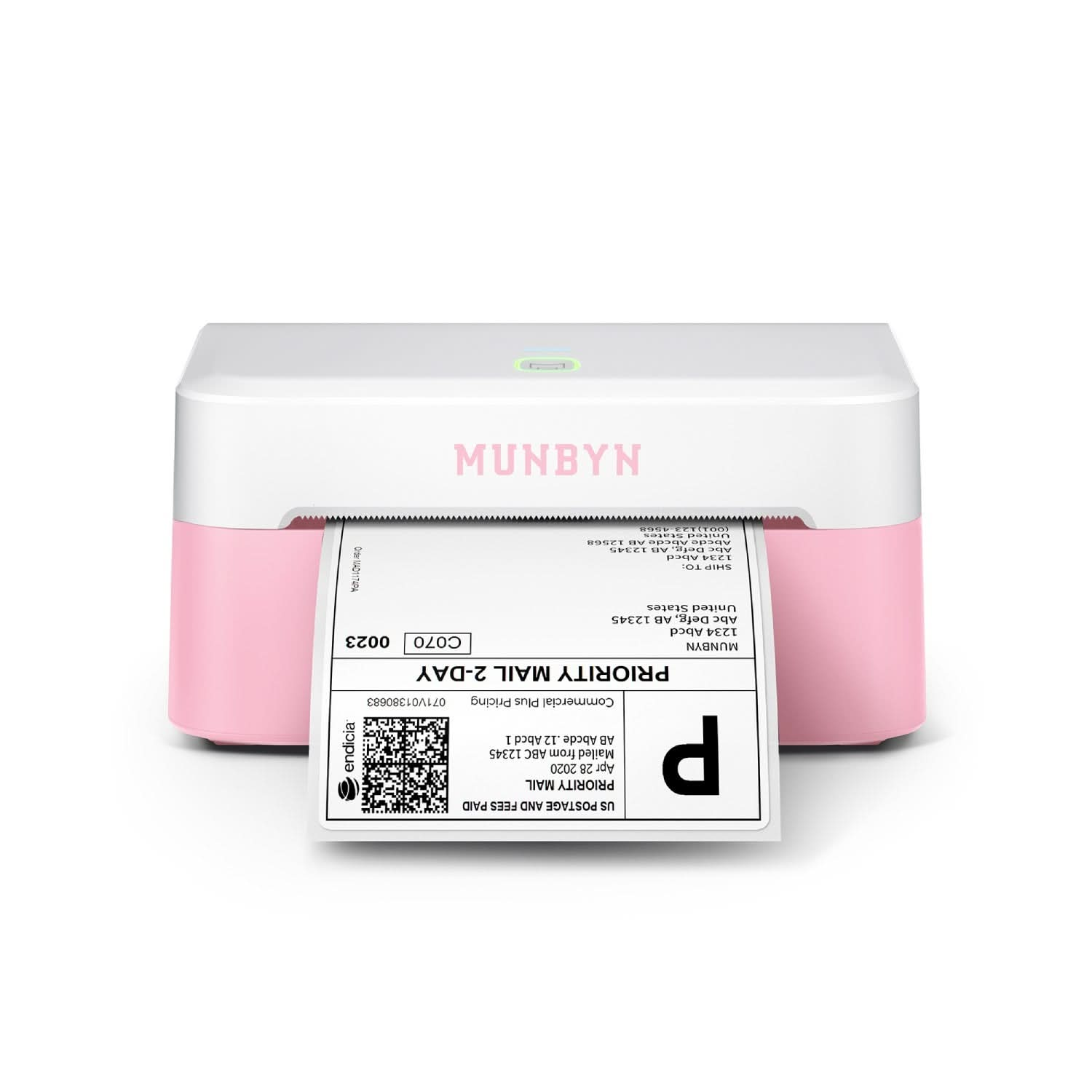
Someone who likes the physical controls and has confirmed a satisfactory current device route.
MUNBYN Bluetooth Thermal Label Printer RW403B →
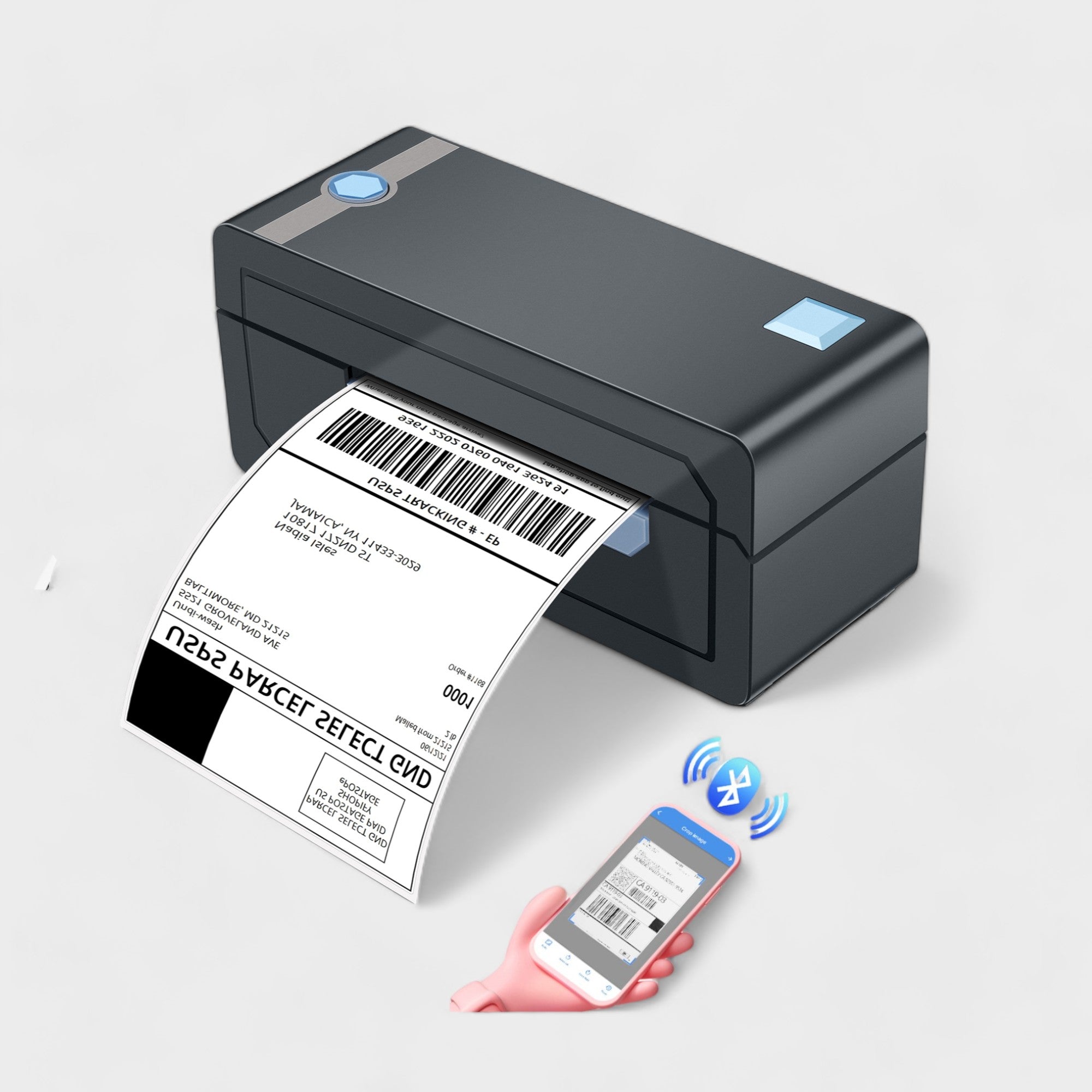
A phone-file routine where saving and opening label PDFs is acceptable.
JADENS Bluetooth Thermal Shipping Label Printer JD268BT →
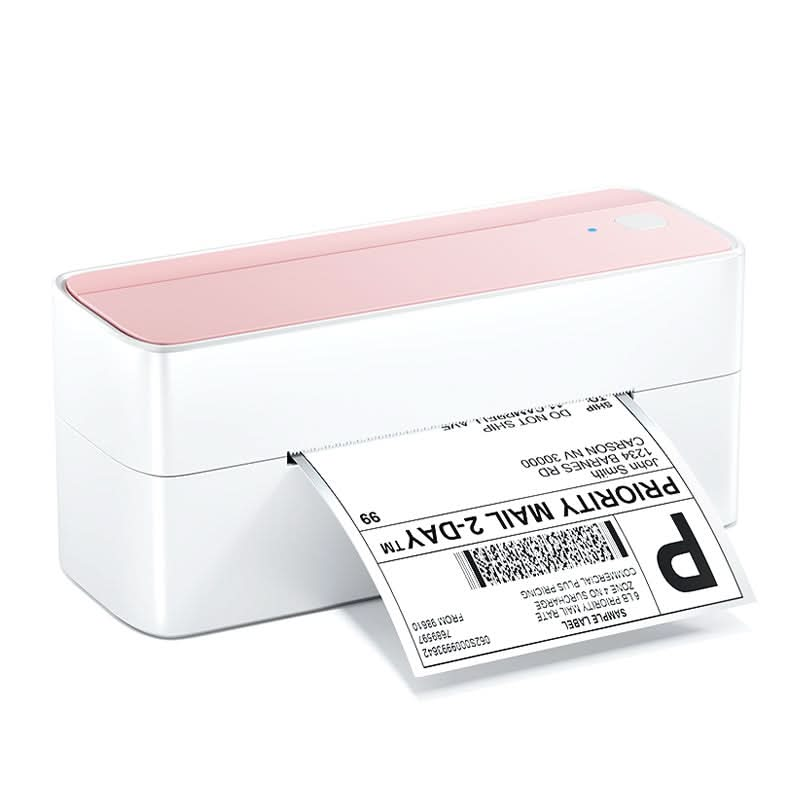
A buyer who wants small-label guide adjustment and has checked the current saving and recovery workflow.
Phomemo 241BT →
Grades at a glance
| Product | Overall | Paper, roll and label handling | Buttons and ordinary setup selection | Connection and routine care chores |
|---|---|---|---|---|
| Brother QL-1110NWB | 9.0 | 9.0 | 9.0 | 9.0 |
| Rollo USB Shipping Label Printer X1038 | 7.0 | 7.0 | 7.0 | 7.0 |
| MUNBYN Bluetooth Thermal Label Printer RW403B | 7.7 | 7.0 | 9.0 | 7.0 |
| JADENS Bluetooth Thermal Shipping Label Printer JD268BT | 7.7 | 7.0 | 9.0 | 7.0 |
| Nelko PL70e-BT | 7.7 | 7.0 | 9.0 | 7.0 |
| Phomemo 241BT | 7.7 | 9.0 | 7.0 | 7.0 |
Compare your shortlist
Does it fit your life?
On this page
Updated October 16, 2026. Research checked October 16, 2026. The reports describe historical experiences; current app and driver behavior may differ.
Start with your paper and file routine · What the scores describe · Brother QL-1110NWB: best for an organized spool routine · Rollo USB X1038: best considered beside a computer · JADENS JD268BT: a clear phone-PDF example · MUNBYN RW403B: useful physical controls, mixed phone experiences · Nelko PL70e-BT: direct side access, app-file chores · Phomemo 241BT: small-label placement with a recovery caveat · Plan the whole packing station · Inspect a representative label file · Match the choice to the friction you dislike · What these experiences can establish
Ordinary task comparison
| Printer | Paper handling | Controls and selection | Connection and care | Overall | Main tradeoff |
|---|---|---|---|---|---|
| Brother QL-1110NWB | 9.0 | 9.0 | 9.0 | 9.0 | Proprietary spool and marked-label arrangement |
| Rollo USB Shipping Label Printer X1038 | 7.0 | 7.0 | 7.0 | 7.0 | Manual driver download in one setup |
| MUNBYN Bluetooth Thermal Label Printer RW403B | 7.0 | 9.0 | 7.0 | 7.7 | Another reviewer fails to connect two Android devices and uses a wired-driver fallback |
| JADENS Bluetooth Thermal Shipping Label Printer JD268BT | 7.0 | 9.0 | 7.0 | 7.7 | PDF export/import is part of the historical phone route |
| Nelko PL70e-BT | 7.0 | 9.0 | 7.0 | 7.7 | One jam with two-inch round stickers is reported |
| Phomemo 241BT | 9.0 | 7.0 | 7.0 | 7.7 | Media-tracking interruption requires explanation and reset |
Start with your paper and file routine
Choose the Brother QL-1110NWB first if you want a settled packing station with an orderly paper change. Its notched spool placement, separate feed and cut functions, and internal power supply make a strong combination for that job. The condition is important: its proprietary spool and marked-label arrangement must suit the supplies you are willing to buy.
Choose the Rollo USB X1038 instead if the computer already belongs beside your parcels and you are comfortable with driver and page-size setup. For a phone workflow built around saved PDFs, the JADENS JD268BT gives the clearest example here of finding the printer in an app and opening a file. Neither choice makes the work disappear: Rollo's reports include cropping a full-page document, while JADENS's phone demonstration includes saving and importing the PDF.
The other three deserve a more specific reason to buy. MUNBYN RW403B combines useful controls with conflicting phone-connection experiences. Nelko PL70e-BT has direct side access, alongside cable and import chores. Phomemo 241BT makes small-label placement easy to picture, but its reviewer needed help with recovery and reported repeated design work in the app used then.
Start with one label you actually need to produce. Put its supply, starting file, and work device beside these comparisons. That gives the recommendations a practical test: which printer asks you to do the chores you would most readily accept?
What the scores describe
The comparison below covers paper and label handling, buttons and ordinary setup selection, and connection and routine care chores. A stronger result means the reported ordinary task is more direct, with fewer meaningful extra steps in the described setup. Read each reason alongside its number: a supply restriction or the wrong file route can matter more to your decision than the overall score.
The scores are out of ten: 7 describes a workable task with meaningful extra steps, while 9 describes a direct, manageable task with smaller limitations. The overall combines those task assessments. Read across the categories before comparing totals. Phomemo's stronger paper-placement result comes with more involved controls; JADENS has a favorable app-selection example but recurring PDF work. Their matching overall scores do not make their routines interchangeable. These numbers cover everyday handling and setup, not measured print quality, speed, compatibility, or durability.
Brother QL-1110NWB: best for an organized spool routine
Brother's strongest case is the relationship between the supply and the printer. The reviewer describes dropping the spool into a notch and locating the opposite arm. They also show distinct feed and cut actions, making it easier to understand the choice between handling individual labels and separating a string at the end. An internal power supply removes the separate brick found in some competing setups.
The same reviewer objects to the proprietary marked-label arrangement. That limitation belongs beside the convenience claim. A simple reload is less attractive if you want to reuse unrelated stock you already own. Confirm the exact supplies and decide whether replenishing them is an acceptable continuing part of the purchase.
The reviewer reports an established Wi-Fi connection, but that older experience does not certify your present computer, phone, or router. Their video explicitly says it is not sponsored by Brother and includes product links. Choose the QL-1110NWB for its described ordinary layout after checking today's connection requirements, rather than relying on broad historical platform lists.
Rollo USB X1038: best considered beside a computer
The Rollo USB Shipping Label Printer X1038 is the clearest deliberately wired choice in this group. Its reports describe a USB connection, rear-fed labels, side access, and a top-button setup action. Those interactions can fit a permanent packing desk where the computer is already part of every job.
The setup is not completely invisible. One Windows reviewer manually downloads and installs the driver after nothing arrives automatically. An older Mac reviewer corrects a paper-size setting after an initial failed attempt. Another reported limitation is a failed attempt to position one leftover label, although the connected run of labels loads in that demonstration. Keep these concrete details in the decision without treating them as universal failure rates.
A file containing extra page material can also require preparation; a reviewer describes having to crop that content rather than having the printer isolate the label automatically. One reviewer says they bought their own unit and includes a product link, while the other's incentive is unstated. These are USB-model reports, not evidence about Rollo Wireless X1040 or current carrier support.
JADENS JD268BT: a clear phone-PDF example
The JADENS Bluetooth Thermal Shipping Label Printer JD268BT is useful for a buyer who wants to understand the phone-file path before buying. Its first-look reviewer installs the app, discovers the printer, connects, chooses file printing, and reaches a saved sample label. That is a concrete ordinary selection sequence rather than an unexplained wireless claim.
The file step remains important: in that historical workflow, the reviewer saves the label as a PDF and opens it in the printer app. The shown Mac route uses USB. Confirm your current device and application requirements rather than assuming phone Bluetooth also establishes wireless computer printing or direct integration with a selling app.
Physical setup adds its own chores. The reviewer corrects reversed holder assembly and reversed paper orientation, then adjusts the guides and continues. The holder makes the desk arrangement larger. The printer is a supplied unit with a coupon, the holder was separately requested, and the reviewer explicitly avoids long-term conclusions. A shorter JADENS report with an unstated suffix corroborates only the opening and alignment routine, not broad connectivity.
MUNBYN RW403B: useful physical controls, mixed phone experiences
The MUNBYN Bluetooth Thermal Label Printer RW403B, also called RealWriter 403B, has favorable ordinary control detail. Reports describe the side opening, adjustable guides, and a top button with several functions. One reviewer praises the illustrated model-specific documentation. Those are useful reasons to consider it if clear physical access and a reference for less frequent actions matter to you.
Phone outcomes differ. One reviewer connects successfully inside the app; another cannot connect two Android devices and uses a successful wired-driver fallback. Both received supplied printers. Do not erase either experience or invent a cause for the difference. A current phone-only requirement needs checking for your exact setup before purchase.
The supply waits outside the body unless you provide a suitable arrangement. Reviewers discuss an ILH-02 holder separately, and one receives it as additional material. It is not a guaranteed retail-box inclusion. The longer review also reports a jam while manually advancing already-used roll material to reach blank stickers; preserve that unusual starting point rather than calling it a routine jam rate.
Nelko PL70e-BT: direct side access, app-file chores
The Nelko report describes rear loading and a blue side release used to remove and retry misaligned labels. That direct access is its clearest ordinary control advantage. The reviewer also describes one jam with two-inch round stickers and finds the cable arrangement cumbersome relative to the small printer.
The historical phone route involves downloading and importing labels individually. If your normal process already produces saved files one at a time, that may be acceptable. If you want the shortest possible path from a selling app to the printer, the extra transition deserves close attention.
The source title identifies PL70e, with the BT suffix unspoken in the body, and its incentive is not stated. Use the report as a bounded account of the described paper, cable, and file tasks. It does not establish that every revision has identical app behavior or that all round-label stock will jam. Its main lesson is to compare the whole station rather than the closed body alone.
Phomemo 241BT: small-label placement with a recovery caveat
The Phomemo 241BT has a useful small-label example. The reviewer adjusts the paper guides, while an official Phomemo quick-start guide describes orientation, guide placement, and closing the cover. The official demonstration helps explain the mechanical routine; it is brand-produced context rather than a second independent user experience.
The supplied-unit reviewer also reports a media-tracking interruption, unclear manual guidance, contact with support, and a reset before continuing. They describe having to recreate labels because the app used then could not save their designs. Those are concrete selection and repeat-work chores, but they do not establish today's software limitations or future support response.
Keep the 241BT on the shortlist if its current small-label and file-saving route suits your work. If repeating custom designs is central, verify how you will preserve and reopen them before ordering. A guide adjustment can be approachable even when recovery and software require more attention.
Plan the whole packing station
Begin with the paper supply. Brother's spool has a defined place in the reported mechanism; the external-stock printers ask you to give the incoming labels a home around the body. Neither approach can be judged by the printer photograph alone. Include room to open the cover, reach the release, replenish stock, and collect the output.
Next consider the wires. Brother's reviewer notes its internal power supply; Rollo's demonstration includes an external supply and a USB connection; Nelko's reviewer particularly dislikes the cable arrangement. A wireless data route can remove one cable from a particular job while leaving the power arrangement. Decide what must be moved if the table is shared with other activities.
Then separate the first setup from the repeated task. A driver installation may happen infrequently, whereas importing every file or restoring the paper holder after clearing the desk can return each session. The reports do not measure your future workload. They do provide examples you can compare with your habits before you decide which inconvenience is minor.
Inspect a representative label file
Look at a file from your real routine before choosing a printer. Is it already a label-sized document? Does it contain extra page material? Do you create the label inside an app, download it from elsewhere, or edit a design you want to reuse? The Rollo crop example, JADENS PDF route, Nelko individual imports, and Phomemo historical saving complaint show why those questions change the buying decision.
A connection method answers only part of this. Being able to connect a phone does not establish direct printing from every app, and a successful computer sample does not establish every operating system or document format. Check current model-specific requirements for the device and file source you intend to use. Older reports are valuable for understanding the work involved, without being current compatibility lists.
Keep one ordinary file example beside the product comparisons as you shop. It gives every connection claim the same practical starting point. A printer that suits a ready PDF may ask for different preparation when the starting document includes instructions, a receipt, or artwork that still needs editing.
For repeated designs, think about where the editable master will live. For saved shipping PDFs, think about where the right file will be found when opening it. You are choosing a repeated sequence of actions, not merely a device that can emit a sample label. Keeping the real file path in view helps prevent the purchase from shifting a chore rather than removing it.
Match the choice to the friction you dislike
If untidy paper changes annoy you most, start with Brother and decide whether its supply restriction is acceptable. If a computer already anchors the station, compare Rollo's USB routine with the app-file alternatives. If you work from a phone and like deliberate file selection, inspect the JADENS demonstration and verify the present route for your device.
If you value illustrated instructions and side access, MUNBYN deserves a look, with its mixed phone experiences visible. If a simple side release appeals, Nelko's narrow recovery account is useful, alongside its cable and import chores. If changing to small labels is central, examine Phomemo's guide arrangement and current saving and recovery instructions.
There is no reason to make the highest total override a requirement that it does not describe. A proprietary supply can rule out an otherwise orderly printer for you. A wired station can be comfortable for one buyer and defeat another's purpose. Let the concrete task decide which score differences matter.
What these experiences can establish
These recommendations draw on historical reviewer accounts and the clearly identified official Phomemo guide; we have not tested the printers ourselves. The individual reviews explain which printers were supplied, where an incentive was unstated, and which model or software details remain uncertain. Use the demonstrations to understand the actions involved, then check current instructions for the exact model and device you intend to buy. In particular, a successful sample-label demonstration is only one part of a complete packing job.
The articles focus on ordinary paper, controls, setup, and access chores. They do not establish measured print quality or speed, carrier acceptance, universal operating-system compatibility, security, or durability. For the purchase itself, confirm the exact current model, package contents, supplies, and device route, then use the individual reviews to decide whether the reported everyday routine is one you want.
Brother QL-1110NWB
Brother
A packing station that values defined spool placement and separate physical actions.
A notched spool arrangement and separate feed and cut functions suit a settled packing desk, with a proprietary-label compromise.
The takeaway
Our leading ordinary-workflow choice here if its supply system suits your station.
Reasons to choose it
- Defined notched spool placement in the review
- Separate feed and cut functions described
- Internal power supply avoids a separate brick in the reviewed setup
Tradeoffs to know
- Proprietary spool and marked-label arrangement
- Historical network account needs current device checking
Think twice if: You want to reuse unrelated loose stock without checking the spool and label system.
Further reading
Ratings
Editorial score 9
Paper, roll and label handling9
The reviewer describes direct notched spool placement, with a proprietary stock limitation.
Buttons and ordinary setup selection9
Separate feed and cut functions make the reported routine easy to distinguish.
Connection and routine care chores9
The reviewer describes established Wi-Fi use, an internal supply, and accessible care areas.
Rollo USB Shipping Label Printer X1038
Rollo
A packing station where the computer already stays beside the labels.
A wired packing-desk routine with rear-fed stock and explicit driver, paper-size, and file-preparation steps.
The takeaway
A sensible shortlist choice when the computer already belongs beside the parcels.
Reasons to choose it
- Connected stock positions in the shown loading routine
- Side release provides opening access
- A clear USB-based routine for a fixed workstation
Tradeoffs to know
- Manual driver download in one setup
- Paper-size correction after an initial failed attempt
- Single leftover label did not load in one reported attempt
Think twice if: Your main requirement is a phone-led wireless route or dependable reuse of solitary leftover labels.
Further reading
Ratings
Editorial score 7
Paper, roll and label handling7
Connected labels load in the report, while a lone leftover label fails to position in one attempt.
Buttons and ordinary setup selection7
An initial failed attempt needs a paper-size correction in the historical Mac setup.
Connection and routine care chores7
The reports describe manual driver work, USB connection, and cropping extra page material.
MUNBYN Bluetooth Thermal Label Printer RW403B
MUNBYN
Someone who likes the physical controls and has confirmed a satisfactory current device route.
Side access, adjustable guides, and useful documentation, with conflicting historical phone-connection experiences.
The takeaway
Choose only after confirming a satisfactory connection route for your own device.
Reasons to choose it
- Side opening and adjustable guides described
- One reviewer praises illustrated model-specific documentation
- Successful in-app connection in one report
Tradeoffs to know
- Another reviewer fails to connect two Android devices and uses a wired-driver fallback
- External stock needs a planned home
- ILH-02 holder is separate accessory context
Think twice if: The purchase depends entirely on an unchecked phone connection or an assumed included holder.
Further reading
Ratings
Editorial score 7.7
Paper, roll and label handling7
External stock needs positioning, and the reported used-roll advance problem adds a qualified handling burden.
Buttons and ordinary setup selection9
Side access and described feed/self-test functions are manageable, with favorable documentation detail.
Connection and routine care chores7
One phone setup succeeds; another fails on two Android devices and needs a wired-driver fallback.
JADENS Bluetooth Thermal Shipping Label Printer JD268BT
JADENS
A phone-file routine where saving and opening label PDFs is acceptable.
A saved-PDF phone route with direct in-app selection, plus an external paper station and recurring file transfers.
The takeaway
Worth shortlisting if saved PDFs and an external paper holder fit your routine.
Reasons to choose it
- Finding and connecting inside the app is demonstrated
- File-printing selection is clearly described
- Adjustable guides support the reported loading routine
Tradeoffs to know
- PDF export/import is part of the historical phone route
- Holder and paper orientation need correction in the first look
- Shown Mac connection is USB
Think twice if: You require established direct selling-app printing, wireless computer support, or a guaranteed included holder.
Further reading
Ratings
Editorial score 7.7
Paper, roll and label handling7
The reviewer corrects holder and paper orientation, then loads successfully with an external desk arrangement.
Buttons and ordinary setup selection9
Finding, connecting, and selecting file printing are direct in the shown phone setup.
Connection and routine care chores7
Saving PDFs and opening them in the printer app adds repeated file work; the shown Mac route is USB.
Nelko PL70e-BT

Nelko
A rear-fed station where side access and a confirmed file route suit the work.
Rear loading and a direct side release, with cable and phone-import chores in a PL70e report whose BT suffix is unspoken.
The takeaway
Worth considering if side access and your confirmed file route suit the packing station.
Reasons to choose it
- Rear-fed loading described
- Blue side release gives direct retry access
- Concrete ordinary stock and cable observations
Tradeoffs to know
- One jam with two-inch round stickers is reported
- Reviewer dislikes the cable arrangement
- Individual app imports add work in the historical route
Think twice if: You expect a proven direct route from every phone app or effortless use of every label shape.
Further reading
Ratings
Editorial score 7.7
Paper, roll and label handling7
Normal rear loading is described alongside one round-stock jam that needed access.
Buttons and ordinary setup selection9
The blue side release provides direct removal and retry access in the report.
Connection and routine care chores7
Bulky cords and individual label download/import steps are concrete chores in the historical setup.
Phomemo 241BT
Phomemo
A buyer who wants small-label guide adjustment and has checked the current saving and recovery workflow.
Small-label placement is clearly described, while the supplied-unit reviewer encounters confusing recovery and repeat-design chores.
The takeaway
Keep it on the shortlist if today's file-saving and recovery route meets your needs.
Reasons to choose it
- Adjustable guides demonstrated for smaller stock
- Official guide explains the physical paper path
- Reviewer completes the reported recovery after support
Tradeoffs to know
- Media-tracking interruption requires explanation and reset
- Reviewer finds the supplied manual taxing
- App used then could not save the reviewer's designs
Think twice if: You depend on unverified app-design saving or strongly dislike reference-based recovery sequences.
Further reading
Ratings
Editorial score 7.7
Paper, roll and label handling9
The reviewer adjusts guides directly; an official guide adds paper orientation and cover context.
Buttons and ordinary setup selection7
Calibration and later recovery require distinct blink sequences and support in the report.
Connection and routine care chores7
The historical manual/software route is taxing, with repeated design recreation described.
Sources & further reading
youtube.com review
youtube.com review
youtube.com review
youtube.com review
youtube.com review
youtube.com review
youtube.com review
youtube.com product information
youtube.com review
youtube.com review
Keep reading
Something changed? Help us keep this useful.
Send a correction →