
The recommendation
Choose Essential if you are happy to approach for smaller display details and set your preferred hold behavior. Its reported routine setup is workable, but deserves a deliberate check after the initial choices.
Grades at a glance
| Product | Overall | Reading ordinary display information | Changing ordinary on-device settings | App and schedule workflow |
|---|---|---|---|---|
| ecobee Smart Thermostat Essential | 8.0 | 8.0 | 8.0 | 8.0 |
Does it fit your life?
Who it suits
Essential makes sense if the large current reading is enough for a passing glance and you are happy to walk closer for the chosen setting. Its user accounts describe straightforward manual changes, with one important habit to learn: whether a change lasts until the next programmed time or remains on hold. Buyers who want every detail readable across a room should give the smaller information particular attention.
This review assesses ordinary display reading, wall controls and app routines from the linked accounts and instructions. App observations describe the versions reviewed.
The pictured thermostat
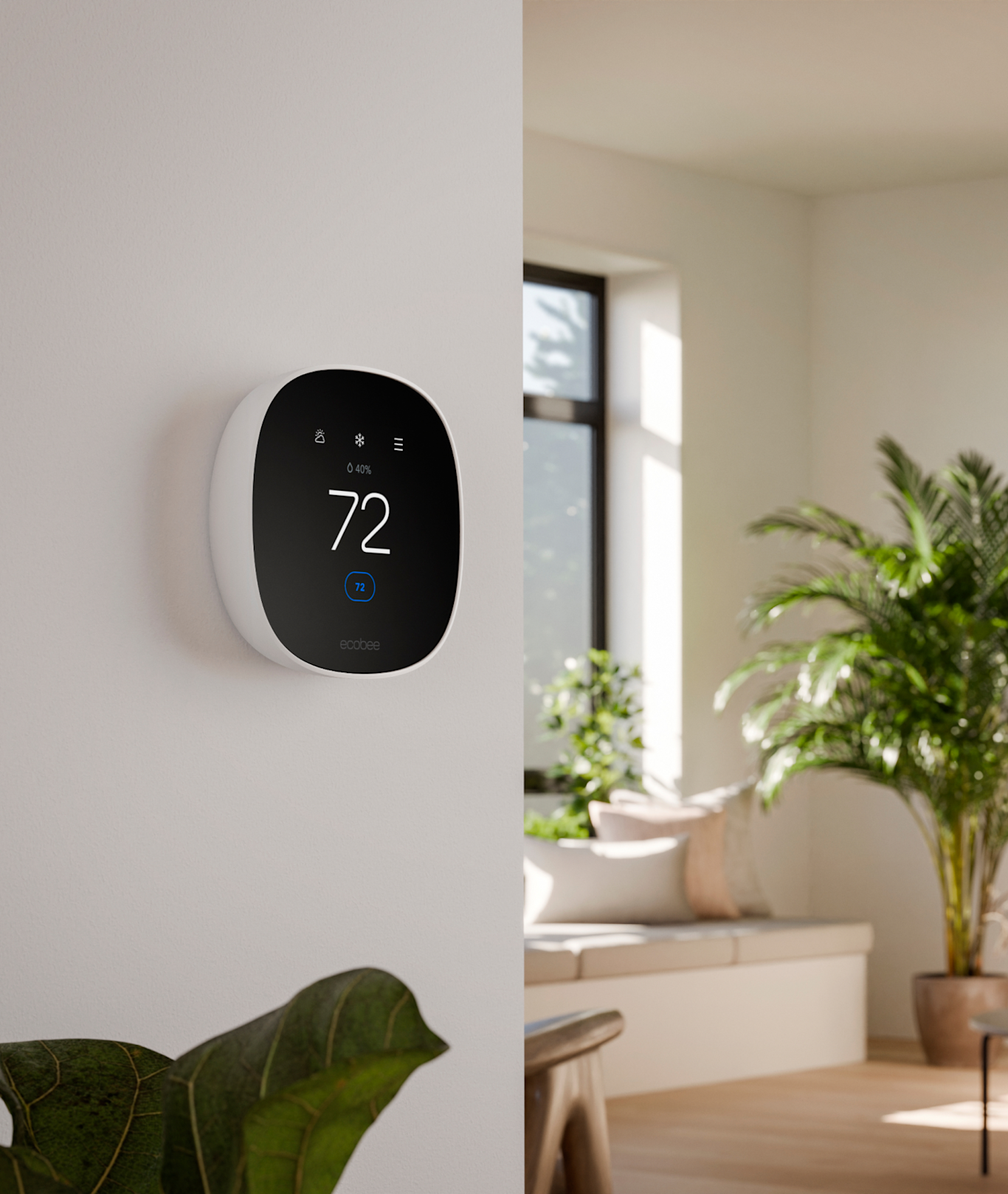
Product illustration: ecobee Smart Thermostat Essential shown on a wall. The photo illustrates appearance; it does not establish display readability in your room or measured performance.
Reading the everyday display
An Essential user describes reading the current value across his roughly 12-foot room, while needing to get significantly closer for the chosen setting and other information. A separate review calls the display adequate for daily reading but visibly lower in resolution. These accounts point to a useful distinction: seeing the current reading from a chair is a different task from checking the smaller setting below it. If that second task is important to you, judge the display from the position where you expect to use it.
Making a change at the wall
The Essential user describes walking up and changing the setting, with that temporary change lasting until the next programmed setting. He also explains that preferences can change the hold behavior, including a lasting hold. The exact-model PCMag review places a mode icon at the top and a three-line main menu on the screen. The everyday decision is therefore partly about duration: do you want a brief override, or do you want a change to remain? Learn that preference before assuming a wall adjustment will behave the same way every time.
Editing the routine in the app
One brief self-reported-use review says schedules and preferences could be configured, but also says rushed initial choices needed revision. The useful lesson is to make a second pass through the routine after entering it. Check that the preferences express what you intended rather than treating successful setup as the end of the job.
This account gives much less detail than a full screen-by-screen schedule walkthrough. It supports a workable configuration experience with a need to revisit choices. It does not support treating every app task as equally simple or promising that a rushed setup will behave as expected.
Everyday-use scorecard
| Everyday job | Score / 10 | What decides the score |
|---|---|---|
| Reading ordinary display information | 8 | The current reading is useful at a glance in the user account, but smaller details require a closer look. |
| Changing ordinary on-device settings | 8 | Walk-up changes are straightforward; the intended hold duration needs a preference choice. |
| App and schedule workflow | 8 | Routine configuration is workable in the review, though rushed initial preferences needed revision. |
Overall everyday-use score: 8/10. The score helps compare these three interaction jobs; your preferred way to use the wall and phone still decides the fit.
The routine to try before choosing
Evaluate Essential with two questions. Can you comfortably read the information you actually need from your usual position? And when you make a manual change, do you want it to end at the next programmed setting or remain in place?
The user who describes his roughly 12-foot room could read the main value but approached for secondary details; that distance is his experience, not a guaranteed reading range. His description of temporary changes and hold preferences also makes duration part of the ordinary control task. Essential is a reasonable fit when you accept those closer looks and learn the preferred hold setting early.
The alternative worth comparing
Essential has a clear smaller-detail limitation in its user account. Premium’s reviewer instead emphasizes a larger display, distance reading and uncluttered menus. Premium is the more appealing display-first choice; Essential remains reasonable when you are happy to approach for details. Premium also has its own app friction in the reviewed HomeKit code-finding step, so the larger screen does not settle every task.
Read the ecobee Smart Thermostat Premium review or return to the seven-thermostat guide.
ecobee Smart Thermostat Essential
ecobee
Households that want a simple current reading and are comfortable approaching for smaller information or changing hold preferences in a menu.
Essential handles ordinary readings and changes, but its smaller secondary information and hold preferences deserve attention before you settle into a routine.
Reasons to choose it
- An Essential user reports reading the current value across his room.
- The reported walk-up adjustment can return to the next programmed setting, with hold preferences available.
Tradeoffs to know
- The same user needs to approach to read the chosen setting and other details.
- A separate reviewer revised rushed initial preferences after setup.
Think twice if: Households that want the chosen setting and other small details to be equally readable across the room.
Published specifications
- Routine focus
- Households that want a simple current reading and are comfortable approaching for smaller information or changing hold preferences in a menu.
- Wall interaction
- Straightforward daily use with a smaller-detail tradeoff
Ratings
Editorial score 8
Reading ordinary display information8
The current reading is useful at a glance in the user account, but smaller details require a closer look.
Changing ordinary on-device settings8
Walk-up changes are straightforward; the intended hold duration needs a preference choice.
App and schedule workflow8
Routine configuration is workable in the review, though rushed initial preferences needed revision.
Sources & further reading
User reports at youtube.com
youtube.com review
pcmag.com review
youtube.com review
Keep reading
Something changed? Help us keep this useful.
Send a correction →