NETGEAR Orbi 770 RBE773 Review (2026): Big-Home Wi-Fi 7 With a Paid-Controls Catch
A focused review of NETGEAR’s Orbi 770 RBE773 3-pack, including setup, large-home coverage, 2.5GbE limits, Armor and parental-control costs, and who should buy it instead of Deco or ASUS.
NETGEAR Orbi 770 is the large-home Wi-Fi 7 pick in our ranking: easy to set up, strong on coverage, and fast enough for busy households, but weaker if you want 10G hardware or subscription-free controls.
MSRP
$699.99
Amazon
$629.99
at writing · 2026-05-06
Buyer fit
It is the safest premium mainstream pick for buyers who want broad coverage and app-led setup more than maximum Ethernet density. The subscription story and lack of 10G/USB keep it behind Deco for many homes. Current Amazon-new availability was verified for ASIN B0D4JB6QJD at $629.99 during the latest price check.
MSRP
$699.99
Amazon
$629.99
at writing · 2026-05-06
Score breakdown
How this product scored
Same rubric, but focused on one product so the reasons behind the score stay readable.
Coverage & roaming reliability
Strong official large-home coverage claims are backed by repeated review praise for broad signal and satellite performance; placement and building materials still matter.
Setup & app clarity
The Orbi app setup is guided and friendly for normal households, with useful device and node visibility, though advanced tinkerers may want deeper controls.
Backhaul & port flexibility
2.5GbE wired options and wired backhaul support are useful for modern homes, but this is not a 10G/USB system and exact port planning should be checked against the current data sheet.
Firmware stability & support
NETGEAR’s mainstream support posture, app maintenance, and automatic-update positioning are reassuring, with the usual premium-router need to watch firmware notes over time.
Controls & subscription posture
Useful Armor and parental-control features exist, but the ongoing paid path after trials is the clearest ownership cost and keeps this score lower.
Performance headroom
Wi-Fi 7, tri-band design, strong reviewed throughput, and fast satellite results give busy homes plenty of speed headroom when nodes are placed well.
Quick Verdict
NETGEAR Orbi 770 is the mesh kit to consider when your worry is not just speed. It is the bedroom that always goes flaky, the family member who will not troubleshoot Wi-Fi, and the expensive new system that might start asking for paid features after the cheerful setup wizard is done.
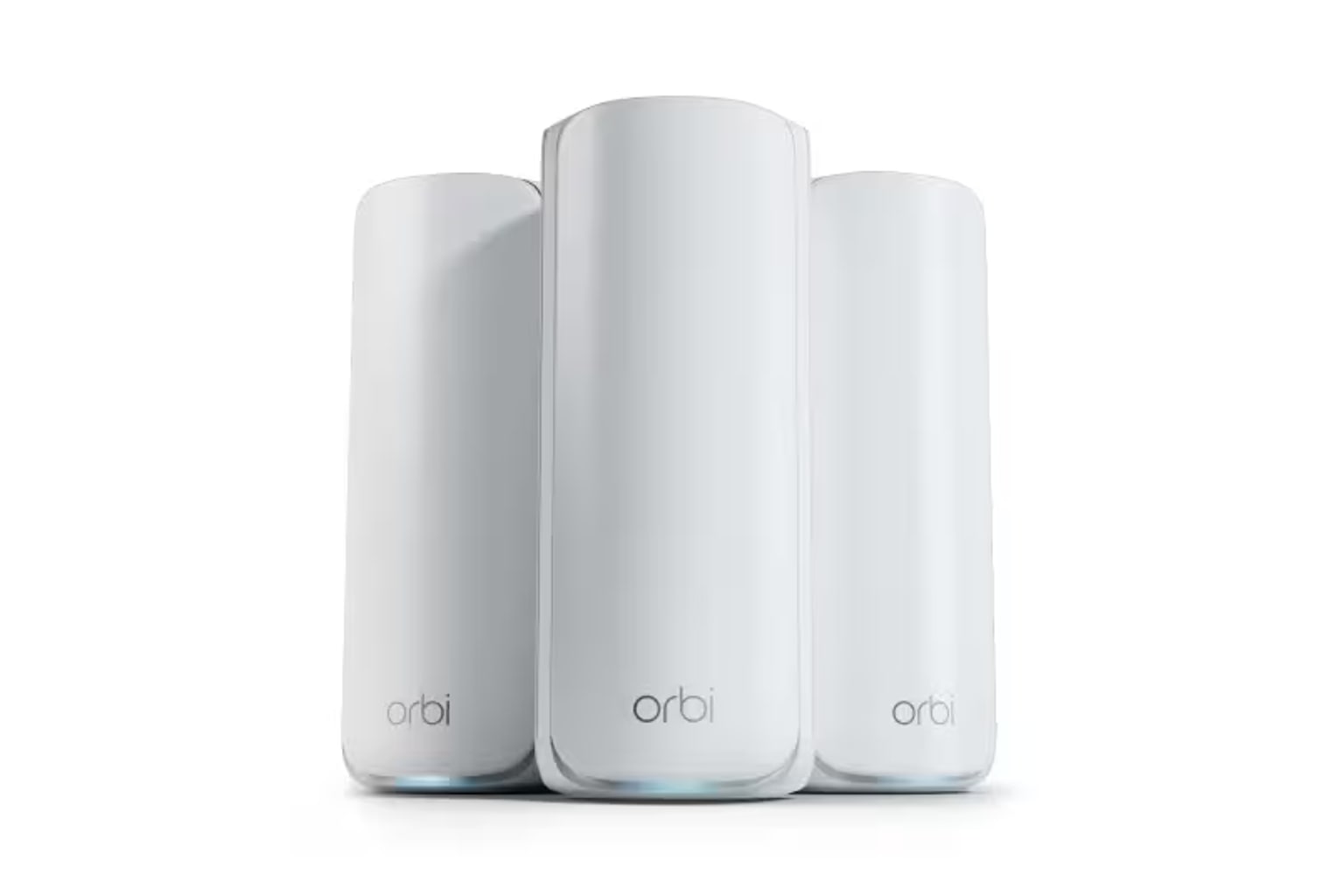
The RBE773 3-pack is NETGEAR’s premium large-home Wi-Fi 7 answer: one router, two satellites, tri-band BE11000-class radios, 2.5GbE wired options, app-led setup, and a coverage claim up to 8,000 square feet. In our Best Wi-Fi Mesh Systems in 2026, it ranked #2 as the Best large-home pick with an 8.1/10. Deco BE63 beat it on ports-per-dollar and broader practical flexibility, but Orbi 770 is easier to recommend for buyers who want broad coverage and a friendlier premium setup path.
The details to understand before checkout are specific: Armor and parental controls move into paid territory after trials, the 2.5G hardware is useful but not a 10G/NAS dream setup, and 6 GHz placement still cares about walls. Use the product links to check today’s price, new-condition availability, exact RBE773 pack, seller, return terms, and support details before buying; those links also help support KB4UB.
Score Breakdown
- Coverage and roaming reliability: 8.8/10. This is the Orbi 770’s strongest case. The sources repeatedly point to wide-home coverage, fast satellite results, and a calmer large-home fit than cheaper or older systems.
- Setup and app clarity: 8.6/10. Setup is app-guided and generally friendly. The catch is that NETGEAR account/app flows and fewer advanced controls will not please everyone.
- Backhaul and port flexibility: 8.1/10. Wired backhaul and 2.5GbE ports are real strengths, but this is not a 10G system and it does not match Deco BE63’s easier port-density story for many homes.
- Firmware stability and support: 7.8/10. NETGEAR’s mainstream support trail and automatic-update positioning are reassuring enough, but premium mesh buyers should still watch release notes and support terms.
- Controls and subscription posture: 6.4/10. This is the softest score. Useful security and parental-control features exist, but the ongoing paid path is a meaningful ownership cost.
- Performance headroom: 8.6/10. Wi-Fi 7, tri-band design, strong reviewed throughput, and multi-device headroom make this a long-lived choice for busy homes, especially when satellites are placed well.
What Feels Great Right Away
The first pleasure of Orbi 770 is that it behaves like a premium household appliance instead of a networking hobby. You download the Orbi app, follow the pairing flow, place the satellites, and let the system do the hand-holding most people actually want from a mesh kit.
PCMag’s John R. Delaney described the install in refreshingly normal terms: “Installing the Orbi 770 system is easy. Start by downloading the mobile app and creating an account.” KitGuru saw the same basic rhythm, noting that the app card in the box prompts installation and “guides you through the process to configure your router and satellites.” That matters because a mesh system can have great specs and still be miserable if the first hour turns into guessing which node is talking to which.
There are small daily-use niceties too. PCMag notes that during pairing the satellite LEDs turn solid blue when added, and “Once everything is up and running, the LEDs go dark.” That sounds tiny until a satellite lives in a bedroom, hallway, or media room where a glowing status light becomes the thing you curse at midnight.
WIRED’s Simon Hill also praised the setup ease in lived-in terms: NETGEAR’s pre-paired router and satellites “proved very easy to set up,” and he had the system running “within half an hour.” For a big-home Wi-Fi fix, that is the kind of magic buyers are hoping for: not mystery, just fewer excuses for the network to get weird.
Large-Home Coverage and Speed: The Real Reason to Pay More
The reason Orbi 770 stays near the top of our Wi-Fi mesh ranking is not that every number beats every rival. It is that the overall coverage story is strong and easy to understand. NETGEAR and the Amazon listing position the RBE773 3-pack for up to 8,000 square feet and up to 100 devices, and the third-party review trail gives that claim more credibility than the usual square-foot marketing.
PCMag’s throughput results were strong: the router hit 2,099Mbps at close range and 768Mbps at 30 feet in its tests, while the satellite node scored 1,622Mbps close up and 1,033Mbps at 30 feet. Those are not guarantees for your home, but they show why this kit feels like a safer premium bet than older Wi-Fi 6 or cheaper gigabit-limited systems.
The clearest ownership summary comes from PCMag’s verdict line: “While its 2.5GbE WAN/LAN connections are not the fastest available, they provide more than enough bandwidth for video streaming and other high-traffic networking tasks.” That is the Orbi 770 argument in one sentence. It is not the lab-fantasy system for someone wiring a 10G NAS. It is the polished system for a family trying to make video calls, consoles, streaming boxes, laptops, phones, and smart-home gear stop fighting each other.
The caveat is placement. Wi-Fi 7 and 6 GHz can be excellent, but dense walls, floors, metal, old plaster, and bad satellite spacing still win fights against product boxes. If you have Ethernet in the walls, use wired backhaul where practical. If everything is wireless, place the satellites for signal quality, not just where they look symmetrical.
The App Is Friendly, but the Best Controls Are Not All Free Forever
The Orbi app is one of the reasons this is the large-home pick. It gives normal households the useful bits first: connected devices, speed tests, security tiles, guest network, traffic views, Wi-Fi settings, and a network map. PCMag notes that you can tap clients to see their band, link rate, IP address, and which node they are connected to. That is exactly the kind of visibility that helps when one room says the internet is bad and you need to know whether the device is clinging to the wrong node.
There is also a web console for a few deeper settings. PCMag says it offers extra controls for “Port Forwarding/Port Triggering, VPN Service, and Static Routing.” That is helpful, but do not mistake Orbi for ASUS. Tom’s Hardware put the split plainly: the app is good for general consumers, but it is “only suitable for general consumers who don’t necessarily need to have every available option presented to them to configure.”
WIRED reached a similar conclusion from the other side: “While you can set up IoT or guest networks, there’s no band-splitting, and the app and web interface lack the wealth of options of an Asus system, but if you’re not in the habit of tweaking settings, you won’t miss them.” That is a fair fit line. If you want calm, Orbi works. If you want to tune everything, ASUS BQ16 Pro is the better playground.
The less charming part is subscription cost. PCMag says that after trial periods, buyers have to pay “$7.99 per month for parental controls” and “$39.99 for the first year of Armor,” then “$99.99 per year” after that. TechRadar also warned that parents should watch for the subscription required for additional parental controls. None of this ruins Orbi 770, but it should be in your budget before you click buy.
Ports, Backhaul, and Hardware Catches
Orbi 770 is good on wired flexibility, but the shape of that goodness matters. The RBE773 is best treated as a 2.5GbE system with wired backhaul support: 2.5GbE WAN/LAN on the router side and 2.5GbE ports on the satellites. Tom’s Hardware’s spec excerpt also lists 2.5GbE ports across the router and satellites and confirms there are no USB-A ports for storage.
For most homes, that is plenty. A 2.5G internet plan, wired satellite link, desktop, console, or media cabinet can all benefit. The annoyance is that “premium Wi-Fi 7” can sound like “all the ports I could ever want,” and that is not what this model is. PCMag explicitly points 10GbE NAS buyers toward eero Max 7 instead, and ASUS BQ16 Pro is the obvious comparison in this ranked set if dual 10G ports, USB, and deep controls are the real reason you are shopping.
Port descriptions across public materials can be easy to misread, so be practical: if your buying plan depends on every exact jack, check NETGEAR’s current RBE773 data sheet/manual before you design the wired layout. If your plan is simpler — multi-gig internet into the router, wired backhaul where you have Ethernet, and a couple of wired devices near satellites — Orbi 770 is much easier to justify.
Backhaul language deserves the same caution. This is a tri-band Wi-Fi 7 kit with 6 GHz/wired backhaul options, not NETGEAR’s ultra-premium quad-band flagship. Do not buy it expecting Orbi 970 hardware at a lower price. Buy it because it hits the mainstream large-home sweet spot more cleanly.
How It Compares to the Close Alternatives
Orbi 770 is best understood by the systems it does not quite replace.
- TP-Link Deco BE63: The better default for most buyers in the parent guide. It cost less at the latest Amazon-new price check and has a more generous port story. Choose Orbi instead if you prefer NETGEAR’s large-home polish and app experience.
- ASUS ZenWiFi BQ16 Pro: The power-user pick. ASUS gives stronger 10G hardware, deeper controls, and subscription-free security features, but it is pricier, more complex, and easier to overbuy for a normal household.
- TP-Link Deco XE75 Pro: The value pick. It gives Wi-Fi 6E and a 2.5GbE entry point at a much lower price, but Orbi 770 has Wi-Fi 7 headroom, a stronger premium coverage story, and a more modern large-home pitch.
- Amazon eero 6+: Easier for simple homes, but capped by Wi-Fi 6, gigabit ports, no 6 GHz, and eero’s own plan boundaries. Orbi is the bigger upgrade path.
- Google Nest Wifi Pro: Best for Google Home households that accept its limits. Orbi is much stronger if multi-gig hardware, Wi-Fi 7, and broader coverage matter more than Google Home neatness.
The short version: Orbi 770 is not the cheapest, nerdiest, or most port-stacked kit here. It is the premium mainstream choice for people who want big-home Wi-Fi fixed without turning the house into a router lab.
Who Should Buy the NETGEAR Orbi 770 RBE773 3-Pack
Buy Orbi 770 if you have a larger home, a busy device list, and enough budget to pay for polish. It is strongest for families who want a Wi-Fi 7 mesh system that feels guided, visible, and sturdy rather than endlessly adjustable.
It is especially sensible if your pain is coverage: upstairs bedrooms, a finished basement, a home office at the far end of the house, streaming boxes spread across rooms, or family members who complain about Wi-Fi without caring why. The app’s device and node visibility can also make everyday troubleshooting less mysterious.
It is also a good fit if you want multi-gig readiness but not a full enthusiast setup. A 2.5GbE internet path and wired backhaul support can be enough for a long time, especially if your actual household workload is video calls, streaming, cloud backups, games, phones, tablets, and smart-home gear.
Finally, buy it if the paid extras do not bother you. If Armor, parental controls, and security features are worth paying for — or if you only need the simpler included controls — the subscription caveat becomes a budget note rather than a dealbreaker.
Who Should Skip It
Skip Orbi 770 if you are shopping mainly by value. Deco BE63 ranked ahead of it because it gives most buyers a stronger mix of Wi-Fi 7 performance, port density, and current price. Deco XE75 Pro is the better bargain if Wi-Fi 6E is enough.
Skip it if you want subscription-free advanced controls. NETGEAR’s security and parental-control path can become an ongoing bill, while ASUS BQ16 Pro is the stronger fit for buyers who want more controls included with the hardware.
Skip it if your wired network plans are bigger than 2.5GbE. There is no 10G port and no USB storage path here. That does not matter to many families, but it matters a lot if you have a NAS, 10G switch, or fiber plan you actually intend to use at those speeds.
Also skip it if you enjoy splitting bands, tuning every setting, or treating your router like a hobby. Orbi 770 is designed for people who want enough visibility and control, not every possible lever.
And do not buy any Orbi listing casually. Confirm the RBE773 3-pack, new condition, ASIN B0D4JB6QJD, seller, return terms, support coverage, and whether any visible lower price is renewed or used.
Bottom Line
Buy the NETGEAR Orbi 770 RBE773 3-pack if: you want a polished Wi-Fi 7 mesh kit for a larger home, you care more about coverage and easy management than 10G hardware, and you are comfortable with NETGEAR’s paid software path after trials.
Skip it if: you want the most ports for the dollar, subscription-free advanced controls, 10G networking, USB storage, or a router interface built for constant tinkering.
Bottom line: Orbi 770 is expensive, but it is not a vanity pick. It earns its #2 ranking because the setup, coverage, app visibility, satellite performance, and big-home fit are strong enough to make it a safer premium buy than most half-step Wi-Fi 7 kits. Just price the subscriptions honestly, check the exact pack, and do not confuse it with a 10G power-user system.
Feature breakdown
Full feature list
Grouped feature details are expandable so buyers can go deep when they want, without turning the whole review into a spec landfill.
Full feature list
7 features
+
Full feature list
7 features
Ports
2.5GbE WAN/LAN and 2.5GbE wired backhaul/LAN options; verify current RBE773 datasheet if exact per-node jack count matters
Backhaul
6 GHz / wired backhaul; tri-band system, not Orbi 970 quad-band hardware
Checked Kit
NETGEAR Orbi 770 Series RBE773 3-pack: one RBE771 router plus two RBE770 satellites
Subscription
NETGEAR Armor and advanced parental controls become paid after trials; PCMag cited $7.99/month parental controls, $39.99 first year Armor, then $99.99/year after that
Wifi Standard
Wi-Fi 7, tri-band BE11000 class
Coverage Claim
Up to 8,000 sq ft and up to 100 devices, subject to placement and home construction
Price At Writing
$629.99 USD captured on 2026-05-06T08:38:00Z for Amazon ASIN B0D4JB6QJD
Tell us what this page missed
These pages get better when real buyer complaints make it back into the scoring model. If something important is underweighted, say it.
Rate this review
Give it a score from 1-10 and tell us what to improve.
0/4000 characters