
The recommendation
Nest Wifi Pro in Snow suits visible furniture positions and a light cable routine. The polished units use a Google Home setup workflow and offer two rear Ethernet sockets.
Grades at a glance
| Product | Overall | Placement and handling | Setup and controls | Cables and routine access |
|---|---|---|---|---|
| Google Nest Wifi Pro Wi-Fi 6E Mesh Router (3-Pack, Snow) | 8.4 | 9.0 | 8.5 | 7.5 |
Does it fit your life?
The everyday-use verdict
Nest Wifi Pro in Snow suits visible furniture positions and a light cable routine. The polished units use a Google Home setup workflow and offer two rear Ethernet sockets.
| Model | Placement | Setup and controls | Cables and access | Overall |
|---|---|---|---|---|
| Google Nest Wifi Pro three-pack | 9.0/10 | 8.5/10 | 7.5/10 | 8.4/10 |
Best fit: a decorative furniture position.
Placement · Setup and controls · Cables and access · Who should choose it
Placement and handling
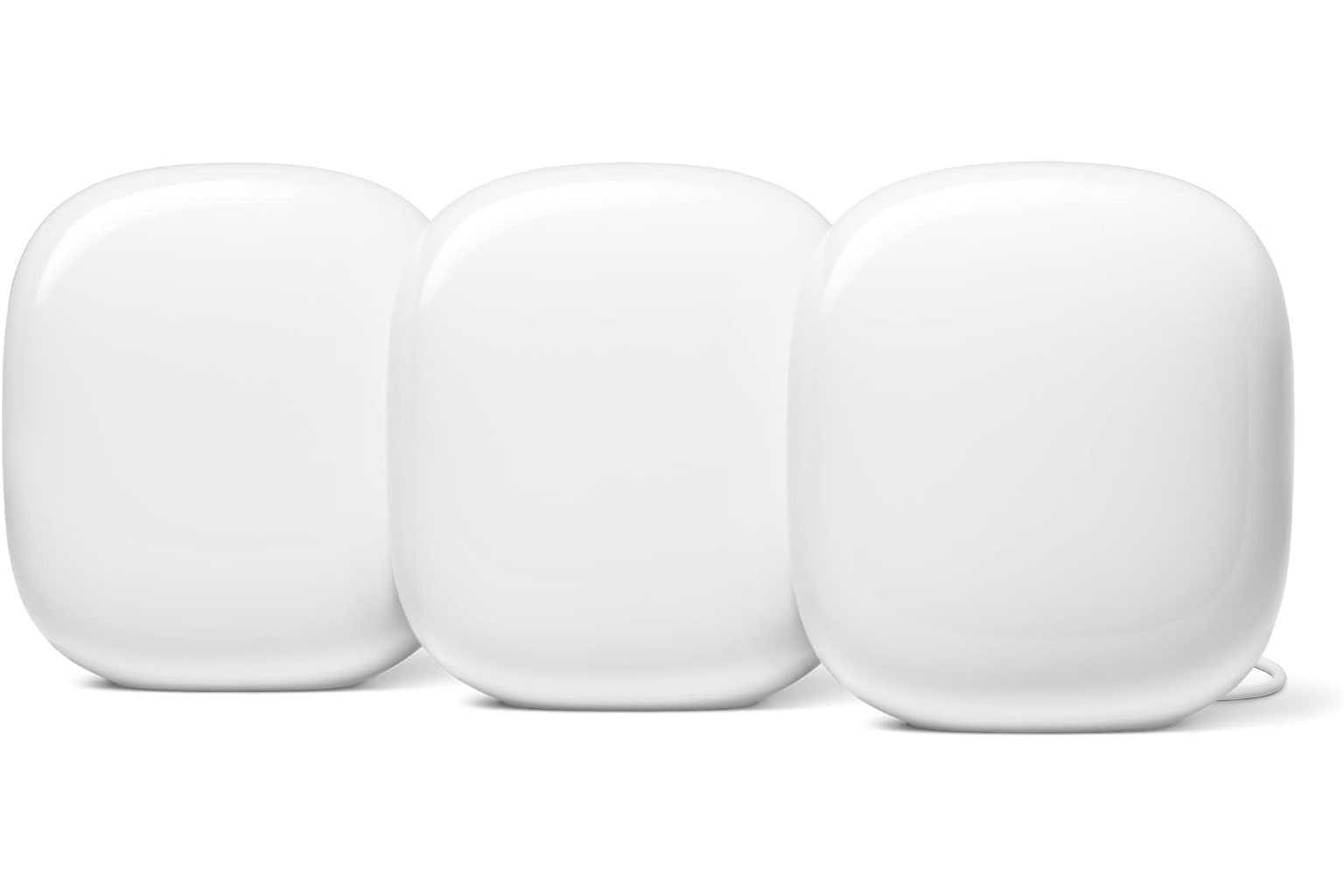
The Nest Wifi Pro's small polished enclosure is its clearest furniture advantage. A video account available by May 2026 describes the form as easy to justify on a table and more like a decoration than a conventional router. The selected package here is the three-pack in Snow.
Check how a white polished object will sit among the things already on each table, including the power lead trailing behind it. Keep the front indicator visible and leave access to the rear connections. Eero 6+ is the useful alternative if compact interchangeable units matter more than the finish; BE63 is worth the extra furniture check when more wired connections are needed.
Setup and controls
PCMag's historical account describes installing Google Home and creating an account if needed, then plugging in the router and choosing Set up Nest Wifi router on the Home screen. That gives a clear indication of the phone-led starting point. It does not describe every step of setting up all three units.
Have the phone, account and supplied three-pack instructions ready before moving the old equipment. If you already use Google Home for household devices, consider whether you want the router's initial setup in that same app. Identify the modem position and the other two furniture positions in advance, then use the supplied guide for the full sequence and current prompts.
Cables and routine access
PCMag describes two Ethernet sockets at the back, with one used for the modem-facing WAN connection and the second available for a LAN device or a wired link between nodes. There is no USB socket. At the main unit, the second Ethernet socket cannot be counted twice: if your layout uses it to link another node, it is not also a spare socket for a desk device.
Draw that cable plan before choosing the unit for a busy desk. Leave slack to turn the polished body and inspect the latches, rather than pushing it against a wall with taut leads. BE63's four Ethernet sockets or BQ16 Pro's five are more accommodating physical layouts for several direct connections.
Who should choose it
Choose Nest Wifi Pro when the Snow units' decorative shape and a phone-led setup suit the way you use your rooms. Accept the small connection area as part of that choice. Compare eero 6+ for compact identical hardware, BE63 for more Ethernet sockets, and Orbi when you prefer a larger tower with clearly separated router and satellite roles. The Nest's most persuasive advantage here is how easily its shape earns a place on visible furniture.
Compare the whole shortlist for the alternatives and category grades.
Google Nest Wifi Pro Wi-Fi 6E Mesh Router (3-Pack, Snow)
Best for a decorative furniture position
Nest Wifi Pro in Snow suits visible furniture positions and a light cable routine. The polished units use a Google Home setup workflow and offer two rear Ethernet sockets.
The takeaway
Choose Nest Wifi Pro when the Snow units' decorative shape and a phone-led setup suit the way you use your rooms. Accept the small connection area as part of that choice. Compare eero 6+ for compact identical hardware, BE63 for more Ethernet sockets, and Orbi when you prefer a larger tower with clearly separated router and satellite roles. The Nest's most persuasive advantage here is how easily its shape earns a place on visible furniture.
Reasons to choose it
- A reviewer found the small polished shape easy to place on furniture.
- The historical setup starts from a plainly named Google Home action.
- The two rear Ethernet sockets are a simple area to identify.
Tradeoffs to know
- Two Ethernet sockets leave little room for extra direct leads.
- The described layout has no USB socket.
Think twice if: You need several direct network connections or a USB socket at each unit.
Further reading
Ratings
Editorial score 8.4
Placement and handling9
The small polished enclosure is easy to accommodate on visible furniture; the selected Snow package keeps the appearance white.
Setup and controls8.5
The historical Google Home account starts with an app and account, then a named router-setup action.
Cables and routine access7.5
Two rear Ethernet sockets suit a light cable routine. The modem uses one, and a wired node link would occupy the other at the main unit.
Sources & further reading
pcmag.com review
youtube.com review
Keep reading
Something changed? Help us keep this useful.
Send a correction →