Arzopa Z1RC Review (2026): The Cheap 2.5K Screen That Gets Work Right
What to check before buying the Arzopa Z1RC: sharper 16:10 text, USB-C video support, HDMI power, kickstand comfort, no-case travel risk, brightness limits, and Prime-price availability.
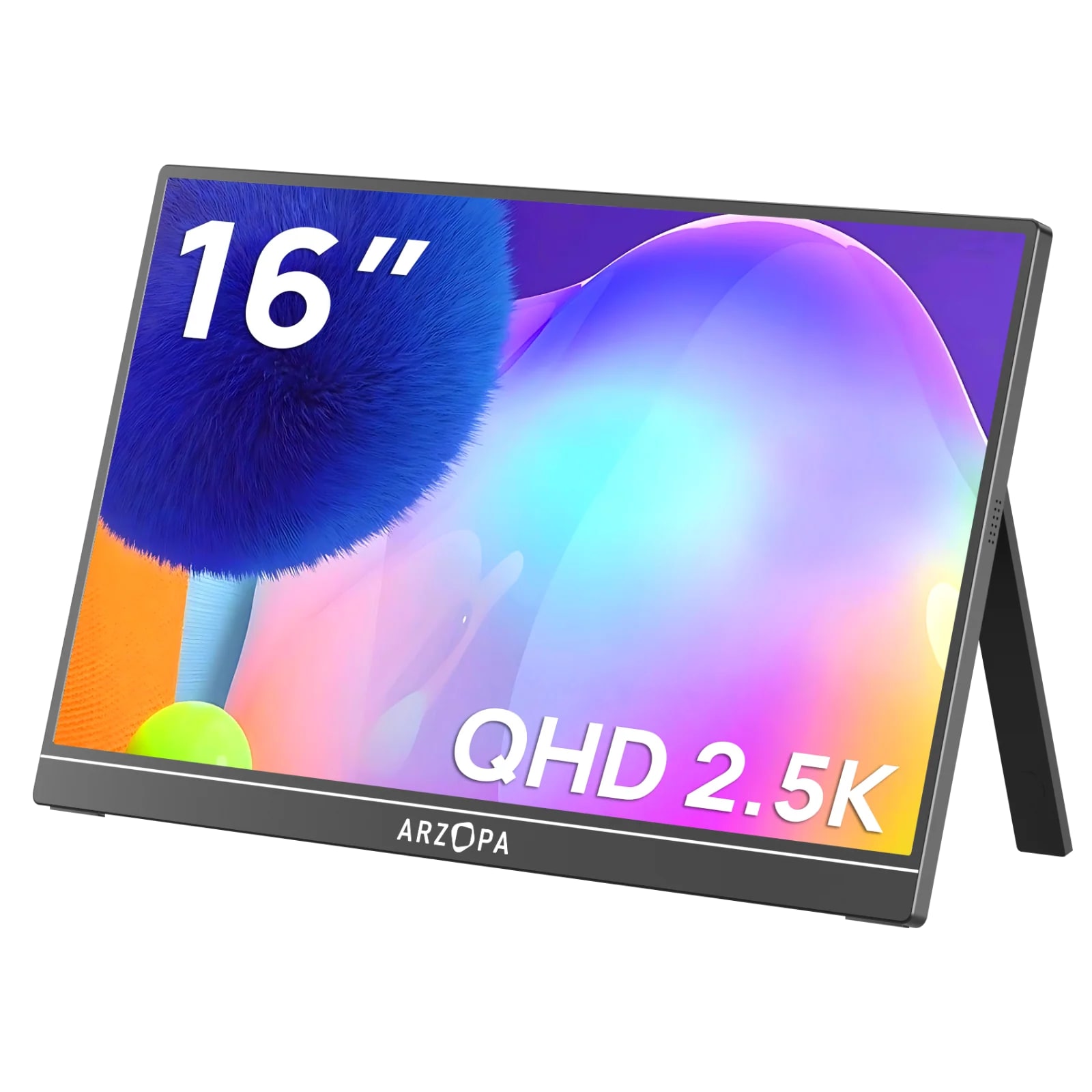
The Arzopa Z1RC is our best overall portable monitor because it gives laptop workers a sharper 16-inch 2560×1600 16:10 screen and a useful built-in stand at a still-reasonable price. The checks are less glamorous: USB-C video support, separate HDMI power, sleeve protection, and the current Prime/seller offer.
MSRP
$199.99
Amazon
$124.99
at writing · 2026-05-17
Buyer fit
Best overall: start with the Z1RC if you want a sharper 16-inch portable work screen before paying for OLED, touch, or high-refresh gaming features.
MSRP
$199.99
Amazon
$124.99
at writing · 2026-05-17
Score breakdown
How this product scored
Same rubric, but focused on one product so the reasons behind the score stay readable.
Display readability
Arzopa Z1RC scores 8/10 for display readability because the 2560×1600 16:10 panel is much better for text work than cheap 1080p panels, though brightness/color claims are not lab-confirmed.
Setup and power reliability
Arzopa Z1RC scores 8/10 for setup and power reliability because USB-C and HDMI paths are useful, but host Alt Mode, external power, and pass-through details still matter.
Stand and portability
Arzopa Z1RC scores 8/10 for stand and portability because the built-in stand and travel sizing are useful, with some limits around portrait, rigidity, or mount verification.
Device and use-case fit
Arzopa Z1RC scores 9/10 for device and use-case fit because it maps cleanly to the common second-screen job: sharper laptop productivity without premium pricing.
Color and motion fit
Arzopa Z1RC scores 7/10 for color and motion fit because media/color use is acceptable for the lane, not the reason to buy it.
Reliability and support
Arzopa Z1RC scores 6/10 for reliability and support because current new-listing evidence exists, but long-term exact-model owner/QC evidence remains thin.
Evidence confidence
Arzopa Z1RC scores 8/10 for evidence confidence because the product dossier, parent product set, formal review excerpts, official product text, and current Amazon snapshot are enough for ranking with stated caveats.
Quick Verdict
The Arzopa Z1RC is the portable monitor to start with if your fear is not missing a flashy feature, but buying a cheap travel screen that makes every work session a little worse: soft text, a cramped 16:9 shape, a floppy stand, or a cable setup you only understand after it arrives. It is our #1 pick in the full portable monitors ranking because it fixes the daily laptop problem first: a sharper 16-inch, 2560×1600, 16:10 canvas at a price that still sits near budget territory.
CNET’s portable-monitor testing called the Z1RC “the best portable monitor I’ve tested,” and the reason lines up with the parent ranking. The 2,560×1,600 resolution makes reading, writing, coding, spreadsheets, email, and side-by-side laptop work feel less pinched than a basic 1080p travel display. Arzopa’s own product page leans into the same job, saying the 16:10 shape gives “11% more vertical screen space” for coding, spreadsheets, and reading.
The Z1RC is not a magic screen. It is a 60 Hz productivity monitor with cautious brightness/color claims, no touch, no OLED contrast, and no clearly included protective case in the hands-on unboxing evidence. The reason it still wins is that those caveats are knowable before checkout. Confirm the exact Z1RC listing, your laptop’s USB-C video support, your HDMI power plan, and whether you need to add a sleeve.
Score Breakdown
- Display readability: 8/10. This is the Z1RC’s main win: 2560×1600 on a 16-inch, 16:10 panel gives text and documents more breathing room than most cheap 1080p portable monitors.
- Setup and power reliability: 8/10. USB-C and mini-HDMI make it flexible, but buyers still need to check USB-C DisplayPort Alt Mode, power draw, and whether HDMI use requires a separate USB power connection.
- Stand and portability: 8/10. The built-in kickstand is a real daily advantage over floppy folio stands, though the lack of an included protective cover matters if it will live in a backpack.
- Device and use-case fit: 9/10. It maps cleanly to the most common portable-monitor job: making a laptop feel less cramped for work, travel, and light media.
- Color and motion fit: 7/10. Good enough for everyday media and presentation checks, but 60 Hz, no OLED contrast, and mixed brightness/color claims keep it from being a creator or gaming specialist.
- Reliability and support: 6/10. Current exact-model retailer proof exists, but long-term owner and support signals for this exact Z1RC are thinner than the display evidence.
- Evidence confidence: 8/10. Confidence is solid because the ranking uses formal review excerpts, official product text, a hands-on transcript, the parent dossier, and a current new-listing snapshot, with the remaining caveats stated plainly.
What Feels Great Right Away
The first good thing is simple: the Z1RC feels like a work screen, not just a larger phone accessory. The jump from 1080p to 2560×1600 is exactly the kind of upgrade you notice when you put reference notes on one side, a doc on the other, or a code editor next to a browser. CNET’s monitor roundup says the “2,560x1,600 resolution helps make everything sharp at this size,” which is the most important reason this model beats cheaper portable screens in our ranking.
The 16:10 shape also matters more than it sounds. A 16:9 portable monitor can be fine for video or console use, but the Z1RC’s taller canvas is better for emails, documents, spreadsheets, long web pages, and toolbars that normally eat laptop-screen space. That is why it earns the “Best overall” lane instead of just “best cheap screen.” It solves the problem most laptop workers feel every day.
The stand is the other immediate relief. A YouTube hands-on transcript describes the built-in kickstand as something that “feels very nice” and says it lets the monitor “sit very nicely.” That sounds small until you have used a folio-cover portable monitor that slides, folds, or steals half the desk. Here, the built-in stand is part of why the Z1RC feels easier to trust on a café table, hotel desk, or temporary office setup.
Setup, Power, and Cable Checks
The Z1RC can be pleasantly simple when the laptop is compatible. The hands-on transcript found a USB-C to USB-C cable in the box and says that is “how most people will be connecting this,” because one cable can carry video and power from a suitable USB-C laptop. The same unboxing also identified a USB-C to USB-A cable for power and a mini-HDMI to HDMI cable, which gives the Z1RC a useful fallback for consoles, older laptops, and other HDMI sources.
The caveat is that USB-C is not automatically video. If your laptop’s USB-C port does not support DisplayPort Alt Mode, the one-cable dream will not happen. If the laptop cannot supply enough power, you may need the extra USB power cable. If you use HDMI, expect to power the monitor separately through USB. None of that is unusual for portable monitors, but it is the kind of detail that turns a good purchase into a frustrating one if you only read the screen specs.
There is also no strong evidence here for high-watt pass-through charging, so do not buy the Z1RC expecting it to replace a dock. Treat it as a portable second display: USB-C video where supported, mini-HDMI fallback where useful, and separate laptop charging as the safer assumption. Test your laptop, console, Switch, Steam Deck, or phone during the return window before you trust it for travel.
Stand, Travel, and Protection Reality
For a travel monitor, the Z1RC’s built-in kickstand is one of its best ownership details. Arzopa’s page says the monitor has a “built-in kickstand” that can be adjusted to a preferred viewing angle, and the hands-on transcript praises it because many portable monitors make you rely on a folding cover to hold the screen up. A dedicated stand usually feels less fussy when you are working away from a permanent desk.
The monitor is also light enough to make sense beside a laptop. The dossier and transcript put it around 1.7 lb, and the reviewer described it as much lighter and thinner than a MacBook Pro. That fits the Z1RC’s job: it is large enough to make work better, but not so large that it becomes the ASUS MB229CF-style temporary-office lane.
The part to plan around is protection. The same hands-on transcript says it “doesn't come with any kind of carrying case” and the reviewer was surprised there was no cover to protect the screen. That is not a dealbreaker for a #1 pick, but it is a real backpack caveat. If you travel often, budget for a sleeve or make sure your laptop bag has a safe, padded slot. A sharp portable monitor is only useful if the panel survives the commute.
Brightness, Color, and Media Caveats
The Z1RC is good for everyday viewing, but this is where the review needs to stay honest. CNET says it is “not the brightest display,” while also noting that “over 360 nits as measured” is impressive for a portable monitor and that the anti-glare finish helps in most conditions. That is a fair balance: it should be fine in normal rooms, hotel desks, and many cafés, but it is not the screen I would buy for bright-window work or outdoor use.
Color claims need the same restraint. Arzopa and retailer copy point to wide-gamut numbers, including 123% sRGB in the captured Amazon title, while other official or transcript snippets vary. CNET’s testing found strong color coverage for the class, but the available proof still does not make the Z1RC a color-critical editing monitor. Use it for documents, light media, presentations, and reference work; buy the ViewSonic OLED lane if display quality is the point of the purchase.
HDR and gaming are not the reason to choose it either. CNET’s caveat says, “Don't bother with HDR: it's too dim for a real HDR display,” and the Z1RC’s 60 Hz refresh rate keeps it out of the high-refresh lane. If you want competitive gaming or a smoother handheld/console screen, the Arzopa Z1FC exists for that job. The Z1RC wins because it is more sensible for work.
How It Compares
The Z1RC is our best overall portable monitor because it gives most people the right upgrade first: sharper text, more vertical space, a built-in stand, USB-C plus mini-HDMI, and a price that stayed reasonable at the Amazon snapshot. The alternatives are better only when your priorities change.
- ViewSonic VX1655-4K-OLED: Choose the ViewSonic if the screen itself is the point. Its OLED/4K lane is more exciting for image quality, but it is a bigger premium purchase with a less simple buying path.
- Lenovo ThinkVision M14t Gen 2: Choose Lenovo if touch, pen use, and business-travel polish matter enough to pay for them. If you just need more readable workspace, the Z1RC is the better value.
- ASUS ZenScreen MB229CF: Choose ASUS if you want a moveable office display, not a backpack monitor. Its stand system and size are the reason to buy it.
- Arzopa Z1FC: Choose the Z1FC if 144 Hz gaming is the hook. Do not confuse it with the Z1RC; the Z1RC is the sharper work-first model.
- MSI PRO MP165 E6: Choose the MSI if the lowest new price matters more than resolution and refinement. The Z1RC is the nicer long-term work screen if the budget allows it.
Who Should Buy the Arzopa Z1RC
Buy the Z1RC if your laptop screen feels cramped and your work is mostly reading, writing, spreadsheets, coding, email, research tabs, calls, and light media. It is especially easy to recommend if you were about to buy a cheap 1080p portable monitor but know soft text will annoy you. The Z1RC’s advantage is not a flashy spec; it is that everyday work should feel less squeezed.
It is also a good fit if you want one monitor that can travel with a laptop but still handle a console, Switch, Steam Deck, or older HDMI device when needed. Just remember that HDMI setups usually need separate USB power, and USB-C one-cable use depends on the host device. Pack the right cables before a trip.
Skip it if you need touch or pen input, OLED contrast, true HDR, color-critical editing confidence, high-refresh gaming, verified VESA/tripod mounting, enterprise-grade support, or a rugged travel kit with a protective case included. Also skip or slow down if you cannot verify the exact Z1RC listing. Arzopa model names overlap enough that the safest checkout is the 16-inch, 2560×1600, 16:10 Z1RC ASIN B0CH9XR3G4 with current seller, condition, return, and price details checked.
Bottom Line
Buy the Arzopa Z1RC if: you want the safest affordable portable monitor for laptop productivity, sharper text than a 1080p panel, a useful 16:10 shape, and a built-in stand that is easier to live with than many folio-cover designs.
Skip it if: you are shopping for high-refresh gaming, touch/pen input, OLED-level image quality, bright outdoor use, color-critical editing, or a monitor that includes a protective travel cover.
Bottom line: the Z1RC earns its #1 spot because it improves the part of portable monitors people notice every day: reading and working on a second screen without feeling cramped. The small checks — USB-C Alt Mode, separate power for HDMI, sleeve protection, exact model identity, and current Prime/seller pricing — are what keep this strong value pick from turning into a preventable return. Use the links to compare current pricing and availability before you buy.
Feature breakdown
Full feature list
Grouped feature details are expandable so buyers can go deep when they want, without turning the whole review into a spec landfill.
Full feature list
5 features
+
Full feature list
5 features
Buyer Lane
affordable 2.5K productivity pick
Key Caveats
USB-C one-cable use requires DisplayPort Alt Mode and enough host power., HDMI setups likely require separate USB power., No included carrying case or screen cover found in the hands-on unboxing excerpt., Brightness and color claims should be treated as good for class, not creator-monitor proof., Exact model identity matters because nearby Arzopa Z1FC/Z3FC listings serve different lanes.
Commerce Snapshot
[object Object]
Source Signal Count
43
Source Family Posture
[object Object]
Tell us what this page missed
These pages get better when real buyer complaints make it back into the scoring model. If something important is underweighted, say it.
Rate this review
Give it a score from 1-10 and tell us what to improve.
0/4000 characters