Aqara Video Doorbell G4 Review (2026): Apple Home Sweet Spot, With Setup Quirks
What to know before buying Aqara’s HomeKit Secure Video doorbell: chime/repeater behavior, iCloud recording, 1080p video, battery or wired setup, owner hub fixes, and where the Apple fit stops helping.
Aqara Video Doorbell G4 is the video doorbell to shortlist if Apple Home and HomeKit Secure Video are the reason you are shopping. It is less of a universal porch pick than eufy, Reolink, or Ring, but it gives Apple households a lower-cost path with local face recognition, an included chime/repeater, and real setup details to check before mounting it.
MSRP
—
Amazon
$89.99
at writing · 2026-05-18
Buyer fit
Best for Apple Home: the HomeKit Secure Video lane for buyers who accept Aqara setup quirks. Commerce note: in stock, shipped from Amazon, and sold by AqaraDirect at the saved listing check.
MSRP
—
Amazon
$89.99
at writing · 2026-05-18
Score breakdown
How this product scored
Same rubric, but focused on one product so the reasons behind the score stay readable.
Alert speed and accuracy
Aqara Video Doorbell G4 scored 6.8 for alert speed and accuracy because HomeKit Secure Video fit is useful, but owner evidence included notification quirks, Home hub tuning, and offline reports.
Video and package view
Aqara Video Doorbell G4 scored 7.2 for video and package view because its 1080p front-door view can be useful for visitors, but it is not a dedicated package-view design.
Install and power
Aqara Video Doorbell G4 scored 6.7 for install and power because battery/wired flexibility and the included chime help, while wiring checks, hub placement, and chime resets add setup risk.
App, clips, and plans
Aqara Video Doorbell G4 scored 7.4 for app, clips, and plans because HomeKit Secure Video is appealing for Apple homes, but iCloud+ and the Aqara app remain part of ownership.
Privacy and smart-home fit
Aqara Video Doorbell G4 scored 8.4 for privacy and smart-home fit because Apple Home/HomeKit Secure Video is its strongest reason to buy.
Durability and support
Aqara Video Doorbell G4 scored 6.8 for durability and support because firmware, chime, and offline reports keep the long-term case measured rather than glowing.
Quick Verdict
Aqara Video Doorbell G4 is worth a close look if the doorbell you really want is not just “a camera by the door,” but a front-door camera that feels at home in Apple Home. It is the Apple lane in our video-doorbell stack: 1080p video, battery or wired power, an included indoor chime/repeater, HomeKit Secure Video support, and local face-recognition positioning at a lower price than many Apple-friendly alternatives.
That is why it ranked #4 as the Best for Apple Home pick in our full video-doorbells comparison. The 7.2 score is respectable, but it is intentionally conditional. eufy is the stronger all-around porch pick, Reolink is better if you can run Ethernet and want local recording, and Ring is easier if your home already runs on Ring and Alexa. Aqara wins only when Apple Home is the point.
The main pre-buy lesson is that the magic depends on the setup around it. Owner evidence included people who loved the fit, people who ran into quiet notification behavior, and people who had offline chime problems. Use the product links to recheck today’s price, seller, new condition, return terms, iCloud requirements, and exact bundle before buying; those links also help support KB4UB.
Score Breakdown
- Alert speed and accuracy: 6.8/10. Aqara can be useful inside Apple Home, but owner reports of notification quirks and offline moments make this score more cautious than the top picks.
- Video and package view: 7.2/10. The 1080p view is fine for people and porch context, but this is not a package-focused design like eufy’s dual-camera E340.
- Install and power: 6.7/10. Battery or existing wiring gives flexibility, and the chime/repeater is included. The catch is that wiring, hub placement, and chime resets show up in the owner evidence.
- App, clips, and plans: 7.4/10. HomeKit Secure Video is the appeal, but iCloud+ and the Aqara app still matter.
- Privacy and smart-home fit: 8.4/10. This is Aqara’s best score because Apple Home/HomeKit Secure Video is the reason to buy it.
- Durability and support: 6.8/10. Firmware and offline reports keep the long-term score measured rather than glowing.
What Feels Great Right Away
The best part of Aqara G4 is that it gives Apple households a doorbell that does not feel like a workaround from the first tap. The Amazon listing calls it a “HomeKit Secure Video Doorbell & Local Face Recognition” product, and that is exactly the buyer it is chasing: someone who wants doorbell clips and notifications to live closer to the Apple Home setup they already use.
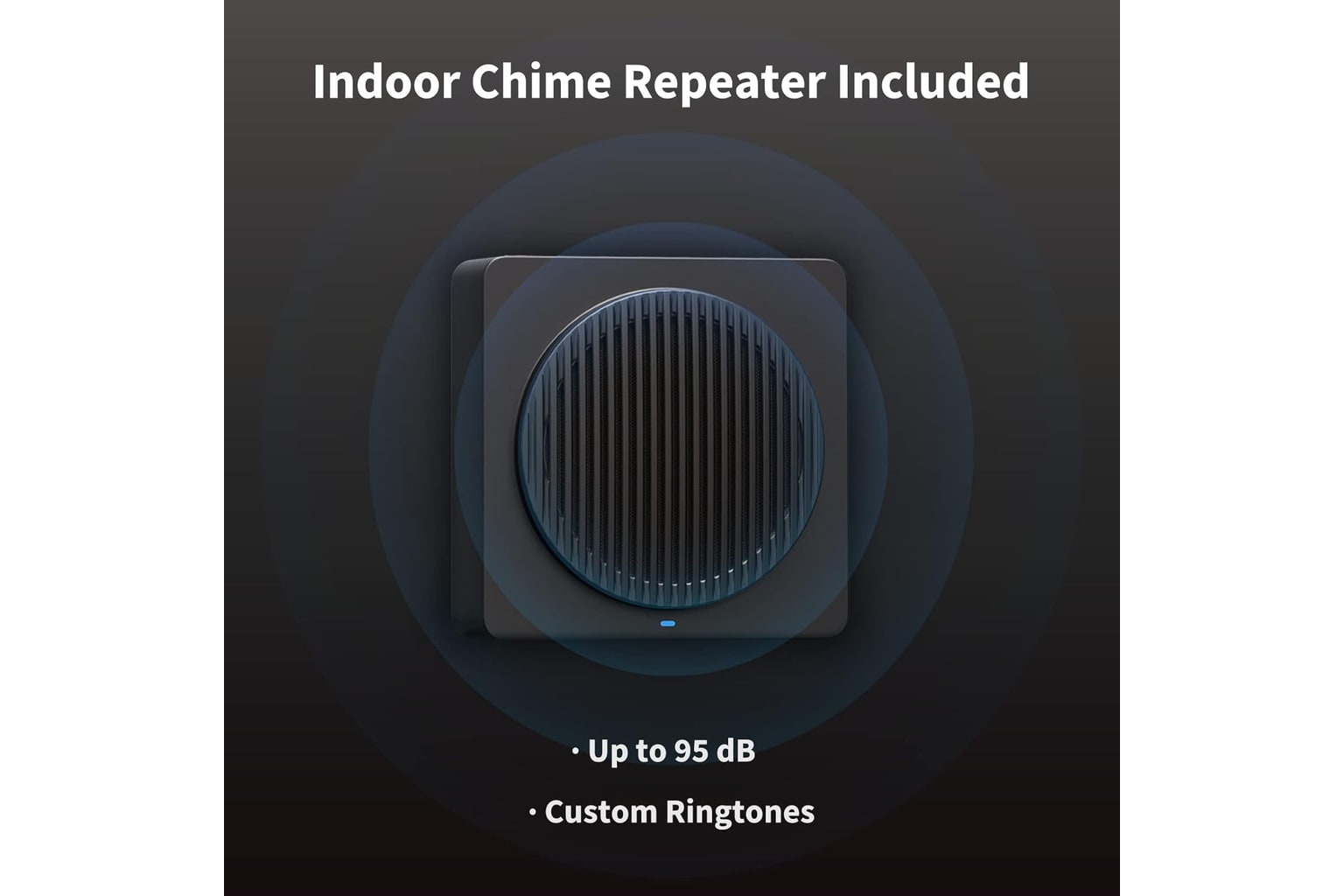
The included chime/repeater also matters more than it sounds. With many video doorbells, the chime path becomes a separate accessory decision after checkout. Here, Aqara packages the doorbell with the indoor chime/repeater, which helps the G4 feel like a more complete kit for apartments, renters, or homes without a simple old-school chime replacement path.
One owner summed up the upside in a measured way: “it has served me very well so far.” That is not a guarantee for every porch, but it captures the best version of this product. When the G4 fits your Apple Home layout, it can feel like the rare smart-home purchase that does the specific job you bought it for without forcing you into Ring or a wired camera system.
Apple Home and HomeKit Secure Video Are the Point
Do not buy Aqara G4 because it wins every spec fight. Buy it because Apple Home and HomeKit Secure Video change the decision for you. In our full comparison, Aqara sits behind eufy, Reolink, and Ring overall, but ahead for Apple households because those other products do not aim at this exact use case in the same way.
The important cost caveat is right in the retailer language: “To record and playback using HomeKit Secure Video, a subscription to iCloud is required.” That is not the same kind of doorbell-specific plan story as Ring Protect, but it is still part of the real ownership math. If you already pay for iCloud+ and use HomeKit Secure Video cameras, that may feel painless. If you do not, it is another subscription dependency to understand before you mount anything.
Aqara also does not let you live entirely in Apple’s app for every task. In one owner/community exchange, the answer to a firmware-update question was blunt: “You can only update via the Aqara app at present.” That makes the product less clean than the marketing promise may feel. Apple Home is the daily destination; the Aqara app still belongs in your setup plan.
Setup, Power, and the Chime/Hub Reality
The G4’s flexible power story is appealing on paper. It can run on battery or existing wiring, uses 2.4 GHz Wi-Fi, includes a chime/repeater, and offers local/chime storage alongside the HomeKit Secure Video path. That gives more installation options than a PoE-only doorbell and a more Apple-focused route than most battery doorbells.
Still, “battery or wired” does not mean every old doorbell location is automatically simple. One owner trying to hard-wire the G4 wrote, “I want to use existing power for my new Aqara Doorbell G4, I am not sure how to connect wires to my Aqara.” Another reply warned to compare “what voltage the Aqara doorbell expects versus what these cables” deliver. That is practical, not scary: if your wiring is confusing, check transformer voltage and hire help rather than guessing at terminals.
The chime/repeater is also part of reliability, not just sound. One offline report said the doorbell and chime were less than 5 meters apart with strong Wi-Fi, yet the “Only fix is unplugging and replugging the chime.” That is the kind of small maintenance chore that can turn a clever Apple doorbell into a weekly annoyance if your home layout triggers it.
Alerts and Reliability: Test the Whole Apple Home Setup
Aqara’s alert score is the main reason this review stays cautious. The product can work well, but owner/community evidence shows that Apple Home behavior depends on more than the doorbell itself.
One owner installed the G4 and wrote, “I can't seem to get the Home app to buzz my watch when the doorbell rings. It comes up as a silent notification on my phone and watch. The Aqara app does buzz my watch.” That is exactly the kind of detail a spec sheet will not warn you about. The camera may detect the ring, the Aqara app may respond, and the Apple Home notification behavior may still not feel right for the way you expected to use it.
The offline reports are more serious, but they are not the whole story. One owner said the doorbell “keeps randomly going offline, almost daily,” while another shared the practical fix that worked for them: “I set the hub that’s closest to the doorbell as the primary one, and it seems to have fixed the issue.” That makes the advice clear. After setup, test doorbell presses, motion alerts, watch notifications, Live View, and active Home hub placement while you are still inside the return window.
Video and Package View: Good Enough for Apple Homes, Not the Porch Specialist
Aqara G4 is a 1080p doorbell, and it is not built like a package-view specialist. That does not make the camera useless. For seeing who is at the door, checking a visitor, or getting a HomeKit Secure Video clip of front-door activity, the camera can be enough for the right porch.
The limit is packages. An owner who liked the product still made the tradeoff clear: “the FoV isn’t great for those that want package detection,” while adding that it was not something they needed. That is the healthiest way to think about the G4. If your porch camera mainly needs to tell you who rang, Aqara can fit. If the whole point is seeing a box on the mat, choose differently.
This is where eufy E340 earns the overall win in our comparison. eufy has a dedicated package-view angle and a stronger no-monthly-fee story. Aqara’s camera is not trying to be that. It is trying to be an Apple Home doorbell that is good enough at the camera job while fitting the home app and privacy preferences of the buyer.
Storage, Privacy, and the Real Cost
Aqara’s storage story is more attractive than Ring’s if you already live in Apple’s world, but it is not “buy once and forget every cloud detail.” HomeKit Secure Video recording needs iCloud+, and the G4 also has a local/chime storage path. That combination can be a strength, but only if you know which recordings you expect to review later and where they will live.
The privacy score is high because Apple Home/HomeKit Secure Video is a meaningful fit for many buyers. It lets the G4 serve a household that does not want Ring as the center of its front-door setup. Aqara also markets local face recognition and automations, which may appeal if you want the doorbell to recognize familiar people without treating every visitor the same.
But privacy comfort still requires trust in both Apple and Aqara. You will likely use the Aqara app for setup or firmware, Apple Home for daily viewing, and iCloud+ for recorded playback if you choose that path. That is perfectly reasonable for the right buyer. It is also why we recommend deciding on accounts, apps, and recording rules before the doorbell is mounted.
How It Compares
Aqara’s parent ranking matters because it is not the best video doorbell for most homes. It is the best fit here for a particular kind of Apple-centered home.
- eufy Security Video Doorbell E340: the better overall pick if you want package visibility, useful smart alerts, local storage, and fewer monthly-fee surprises. Choose eufy unless Apple Home is the reason you are shopping.
- Reolink Video Doorbell PoE: the better local-recording pick if you can run Ethernet and want a wired camera-style setup. Choose Reolink for PoE stability, not HomeKit Secure Video convenience.
- Ring Battery Doorbell: the easier mainstream pick for Ring/Alexa homes. Ring is simpler for many people, but its plan boundary is much harder to ignore.
- Blink Video Doorbell + Sync Module included: cheaper, but the Sync Module and storage rules require careful reading. Aqara is the better Apple Home choice.
- aosu Doorbell Camera Wireless: interesting specs and local-storage claims, but the app evidence is less reassuring.
Choose Aqara when Apple Home is the deciding factor. Skip it when alert certainty, package view, or lowest-effort setup matters more.
Who Should Buy the Aqara Video Doorbell G4
Buy Aqara Video Doorbell G4 if you already use Apple Home and want a doorbell that works with HomeKit Secure Video. It makes the most sense for people who already pay for iCloud+, already have Home hubs placed around the house, and are comfortable spending a little time in both the Aqara app and Apple Home during setup.
It is also a good shortlist item for buyers who want an included chime/repeater, battery-or-wired flexibility, and a lower-cost Apple-friendly doorbell than many alternatives. At the saved Amazon listing check, it was $89.99, in stock, shipped from Amazon, and sold by AqaraDirect, though that must be rechecked before publish or purchase.
The happiest buyer is not expecting Ring-style mainstream simplicity or eufy-style package hardware. They want a front-door camera that fits their Apple Home habits, and they are patient enough to tune hub placement, notifications, firmware, and Wi-Fi during the first week.
Who Should Skip It
Skip Aqara G4 if you want the easiest doorbell for a non-technical household. Ring is usually the more familiar mainstream path, especially for Alexa homes, even though Ring Protect changes the long-term cost.
Skip it if packages are your biggest concern. Aqara can show useful front-door video, but it is not the package specialist in this group. eufy E340 is the better match if seeing the mat matters every day.
Skip it if troubleshooting chime, hub, firmware, or notification behavior would make you furious. The offline reports are not proof that every G4 fails, and one owner fixed their issue by choosing the closer Home hub. But the pattern is real enough to matter. If your ideal doorbell is one app, one setup flow, and no tuning after install, Aqara is probably not the product that will make you happiest.
Bottom Line
Buy the Aqara Video Doorbell G4 if: Apple Home and HomeKit Secure Video are your main reasons for shopping, you already have or want iCloud+ recording, and you are willing to tune the Aqara app, chime/repeater, Wi-Fi, and active Home hub.
Skip it if: you want the best package view, the easiest mainstream setup, PoE local recording, or a doorbell with fewer app and hub variables.
Bottom line: Aqara G4 is a smart Apple Home pick, not a universal video-doorbell winner. It can be the right porch camera for the right household, but only if you buy it for the Apple fit and test the setup carefully.
Tell us what this page missed
These pages get better when real buyer complaints make it back into the scoring model. If something important is underweighted, say it.
Rate this review
Give it a score from 1-10 and tell us what to improve.
0/4000 characters