
The recommendation
Vari offers clearly documented assembly, height recall and panel-cord workflow, with an assisted turn still part of setup.
Grades at a glance
| Product | Overall | Assembly workflow | Height control | Workspace handling |
|---|---|---|---|---|
| Vari Electric Standing Desk | 8.7 | 8.0 | 9.0 | 9.0 |
Does it fit your life?
Who should consider it
Start with Vari if you value guided leg placement, numbered height recall and a clearly described route for the control-panel cord. These are the main reasons to consider it.
Pause if your main requirement is a complete arrangement for all your equipment cables. Adhesive panel-cord clips serve a narrower job, while the cable tray is a separate purchase and the build still includes an assisted turn.
Vari Electric Standing Desk manufacturer ordinary-task instructions
The pictured setup
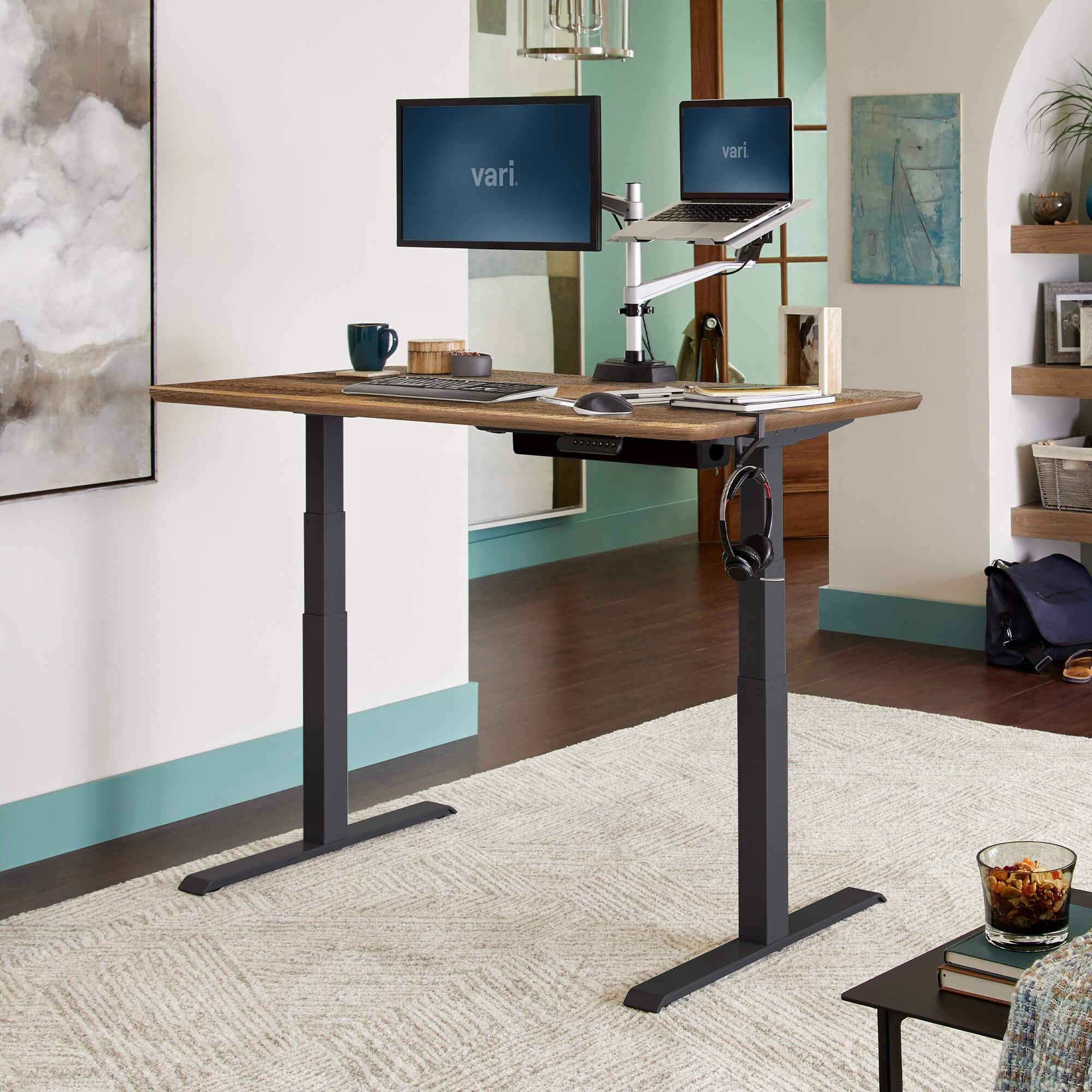
Equipment and accessories are illustrative, not confirmed bundle contents.
Use the guided leg placement, and plan the turn
The 2023 Electric Standing Desk instructions place the desktop face down, with the legs seated in grooved areas on the metal frame. The control box slides into a bracket. Those locating features make the sequence concrete: place, align, secure and connect, rather than work out an underside arrangement from scratch.
There is still work to arrange. The instructions use two hex-key sizes, call for cable connections, and show a two-person turn over the back edge before leveling. Some extensions depend on desk size. Check the steps for the version you are assembling, and keep the build area clear for the assisted turn. This is why Vari’s assembly assessment is favorable without calling the whole job effortless or assigning a completion time.
Vari Electric Standing Desk manufacturer ordinary-task instructions
Choose recall behavior during setup
Ordinary positioning uses UP and DOWN. To save a height, the documented sequence uses M followed by a numbered button. In the selected one-touch mode, a quick press recalls the stored position; constant-touch is a separate mode choice. Decide which behavior you want before treating the panel as ready for daily use.
Initialization and mode selection involve RST and timed holds, so the first setup is more involved than returning to a saved height. Keep that distinction in mind when comparing desks: the operation you repeat during a workday may be short even when the initial configuration needs a careful read. These instructions explain the control workflow for the 2023 manual’s desk, rather than establishing how the motor feels in use.
Vari Electric Standing Desk manufacturer ordinary-task instructions
Choose the panel side before fixing its cord
The panel slides into its bracket and plugs into HS. Included adhesive clips secure its cord underneath. If you want the panel on the other side, the manual calls for unscrewing and repositioning the bracket at the predrilled holes. Choose the side that you expect to reach from your normal working position before finishing the cable path.
That small decision can prevent undoing tidy work later. Work out where the panel cord runs, then attach the clips along that route. The favorable workspace grade is narrow: it covers this clear panel-placement and cord-attachment task. A purchased cable tray is optional and has a separate installation step while the desk is face down. The panel clips should not be mistaken for a complete tray-based cable system or a promise about every accessory arrangement.
Vari Electric Standing Desk manufacturer ordinary-task instructions
Compare Duo if you prefer a seated/standing gesture
Branch Duo’s 2025 manual describes double-tapping its paddle to recall a saved seated or standing position. If two named destinations feel more natural than M and numbered buttons, it is a useful alternative. Duo still requires two-person assembly, and its tray ordering needs attention if you choose that accessory. The Branch review covers that tradeoff.
Branch Duo Standing Desk manufacturer ordinary-task instructions
How the task scores fit the decision
| Task | Score / 10 | What to decide |
|---|---|---|
| Assembly workflow | 8.0 | Use locating grooves and arrange the assisted turn |
| Height control | 9.0 | Select one-touch or constant-touch recall |
| Workspace handling | 9.0 | Choose panel side before attaching cord clips |
Overall: 8.7/10. Assembly contributes 35%, height control 30% and workspace handling 35%. These scores compare the assembly, control and workspace tasks described here, rather than measured physical performance or long-term ownership. The overall uses unrounded mapped categories, so it is not calculated by averaging rounded display values.
Vari Electric Standing Desk manufacturer ordinary-task instructions
Before choosing a configuration
Choose the panel side before securing its cord, decide whether you prefer one-touch or constant-touch recall, and check the cable-extension instructions for your desk size. Add a purchased tray to the build plan only if you choose that accessory.
Return to the six-desk guide to compare the other assembly and control routines.
Sources
- Vari Electric Standing Desk manufacturer ordinary-task instructions
- Vari Electric Standing Desk manufacturer ordinary-task instructions
- Vari Electric Standing Desk manufacturer ordinary-task instructions
- Branch Duo Standing Desk manufacturer ordinary-task instructions
- Branch Duo Standing Desk manufacturer ordinary-task instructions
- Branch Duo Standing Desk manufacturer ordinary-task instructions
Vari Electric Standing Desk
Vari
A buyer who values a guided leg-placement sequence and numbered height recall.
Vari offers clearly documented assembly, height recall and panel-cord workflow, with an assisted turn still part of setup.
Reasons to choose it
- Grooves locate the legs and a bracket accepts the sliding control box.
- The manual separates one-touch recall from constant-touch operation.
Tradeoffs to know
- Assembly still uses two hex-key sizes and a helper for turning.
- Moving the panel to the other side requires repositioning its bracket.
Think twice if: A buyer expecting the control-panel clips to provide a complete accessory tray or eliminate underside planning.
Published specifications
- Configuration check
- A buyer expecting the control-panel clips to provide a complete accessory tray or eliminate underside planning.
- Review focus
- Assembly, height control and workspace tasks
Further reading
Ratings
Editorial score 8.7
Assembly workflow8
Grooves locate the legs and a bracket locates the control box; fastening and an assisted turn remain.
Height control9
Numbered recall is clear after initialization and selection of one-touch or constant-touch mode.
Workspace handling9
Panel placement and adhesive cord clips form a clear task; changing sides requires repositioning the bracket.
Sources & further reading
vari.com product information
cdn.shopify.com product information
Keep reading
Something changed? Help us keep this useful.
Send a correction →