TP-Link Deco BE63 Review (2026): The Wi-Fi 7 Mesh Kit With Ports That Matter
A single-product review of the Deco 7 Pro BE63 3-pack, including setup, 2.5GbE ports, HomeShield paid tiers, 6 GHz placement limits, and who should buy it before checkout.
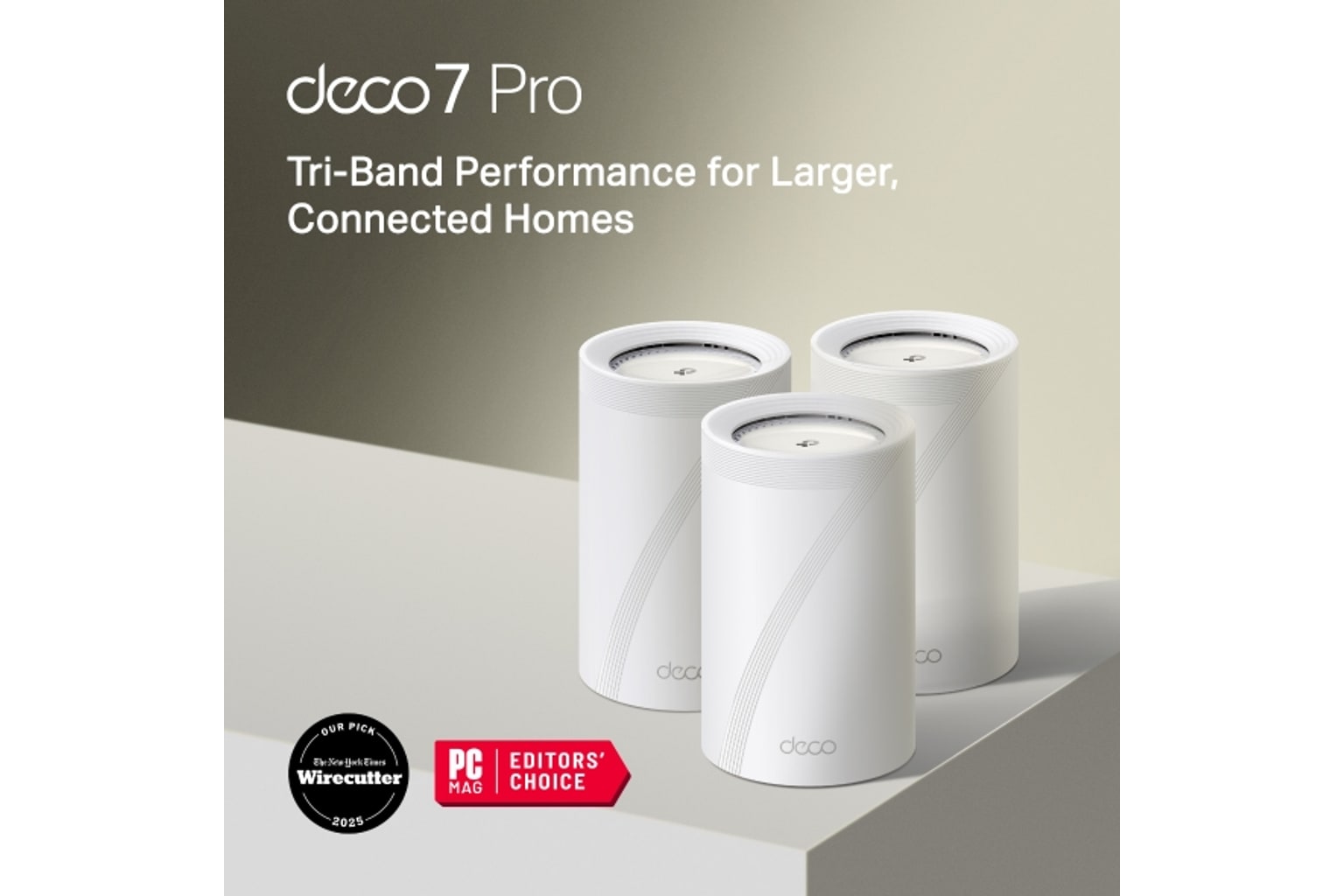
The TP-Link Deco BE63 is our best overall Wi-Fi mesh pick because it makes Wi-Fi 7 practical: strong reviewed speed, friendly setup, and four 2.5GbE ports on every node.
MSRP
$799.99
Amazon
$449.99
at writing · 2026-05-06
Buyer fit
It combines strong Wi-Fi 7 test signals, four 2.5GbE ports per node, wired/wireless backhaul flexibility, recent firmware activity, and a more reachable current price than Orbi or ASUS. The tradeoff is TP-Link’s paid HomeShield boundary and the usual 6 GHz placement/client caveat. Current Amazon-new availability was verified for ASIN B0CN8QLS4K at $449.99 during the latest price check.
MSRP
$799.99
Amazon
$449.99
at writing · 2026-05-06
Score breakdown
How this product scored
Same rubric, but focused on one product so the reasons behind the score stay readable.
Coverage & roaming reliability
Coverage, roaming, satellite stability, and placement evidence from official specs plus review/source patterns. Scoring reflects official specs, third-party reviews, owner/support signals, and product-specific caveats.
Setup & app clarity
Setup walkthroughs, app clarity, device/node visibility, troubleshooting, and how much the kit asks of non-expert buyers. Scoring reflects official specs, third-party reviews, owner/support signals, and product-specific caveats.
Backhaul & port flexibility
Wired backhaul support, port count/speed, WAN/LAN options, and whether the hardware fits modern ISP and wired-device setups. Scoring reflects official specs, third-party reviews, owner/support signals, and product-specific caveats.
Firmware stability & support
Visible update/support activity, known caveats, support docs, and whether the ownership trail looked calm or watchful. Scoring reflects official specs, third-party reviews, owner/support signals, and product-specific caveats.
Controls & subscription posture
How much useful security, parental control, privacy, and network management is included without an ongoing paid tier. Scoring reflects official specs, third-party reviews, owner/support signals, and product-specific caveats.
Performance headroom
Throughput, latency, multi-client room-to-room performance, and whether the spec class leaves room for modern clients. Scoring reflects official specs, third-party reviews, owner/support signals, and product-specific caveats.
Quick Verdict
The TP-Link Deco BE63 is the mesh kit to notice if you want Wi-Fi 7 without turning your house into a networking project. TP-Link sells it as the Deco 7 Pro BE63 3-pack: three tri-band Wi-Fi 7 nodes, four 2.5GbE ports on every node, wired or wireless backhaul, and the calmer Deco app setup that makes it feel less intimidating than the spec sheet looks. That mix is why it ranks #1 in our Best Wi-Fi Mesh Systems in 2026 guide.
The useful details are also easy to miss before checkout. Those ports matter because they let a wired office, media cabinet, game console, NAS, or wired satellite coexist without immediately needing another switch. Wi-Fi 7, 6 GHz, 320 MHz channels, and MLO are more conditional: they shine with compatible clients and good node placement, not just because the box says the magic words. And HomeShield is not an all-included forever promise; some stronger parental and security tools sit behind paid tiers.
At the most recent availability check, the exact 3-pack ASIN B0CN8QLS4K was available new on Amazon at $449.99. Use the product links to recheck today’s price, seller, availability, return terms, and support KB4UB before you buy.
Score Breakdown
- Coverage & roaming reliability: 8.4/10. The coverage story is strong but not magic. Amazon listed the 3-pack at up to 7,600 sq ft, while PCMag described a three-pack as covering up to "7,500 square feet." Treat those as layout-dependent claims, especially if satellites must talk through dense walls on 6 GHz.
- Setup & app clarity: 8.2/10. PCMag said it had the system "up and running in a matter of minutes," and its satellite was added quickly in testing. The tradeoff is app/account dependence rather than router-admin freedom.
- Backhaul & port flexibility: 9.3/10. This is the BE63's signature win: four 2.5GbE ports per node, wired backhaul support, and 6 GHz wireless backhaul.
- Firmware stability & support: 7.7/10. TP-Link's support trail shows recent firmware work, including notes to "Improve stability and reliability of the system" and enhance roaming. That is reassuring, though firmware health is still worth checking before checkout.
- Controls & subscription posture: 6.9/10. Basic tools are present, but advanced HomeShield controls can cost extra.
- Performance headroom: 8.8/10. PCMag measured very strong router-node throughput, with the satellite still good but less dominant at distance.
What Feels Great Right Away
The immediate appeal is that the BE63 does not ask you to choose between modern wireless and useful wired plumbing. Tom's Hardware called out the back of each node plainly: "there are four 2.5 GbE ports" plus a USB 3.0 port. In real homes, that is more than a spec flex. It means the living-room node can feed a console and TV, the office node can feed a desktop or dock, and a wired satellite can still have ports left over.
Setup also appears to be on the friendly side of the mesh category. In PCMag's walkthrough, after the primary node was recognized, the app configured internet settings in a few seconds; after the reviewer placed the satellite, "within 45 seconds, the LED turned blue, indicating that the node was connected and added to the network." Tom's Hardware saw a similar pattern, with the setup program identifying the primary node after a few seconds.
That combination is why the BE63 lands as the default recommendation rather than the nerd-only one. It has enough hardware to feel generous, but the day-one experience does not look like ASUS-level tinkering.
What Stays Useful Later
Over time, the port count is likely to be the BE63 detail owners appreciate most. Mesh systems often look clean in product photos because they quietly leave you with one spare Ethernet jack, or none once wired backhaul enters the picture. The BE63 gives each node enough ports that wired backhaul does not punish the room where you actually need wired devices.
The other longer-term benefit is upgrade runway. TP-Link's official copy lists Wi-Fi 7 features such as 6 GHz, 320 MHz channels, 4K-QAM, MLO, and a BE10000-class speed claim. You do not need every one of those on day one for the purchase to make sense; many homes are still full of Wi-Fi 5 and Wi-Fi 6 devices. But if you are replacing a tired ISP gateway and plan to keep the mesh for years, the BE63 gives new phones, laptops, and future multi-gig service more room than eero 6+ or Nest Wifi Pro.
The caveat is that 6 GHz is not a wall-piercing spell. It can be fast, but placement matters. Dense homes should still prefer wired backhaul where possible.
What Gets Annoying
The main annoyance is not that the BE63 is hard to use. It is that some buyers will assume the box includes every advanced safety and family-control feature forever. PCMag's HomeShield notes are the reality check: advanced parental controls such as SafeSearch, YouTube Restricted Mode, time limits, rewards, and usage insights were tied to a "$2.99 monthly or $17.99 annual subscription," and advanced security features such as Web Protection, Intrusion Prevention, and IoT Protection also required a paid tier.
That is not a dealbreaker for this top pick, because the hardware value is unusually strong and basic controls remain part of the system. It is a pre-buy budgeting check. If parental controls are the reason you are upgrading, look at the current HomeShield plan page before treating the purchase price as the whole cost.
The other small trap is Deco mixing. BroadbandNow's FAQ says you can mix Deco models, but warns that the network will run at the speed of the slowest Deco in the system. That is fine for extending a guest room; it is less fine if you expect an old Deco node to preserve the full BE63 experience.
How It Compares
Compared with NETGEAR Orbi 770, the Deco BE63 is the better default for buyers who care about port density and price. Orbi is the premium large-home pick, and its app/web-console mix may feel more polished to some households, but it costs more in the current price check and does not beat Deco's practical Ethernet story for most rooms.
Compared with ASUS ZenWiFi BQ16 Pro, the Deco is less powerful and less configurable. ASUS is the right lane if you actually need dual 10G ports, deep VPN/network controls, and subscription-free security. The BE63 is the better fit when you want fast mesh that a normal household can set up without turning the first evening into a router hobby session. HighSpeedInternet captured that ASUS-side risk with the imagined family plea: “Can you come over and set up this monster Wi-Fi thing for me?”
Compared with Deco XE75 Pro, the BE63 is the spend-more-for-headroom pick. XE75 Pro is still the value play if Wi-Fi 6E and one 2.5GbE port are enough. Compared with eero 6+ and Nest Wifi Pro, Deco is much stronger for multi-gig homes; those simpler kits are limited by gigabit ports and older/slower wireless ceilings.
Buyer Fit
Best for: multi-gig internet households, wired-backhaul layouts, home offices, gamers, NAS/media setups, and buyers who want a Wi-Fi 7 mesh kit that does not jump to Orbi 770 or ASUS BQ16 Pro pricing.
Skip if: you need 10G WAN/LAN, want advanced security and parental controls without a subscription, prefer a deeper web interface, or want the most hands-off app ecosystem possible. Also skip the 3-pack if your home is small enough for one or two nodes; overbuying mesh can create its own placement headaches.
Bottom line: The Deco BE63 wins because it turns a flashy Wi-Fi 7 label into useful everyday choices: fast reviewed performance, guided setup, and enough 2.5GbE ports that wired backhaul and wired devices can coexist. Just check the exact ASIN, current price, new seller, HomeShield plan details, and return window before checkout.
Tell us what this page missed
These pages get better when real buyer complaints make it back into the scoring model. If something important is underweighted, say it.
Rate this review
Give it a score from 1-10 and tell us what to improve.
0/4000 characters