
The recommendation
Tactile buttons and a slider pair with favorable glasses-fit observations; check the current device handoff you need.
Grades at a glance
| Product | Overall | Carry and fit | Ordinary controls | Connection and storage |
|---|---|---|---|---|
| Sonos Ace | 8.0 | 9.0 | 8.5 | 6.5 |
Does it fit your life?
A tactile choice with a switching caveat
Sonos Ace is a compelling candidate if you like tactile buttons and a slider, and want a fit worth trying with glasses. SoundGuys reports plush padding and enough clamp to keep the headphones in place without pressing hard into the reviewer's glasses. Its control assessment is favorable too, with a small reservation about the height of the slider and control key on the cup.
Our everyday-use score is 8/10: carry and fit earns 9/10, ordinary controls 8.5/10, and connection or storage chores 6.5/10. The lower connection grade comes from a historical PCMag account in which phone and computer could connect together, but switching playback through the app was not smooth. That is a report of the reviewer's setup at the time, not a statement that every current setup has the same behavior.
Choose around those two experiences separately. If the fit and controls work well for you, Ace may be an appealing everyday pair. If moving between devices is central to your day, try your actual phone-and-computer sequence before deciding. An easy playback key and an easy device handoff are different conveniences.
Positive glasses fit, with the reviewer's experience attached
SoundGuys describes wearing the Ace on and off for more than a year, finding the memory-foam padding plush and the fit accommodating around the arms of glasses. The account also says the pads' wear helped the fit. The stated use period belongs to that reviewer; it does not establish a population result or tell us exactly how a new pair will feel to every buyer.
The useful detail is the balance the reviewer describes between holding the headphones in place and avoiding excessive pressure at the glasses. Try a pair with your own frames and notice where the pad rests against them. If you switch between two pairs of glasses, use the one you expect to wear most often with the headphones. A favorable review gives you a reason to try the fit, while your frames and head shape settle the choice.
A Reddit comparison dated July 28, 2025 also favors Ace's fit over Px7 S3 for that writer, including when wearing glasses. It describes less clamp than the Bowers & Wilkins pair. This is another personal comparison, not a guarantee that the same ordering applies to everyone. It is especially useful if you are considering those two models because you want physical controls on either one.
That comparison also describes both models as nonfolding. If you usually carry headphones in a small bag, compare the closed storage arrangement with Sony WH-1000XM6 or Soundcore Space One Pro. A comfortable on-head shape and a compact packed shape are different benefits; Ace's fit argument should not make you overlook your available bag space.
A button and slider you can feel
SoundGuys praises the tactile buttons and slider, while wishing they sat a little lower on the earcup. PCMag gives a more detailed description of the Content Key: it presses inward for playback actions and moves up or down for volume. The combination gives your finger a physical target rather than a broad touch surface. In PCMag's description, one press handles playback, two presses advance a track and three return to the previous track; sliding up or down changes volume. The useful distinction is between counting presses and moving the switch. Try both movements on the same key, especially if you are moving from separate volume and track buttons.
That is the main reason to compare Ace with the Px7 S3 if you prefer tactile input. Sonos uses the movement of a slider as part of its layout; Bowers & Wilkins offers a textured playback button. Try both on your head if possible. The better arrangement is the one your hand finds comfortably, not whichever has the shorter list of instructions.
Pay particular attention to the reach. The SoundGuys reservation is small, but it is specific: a control can respond well and still sit a little higher than a reviewer prefers. Find the Content Key while wearing the headphones, change volume, pause and resume. Then remove and put on the pair again so you can judge whether the control remains easy to locate in ordinary use.
PCMag also describes a separate power/pairing button on the left earcup and another button beside the Content Key for mode selection. Those positions are useful to learn as distinct tasks. You do not need to decide every shortcut in a store demonstration; you do need to know whether the basic controls are comfortable enough that you want to learn the rest.
Check the handoff between your own devices
PCMag's account says the reviewer connected a phone and computer simultaneously but could not smoothly switch playback devices through the app during that review. We retain both parts of the observation. It shows why the presence of a two-device connection is not the same thing as a convenient selection routine. It also stays tied to the historical review, since software and device combinations can change.
If you alternate between a laptop and phone, use those devices for the purchase check. Start playback from one, move to the other, and find out which action is required on the headphones, in the app or on the devices themselves. A successful connection screen is only the beginning; the useful demonstration is selecting the source you want at the moment you want it. Include the return journey: stop the phone item and resume the computer task. Observe where you have to act each time, rather than ending the demonstration as soon as both devices appear connected. This checks the precise inconvenience in the historical account without assuming that its app behavior describes your current setup.
Think about the interruption that prompts you to switch. You may move from a computer task to a phone item and back several times, or you may use only one device for most of the day. The more often you change sources, the more weight you should give the number of steps involved. Someone who rarely switches can reasonably put more emphasis on the fit and Content Key.
Bose is worth comparing if you are interested in its reported Bluetooth-button device selection. Mike O'Brien describes cycling devices on the headphones in his review. That account also needs a current demonstration with your devices. The useful comparison is between two routines you can reproduce, rather than between broad claims that either pair connects effortlessly.
The right buyer values the fit and the Content Key
Choose Ace when it sits comfortably with your glasses, the Content Key is easy for you to reach, and your connection routine works the way you expect. The strong control and fit grades support that recommendation. The historical switching caveat is a reason to check a frequent task, with its original limits intact.
If you like tactile controls but want a different button layout, compare Px7 S3 and check its clamp carefully. If packed size is the problem, try the folding Sony or Soundcore models. If keeping cables in dedicated case spaces appeals more than a slider, Momentum 4 offers another direction. These are practical differences that help explain why a slightly lower overall score can still accompany a better choice for your day.
Read the family comparison for those alternatives. Ace makes its strongest argument through a favorable fit and tangible controls, with the device handoff checked as its own part of the purchase.
Sonos Ace
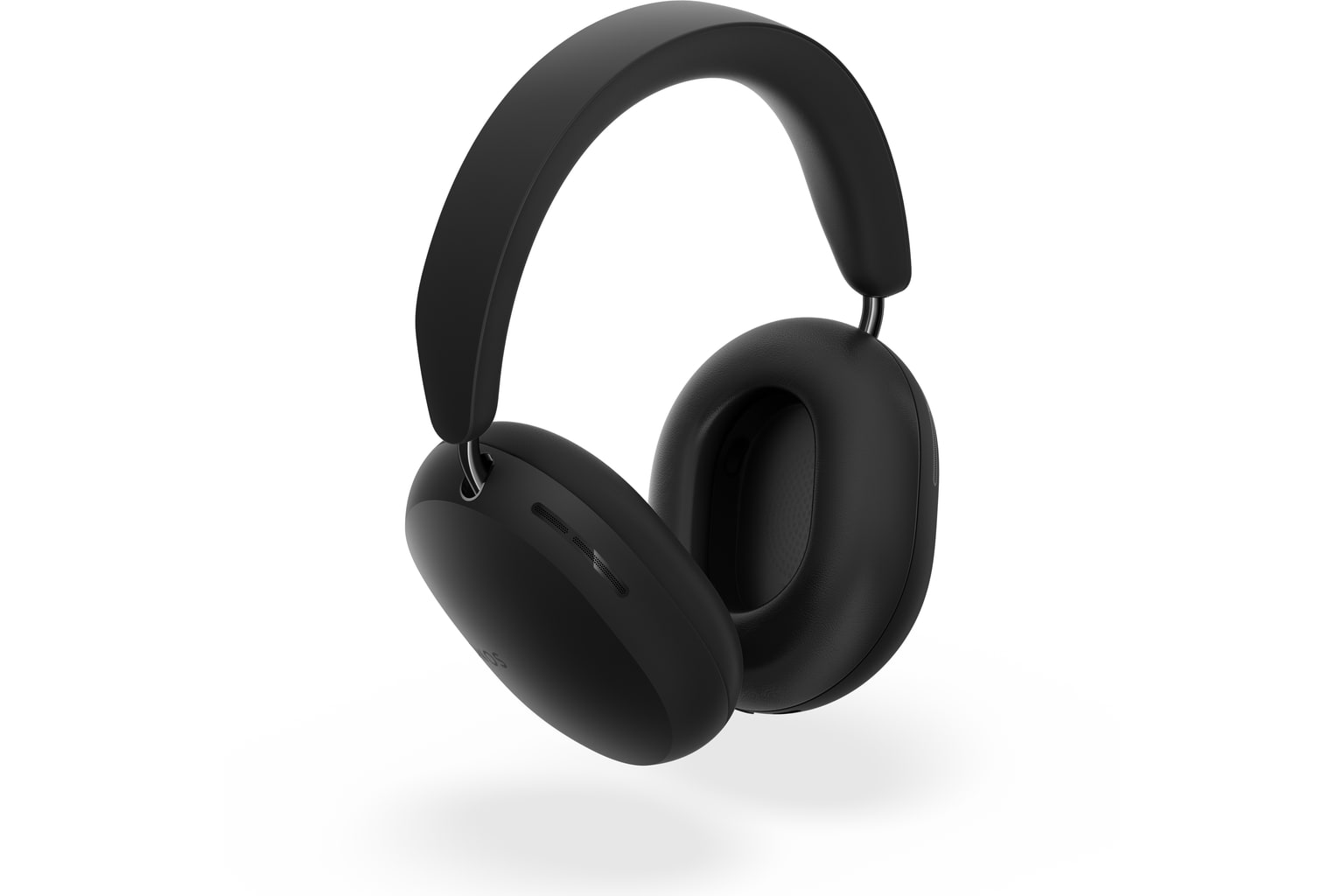
Sonos
Buyers who prefer a physical slider and find the cups comfortable with their glasses.
Tactile buttons and a slider pair with favorable glasses-fit observations; check the current device handoff you need.
Reasons to choose it
- Buttons and slider receive favorable reviewer assessment.
- SoundGuys describes comfortable fit around glasses.
Tradeoffs to know
- Reviewer wishes the controls sat lower.
- A historical PCMag account describes awkward playback-device selection.
Think twice if: You switch devices often and have not checked that routine on your own setup.
Published specifications
- Selection focus
- Carry and fit; ordinary controls; connection and storage
Further reading
Ratings
Editorial score 8
Carry and fit9
Reviewer reports accommodating glasses fit, with individual fit variability.
Ordinary controls8.5
Tactile buttons and slider are straightforward, with reach position a small drawback.
Connection and storage6.5
Historical device-switching report adds a workflow caveat; it is not a current software guarantee.
Sources & further reading
soundguys.com review
pcmag.com review
Keep reading
Something changed? Help us keep this useful.
Send a correction →