
The recommendation
Magnus Pro is worth considering for a deliberately configured workspace, supported by narrow reports of useful cable organization and clear documented panel operations.
Grades at a glance
| Product | Overall | Assembly workflow | Height control | Workspace handling |
|---|---|---|---|---|
| Secretlab Magnus Pro | 8.3 | 7.0 | 9.0 | 9.0 |
Does it fit your life?
Who should consider it
Consider Magnus Pro if you want to design a workspace around cable organization and distinct equipment and project areas. The reports offer a useful example of that finished arrangement.
Pause if you need proof that every accessory combination is straightforward to install or included with the desk. The initial assembly tasks require assisted handling, and workspace praise describes particular configurations.
Secretlab Magnus Pro manufacturer ordinary-task instructions · Secretlab Magnus Pro cached report quotations · Secretlab Magnus Pro cached report quotations · Secretlab Magnus Pro cached report quotations · Secretlab Magnus Pro cached report quotations · Secretlab Magnus Pro cached report quotations · Secretlab Magnus Pro cached report quotations
The pictured setup
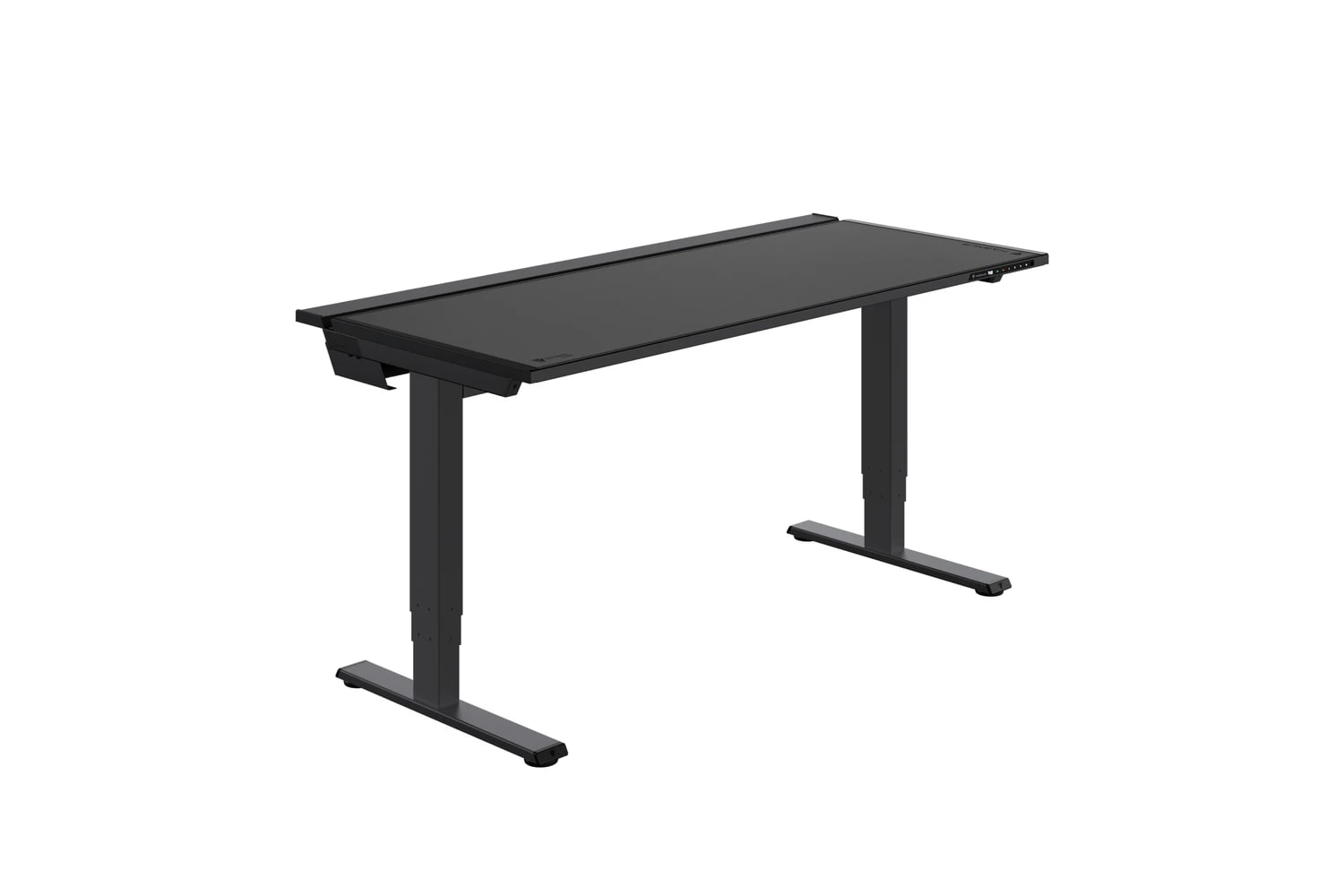
Exact size, revision and accessory contents are not established by this image.
Arrange help for the depicted initial handling
The Pro assembly instructions begin with a two-person lift and inversion onto a clear surface. Cover removal and paired red and yellow cable connections follow, with the blue cable pushed into the frame. These details give a buyer useful preparation work: make room for the assisted handling and follow the connector sequence shown for the Pro.
Arrange a clear surface and a helper for those initial tasks. They explain the preparation this review assesses; the full assembly guide remains necessary for the rest of the build. A desk chosen for its finished cable arrangement still begins with assisted handling and hands-on connector work.
Secretlab Magnus Pro manufacturer ordinary-task instructions
Learn the standby switch and save sequence together
The Pro panel labels arrows, three numbered memories, S and a standby switch. Slide the switch on for use. The manual describes holding an arrow for movement or pressing and releasing for a precise adjustment. To store a position, use S and then a number; the numbered control returns to that position.
Calibration is a separate operation. The instructions hold DOWN through RSt to the beep and call for calibration initially, after power disconnection and after impact. Keep the manual’s sequence with the desk so that returning to a remembered setting and recalibrating are not confused. The ordinary panel routine is manageable, but the standby and calibration steps matter when assessing how you want to operate it.
Secretlab Magnus Pro manufacturer ordinary-task instructions
Start with the work zones you actually need
The reports give a concrete reason to investigate Magnus Pro: cable organization was useful in the arrangements described. A configured-workspace account places a riser, arm and CPU mount on the right and keeps the left side for crafts, models and Lego work. That is a useful planning prompt if you want equipment and an open project area to share one desk. Decide what must stay fixed and what area you want to clear between tasks.
The favorable cable accounts do not settle every preference. One report wanted more accessories; other comments described add-ons as expensive, and another wished for a narrower desk. Treat those as questions about your chosen arrangement and budget, not evidence that routing cables is difficult. None establishes a current price or the dimensions of the desk you will receive.
Secretlab Magnus Pro cached report quotations · Secretlab Magnus Pro cached report quotations · Secretlab Magnus Pro cached report quotations · Secretlab Magnus Pro cached report quotations · Secretlab Magnus Pro cached report quotations · Secretlab Magnus Pro cached report quotations
Choose the add-ons around that plan
The configured example is not a bundle inventory. Confirm each mount, riser or other accessory separately before expecting the same arrangement. One comment praises cable management while wishing for more accessories. Other comments express enthusiasm for add-ons, concern about their expense, or a wish for a narrower version. Those are preferences to weigh against your own setup plan; they do not establish that installing the desk is physically harder.
The workspace score reflects reported usefulness of cable management and configured use. It should not be read as a measured installation result, a dimensional fit guarantee, or proof that a particular set of mounts will suit your equipment. Draw the intended work zones first, then check the selected accessories against that drawing.
Secretlab Magnus Pro cached report quotations · Secretlab Magnus Pro cached report quotations · Secretlab Magnus Pro cached report quotations · Secretlab Magnus Pro cached report quotations · Secretlab Magnus Pro cached report quotations · Secretlab Magnus Pro cached report quotations
Compare Vari if the immediate job is panel routing
Vari’s 2023 instructions give a narrower, directly documented task: slide the panel into its bracket, connect HS and secure its cord with adhesive clips. If that basic setup task matters more than building a workspace around add-ons, read the Vari review. Its panel-routing description does not promise the same accessory arrangement as a configured Magnus workspace.
Vari Electric Standing Desk manufacturer ordinary-task instructions
How the task scores fit the decision
| Task | Score / 10 | What to decide |
|---|---|---|
| Assembly workflow | 7.0 | Prepare for assisted inversion and cable connections |
| Height control | 9.0 | Learn S-plus-number recall and calibration |
| Workspace handling | 9.0 | Plan a particular cable and equipment arrangement |
Overall: 8.3/10. Assembly contributes 35%, height control 30% and workspace handling 35%. These scores compare the assembly, control and workspace tasks described here, rather than measured physical performance or long-term ownership. The overall uses unrounded mapped categories, so it is not calculated by averaging rounded display values.
Secretlab Magnus Pro manufacturer ordinary-task instructions · Secretlab Magnus Pro cached report quotations · Secretlab Magnus Pro cached report quotations · Secretlab Magnus Pro cached report quotations · Secretlab Magnus Pro cached report quotations · Secretlab Magnus Pro cached report quotations · Secretlab Magnus Pro cached report quotations
Before choosing a configuration
Sketch where the fixed equipment belongs and which area you want free for projects. Check each intended mount or add-on separately, and arrange help for the initial handling. Choose this desk for that planned arrangement, with the reported accessory preferences in mind.
Return to the six-desk guide to compare the other assembly and control routines.
Sources
- Secretlab Magnus Pro manufacturer ordinary-task instructions
- Secretlab Magnus Pro manufacturer ordinary-task instructions
- Secretlab Magnus Pro cached report quotations
- Secretlab Magnus Pro cached report quotations
- Secretlab Magnus Pro cached report quotations
- Secretlab Magnus Pro cached report quotations
- Secretlab Magnus Pro cached report quotations
- Secretlab Magnus Pro cached report quotations
- Vari Electric Standing Desk manufacturer ordinary-task instructions
- Vari Electric Standing Desk manufacturer ordinary-task instructions
- Vari Electric Standing Desk manufacturer ordinary-task instructions
Secretlab Magnus Pro
Secretlab
A buyer who wants to plan a cable-focused setup and choose accessories around specific work areas.
Magnus Pro is worth considering for a deliberately configured workspace, supported by narrow reports of useful cable organization and clear documented panel operations.
Reasons to choose it
- Reports describe useful cable organization in the setups discussed.
- The documented Pro panel has arrows and three numbered memories.
Tradeoffs to know
- The depicted initial assembly includes a two-person inversion and connector work.
- Accessory selection and initialization require separate decisions.
Think twice if: A buyer who assumes pictured mounts and add-ons are included or that workspace praise proves easy installation.
Published specifications
- Configuration check
- A buyer who assumes pictured mounts and add-ons are included or that workspace praise proves easy installation.
- Review focus
- Assembly, height control and workspace tasks
Further reading
Ratings
Editorial score 8.3
Assembly workflow7
The documented initial tasks include assisted inversion and color-matched connector work.
Height control9
Arrows and S-plus-number recall are clear, with standby and calibration steps to learn.
Workspace handling9
Reports describe useful cable organization and a configured equipment/project split; accessory preferences do not establish routing difficulty.
Sources & further reading
assets.secretlab.co product information
User reports at Reddit
User reports at Reddit
User reports at Reddit
User reports at Reddit
User reports at Reddit
User reports at Reddit
vari.com product information
Keep reading
Something changed? Help us keep this useful.
Send a correction →