
The recommendation
Consider the Virtuoso+ if a visible time setting appeals to you, and accept that correcting an overshoot can require more dial movement than expected.
Grades at a glance
| Product | Overall | Filling and handling | Control selection | Bin and burr access |
|---|---|---|---|---|
| Baratza Virtuoso+ Coffee Grinder ZCG587BLK, Black | 7.4 | 7.5 | 7.5 | 7.0 |
Does it fit your life?
The timer is the reason to look closely
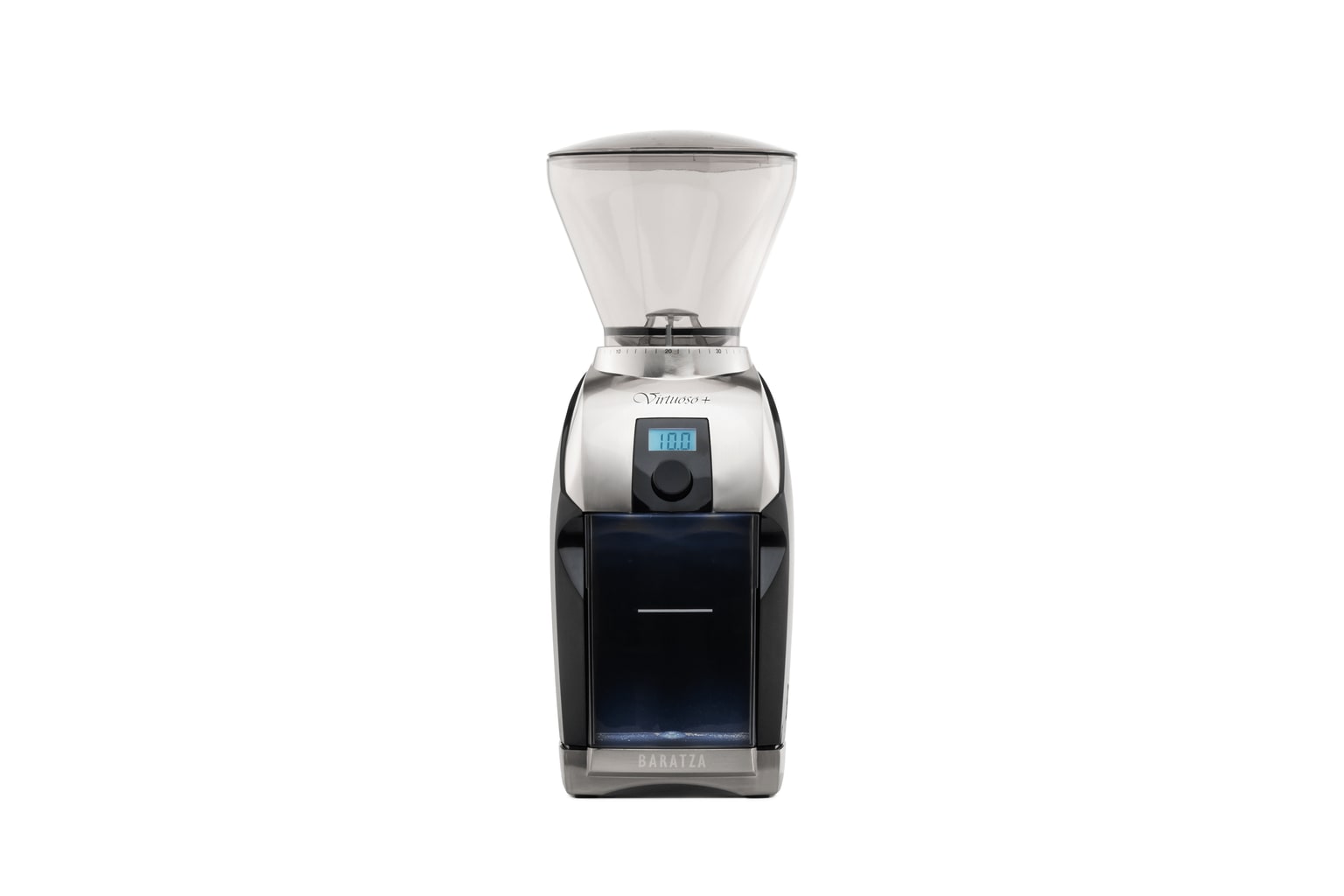
The Virtuoso+ is most interesting in this comparison if you want to see the time you have selected. In the cited French Press Coffee presentation, a button wakes the backlit display, and the front control is used to select a duration. That gives the interface a visible reference rather than leaving the user to describe the action only as a button press.
Whether that helps depends on your preferences. Some buyers like a readout they can check before starting. Others would rather avoid an extra selection and use a direct control. The Encore ESP represents that simpler interaction in this family. Compare the two as interfaces before deciding that the addition of a screen automatically makes a routine easier.
Straightforward hopper filling
The presenter fills the bean hopper directly and then selects a marked position. This is a conventional sequence that is easy to understand: add beans and choose the control position you intend to use. We give that handling a modest favorable assessment rather than treating ordinary filling as an exceptional feature.
If you plan to use the grinder with more than one other person, think about which physical references everyone will need to recognize. The hopper marks and the displayed duration are separate pieces of information. Making those choices visible can be useful, but it also means your routine includes checking both. This is a consideration for organizing the interaction, not a claim that a particular setting will produce a particular result.
The filling demonstration alone does not establish a special advantage for changing beans, or prove that the hopper is easier to remove than those on the other grinders. OXO and Breville have more specifically described removal controls. If removal is your main concern, use those reviews for the relevant comparison.
The hopper selection is itself a visible physical reference. In the presentation, the hopper turns against markings on the body, with an indicator showing the chosen position. The presenter describes the movement as clicky. For a buyer, the useful detail is that this selection is made at the top of the grinder even though time is chosen on the front. A display does not consolidate the entire routine into one control; you still use both areas.
That division can be comfortable if you prefer to make one choice, then check the next. It can be less appealing if your reason for buying a digital interface is to have every selection in one place. When looking at photos, include the hopper markings in your comparison rather than judging the Virtuoso+ solely by the illuminated front panel.
The small catch when you turn back
The backlit timer is easy to understand in principle, but the presentation identifies an interaction worth noticing. While increasing the displayed duration, the presenter moves in one-second increments. After passing the intended value, moving back takes smaller, tenth-of-a-second steps. The presenter finds it easier to continue around the range than to work back through those fine adjustments.
That does not make the control unusable. It does mean an apparently small correction can involve more turning than you expect. If you tend to adjust controls quickly and then correct them, pay attention to that detail. If you choose a value carefully and rarely revisit it, the same behavior may be a minor inconvenience.
This is a historical description of the unit in that presentation. It is not a guarantee about the behavior of every later unit or revision. The useful buying lesson is to inspect how a time control handles overshooting and reversing, rather than judging it only by the presence of a readable screen.
A selected time is also an interface setting, not an established quantity of coffee. We have not scored output repeatability here. The benefit under discussion is being able to view and adjust the selected duration.
The presenter also shows the display counting down after starting. That offers a visible indication of the selected cycle progressing. It may appeal to someone who likes to glance at a readout during the interaction. It should be considered alongside the adjustment behavior: a screen can communicate the remaining time clearly while the dial still feels fussy when you correct a selection.
Consider two different habits. A person who chooses the same displayed duration and mainly wants to check it may care most about legibility. A person who frequently changes the duration may care more about how the dial moves in both directions. Neither habit is wrong, but the second gives the reported reverse increments greater importance. Before paying for an interface you like the look of, decide which of those interactions you expect to repeat.
A receiver you can remove
The grounds receiver comes out after use, so you can carry it to the next part of preparation. This gives you a separate container to handle when transferring the grounds.
Our care assessment here covers removing the receiver and transferring grounds. For a closer look at burr access, the Encore ESP review describes its tool-free disassembly.
Readout or direct action?
Choose between the Virtuoso+ and Encore ESP according to whether a displayed duration is something you want to manage. The Virtuoso+ puts that selection in front of you. The Encore ESP’s pulse button offers a direct physical action. Neither interaction, on its own, tells us which makes better coffee.
Breville provides another display-based alternative, with several references for selection. Its additional cup/shot control is a complexity the cited reviewer would prefer to omit. If you like visible information but dislike overlapping controls, compare that issue with the Virtuoso+ timer’s reverse increments. These are different forms of interface friction.
OXO is worth comparing if you want a timer/button arrangement while putting greater emphasis on hopper and upper-burr access. The relevant question is which exact chore matters to you: seeing a time, correcting a time, removing beans or reaching parts. A single overall score cannot replace those preferences.
A useful fit for the right preference
The Virtuoso+ earns a place on the shortlist when a backlit time selection is an attraction in itself. Direct filling and a removable receiver complete an understandable routine. The main reservation is the small-step correction behavior described in the presentation, and the limit on what we can say about deeper cleaning access.
This review addresses filling, control selection and receiver handling. It does not establish taste, speed, sound level, extraction performance or durability. Check the exact model and configuration of a listing; the cited historical presentation is model-relevant rather than proof of every accessory bundle or later revision.
Baratza Virtuoso+ Coffee Grinder ZCG587BLK, Black
Baratza
A visible backlit time setting
The Virtuoso+ combines direct hopper filling and a removable receiver with a backlit timer. The main interface tradeoff is how its fine reverse adjustments feel.
Reasons to choose it
- Backlit time display
- Direct hopper filling
- Removable grounds receiver
Tradeoffs to know
- Fine reverse timer increments can add adjustment effort
Think twice if: You dislike correcting settings in fine increments
Further reading
Ratings
Editorial score 7.4
Control selection7.5
Backlit timer helps visibility but fine reverse increments add adjustment friction.
Bin and burr access7
The grounds receiver comes out so you can carry it to the next preparation step.
Sources & further reading
youtube.com review
youtube.com review
youtube.com review
youtube.com review
Keep reading
Something changed? Help us keep this useful.
Send a correction →