
The recommendation
Put it on your shortlist if dedicated brightness and volume buttons are the controls you will use most.
Grades at a glance
| Product | Overall | Handling and placement | Everyday controls | Power and cables |
|---|---|---|---|---|
| Infant Optics DXR-8 PRO Video Baby Monitor | 8.1 | 8.0 | 9.0 | 7.0 |
Does it fit your life?
A good fit for frequent adjustments
The DXR-8 PRO is a strong candidate when you expect to change brightness and volume often. A historical video review describes dedicated buttons for both, alongside camera-movement controls and a menu. That is its most persuasive everyday advantage in this comparison. See the DXR-8 PRO video review.
Consider the camera mount separately. A second reviewer bought an extra piece for wall mounting, so the parent unit’s opening stand does not resolve that choice. See a second DXR-8 PRO review.
The parent unit has its own stand
The review describes a rear stand that opens so the parent unit can rest on a surface. That gives it an identifiable handling benefit for someone who wants to set the display down. The camera wall-mount accessory mentioned by the other reviewer addresses a separate piece of equipment. See the DXR-8 PRO video review and a second DXR-8 PRO review.
Brightness and volume have dedicated buttons
Dedicated brightness and volume buttons are the main reason to choose the DXR-8 PRO for repeated adjustments. The historical review also describes movement controls and a menu. If volume is your priority, compare this direct button layout with HelloBaby’s three-step adjustment. See the DXR-8 PRO video review and the HB6550 review.
Labeled supplies, with a connection chore to remember
The historical reviewer describes labeled power supplies, which help distinguish the pieces, and reports accidentally leaving a jack partly inserted. Those details are useful reminders to consider both supply selection and the connection itself when comparing everyday handling. See the DXR-8 PRO video review.
Compare the adjustment you use most
Choose the Babysense PRO instead if selecting between cameras by button or SCAN is more valuable than brightness shortcuts. Consider the VTech VM819 if direct volume arrows are enough for you, while allowing for its manual camera-angle adjustment and two different cables. The family guide puts those cable chores side by side.
Infant Optics DXR-8 PRO Video Baby Monitor
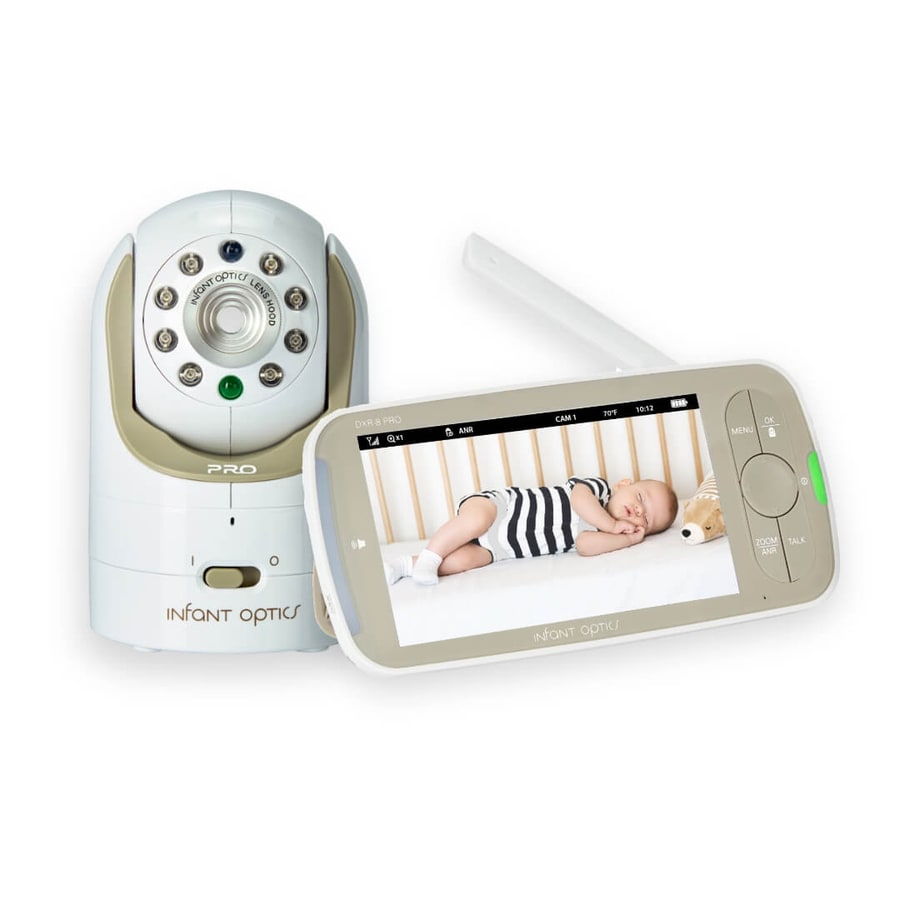
Infant Optics
Frequent brightness and volume changes with dedicated buttons.
Dedicated brightness and volume buttons make the DXR-8 PRO appealing for frequent adjustments. Its parent unit has an opening rear stand; reviewers describe separate camera-mount and power-connection chores.
Reasons to choose it
- Dedicated brightness and volume buttons.
- Rear stand opens for surface placement.
- Power supplies described as labeled in the video review.
Tradeoffs to know
- A second reviewer bought an extra piece for a camera wall mount.
- One reviewer reported accidentally leaving the power jack partly inserted.
Think twice if: A camera wall mount is your priority and you want to avoid choosing a separate accessory.
Published specifications
- Brightness and volume
- Dedicated buttons
- Parent-unit support
- Opening rear stand
- Power-supply identification
- Labeled supplies in the historical review
Further reading
Ratings
Editorial score 8.1
Handling and placement8
A rear stand supports surface placement; a second reviewer needed an extra piece for a camera wall mount.
Everyday controls9
Dedicated brightness and volume buttons sit alongside movement and menu controls.
Power and cables7
The reviewer described labeled power supplies but also reported leaving the jack partly inserted.
Sources & further reading
youtube.com review
youtube.com review
Keep reading
Something changed? Help us keep this useful.
Send a correction →